perplexity-cli
🧠 A simple command-line client for the Perplexity API. Ask questions and receive answers directly from the terminal! 🚀🚀🚀
Python★ 176
Highly polished, performance-focused Arch Linux + Hyprland dotfiles with dynamic theming, custom widgets, and a fast, m…
 AymanLyesri
git clone https://github.com/AymanLyesri/ArchEclipse.gitAymanLyesri/ArchEclipse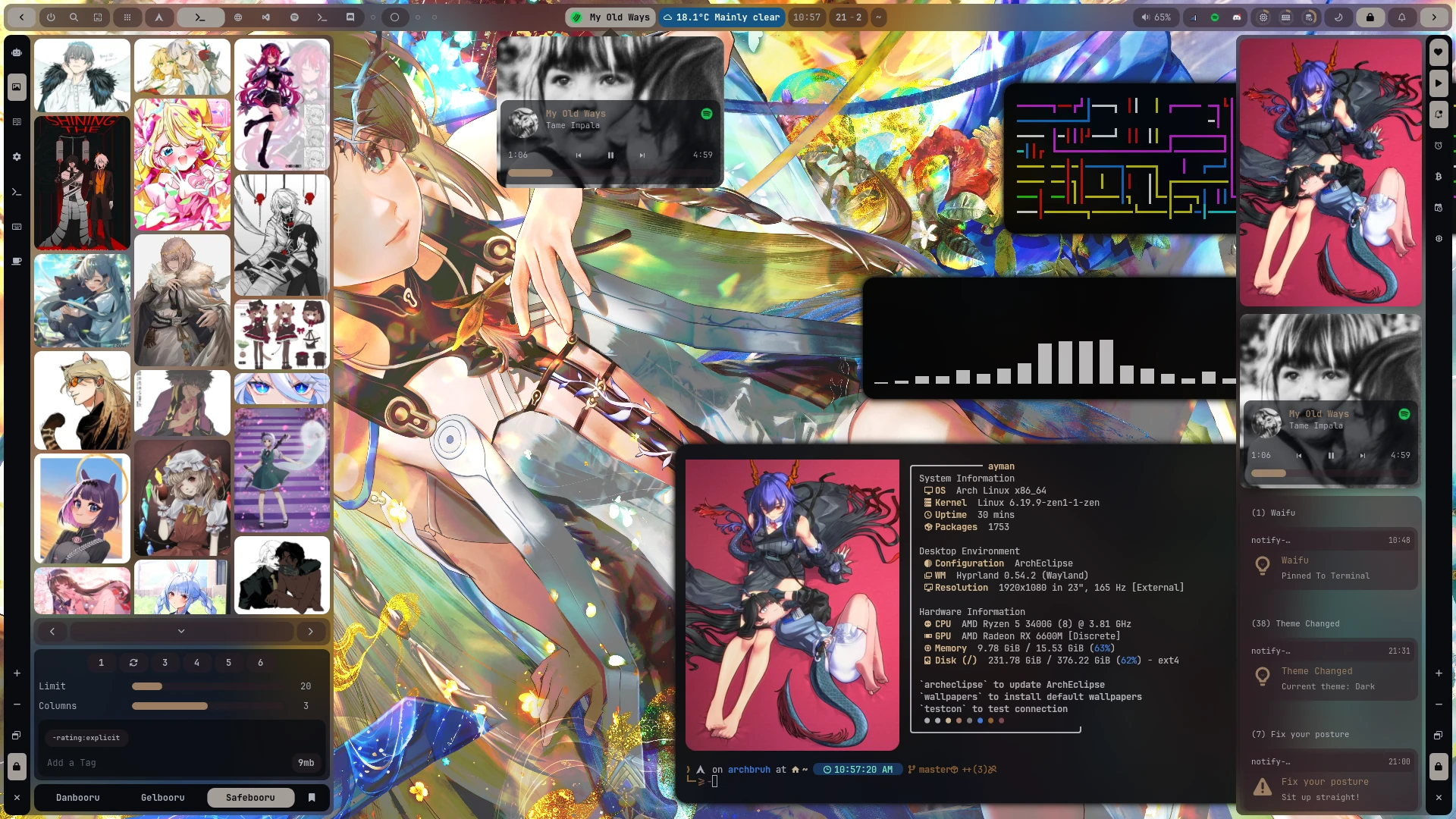
A production-grade Hyprland desktop environment — built from scratch, engineered for daily use.
ArchEclipse is my personal, battle-tested desktop configuration for Arch Linux + Hyprland. It's a fully integrated system that I use daily for coding, trading, gaming, and general productivity.
Every component was written, tuned, and iterated on over real-world use. The result is a cohesive environment where the UI, system utilities, automation scripts, and visual theming all work as a single product — not a patchwork of borrowed configs.
The project spans multiple languages and layers of the stack:
| Layer | Technologies |
|---|---|
| UI / Widgets | GTK4, TypeScript, TSX (Ags framework) |
| Automation & Tooling | Python 3, Bash |
| Performance-Critical Utilities | C |
| Compositor | Hyprland (Wayland) |
graph TB
    subgraph Install["Setup & maintenance"]
        Installer["install.py / update.py<br/>Python installer"]
        Pacman["pacman/pkglist.txt<br/>package list"]
        Archeclipse["archeclipse CLI<br/>update wrapper"]
    end

    subgraph Hypr["Hyprland — window manager (Lua)"]
        HyprMain["hyprland.lua<br/>entry point"]
        HyprConfig["config/*.lua<br/>bind, animations, monitor,<br/>windowrule, gesture, input"]
        HyprScripts["scripts / scripts-c<br/>screenshot, screenrecord,<br/>hyprlock, wallpaper-loop"]
        WallpaperDaemon["wallpaper-daemon<br/>hyprpaper / mpvpaper"]
        Evremap["evremap<br/>key remapping service"]
    end

    subgraph AGS["AGS / Astal shell (GTK4 + TypeScript)"]
        App["app.tsx<br/>shell bootstrap"]

        subgraph BarSys["Bar system"]
            Bar["Bar.tsx<br/>state machine:<br/>compact/expanded/search/<br/>volume/brightness/recording"]
            CompactBar["CompactBar.tsx"]
            ExpandedBar["ExpandedBar.tsx"]
            SearchBar["SearchBar.tsx"]
            BarSub["sub-components<br/>Battery, Volume, Bandwidth,<br/>Brightness, Player, Recording"]
        end

        AppLauncher["AppLauncher.tsx<br/>Gtk.Popover launcher +<br/>QuickApps + AppHistory"]

        subgraph Panels["Side panels"]
            LeftPanel["LeftPanel.tsx<br/>Settings, ChatBot,<br/>BooruViewer, MangaViewer,<br/>KeyBinds, UserProfile"]
            RightPanel["RightPanel.tsx<br/>Calendar, Notifications,<br/>SystemResources, Crypto, Waifu"]
        end

        subgraph Core["Core layers"]
            Widgets["widgets/<br/>reusable TSX components"]
            Services["services/<br/>brightness, record,<br/>autoSwitchWorkspace"]
            Utils["utils/<br/>settings-sync, auth-session,<br/>color, icon, notification"]
            Classes["class/<br/>Supabase.class.tsx<br/>BooruImage.class.tsx"]
            Constants["constants/ + interfaces/<br/>typed config & API contracts"]
            SCSS["scss/<br/>bar, panel, widgets themes"]
        end

        subgraph NativeScripts["Native/companion scripts"]
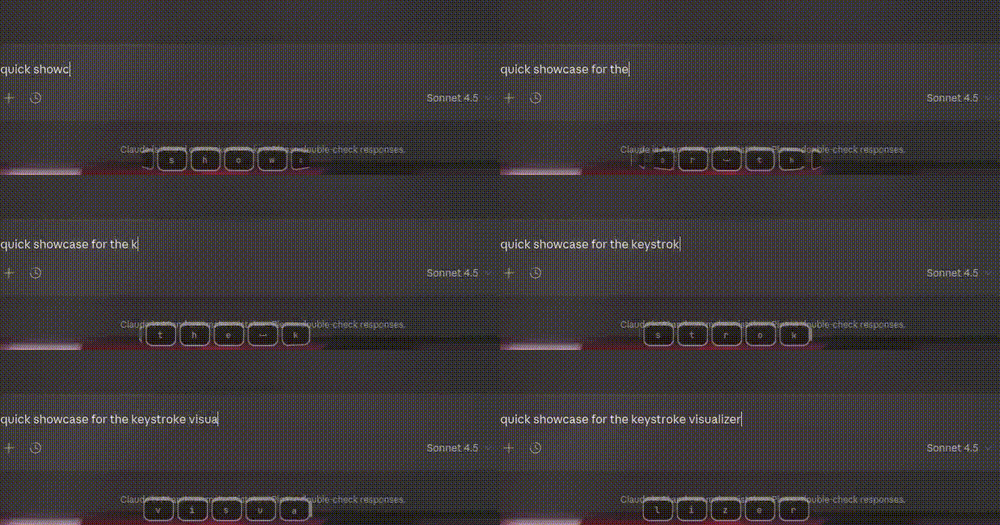
            CLoops["*.c loops<br/>system-resources, bandwidth,<br/>keystroke visualizer"]
            PyScripts["*.py<br/>chatbot, booru, manga,<br/>crypto, auth-callback"]
            ShScripts["*.sh<br/>get-wallpapers, translate,<br/>get-keybinds, image-color"]
        end
    end

    subgraph Backend["External services"]
        Supabase[("Supabase<br/>auth + RLS + settings sync")]
        APIs[("Booru / manga / crypto /<br/>weather / chatbot APIs")]
    end

    Installer --> Pacman
    Installer --> HyprMain
    Archeclipse --> Installer

    HyprMain --> HyprConfig
    HyprConfig --> HyprScripts
    HyprConfig --> WallpaperDaemon
    HyprConfig --> Evremap
    HyprMain -- "spawns/execs" --> App

    App --> BarSys
    App --> AppLauncher
    App --> Panels
    App --> Core

    Bar --> CompactBar
    Bar --> ExpandedBar
    Bar --> SearchBar
    Bar --> BarSub
    SearchBar -.->|opens| AppLauncher

    Widgets --> Core
    LeftPanel --> Widgets
    RightPanel --> Widgets
    BarSys --> Widgets

    Core --> NativeScripts
    Utils --> Classes
    Classes -->|"auth, settings sync"| Supabase
    NativeScripts -->|"HTTP calls"| APIs

    SCSS -.->|styles| App

    classDef install fill:#EEEDFE,stroke:#534AB7,color:#26215C
    classDef hypr fill:#E1F5EE,stroke:#0F6E56,color:#04342C
    classDef ags fill:#FAECE7,stroke:#993C1D,color:#4A1B0C
    classDef core fill:#E6F1FB,stroke:#185FA5,color:#042C53
    classDef ext fill:#FAEEDA,stroke:#854F0B,color:#412402

    class Installer,Pacman,Archeclipse install
    class HyprMain,HyprConfig,HyprScripts,WallpaperDaemon,Evremap hypr
    class App,Bar,CompactBar,ExpandedBar,SearchBar,BarSub,AppLauncher,LeftPanel,RightPanel ags
    class Widgets,Services,Utils,Classes,Constants,SCSS,CLoops,PyScripts,ShScripts core
    class Supabase,APIs ext
Loading
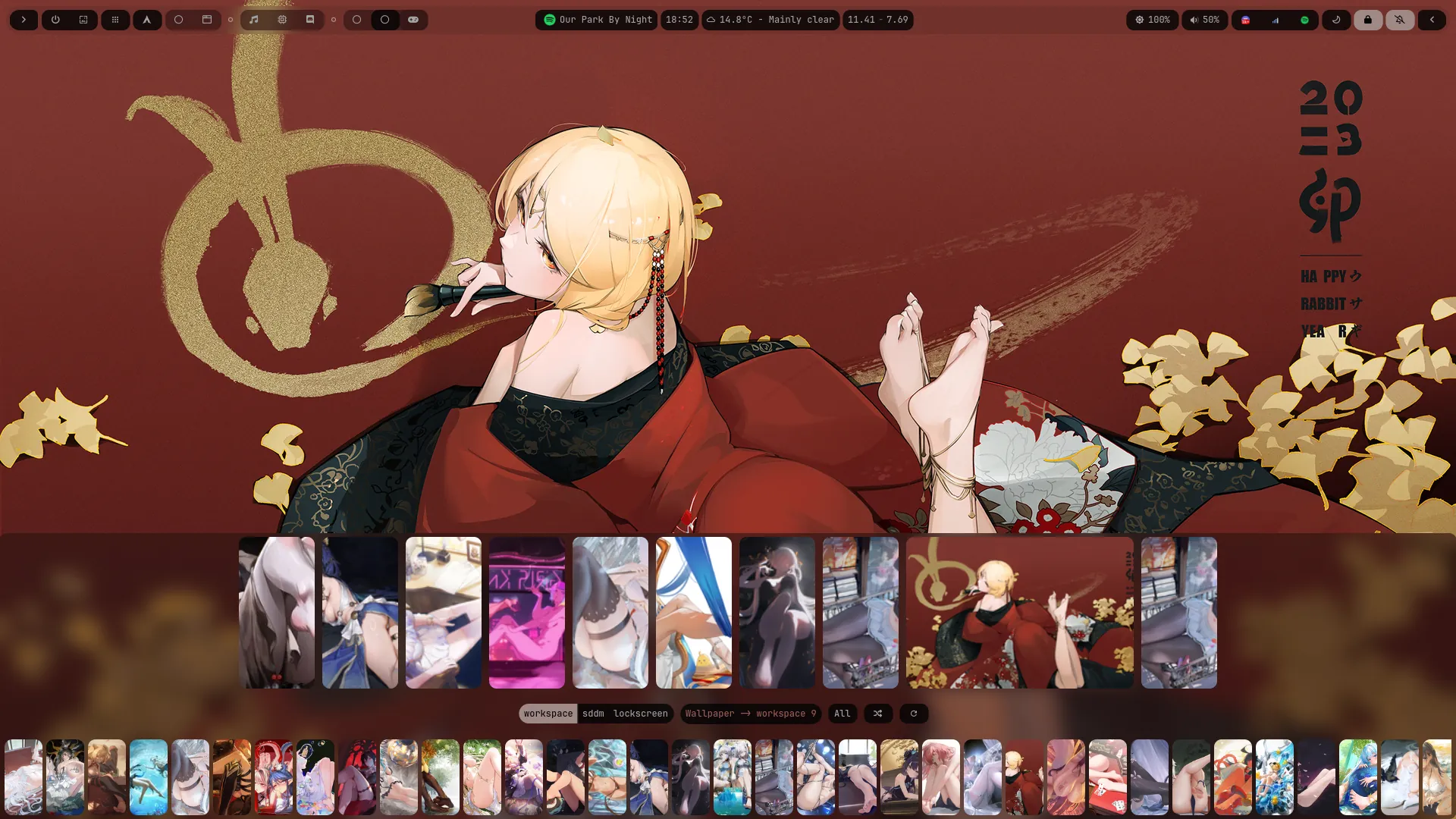
A custom pipeline generates a full system color scheme from the active wallpaper at runtime using Cwal a custom C implementation of PyWal (10-50x faster, zero Python overhead) that generates a full color scheme at runtime. Colors propagate automatically to GTK4 widgets, terminal, and all UI components. No manual color editing required — ever.
All shell UI is built with the Ags GTK4 v3 framework — replacing prior Eww and Ags GTK3 implementations. Widgets are written in TypeScript with TSX, enabling type-safe, component-based UI development that mirrors modern web frontend workflows.
The bar is fully modular — widgets are swappable at runtime. Current slots include:
A custom-built launcher written in GTK4/TS replacing Rofi entirely, with built-in support for:
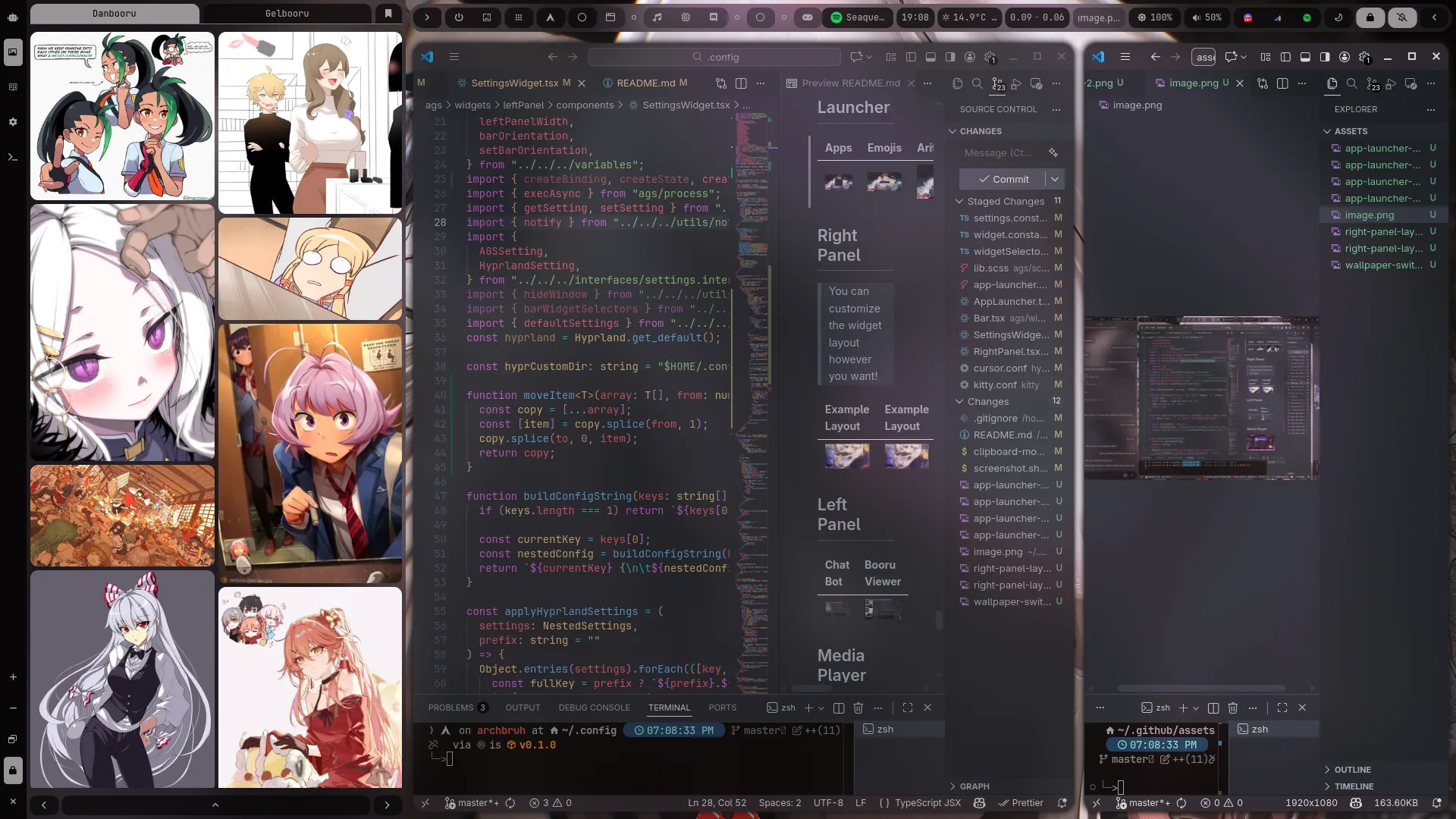
Right Panel — Configurable layout with swappable widgets: media player, notification history, calendar, script runner, crypto portfolio viewer, and an anime image viewer powered by the Danbooru and Gelbooru APIs.
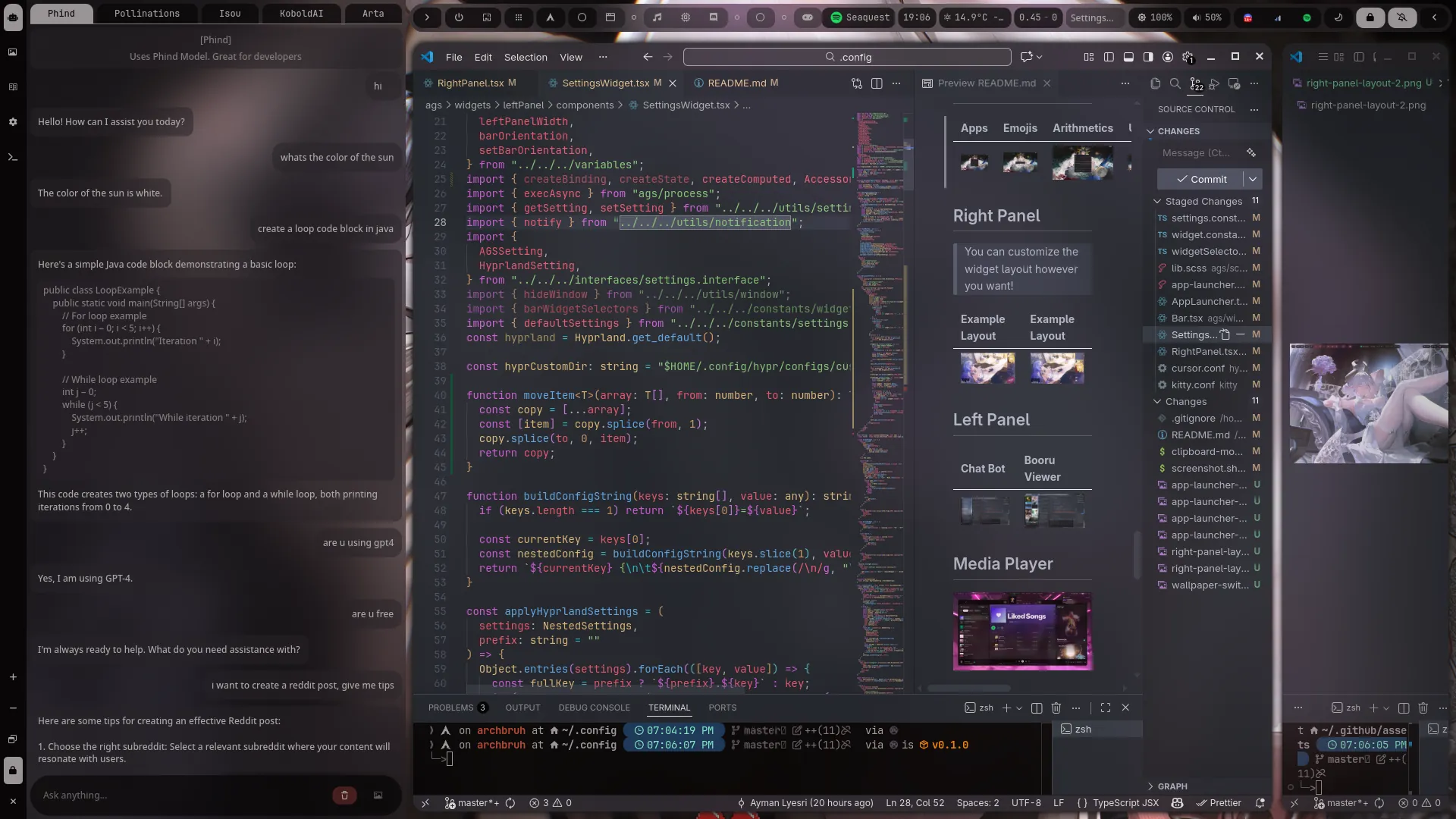
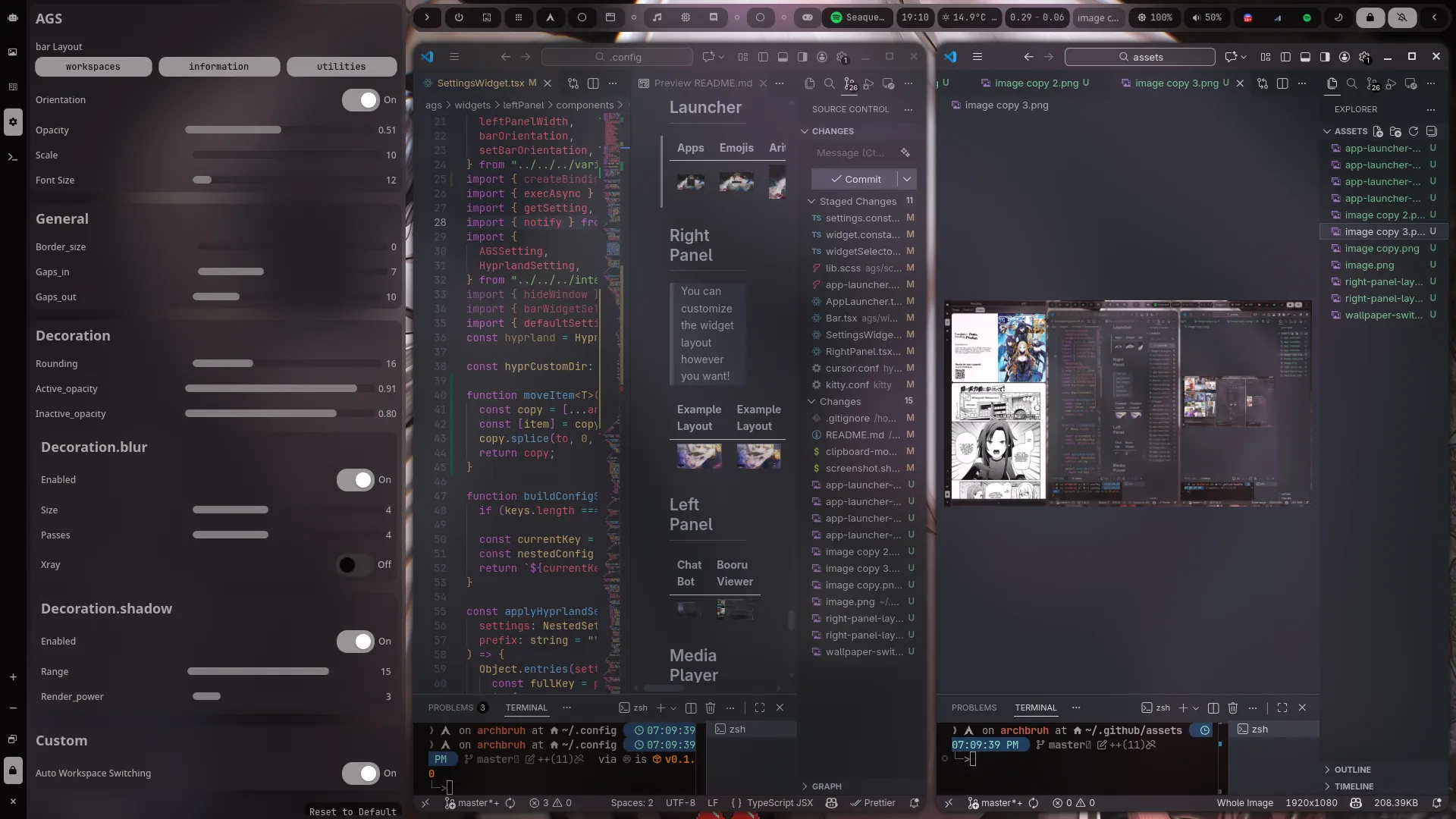
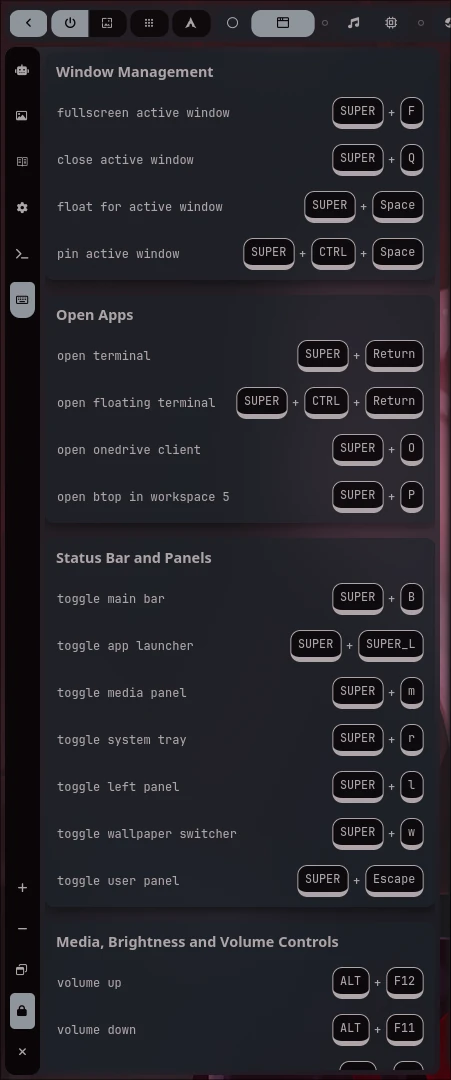
Left Panel — Power-user tools: an integrated chatbot (multi-API), a booru image browser, a manga reader (MangaDex API, WIP), live keybinds reference, and a Hyprland/Ags settings panel.
The entire configuration deploys via a single command using a Python-based installer that handles dependency resolution, git-based dotfile deployment, and package management automatically. Post-install, the environment stays up to date with a single archeclipse command.
| Workspace | Assigned Application |
|---|---|
| W2 | Browser |
| W4 | Spotify |
| W5 | Btop |
| W6 | Discord |
| W7 | Steam / Lutris |
| W10 | Games |
| W1, W3, W8, W9 | General purpose |
Applications launch automatically into their designated workspaces at login.
Requirements: Arch Linux (or Arch-based), Hyprland configured and working, Python 3.
All other dependencies are installed automatically by the installer.
python3 <(curl -fsSL https://raw.githubusercontent.com/AymanLyesri/ArchEclipse/refs/heads/master/.config/hypr/maintenance/install.py)
archeclipse
$HOME/.face.iconSUPER + W$HOME/.config/wallpapers/custom$HOME/.config/hypr/configs/customupower for battery monitoringIssues, suggestions, and feature requests are always welcome — open one here.
If this project saved you time or you just enjoy it, a coffee helps keep development going.
|
₿ Bitcoin 1JisW9xeatCFadtgsenjbpCcFePZGPyXow |
Ξ Ethereum / BSC 0x52d06d47bb9dc75eaf027f18cb197d5817989a96 |
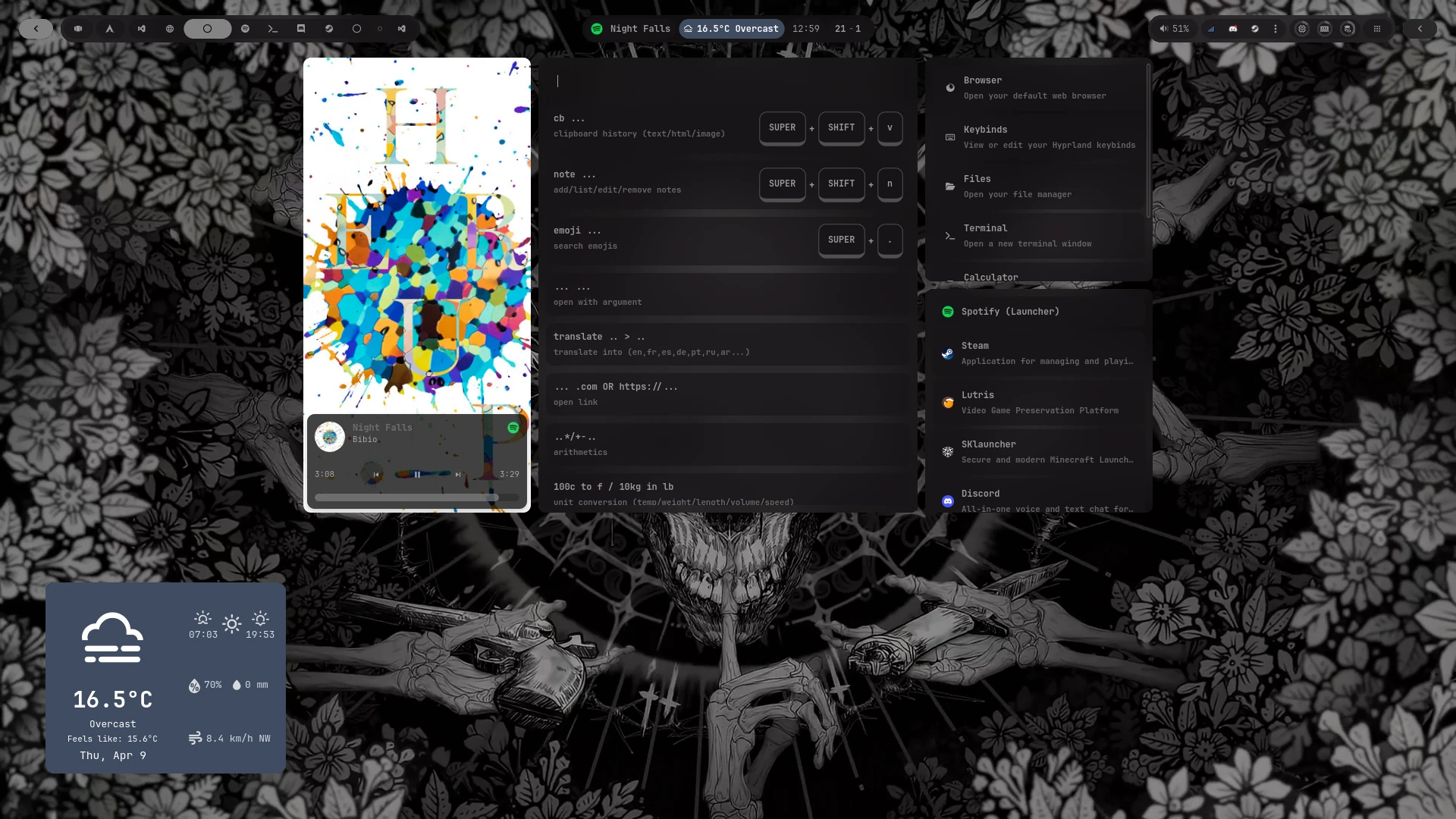
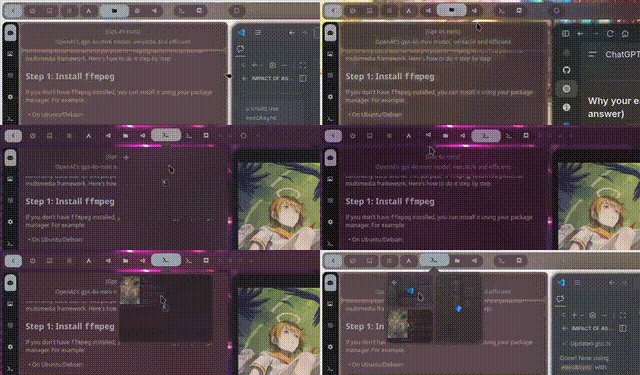
| Layout A | Layout B |
|---|---|
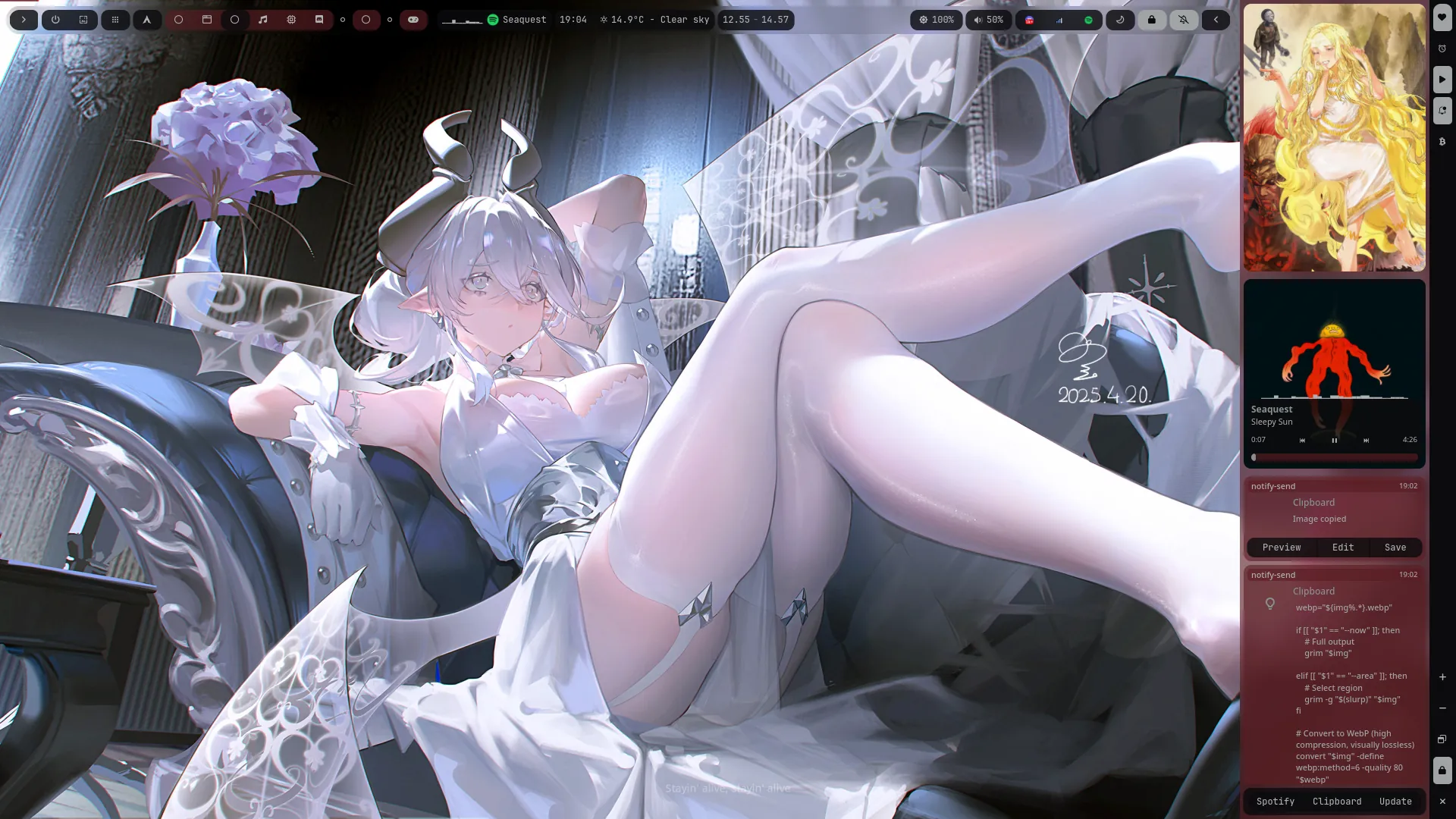 |
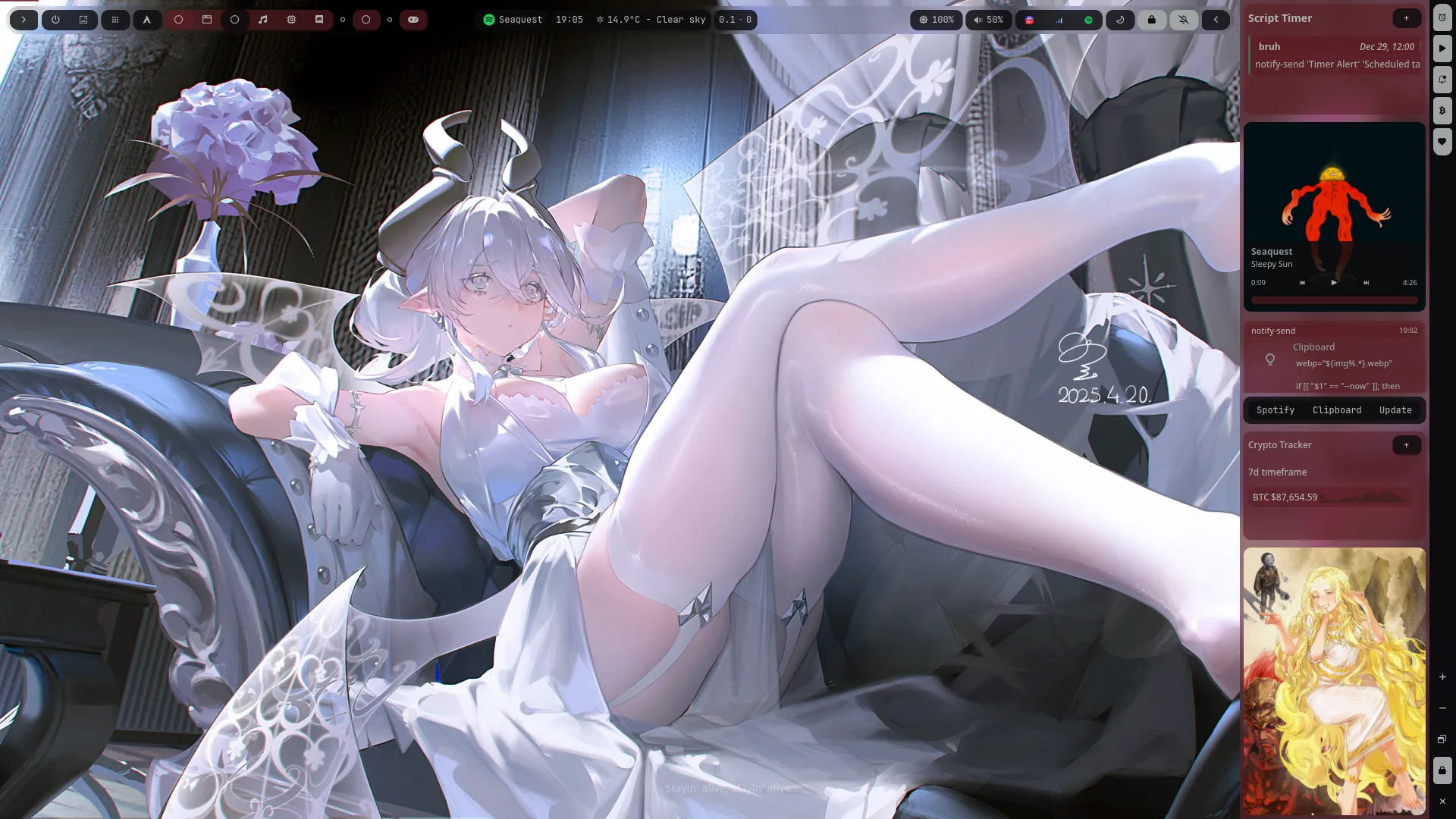 |
| Chatbot | Booru Viewer |
|---|---|
 |
 |
| Settings | Keybinds |
|---|---|
 |
 |
| Dark Mode | Light Mode |
|---|---|
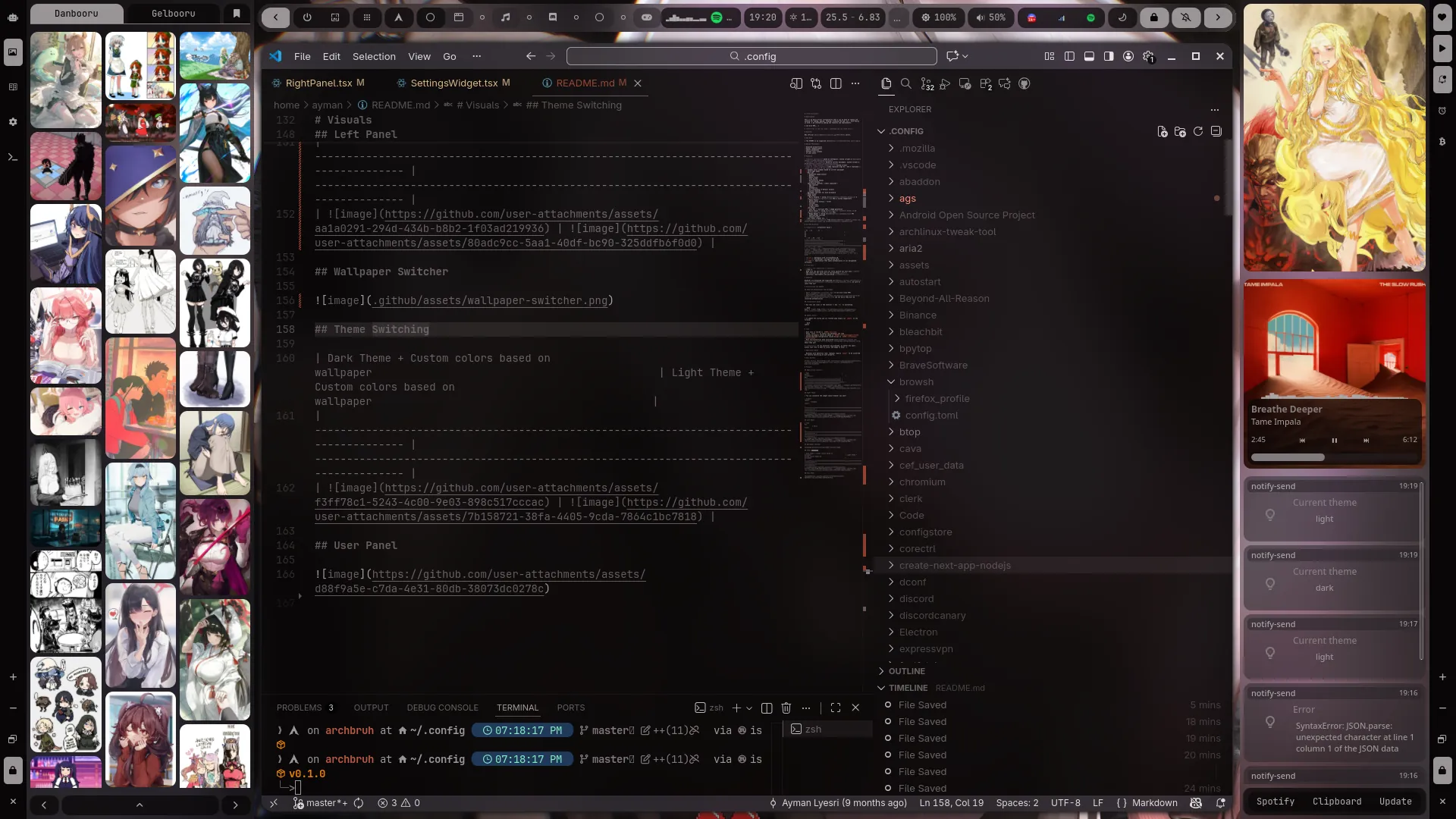 |
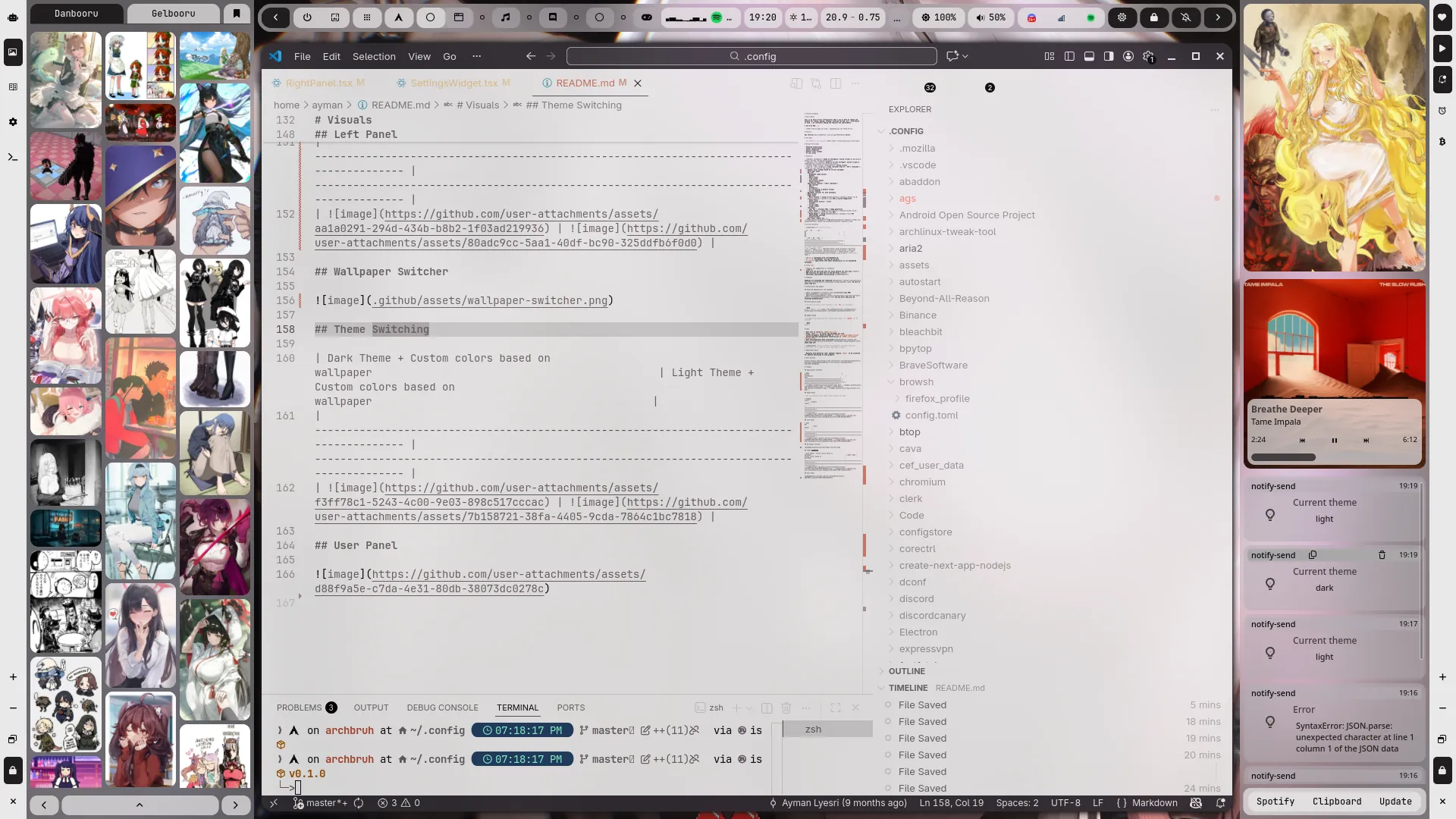 |

more like this
🧠 A simple command-line client for the Perplexity API. Ask questions and receive answers directly from the terminal! 🚀🚀🚀
search projects, people, and tags