Aritim-Light
A Light theme for both KDE and GTK based distros, pleasant to the eyes and perfect for your daily workload.
CSS★ 51
Stay comfy while listening to music
 Comfy-Themes
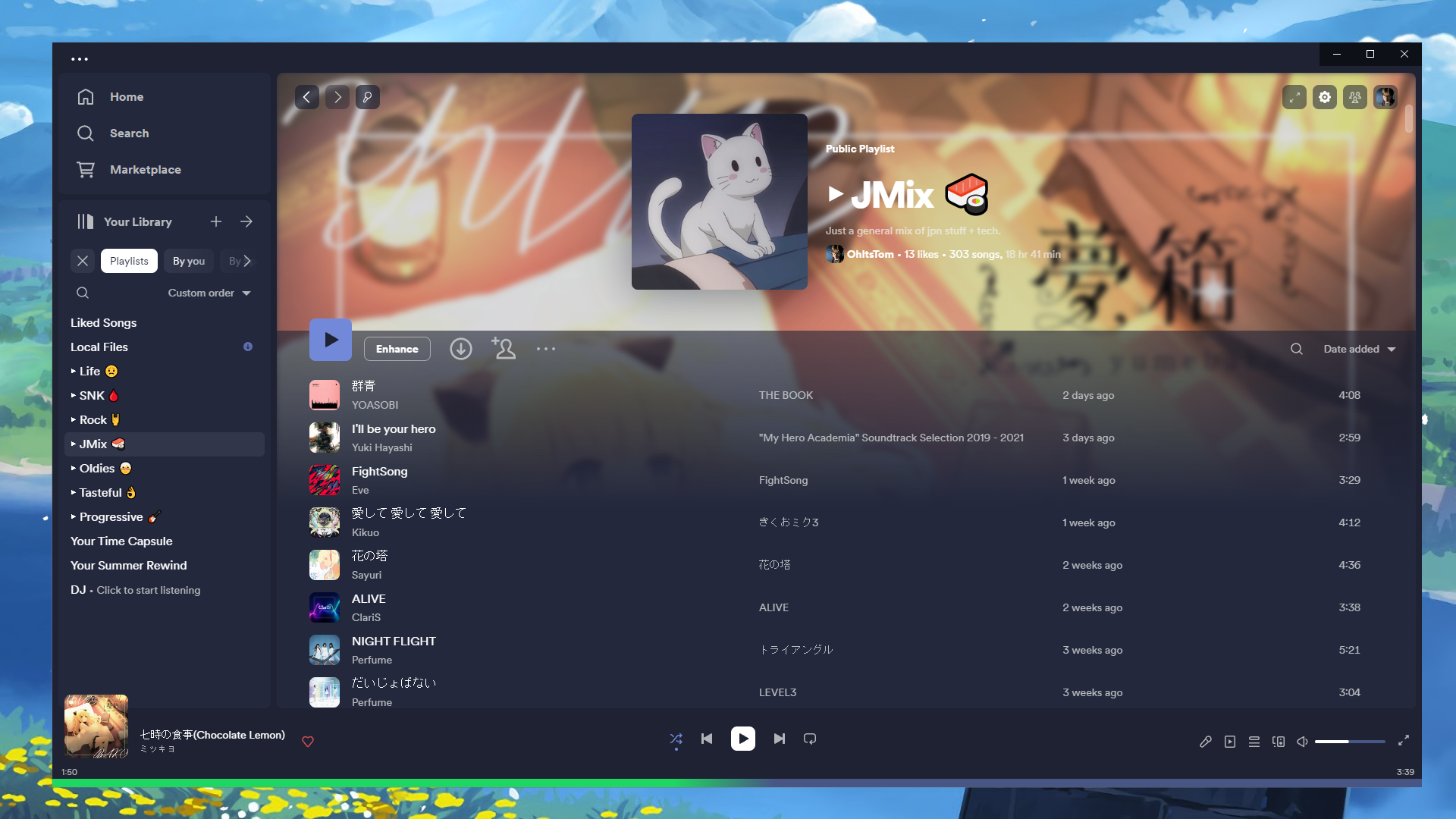
Comfy SpicetifyStay comfy while listening to music Report an issue ・ Join the support server ・ Preview images✅ Recommended2.38.51.2.51 |
Windows -> PowerShell:
iwr -useb https://raw.githubusercontent.com/NYRI4/Comfy-spicetify/main/install.ps1 | iex
macOS and Linux -> Bash:
curl -fsSL https://raw.githubusercontent.com/NYRI4/Comfy-spicetify/main/install.sh | sh
CD into your Themes folder in .spicetify and run :
git clone https://github.com/Comfy-Themes/Spicetify
Rename the folder to Comfy and run these commands to apply :
spicetify config current_theme Comfy
spicetify config color_scheme <option>
spicetify config inject_css 1 replace_colors 1 overwrite_assets 1 inject_theme_js 1
spicetify apply
To choose the perfect color for your setup you can look at images here! The color schemes with folders like here ussually means you need to combine
{folder_name}-{file_name} you can find all available color_schemes in the colot.ini file.
spicetify config color_scheme rose-pine-moon
The theme automatically updates for users using the version of Spicetify equals or greater than 2.8.2, however, for the users that don't want to update Spicetify to the newest version:
theme.js file, paste the code and save itspicetify applyFor the users that don't want to update Spicetify to the newest version, do the same with this and paste it in the user.css replacing the @import.
Go into your theme folder and open either :
color.ini for the colors
user.css for styling
theme.js for settings
Thinking of donating? Please consider what you value most when deciding who to donate to:
more like this
A Light theme for both KDE and GTK based distros, pleasant to the eyes and perfect for your daily workload.
search projects, people, and tags