meine
meine 🌒 - A CLI file manager and system utility built with Textual. It combines intuitive command parsing with rich t…
Python★ 50
Powerful expense tracker that lives in your terminal.
 EnhancedJax
git clone https://github.com/EnhancedJax/Bagels.gitEnhancedJax/BagelsPowerful expense tracker that lives in your terminal.
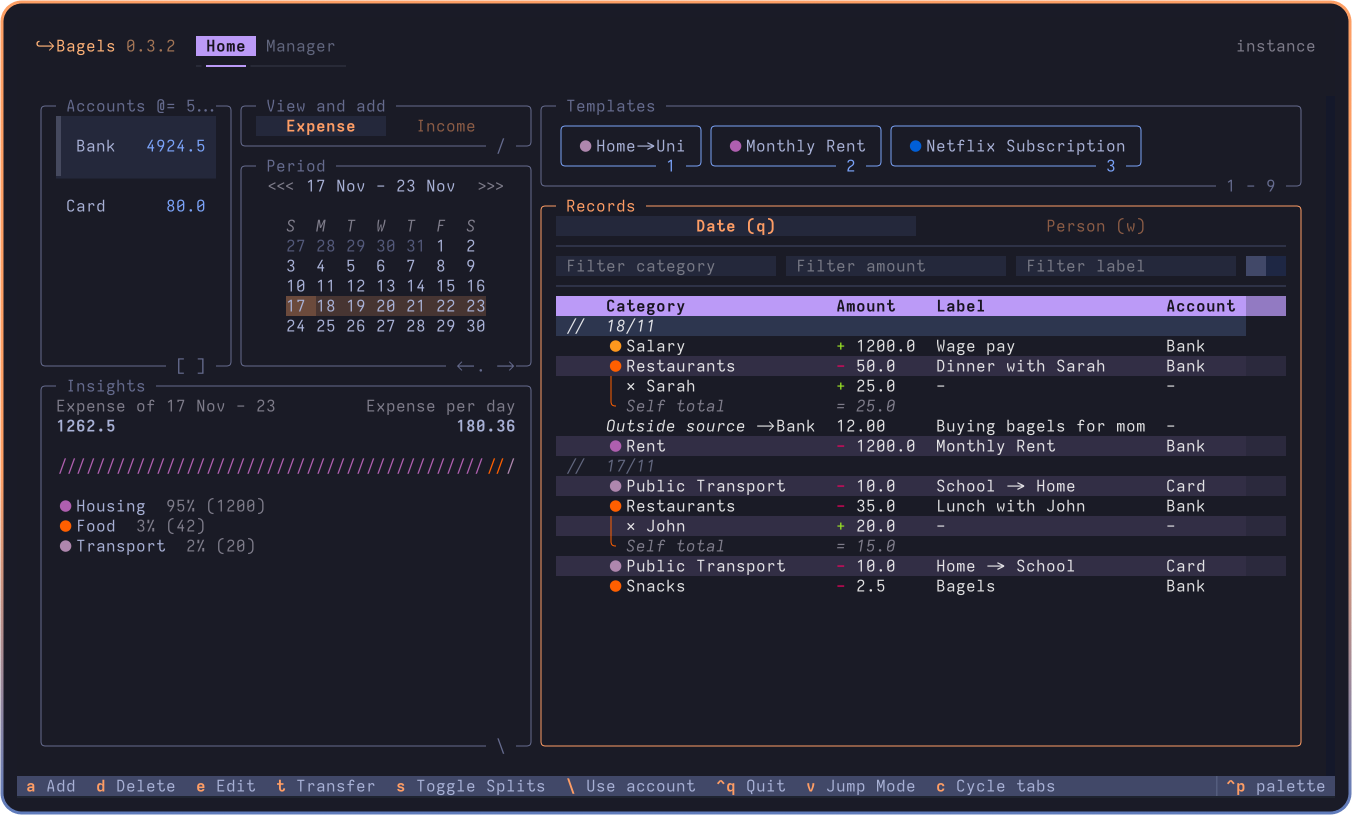
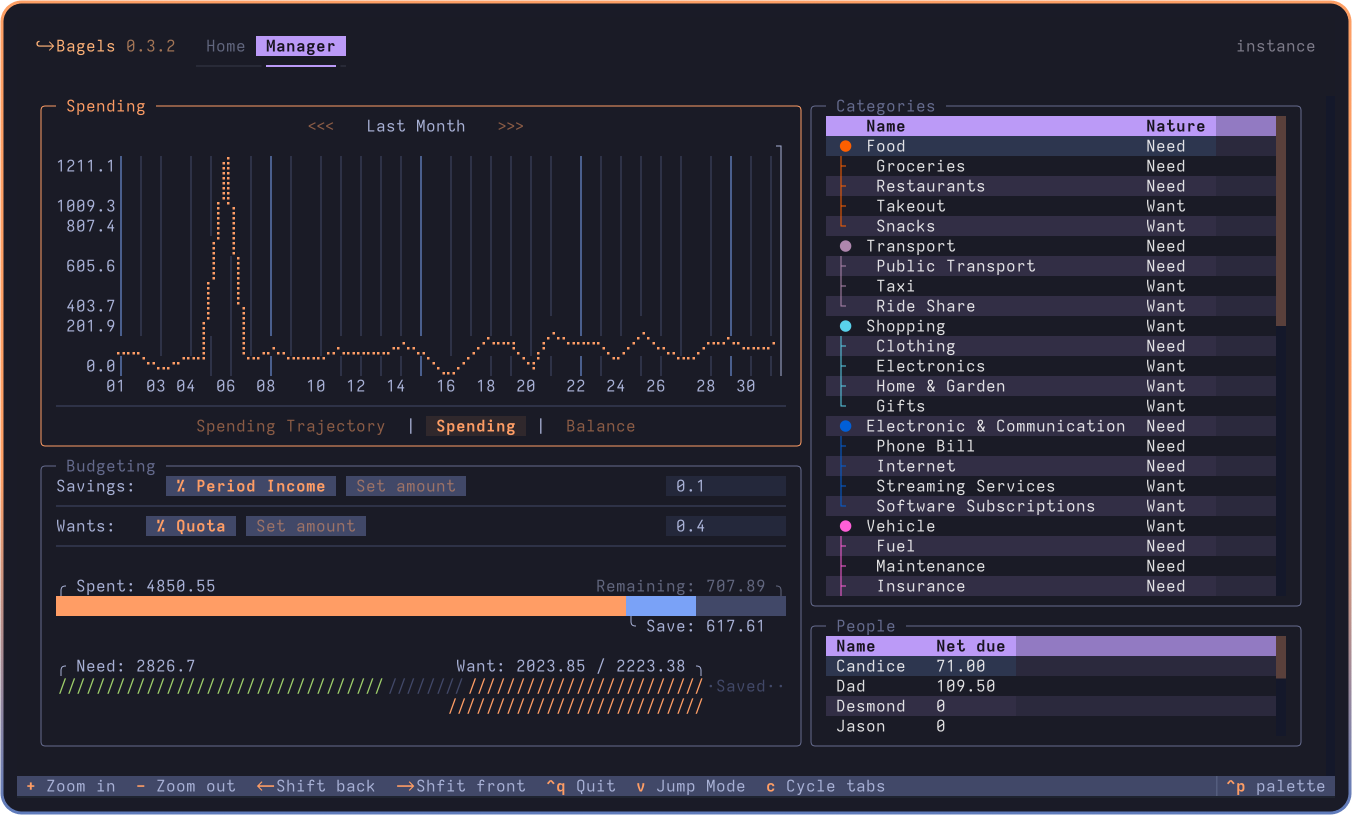
Bagels expense tracker is a TUI application where you can track and analyse your money flow, with convenience oriented features and a complete interface.
Why an expense tracker in the terminal? I found it easier to build a habit and keep an accurate track of my expenses if I do it at the end of the day, instead of on the go. So why not in the terminal where it's fast, and I can keep all my data locally?
Some notable features include:
Bagels can be installed via uv on MacOS, Linux, and Windows.
uv is a single Rust binary that you can use to install Python apps. It's significantly faster than alternative tools, and will get you up and running with Bagels in seconds.
You don't even need to worry about installing Python yourself - uv will manage everything for you.
# install uv (package manager):
curl -LsSf https://astral.sh/uv/install.sh | sh

# restart your terminal, or run the following command:
source $HOME/.local/bin/env # or follow instructions

# install bagels through uv
uv tool install --python 3.13 bagels
uv can also be installed via Homebrew, Cargo, Winget, pipx, and more. See the installation guide for more information.
# install uv:
winget install --id=astral-sh.uv  -e
# then follow instructions to add uv to path
uv tool install --python 3.13 bagels
brew install bagels
pipx install bagels
conda install -c conda-forge bagels
x install bagels
bagels # start bagels
bagels --at "./" # start bagels with data stored at cd
bagels locate database # find database file path
bagels locate config # find config file path
It is recommended, but not required, to use "modern" terminals to run the app. MacOS users are recommended to use Ghostty, and Windows users are recommended to use Windows Terminal.
To upgrade with uv:
uv tool upgrade bagels
Please read the migration guide for migration from other services.
git clone https://github.com/EnhancedJax/Bagels.git
cd Bagels
uv run pre-commit install
mkdir instance
uv run bagels --at "./instance/" # runs app with storage in ./instance/
# alternatively, use textual dev mode to catch prints
uv run textual run --dev "./src/bagels/textualrun.py"
uv run textual console -x SYSTEM -x EVENT -x DEBUG -x INFO # for logging
Please use the black formatter to format the code.
Backlog:
more like this
meine 🌒 - A CLI file manager and system utility built with Textual. It combines intuitive command parsing with rich t…
Launcher and management utility for running an Astroneer Dedicated Server on Linux using WINE
search projects, people, and tags