moxon-frame-generator
simple generator for 3D-printed frames for a moxon rectangle antenna
OpenSCAD★ 50
Universal Zynq/AD9363 firmware builder
 F5OEO
F5OEOgit clone https://github.com/F5OEO/tezuka_fw.gitF5OEO/tezuka_fw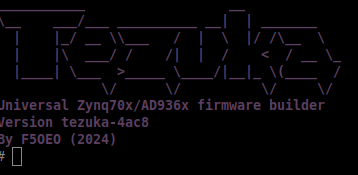

Universal firmware builder designed to unlock the full potential of your PlutoSDR/clone.
Built entirely for the SDR enthusiast community—bringing new features, wider frequency ranges, and massive performance boosts to your existing device.
Quick addition of new board (already 10 boards supported)
This firmware is developed entirely in my free time. Maintaining multiple boards, buying hardware for testing, and adding features takes significant time and resources. If tezuka supercharges your SDR experience, please consider supporting the project!
No funds? You can still support by starring the repository or helping improve the documentation!
| Device Platform | Architecture | SD card | Gbe | DATV | Trusted vendors |
|---|---|---|---|---|---|
| PlutoSDR | 7010 | digikey mouser | |||
| PlutoPlus | 7010 | OpenSdrLab | |||
| Antsdr E200 | 7020 | CrowdSupply | |||
| Antsdr E310 | 7020 | ? | |||
| Fishball/PlutoSky | 7010 | OpenSDRLab obsolete -> 7020 OpenSDRLab with box | |||
| Fishball/PlutoSky | 7020 | OpenSDRLab OpenSDRLab with box | |||
| SignalSDRPro | 7020 | CrowdSupply | |||
| LibreSDR/ZynqSDR | 7020 | OpenSDRLab | |||
| PlutoSky R2 | 7020 | OpenSDRLab | |||
| Pluto Nano | 7010 | AliExpress HamGeek ? |
CRITICAL: DO NOT use the standard frm flashing method. To prevent bricking, always boot via SD card mode unless you know what you are doing.
sdimg folder onto the root of the SD Card.Only for original PlutoSDR (No SD Slot): Follow the official ADI flashing procedure using the pluto.frm file.
Once booted, the firmware exposes a USB drive containing config.txt. Modify this file to tweak your settings (based on standard ADI customization parameters).
Enjoy extra features out-of-the-box with custom-tailored software branches:
# Install mandatory dependencies
sudo apt install pkg-config libssl-dev libclang-dev jq

# Clone the repository & pull Buildroot
git clone [https://github.com/F5OEO/tezuka_fw](https://github.com/F5OEO/tezuka_fw)
cd tezuka_fw
./getbuildroot.sh
# Build a single board (each board gets its own output directory):
./build.sh fishball

# Build multiple boards:
./build.sh pluto plutoplus fishball

# Build all boards:
./build.sh all

# Build with parallel jobs and clean output first:
./build.sh -j8 -c fishball
Or build manually using Buildroot directly:
source sourceme.first
cd buildroot
make pluto_maiasdr_defconfig && make
For a list all supported boards run:
./build.sh -h
Buildroot does not allow whitespaces in the PATH environment variable. On WSL several paths with whitespaces are added. The following script can be used to remove any path with whitespaces. It also deletes any leftover ':' at the end:
export PATH=$(echo $PATH | tr ':' '\n' | grep -v ' ' | tr '\n' ':' | sed 's/:$//')
If you encounter errors related to CMAKE policy version, it's because newer versions of CMAKE (3.27+) have stricter policy requirements. Setting CMAKE_POLICY_VERSION_MINIMUM=3.5 tells CMAKE to use policies from version 3.5 or newer, which helps maintain compatibility with older build scripts and dependencies that may not be fully compatible with the latest CMAKE policies. This is particularly important when building packages that haven't been updated to support newer CMAKE versions.
Run the build with:
CMAKE_POLICY_VERSION_MINIMUM=3.5 make
All materials are in buildroot/output/images
more like this
simple generator for 3D-printed frames for a moxon rectangle antenna
search projects, people, and tags