meine
meine 🌒 - A CLI file manager and system utility built with Textual. It combines intuitive command parsing with rich t…
Python★ 50
Opera GX Skin for Firefox
 Godiesc
git clone https://github.com/Godiesc/firefox-gx.gitGodiesc/firefox-gx

Steps to configure the theme:
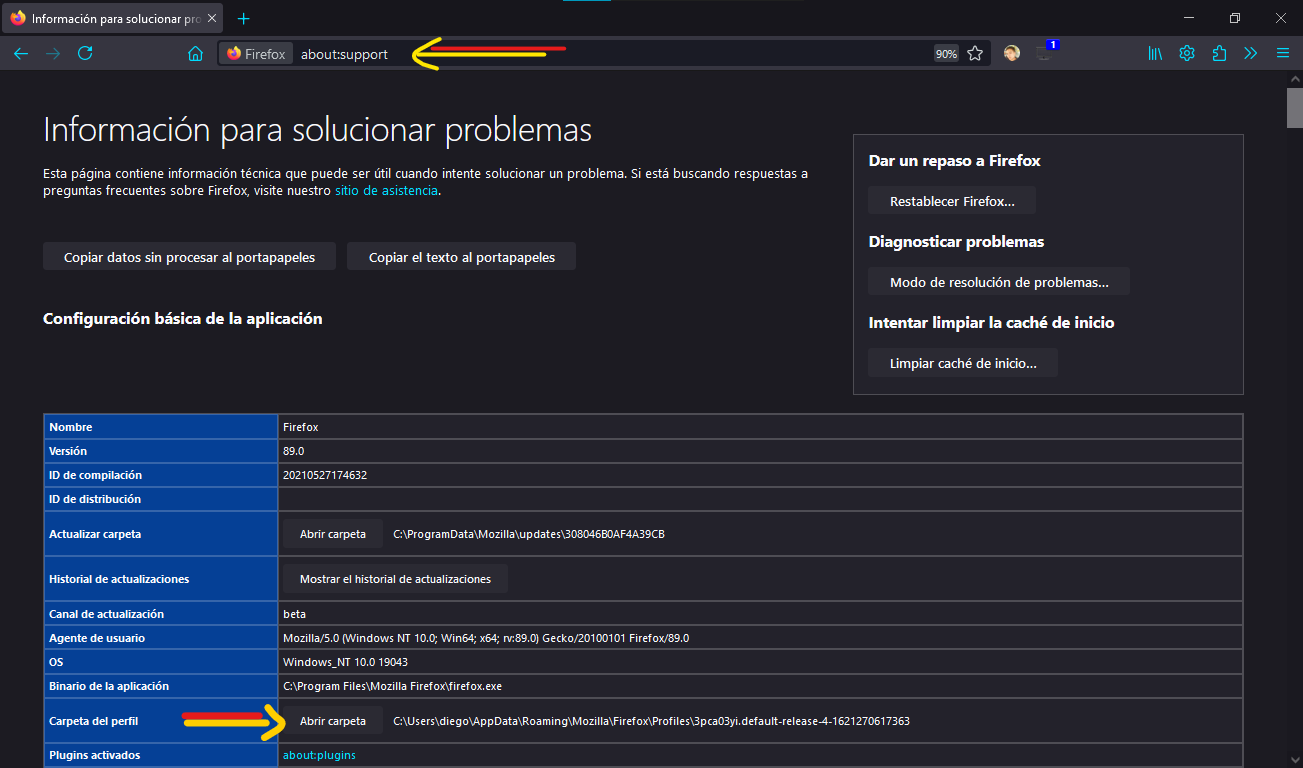
chrome👈 folder and the 👉user.js👈 file into your Firefox profile directory. To find out the location of your profile directory go to about:support or about:profiles.
⚠ Notice:
The latest code updated in the repository (code > download zip) may work well only on beta or nightly versions.
| 🔴Fuchsia | 🔵Blue | 🟢Green | 🖍Poison | 🎑Swamp | 🌈Red-Blur | 🌆Purple-Sky |
| 💜Purple | 💚Aquamarine | 🦧Orange | 💠Cyan | 🍏GreenLight | 💛Yellow | 🗻Gray |
| ⚪🔴 Fuchsia | ⚪🔵 Waves |
| You can use the "GX-Theme-Styles" Extension to a quick change of themes and colors, this extension works for solid themes only and/or for users that use the extra feature "Main-image". This extension was made by me. | GX Theme Styles |
You can also use the "Firefox Color" extension to change the accent color to your preference.
|
Firefox Color |
Here a "Video Explanation" to how switch into light and dark mode for your web content.
Into the "Extras" folder you will find the next features.
You can disable icons in context menus by creating and setting this preference to true on the about:config page:
firefoxgx.icon.disabled
Into the "Tricks" section you will find the next features.
ogx_tricks.css file.Various customizations
The file chrome/components/ogx_root-personal.css contains very useful and easy to use variables, so it is easier to change:
Every variable has a description on the right, so you know what to customize without breaking the file.
NewTab Wallpaper
(Option 1) In the directory: chrome/newtab there are 12 wallpapers (6 for dark theme and 6 for light theme), those images will display in the NewTab options for you to choose, you could rename the images you want with those names and the theme will display them, you can add your own images. You can find more images in: This Gallery.
(Option 2) Editing the code chrome/components/ogx_root-personal.css lines from 18 to 34. With this method you can change too the accent color for each wallpaper.
Other 'about' pages Wallpaper
By default the wallpaper selected is about-page-dark.png and about-page-light.png In the directory: chrome/newtab, you could rename the image you want with those names and the theme will display them in those pages, you can change the names in the chrome/components/ogx_root-personal.css file in the line 38 and the line 44 to the image you want.
Accent Color
Editing the code chrome/components/ogx_root-personal.css lines from 18 to 34 you can change the accent color for each wallpaper for NewTab page. For the other pages (new-tab without wallpaper, preferences and add-ons pages) The chrome/components/ogx_root-personal.css file has the variable: --general-color to set the color, you could choose whatever you like. 💙💚💜🤎💛🧡❤ Restarting the browser is required.


more like this
meine 🌒 - A CLI file manager and system utility built with Textual. It combines intuitive command parsing with rich t…
A Light theme for both KDE and GTK based distros, pleasant to the eyes and perfect for your daily workload.
search projects, people, and tags