meine
meine 🌒 - A CLI file manager and system utility built with Textual. It combines intuitive command parsing with rich t…
Python★ 50
Open Source standalone trashmail solution that ships its own mail server
 HaschekSolutions
git clone https://github.com/HaschekSolutions/opentrashmail.gitHaschekSolutions/opentrashmail


trashmail solution - Receive Emails via Web UI, JSON API, RSS feed and Custom WebhooksRSS feed for every email addressJSON API for integrating it in your own projects. Can be used to automate 2fa emailsWebhooks with per-email configuration and customizable JSON payloadsPlaintext, STARTTLS and TLS on connect| Endpoint | Explanation | Example output |
|---|---|---|
/rss/[email-address] |
Renders RSS XML for rss clients to render emails | 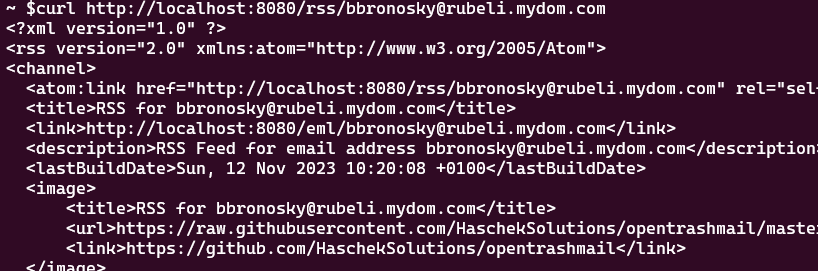 |
/api/raw/[email-address]/[id] |
Returns the raw email of the address. Warning: Output can be as large as the email itself so might be up to 20mb for mails with large attachments | 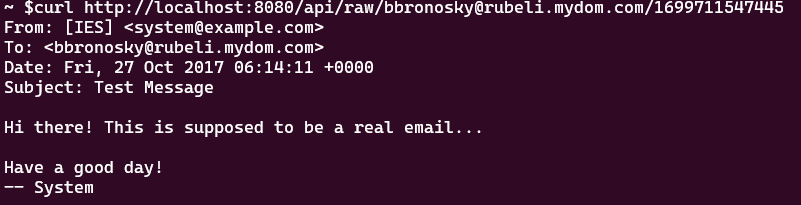 |
/api/attachment[email-address]/[attachment-id] |
Returns the attachment with the correct mime type as header | |
/api/delete/[email-address]/[id] |
Deletes a specific email message and their attachments | |
/api/deleteaccount/[email-address] |
Deletes all messages and attachments of this email account | |
/api/webhook/get/[email-address] |
Get webhook configuration for an email address | |
/api/webhook/save/[email-address] |
Save webhook configuration for an email address | |
/api/webhook/delete/[email-address] |
Delete webhook configuration for an email address |
| Endpoint | Explanation | Example output |
|---|---|---|
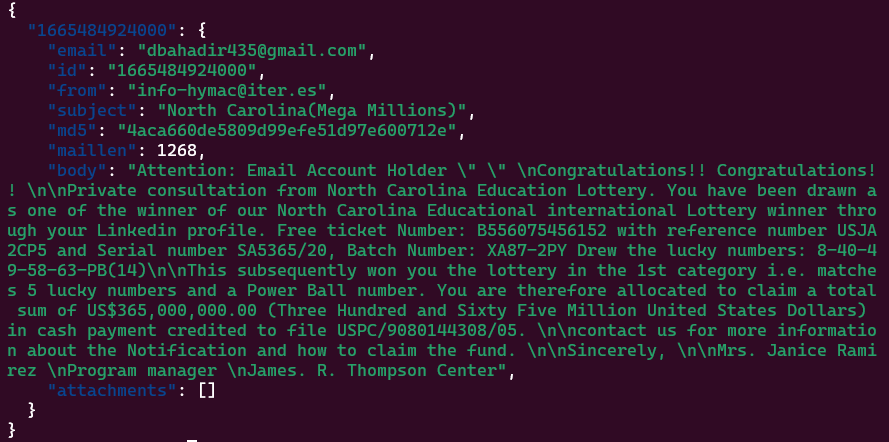
/json/[email-address] |
Returns an array of received emails with links to the attachments and the parsed text based body of the email. If ADMIN email is entered, will return all emails of all accounts |
 |
/json/[email-address]/[id] |
To see all the data of a received email, take the ID from the previous call and poll this to get the raw and HTML body of the email. Can be huge since the body can contain all attachments in base64 | 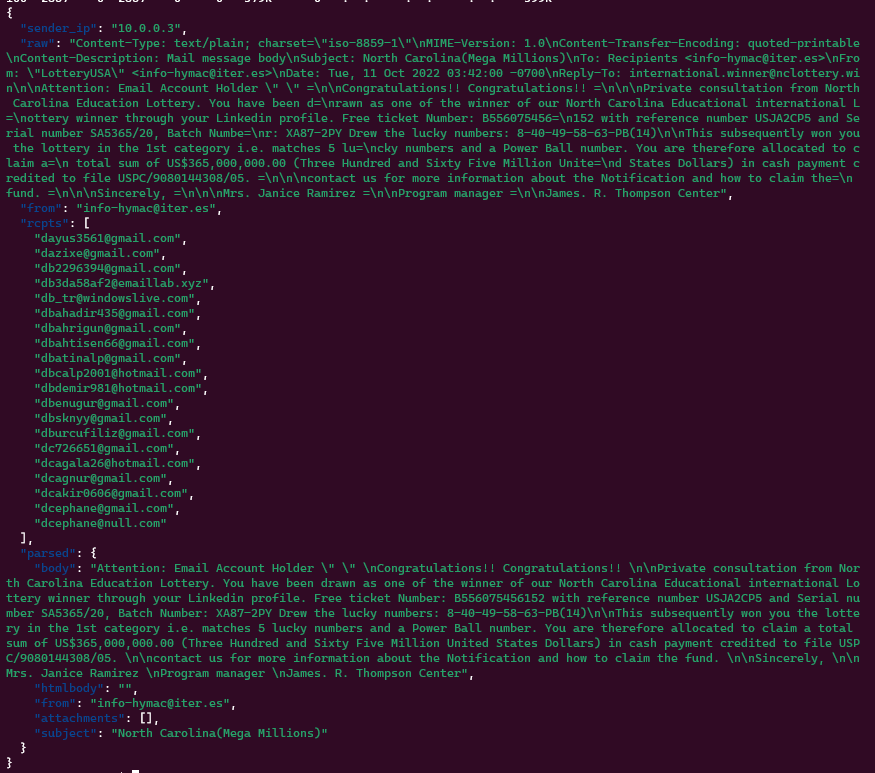 |
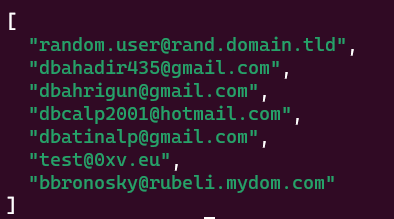
| /json/listaccounts | If SHOW_ACCOUNT_LIST is set to true in the config.ini, this endpoint will return an array of all email addresses which have received at least one email |
 |
Just edit the config.ini You can use the following settings
URL -> The url under which the GUI will be hosted. No tailing slash! example: https://trashmail.mydomain.euDOMAINS -> Comma separated list of domains this mail server will be receiving emails on. It's just so the web interface can generate random addressesMAILPORT-> The port the Python-powered SMTP server will listen on. Default: 25ADMIN -> An email address (doesn't have to exist, just has to be valid) that will list all emails of all addresses the server has received. Kind of a catch-allDATEFORMAT -> How should timestamps be shown on the web interface (moment.js syntax)PASSWORD -> If configured, site and API can't be used without providing it via form, POST/GET variable password or http header PWD (eg: curl -H "PWD: 123456" http://localhost:8080/json...)ALLOWED_IPS -> Comma separated list of IPv4 or IPv6 CIDR addresses that are allowed to use the web UI or APIATTACHMENTS_MAX_SIZE -> Max size for each individual attachment of an email in BytesMAILPORT_TLS -> If set to something higher than 0, this port will be used for TLSC (TLS on Connect). Which means plaintext auth will not be possible. Usually set to 465. Needs TLS_CERTIFICATE and TLS_PRIVATE_KEY to workTLS_CERTIFICATE -> Path to the certificate (chain). Can be relative to the /python directory or absoluteTLS_PRIVATE_KEY -> Path to the private key of the certificate. Can be relative to the /python directory or absoluteWEBHOOK_URL -> Global webhook URL. If set, will send a POST request to this URL with the JSON data of the email as body for all emails (unless overridden by per-email webhook)ADMIN_ENABLED -> Enables the admin menu. Default falseADMIN_PASSWORD -> If set, needs this password to access the admin menuIn Docker you can use the following environment variables:
| ENV var | What it does | Example values |
|---|---|---|
| URL | The URL of the web interface. Used by the API and RSS feed | http://localhost:8080 |
| DISCARD_UNKNOWN | Tells the Mailserver to wether or not delete emails that are addressed to domains that are not configured | true, false |
| DOMAINS | The whitelisted Domains the server will listen for. If DISCARD_UNKNOWN is set to false, this will only be used to generate random emails in the webinterface | |
| SHOW_ACCOUNT_LIST | If set to true, all accounts that have previously received emails can be listed via API or webinterface |
true,false |
| ADMIN | If set to a valid email address and this address is entered in the API or webinterface, will show all emails of all accounts. Kind-of catch-all | test@test.com |
| DATEFORMAT | Will format the received date in the web interface based on moment.js syntax | "MMMM Do YYYY, h:mm:ss a" |
| SKIP_FILEPERMISSIONS | If set to true, won't fix file permissions for the code data folder in the container. Useful for local dev. Default false |
true,false |
| PASSWORD | If configured, site and API can't be used without providing it via form, POST/GET variable password or http header PWD |
yousrstrongpassword |
| ALLOWED_IPS | Comma separated list of IPv4 or IPv6 CIDR addresses that are allowed to use the web UI or API | 192.168.5.0/24,2a02:ab:cd:ef::/60,172.16.0.0/16 |
| ATTACHMENTS_MAX_SIZE | Max size for each individual attachment of an email in Bytes | 2000000 = 2MB |
| MAILPORT_TLS | If set to something higher than 0, this port will be used for TLSC (TLS on Connect). Which means plaintext auth will not be possible. Usually set to 465. Needs TLS_CERTIFICATE and TLS_PRIVATE_KEY to work |
465 |
| TLS_CERTIFICATE | Path to the certificate (chain). Can be relative to the /python directory or absolute | /certs/cert.pem or cert.pem if it's inside the python directory |
| TLS_PRIVATE_KEY | Path to the private key of the certificate. Can be relative to the /python directory or absolute | /certs/privkey.pem or key.pem if it's inside the python directory |
| WEBHOOK_URL | If set, will send a POST request to this URL with the JSON data of the email as body. Can be used to integrate OpenTrashmail in your own projects | https://example.com/webhook |
| ADMIN_ENABLED | Enables the admin menu. Default false |
false / true |
| ADMIN_PASSWORD | If set, needs this password to access the admin menu | 123456 |
Since v1.3.0 TLS and STARTTLS are supported by OpenTrashmail.
Be aware there are two ways to use TLS with email
STARTTLS does not require a specific port as it starts out as plaintext and then upgrades to TLS if the server advertises the "STARTTLS" command (which OpenTrashmail does automatically if the Certificate and key settings are configured). Since it's run on the default MAILPORT you don't need to open other ports for it to work.
TLS on connect is wrapping TLS around the exposed ports so it's not possible to talk to it in plaintext and therefore it needs a different port to work. Usually port 465 is used for this.
For TLS to work you first need a certificate that corresponds with the hostname of the SMTP server. This can be done using Lets'encrypt and even works with wildcard certificates.
For testing environments you can create a certificate by running the following command from inside the python folder:
openssl req -x509 -newkey rsa:4096 -keyout key.pem -out cert.pem -days 365 -nodes -subj '/CN=localhost'
You then need to set the settings for MAILPORT_TLS (not needed if you only want to support STARTTLS), TLS_CERTIFICATE and TLS_PRIVATE_KEY.
The /docs/Dev.md file contains a few hints on how to debug and test TLS and TLSC connections. It uses the tool swaks which should be avaialable in every package manager.
In your DNS panel create a MX record for your domain pointing to the IP of the server hosting OpenTrashmail.
The following example will allow you to send emails to example.com
mail.example.com.	IN	A		93.184.216.34
example.com.    14400   IN      MX      10      mail.example.com.
This advanced example will allow you to use a wildcard domain:
mail.example.com.	IN	A		93.184.216.34
*.example.com.    14400   IN      MX      10      mail.example.com.
This in combination with the configuration option "DOMAINS" (eg docker parameter -e DOMAINS="*.example.com") will allow you to use any address with any subdomain of example.com (eg test@robot.example.com, john@lynn.example.com, etc..)
Simple start with no persistence
docker run -it -p 25:25 -p 80:80 -e URL="https://localhost:80" hascheksolutions/opentrashmail:1
Saving data directory on host machine
docker run -p 80:80 -p 25:25 -e URL="https://localhost:80" -v /path/on/host/where/to/save/data:/var/www/opentrashmail/data hascheksolutions/opentrashmail:1
Complete example with running as daemon, persistence, a domain for auto-generation of emails, acceptng only emails for configured domains, cleanup for mails older than 90 days and auto restart
docker run -d --restart=unless-stopped --name opentrashmail -e "DOMAINS=mydomain.eu" -e "DATEFORMAT='D.M.YYYY HH:mm'" -e "DISCARD_UNKNOWN=false" -e "DELETE_OLDER_THAN_DAYS=90" -p 80:80 -p 25:25 -v /path/on/host/where/to/save/data:/var/www/opentrashmail/data hascheksolutions/opentrashmail:1
The heart of Open Trashmail is a Python-powered SMTP server that listens on incoming emails and stores them as JSON files. The server doesn't have to know the right email domain, it will just catch everything it receives. You only have to expose port 25 to the web and set an MX record of your domain pointing to the IP address of your machine.
OpenTrashmail supports both global and per-email webhooks for maximum flexibility:
POST /api/webhook/save/email@example.com with your configuration| Placeholder | Description | Example |
|---|---|---|
{{to}} |
Recipient email | test@example.com |
{{from}} |
Sender email | sender@domain.com |
{{subject}} |
Email subject | Hello World |
{{body}} |
Plain text body | Email content... |
{{htmlbody}} |
HTML body | <p>Email content...</p> |
{{sender_ip}} |
Sender's IP | 192.168.1.100 |
{{attachments}} |
Attachment array | [{"filename":"doc.pdf","size":1024}] |
{
  "email": "{{to}}",
  "from": "{{from}}",
  "subject": "{{subject}}",
  "body": "{{body}}",
  "attachments": {{attachments}}
}
Note: {{attachments}} outputs a JSON array - don't wrap it in quotes.
| Endpoint | Method | Description |
|---|---|---|
/api/webhook/get/[email] |
GET | Get webhook configuration |
/api/webhook/save/[email] |
POST | Save webhook configuration |
/api/webhook/delete/[email] |
DELETE | Delete webhook configuration |
curl -X POST http://localhost:8080/api/webhook/save/test@example.com \
  -d "enabled=true" \
  -d "webhook_url=https://myapi.com/webhook" \
  -d 'payload_template={"email":"{{to}}","subject":"{{subject}}"}' \
  -d "max_attempts=5" \
  -d "secret_key=your-secret-key"
When a secret key is configured, OpenTrashmail includes an X-Webhook-Signature header with each request containing the HMAC-SHA256 signature of the request body.
PHP:
$payload = file_get_contents('php://input');
$signature = $_SERVER['HTTP_X_WEBHOOK_SIGNATURE'] ?? '';
$expected = hash_hmac('sha256', $payload, 'your-secret-key');

if (!hash_equals($expected, $signature)) {
    http_response_code(401);
    exit('Invalid signature');
}
Python:
import hmac
import hashlib

def verify_webhook(request):
    payload = request.body
    signature = request.headers.get('X-Webhook-Signature', '')
    expected = hmac.new(
        b'your-secret-key',
        payload,
        hashlib.sha256
    ).hexdigest()

    if not hmac.compare_digest(expected, signature):
        return HttpResponse('Invalid signature', status=401)
Node.js:
const crypto = require('crypto');

function verifyWebhook(req, res) {
    const signature = req.headers['x-webhook-signature'];
    const expected = crypto
        .createHmac('sha256', 'your-secret-key')
        .update(req.rawBody)
        .digest('hex');

    if (signature !== expected) {
        return res.status(401).send('Invalid signature');
    }
}
Use the included test script for quick verification:
# Simple test
python3 tools/test_webhook.py test@example.com --send-email

# With signature verification
python3 tools/test_webhook.py test@example.com --secret "your-secret-key" --send-email
more like this
meine 🌒 - A CLI file manager and system utility built with Textual. It combines intuitive command parsing with rich t…
Create and add progress bars, Office365 Files and Dropbox Paper papers by labels and link them to your Todoist tasks.
search projects, people, and tags