xmb-bigscreen
XMB for Plasma BigScreen, console-like fullscreen launcher for living room gamepad users
QML★ 50
PSP-Inspired XMB Front End Launcher for Android (Controller Support)
 JohnnyCollado
git clone https://github.com/JohnnyCollado/PlayFieldPortal.gitJohnnyCollado/PlayFieldPortalA controller-first Android game launcher inspired by the PSP's XMB (Cross Media Bar). A horizontal category bar crosses a vertical item list — the crossbar — and replaces your Android home screen as a single front end for ROM emulation, Android games, PC-layer titles (Winlator), native apps, and your music, video and photo libraries.
Version 1.2.0 · Side-loaded APK (not on the Play Store) · Full & Lite editions · Desktop Theme Studio companion
This document is the user manual. It walks you from install to daily use, feature by feature. Building the project from source is covered last, in For Developers. For a deep architectural tour of the codebase, see ARCHITECTURE.md.
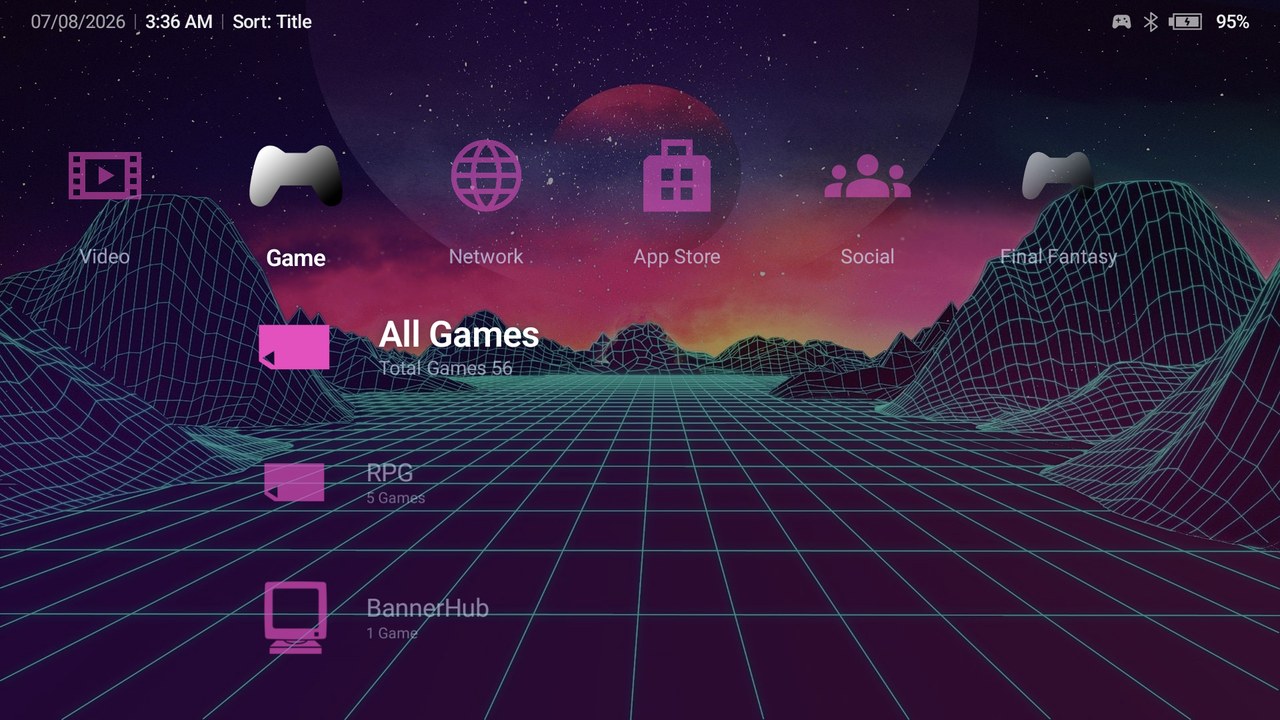
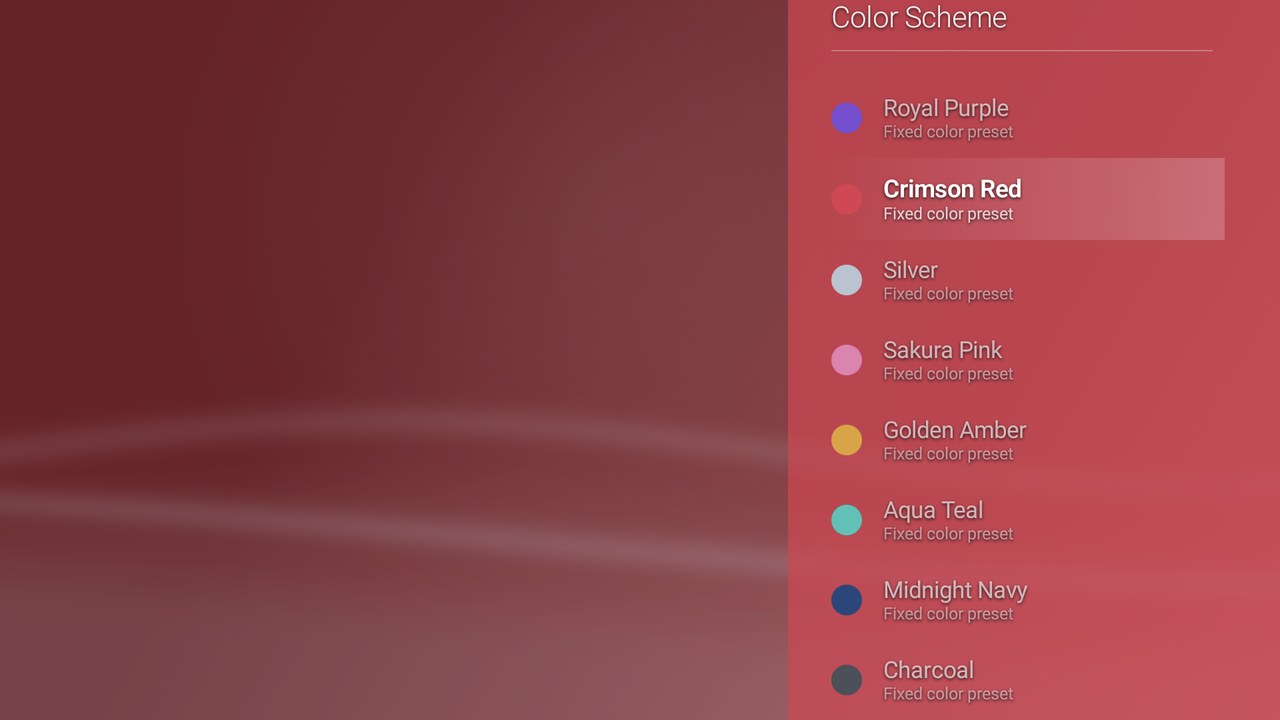
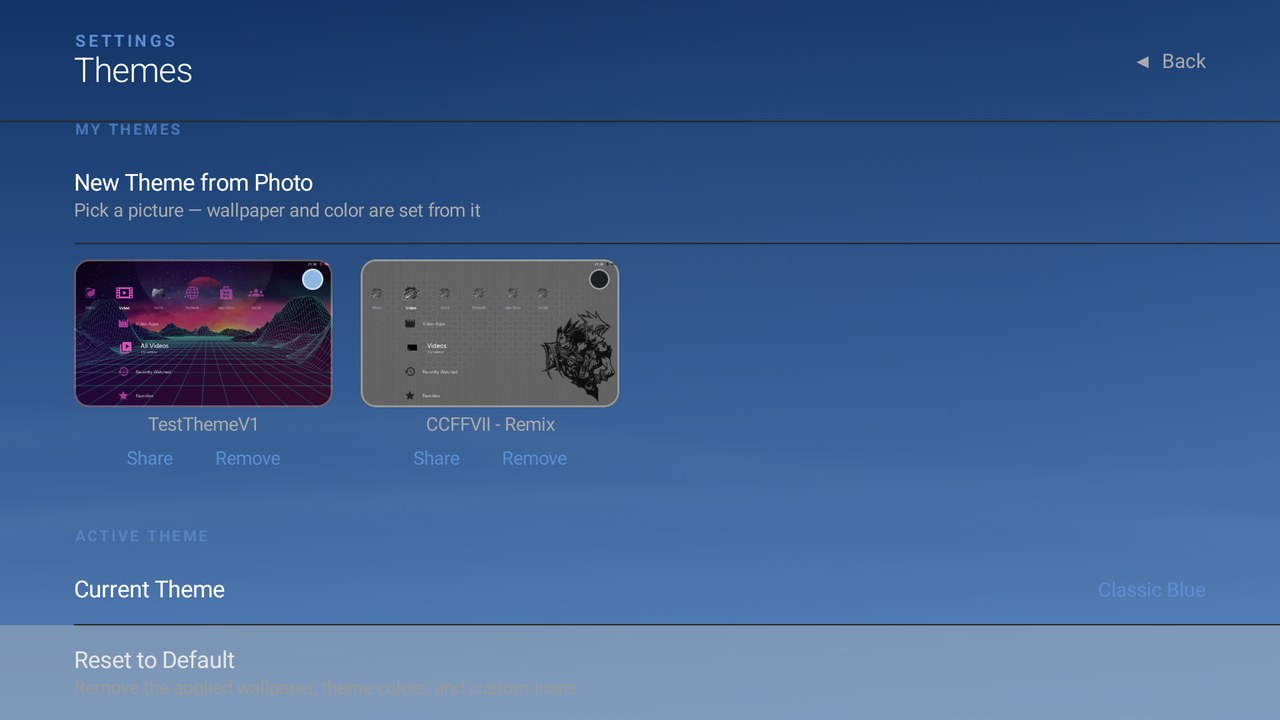
Captured on an AYN Thor. Game artwork and app icons shown belong to their respective owners.
 |
 |
A custom .pfptheme — wallpaper + one derived color, icons follow |
Color Scheme picker, previewing live on the real crossbar |
 |
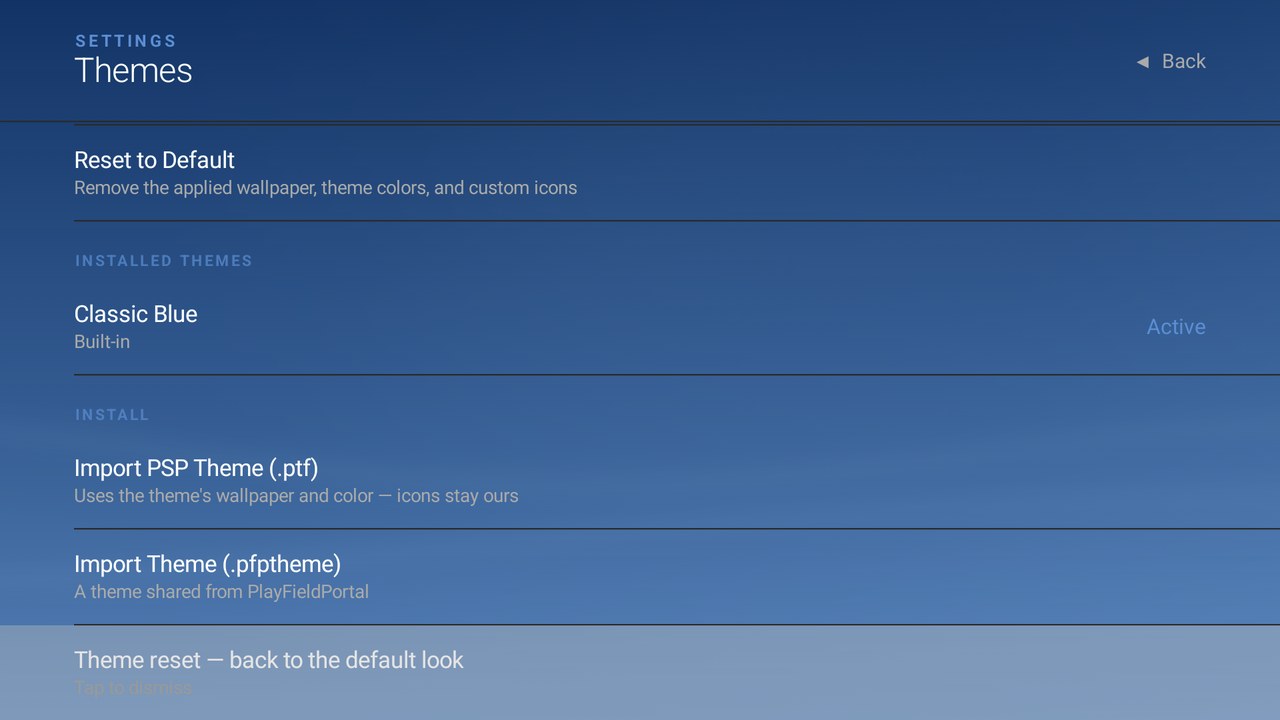 |
| My Themes library — apply, Share, Remove | Theme install (.ptf / .pfptheme) and one-tap Reset to Default |
 |
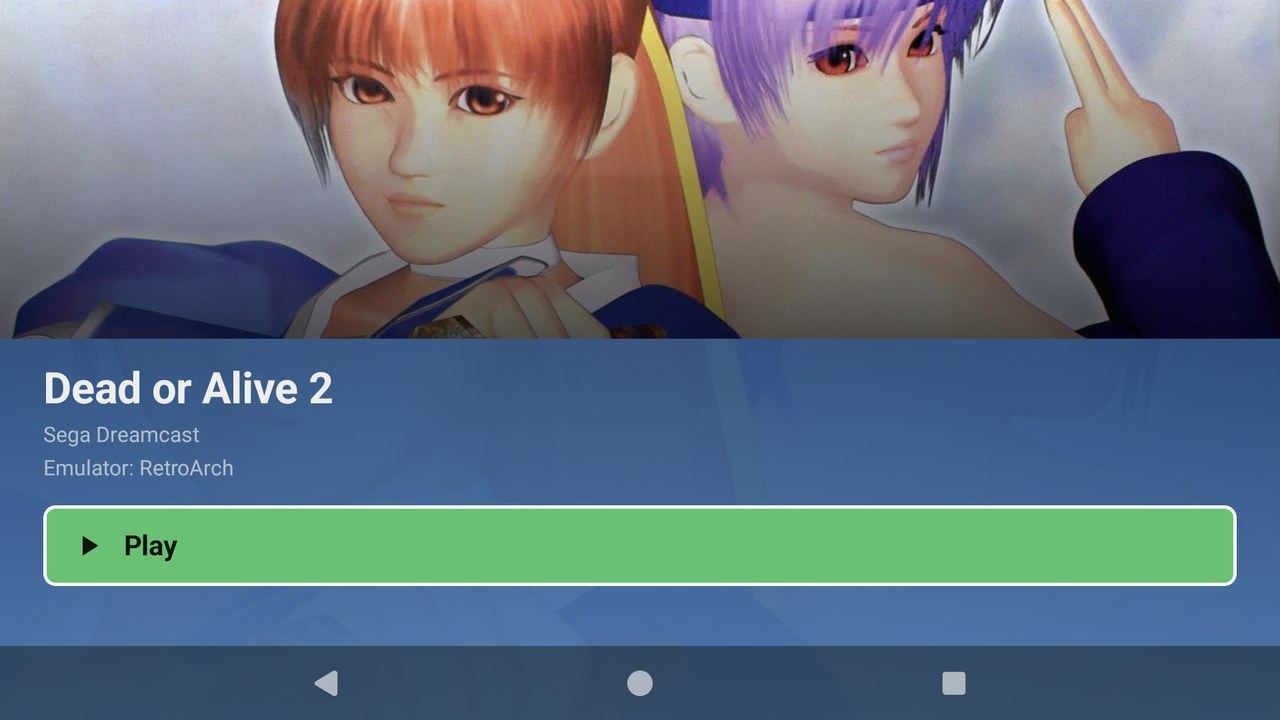 |
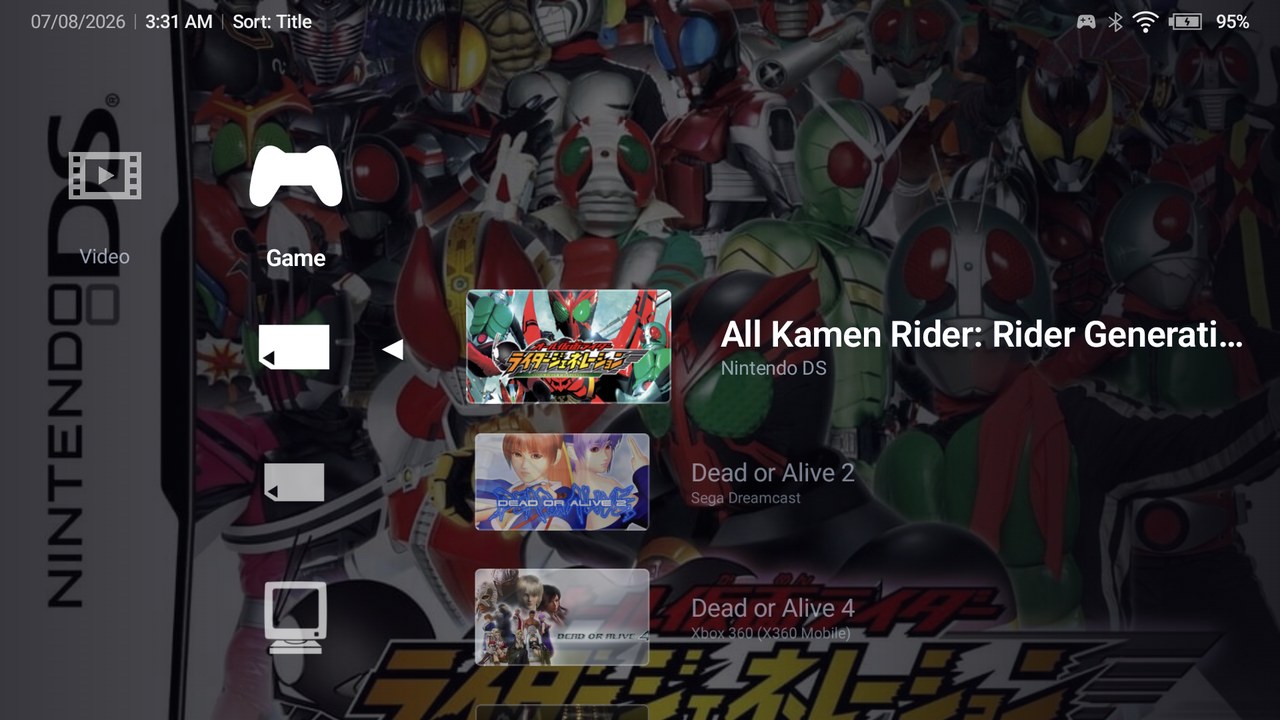
| Drilling into a Memory Card — covers, platform subtitles | Game detail — hero art and one-tap Play |
 |
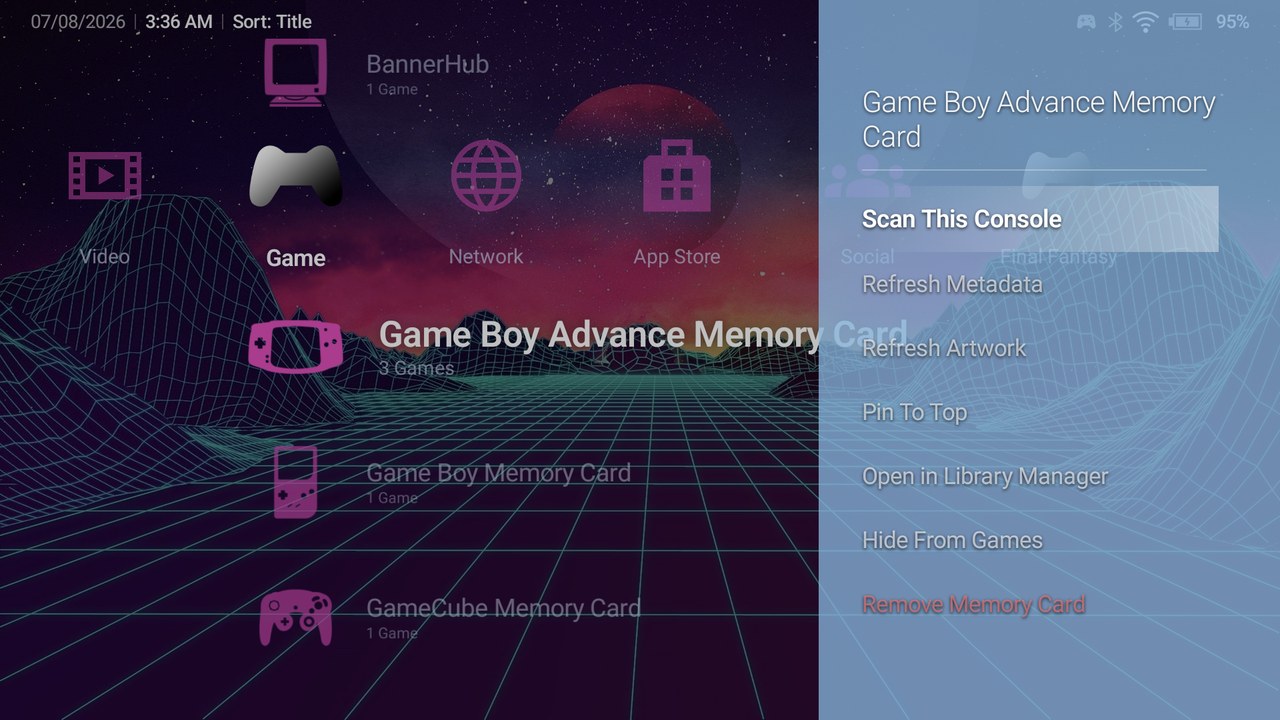 |
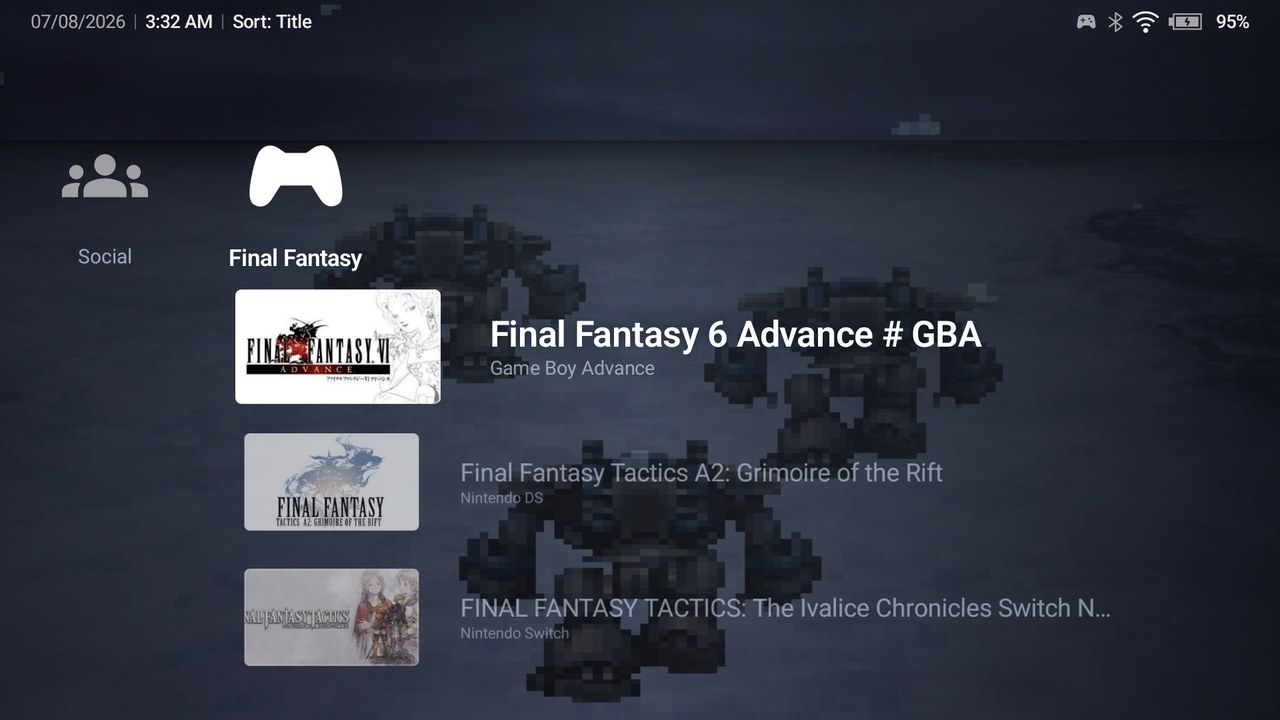
| A custom gaming category with its own icon and wallpaper | Memory Card options (△) — scan, refresh, pin, hide |
 |
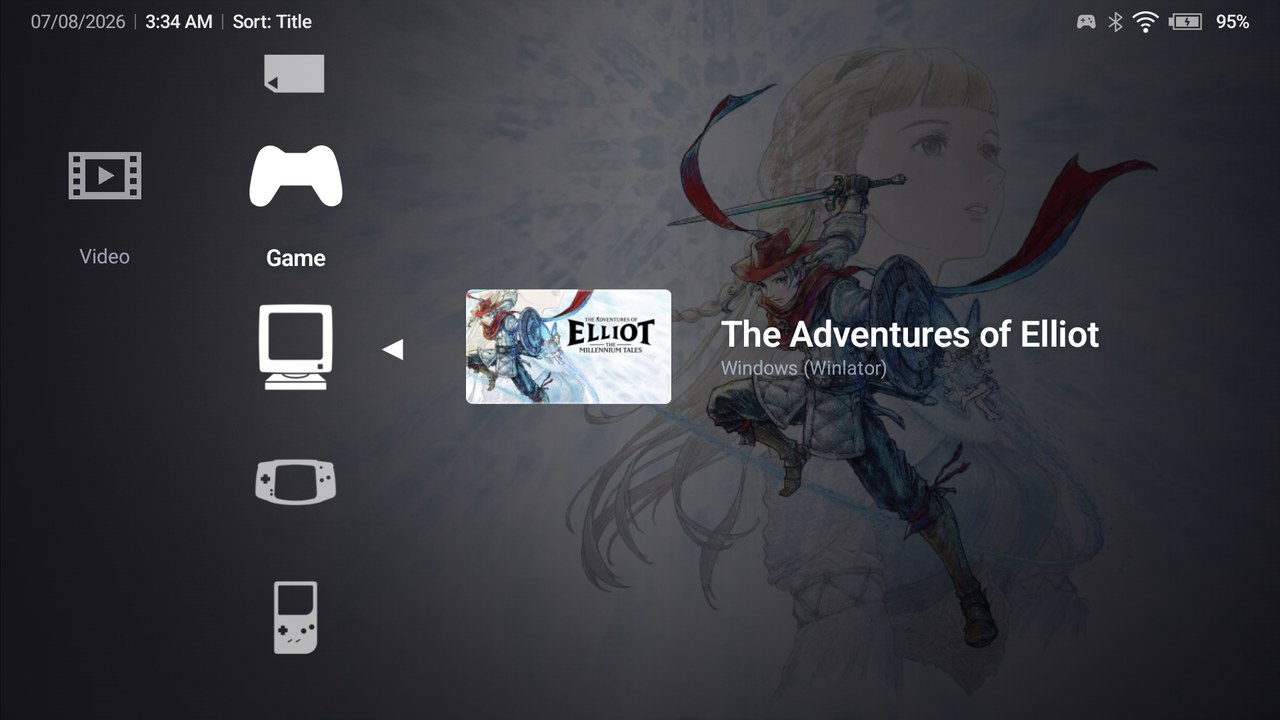 |
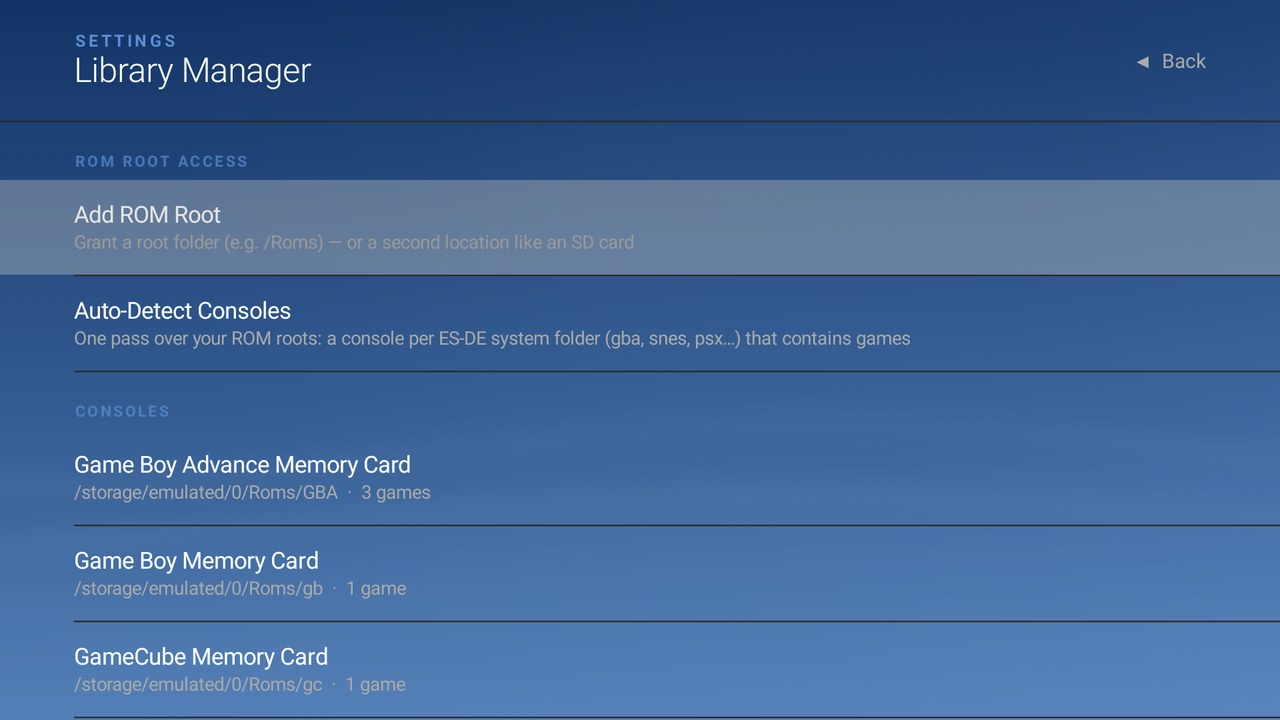
| Library Manager — ROM roots, auto-detect, per-console cards | PC-layer titles (Winlator) live next to console games |
 |
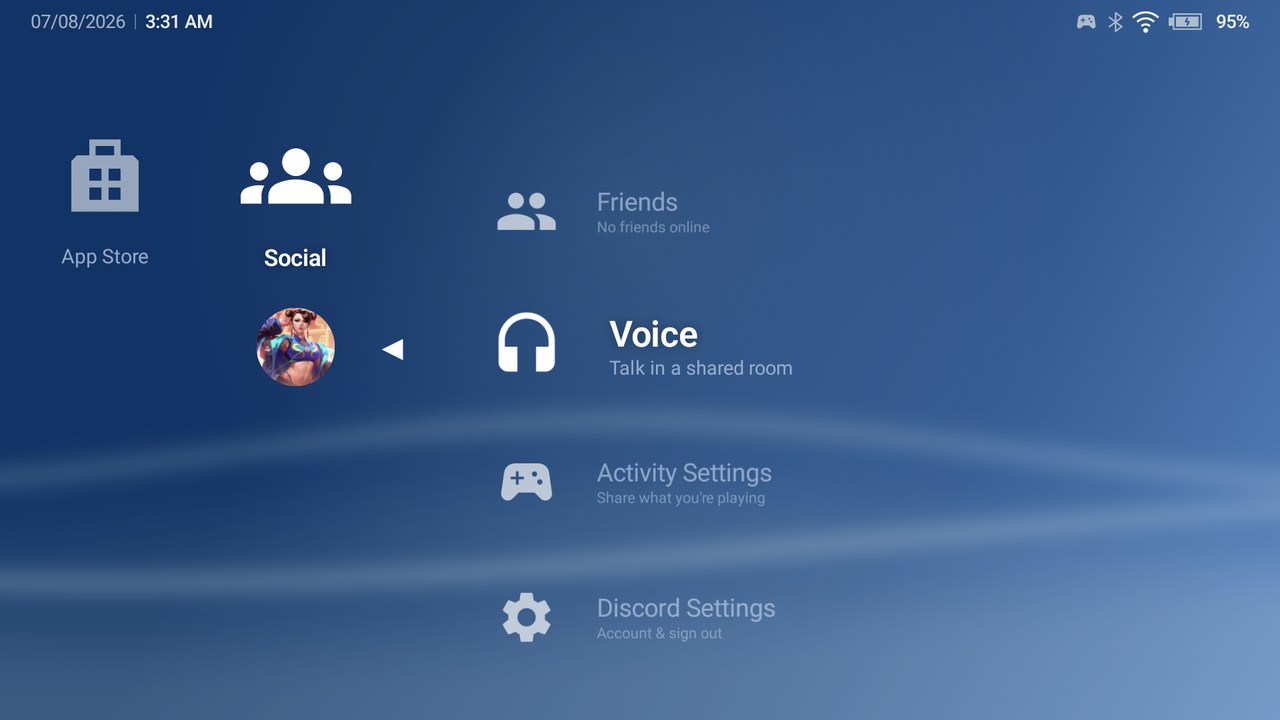 |
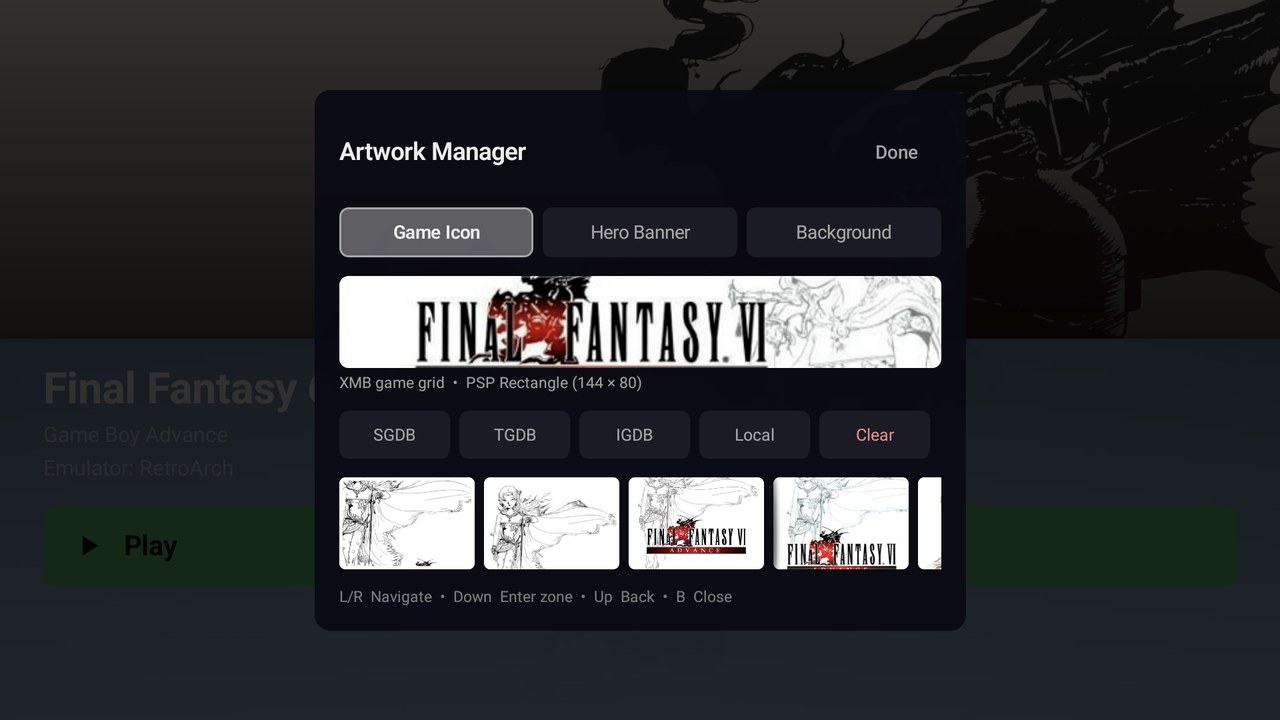
| Artwork Manager — SteamGridDB / TheGamesDB / IGDB / local | Social — Discord friends, voice, and activity |
 |
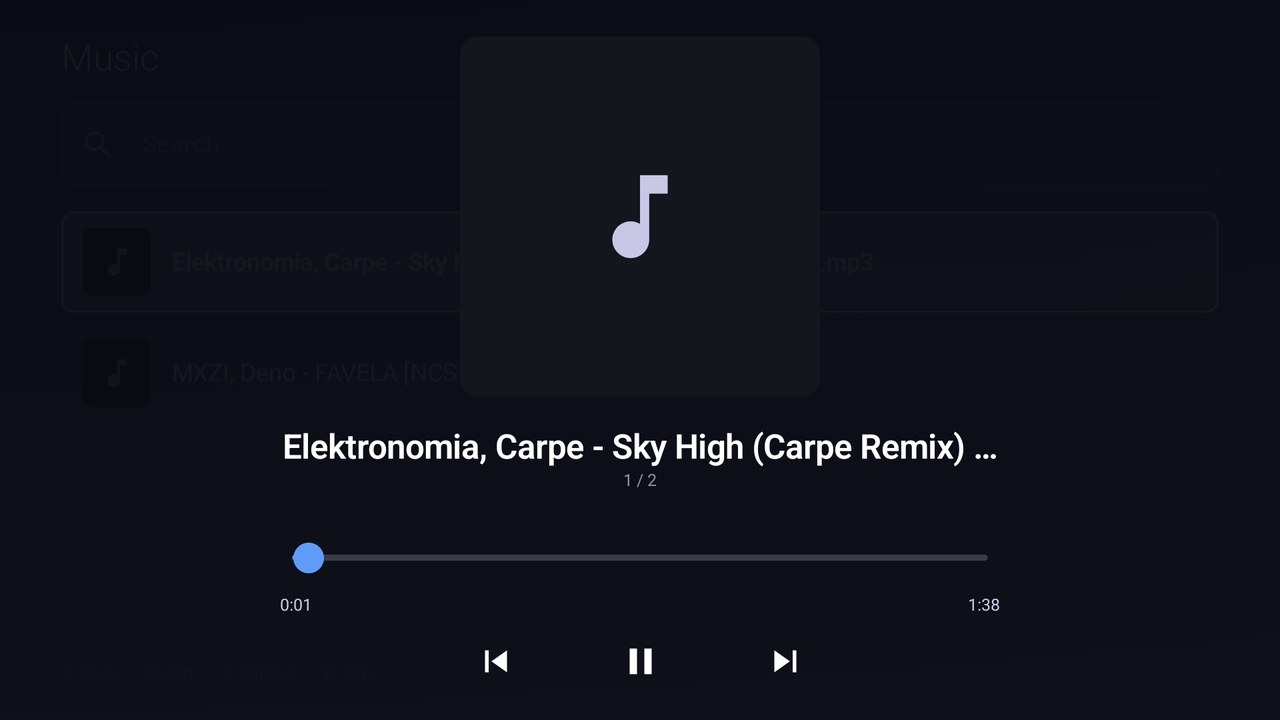 |
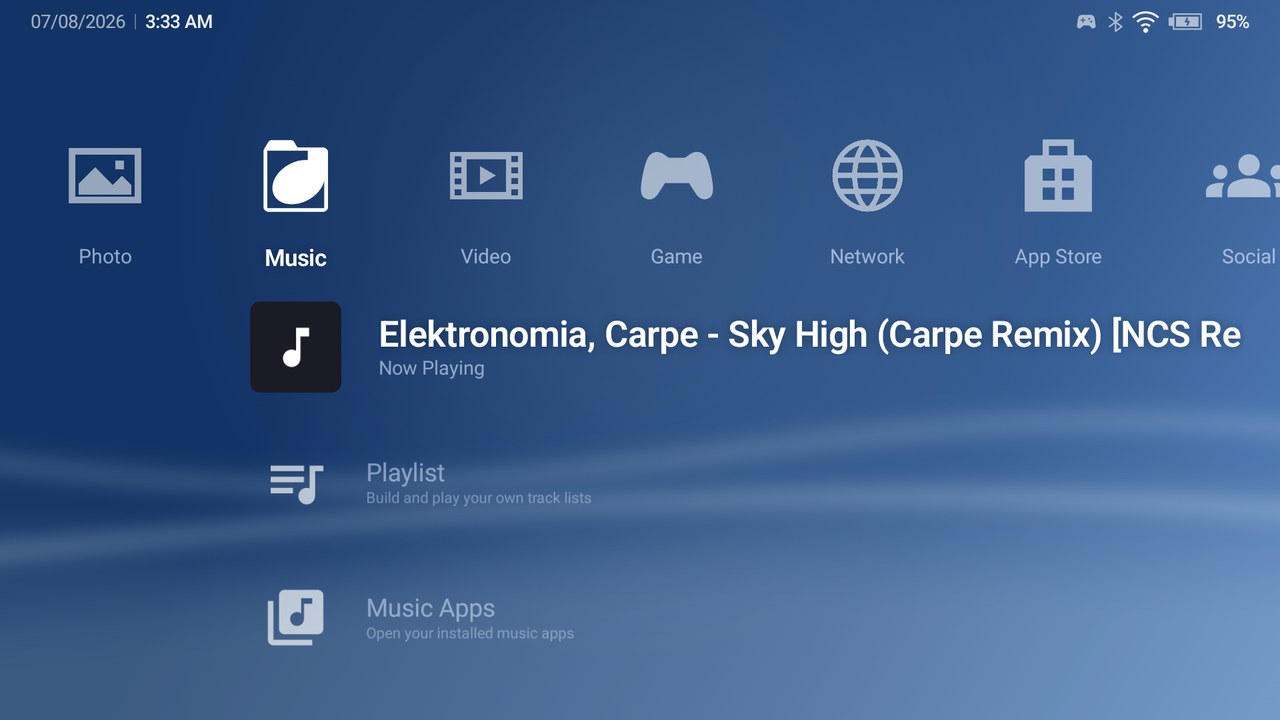
| Music section — Now Playing surfaces on the crossbar | The in-app player (background service keeps it going) |
 |
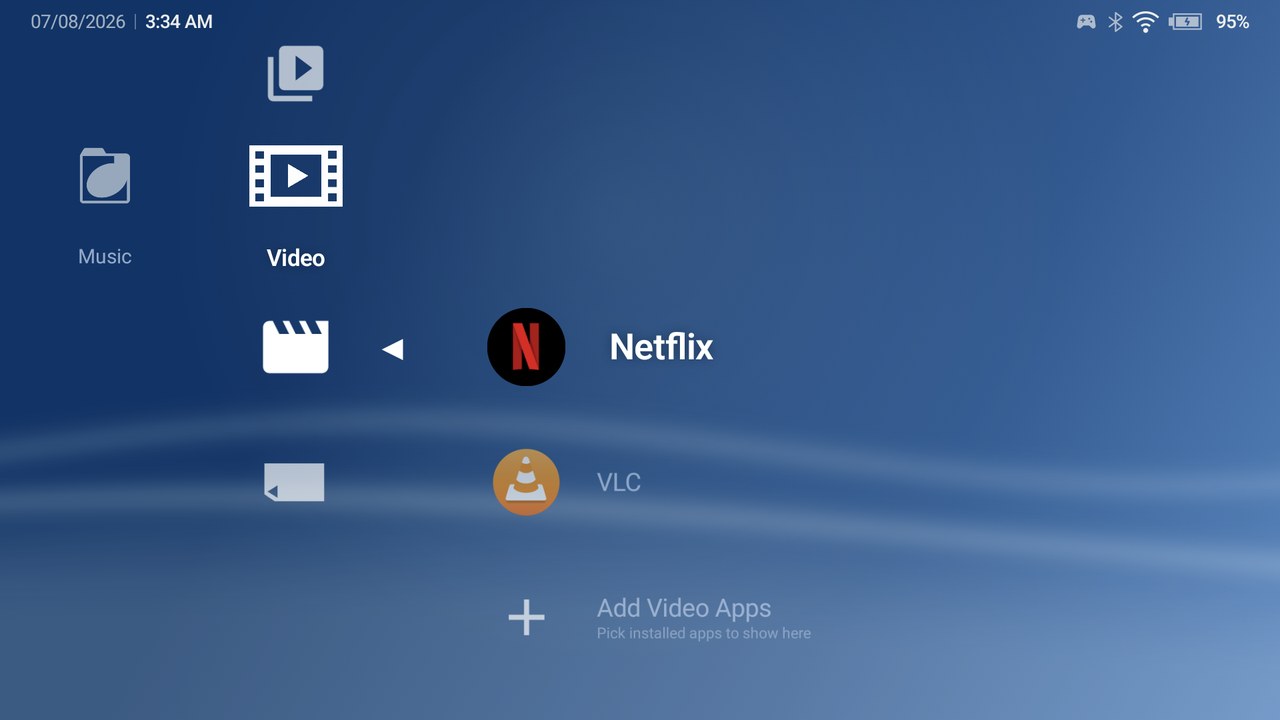 |
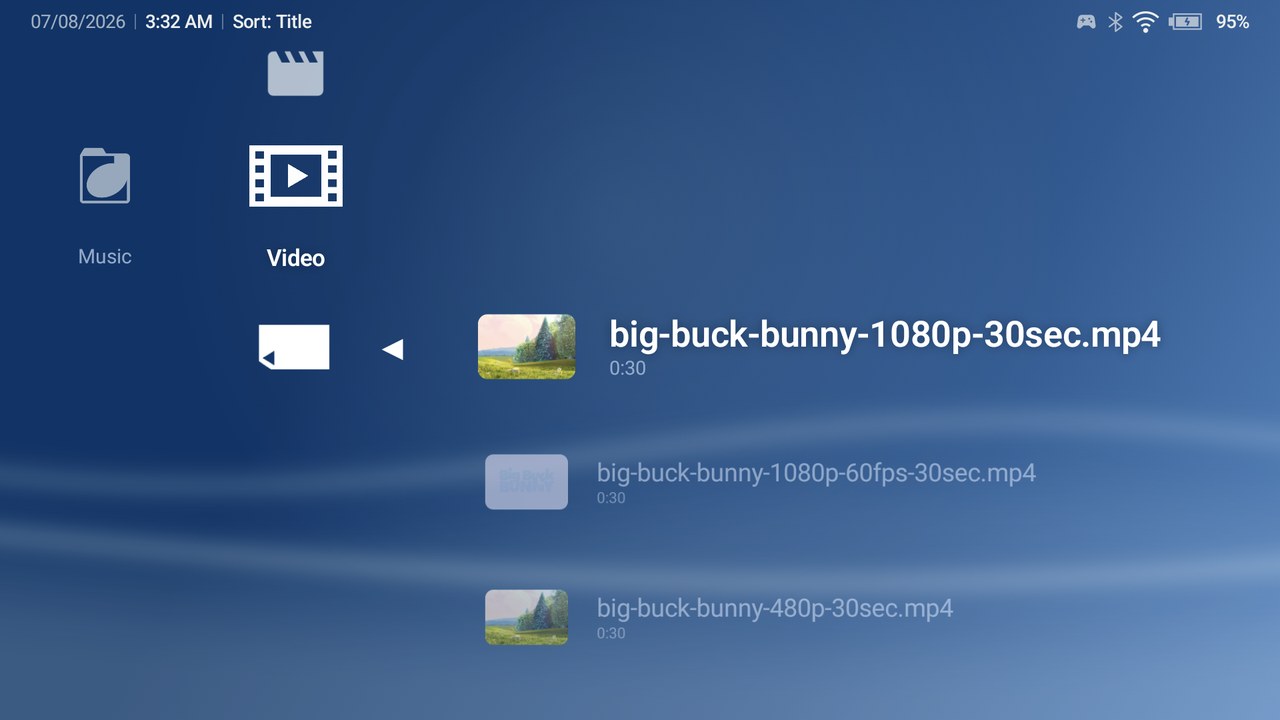
| Video library — scanned files with thumbnails | Video Apps — your installed players, one row away |
 |
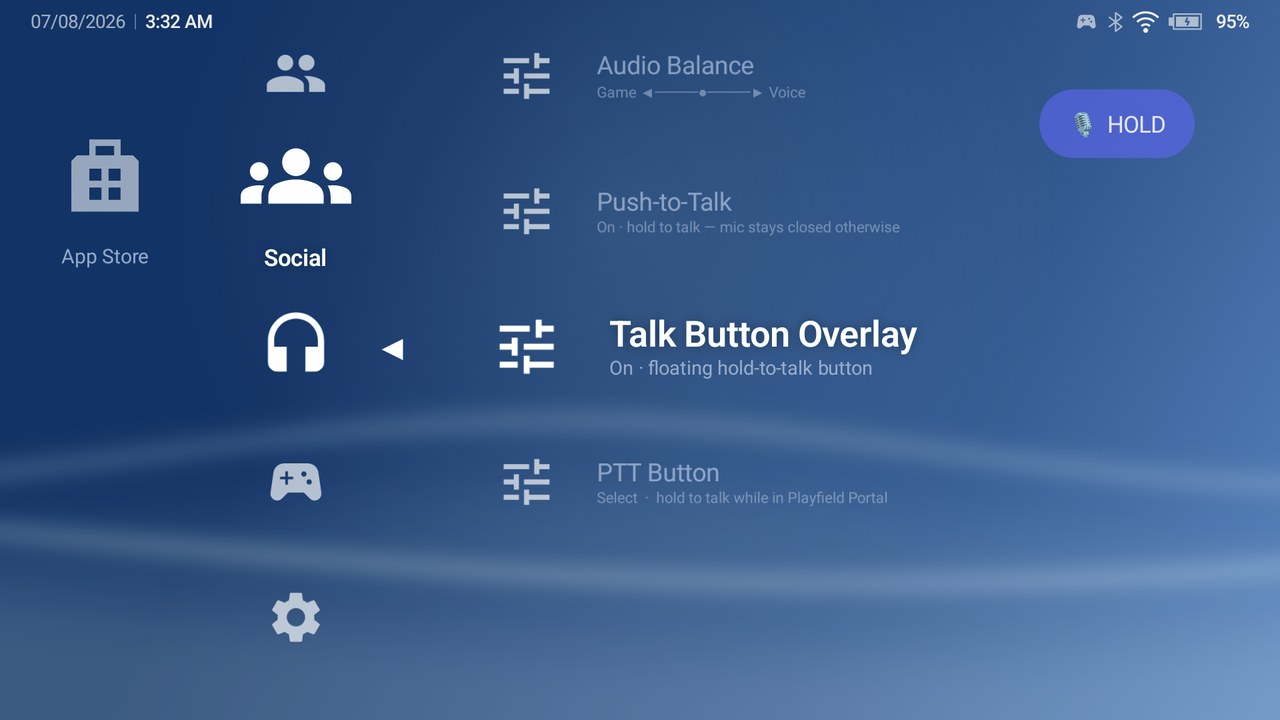 |
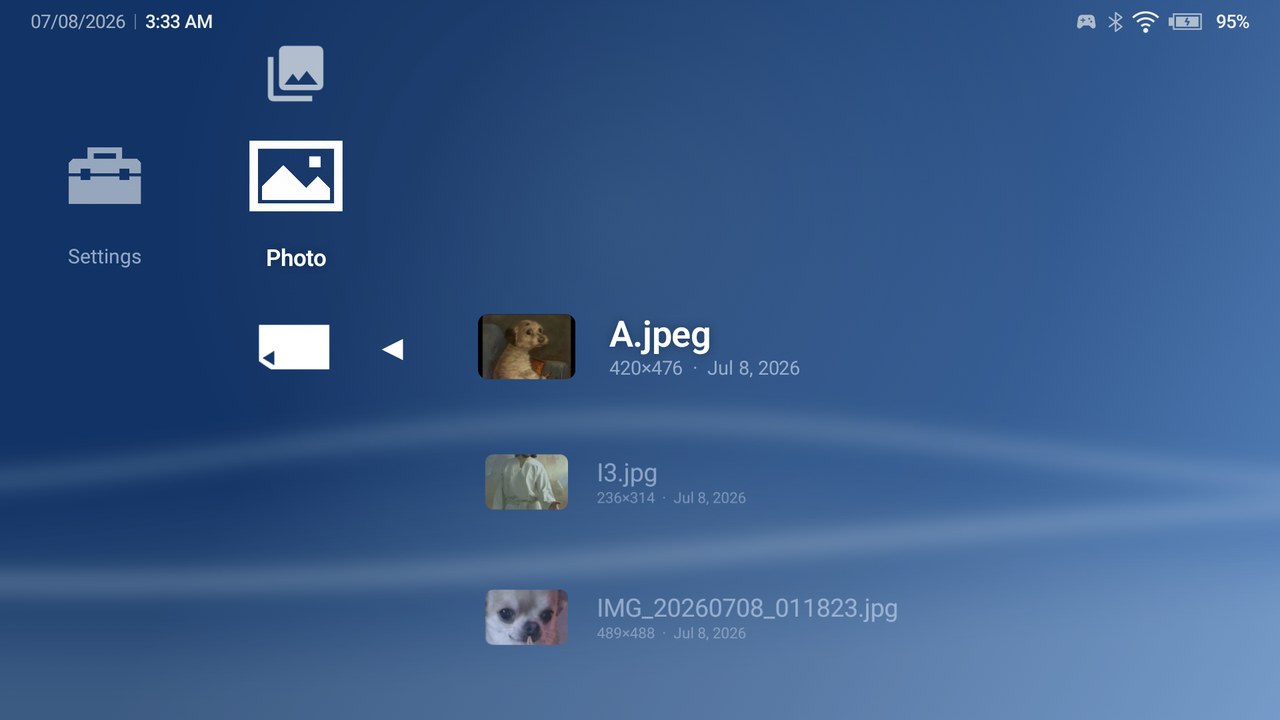
| Photo section — albums and a fullscreen viewer | Push-to-talk with the floating Talk button overlay |
Play Field Portal is a home-screen replacement for Android handhelds, tablets and phones that gives your whole library the look and feel of a PlayStation Portable. Everything is one crossbar away and fully controller-navigable:
It is local-first: no account, no telemetry, and the network is only touched when you ask it to fetch artwork. See Permissions & privacy.
| Android version | 10 (API 29) or newer |
| Form factor | Phones, handhelds, tablets, and foldables (the layout adapts to each) |
| Input | A game controller is recommended; full touch navigation is also supported |
| Emulators | Installed separately — PFP launches them, it does not emulate anything itself |
PFP ships in two editions. You can tell which one is installed under Settings ▸ About ▸ Edition.
| Edition | Includes | Download size |
|---|---|---|
| Full | Everything, including the Discord Social section (friends, presence, voice chat) | Larger |
| Lite | Everything except Discord Social (the Social column is hidden) | ~44 MB smaller |
Choose Lite if you do not want Discord integration or want the smallest download.
PFP is distributed as a side-loaded APK (it is not on the Google Play Store).
PlayFieldPortal-<version>-full.apk or
-lite.apk).Building the APK yourself instead? See For Developers.
PFP registers as an Android HOME launcher.
You can change this later under Android Settings ▸ Apps ▸ Default apps ▸ Home app.
A few features (importing game shortcuts from other launchers, capturing pinned shortcuts) require PFP to be the active default launcher.
PFP asks for permissions only when a feature needs them:
Full detail in Permissions & privacy.
On a fresh install PFP opens a guided setup wizard with four pages:
Every step can be skipped and everything it configures is the same setting you can reach later in Settings — the wizard is just a shortcut. You can re-run it any time from Settings ▸ Re-Run Setup Wizard. Upgrading installs that are already configured never see it.
With a ROM root set, the fastest way to load your library is Settings ▸ Library ▸ Library Manager ▸ Auto-Detect from ROM Root — it walks the root's ES-DE system folders and creates a Memory Card for every console that contains games (including a Windows Memory Card for PC games). Full detail in Setting up a console.
PFP is built for a controller but works fully with touch.
| Action | Controller | Touch |
|---|---|---|
| Move between items | D-Pad / Left Stick | Tap an item |
| Switch category (left / right) | D-Pad ◀ ▶ | Tap the category |
| Select / launch / open | A / ✕ | Tap |
| Back / close / exit a folder | B / ◯ | On-screen Back / left-edge swipe |
| Options (context) menu | Y / △ (or long-press) | Long-press |
| Switch App-Drawer tabs | L1 / R1 | Tap a tab |
| Confirm in pickers | Start | Confirm button |
The horizontal bar is your categories — by default Settings, Photo, Music, Video, Game, Network, App Store, plus any custom ones. The vertical list under the selected category is its items. While any menu, settings screen, picker or dialog is open, the crossbar is locked — input only drives the overlay on top. Every binding is remappable in Settings ▸ Controller.
Selecting Game shows, in order:
Open All Games, Favorites, a collection, or a console to drill in; press B / ◯ to go back. On wide and foldable screens the crossbar slides to the left edge while drilled in, giving the game list and its artwork the center-right of the screen.
Consoles are added as Memory Cards and managed entirely through your ROM Root — one folder grant covers every console; there is no per-console folder picking. PFP never auto-scans your whole device.
The fast path — Auto-Detect. Library Manager ▸ Auto-Detect from ROM Root walks the
root's ES-DE system folders (gba, snes, psx, …), creates a Memory Card for every
folder that actually contains games, and loads them in one scan. It also sets up the
Windows Memory Card (wiring <root>/windows and its import/ drop folder, and
importing any exported PC games).
Adding one console by hand:
Manage a card any time from Library Manager: rename it, change its emulator, hide/show it, Scan This Console, or remove it (ROM files on disk are never deleted). Each root's row lists the consoles homed under it. Library-wide passes live here too: Scan All Consoles (add-only) and Re-Scan All (Remove Missing), which additionally removes entries whose ROM file has vanished — behind a confirm step, and skipped for any console whose folder cannot be read, so an unmounted SD card never wipes a library.
Scanning is always manual — there is no background watcher. Re-scan after adding ROMs. ROMs on removable SD cards / USB volumes are supported.
PFP launches games through external emulator apps — install the emulators you want and PFP detects them automatically on startup from a curated catalog, plus one profile per installed RetroArch core. A selection of what is recognized out of the box:
| System | Emulators |
|---|---|
| PSP | PPSSPP / PPSSPP Gold |
| PS1 | DuckStation |
| PS2 | NetherSX2 / AetherSX2 |
| GameCube / Wii | Dolphin |
| Nintendo DS / 3DS | melonDS, DraStic / Azahar, Citra, Lime3DS |
| Switch | Sudachi / Yuzu / Suyu family |
| N64 | Mupen64Plus FZ / AE |
| GB / GBC / GBA | mGBA, My Boy!, GBA.emu, GBC.emu |
| NES / SNES / Genesis / PC Engine / Neo Geo / WonderSwan / Lynx | the *.emu family |
| Dreamcast | Flycast, Redream |
| Xbox 360 | X360 Mobile (.iso) |
| Anything with libretro cores | RetroArch (one profile per installed core) |
Which emulator launches a game? PFP resolves it in priority order: per-game override → Memory Card emulator → the platform default → first available. Set a per-game emulator from a game's △ options; set a console default in Library Manager.
Custom Emulator Wizard — for anything not in the catalog, Settings ▸ Emulators ▸ Add Custom Emulator walks you through it: pick an installed app, let PFP auto-detect its launch settings, edit any field, Test Launch with a real ROM, then Save. The result is usable as a platform, Memory Card, or per-game emulator.
Press Y / △ (or long-press) on any item for its context menu.
The full Game Detail and App Detail screens also show hero art, metadata, screenshots, publisher, and total play time.
Box art, hero banners, logos, screenshots and icons are fetched on request. Add a free SteamGridDB key (and optionally ScreenScraper / TheGamesDB / IGDB) in Settings ▸ Artwork.
Portable artwork library — in Settings ▸ Artwork ▸ Artwork Folder & Import you can point PFP
at a folder it keeps in an ES-DE-compatible layout, so your art is user-owned and readable by
other frontends with no export step. The same screen imports ES-DE downloaded_media (and
gamelist.xml metadata), relinks moved files, and exports for ES-DE.
The library is a clean two-folder root. Everything under Artwork/ is a standard ES-DE
downloaded_media tree, so you can point ES-DE (or any frontend) straight at
{Artwork Folder}/Artwork with no export step.
{Artwork Folder}/
├─ pfp-artwork-library.json        manifest — marks this folder as a PFP library
├─ Import/                         drop zone for other launchers' media (see below)
│   └─ {Launcher}/ …               an ES-DE downloaded_media tree
└─ Artwork/                        the library — ES-DE downloaded_media shape
    └─ {platformId}/               e.g. ps2, snes, psp
        ├─ covers/                 box art        →  {PortableName}.{ext}
        ├─ miximages/              hero
        ├─ fanart/                 background
        ├─ marquees/               logo
        ├─ screenshots/            screenshot
        ├─ titlescreens/           title screen
        ├─ physicalmedia/          cartridge / disc
        ├─ 3dboxes/                3D box
        ├─ manuals/                PDF manual
        ├─ videos/                 video
        └─ pfp/                    PFP-only namespace (skipped by scan & export)
            ├─ icon0/              144:80 ICON art
            ├─ icon1/              icon video snap
            ├─ originals/{kind}/   untouched pre-crop copies (lossless re-crop)
            └─ versions/{kind}/    one-previous backup ("Restore Previous")
The pfp/ namespace holds PFP-only assets that are not ES-DE media types; versions/ and
originals/ are nested per {kind} so a game's box-art and icon backups (same filename) never
collide. Incoming videos are transcoded locally into a 60-second icon1/ snap — the full-size
file is never stored.
Import/{Launcher}/ in an ES-DE downloaded_media
shape.Artwork/{platform}/{mediaDir}/{PortableName}.{ext}. Same-volume transfers move
with zero bytes copied; otherwise they copy. Existing or locked artwork is never overwritten.| ES-DE folder | Imports as (PFP kind) |
|---|---|
covers |
Box Art |
miximages |
Hero |
fanart |
Background |
marquees |
Logo |
screenshots |
Screenshot |
titlescreens |
Title Screen |
physicalmedia |
Physical Media |
3dboxes |
3D Box |
manuals |
Manual (PDF) |
videos |
Video → transcoded to an ICON1 snap |
backcovers |
Recognized as library structure, not imported |
Every game tile can be drawn four ways — set a global default in Settings ▸ Artwork ▸ Game Icon Display, per Memory Card, or per game via its △ menu:
In Custom Icon mode, resting on a game plays its video snap inside the icon (muted, capped at 60 seconds, then fading back to the still) — the PSP's ICON1.PMF revived. It is battery-conscious: one shared player, skipped under Battery Saver, low battery, or thermal pressure, and gated by an Animated Icons master toggle in Settings.
A bottom-right button (shown while using touch, or bound on a controller) opens the App Drawer: all your apps with quick filters — All Apps / Games / Emulators / Tools / Recently Used — switchable with L1 / R1.
Each media section is driven by one root folder you set in its Settings screen (SAF folder picker — no storage permission):
[cover] title / artist, and play in a full-screen player with a
background service and media-notification controls. Create and manage playlists.Each section shows a single "+ Add" getting-started row until a root has been added and scanned.
Categories are the horizontal bar. Manage them in Settings ▸ Categories:
Everything lives in Settings ▸ Themes, built around one idea: pick a background and one color — the whole crossbar follows (wave, gradient, cursor and icons all derive from it).
.ptf) — convert an official PSP theme you own (wallpaper + derived color).
CXMB firmware files are safely declined..pfptheme), or Remove.Theme Studio is a desktop companion (Windows / Linux / macOS) for authoring themes with a live
crossbar preview, an icon editor, wallpaper crop presets, crossbar alignment assist, and batch
.ptf → .pfptheme conversion. See 7.8.
Full edition only. A Social column adds Discord integration:
Everything is inert until you connect, and presence is limited to this app.
PFP scales itself to fit your device automatically, including near-square foldable inner displays. To fine-tune it, open Settings ▸ Display ▸ Adjust XMB Layout — a live editor over the real crossbar:
Settings ▸ Backup & Restore writes a .pfpbackup archive (library + settings) into a folder you
pick, and restores from one. Because on-device cloud backup is disabled for privacy, this is how you
move your setup to a new device or recover after a reinstall. Restoring re-links your ROM/media
folders via Library ▸ Root Access.
Shiba Coins turn achievements into a coin economy across your whole library. Enable it under Settings ▸ Shiba Coins and connect one or more providers:
| Provider | What it tracks | You supply |
|---|---|---|
| RetroAchievements | Retro console games with RA sets | RA username + Web API key |
| Steam | Games on your own Steam account | SteamID64 (or vanity name) + Steam Web API key |
| Local Steam | Steam-emulated PC games run through Wine emulators | Steam Web API key (see 4.17) |
Each achievement earns a bronze, silver, gold or platinum coin by rarity; coins feed an account-wide wallet with levels and ranks shown on the Player Card.
PFP can track achievements for Windows games run through Wine emulators (GameHub, Winlator, GameNative and friends) whose bundled Steam emulator (GSE / Goldberg) records unlocks in local files. Tracking is display-only: PFP reads what the game already wrote, joins it with the Steam schema, and shows the result in Shiba Coins — run Sync All Coins from the Player Card to load every tracked game.
Warning Note — back up your save files first. This is opt-in behind Settings ▸ Shiba Coins ▸ Track Local Steam Games (Emulated), and enabling it shows the same reminder. Turning it on lets a sync bring each emulator game up to the current setup: it rewrites the game's
steam_settingsconfig and replaces itssteam_apiDLL so unlocks can be recorded. A game you set up and played before this feature could lose access to its existing save data once the emulator starts reading from the new save location. Open your Windows emulator, back up the save files for those games, and only then enable the toggle and run Sync All.Use your own Steam Web API key at your own risk. This feature reads achievement data with the Steam Web API key you supply. Steam tracking is entirely optional — you do not have to enable it, and should only do so if you accept the risks that come with using your own key.
For a game folder to be tracked it must live under your windows library and carry the Steam-emu
config; achievement progress is read from the emu's own save redirect, or from a saves folder
you keep in the game directory:
<ROM Root>/windows/
├── import/                          ← exported launch files (.steam / .desktop / …)
└── <Game>/
    ├── steam_settings/
    │   └── steam_appid.txt          ← REQUIRED: marks the game and names its Steam appid
    ├── saves/
    │   └── [<appid>/]achievements.json   ← unlock progress (either level works)
    └── ...game files
To make the emulator RECORD unlocks into that folder (instead of its app-private global
location, which PFP cannot read), set the GSE save redirect once per game — create or edit
steam_settings/configs.user.ini and add:
[user::saves]
local_save_path=./saves
The path is relative to the folder holding the steam_api .dll/.so; with it set the emu
ignores its global save folder entirely (fully portable) and writes
saves/<appid>/achievements.json after each play session.
Notes:
steam_settings/steam_appid.txt may sit a few folders deep (Unity games keep it under
<Game>_Data/Plugins/x86_64/); PFP finds it automatically.local_save_path the game already uses first (e.g. ./GSE Saves) —
the saves/ folder is the fallback convention for hand-arranged files.saves/ folder). Before any unlocks it tracks at 0%; a game with steam_settings but no
save location at all stays untracked.steam_settings but no achievements.json can't record unlocks —
the emulator needs that schema file. When a PC scan finds one missing, PFP offers to bring
the game up to the current emulator setup (per game: No / Yes / Yes to All for that scan):
it writes the schema and stat files from the Steam Web API, sets the save redirect, and
installs the bundled emulator over the game's original steam_api DLL (backed up alongside
it). This is the step the Warning Note's backup protects against.| Section | What it covers |
|---|---|
| Library | ROM roots, Library Manager (consoles, Auto-Detect, scan-all passes), Import PC Games, Root Access |
| Emulators | Detected emulators, Custom Emulator Wizard |
| Artwork | API keys, scrape all/missing, Game Icon Display, Artwork Folder & Import |
| Shiba Coins | Player Card, enable toggle, RetroAchievements / Steam accounts, Track Local Steam Games (Emulated) |
| Themes | Color scheme, icon color (presets + Custom HSV), wallpaper, New Theme from Photo, PSP import, My Themes |
| Display | Wave style, wallpaper, boot sequence, Adjust XMB Layout, Animated Icons |
| Music / Video / Photo | Root folder, rescan, default player, thumbnail cache |
| Controller | Remap every binding, scroll speed, touch navigation button |
| Collections / Categories | Create, rename, reorder, hide |
| Backup & Restore | Export / import .pfpbackup |
| Logs | Open a rolling, redacted log in an external viewer; Share for bug reports |
| Re-Run Setup Wizard | Replays the first-run wizard (see 2.6) |
| About / Credits | Version, Edition (Full / Lite), attributions |
PFP is a local-first launcher: your data stays on your device. There is no analytics, no telemetry, and no account. PFP only reaches the network when you trigger artwork/metadata scraping, and only over HTTPS.
What PFP stores, and how
allowBackup=false), so nothing is uploaded or transferred automatically — use
Backup & restore to move devices.Why the broad permissions exist (and how they are minimized)
Other apps can't silently change your library. Legacy "install shortcut" broadcasts are sanitized and require you to confirm each one before it appears.
| Symptom | Fix |
|---|---|
| Home button doesn't open PFP | Set it as default: Android Settings ▸ Apps ▸ Default apps ▸ Home app. |
| A console shows no games after adding ROMs | Scanning is manual — open the card's △ ▸ Scan This Console. |
| A game won't launch | Confirm the emulator app is installed; check the per-game/console emulator in △ / Library Manager. |
| Disc/multi-file game not found | These need real-path access — grant All-Files when prompted in Settings ▸ Library. |
| Artwork won't download | Add a SteamGridDB (or other) API key in Settings ▸ Artwork and check your connection. |
| Interface too big/small or off-center | Tune it in Settings ▸ Display ▸ Adjust XMB Layout. |
| Which edition am I on? | Settings ▸ About ▸ Edition shows Full or Lite. |
If something looks like a bug, grab the log from Settings ▸ Logs ▸ Share — it is redacted and safe to send.
This section is for building PFP from source. It assumes familiarity with Android development.
2.0.02024.06.00), MVVM + state hoisting:studio)8.14.5 (Kotlin DSL), AGP 8.10.1JAVA_HOME pointing at a JDK 17). The desktop :studio
module targets a JVM 17 toolchain.git clone <repo-url> cd PlayFieldPortal
settings.gradle.kts).8.14.5) and the declared
plugins/dependencies automatically.The app has two dimensions:
distribution): full (ships the Discord Social SDK + native libs) and lite
(omits them; smaller download, Social section hidden). lite uses the .lite application-id
suffix, so both editions can be installed side by side.debug (.debug suffix) and release (R8 + signing).That yields fullDebug, fullRelease, liteDebug, liteRelease. Switch the active variant in the
Build Variants tool window.
The native Discord bridge is built for arm64-v8a and armeabi-v7a only. The full flavor therefore cannot run on an x86_64 emulator — use the lite flavor for emulator testing.
liteDebug (recommended for emulators and quick
iteration).Two shareable run configurations are checked in under .run/:
app (lite) — an Android App configuration (full debugger + logcat). Pair it with the
liteDebug build variant.Install Lite (emulator) — a Gradle configuration that runs :app:installLiteDebug, which
always installs the lite flavor regardless of the selected variant.Release builds are signed from a gitignored keystore.properties at the repo root. Without it,
release builds still assemble but stay unsigned.
# keystore.properties (do not commit)
storeFile=/absolute/path/to/release.keystore
storePassword=…
keyAlias=…
keyPassword=…
dist task# Debug (lite) APK ./gradlew :app:assembleLiteDebug # Both release APKs (full + lite); signed if keystore.properties is present ./gradlew :app:assembleFullRelease :app:assembleLiteRelease # Unit tests ./gradlew test
One command for everything shippable:
./gradlew dist
dist builds the full + lite release APKs and the Theme Studio installer for the current OS and
collects them, cleanly named, into the gitignored dist/ folder:
dist/
├── PlayFieldPortal-<version>-full.apk
├── PlayFieldPortal-<version>-lite.apk
└── PlayField-Theme-Studio-<version>.msi   (or .dmg / .deb per OS)
Every individual release build also finalizes a copy into dist/.
:studio is a Compose Multiplatform Desktop app that shares :core:theme-kit with the launcher
(and must never grow an Android dependency).
# Run it
./gradlew :studio:run          # or run-theme-studio.bat on Windows

# Package a native installer for the current OS (MSI / DMG / DEB)
./gradlew :studio:packageReleaseDistributionForCurrentOS
Strict dependency direction: features → core; app wires everything via Hilt.
app/                      MainActivity (HOME launcher), PFPApplication, Hilt app module
studio/                   Theme Studio — Compose Desktop companion (Win/Linux/macOS)
core/
  theme-kit/              Pure-JVM theme core shared with Theme Studio: PTF/BMP/GIM/LZR parsers,
                          .pfptheme codec, color cascade, icon-slot registry, layout spec + adjust
  core-common/            Shared utilities and extensions
  core-domain/            Domain models, repository interfaces
  core-data/              Room DB (v35), DAOs, DataStore, repository impls, migrations
  core-ui/                PFPTheme/PFPColors, WaveStyle, PortalIcon, category-icon catalog
discord/
  discord-native/         NDK/CMake bridge to the Discord Social SDK (full flavor only)
feature/
  feature-xmb/            Crossbar shell, XMBViewModel, game/app detail, Artwork Studio, boot
  feature-library/        ROM scanner, disc-image resolver, platform map
  feature-launcher/       Emulator detection + intent resolution
  feature-artwork/        Scraper clients, portable artwork library, ES-DE import/export
  feature-achievements/   Shiba Coins: RA / Steam / Local Steam providers, wallet, sync
  feature-themes/         Theme loader/repository, built-in themes
  feature-settings/       Settings screens + ViewModels
  feature-appbar/         App drawer, app→category classification, filters
  feature-backup/         BackupManager, backup/restore workers
  feature-social/         Discord Social UI (full flavor)
See ARCHITECTURE.md for data-flow, launch-pipeline, and state detail.
./gradlew test                     # all unit tests
./gradlew :feature:feature-xmb:test  # a single module
Unit tests use JUnit 4 + MockK + Turbine; :core:theme-kit additionally ships golden tests against
Sony's own example PSP themes.
The look and feel is inspired by the XMB (XrossMediaBar), the interface Sony created for the PlayStation Portable, PlayStation 3 and other devices. The crossbar layout, flowing wave background, navigation model and options-menu behaviour are homages to Sony's original design.
"XrossMediaBar", "XMB", "PSP", "PlayStation" and related marks are trademarks of Sony Interactive Entertainment Inc. Play Field Portal is an independent, non-commercial fan project. It is not affiliated with, endorsed by, or sponsored by Sony, and ships none of Sony's code, firmware or fonts. The bundled UI artwork and menu sounds come from the community XMB Menu for ES-DE theme (see below) and remain the property of their respective authors.
The Play Field Portal app icon and logo were created by johakovi (u/silverloc96 on Reddit), who generously volunteered their time to make them. The work is amazing — please go check out their work.
The system, console and category icons come from the XMB Menu for ES-DE theme — a community recreation of the PSP's crossbar interface for ES-DE.
All rights to this artwork belong to its creators — Anthony Caccese, building on the original work by InitialDin. Used here with gratitude; it remains the property of its respective authors.
The navigation, select, back and launch sound effects are bundled from the same XMB Menu for ES-DE theme and remain the property of their respective authors. Used here with gratitude.
Fetched at the user's request from third-party providers and remaining the property of their owners:
Local achievement tracking for Steam-emulated PC games (4.17) bundles the Goldberg Steam Emulator — specifically gbe_fork, the community fork maintained by Detanup01 and contributors, building on the original Goldberg Emulator by Mr. Goldberg.
steam_api64.dll, bundled as an
app asset and installed into a game folder only when you opt in and confirm (see the
Warning Note in 4.17). The original DLL is
always backed up alongside, so the emulator build can be freely replaced with your own —
as the LGPL requires. The complete corresponding source code is available from the
project links above.If you are a rights holder and would like attribution changed or an asset removed, please open an issue and it will be addressed promptly.
See LICENSE.
more like this
XMB for Plasma BigScreen, console-like fullscreen launcher for living room gamepad users
Launcher and management utility for running an Astroneer Dedicated Server on Linux using WINE
search projects, people, and tags