handpose-facemesh-demos
🎥🤟 8 minimalistic templates for tfjs mediapipe handpose and facemesh
JavaScript★ 192
Self-hosted infrastructure inventory and operations for homelabs and labs: racks, devices, ports, cables, IPAM, VLANs,…
 Kobii-git
Rackpad is a self-hosted infrastructure inventory and operations workspace for homelabs, small racks, network rooms, and lab environments. It brings racks, devices, ports, cables, VLANs, IPAM, WiFi, compute, discovery, monitoring, docs, images, labs, and an admin area into one clean app.
See the changelog for release history; the badge above tracks the latest tag.
Built with:
better-sqlite3See the changelog for what landed in each release.
Rackpad's public website is rackpad.net. The repo also contains the core material you need:
Rackpad ships light and dark themes. Full-resolution 1920x1200 captures live in docs/screenshots and are shown full-width here so GitHub keeps them sharp.
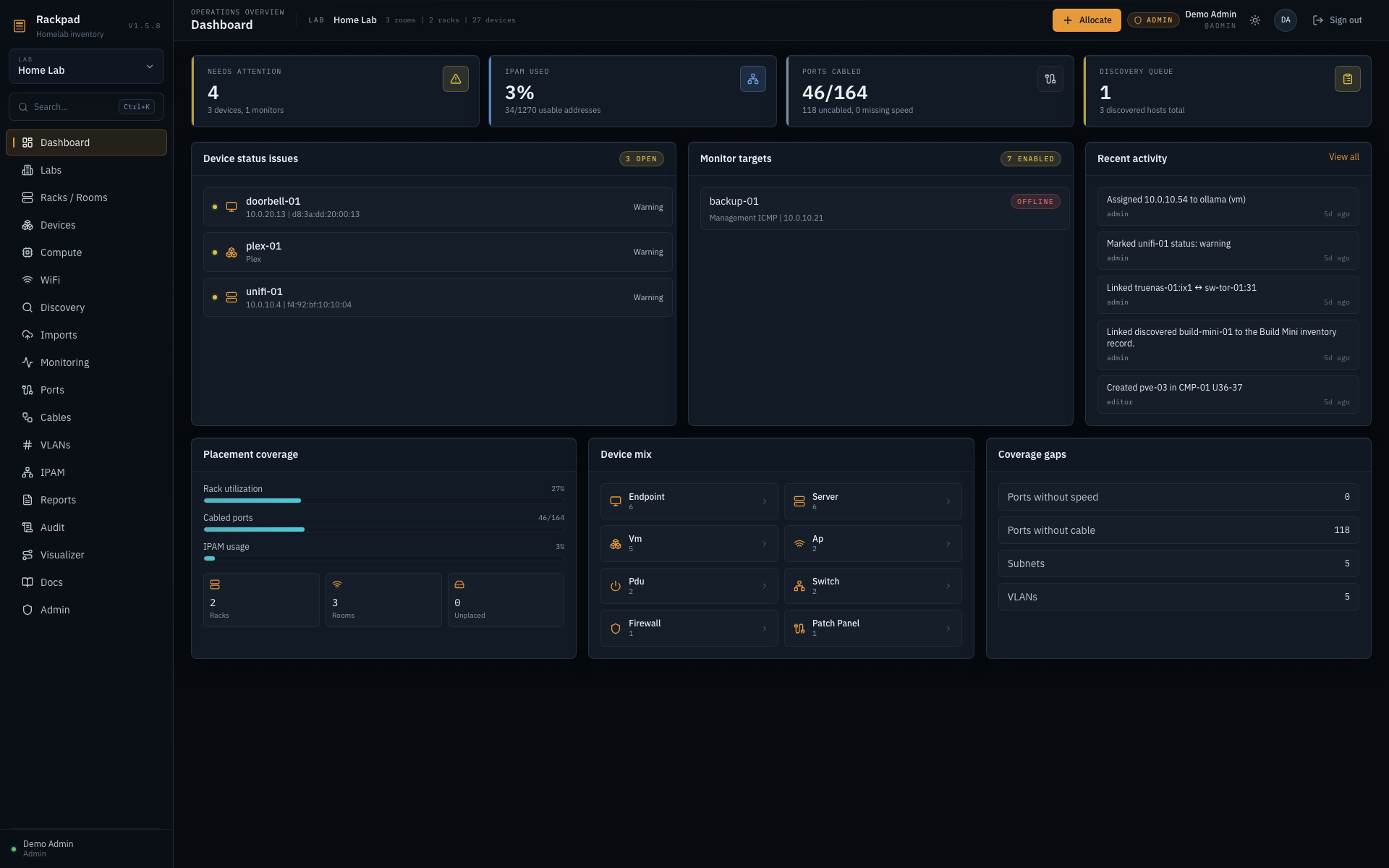
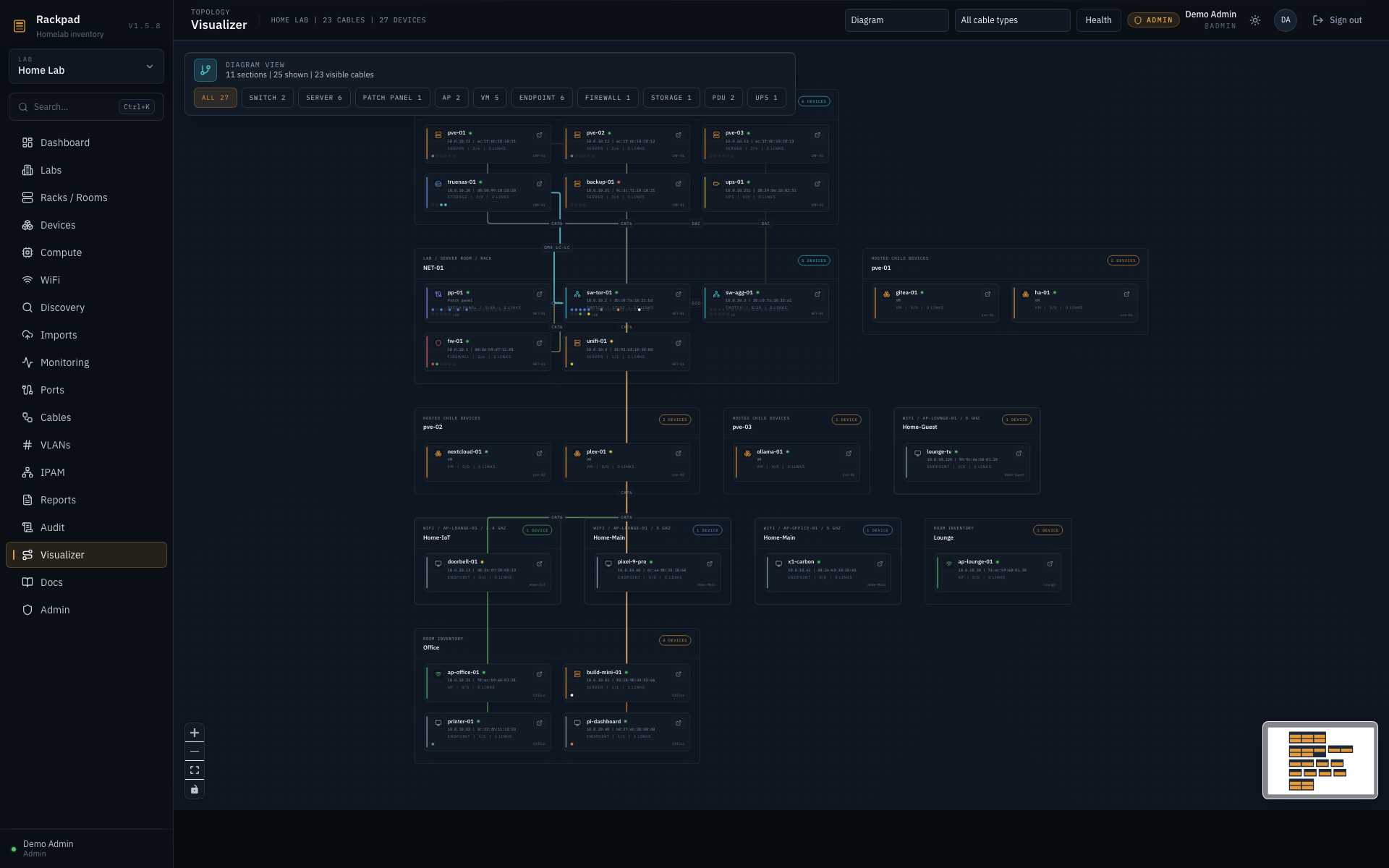
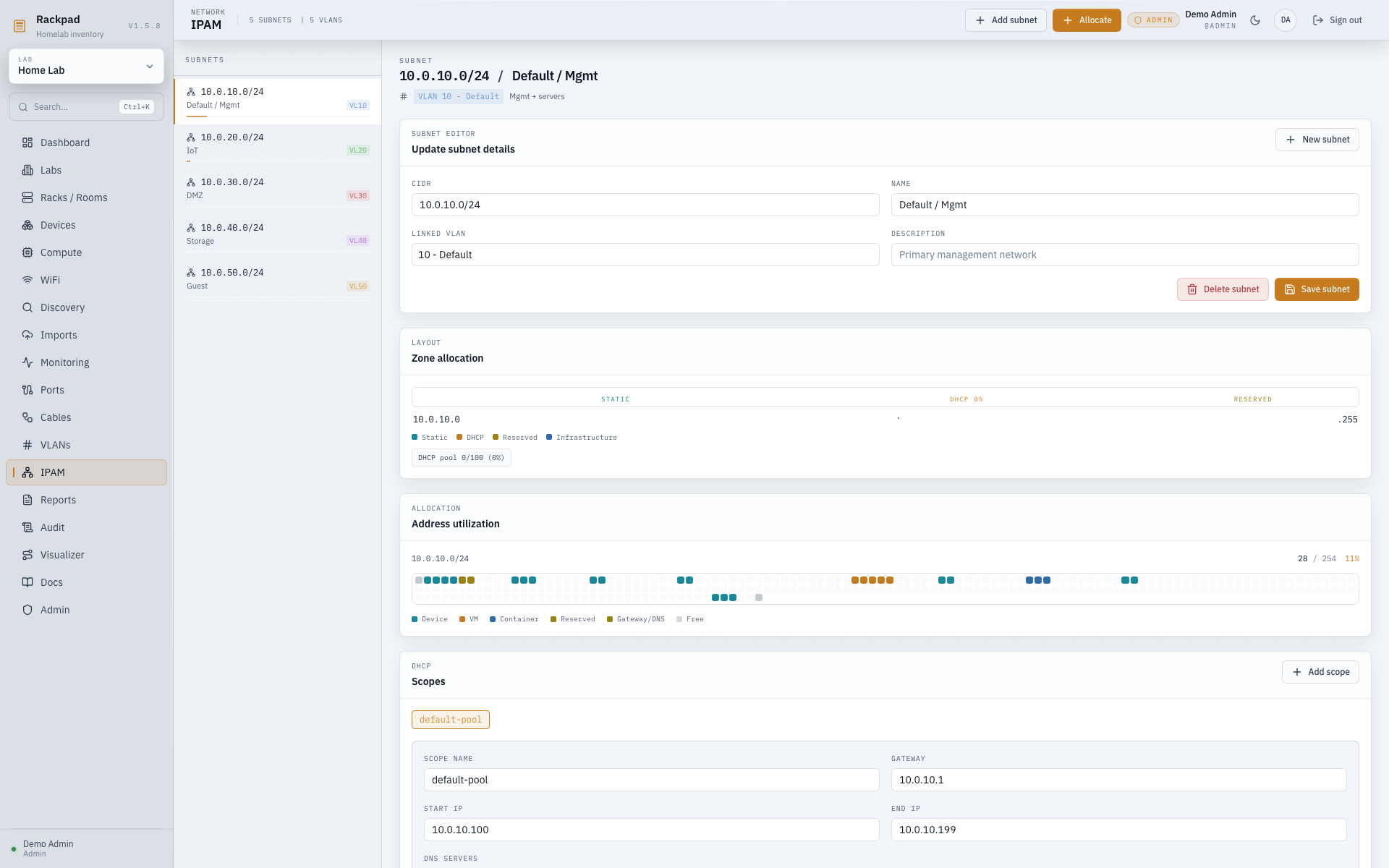
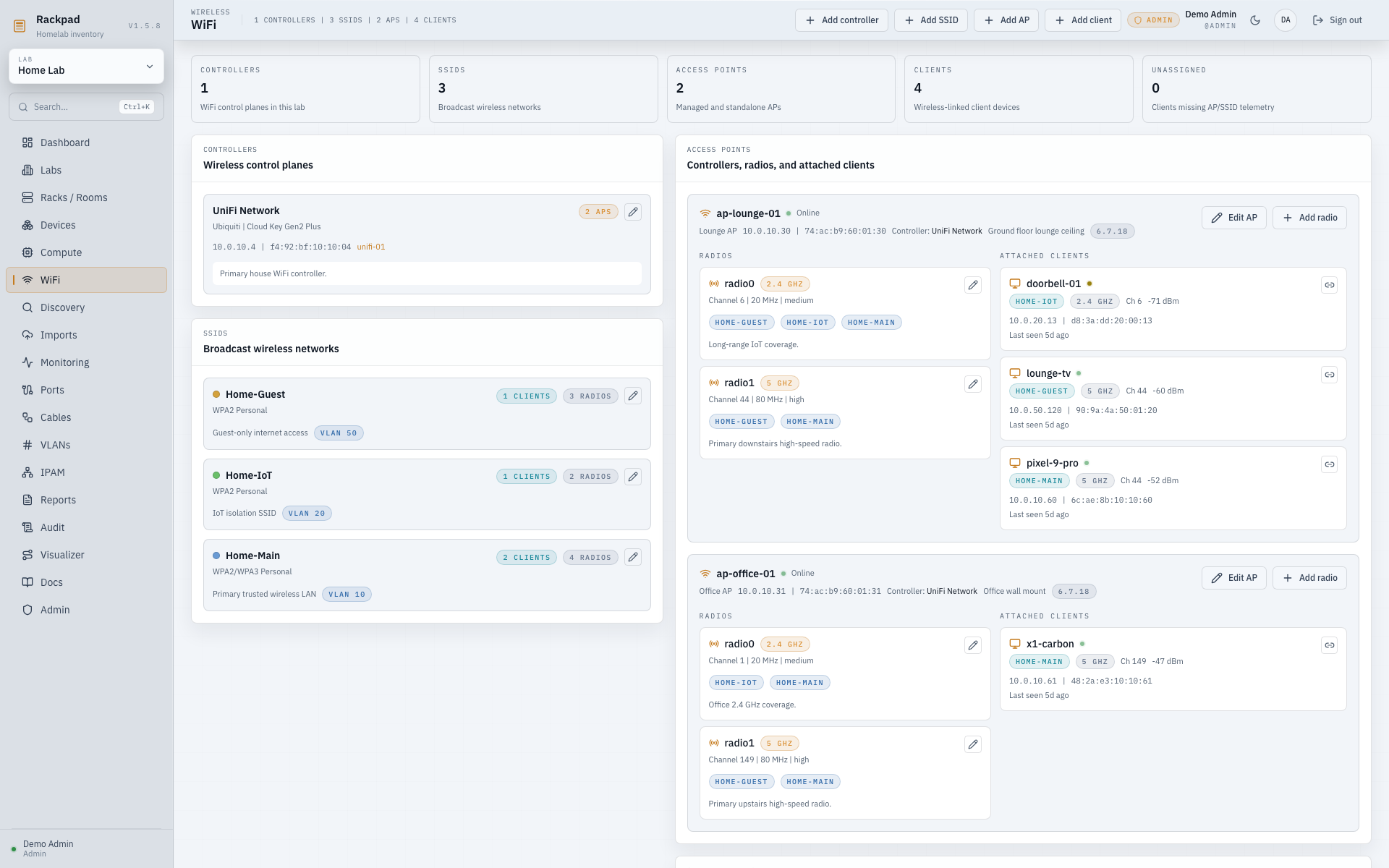
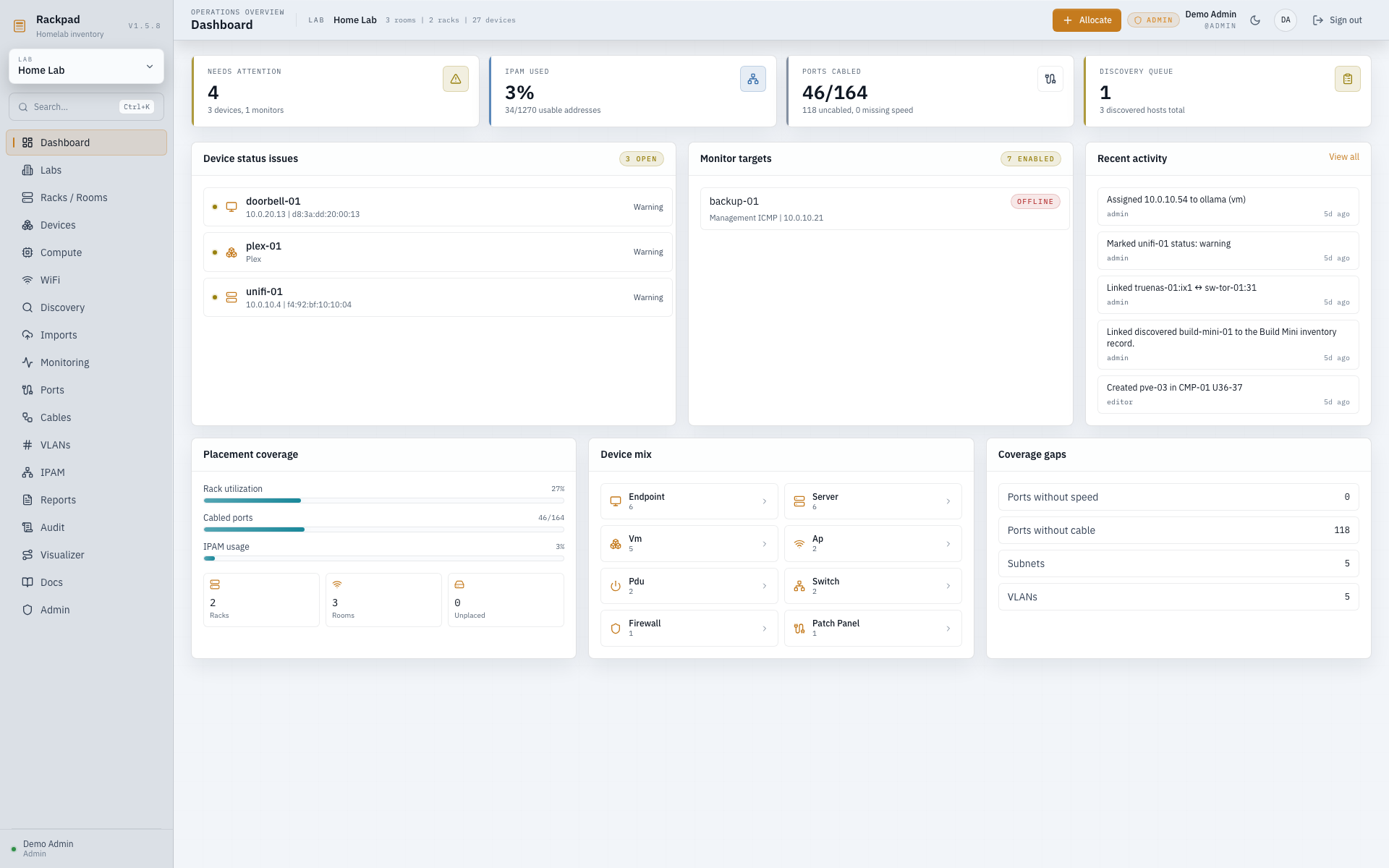
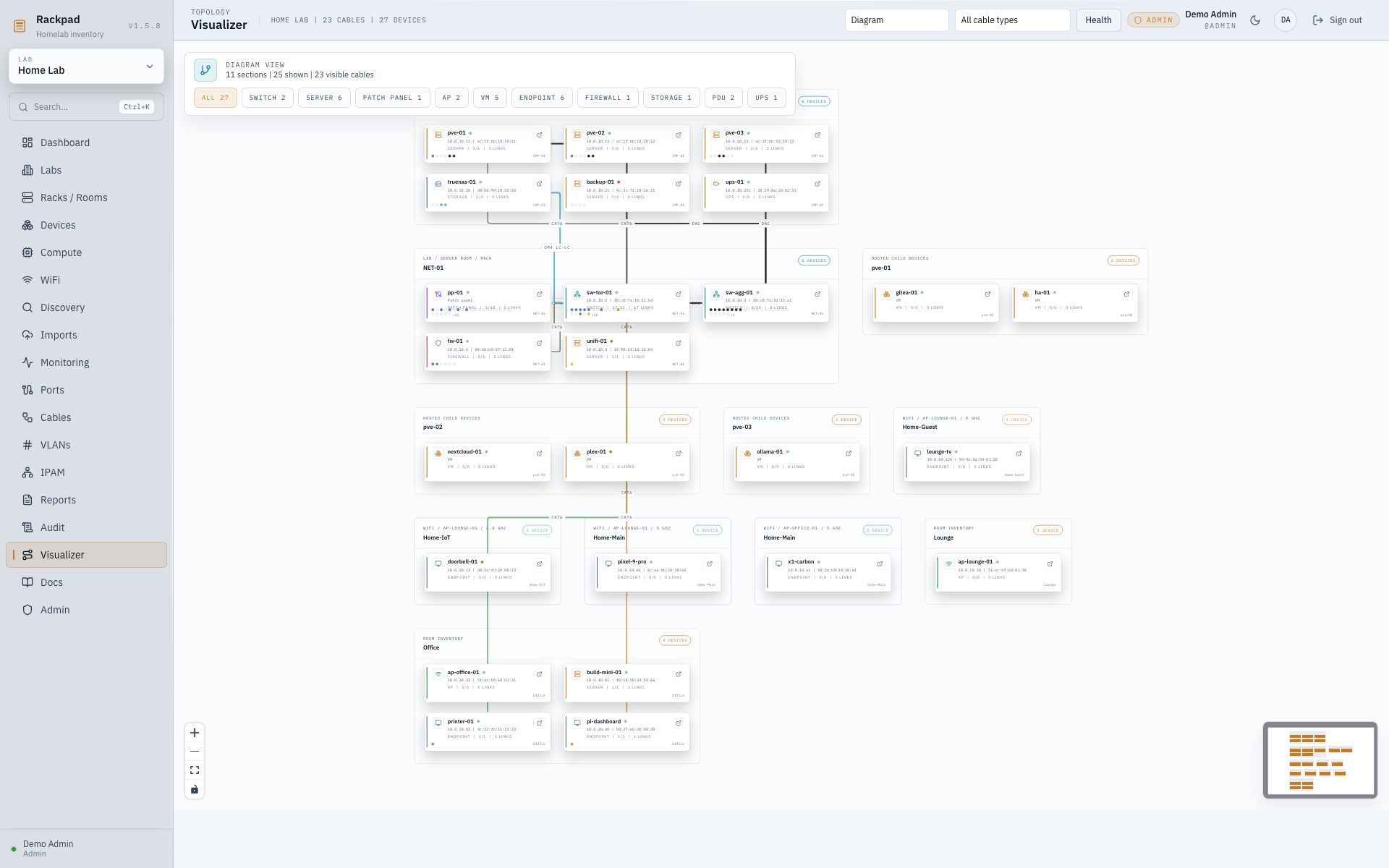
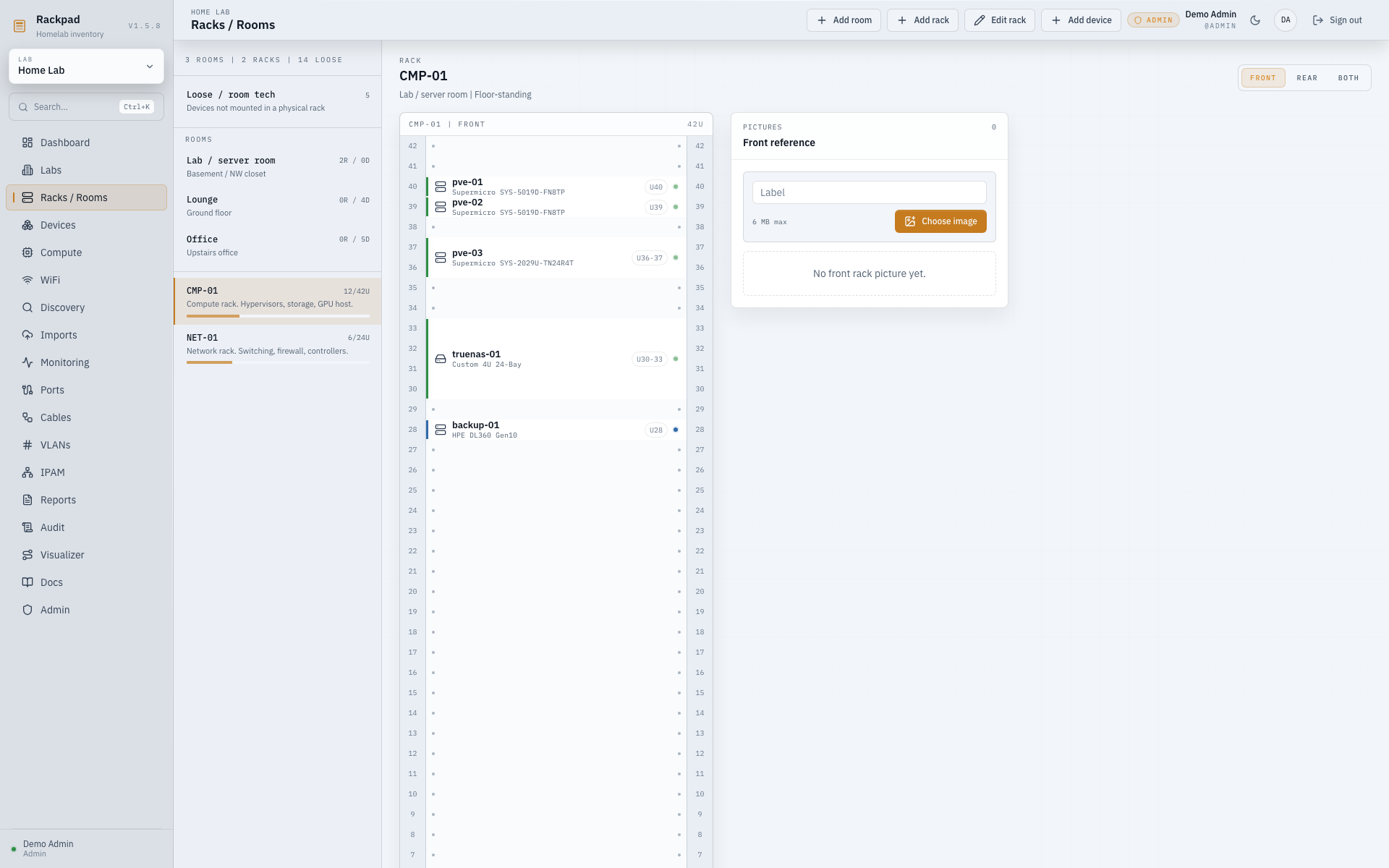
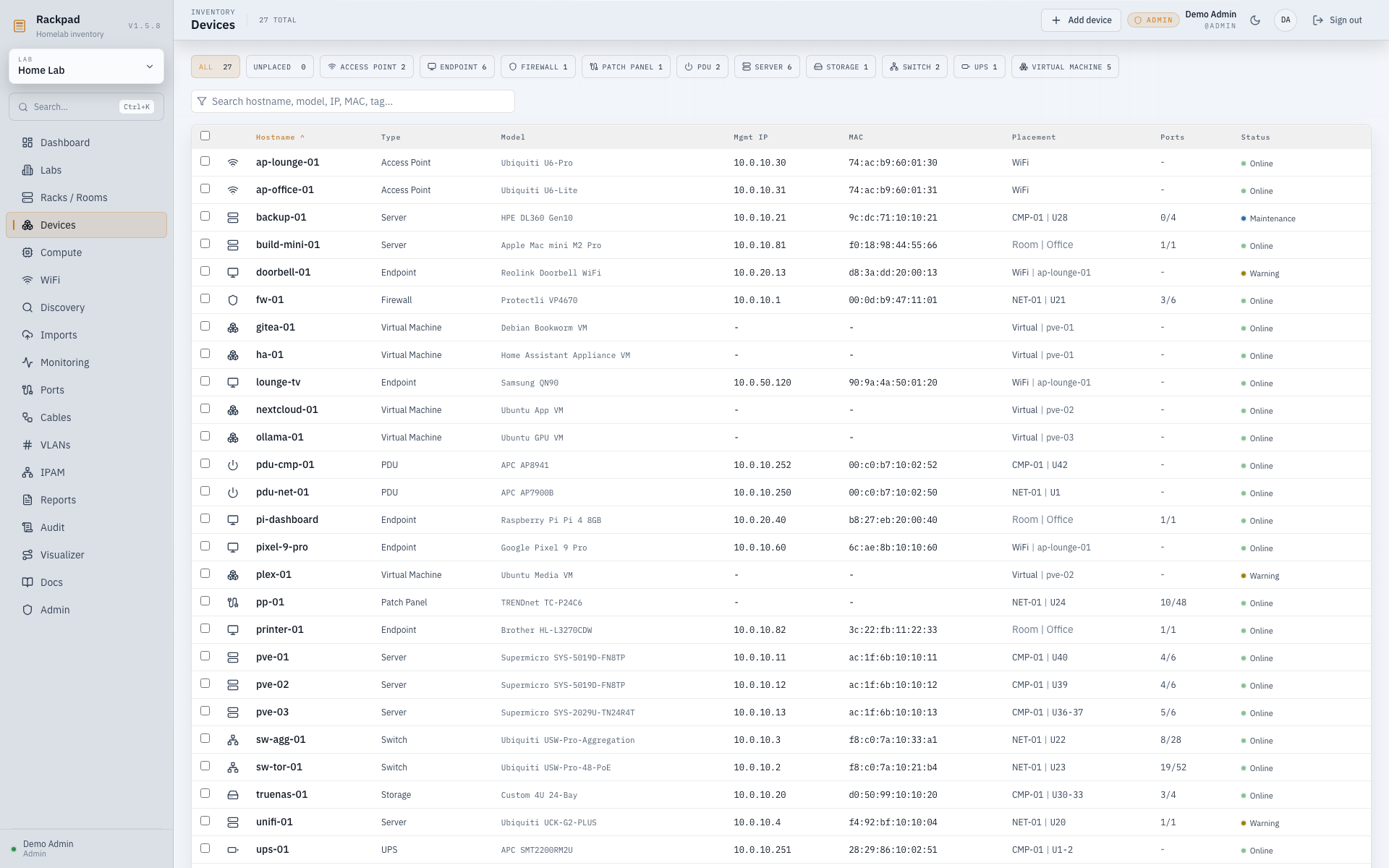
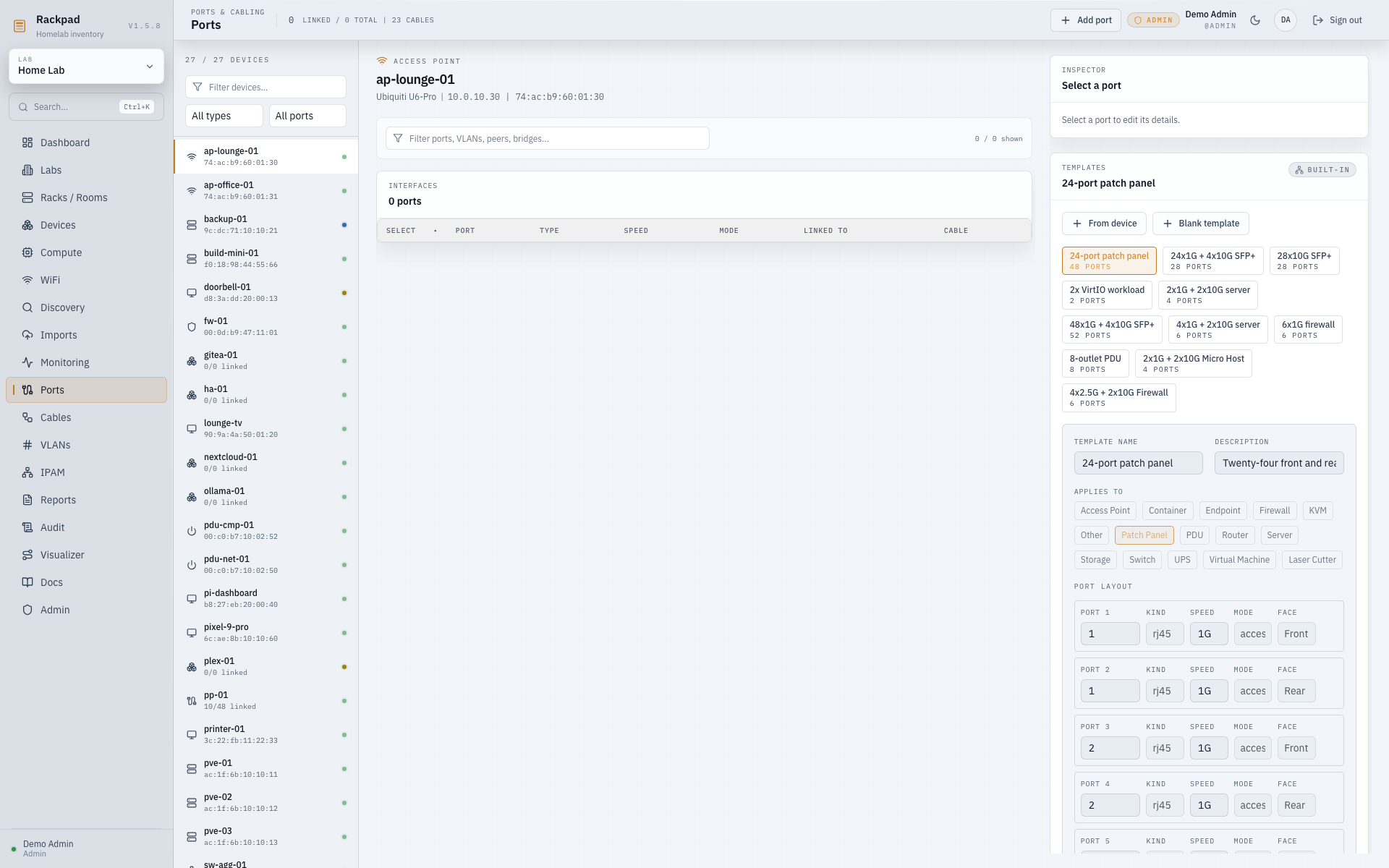
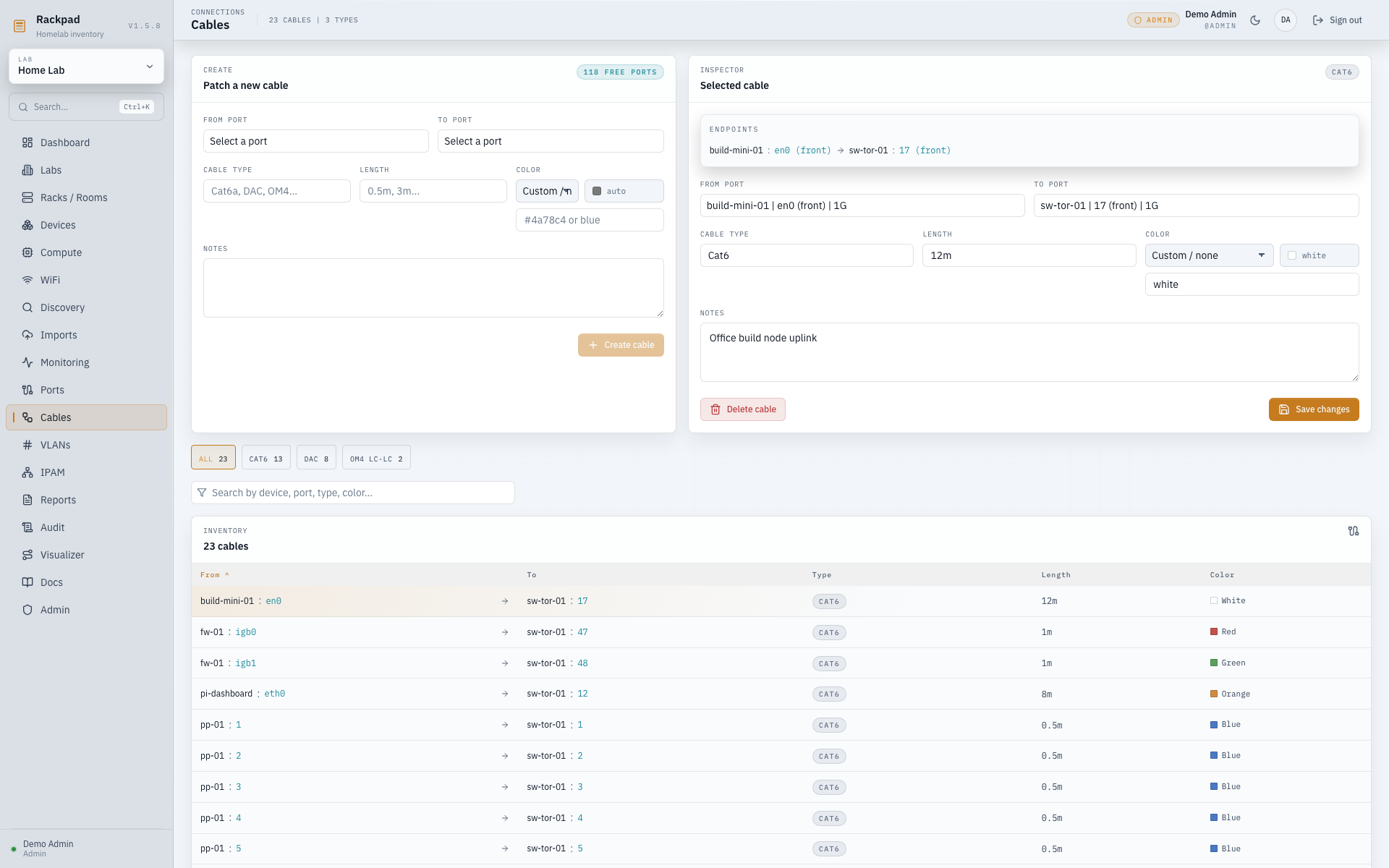
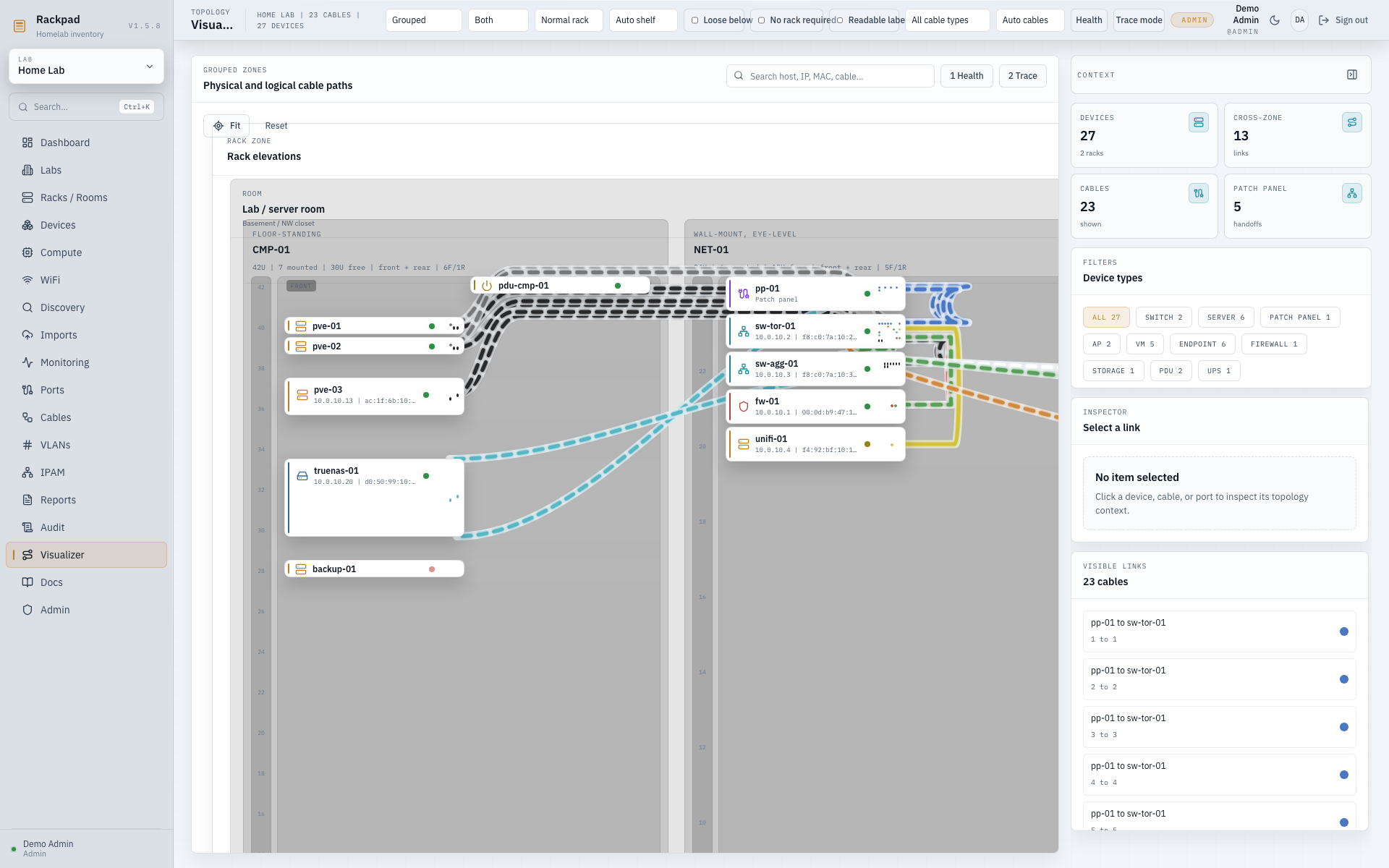
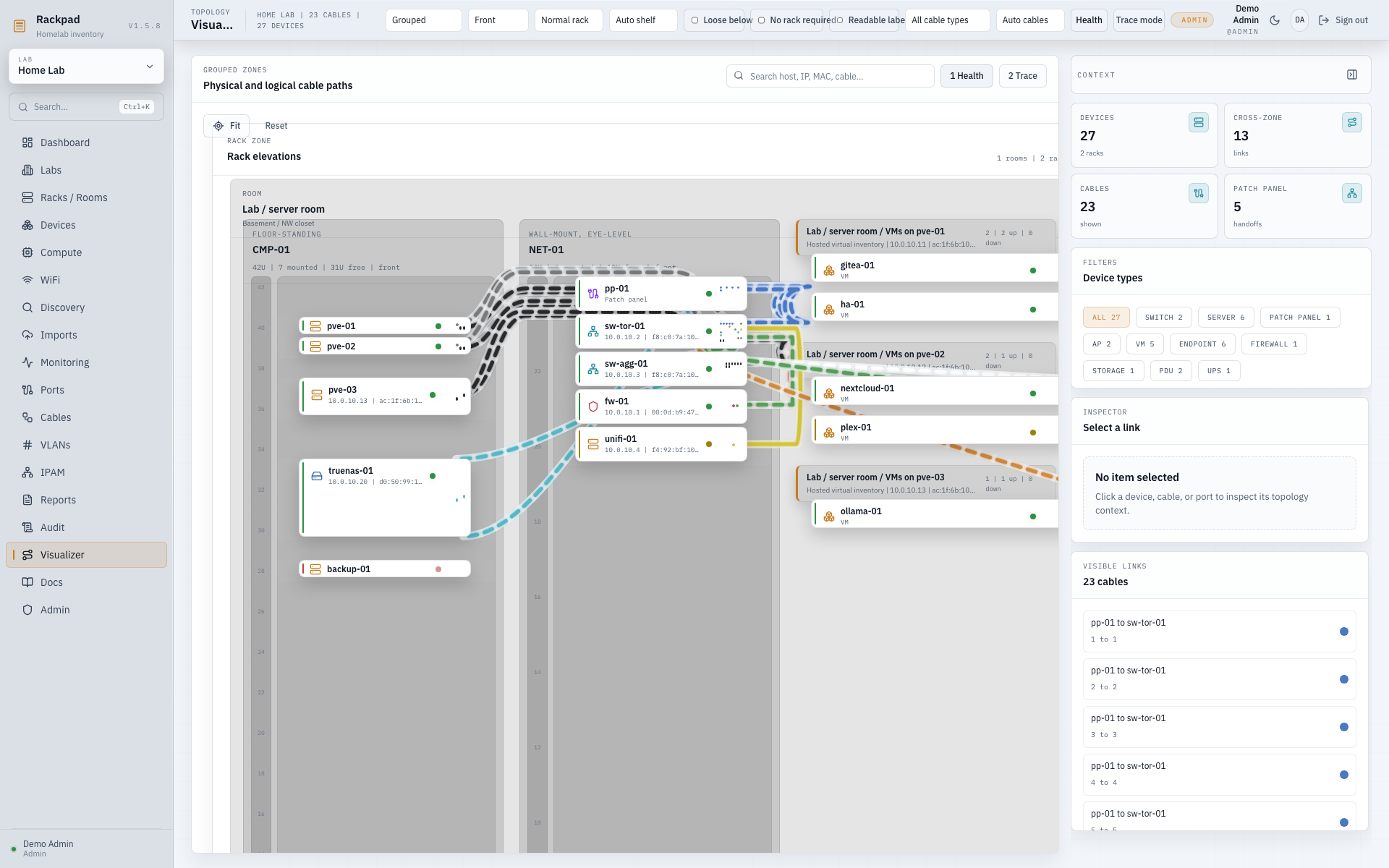
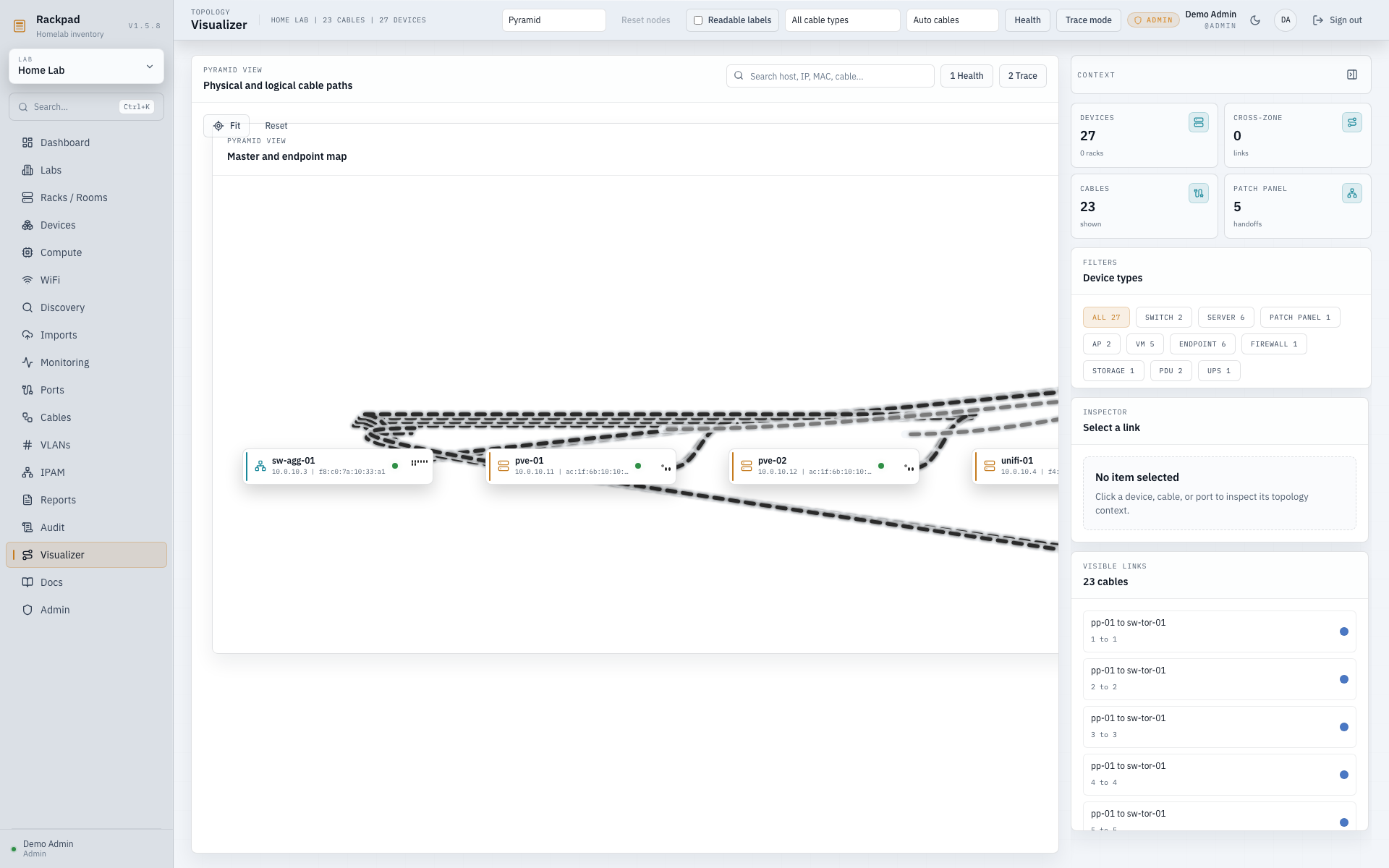
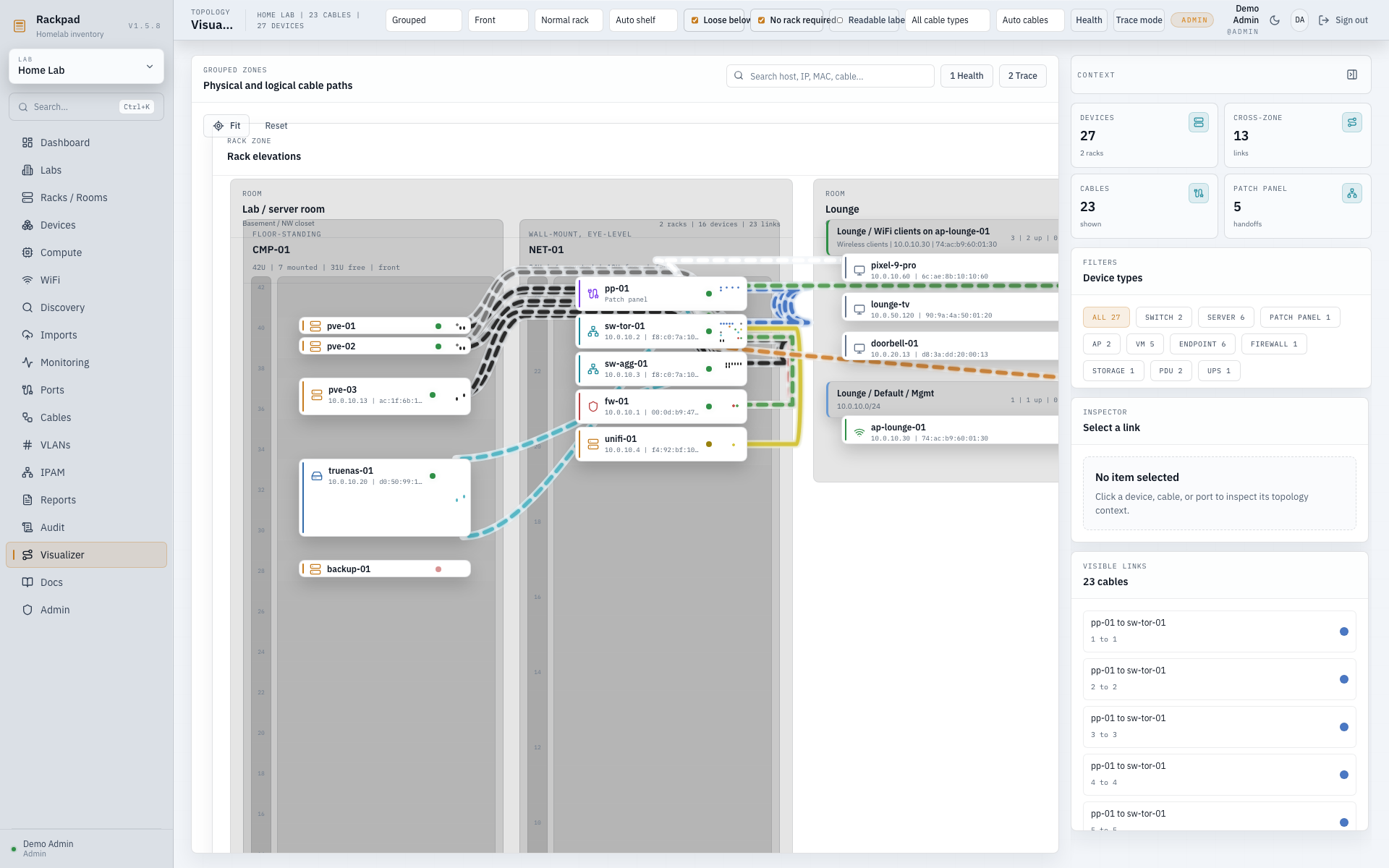
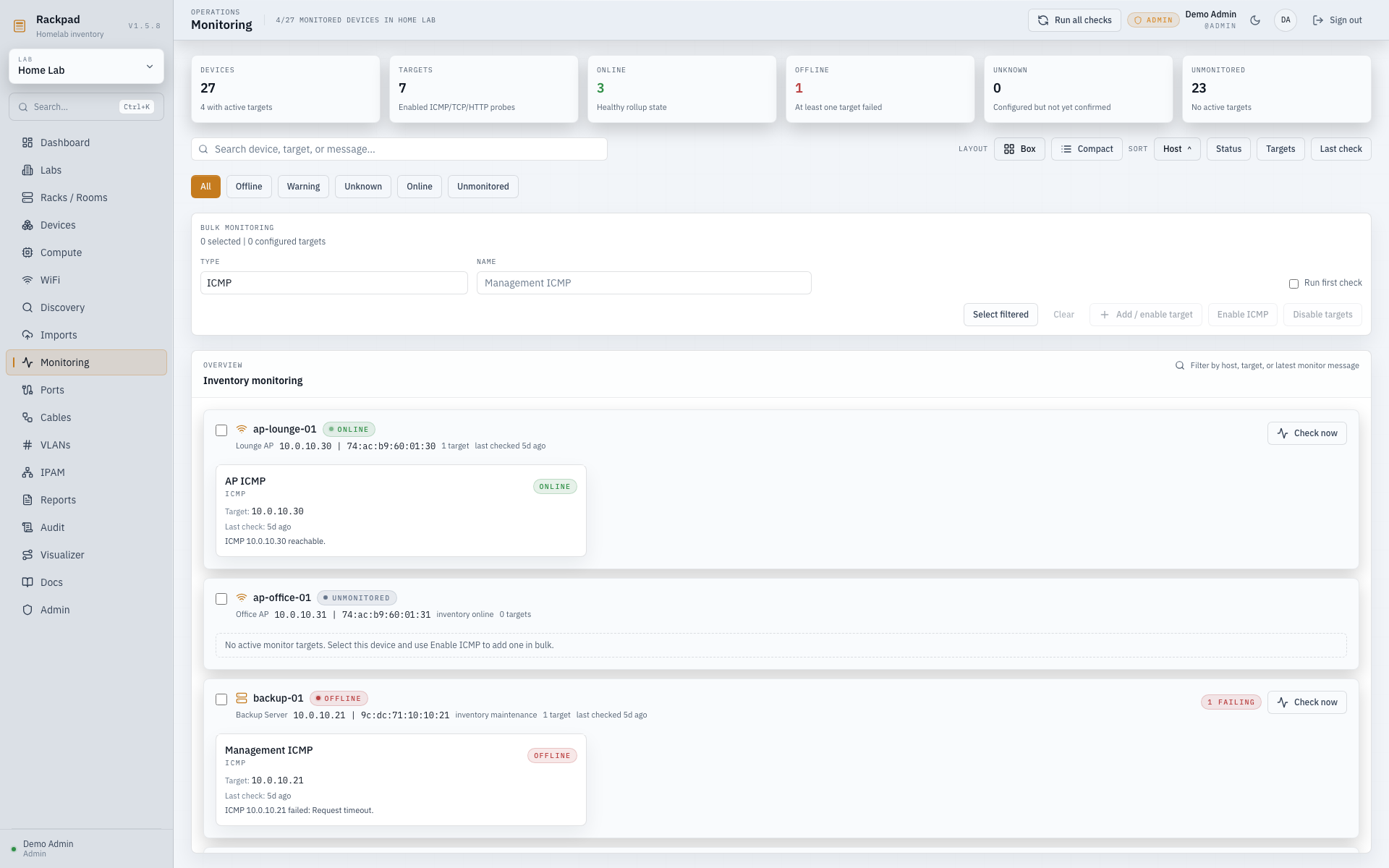
HTTP/HTTPS checks may target public hosts, RFC1918 LAN addresses, and IPv6 ULA addresses. Rackpad pins each DNS resolution and blocks loopback, link-local, metadata-service, multicast, and reserved destinations, including redirects.
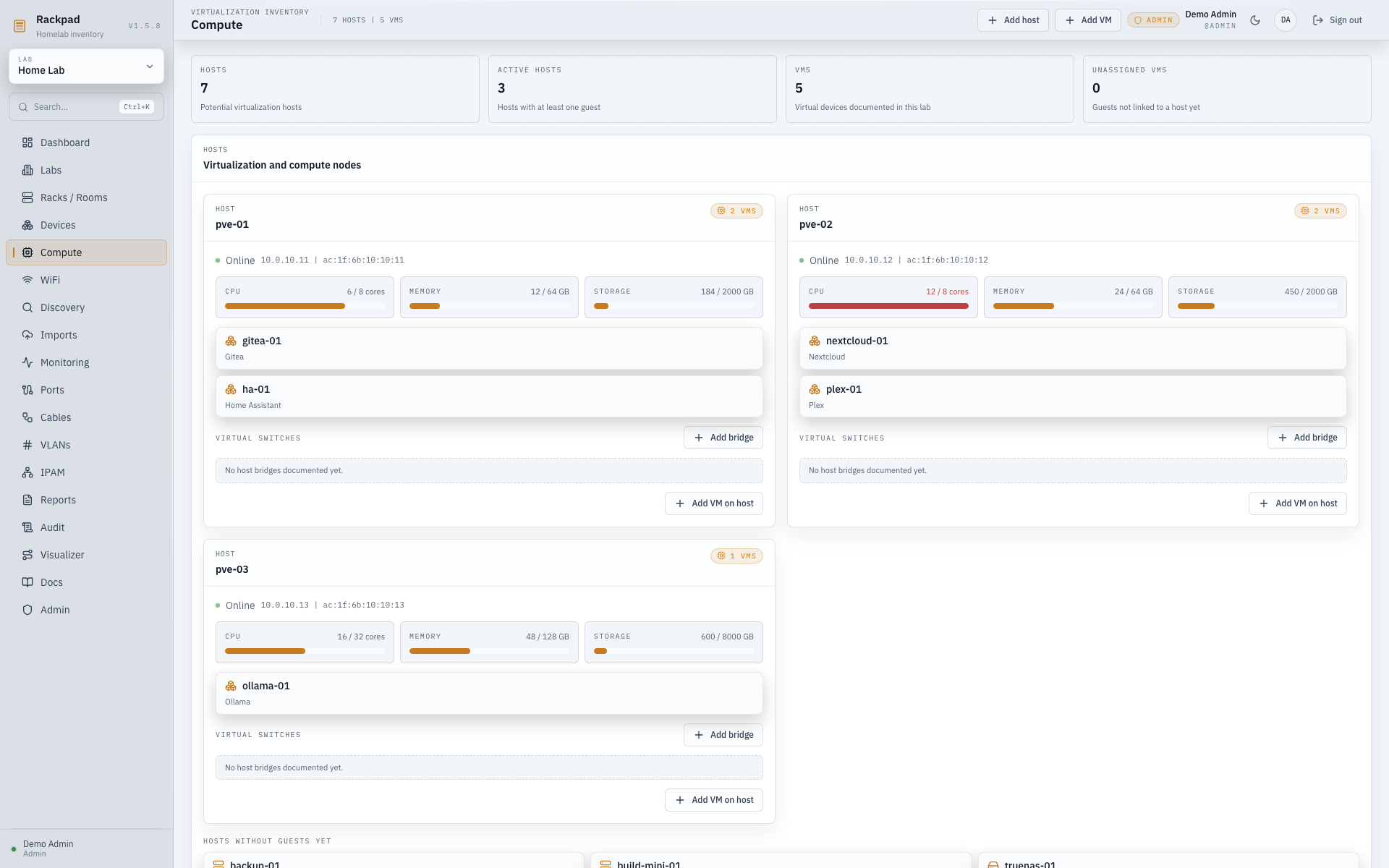
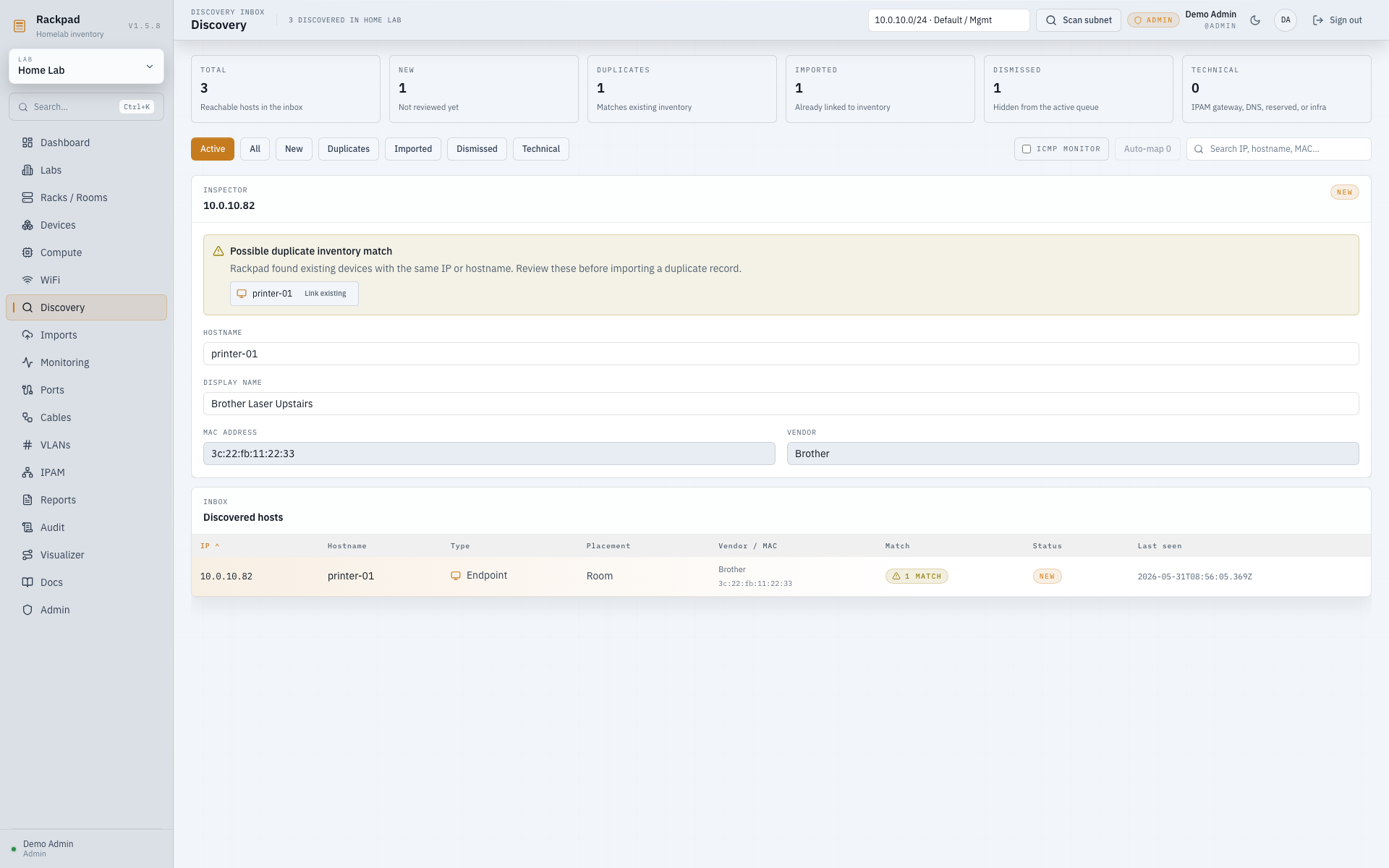
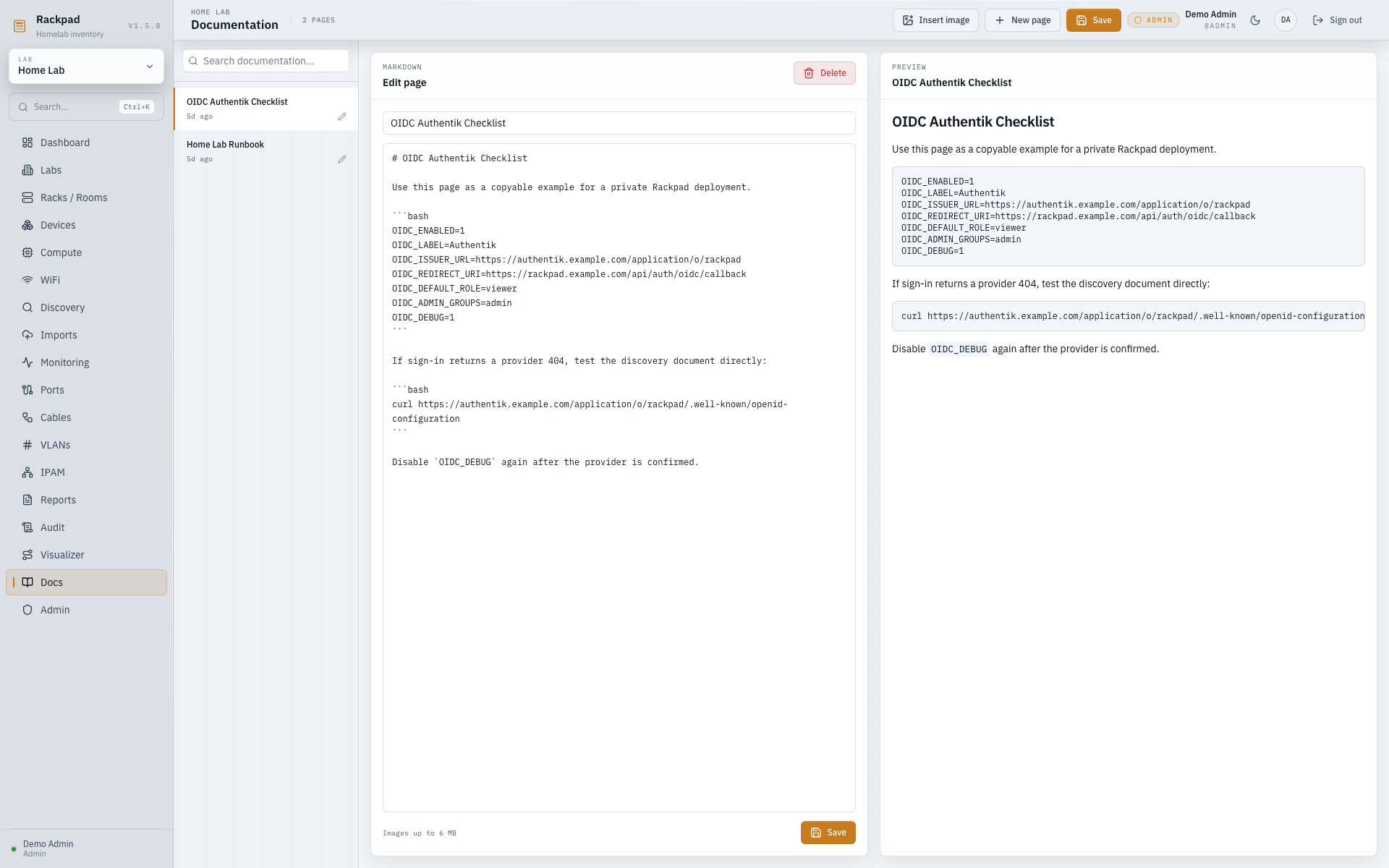
From the GitHub repo alone, you can already preview the major Rackpad workspaces:
Use these when you want the workflow steps rather than just the overview:
Rackpad uses semantic versioning and Git tags in the form vX.Y.Z.
v1.0 rollout checklist lives in V1_CHECKLIST.md.main.Every shipped change should update the version and add a matching changelog entry describing what changed.
Rackpad now uses two long-lived Git branches:
main: stable release branch intended for production and tagged releasesbeta: pre-release testing branch for changes that should be validated before they land on mainRecommended workflow:
betamainv1.6.7 from mainIf you want the newest testing build instead of the latest stable tag:
git checkout beta
git pull origin beta
The repository now also includes:
The repo includes .nvmrc, so if you use nvm:
nvm use
Install dependencies:
npm install
Run the full dev stack:
npm run dev:all
This starts:
http://localhost:5173http://localhost:3000The Vite dev server proxies /api to the Fastify backend.
Build both the frontend and backend:
npm run build
Start the compiled app:
npm start
Default environment variables:
HOST=0.0.0.0
PORT=3000
DATABASE_PATH=./rackpad.db
RACKPAD_SECRET_KEY=
SNMP_TRAP_ENABLED=1
SNMP_TRAP_PORT=1162
SNMP_TRAP_BIND=0.0.0.0
SNMP_INVENTORY_SYNC=1
MONITOR_INTERVAL_MS=300000
DISCOVERY_SCAN_MAX_ACTIVE=2
DISCOVERY_SCAN_MAX_ACTIVE_PER_LAB=1
DISCOVERY_SCAN_MAX_QUEUED=32
NODE_ENV=production
TRUST_PROXY=0
TRUSTED_HOSTS=
TRUSTED_ORIGINS=
APP_URL=
OIDC_ENABLED=0
OIDC_ISSUER_URL=
OIDC_CLIENT_ID=
OIDC_CLIENT_SECRET=
OIDC_REDIRECT_URI=
OIDC_LABEL=OIDC
OIDC_DEFAULT_ROLE=viewer
OIDC_DEBUG=0
OIDC_ADMIN_USERS=
OIDC_EDITOR_USERS=
OIDC_VIEWER_USERS=
OIDC_ADMIN_GROUPS=
OIDC_EDITOR_GROUPS=
OIDC_VIEWER_GROUPS=
OUI_AUTO_UPDATE=1
DISCOVERY_MAC_SCAN_MODE=auto
OIDC uses the authorization-code flow with PKCE. Configure the provider
redirect URI as APP_URL/api/auth/oidc/callback, or set OIDC_REDIRECT_URI
explicitly when Rackpad is behind a proxy with a non-standard public URL.
OIDC_ISSUER_URL must be the provider issuer, not the authorize URL or client
settings page. Rackpad fetches
OIDC_ISSUER_URL/.well-known/openid-configuration; if login returns a 502 with
HTTP 404, test that exact discovery URL in a browser or with curl. For
providers with per-application issuers, such as authentik, this usually means
using the application/provider issuer path rather than the IdP root domain.
Set OIDC_DEBUG=1 temporarily to log the discovery URL, redirect URI, token
endpoint status, and JWKS URL used during sign-in.
Example Authentik configuration:
OIDC_ENABLED=1
OIDC_ISSUER_URL=https://authentik.example.com/application/o/rackpad
OIDC_CLIENT_ID=<client-id>
OIDC_CLIENT_SECRET=<client-secret>
OIDC_REDIRECT_URI=https://rackpad.example.com/api/auth/oidc/callback
OIDC_LABEL=Authentik
OIDC_DEFAULT_ROLE=viewer
OIDC_ADMIN_GROUPS=admin
In Authentik, set the redirect URI to
https://rackpad.example.com/api/auth/oidc/callback and assign a signing key to
the provider/application. For a single-admin private deployment you can set
OIDC_DEFAULT_ROLE=admin; for shared installs, keep the default role at
viewer and map admin/editor groups explicitly.
Discovery MAC/vendor enrichment needs layer-2 visibility from the Rackpad
runtime. DISCOVERY_MAC_SCAN_MODE=auto tries arp-scan and nmap when the
runtime can use them, then falls back to the OS neighbor/ARP cache. In Docker,
MACs may remain unavailable on bridge networking, Docker Desktop, routed VLANs,
VPNs, or containers without raw-socket capability; Rackpad will show scan
diagnostics when that happens.
On the first boot there are no users yet.
If a local admin password is lost in a Docker install, use the container CLI recovery command documented in INSTALL.md. OIDC users must reset passwords in the identity provider.
Recommended no-clone install from the published GHCR image:
sudo apt-get update
sudo apt-get install -y curl ca-certificates
curl -fsSL https://raw.githubusercontent.com/Kobii-git/Rackpad/main/scripts/install-docker.sh | bash
Use RACKPAD_TAG=latest if you want the newest stable GHCR image,
RACKPAD_TAG=1.6.7 if you want a specific release, or RACKPAD_TAG=beta if
you want the newest testing image:
curl -fsSL https://raw.githubusercontent.com/Kobii-git/Rackpad/main/scripts/install-docker.sh -o /tmp/install-rackpad.sh
RACKPAD_TAG=1.6.7 bash /tmp/install-rackpad.sh
Open:
http://SERVER_IP:3000
Manual no-clone compose install:
sudo mkdir -p /opt/rackpad
cd /opt/rackpad
sudo curl -fsSLo compose.yml https://raw.githubusercontent.com/Kobii-git/Rackpad/main/docker-compose.release.yml
sudo tee .env >/dev/null <<'EOF'
RACKPAD_IMAGE=ghcr.io/kobii-git/rackpad
RACKPAD_TAG=latest
RACKPAD_PORT=3000
MONITOR_INTERVAL_MS=300000
TRUST_PROXY=0
TRUSTED_HOSTS=
TRUSTED_ORIGINS=
EOF
sudo docker compose pull
sudo docker compose up -d
If Rackpad runs in Docker on Linux or inside a Proxmox LXC and Discovery cannot see the local subnet, use the host-network discovery compose variant:
sudo curl -fsSLo compose.host-discovery.yml https://raw.githubusercontent.com/Kobii-git/Rackpad/main/docker-compose.host-discovery.yml
sudo docker compose -f compose.host-discovery.yml pull
sudo docker compose -f compose.host-discovery.yml up -d
That variant runs with host networking plus the raw-network capabilities needed by ICMP/ARP-style scans. See Docker network discovery for the security trade-offs and manual compose snippet.
Build locally from a cloned repo only if you want to build from source:
docker compose up --build -d
The compose stack:
${RACKPAD_PORT:-3000}rackpad_data/data and /tmp/api/health for the container health checkTo stop it:
docker compose down
To stop it and remove the database volume:
docker compose down -v
Full Linux, Proxmox, and Windows install details, plus update steps, backups, git-clone/source-build options, and reverse-proxy settings live in INSTALL.md.
For a simple non-Docker Linux test deploy:
npm install
npm run build
PORT=3000 HOST=0.0.0.0 DATABASE_PATH=./rackpad.db npm start
If better-sqlite3 needs to compile during npm install, install build tools first:
sudo apt-get update
sudo apt-get install -y python3 make g++
For any public-facing or VPN-exposed deployment, put Rackpad behind a TLS reverse proxy and set the trusted proxy/origin environment values.
Recommended environment shape:
TRUST_PROXY=1
TRUSTED_HOSTS=rackpad.example.com
TRUSTED_ORIGINS=https://rackpad.example.com
Example proxy files are included in:
The app already sets:
Content-Security-PolicyStrict-Transport-Security when the request arrives over HTTPSX-Frame-OptionsX-Content-Type-OptionsReferrer-PolicySo the main deployment job is to terminate TLS, forward the correct X-Forwarded-* headers, and keep Rackpad reachable only through the hostname you trust.
On this Windows machine, the app builds and lints cleanly, but the local runtime is still blocked under Node 24 because better-sqlite3 does not have a matching native binding installed.
The intended local fix is:
npm installLinux and Docker remain the preferred validation paths.
These are wired into the repo now:
npm run build
npm run lint
npm run test:server
npm run test:server is expected to work on Linux/Node 22 or any environment where better-sqlite3 can load successfully.
rackpad/
|- docs/screenshots/       GitHub-friendly app screenshots
|- server/                 Fastify API, SQLite schema, seed data, routes, tests
|- src/
|  |- components/          UI and feature components
|  |- lib/                 typed API client, store, types, helpers
|  |- pages/               route-level screens
|- dist/                   built frontend
|- dist-server/            built backend
|- Dockerfile              production container build
|- docker-compose.yml      local container orchestration
Full step-by-step setup instructions are in INSTALL.md. Version-by-version release notes are in CHANGELOG.md.
A special thank you to @M4v3r1cK87 and @dhop90.
Rackpad has benefited hugely from their time, testing, feedback, screenshots, bug reports, and ideas. Their involvement has helped shape the project in a very real way, and I am genuinely grateful for the care they have put into helping improve it.
Thank you both for being such an important part of Rackpad's journey.
Rackpad is free to use. If it helps you and you want to support the work, there is an optional Ko-fi link here on GitHub: ko-fi.com/k0bii. PayPal.me is also available here: paypal.me/St3wi.
more like this
🎥🤟 8 minimalistic templates for tfjs mediapipe handpose and facemesh
A repository about starting from scratch for monorepo, fastify, Phaser, colyseus, and threejs.
search projects, people, and tags