agentlytics
Comprehensive analytics dashboard for AI coding agents — Cursor, Windsurf, Claude Code, VS Code Copilot, Zed, Antigravi…
JavaScript★ 555
Mihomo Dashboard, The Official One, XD
 MetaCubeX
Mihomo Dashboard, The Official One, XD
A modern, beautiful, and fully-featured web dashboard for Mihomo (Clash Meta).
Live Demo · Download Desktop App · Docker Quick Start
Just want to try it? Open https://d.metacubex.one and enter your mihomo address + secret.
Self-host with Docker in 30 seconds:
docker run -d --name metacubexd -p 8080:80 ghcr.io/metacubex/metacubexd:latest
# Open http://localhost:8080
Full all-in-one (UI + kernel + agent):
curl -O https://raw.githubusercontent.com/metacubex/metacubexd/main/docs/docker-compose.yml
# Edit .env with your secrets, then:
docker compose up -d
| Overview | Proxies |
|---|---|
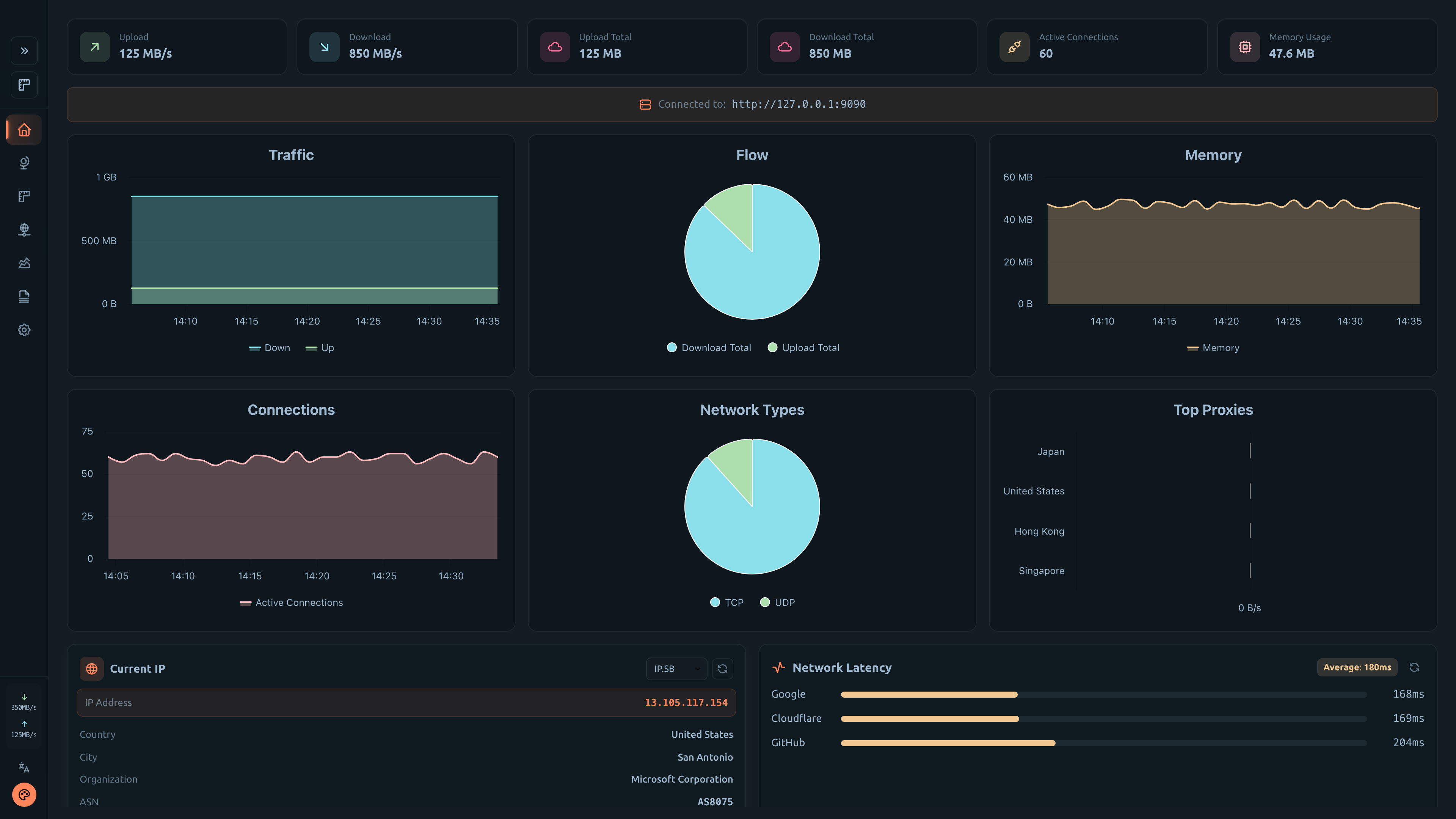 |
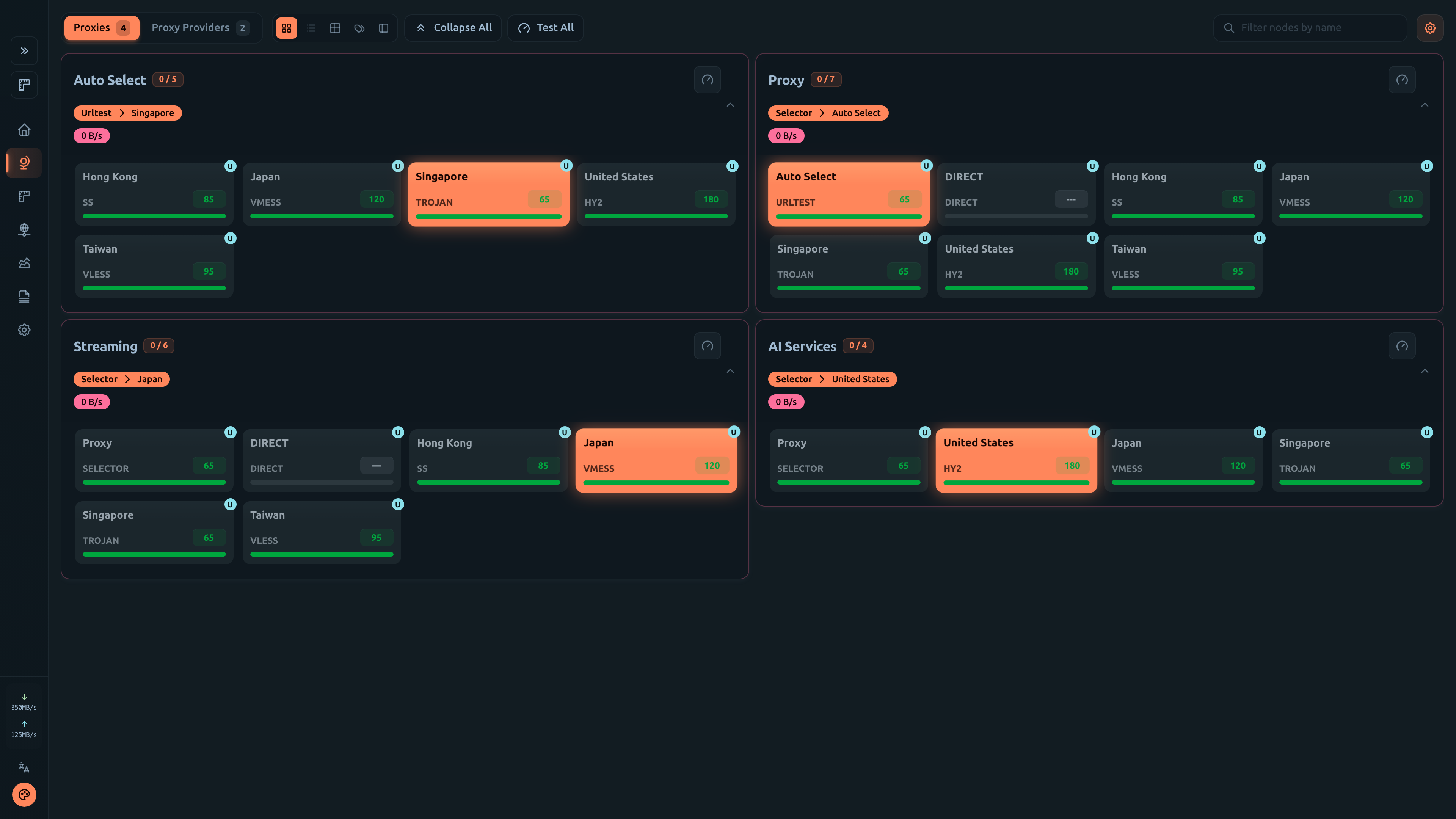 |
| Connections | Rules |
|---|---|
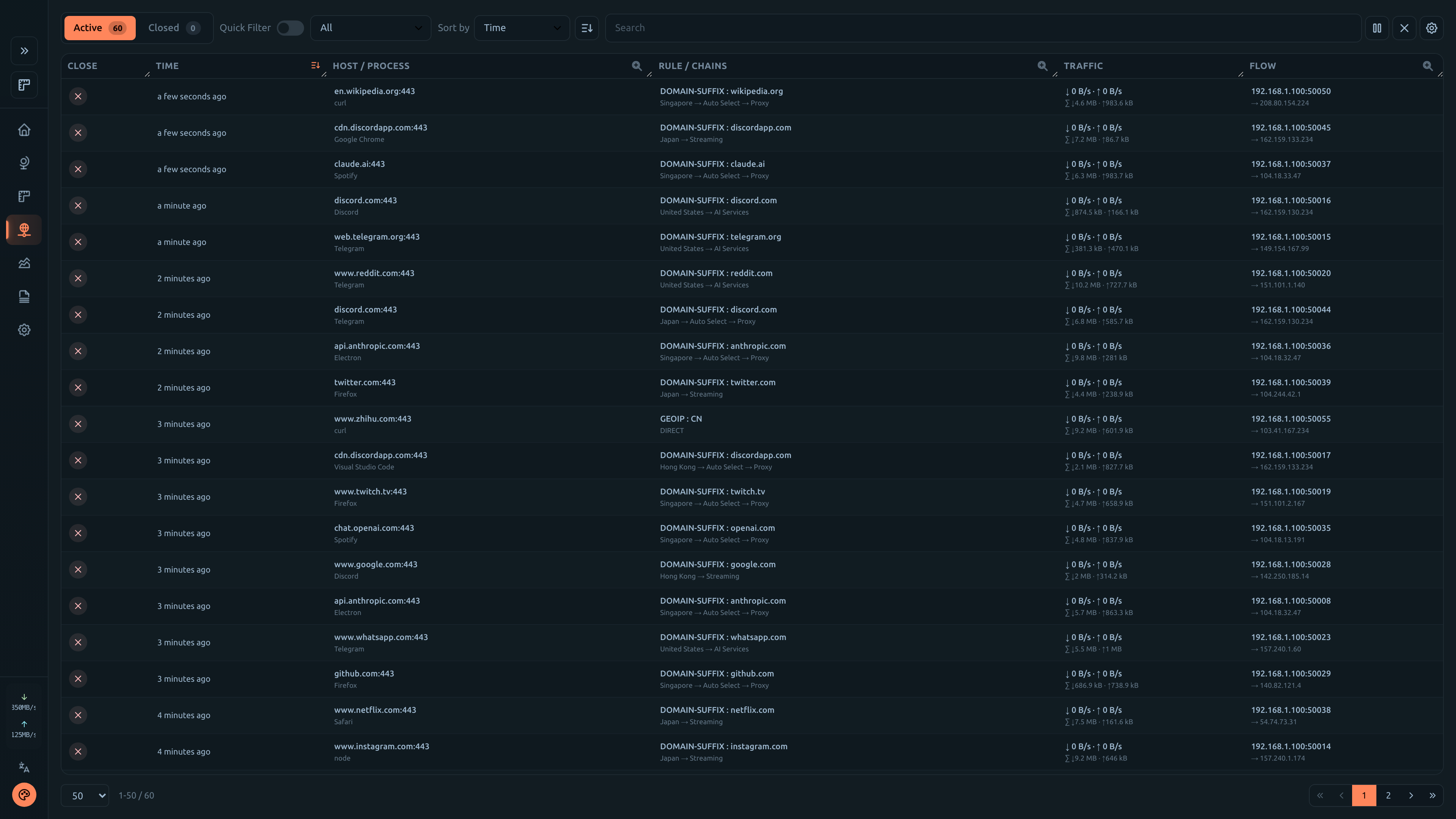 |
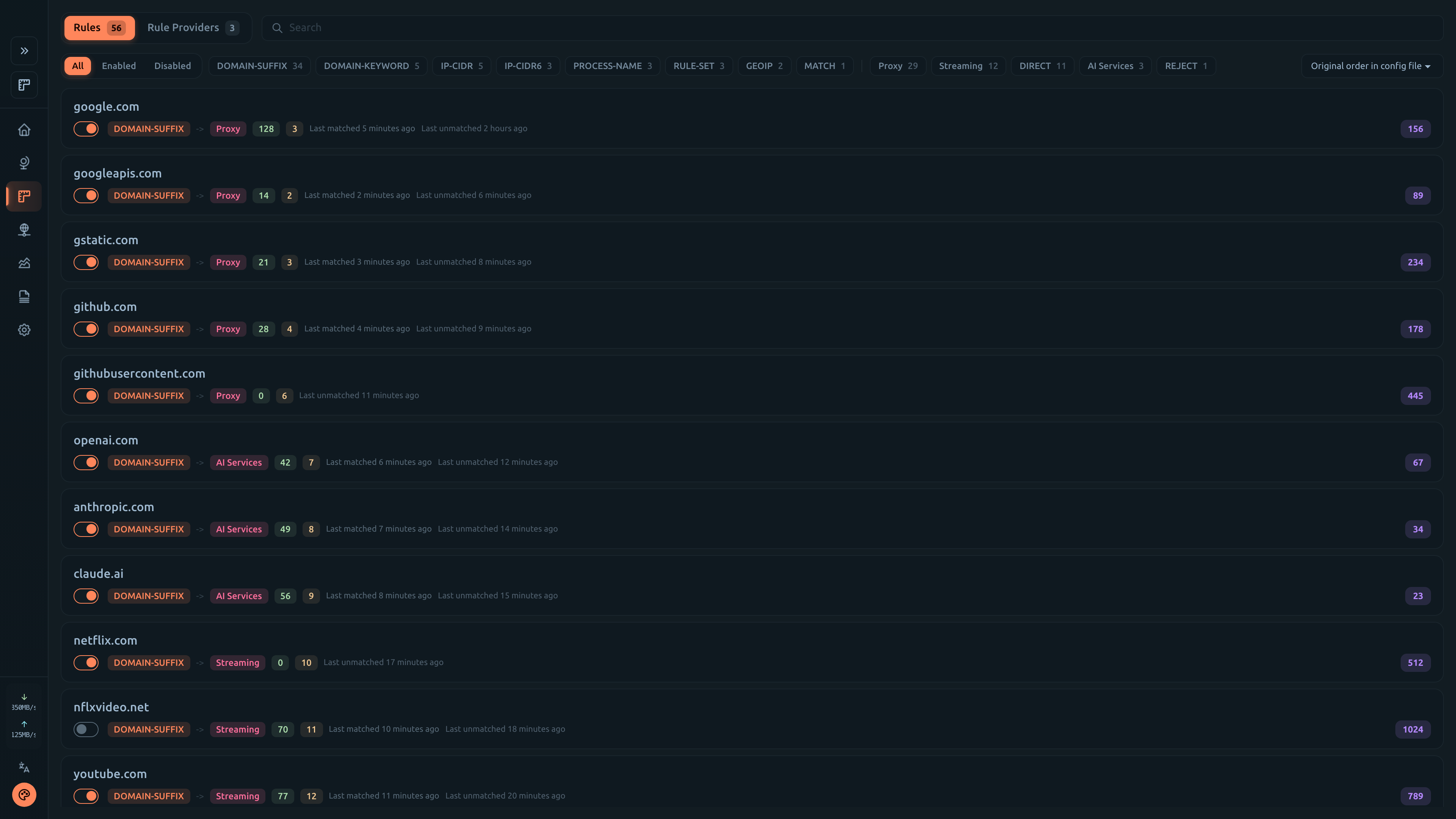 |
| Logs | Config |
|---|---|
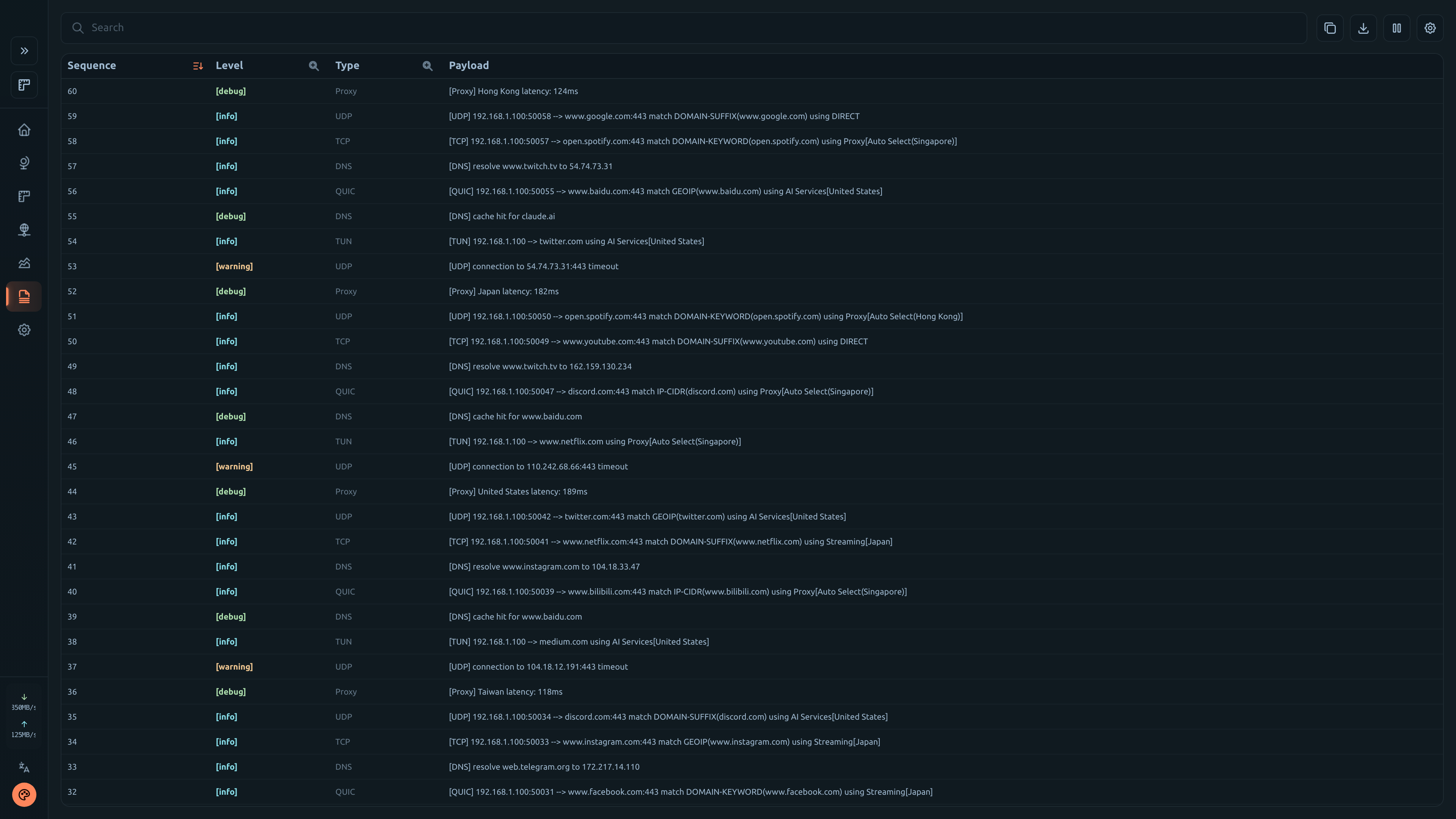 |
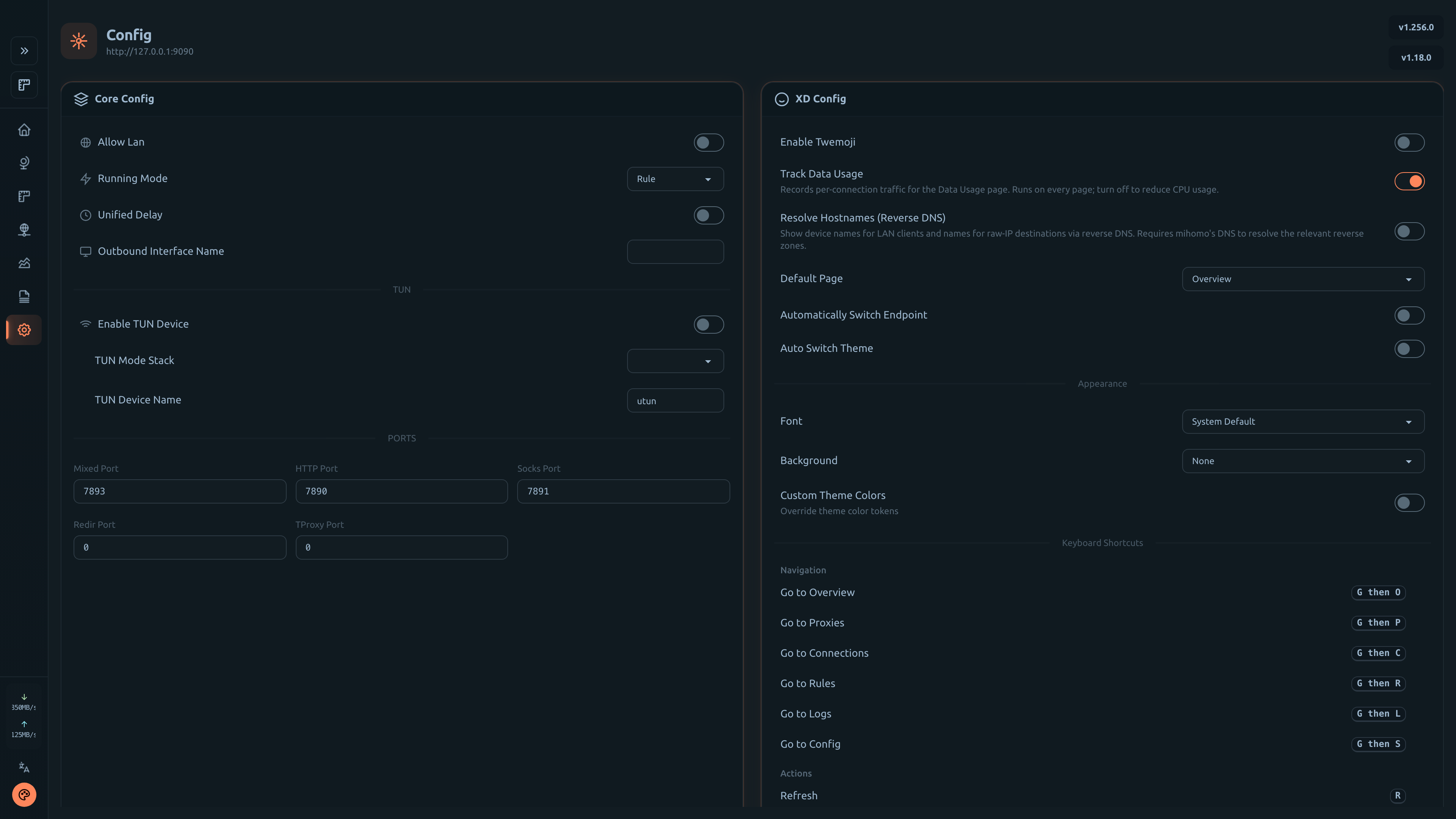 |
| Overview | Proxies | Connections |
|---|---|---|
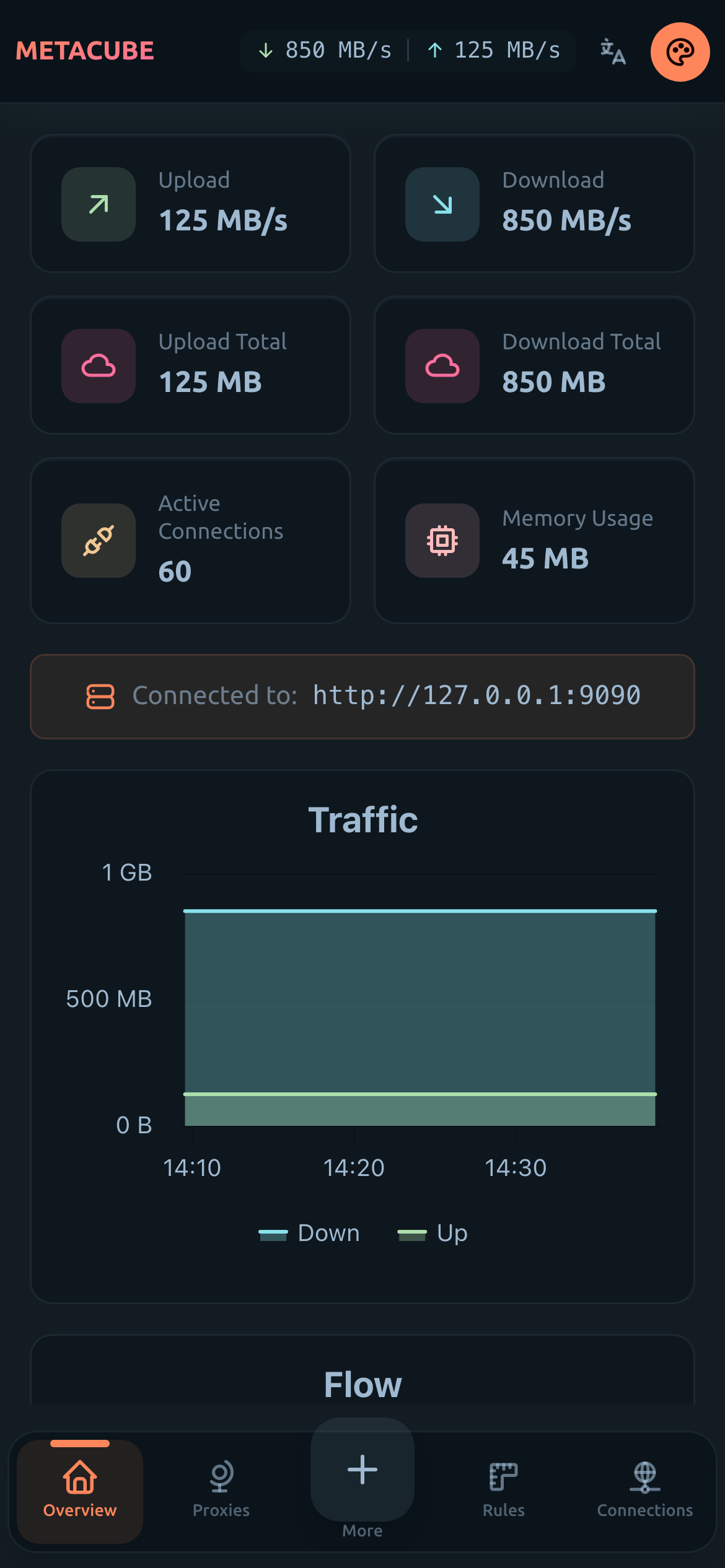 |
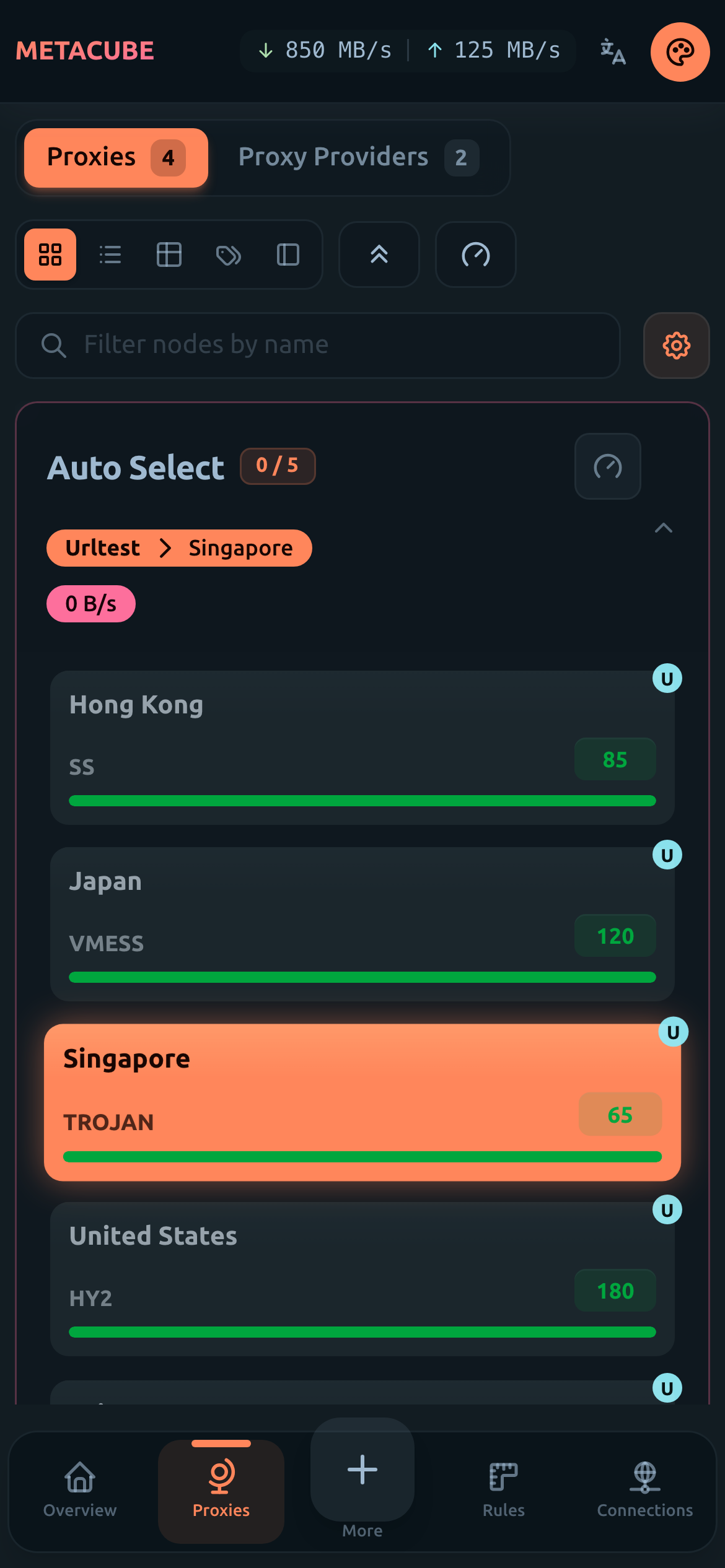 |
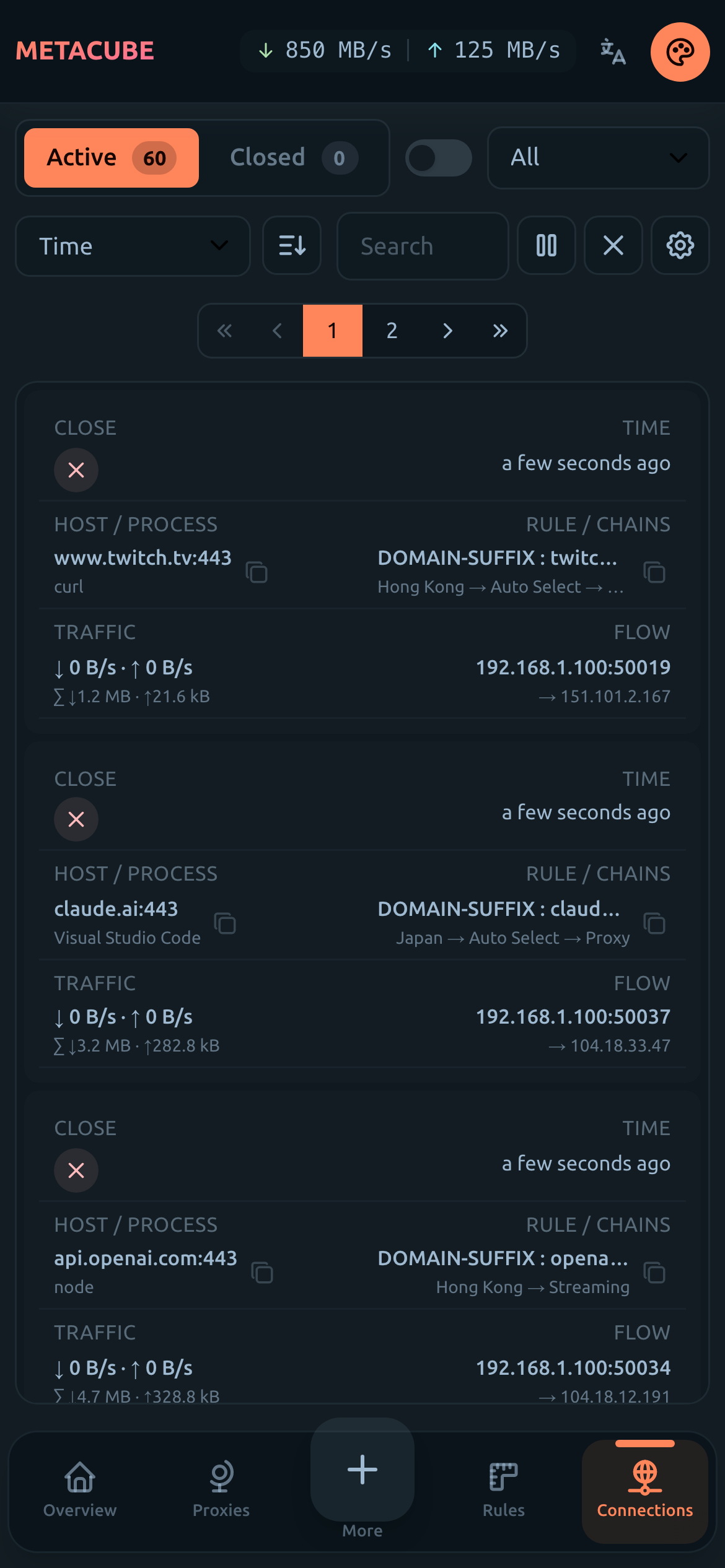 |
| Rules | Logs | Config |
|---|---|---|
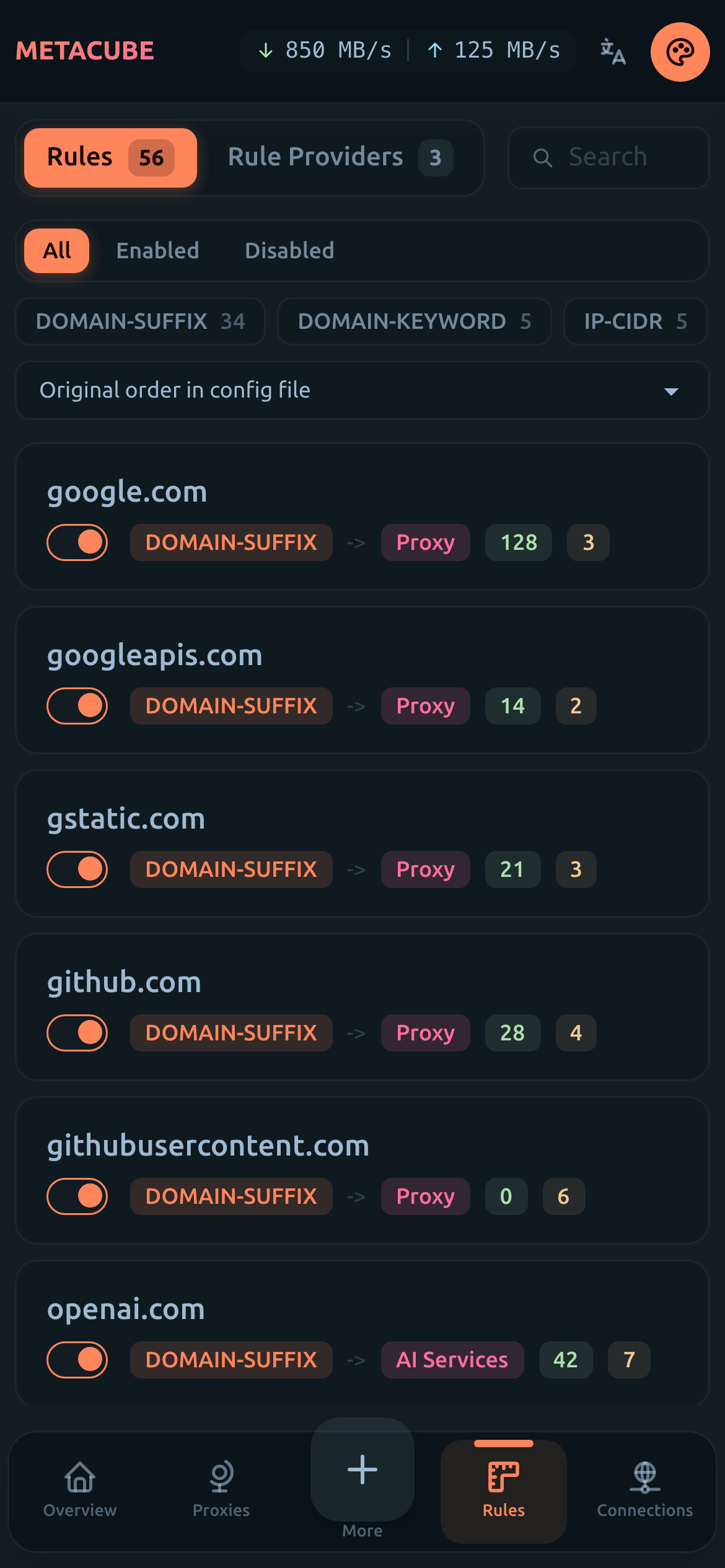 |
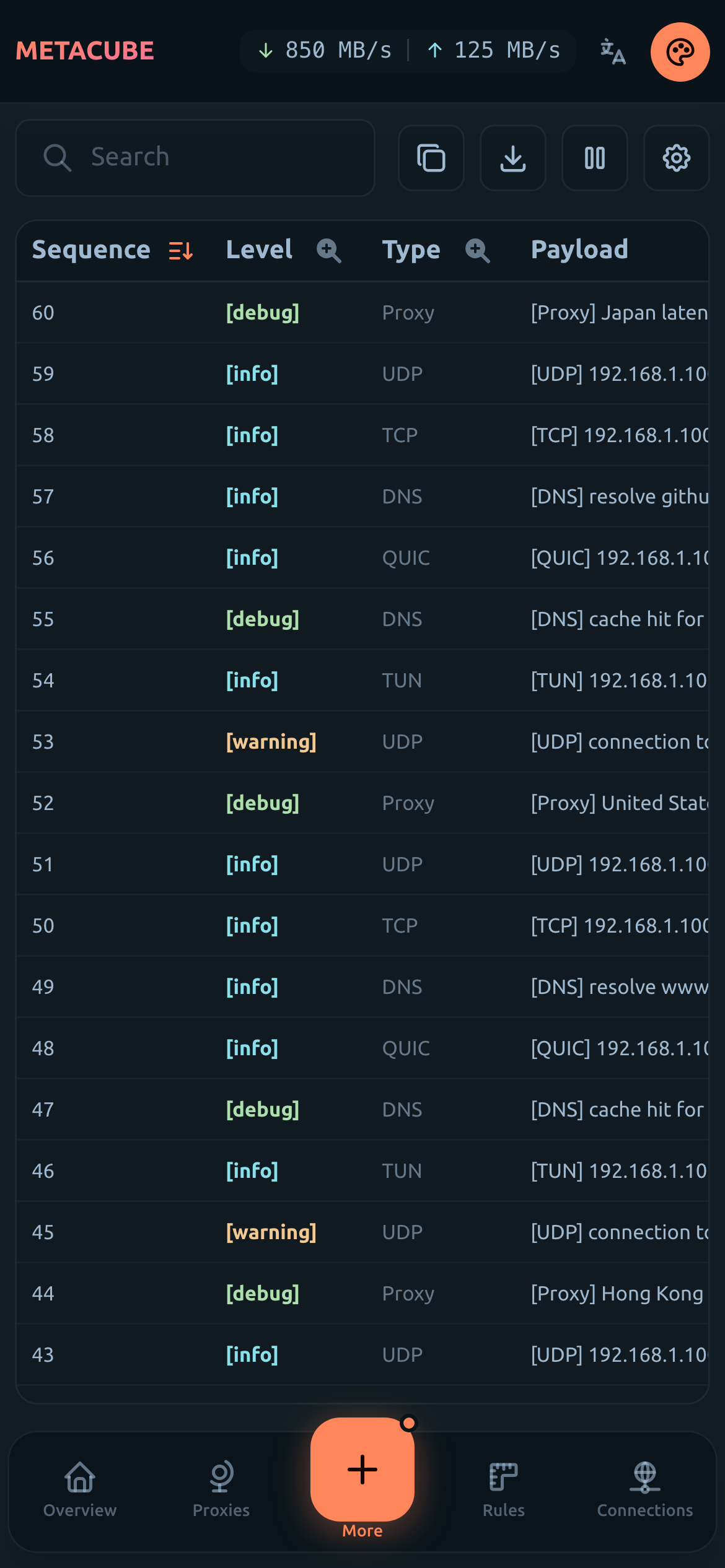 |
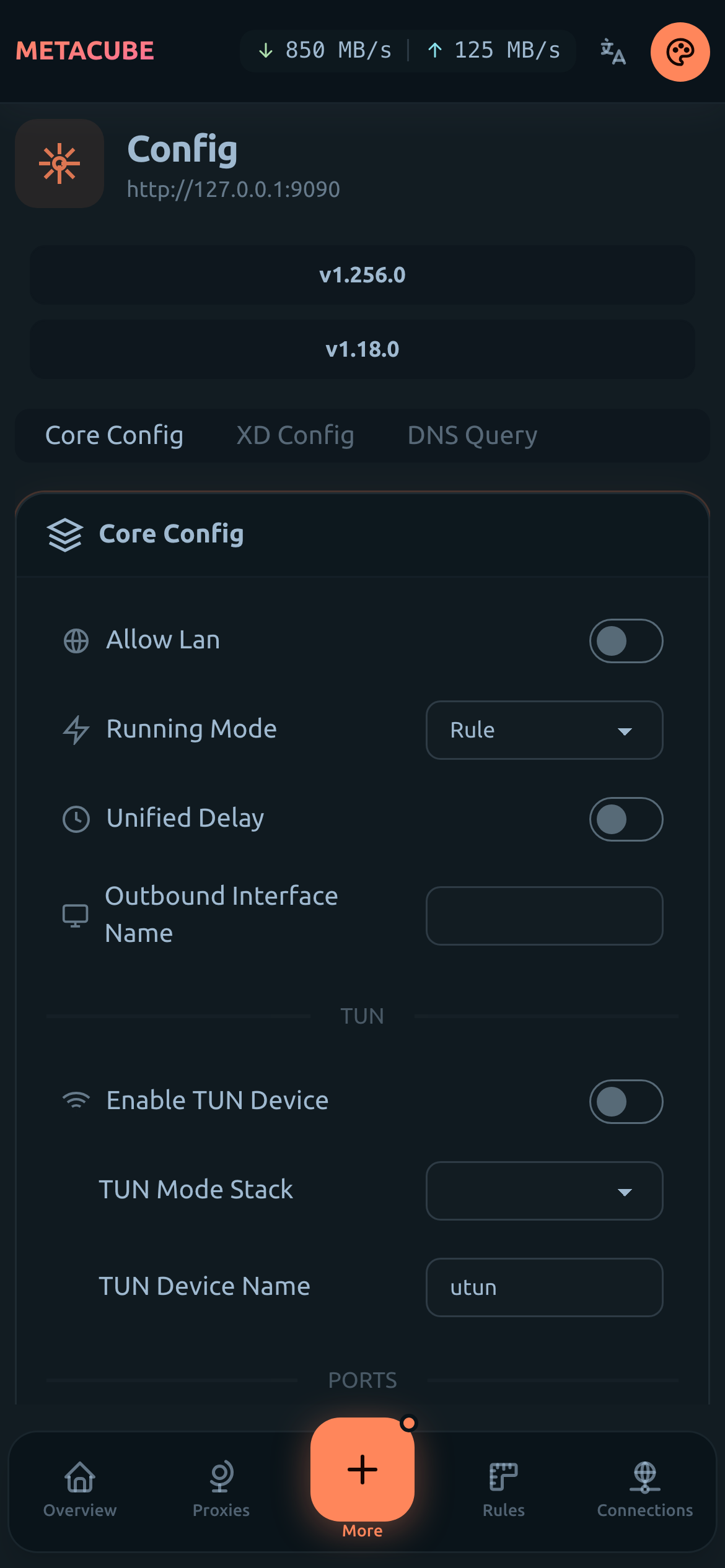 |
Use one of these official hosted-panel deployments:
| Site | URL |
|---|---|
| Primary | https://d.metacubex.one |
| GitHub Pages | https://metacubex.github.io/metacubexd |
| Cloudflare Pages | https://metacubexd.pages.dev |
metacubexd ships in three forms from one codebase:
| Form | Who hosts the UI | Who runs the kernel | Best for |
|---|---|---|---|
| Hosted panel (classic) | official sites, static files, or the standalone panel container | your own remote mihomo | pointing a browser at an existing mihomo |
| Desktop app | the app (bundled) | the app supervises a bundled mihomo | a managed runtime on one machine |
| All-in-one server | the Docker image | the container's bundled mihomo | a router / NAS / VPS |
The classic pure-panel mode still works against any remote mihomo — the kernel-control and profile features simply stay hidden when the dashboard isn't talking to a bundled agent.
Enable and protect the external controller in your mihomo config.yaml:
external-controller: 0.0.0.0:9090
secret: 'replace-with-a-strong-secret'
Binding to 0.0.0.0 exposes the controller on every interface. Restrict it
with a firewall, use a strong secret, and configure
external-controller-cors
for the exact dashboard origin.
Then open one of the official hosted sites listed above and enter your mihomo
{url, secret}, or self-host the static assets via external-ui:
# Clone the prebuilt gh-pages branch
git clone https://github.com/metacubex/metacubexd.git -b gh-pages /etc/mihomo/ui

# Set external-ui in your config:
#   external-ui: /etc/mihomo/ui

# Update to the latest build later:
git -C /etc/mihomo/ui pull -r
ghcr.io/metacubex/metacubexd is another distribution of the hosted-panel
architecture: it serves only the dashboard over HTTP on port 80; it does not
bundle or supervise mihomo. Point it at a mihomo instance you run separately.
One panel can manage several backends, and HTTP hosting avoids the browser's
HTTPS-to-HTTP mixed-content block when the backend is local.
docker run -d --name metacubexd -p 127.0.0.1:8080:80 \
  ghcr.io/metacubex/metacubexd:latest
Set DEFAULT_BACKEND_URL to pre-populate the connect form (and skip the
"no backend detected" prompt on first load). The container's entrypoint maps it
to the Nuxt runtime config, so it ships in every served HTML response without
rebuilding the image:
docker run -d --name metacubexd -p 127.0.0.1:8080:80 \
  -e DEFAULT_BACKEND_URL=http://192.168.1.10:9090 \
  ghcr.io/metacubex/metacubexd:latest
The URL is only a default — users can still edit it on the connect screen, and saved endpoints take precedence on later visits.
For a safe starting point for the separately managed kernel, see the minimal Mihomo configuration example. Review its network settings before making the controller available outside the local machine.
Download the installer for your platform from the latest release:
| OS | Arch | File |
|---|---|---|
| macOS (Apple Silicon) | arm64 | MetaCubeXD-<version>-mac-arm64.dmg |
| macOS (Intel) | x64 | MetaCubeXD-<version>-mac-x64.dmg |
| Windows | x64 | MetaCubeXD-<version>-win-x64.exe |
| Windows | arm64 | MetaCubeXD-<version>-win-arm64.exe |
| Debian / Ubuntu | x64 | MetaCubeXD-<version>-linux-amd64.deb |
| Debian / Ubuntu | arm64 | MetaCubeXD-<version>-linux-arm64.deb |
| Fedora / RHEL / SUSE | x64 | MetaCubeXD-<version>-linux-x86_64.rpm |
| Fedora / RHEL / SUSE | arm64 | MetaCubeXD-<version>-linux-aarch64.rpm |
| Arch Linux | x64 | MetaCubeXD-<version>-linux-x64.pacman |
| Arch Linux | arm64 | MetaCubeXD-<version>-linux-aarch64.pacman |
| Other Linux | x64 | MetaCubeXD-<version>-linux-x86_64.AppImage |
| Other Linux | arm64 | MetaCubeXD-<version>-linux-arm64.AppImage |
The desktop app bundles its own mihomo kernel and auto-configures the local endpoint — you don't enter any address. Manage profiles, edit configs, and start/stop the kernel directly inside the app.
These builds are unsigned. Download them only from this repository's official GitHub releases, verify that the URL and release tag are correct, and decide whether you trust the artifact before bypassing an OS warning. The project does not currently provide publisher identity verification through code signing.
macOS — Gatekeeper blocks unsigned apps ("MetaCubeXD is damaged and can't
be opened"). After dragging the app to /Applications, strip the quarantine
attribute:
xattr -dr com.apple.quarantine /Applications/MetaCubeXD.app
…or right-click the app → Open → Open in the confirmation dialog.
MetaCubeXD can also be installed through the Homebrew cask in this repository:
brew tap metacubex/metacubexd https://github.com/MetaCubeX/metacubexd.git
brew install --cask metacubexd
Windows — SmartScreen shows "Windows protected your PC". Click More info → Run anyway.
Linux — install the native package for your distribution, or make the AppImage executable and run it:
# Debian / Ubuntu
sudo apt install ./MetaCubeXD-*-linux-*.deb

# Fedora / RHEL
sudo dnf install ./MetaCubeXD-*-linux-*.rpm

# openSUSE
sudo zypper install ./MetaCubeXD-*-linux-*.rpm

# Arch Linux and derivatives
sudo pacman -U ./MetaCubeXD-*-linux-*.pacman

# Distribution-independent AppImage
chmod +x MetaCubeXD-*-linux-*.AppImage
./MetaCubeXD-*-linux-*.AppImage
System proxy and TUN are separate features. System proxy changes the current user's OS proxy settings through platform tools and does not install the privileged helper; platform policy may still request authorization. TUN routes machine traffic at the network layer and requires the one-time helper installation described in TUN mode (desktop).
TUN routes traffic at the network layer, including applications that do not honor per-app proxy settings (unlike the mixed proxy port, which only catches apps you point at it). Because system-level routing needs root/admin, the desktop app installs a small privileged helper the first time you enable TUN — a background service that performs the privileged network setup on the app's behalf. Enabling TUN therefore prompts for administrator authorization the first time (the OS elevation dialog). The helper persists across sessions, so later enables don't re-prompt for install.
The helper is installed by an unsigned app. Confirm that you downloaded the app from the official release page before approving its administrator prompt.
Per-OS notes
osascript "wants to make changes" administrator
prompt. The kernel binds the system's utun interface.wintun.dll alongside the kernel, which
mihomo's wintun backend needs — no separate download.pkexec (the GNOME/PolicyKit authorization dialog). On a headless
box without a Polkit agent you may need to install/enable one.If TUN takes down your network
TUN reroutes default traffic, so a bad config or a stuck tunnel can drop connectivity. Two recoveries:
If you hit a problem, open an issue with the app version, OS and architecture, the exact prompt or error, and whether Recover network restored connectivity. Do not include secrets or subscription URLs; report security issues through the private security channel.
The metacubexd-server image bundles the dashboard UI, the control agent, and
a per-arch mihomo kernel. One container serves the panel, supervises the
kernel, and exposes the proxy. The
copyable Compose example requires secrets through
a local .env file; the inline version below shows the same runtime layout.
# compose.yaml — proxy-only by default; TUN is an advanced override
services:
  metacubexd:
    image: ghcr.io/metacubex/metacubexd-server:latest
    restart: unless-stopped
    environment:
      CONTROL_TOKEN: 'change-me-control'
      CLASH_SECRET: 'change-me-clash'
      GITHUB_TOKEN: '' # optional read-only token for Releases API checks
      # optional: pre-fill the connect form's backend address
      # DEFAULT_BACKEND_URL: 'http://<host>:9090'
      CONTROL_PORT: '8080'
      CLASH_API_PORT: '9090'
      MIXED_PORT: '7890'
      TZ: 'Asia/Shanghai'
    ports:
      - '8080:8080' # dashboard UI + /api/control agent API
      - '9090:9090' # mihomo Clash API + WebSocket (UI endpoint target)
      - '7890:7890' # mixed proxy port
    volumes:
      - 'metacubexd-data:/data'

volumes:
  metacubexd-data: {}
docker compose up -d

# Update
docker compose pull && docker compose up -d
Keep the control surface on a trusted network. Docker publishes the ports above on all host interfaces unless you bind them to a specific address. The server deliberately injects
CONTROL_TOKENinto the browser so the same-origin dashboard can call/api/control; consequently, that token is not access control for the dashboard itself. SetCONTROL_TOKEN, but also restrict access with host/network ACLs or an authenticated reverse proxy before exposing the dashboard beyond a trusted LAN. An optionalGITHUB_TOKENis also exposed to the browser for authenticated Releases checks, so use a narrowly scoped token. Protect the Clash API and mixed proxy port too. See Security Policy.
Open http://<host>:8080 for the dashboard. The control agent unlocks the
kernel/profile UI automatically: the server injects CONTROL_TOKEN into the
same-origin page, so the dashboard authenticates its /api/control probe
without you entering the token anywhere.
Point the UI endpoint at the kernel. The dashboard talks to mihomo's Clash API directly (never proxied), so set the endpoint to:
| Field | Value |
|---|---|
| URL | http://<host>:9090 |
| Secret | the CLASH_SECRET you set above |
If the UI and Clash API use different origins, allow the dashboard origin in
the active profile's
external-controller-cors
configuration.
| Variable | Default | Purpose |
|---|---|---|
CONTROL_TOKEN |
required for control | Bearer token for /api/control/**; also accepted as ?token= for SSE. Without it, protected control routes fail closed with 503. |
CLASH_SECRET |
(none) | Secret for mihomo's Clash API (external-controller). Set one and use it as the UI endpoint's Secret. |
GITHUB_TOKEN |
(none) | Optional read-only token for authenticated GitHub Releases checks. Omit it to keep anonymous requests. |
DEFAULT_BACKEND_URL |
(none) | Optional URL that pre-fills the connect form's backend address, e.g. http://<host>:9090. Saved endpoints still take precedence. |
CONTROL_PORT |
8080 |
Port serving the dashboard UI + control agent API. |
CLASH_API_PORT |
9090 |
Port for mihomo's Clash API + WebSocket. The UI endpoint targets this port. |
MIXED_PORT |
7890 |
mihomo mixed (HTTP + SOCKS) proxy port. |
DATA_DIR |
/data |
Writable profiles, active configuration, geo data, and runtime caches. |
MIHOMO_BIN |
/usr/local/bin/mihomo |
Absolute path to the mihomo executable used by the server. |
TZ |
(container default) | Timezone for logs/scheduling, e.g. Asia/Shanghai. |
The named volume mounts /data, which holds your profiles, the active config,
and the kernel's geo / fake-ip caches. It must be writable — a read-only
data dir makes the kernel exit non-zero.
TUN needs NET_ADMIN, the /dev/net/tun device, and host networking. Override
the service:
services:
  metacubexd:
    image: ghcr.io/metacubex/metacubexd-server:latest
    restart: unless-stopped
    network_mode: host
    cap_add:
      - NET_ADMIN
    devices:
      - '/dev/net/tun:/dev/net/tun'
    environment:
      CONTROL_TOKEN: 'change-me-control'
      CLASH_SECRET: 'change-me-clash'
    volumes:
      - 'metacubexd-data:/data'

volumes:
  metacubexd-data: {}
With network_mode: host the ports: mapping is ignored — the container
binds 8080/9090/7890 directly on the host. Enable a tun: block in your
profile's mihomo config for the tunnel to come up.
When connected to a bundled agent (desktop app or the server image), the dashboard gains a profile manager:
User-Agent: clash.meta); the
upload / download / total / expire usage from Subscription-Userinfo is
shown on a usage card.mihomo -t, and restart
the kernel only after validation succeeds.Schema diagnostics are advisory and never block saving. Activation's
mihomo -t check is the final validation, and the kernel restarts only after it
passes. A "disable validation" toggle is available for bleeding-edge mihomo
keys the bundled schema doesn't know yet.
Both the desktop app and the server bundle a pinned mihomo release. The current
version is shown in the control UI and tracked in
packages/agent/src/kernel/assets.ts. The desktop's kernel-version panel can
download and switch among published mihomo versions; it does not expose an
arbitrary local binary-path picker. The server accepts an absolute custom path
through MIHOMO_BIN, which takes precedence over its bundled binary.
If the dashboard loads but cannot connect to the Mihomo backend — even though the External Controller is reachable directly in your browser — the cause is usually CORS.
When you host the dashboard on your own address (e.g. http://192.168.1.2:8080),
the browser treats requests to the External Controller (e.g.
http://192.168.1.2:9090) as cross-origin. Mihomo only answers cross-origin
requests from origins listed in its external-controller-cors allow-list, so
requests from your dashboard are rejected and the connection fails.
Add your dashboard's origin to the allow-list in your Mihomo config.yaml:
external-controller-cors:
  allow-private-network: true
  allow-origins:
    - 'http://192.168.1.2:8080' # your dashboard's address
    # or, for trusted local networks only:
    # - '*'
Tip: if you still cannot connect, open your browser's DevTools (F12) → Console and look for CORS-related errors to confirm the cause.
When the bundled kernel fails to reach running:
8080, Clash API
9090, and mixed proxy 7890. Stop the conflicting process or change the
corresponding CONTROL_PORT, CLASH_API_PORT, or MIXED_PORT value and its
host port mapping.9090, and do not send /api/control requests to the Clash endpoint;
use the addresses reported by the app and its logs..app downloaded
from the internet has its bundled mihomo quarantined. Run
xattr -dr com.apple.quarantine /Applications/MetaCubeXD.app, then reopen it.SIGILL / "illegal instruction" on amd64. Old or virtualized CPUs choke
on the generic amd64 build. metacubexd ships the -compatible
(GOAMD64=v1) asset specifically to avoid this; if the server uses a custom
MIHOMO_BIN, point it at the -compatible mihomo build.The kernel needs a writable home for profiles/, the active config, and geo
/ fake-ip caches. On the server, ensure DATA_DIR (default /data) is writable.
The desktop app stores writable state in Electron's per-user userData
directory; its packaged resources directory is not the runtime data home.
The container's health endpoint is GET /api/control/health on
CONTROL_PORT (default 8080). A 200 means the dashboard + control agent
are up; it does not assert the kernel is running (check the kernel panel
for that).
This repository is a pnpm 10 monorepo:
packages/ui — Nuxt dashboard and static hosted panelpackages/agent — shared profile, kernel, and control-API logicapps/server — Nitro all-in-one serverapps/desktop — Electron desktop applicationInstall dependencies, then choose the surface you are changing:
pnpm install

pnpm dev          # UI only; connect it to an existing mihomo
pnpm dev:server   # build the UI, then run the Nitro server
pnpm dev:desktop  # Nuxt HMR + Electron + bundled mihomo
Build boundaries are intentionally explicit:
pnpm build:ui       # static hosted-panel output: packages/ui/.output/public
pnpm build:server   # Nitro/agent only: apps/server/.output
pnpm build          # build:ui + build:server
pnpm build:desktop  # Electron main/preload/helper bundles only; no installer

pnpm typecheck      # all workspace typechecks
pnpm lint           # workspace lint scripts
Official desktop installers require a generated renderer, the correct mihomo binary for each target architecture, and platform packaging tools; the release workflow assembles those steps. See CONTRIBUTING.md for package tests, local packaging guidance, and required desktop smoke tests.
Thanks to all the people who contribute to metacubexd!
more like this
Comprehensive analytics dashboard for AI coding agents — Cursor, Windsurf, Claude Code, VS Code Copilot, Zed, Antigravi…
Open-source, offline-first face recognition attendance platform that runs on any webcam.
search projects, people, and tags