esphome-guition-jc3636k718c-va
Full Home Assistant voice assistant on the Guition JC3636K718C round knob display, in pure ESPHome: on-device wake word…
 MichalZaniewicz
git clone https://github.com/MichalZaniewicz/esphome-guition-jc3636k718c-va.gitMichalZaniewicz/esphome-guition-jc3636k718c-va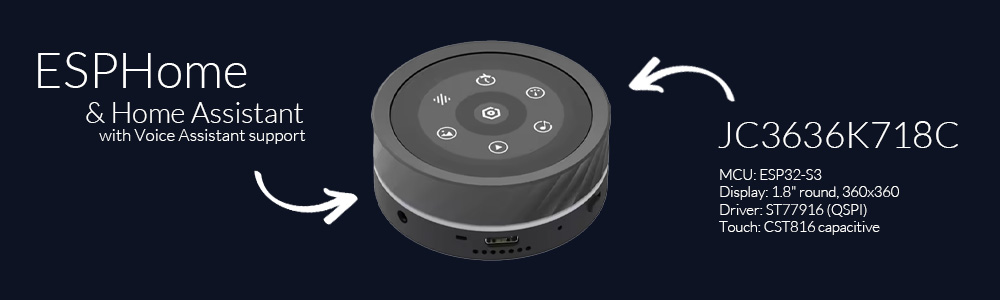
ESPHome Voice Assistant for the Guition JC3636K718C (round knob display)
A full-featured Home Assistant Voice Assistant running on the Guition JC3636K718C - a 1.8" round 360×360 touch display with a rotary knob, speaker, microphone and an addressable LED ring. It's pure ESPHome (no custom C firmware): an always-on core plus optional screen packages you pick from one thin config.
It started as "my kid needs a physical timer" and turned into a whole puck. 🙂
Demo
1.mp4
Tip
⭐ Enjoying this project? Every star is real motivation for me to keep developing it :)
What it does
- Voice assistant - on-device wake word ("Alexa") via
micro_wake_word, full Home Assistant Assist pipeline (STT / LLM / TTS), wake beep + music ducking. You can also press and hold the screen to talk (toggleable in Settings). - Boot splash - a short "HELLO!" greeting with a spinning ring on startup, then the clock.
- Music player -
speakermedia player visible in HA / Music Assistant, with album art, title/artist, transport buttons and a progress bar. - Timers - set by knob or by voice; big countdown with a depleting ring, pause/stop, and an alarm (sound + on-screen + LED) when it finishes.
- Device control - a tiles screen toggling your lights/switches.
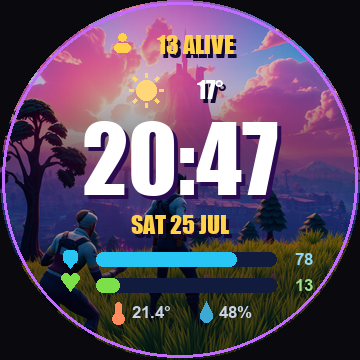
- Home screen - clock, date, battery, weather + room temp/humidity, with a selectable watchface look (Classic, Neon, Minecraft, Fortnite, or your own).
- More screens (all optional, knob-driven) - a weather forecast dial, a thermostat for
any
climateentity, and a configurable multi-sensor glance. - LED ring - controllable from HA and reactive: assistant (comet/spinner/wave), timer countdown, alarm flash, volume bar - each reaction toggleable in Settings.
- Four built-in arcade games (a lane racer, a vertical shooter, a 360-degree snake and a Gyruss-style tube shooter) for the kid.
Everything is navigated with swipes + taps on the screen and the rotary knob.
Screens
| Screen | View |
|---|---|
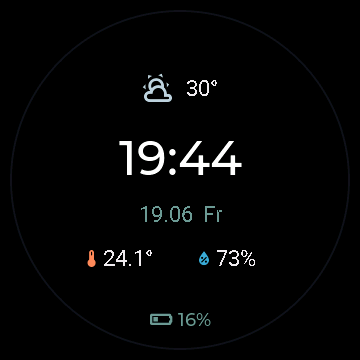 |
Home / Clock Time, date, battery (a bolt while charging), outdoor weather and room temperature + humidity. Pick the watchface look in Settings → Home - see Watchfaces below. |
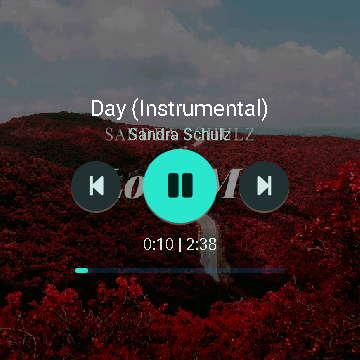 |
Player Album art, title & artist, prev / play-pause / next and a progress bar. Auto-shows when playback starts. |
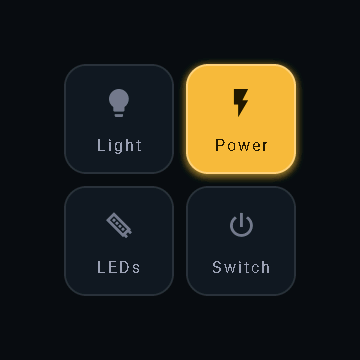 |
Control tiles (swipe up) Four configurable tiles toggling any HA entity; each has its own icon and label, and the colour follows the live on/off state. |
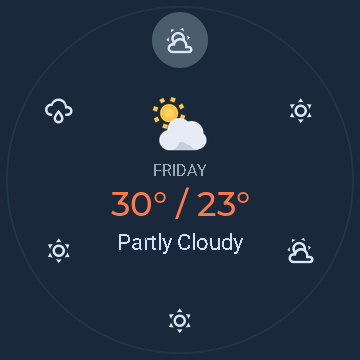 |
Weather A 7-day dial; turn the knob to scroll days. Animated condition icon, colour-coded temperature, and a glow that slides to the selected day. |
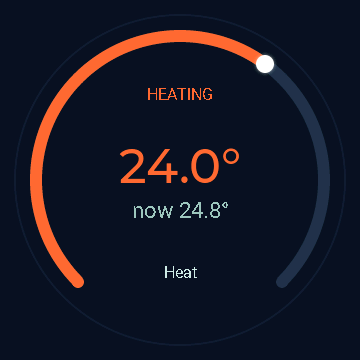 |
Thermostat A dial for a climate.* entity; the knob sets the target (a head-dot rides the gauge), tap toggles on/off. The whole arc is colour-coded by action - heating / cooling / idle / off. |
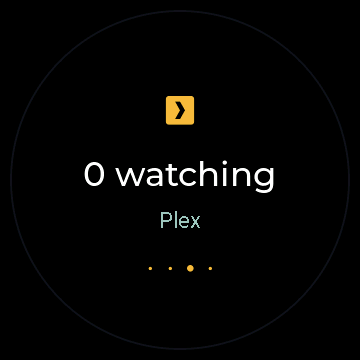 |
Sensors A glance of 1-6 configurable Home Assistant entities, shown big one at a time; turn the knob to cycle (dots show the position). Each gets its own accent colour. Any entity, pulled straight from HA. |
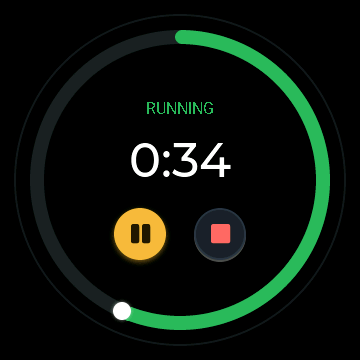 |
Timer Set by knob or voice; big countdown with a colour-coded depleting ring (green → amber → red) and a head-dot, SET / RUNNING / PAUSED status, pause/stop, and a fancy alarm screen when it finishes. |
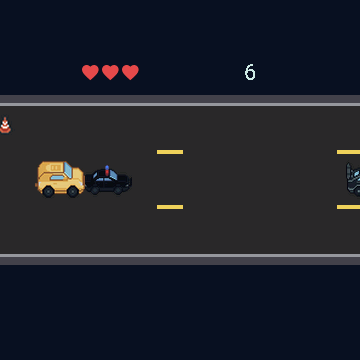 |
Cool Cars A lane-racing arcade game - the knob steers, dodge traffic and grab coins. |
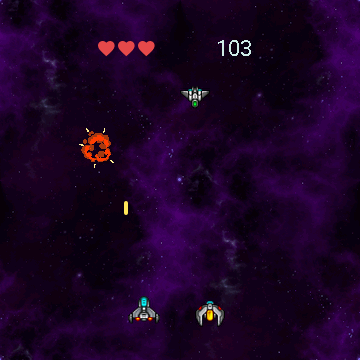 |
Space Wars A vertical space shooter - the knob steers, auto-fire, survive the waves. |
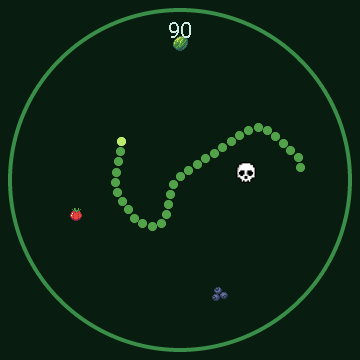 |
Snake 360 A smooth-steering 360-degree snake - turn the knob to steer the head and the body trails behind, across the whole round screen. |
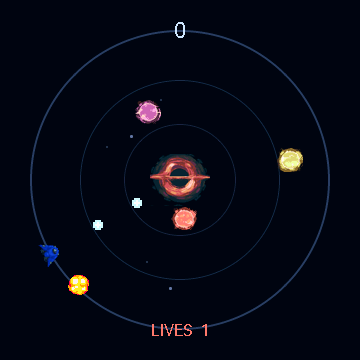 |
Knobuss A Gyruss clone: your ship orbits the rim and auto-fires inward while foes spiral out of a black-hole core - turn the knob to aim and shoot them down. Every foe that reaches the rim costs a life (it bursts in an explosion). 3 lives, top-10 scores. |
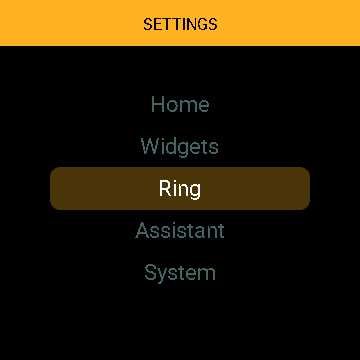 |
Settings (swipe down) Display, Home screen, Widgets, LED Ring, Voice Assistant, System; turn the knob to scroll, tap to enter. |
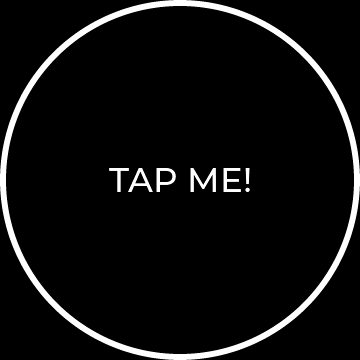 |
Demo A small, heavily commented example screen (tap flips black ↔ white) to copy when building your own. |
Optional screens (player, timer, games, weather, thermostat, sensors, demo) are pickable - choose which compile in and their order; see Configuration.
Watchfaces
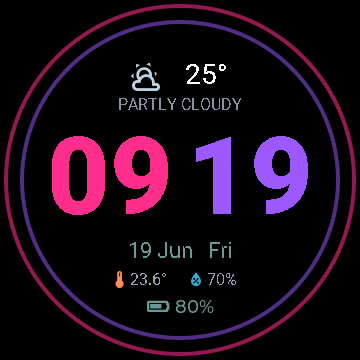
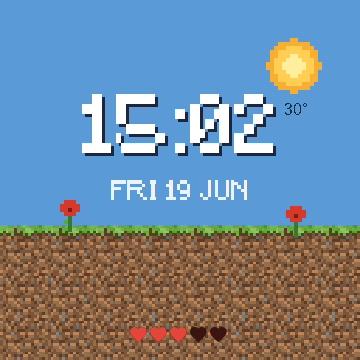
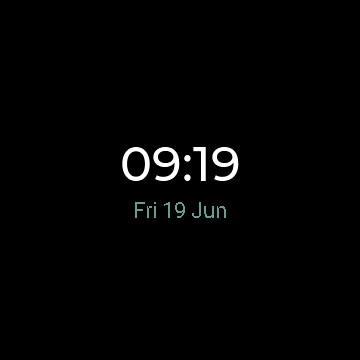
The home screen has a selectable look. Open Settings → Home → Watchface and the knob previews each face live, full-screen - tap to keep. Classic is built in; Neon (big neon digits), Minecraft (a blocky day/night scene), Fortnite (a battle-royale HUD over a wallpaper) and a heavily-commented Demo template are optional files you switch on in your config, and you can copy Demo to build your own (see Configuration).
| Classic (built-in) | Neon | Minecraft | Fortnite | Demo (template) |
|---|---|---|---|---|
|
 |
 |
 |
 |
On the Fortnite face the game HUD carries real data: the blue shield bar is the battery (gold
while charging), the green health bar is how much of the day is left, the "N ALIVE" counter is the
minutes left in the current hour, and the bottom row is room temperature + humidity. The background
is one baked image - point scripts/gen_fortnite_bg.py at any wallpaper of yours to reskin it.
Documentation
Full docs live in the wiki:
| Page | What's inside |
|---|---|
| Hardware | Board specs, full pinout, what to buy on AliExpress |
| Installation | Requirements, first flash (USB), OTA, the bundled sounds |
| Usage | Gestures, screens, the settings menu, the LED ring |
| Configuration | Change entities, tiles, wake word, run without Music Assistant |
| Troubleshooting | Known issues (battery %, GPIO0 strapping, performance, the knob) |
Release history: CHANGELOG.md.
Buying one (AliExpress)
Search for the exact model number and verify the listing matches:
- Model: Guition JC3636K718 (look for this in the title/photos)
- ESP32-S3, 16 MB flash, octal PSRAM
- 1.8" round 360×360, driver ST77916
- touch CST816, rotary knob, speaker + mic, LED ring
⚠️ Heads-up: there's a near-identical board, the JC3636W518, with a different pinout. Make sure the listing says K718, not W518. More detail on the Hardware wiki page.
Quick start
Requires ESPHome 2026.7.0+ - images use the platform form (
image:→- platform: file/online_image), introduced in that release. On older versions they fail to validate. (The LED ring also needsuse_dma, added in 2025.5.0.)
- Copy
secrets.example.yaml→secrets.yamland fill in your Wi-Fi. - Copy
guition-va.yamlandpartitions.csvso they sit together withsecrets.yaml. Edit thesubstitutions:at the top ofguition-va.yaml(HA URL + your entity IDs + the four control tiles). That thin file is the only firmware file you keep - the core and all screens are pulled from GitHub at compile time (see itspackages:block), as are the fonts, images and sounds. - Choose which screens compile in via the
files:list and their left-to-right order viascreen_order, both inguition-va.yaml. - First flash over USB - easiest via the ESPHome dashboard (GUI) or the CLI; the 16 MB partition table can't be set over OTA, so the first flash is USB, then updates go wireless.
- In Home Assistant: open the new ESPHome device → assign an Assist pipeline.
To pull the latest changes later: esphome clean guition-va.yaml (clears the package cache) then esphome run guition-va.yaml.
Full details on the Installation wiki page.
Repository layout
guition-va.yaml            # YOUR config: copy + edit this (pulls everything else from GitHub)
partitions.csv             # 16 MB partition table (keep next to guition-va.yaml)
secrets.example.yaml       # copy to secrets.yaml
base/                      # pulled as a remote package at compile time (no need to copy)
  core.yaml                # always-on core: clock, controls (swipe-up tiles), settings menu
  screens/                 # optional carousel screens (toggle each in guition-va.yaml)
    player.yaml            #   music player (album art + transport)
    timer.yaml             #   timer screen in the carousel
    cool-cars.yaml         #   "Cool Cars" game
    space-wars.yaml        #   "Space Wars" game
    snake.yaml             #   "Snake 360" game (knob steers)
    knobuss.yaml           #   "Knobuss" game (Gyruss-style tube shooter, knob aims)
    weather.yaml           #   weather (today + 7-day radial dial)
    thermostat.yaml        #   thermostat (climate.* dial; knob sets target, tap on/off)
    sensors.yaml           #   sensors glance (1-6 HA entities, knob cycles)
    demo.yaml              #   commented example screen
    weather.ha-helper.yaml #   HA template sensor that feeds the weather screen
  watchfaces/              # optional home-screen looks (Classic is built into core)
    neon.yaml              #   "Neon" watchface - big two-tone digits + neon rings
    minecraft.yaml         #   "Minecraft" watchface - blocky day/night scene + pixel clock
    fortnite.yaml          #   "Fortnite" watchface - battle-royale HUD over a wallpaper
    demo.yaml              #   "Demo" watchface - minimal, heavily-commented template to copy
assets/                    # fetched from GitHub at compile time (no need to copy locally)
  header.jpg               # banner
  fonts/pixel-font.ttf     # pixel font (Minecraft watchface)
  sounds/                  # wake.wav + alarm.wav
  sprites/cool-cars/       # "Cool Cars" game graphics
  sprites/space-wars/      # "Space Wars" game graphics
  sprites/snake/           # "Snake" menu logo
  sprites/knobuss/         # "Knobuss" game graphics (ship/foes/explosion/core/logo)
  sprites/minecraft/       # "Minecraft" watchface graphics (sun/moon/ground/flower)
  sprites/fortnite/        # "Fortnite" watchface background (bg.png, baked by a script)
  sprites/weather/         # animated weather icon frames
scripts/
  make_sounds.py           # (re)generate the wav sounds
  gen_weather.py           # (re)generate the animated weather icon frames
  gen_snake.py             # (re)generate the snake sprites
  gen_fortnite_bg.py       # bake a wallpaper into the "Fortnite" watchface background
  esplog.py                # stream device logs over the native API
skill/                     # Claude Code skill: hardware spec + gotchas
Claude Code skill
This repo ships a Claude Code skill at
skill/guition-jc3636k718c/. It gives the
assistant the correct pinout, ESPHome component choices, and the hard-won gotchas
(the knob isn't quadrature, GPIO0 ring strapping, 16 MB partitions need a USB flash,
LVGL performance limits, lambda/string pitfalls, the battery heuristic).
Install it
So Claude can use it on any project:
- User-wide - copy the folder into
~/.claude/skills/:cp -r skill/guition-jc3636k718c ~/.claude/skills/
- Per-project - copy it into that project's
.claude/skills/.
Start a new Claude Code session and ask anything about this board; the skill loads automatically. See the wiki for details.
Credits / notes
- Pinout and the display
init_sequencecome from the official manufacturer demo (JC3636K718_knob_EN) - this is the correct pinout for the K718C board, which differs from the otherwise-similar JC3636W518. - Built with ESPHome + Home Assistant.
more like this
PowerDisplayESPHome
A small display for ESPHome and Home Assistant to retrieve the current house consumption and energy price via a sensor…