YiMao
YiMao · 云海求片助手 — 双核心 Telegram 影视求片机器人。订阅模式:TMDB 智能搜索一键订阅 / 趣味求片模式:AI 生成五层地狱闯关,通关解锁优先求片。深度集成 MoviePilot + Emby/Jellyfin。…
Go★ 52
Put announcements where your users will actually see them; a customisable banner at the top of Jellyfin, with rotating…
 MorganKryze
git clone https://github.com/MorganKryze/JellyFlare.gitMorganKryze/JellyFlare

Put announcements where your users will actually see them: a customisable banner at the top of Jellyfin, with rotating messages, scheduling, and link support.
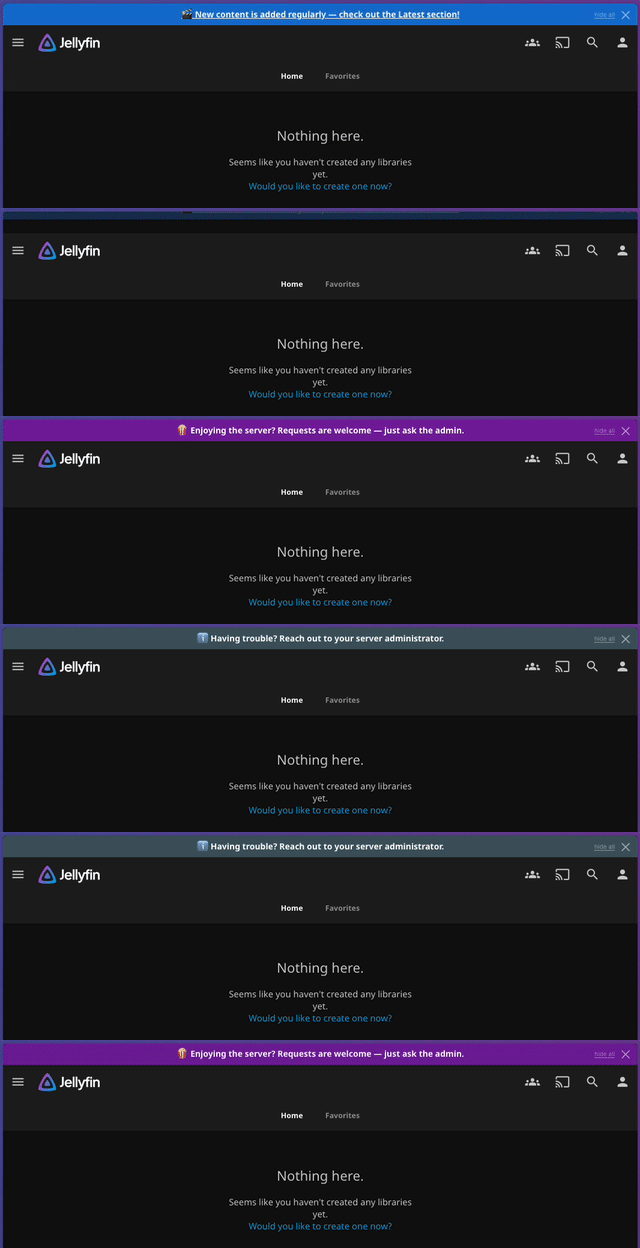
Install these before adding JellyFlare.
Jellyfin 10.11.10+ or 12.0 (jellyfin.org). Earlier versions are not supported.
JavaScript Injector (by n00bcodr) — always required; it delivers the banner script to the browser. Add this repository in Dashboard → Plugins → Repositories, then install it from the Catalog:
https://raw.githubusercontent.com/n00bcodr/jellyfin-plugins/main/10.11/manifest.json
File Transformation (by IAmParadox27) — only on Jellyfin 10.11. On 10.11, JS Injector uses File Transformation to inject the script. Add this repository in Dashboard → Plugins → Repositories, then install it from the Catalog:
https://www.iamparadox.dev/jellyfin/plugins/manifest.json
On Jellyfin 12.0, do not install File Transformation. JS Injector injects the banner on its own there, and the current File Transformation build is not 12.0-compatible: while it is installed, it stops the banner from injecting. If you upgraded from 10.11, remove it.
Note: use the 10.11 manifest URLs above (JS Injector 3.4.0 from that manifest works on both Jellyfin 10.11 and 12.0). The old 10.10 builds silently fail.
Go to Dashboard → Plugins → Repositories and add:
https://raw.githubusercontent.com/MorganKryze/jellyflare/main/manifest.json
Go to Catalog, find JellyFlare, and install it.
Restart Jellyfin, then open Dashboard → Plugins → JellyFlare.
<data-dir>/plugins/JellyFlare/ and unzip the archive into it.You can already inject arbitrary CSS or JS into Jellyfin using JS Injector alone. So why add another plugin?
Because maintaining a hand-written script gets old fast. JellyFlare gives you:
If a one-liner banner is all you need, a raw JS Injector script is fine. If you want something you can actually manage, JellyFlare is the upgrade.
The plugin page has four tabs. See docs/configuration.md for field-level details.
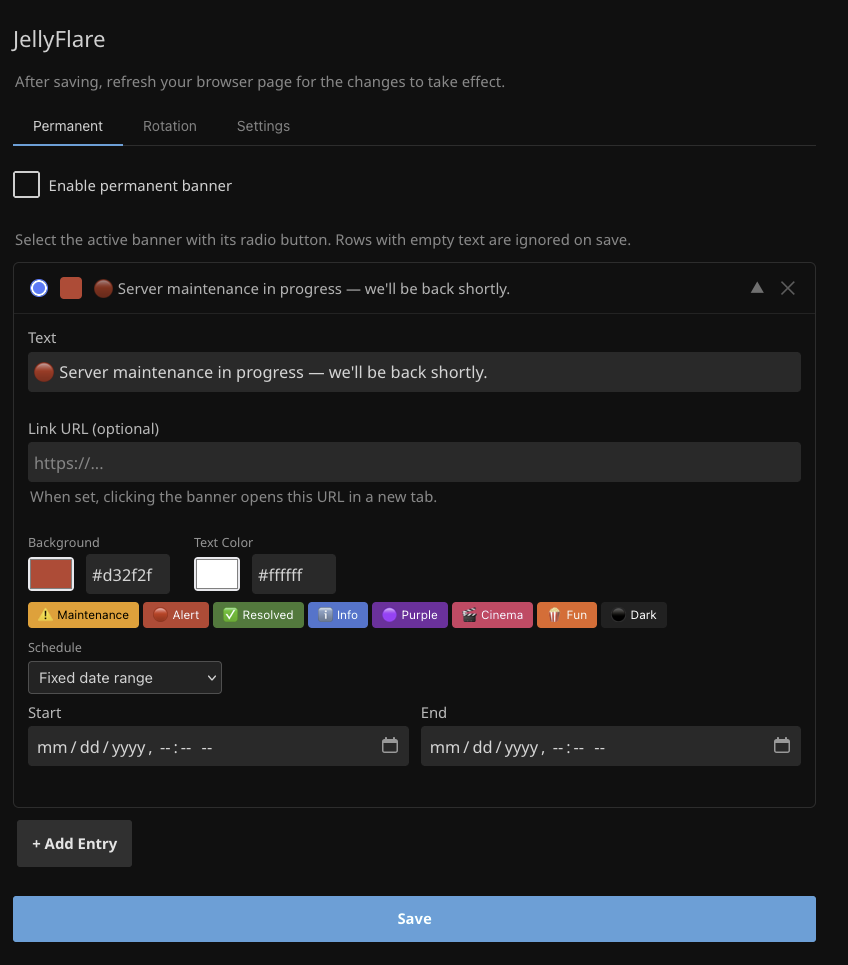
Pin a banner that overrides all rotation messages, useful for outage notices or time-sensitive announcements. Manage a library of entries and switch the active one without losing the others.
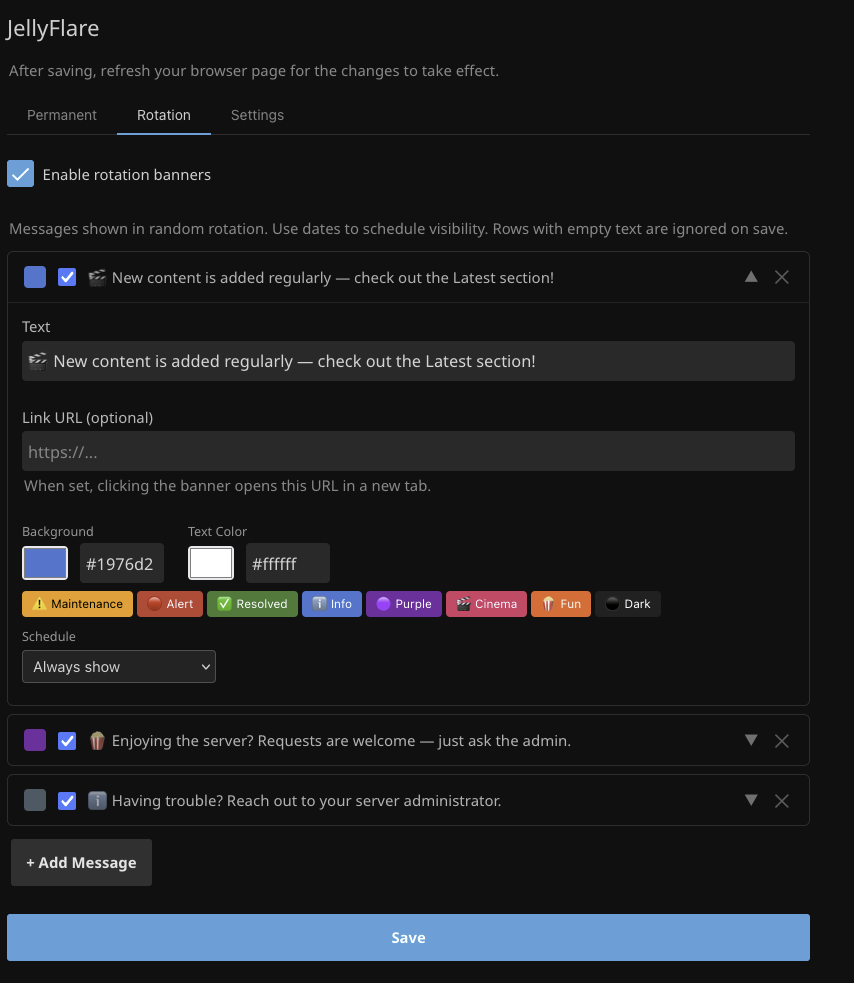
Manage the pool of rotating messages: add, reorder, enable/disable individual entries, and set display timing. Each message has its own colour, optional URL, and schedule.
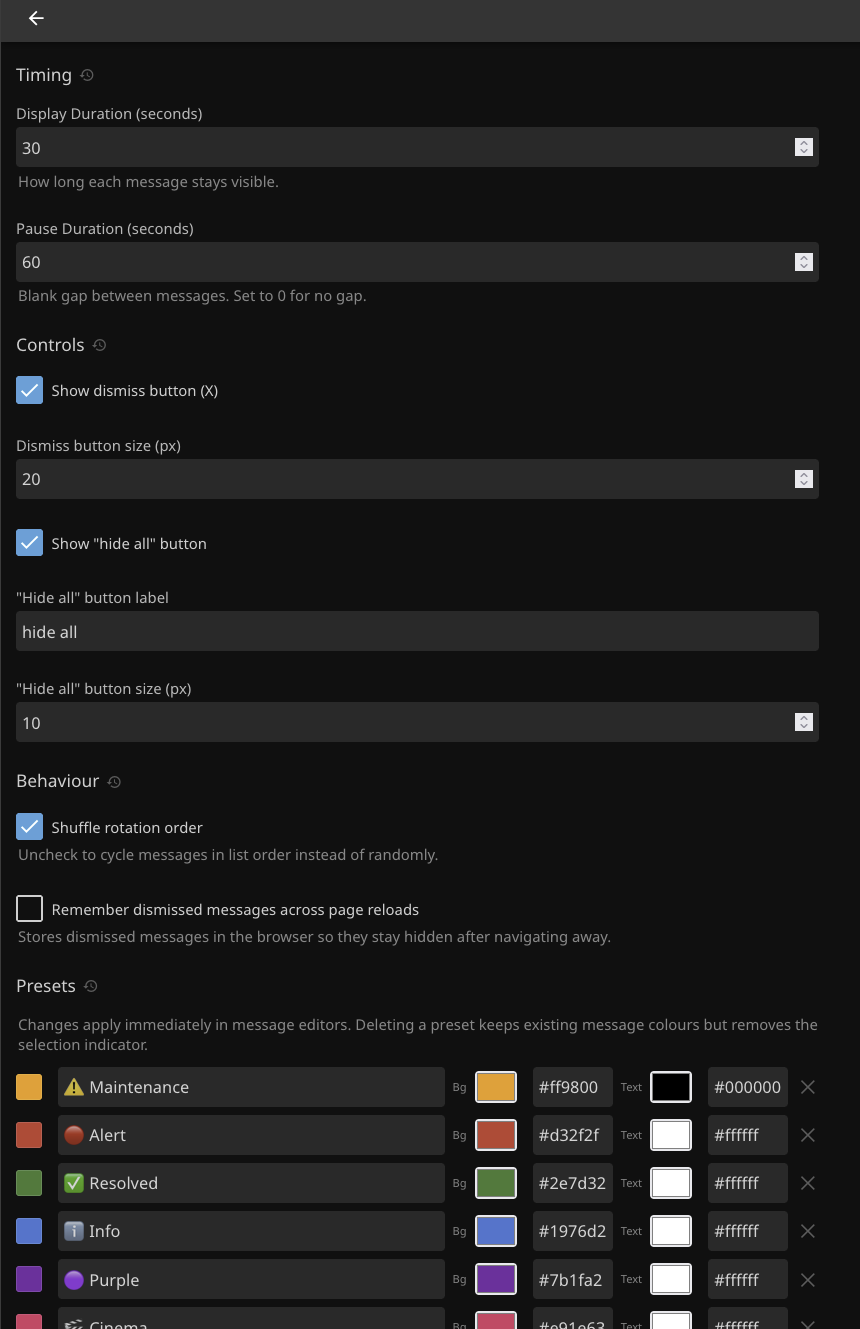
Control visibility (optionally show on admin pages, off by default), appearance (font size, banner height, alignment, transition speed), timing (display and pause durations), dismiss controls (permanent dismissibility, rotation × and "hide all" buttons, shared button size), the named colour preset palette, and per-user banner muting (let users hide banners from their own Display settings, with a configurable warning).
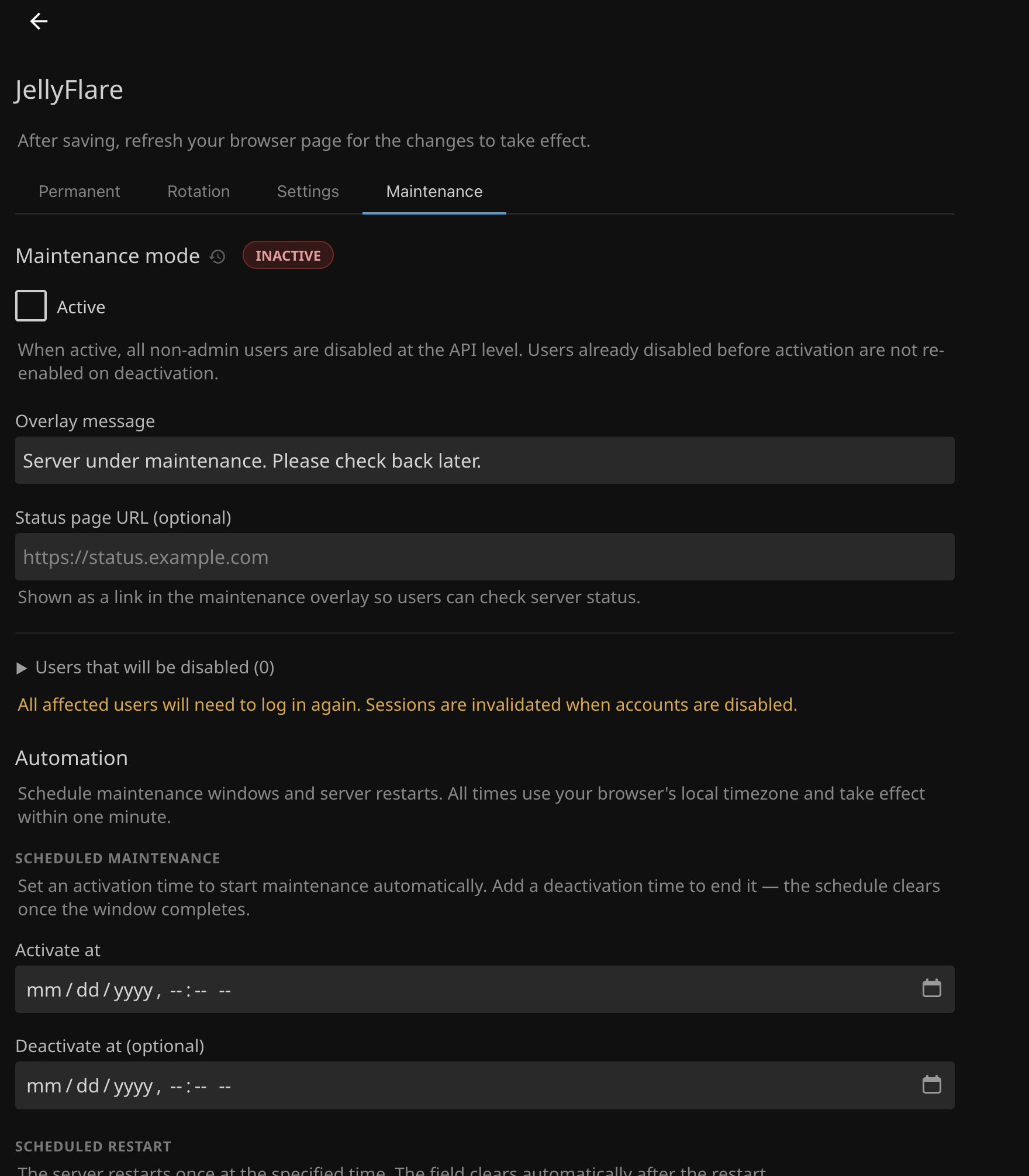
Put the server into maintenance mode with one click: all non-admin users are disabled at the API level and see a full-screen overlay (on every page, including the login screen). Set a custom message and an optional link to an external status page. Admins can dismiss the overlay to keep working. Deactivating re-enables only the users who were active before maintenance started. Use the Automation section to schedule a maintenance window (activate and optionally deactivate at a set time) or trigger a server restart automatically.
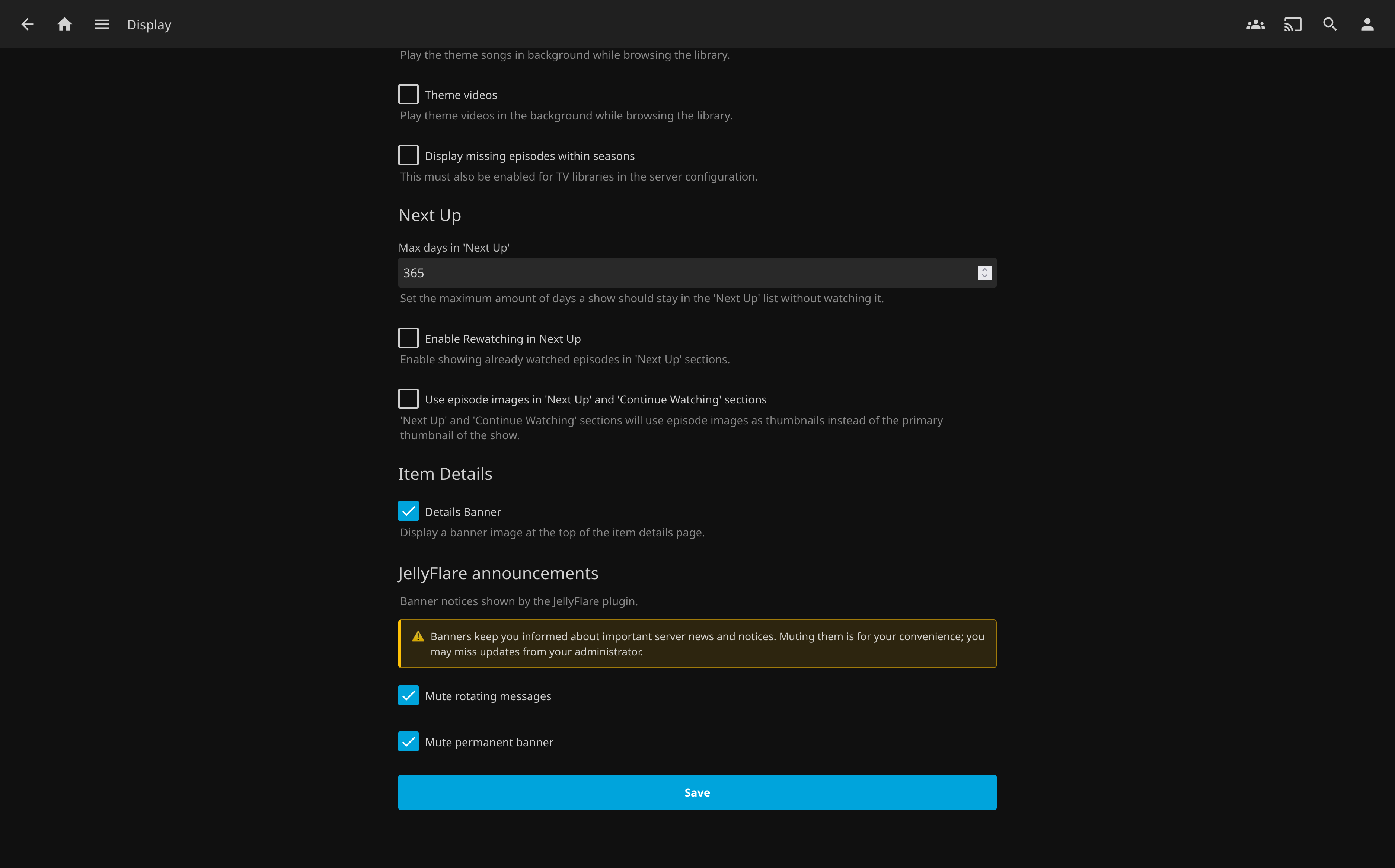
Each user can mute the rotating and/or permanent banner for their own account from their Jellyfin Display settings, in a JellyFlare announcements section. The choice is stored per account (so it follows them across devices) and never affects maintenance mode. Admins can disable this entirely or reword the warning from the Settings tab.
JellyFlare has reached a state I consider feature-complete for what I originally set out to build, so I do not plan to drive large new features myself going forward. The plugin is stable, documented, and working well in daily use.
That said, I am still here. Bug reports, feature ideas, and pull requests are always welcome; open an issue and I will read it. Where JellyFlare goes from here will be shaped by the community as much as by me, so if there is something you want to see, please bring it.
Banner not showing?
banner.js; a 404 means JellyFlare's API is unreachable, likely a missing restart.If the issue persists, open a bug report. The template will ask for the details needed to diagnose it.
See docs/development.md for build instructions, the Docker dev loop, and the release workflow.
To report a vulnerability privately, use Security → Report a vulnerability on the GitHub repository page. See SECURITY.md for the full security policy and a disclosure of all known considerations.
Parts of this project were developed and documented with AI assistance. All code and content were reviewed, tested, and validated by me personally.
GNU General Public License v3. See LICENSE. Use, modify, and redistribute freely, but any distributed derivative must also be GPL v3 and open source.
more like this
YiMao · 云海求片助手 — 双核心 Telegram 影视求片机器人。订阅模式:TMDB 智能搜索一键订阅 / 趣味求片模式:AI 生成五层地狱闯关,通关解锁优先求片。深度集成 MoviePilot + Emby/Jellyfin。…
Self-hosted discovery engine for movies and TV that learns your taste and avoids showing already rated content
Privacy-first personalized recommendations for Jellyfin - local watch history analysis with zero tracking
search projects, people, and tags