xmb-bigscreen
XMB for Plasma BigScreen, console-like fullscreen launcher for living room gamepad users
QML★ 50
A simple game launcher made with Godot for developers to showcase their games
 MrEliptik
git clone https://github.com/MrEliptik/game_launcher.gitMrEliptik/game_launcherA simple game launcher for developers to showcase their games. Especially useful during gaming conventions for example.
⚠ It's not aimed as being shipped with your game on Steam or other platforms.
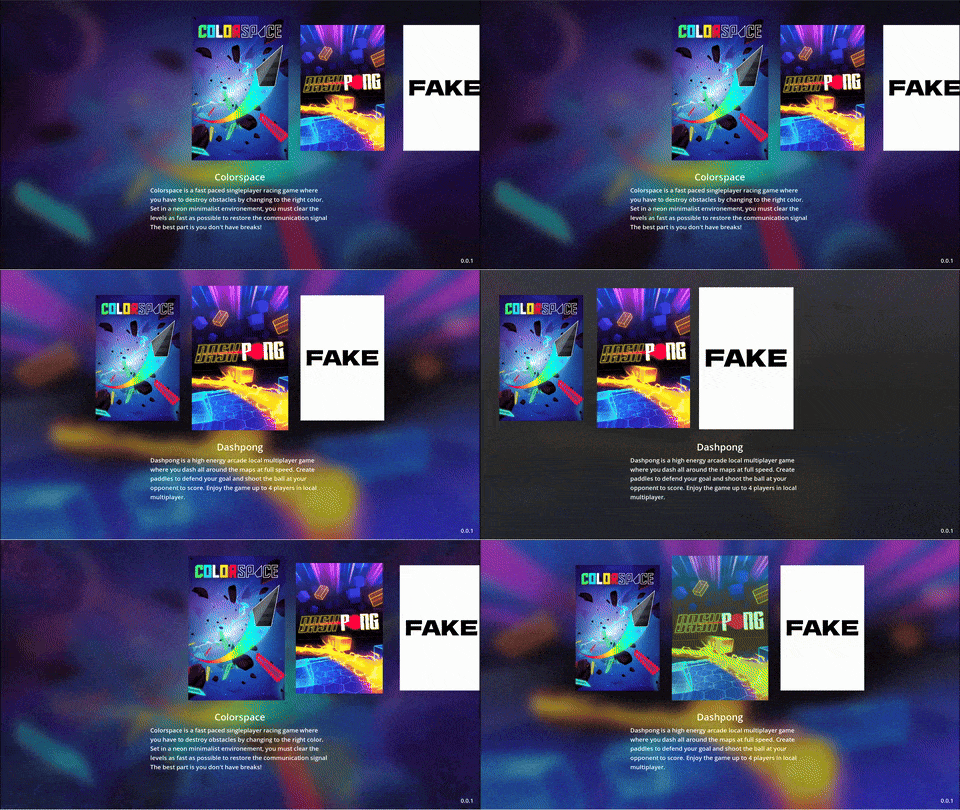
Here's an example folder
game_launcher.exe
├── games
│ ├── Game name
│ │ ├── game_executable.exe
│ │ ├── capsule.jpg
│ │ ├── bg.jpg
│ │ └── config.ini
You can also check the Fake folder to see a game example
A config.ini can be used to customize a game. Using the config file you can set extended information such as release date, platforms, and even a QR code.
See the example config_fake.ini file in the Fake folder for a full list of properties.
Note: If used, the "description" key will override the description.txt.
The launcher itself is configured using launcher_config.ini.
shortcut_kill_game: global shortcut used to kill a launched game. Requires shortcut_listener.py to be running. See [shortcut configuration](Shortcut configuration)fullscreen: true|false, start the launcher in fullscreenwindow_title: if windowed, the title you see in the title barshortcut_listener.py is a script to listen to a specific shortcut to kill any active game started by the launcher. It communicates with the launcher using websockets (yes a bit overkill).
Requires python 3.10.x with the following package asyncio, websockets, keyboard
pip install asyncio, websockets, keyboard
The python script will be launched automatically by the app if you have a shortcut_kill_game set in launcher_config.ini.
Navigate using keyboard or gamepad using the usual keys used for navigation (arrows keys, enter).
alt+enter to toggle fullscreen of the launcher
Right now, the launcher is only working with windows and linux. Supporting mac shouldn't be complicated but I don't have a mac nor experience with macOS. If you want to help, please see #2.
For development, you can use the games folder present in the project using the same configuration as explained above.
To start contributing, open an issue about what you want to do if there's not one yet, clone the repo, do you changes and create a PR!
Thanks to the contributors for their work 👇
Full time indie gamedev. You can find me everywhere 👇
If you enjoyed this project and want to support me:
Get exlusive content and access to my game's source code

One time donations
more like this
XMB for Plasma BigScreen, console-like fullscreen launcher for living room gamepad users
Launcher and management utility for running an Astroneer Dedicated Server on Linux using WINE
search projects, people, and tags