AwesomeHoudini
A collection of awesome Free/Open Source things regarding the SideFx Houdini ecosystem.
code★ 512
A tiny CSS Houdini module that allows to add a squircle shape to HTML elements
 PavelLaptev
git clone https://github.com/PavelLaptev/css-houdini-squircle.gitPavelLaptev/css-houdini-squircle
A tiny CSS Houdini module that allows adding a squircle shape to HTML elements.
In order to use the module, you need to add the script to your HTML file. But it's not a usual JS module that you can import.
// Vanilla JS and Create React App
// Add the script to the index.html file

<script>
  if ("paintWorklet" in CSS) {
    CSS.paintWorklet.addModule(
      "https://www.unpkg.com/css-houdini-squircle/squircle.min.js"
    );
  }
</script>
// NextJS for TSX files
// Add the script to the _app.js file (or any other file that is loaded on every page)

React.useEffect(() => {
  (CSS as any).paintWorklet.addModule("squircle.min.js");
}, []);
/* use mask */
.squircle {
  width: 200px;
  height: 200px;
  background: linear-gradient(45deg, yellow, blue);
  --squircle-smooth: 1;
  --squircle-radius: 10px;
  mask-image: paint(squircle);
}
/* use background */
.squircle {
  width: 200px;
  height: 200px;
  background: paint(squircle);
  --squircle-smooth: 1;
  --squircle-radius: 10px;
  --squircle-fill: #f45;
}
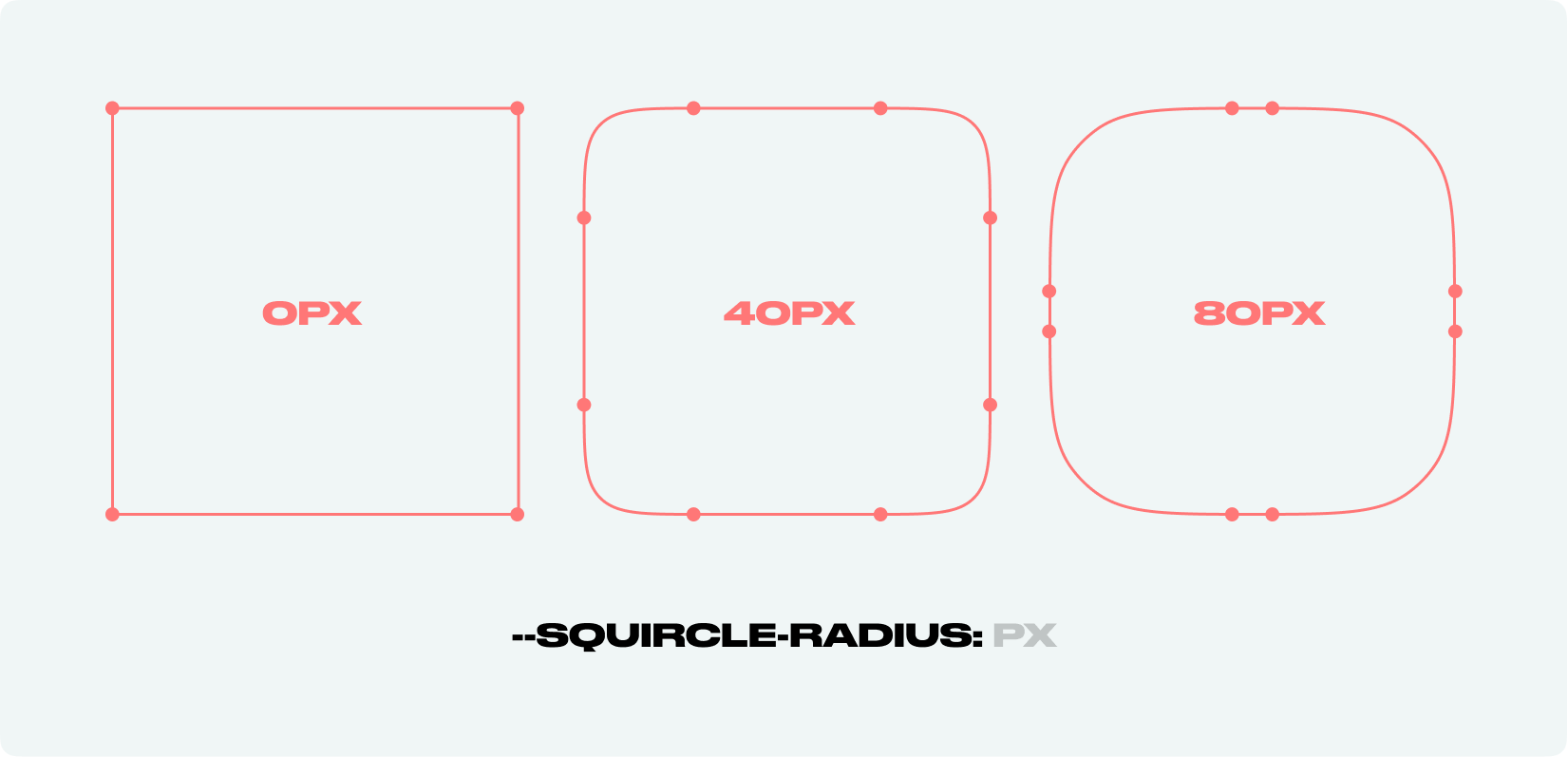
The property controls the roundness of the corners. You can provide 1, 2, 3 or 4 values, similar to padding/margin in CSS. The order is clockwise: top left, top right, bottom right, bottom left
<px> OR <px px> OR <px px px> OR <px px px px>8px (if no radius at all is defined) OR: 0 (if only some radii are defined)— (the radii are capped at half of the shorter side of width/ height)Set radii for the corners individually
/* Usage */

.squircle {
  /* other properties */
  width: 200px;
  height: 200px;
  background: paint(squircle);
  /* the property */
  --squircle-radius: 20px;
}
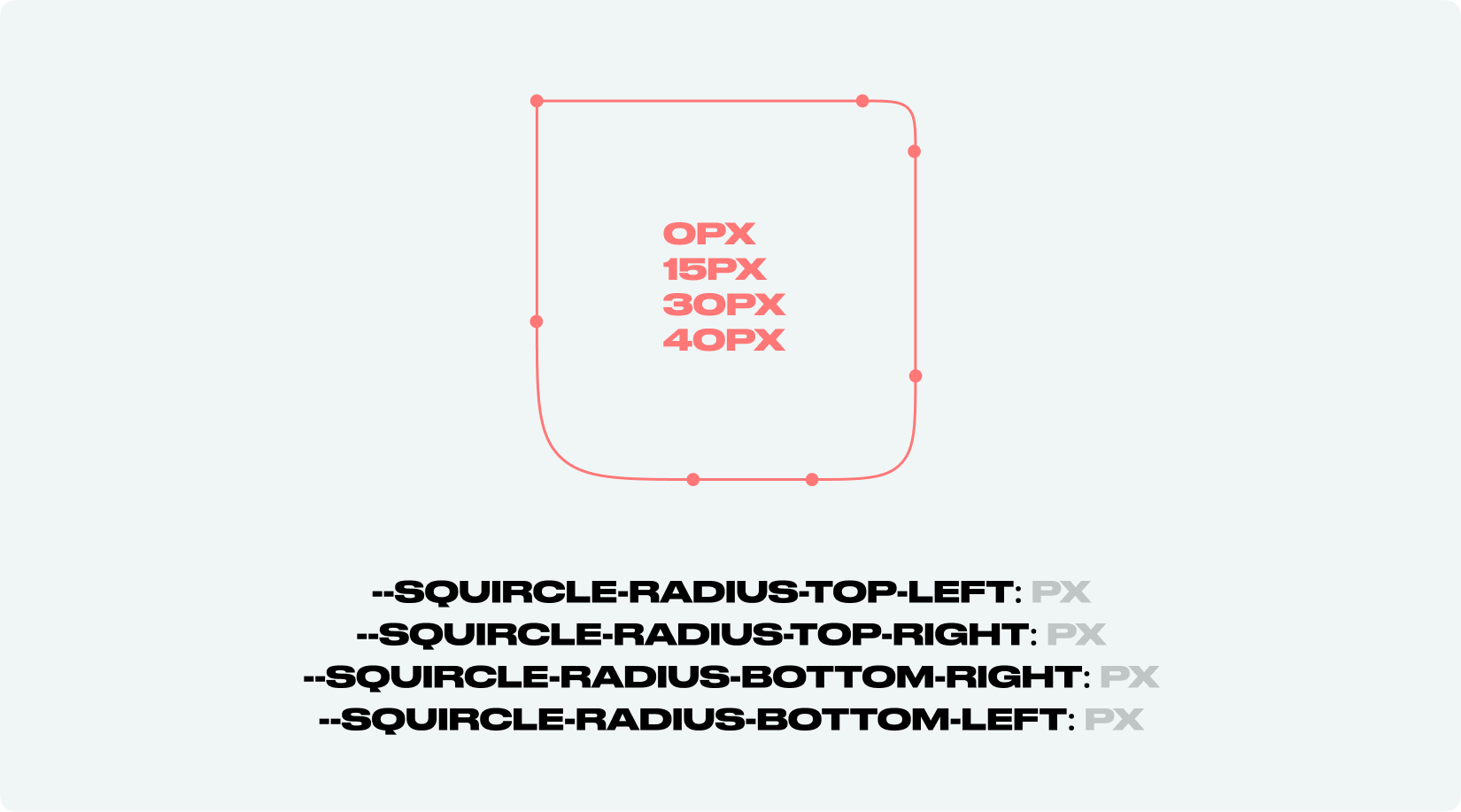
The property controls the roundness of the corners individually.
/* Usage */

.squircle {
  /* other properties */
  width: 200px;
  height: 200px;
  background: paint(squircle);
  /* the property */
  --squircle-radius-top-left: 0px;
  --squircle-radius-top-right: 15px;
  --squircle-radius-bottom-right: 30px;
  --squircle-radius-bottom-left: 40px;
}
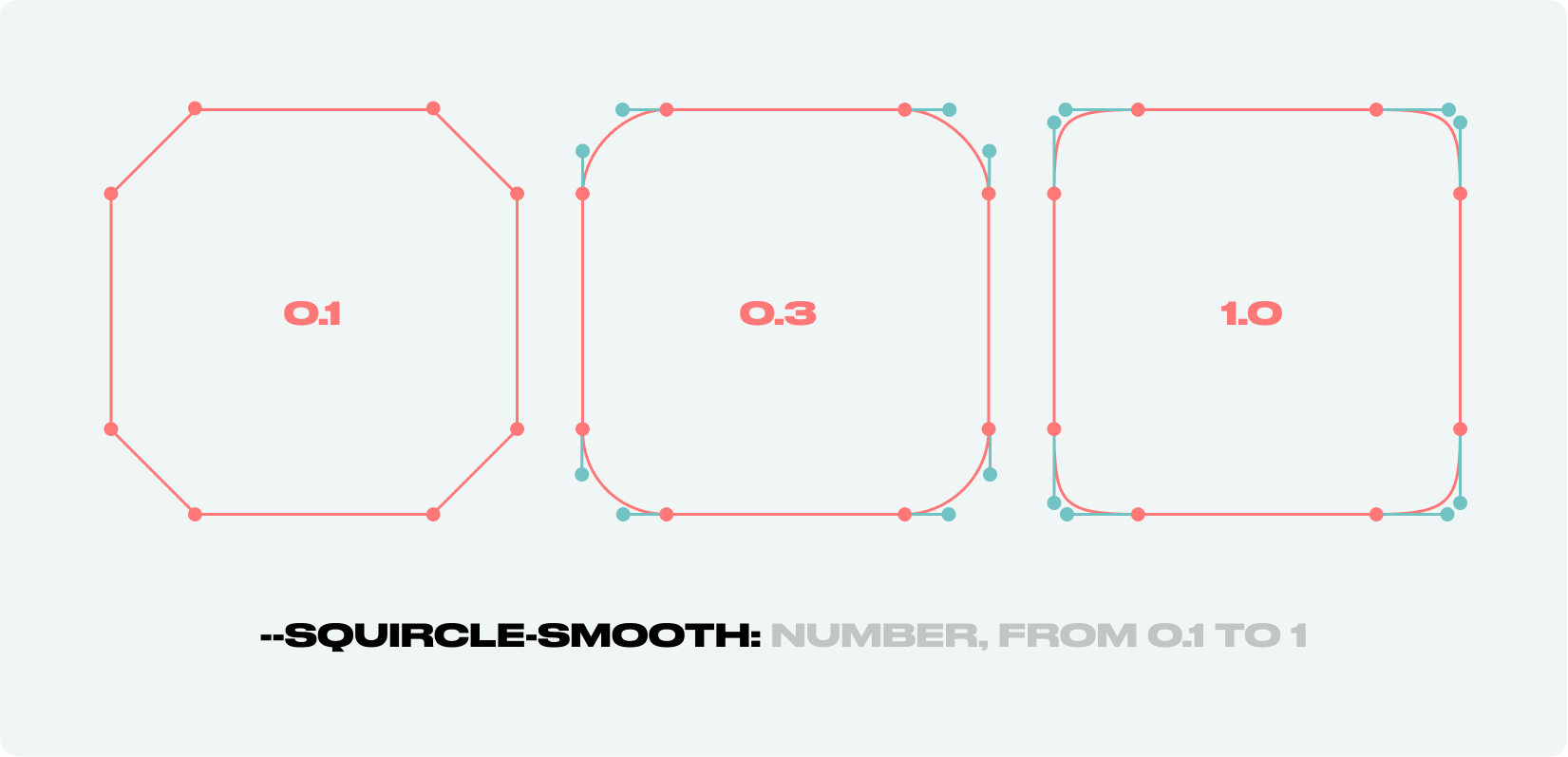
The property controls the length of bezier guide lines. Could be defined by --squircle-ratio.
<number>10.1 / 1/* Usage */
.squircle {
/* other properties */
width: 200px;
height: 200px;
background: paint(squircle);
--squircle-radius: 20px;
/* the property */
--squircle-smooth: 0.5;
}
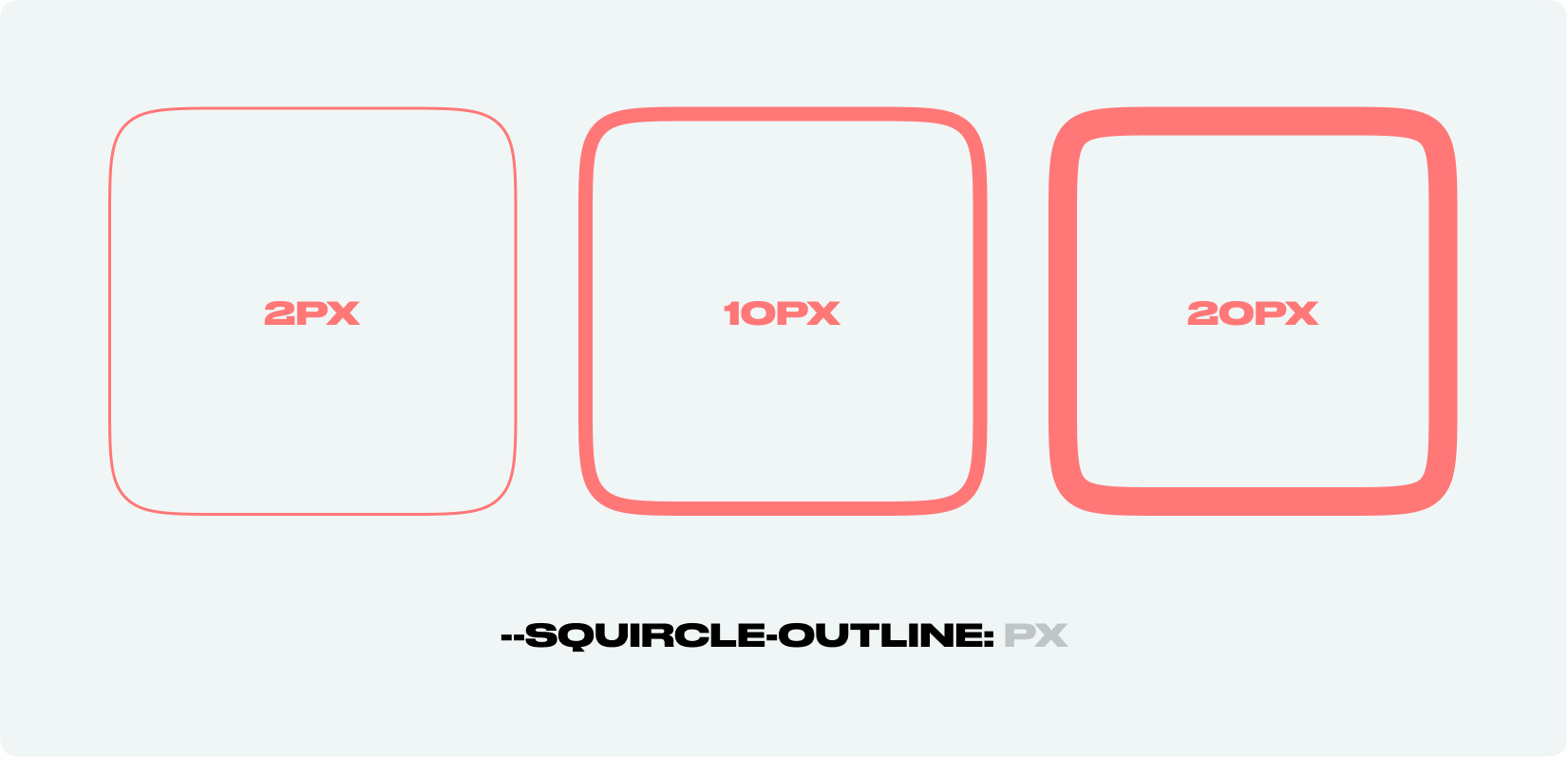
The property controls squircle outline. There are two methods how too use it with background-mask and mask+:pseudo-element. to find out more check codepen examples.
<px>——/* Usage */
.squircle {
/* other properties */
width: 200px;
height: 200px;
background: paint(squircle);
--squircle-radius: 20px;
/* the property */
--squircle-outline: 5px;
}
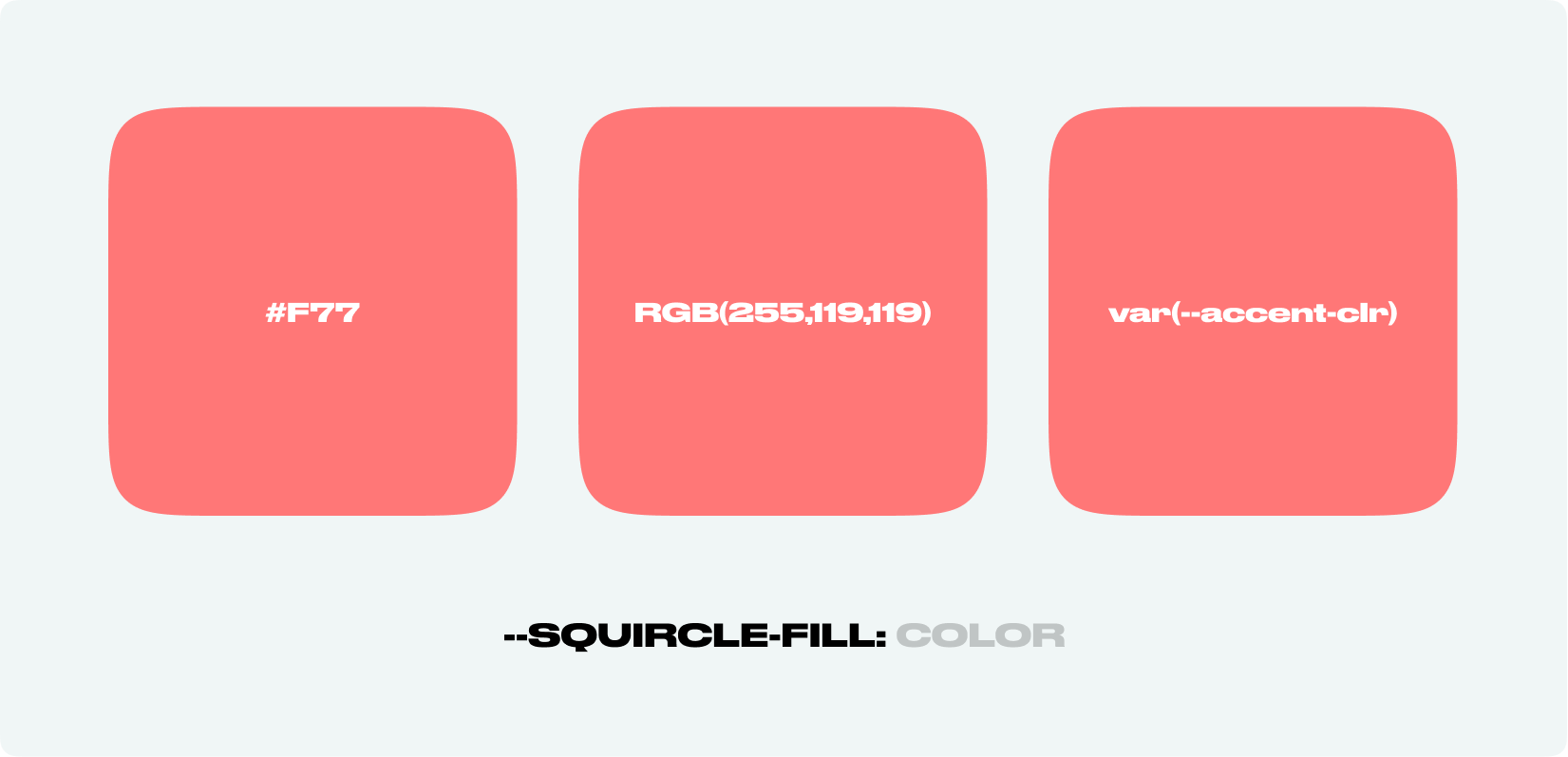
The property accepts any color, including variables.
⚠️ Work only with background: paint(squircle);. For mask-image: paint(squircle); use background property.
<color>#f45—/* Usage */
.squircle {
/* other properties */
width: 200px;
height: 200px;
background: paint(squircle);
--squircle-radius: 20px;
/* the property */
--squircle-fill: #f45;
}
// latest version
<script>
  if ("paintWorklet" in CSS) {
    CSS.paintWorklet.addModule(
      "https://www.unpkg.com/css-houdini-squircle/squircle.min.js"
    );
  }
</script>

// or particular version
<script>
  if ("paintWorklet" in CSS) {
    CSS.paintWorklet.addModule(
      "https://www.unpkg.com/css-houdini-squircle@0.3.0/squircle.min.js"
    );
  }
</script>
npm i css-houdini-squircle
You can download the min version of the module from UNPKG
// latest version
https://www.unpkg.com/browse/css-houdini-squircle/squircle.min.js
css-paint-polyfillIn order to get the module work on other browsers, you can use Paint Worklets polyfill.
⚠️ Check for artefacts before deploying.
// use with polifill example
<script>
  (async function () {
    if (!("paintWorklet" in CSS)) {
      await import("css-paint-polyfill");
    }

    CSS.paintWorklet.addModule(
      `https://www.unpkg.com/css-houdini-squircle/squircle.min.js`
    );
  })();
</script>
If you have any ideas, just open an issue and tell what you think.
If you'd like to contribute, please fork the repository. Pull requests are warmly welcome.
The project structure is separated into nextJS app and lib folder. The lib folder contains the script itself. The nextJS app is used for the demo. The lib folder is a separate NPM package.
📁 root
  📁 lib
    - package.json
    - squircle.js
  📁 … other nextJS folders
In order to test the script locally:
npm run dev in the root folder. It will start the NextJS app.npm run watch:build in the lib folder. It will start the watcher for the script. It will build the script every time you change it and create squircle.min.js file in the lib folder and in the public folder of the NextJS app.index.tsx file of the NextJS app, you can uncomment the line with test section un comment other in order to ease the development process.--squircle-ratio property. It's now fixed to 1.8. It's still possible to change the ratio by changing --squircle-smooth property.--squircle-radius-top-left, --squircle-radius-top-right, --squircle-radius-bottom-right, --squircle-radius-bottom-left propertieslib folder only for the scriptmore like this
A collection of awesome Free/Open Source things regarding the SideFx Houdini ecosystem.
hydralauncher: Hydra Launcher download free PC library fontes links baixar , hydralauncher github, trusted sources ur…
Free open-source Cloudflare R2 desktop client and S3 GUI for macOS, Windows, and Linux. Manage Cloudflare R2, AWS S3, M…
search projects, people, and tags