agentlytics
Comprehensive analytics dashboard for AI coding agents — Cursor, Windsurf, Claude Code, VS Code Copilot, Zed, Antigravi…
JavaScript★ 555
Build and host decentralized blogs and websites on your Mac
 Planetable
Planet is a free and open-source software for publishing and following web content, and it does not require a centralized server or service. It uses IPFS to achieve peer-to-peer content distribution. Furthermore, you can link your content to an Ethereum Name (.eth) so that others can follow you via Planet by the .eth name. Since both IPFS and ENS are decentralized, you can build your websites or follow others, all in a decentralized manner.
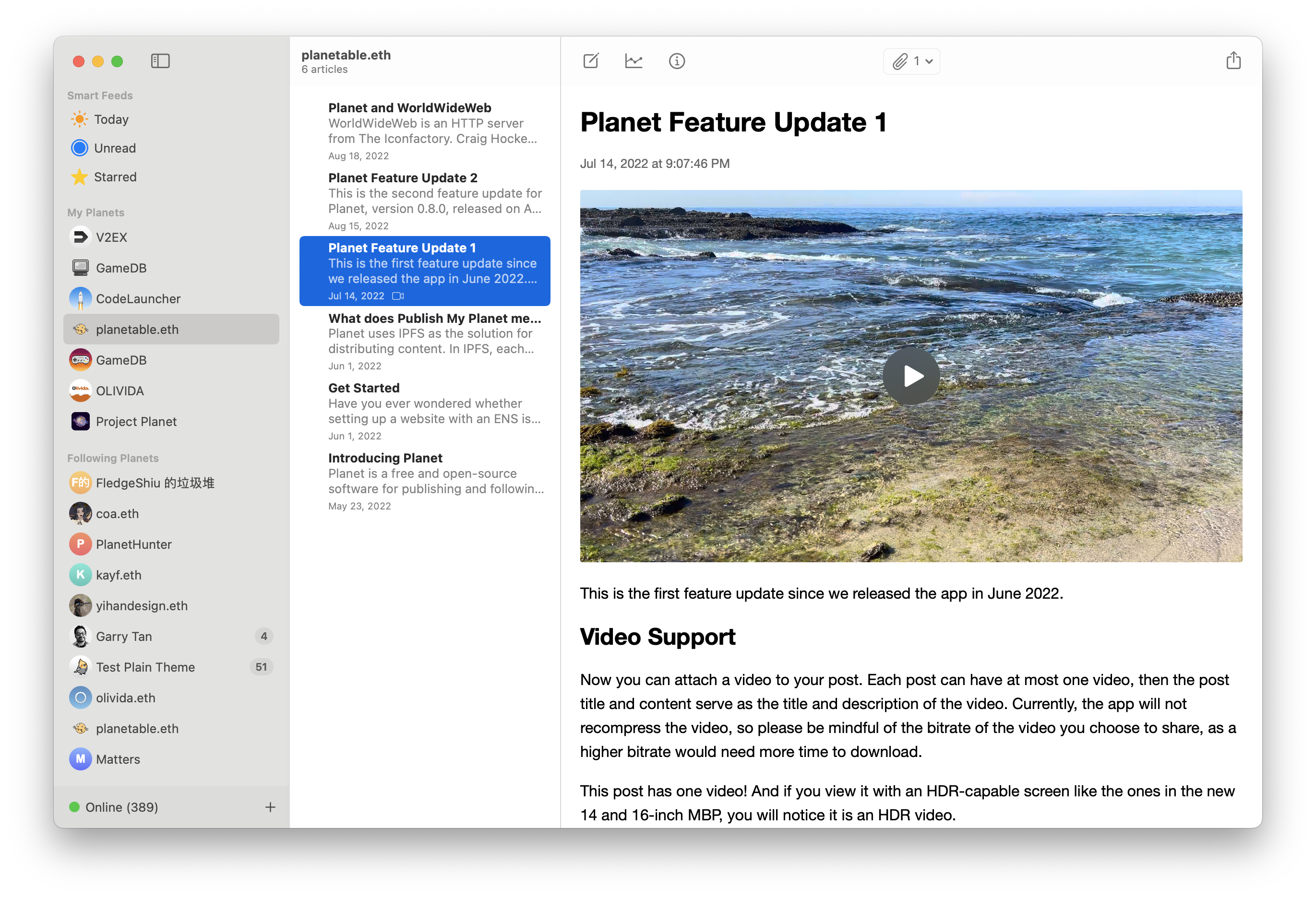
If you would like to add your site to this list, please share it in a discussion. We can't wait to see your creations!
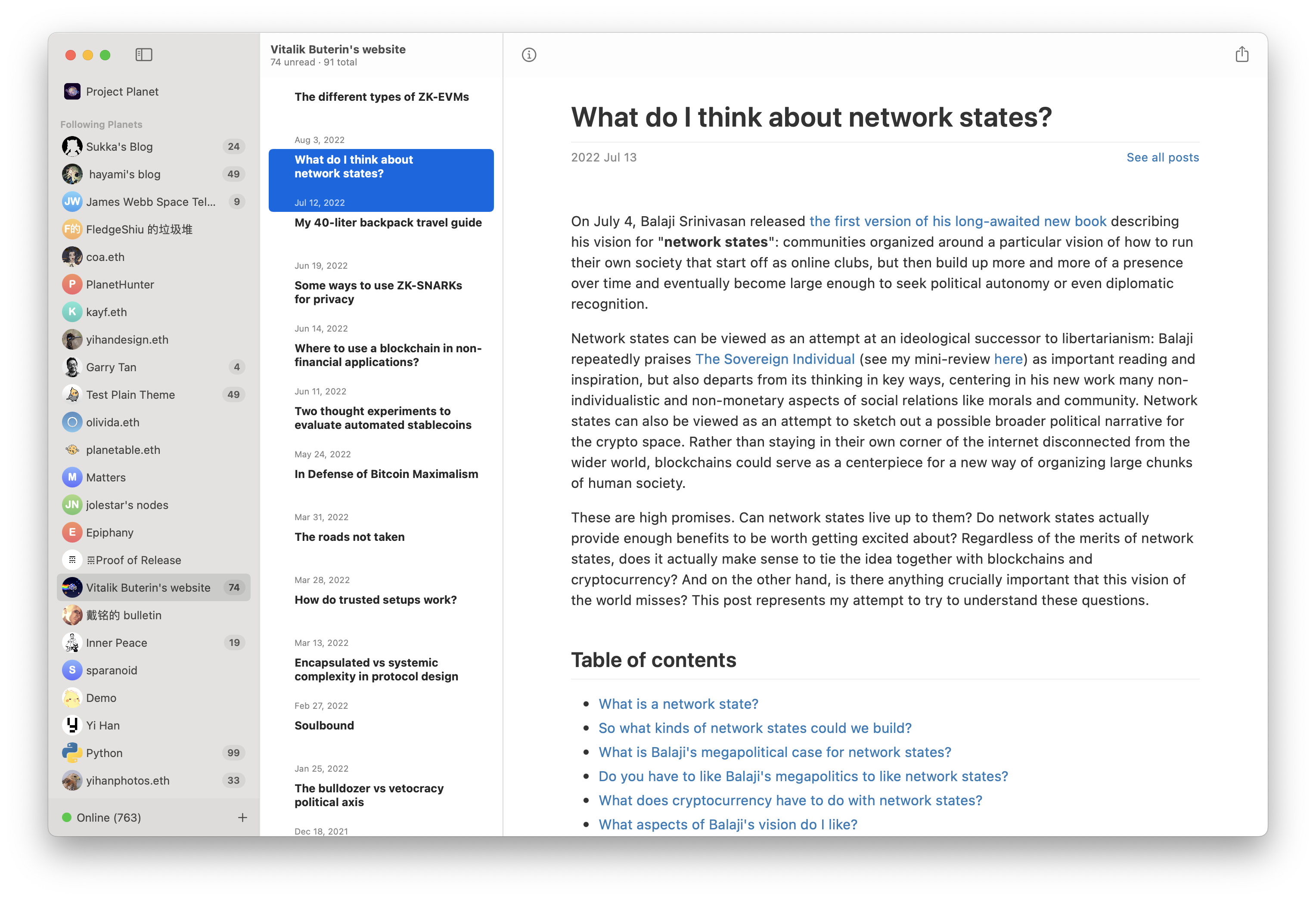
Planet can follow any ENS with a EIP-1577 contenthash. If your site has RSS, Planet can read it too. For example, vitalik.eth:
Before you try this app out, please be advised that it is still at an early stage, and many changes happen. So we recommend you backup your data, especially your IPNS key, from time to time. When you use Export Planet, it will include your IPNS key.
Git LFS is required for working with this code base. You can install git-lfs with Homebrew:
brew install git-lfs
Then activate it in the project folder:
git lfs install
GitHub Desktop has built-in Git LFS support, so we recommend using it to check out the project if you are unsure about the installation status of Git LFS.
If Kubo binaries are only 133 bytes on disk, please ensure you have activated git-lfs for the project folder.
A pre-commit.sh script is provided in the git-hooks folder for sync build number with git commits count.
To use your own build config for setting DEVELOPMENT_TEAM, please create a local.xcconfig file alongside the Planet.xcconfig file.
The following configuration variables can be overridden:
Planet centralizes build-time feature switches in FeatureFlags.swift. To enable
or disable feature-flagged code for a local build, set values in
Planet/local.xcconfig:
PLANET_ENABLE_APPLE_INTELLIGENCE = YES
PLANET_ENABLE_AI_CHAT_SCROLL_MANAGEMENT = NO
Set PLANET_ENABLE_APPLE_INTELLIGENCE to NO to compile out Apple Intelligence support. Even when enabled, Apple Intelligence still requires a macOS 26 SDK at build time and macOS 26 or later at runtime.
PLANET_ENABLE_AI_CHAT_SCROLL_MANAGEMENT defaults to NO. Set it to YES to compile in AI chat scroll restoration and bottom pinning.
https://planetable.eth.limo/build-instructions/
The development team collects no information from the app. The app runs entirely in a sandbox and does not have access to any data outside of the sandbox unless explicitly granted. The app also does not use any third-party analytics or tracking services.
Licensed under the MIT license.
more like this
Comprehensive analytics dashboard for AI coding agents — Cursor, Windsurf, Claude Code, VS Code Copilot, Zed, Antigravi…
Free open-source Cloudflare R2 desktop client and S3 GUI for macOS, Windows, and Linux. Manage Cloudflare R2, AWS S3, M…
search projects, people, and tags