meine
meine 🌒 - A CLI file manager and system utility built with Textual. It combines intuitive command parsing with rich t…
Python★ 50
🚀 Interactive terminal UI for triggering GitHub Actions workflows with matrix configurations. Streamline mobile app de…
 PraveenGongada
git clone https://github.com/PraveenGongada/catalyst.gitPraveenGongada/catalyst
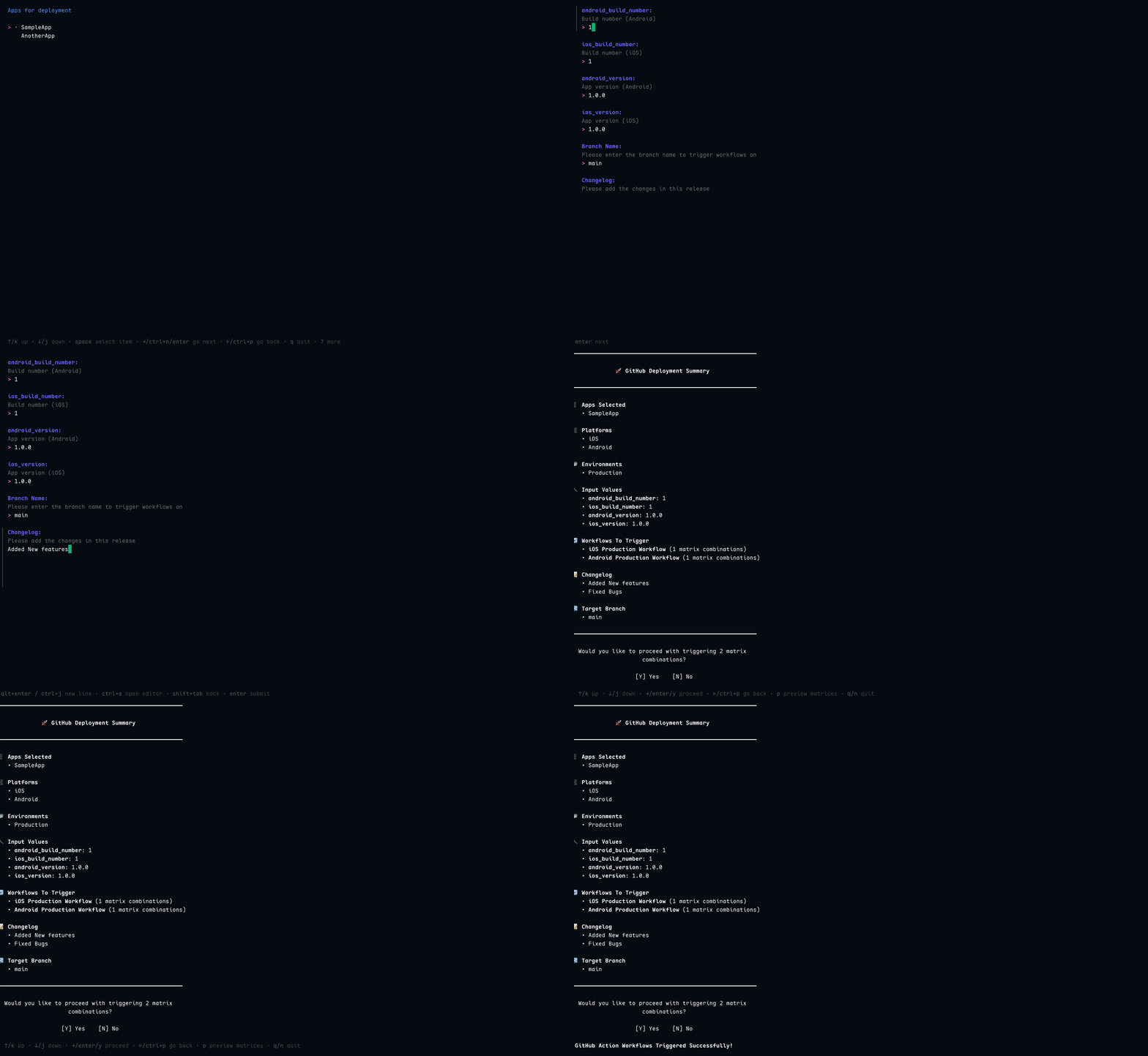
Catalyst is an elegant terminal UI tool that simplifies triggering GitHub Actions workflows with matrix configurations. It's designed to streamline the deployment process for mobile applications across multiple platforms and environments.
gh auth loginUse the setup-catalyst action in your workflows to install Catalyst:
- name: Setup Catalyst
  uses: PraveenGongada/setup-catalyst@v1
  with:
    version: "latest" # or specify a version like 'v1.0.0'
brew tap PraveenGongada/tap
brew install catalyst
go install github.com/PraveenGongada/catalyst/cmd/catalyst@latest
# Download the latest release (replace X.Y.Z with actual version)
curl -L https://github.com/PraveenGongada/catalyst/releases/download/vX.Y.Z/catalyst_Linux_x86_64.tar.gz -o catalyst.tar.gz

# Extract the binary
tar -xzf catalyst.tar.gz

# Move to a directory in your PATH
sudo mv catalyst /usr/local/bin/
Download the appropriate binary for your platform from the releases page.
Catalyst uses a YAML configuration file to define your matrix configurations. By default, it looks for catalyst.yaml in the current directory.
Catalyst looks for the configuration file in the following order:
-config flagCATALYST_CONFIG environment variablecatalyst.yaml in the current or git root directoryYou can optionally set the configuration path using an environment variable. Add the following to your .zshrc, .bashrc, or equivalent:
# Set the path to your catalyst config
export CATALYST_CONFIG="/path/to/your/catalyst.yaml"
Here's a simplified example of a configuration file:
# GitHub workflow metadata
github:
  repository: "your-org/mobile-apps"
  workflows:
    ios_debug:
      name: "iOS Debug Workflow"
      file: "ios_debug.yml"
    ios_prod:
      name: "iOS Production Workflow"
      file: "ios_prod.yml"

# Dynamic inputs that can be referenced in matrices
inputs:
  version:
    description: "App version"
    required: true
    default: "1.0.0"

# Matrix configurations
matrix:
  MyApp:
    ios:
      Debug:
        workflow: "ios_debug"
        matrix:
          bundle_id: "com.example.myapp.debug"
          version: "{{inputs.version}}"
      Prod:
        workflow: "ios_prod"
        matrix:
          bundle_id: "com.example.myapp"
          version: "{{inputs.version}}"
          ota_namespace: "myapp_ios" # optional, used by `catalyst ota`
Run Catalyst from your terminal:
catalyst
Or specify a custom configuration path:
catalyst -config /path/to/your/catalyst.yaml
Check the version:
catalyst -version
Catalyst provides a powerful matrix extraction feature that allows you to generate the exact matrix configurations without going through the interactive interface. This is particularly useful when you want to:
Extract matrices for a specific workflow:
# Extract as JSON (default) - perfect for GitHub workflow inputs
catalyst -extract ios_dev

# Extract as YAML for better readability
catalyst -extract android_prod -format yaml

# Use with a custom config file
catalyst -config /path/to/config.yaml -extract ios_prod
This approach ensures that whether you use Catalyst's TUI, the extraction feature, or any other method, your deployments remain consistent and follow the same configuration patterns defined in your catalyst.yaml file.
If you ship React Native apps and use Airborne for OTA updates, Catalyst can also fan out a bundle push across the same matrix you use for native builds. Add an ota_namespace to whichever matrix entries you want to push, then in CI:
# Emit only the entries that have an ota_namespace, as JSON for matrix.include
catalyst ota matrices --platform both --env Production

# Per matrix entry: log in once, then push the prebuilt bundle
catalyst ota login --base-url "$AIRBORNE_BASE_URL" --organisation "$AIRBORNE_ORG"
catalyst ota push --namespace "$NS" --platform ios --tag "$TAG" --bundle main.jsbundle
See catalyst ota --help for the full surface (login, push, latest-tag, matrices).
To use Catalyst with your GitHub Actions, you need to set up a repository dispatch event in your workflow:
# .github/workflows/example.yml
name: Example Deployment Workflow

on:
  workflow_dispatch:
    inputs:
      payload:
        description: "JSON payload containing matrix configurations"
        required: true
      change_log:
        description: "Changelog for this deployment"
        required: true

jobs:
  deploy:
    runs-on: ubuntu-latest
    # Parse the matrices JSON from the payload
    strategy:
      matrix:
        include: ${{ fromJson(fromJson(inputs.payload).matrices) }}

    steps:
      - name: Checkout code
        uses: actions/checkout@v3

      # Add your deployment steps here
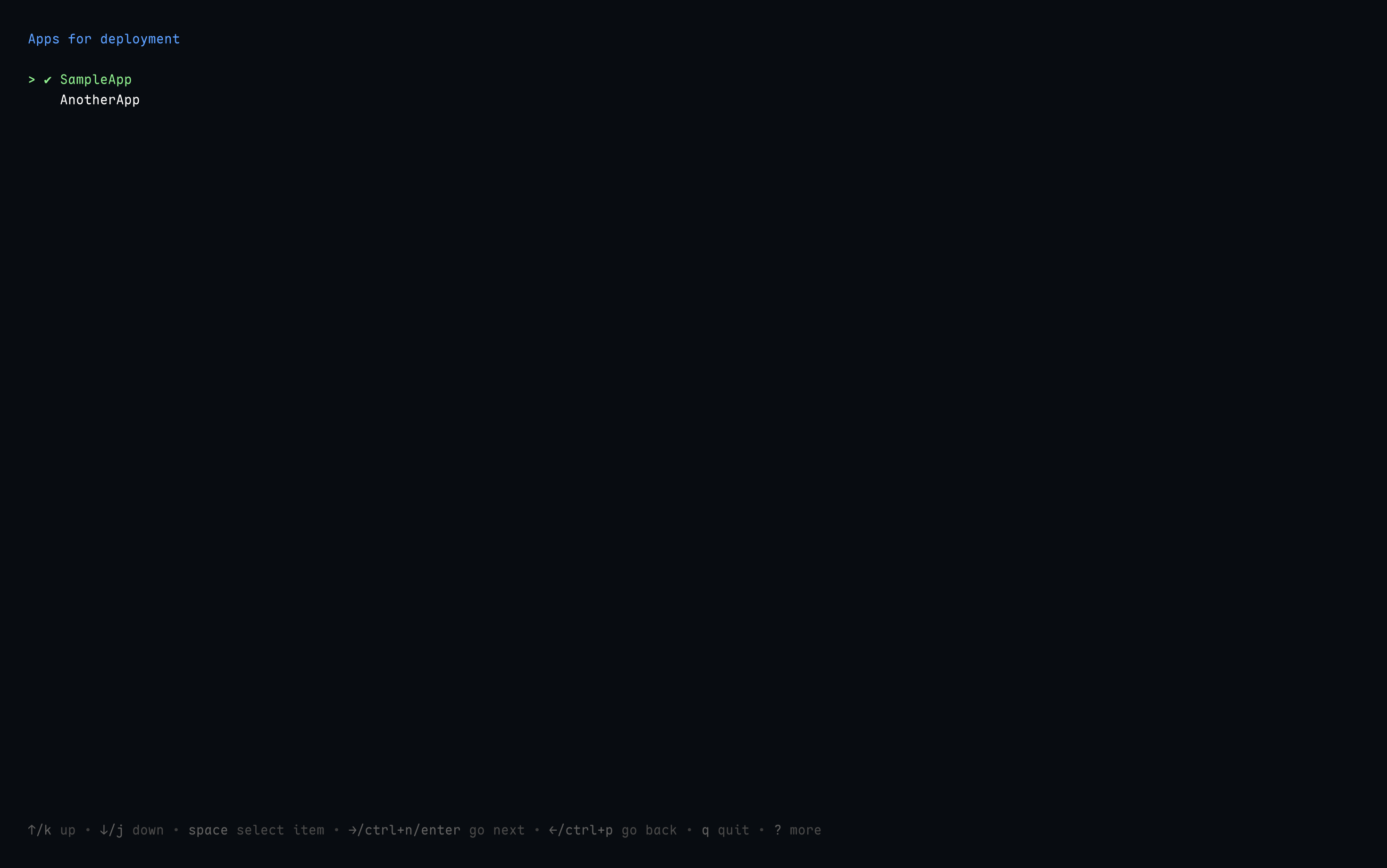
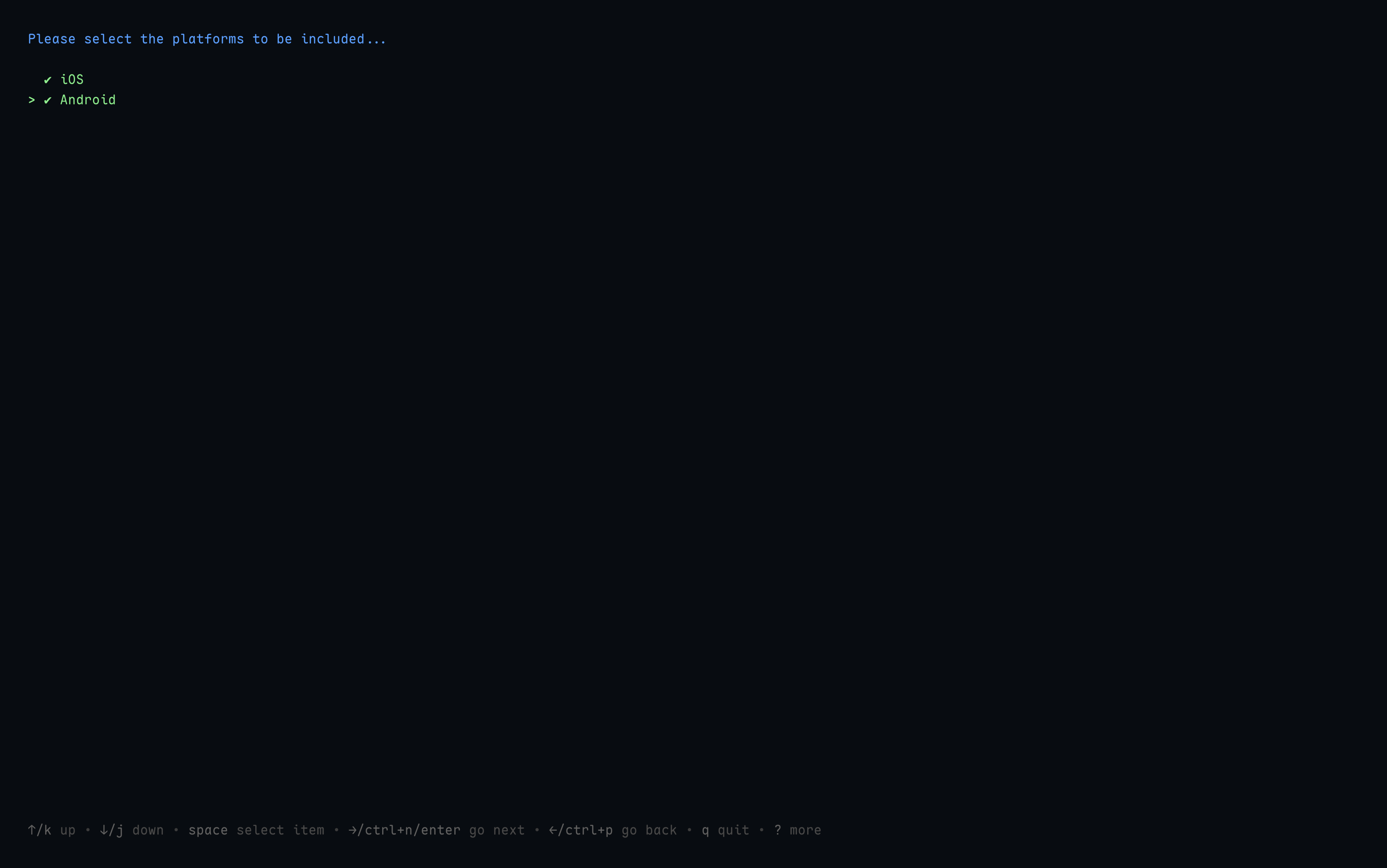
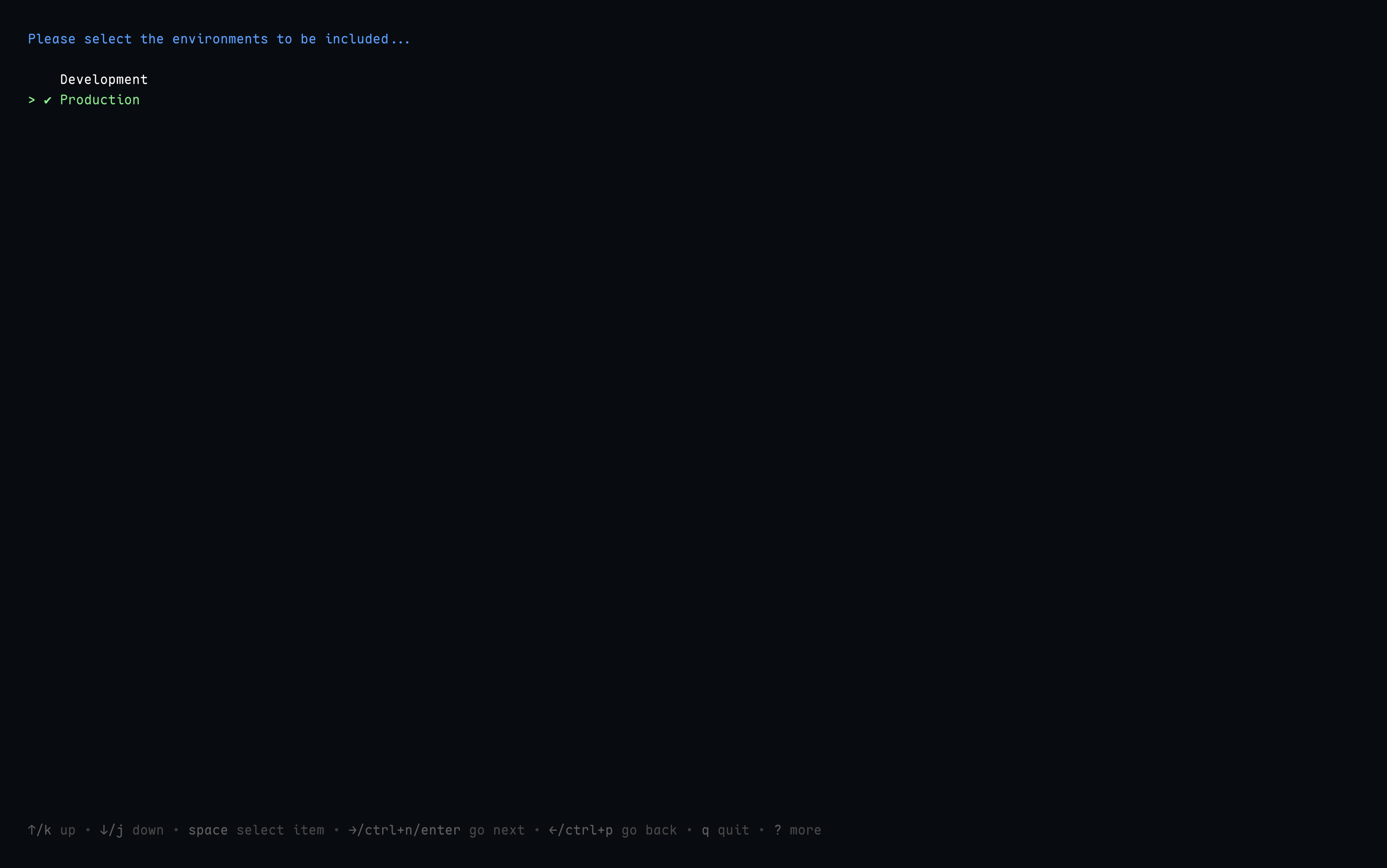
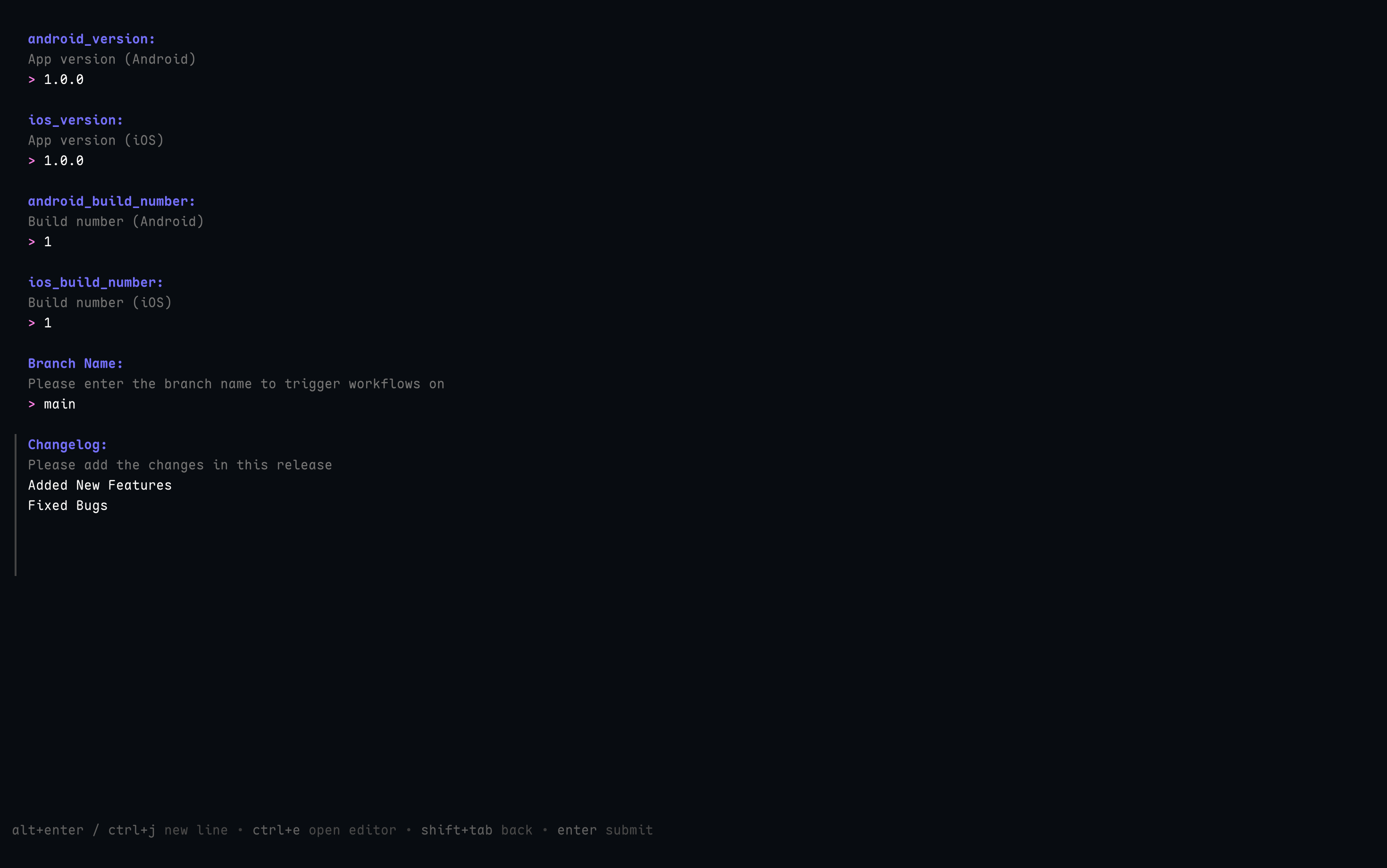
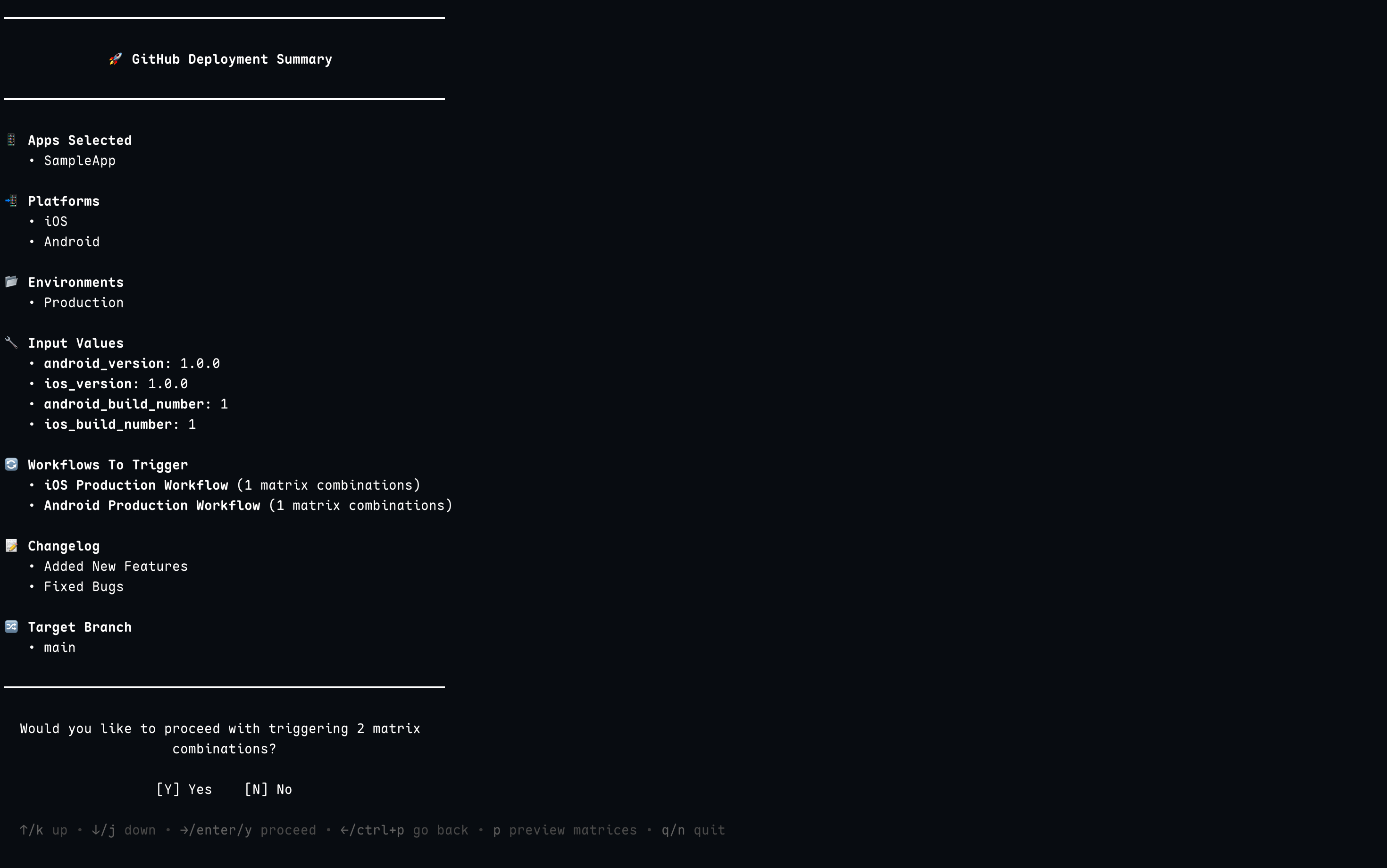
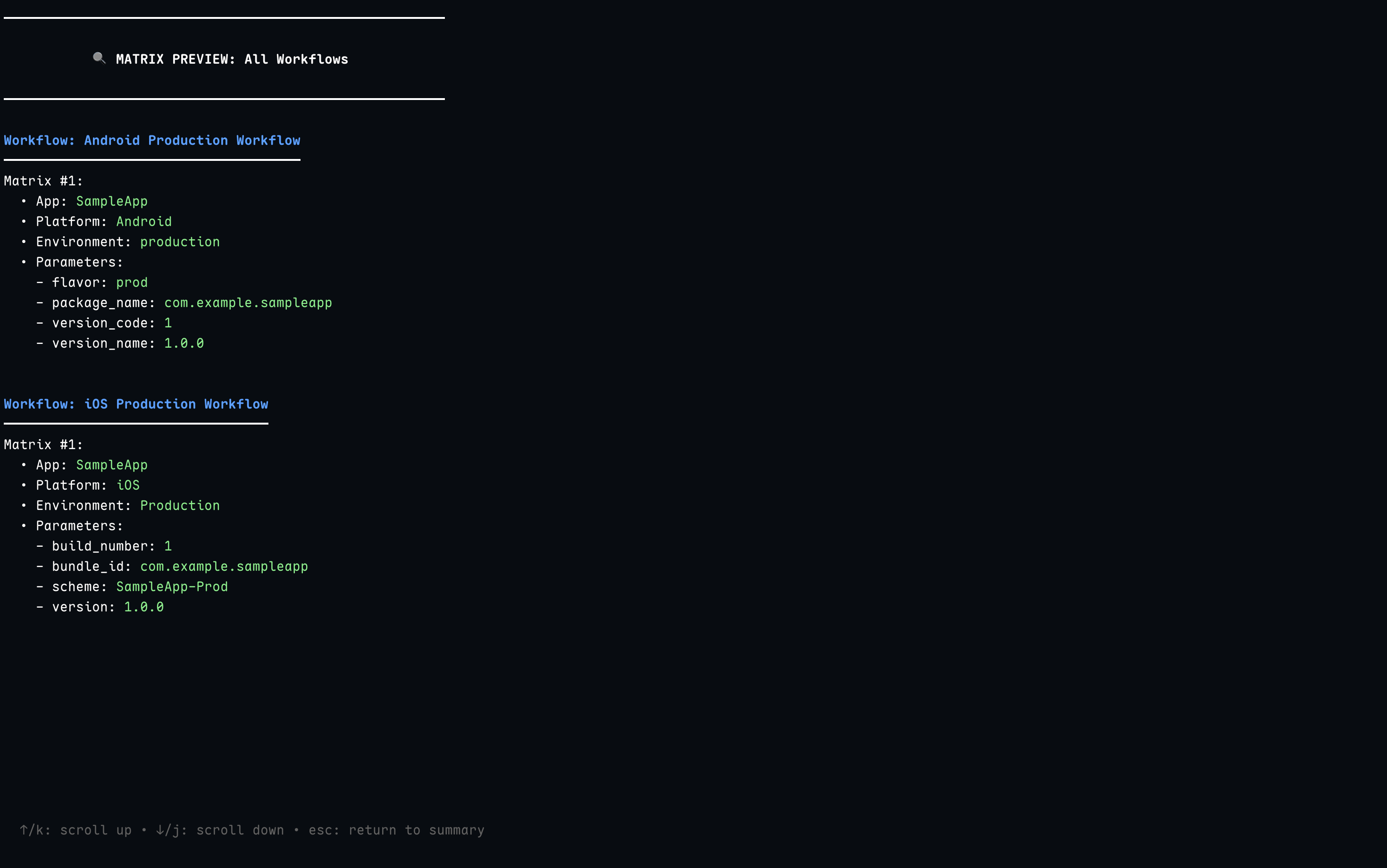
Here's a visual walkthrough of the Catalyst interface:
# Clone the repository
git clone https://github.com/praveengongada/catalyst.git
cd catalyst

# Build the binary (main is in cmd/catalyst)
go build -o catalyst ./cmd/catalyst

# Run the application
./catalyst
Catalyst uses GoReleaser to automate the release process:
git tag -a v1.0.0 -m "Release v1.0.0"
git push origin v1.0.0
This project is licensed under the Apache License 2.0 - see the LICENSE file for details.
Third-party library attributions can be found in the NOTICE file.
Made with ❤️ by Praveen Kumar
more like this
search projects, people, and tags