Scythe
SCYTHE is a lightweight, C#-based game engine focused on modifiability and rapid iteration using Raylib.
C#★ 50
Integrate PhysFS with raylib to load images, audio, and fonts, from .zip files.
 RobLoach
git clone https://github.com/RobLoach/raylib-physfs.gitRobLoach/raylib-physfs
Load raylib images, sounds, music, fonts and shaders from data archives, like .zip files, through PhysicsFS.
SetPhysFSCallbacks()GetPrefDirectory()physfs_platform_raylib.cThis is a header-only library. To use it, you have to do two things...
RAYLIB_PHYSFS_IMPLEMENTATION in one .c source file before including raylib-physfs.hThe below example will initialize PhysFS, mount a .zip file, and then load an Image directly from the .zip.
#define RAYLIB_PHYSFS_IMPLEMENTATION
#include "raylib-physfs.h"

int main() {
    // Initiatize the file system.
    InitPhysFS();

    // Mount a directory or archive into a given namespace.
    MountPhysFS("assets.zip", "assets");

    // Load an image through PhysFS directly from assets.zip.
    Image dog = LoadImageFromPhysFS("assets/dog.png");
    UnloadImage(dog);

    // Close the file system.
    ClosePhysFS();
}
bool InitPhysFS();                                              // Initialize the PhysFS file system
bool InitPhysFSEx(const char* newDir, const char* mountPoint);  // Initialize the PhysFS file system with a mount point.
bool ClosePhysFS();                                             // Close the PhysFS file system
bool IsPhysFSReady();                                           // Check if PhysFS has been initialized successfully
bool MountPhysFS(const char* newDir, const char* mountPoint);   // Mount the given directory or archive as a mount point
bool MountPhysFSFromMemory(const unsigned char *fileData, int dataSize, const char* newDir, const char* mountPoint);  // Mount the given file data as a mount point
bool UnmountPhysFS(const char* oldDir);                         // Unmounts the given directory
bool FileExistsInPhysFS(const char* fileName);                  // Check if the given file exists in PhysFS
bool DirectoryExistsInPhysFS(const char* dirPath);              // Check if the given directory exists in PhysFS
unsigned char* LoadFileDataFromPhysFS(const char* fileName, int* bytesRead);  // Load a data buffer from PhysFS (memory should be freed)
char* LoadFileTextFromPhysFS(const char* fileName);             // Load text from a file (memory should be freed)
bool SetPhysFSWriteDirectory(const char* newDir);               // Set the base directory where PhysFS should write files to (defaults to the current working directory)
bool SaveFileDataToPhysFS(const char* fileName, void* data, int bytesToWrite);  // Save the given file data in PhysFS
bool SaveFileTextToPhysFS(const char* fileName, char* text);    // Save the given file text in PhysFS
FilePathList LoadDirectoryFilesFromPhysFS(const char* dirPath);  // Get filenames in a directory path (memory should be freed)
FilePathList LoadDirectoryFilesFromPhysFSEx(const char *basePath, const char *filter, bool scanSubdirs);  // Get directory filepaths with filtering and optional recursive scan (memory should be freed)
long GetFileModTimeFromPhysFS(const char* fileName);            // Get file modification time (last write time) from PhysFS
Image LoadImageFromPhysFS(const char* fileName);                // Load an image from PhysFS
Texture2D LoadTextureFromPhysFS(const char* fileName);          // Load a texture from PhysFS
Wave LoadWaveFromPhysFS(const char* fileName);                  // Load wave data from PhysFS
Sound LoadSoundFromPhysFS(const char* fileName);                // Load a sound from PhysFS
Music LoadMusicStreamFromPhysFS(const char* fileName);          // Load music data from PhysFS
Font LoadFontFromPhysFS(const char* fileName, int fontSize, int *fontChars, int charsCount);  // Load a font from PhysFS
Shader LoadShaderFromPhysFS(const char* vsFileName, const char* fsFileName);  // Load shader from PhysFS
void SetPhysFSCallbacks();                                      // Set the raylib file loader/saver callbacks to use PhysFS
const char* GetPrefDirectory(const char *organization, const char *application); // Get the user's current config directory for the application.
physfs_platform_raylib.c implements the PhysFS platform abstraction layer using raylib's own file API (LoadFileData, SaveFileData, etc.). This is useful on platforms where raylib provides a custom file I/O layer.
Enable it with the RAYLIB_PHYSFS_PLATFORM_RAYLIB CMake option:
cmake -B build -DRAYLIB_PHYSFS_PLATFORM_RAYLIB=ON
Or define PHYSFS_PLATFORM_RAYLIB before including the implementation:
#define PHYSFS_PLATFORM_RAYLIB
#define RAYLIB_PHYSFS_IMPLEMENTATION
#include "raylib-physfs.h"
Have a look at Cmake config to see how to define different things that change the behavior of physfs, raylib, and raylib-physfs.
To build the examples locally, and run tests, use cmake.
git clone https://github.com/RobLoach/raylib-physfs.git
cd raylib-physfs
mkdir build
cd build
cmake ..
make
make test
cd examples
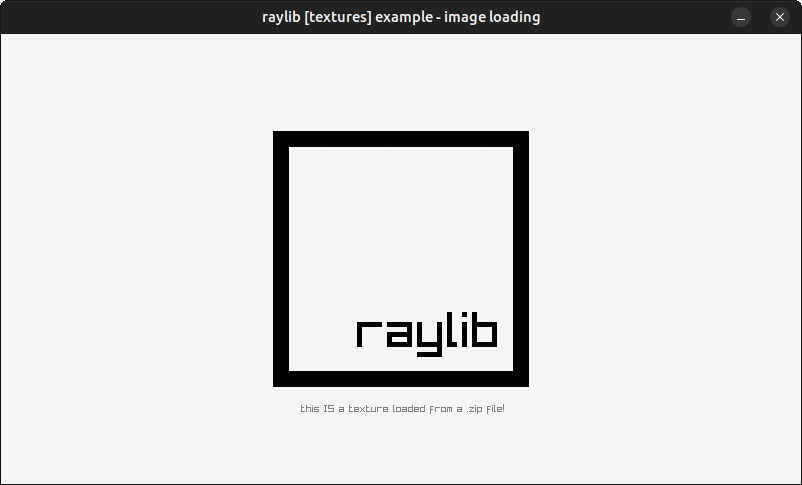
./textures_image_loading
While physfs is great, there are alternative file systems available...
raylib-physfs is licensed under an unmodified zlib/libpng license, which is an OSI-certified, BSD-like license that allows static linking with closed source software. Check LICENSE for further details.
more like this
SCYTHE is a lightweight, C#-based game engine focused on modifiability and rapid iteration using Raylib.
.Net 10 (.Net 8+) webassembly starter project using raylib-cs nuget 7.0.2 and raylib 5.5
A sandbox game created in C using raylib, featuring various types of falling pixels, such as sand or water. (more in th…
search projects, people, and tags