dont-track-me-google
Firefox and Chrome extensions to prevent Google from making links ugly.
JavaScript★ 587
YTPA - YouTube Play All: A sophisticated userscript adding the Play-All button back to YouTube.
 RobertWesner
git clone https://github.com/RobertWesner/YouTube-Play-All.gitRobertWesner/YouTube-Play-All

YTPA: A sophisticated userscript adding the Play-All button back to YouTube.

I got frustrated from not being able to binge-watch some YouTube channels. Unable to find a working userscript, I created this. Hopefully, it will be as useful to you as it is to me.
Also works with YouTube Shorts and supports the mobile browser version of YouTube.
Now with support for Random Play!
This project is actively maintained with automated tests and validation to keep it stable as YouTube evolves.
Install a userscript manager. For example, Tampermonkey:
On Chrome, Edge, Opera, and OperaGX make sure to enable developer mode.
Install this userscript by clicking this link.
On Chrome and Edge make sure to allow user scripts if the script does not load.
Available mirrors:
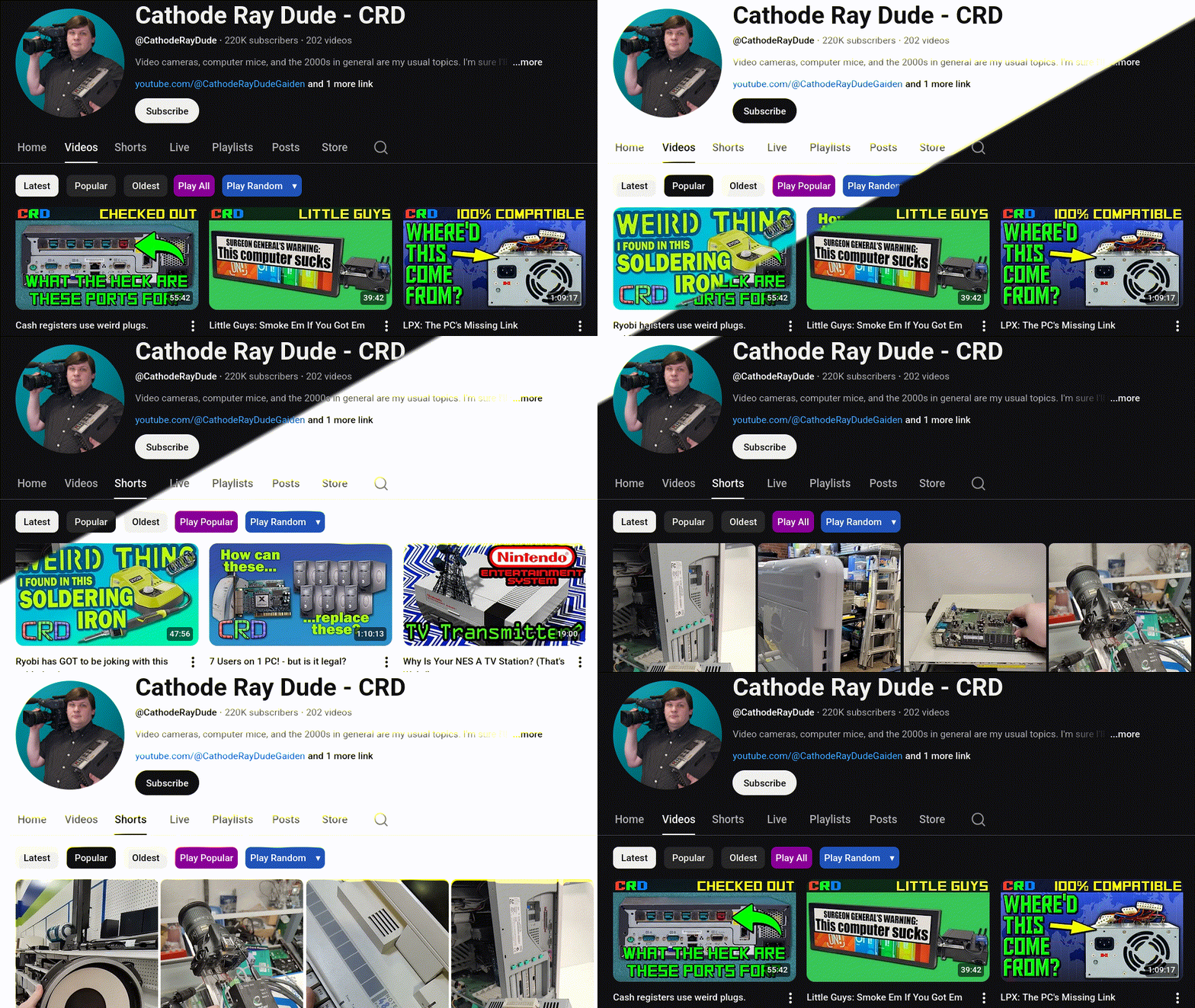
Once installed, you should be able to see the vibrant Play-All button when visiting or navigating to the videos section of a YouTube channel. Simply clicking it or opening the link in a new tab will send you to the newest video playing inside the "Videos" playlist.
It may take a few seconds for the button to be dynamically added.
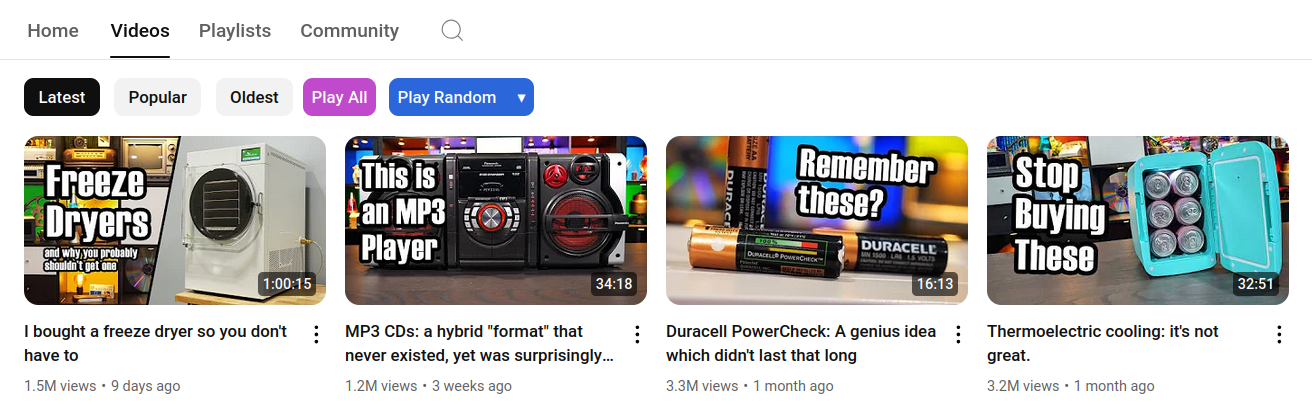
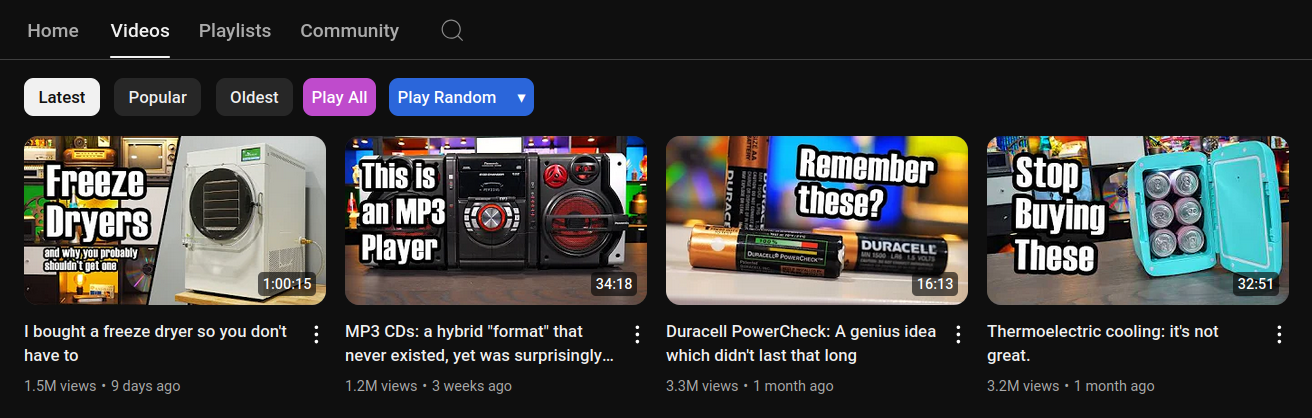
When sorting by most popular, the button will take you to the "Popular videos" playlist.
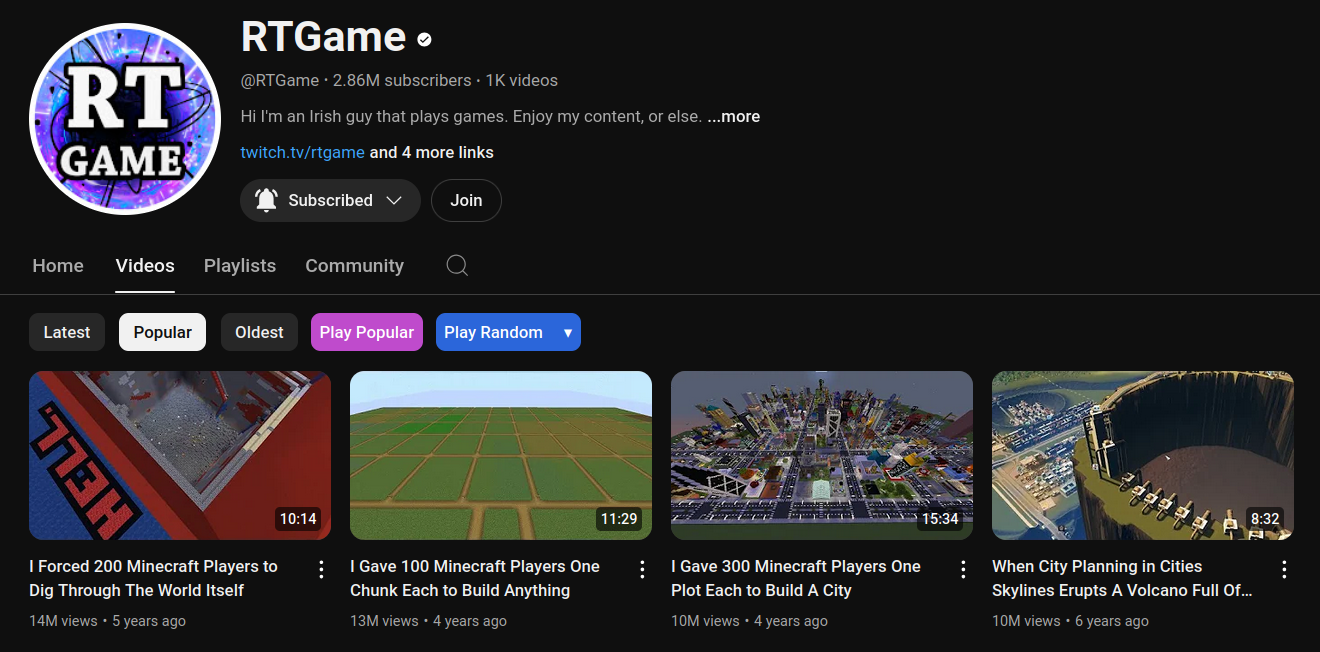
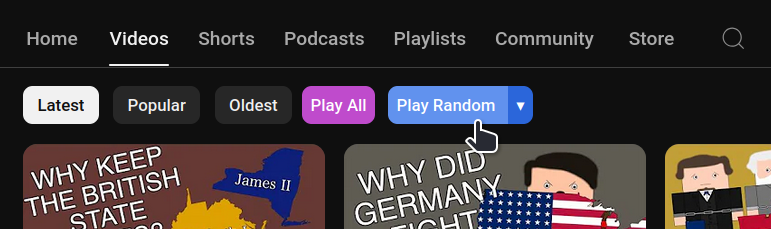
It is possible to play all videos in random order by clicking the "Play Random"-button.
Shorts can be played both by latest and most popular.
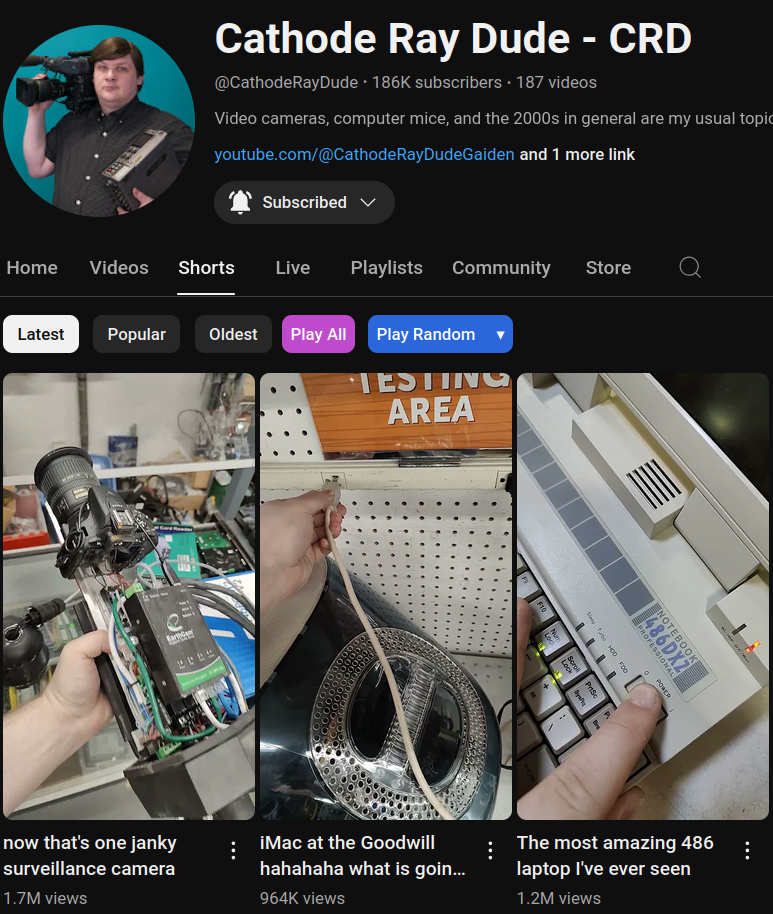
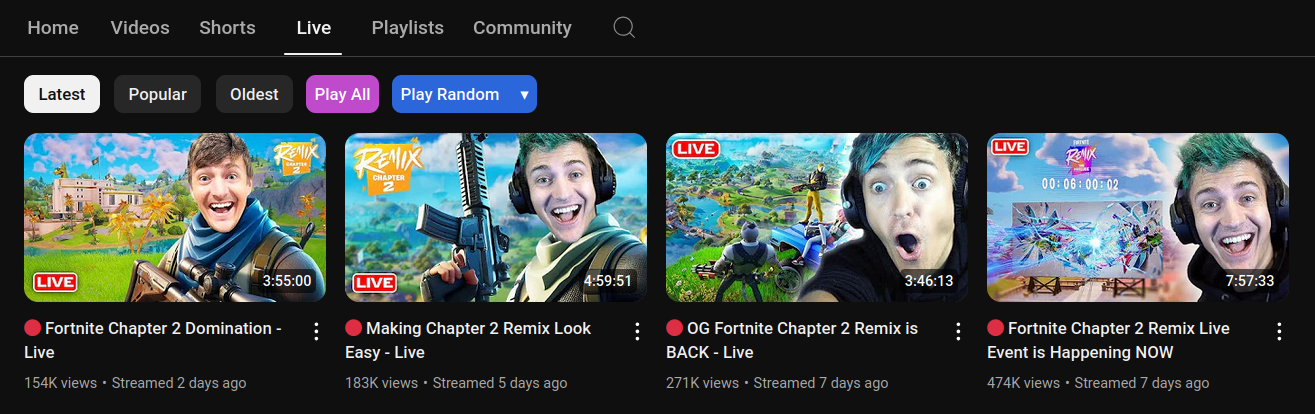
It is now possible to play by random on desktop devices.
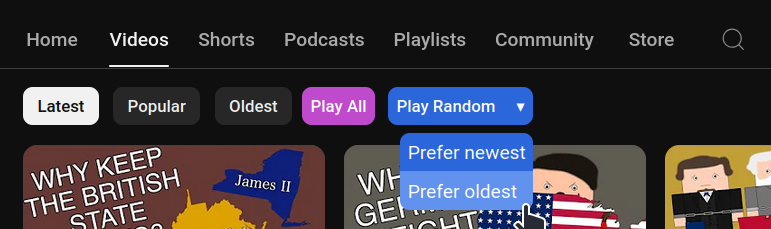
Optionally with custom shuffle priority (select by clicking ▾).
If your current installation does not work, please update it by following the installation steps above before opening issues.
Contributions are welcome and will be automatically tested by GitHub workflows. npm
Feel free to use the testing userscript after making a change.
YTPATestSuite.test();.Either use Docker:
docker run --rm -it "$(docker build -q -f Containerfile .)"
Or Podman:
podman run --rm -it "$(podman build -q -f Containerfile .)"
Or your other docker-compatible container environment of choice.
To run the automated tests directly, you will need the following tools:
11.6.20.93.44 (get the npm install spago@next instead of AUR or other repository)0.15.15Install/Update Chrome
(cd testing && npm ci && npx puppeteer browsers install chrome)
(cd testing && npm ci && spago run -m Run.Test.All)
These are useful to get a browser instance with the userscript and a specific state of YouTube (like forcing a new UI).
See: Playground
Keep in mind forcing a UI will only work for ones that are yet to be deployed fully and asymmetrically released to some users. It is not possible to force a specific UI that no longer is available from YouTube. These scripts do not preserve previous UIs, the simply restart the browser until it has the new one.
# Change the module to your desired playground
(cd testing && npm ci && spago run -m Run.Playground.Ui.V20260219)
This project is licensed under the MIT License.
Important note:
This is not a typical userscript.
The project evolved into a resilient and semi-modular codebase designed to survive a hostile SPA environment. It includes its own single-file standard library modules, automated testing harness written in Purescript, and extensive fallback handling.
Is it overengineered? Yes.
Does this raise the barrier of entry to contributions? Yes.
Is it surprisingly stable? Yes.
more like this
Firefox and Chrome extensions to prevent Google from making links ugly.
Stream YouTube videos as live ASCII art in your terminal with audio and full color.
search projects, people, and tags