mazing
Generating, visualizing, playing around with mazes.
 Strophox
git clone https://github.com/Strophox/mazing.gitStrophox/mazingMazing
Generating, visualising, playing around with mazes

What is this?
A hobby project to familiarize myself with Git.
But mazes are so amazing that, after writing code to build arbitrarily large ones, I naturally had to extend functionality to have them solved, printed, drawn and colored in by the computer, too.
In essence, mazing.py provides a handy Maze class to mess around with.
How to use it
To play around with implemented functionality, run playground.py directly to try stuff out on the command line.
I tried adding Google-style docstrings to everything, so help(...) might yield sensible information for usage of any script/module (c.f. code examples in last section).
What can it do?
Functionality includes but is not limited to
- Randomly carving (so-called) 'perfect' mazes with a unique solution.
- Common maze (graph) algorithms implemented [Growing tree, backtracker, (simplified) Prim's, Kruskal's, Wilson's, divide-and-conquer]
- Mix of different methods ('x-divide-and-conquer')
- Text art.
- 7 different ways to print maze as text (including 3 w/ solution path)
- Imaging.
- Normal PNG
- Solution path
- Colored by distance from entrance (heatmap)
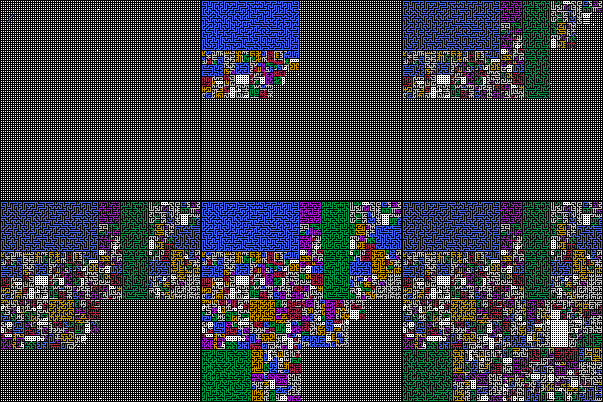
- Colored by algorithm usage (for mixed maze generation)
- Animation.
- Use any of above imaging methods to visualize building of a maze
- Computing information.
- Solution path
- Longest possible path through maze, and other interesting stats
Gallery
Text Art Examples
ASCII
Timeless maze art for any(?)(!) console.
'ASCII frame' (10×10 maze)
+---+---+---+---+---+---+---+---+---+---+
|           |                   |       |
+   +---+---+   +---+   +---+   +---+   +
|   |           |   |       |   |       |
+   +   +---+---+   +---+   +   +   +---+
|   |   |               |   |   |       |
+   +   +---+   +---+---+   +   +---+   +
|       |       |           |       |   |
+   +---+   +   +   +---+---+---+   +   +
|   |       |   |           |           |
+   +---+   +---+---+   +   +---+---+   +
|       |   |       |   |   |       |   |
+---+   +   +   +   +---+   +   +   +---+
|   |   |   |   |           |   |       |
+   +   +   +   +---+---+---+   +---+   +
|           |       |               |   |
+---+---+   +---+   +   +---+---+---+   +
|   |           |       |               |
+   +---+---+---+---+---+   +---+---+   +
|                           |           |
+---+---+---+---+---+---+---+---+---+---+
'Mini ASCII frame' (16×16 maze)
,_______________________________,
| __, ___________ |_, __| ,____ |
|__ |_, | | ,______ | , | | | , |
| ____| | |_| , | ,_|_| | ,_| | |
|___| ,_|_____| | | , |_, | ,_| |
| ,__ | ,_______| | |_, |_| | | |
| | __| | ,_, | ,_|__ | | ,_| __|
| |___| | | |___| ____| | |_____|
| | , | | |_______, | __|_, | , |
|___|___|________ | |___, |_, | |
| | ,________ | ,_| |__ |_, |_| |
| ,_| , | ____| | , | , ,_| | __|
| | ,_| |_______|_| | |_| ,_| , |
| |_| , | _____ ,___| | ,_|___| |
|_____| |___| ,_| ____| | ,__ | |
| | , | | , | | | ______| | __| |
|___|_____|___|___________|_____|
Unicode
Note
Certain special box/frame characters may not display/align correctly.
Show Unicode arts
'Frame' (16×16 maze)
┌─────────────────┬─────┬───────┐
│ ╶─┐ ╶─┬─┬─────╴ └─┐ ╶─┤ ┌─┬─╴ │
├─╴ └─┐ │ │ ┌───┬─╴ │ ╷ │ ╵ │ ╷ │
│ ╶─┬─┘ │ └─┘ ╷ │ ┌─┴─┤ ╵ ┌─┘ │ │
├───┘ ┌─┴─────┘ │ │ ╷ └─┐ │ ┌─┤ │
│ ┌─╴ │ ┌─────┬─┘ │ └─┐ ├─┘ │ ╵ │
│ │ ╶─┤ │ ┌─┐ ╵ ┌─┴─╴ │ │ ┌─┘ ╶─┤
│ ├───┤ │ │ └───┘ ╶─┬─┘ │ └─┬───┤
│ ╵ ╷ ╵ │ └───────┐ │ ╶─┴─┐ ╵ ╷ │
├─┬─┴───┴─────┬─╴ │ ├───┐ └─┐ │ │
│ ╵ ┌───┬───╴ │ ┌─┘ ├─╴ └─┐ ├─┘ │
│ ┌─┘ ╷ │ ╶───┘ │ ╷ │ ╷ ┌─┘ │ ╶─┤
│ │ ┌─┘ ├───────┴─┘ │ ├─┘ ┌─┘ ╷ │
│ └─┘ ╷ │ ╶─┬─╴ ┌───┘ │ ┌─┴───┤ │
├─┬───┤ ├───┤ ┌─┤ ╶───┘ │ ┌─╴ │ │
│ ╵ ╷ ╵ ╵ ╷ ╵ │ ╵ ╶─────┘ │ ╶─┘ │
└───┴─────┴───┴───────────┴─────┘
'Half block' (16×16 maze)
█▀▀▀▀▀▀▀▀▀▀▀▀▀▀▀▀▀█▀▀▀▀▀█▀▀▀▀▀▀▀█
█ ▀▀█ ▀▀█▀█▀▀▀▀▀▀ ▀▀█ ▀▀█ █▀█▀▀ █
█▀▀ ▀▀█ █ █ █▀▀▀█▀▀ █ █ █ ▀ █ █ █
█ ▀▀█▀▀ █ ▀▀▀ █ █ █▀▀▀█ ▀ █▀▀ █ █
█▀▀▀▀ █▀▀▀▀▀▀▀▀ █ █ █ ▀▀█ █ █▀█ █
█ █▀▀ █ █▀▀▀▀▀█▀▀ █ ▀▀█ █▀▀ █ ▀ █
█ █ ▀▀█ █ █▀█ ▀ █▀▀▀▀ █ █ █▀▀ ▀▀█
█ █▀▀▀█ █ █ ▀▀▀▀▀ ▀▀█▀▀ █ ▀▀█▀▀▀█
█ ▀ █ ▀ █ ▀▀▀▀▀▀▀▀█ █ ▀▀▀▀█ ▀ █ █
█▀█▀▀▀▀▀▀▀▀▀▀▀█▀▀ █ █▀▀▀█ ▀▀█ █ █
█ ▀ █▀▀▀█▀▀▀▀ █ █▀▀ █▀▀ ▀▀█ █▀▀ █
█ █▀▀ █ █ ▀▀▀▀▀ █ █ █ █ █▀▀ █ ▀▀█
█ █ █▀▀ █▀▀▀▀▀▀▀▀▀▀ █ █▀▀ █▀▀ █ █
█ ▀▀▀ █ █ ▀▀█▀▀ █▀▀▀▀ █ █▀▀▀▀▀█ █
█▀█▀▀▀█ █▀▀▀█ █▀█ ▀▀▀▀▀ █ █▀▀ █ █
█ ▀ █ ▀ ▀ █ ▀ █ ▀ ▀▀▀▀▀▀▀ █ ▀▀▀ █
▀▀▀▀▀▀▀▀▀▀▀▀▀▀▀▀▀▀▀▀▀▀▀▀▀▀▀▀▀▀▀▀▀
'Quarter block' (32×16 maze)
▛▀▛▀▀▀▀▀▀▛▀▀▀▀▀▀▀▛▀▀▀▀▀▛▀▀▀▀▀▛▀▀▌
▛▘▌▀▀▀▌▀▌▀▀▀▛▘▛▘▛▘▌▀▛▀▌▌▛▀▀▀▌▌▌▀▌
▌▌▀▛▘▛▀▘▛▀▛▌▌▛▘▛▘▀▀▌▌▛▘▌▌▌▀▀▌▀▌▌▌
▌▛▌▌▛▌▛▘▌▌▌▘▘▛▀▘▀▛▀▘▌▘▛▘▀▀▛▘▀▌▀▌▌
▌▌▘▌▘▌▀▀▘▌▛▀▀▘▛▀▀▘▛▀▌▛▀▛▀▘▌▀▀▀▌▘▌
▌▛▀▀▌▀▛▀▀▌▌▛▛▀▘▛▀▀▀▘▌▘▌▘▛▀▛▀▌▌▀▘▌
▌▌▛▘▀▌▌▛▌▌▘▘▌▛▘▛▀▌▛▀▘▛▀▀▘▌▌▌▀▀▀▀▌
▌▘▌▛▘▌▘▌▌▛▀▀▘▌▀▌▌▌▌▀▛▘▛▀▀▌▌▛▀▀▀▌▌
▌▛▘▌▀▛▀▘▌▌▀▀▀▀▛▘▌▌▀▌▌▛▘▛▘▘▌▛▀▌▀▌▌
▛▘▛▀▌▘▛▀▘▛▀▀▀▌▌▛▘▌▀▘▌▌▀▀▀▀▘▌▌▀▘▌▌
▌▛▘▀▀▘▌▀▀▘▛▀▀▘▌▌▀▀▀▀▌▛▀▀▀▀▌▘▛▀▀▌▌
▌▀▌▀▀▛▀▘▛▀▘▌▛▀▘▛▀▀▀▌▘▌▛▀▀▀▀▀▌▛▘▌▌
▛▘▛▀▘▌▀▀▌▀▛▘▌▀▛▘▛▀▌▛▀▌▌▌▛▀▛▘▌▀▌▌▌
▌▛▀▀▛▀▀▌▀▌▌▀▛▘▌▛▌▀▘▌▌▌▀▌▀▌▘▛▌▌▌▌▌
▌▘▛▌▌▌▌▀▌▌▀▌▌▀▌▌▌▀▛▘▛▀▘▌▌▌▀▌▘▌▌▘▌
▌▀▘▌▘▌▀▀▘▀▌▀▀▘▘▌▀▘▘▌▌▀▀▀▘▛▘▀▀▘▛▘▌
▀▀▀▀▀▀▀▀▀▀▀▀▀▀▀▀▀▀▀▀▀▀▀▀▀▀▀▀▀▀▀▀▘
'Full block' (10×10 maze)
██████████████████████████████████████████
██          ██                  ██      ██
██  ██████████  ██████  ██████  ██████  ██
██  ██          ██  ██      ██  ██      ██
██  ██  ██████████  ██████  ██  ██  ██████
██  ██  ██              ██  ██  ██      ██
██  ██  ██████  ██████████  ██  ██████  ██
██      ██      ██          ██      ██  ██
██  ██████  ██  ██  ██████████████  ██  ██
██  ██      ██  ██          ██          ██
██  ██████  ██████████  ██  ██████████  ██
██      ██  ██      ██  ██  ██      ██  ██
██████  ██  ██  ██  ██████  ██  ██  ██████
██  ██  ██  ██  ██          ██  ██      ██
██  ██  ██  ██  ██████████████  ██████  ██
██          ██      ██              ██  ██
██████████  ██████  ██  ██████████████  ██
██  ██          ██      ██              ██
██  ██████████████████████  ██████████  ██
██                          ██          ██
██████████████████████████████████████████
'Pipes' (10×10 maze)
┌──────────┐┌──────────────────┐┌──────┐
│  ┌───────┘│  ┌────┐  ┌────┐  │└───┐  │
│  │┌───────┘  │┌──┐│  └───┐│  │┌───┘  │
│  ││  ┌───────┘│  │└───┐  ││  ││  ┌───┘
│  ││  │┌───────┘  └───┐│  ││  ││  └───┐
│  ││  │└───┐  ┌───────┘│  ││  │└───┐  │
│  └┘  │┌───┘  │┌───────┘  ││  └───┐│  │
│  ┌───┘│  ┌┐  ││  ┌───────┘└───┐  ││  │
│  │┌───┘  ││  ││  └───────┐┌───┘  └┘  │
│  │└───┐  │└──┘└───┐  ┌┐  │└───────┐  │
│  └───┐│  │┌──────┐│  ││  │┌──────┐│  │
└───┐  ││  ││  ┌┐  │└──┘│  ││  ┌┐  │└──┘
┌──┐│  ││  ││  ││  └────┘  ││  ││  └───┐
│  ││  ││  ││  │└──────────┘│  │└───┐  │
│  └┘  └┘  ││  └───┐┌───────┘  └───┐│  │
└───────┐  │└───┐  ││  ┌───────────┘│  │
┌──┐┌───┘  └───┐│  └┘  │┌───────────┘  │
│  │└──────────┘└──────┘│  ┌────────┐  │
│  └────────────────────┘  │┌───────┘  │
└──────────────────────────┘└──────────┘
Images
One Example
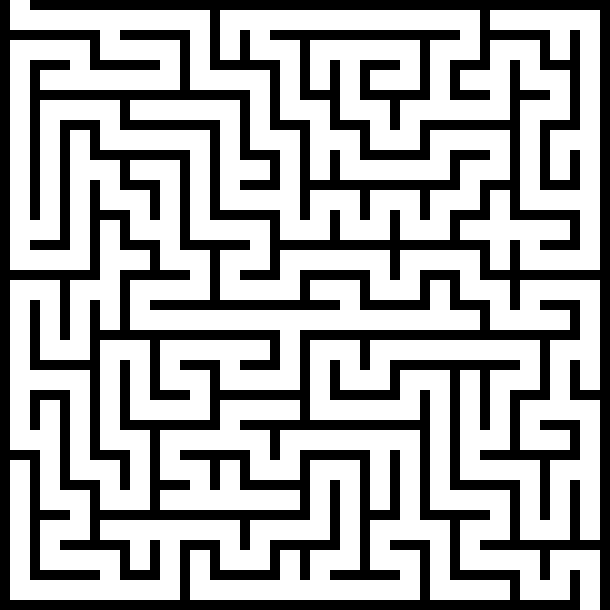
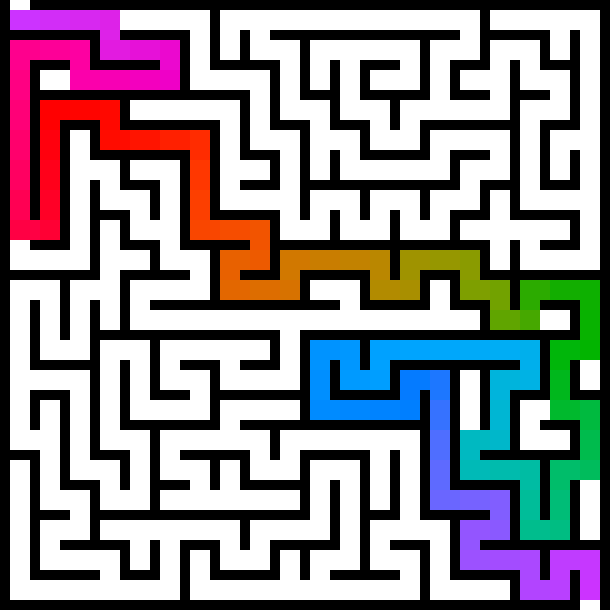
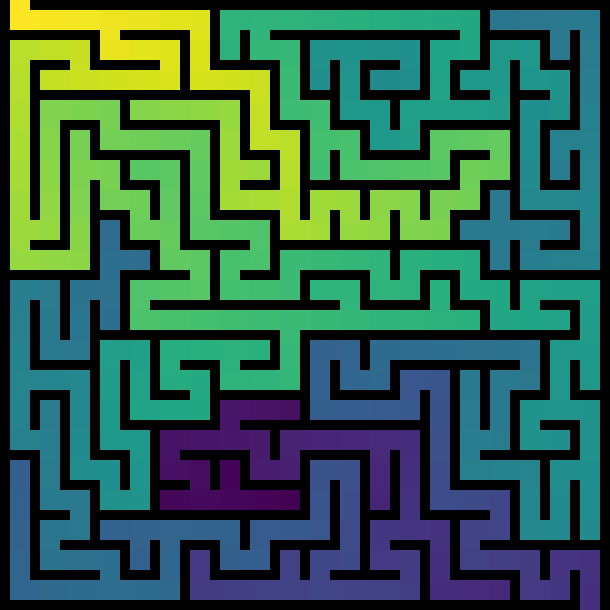
This 20×20 maze was generated by a randomized-DFS carving method, which usually leads to long, winding tunnels compared to other methods.
Solution of above maze
Distance heatmap of maze
Bigger Examples
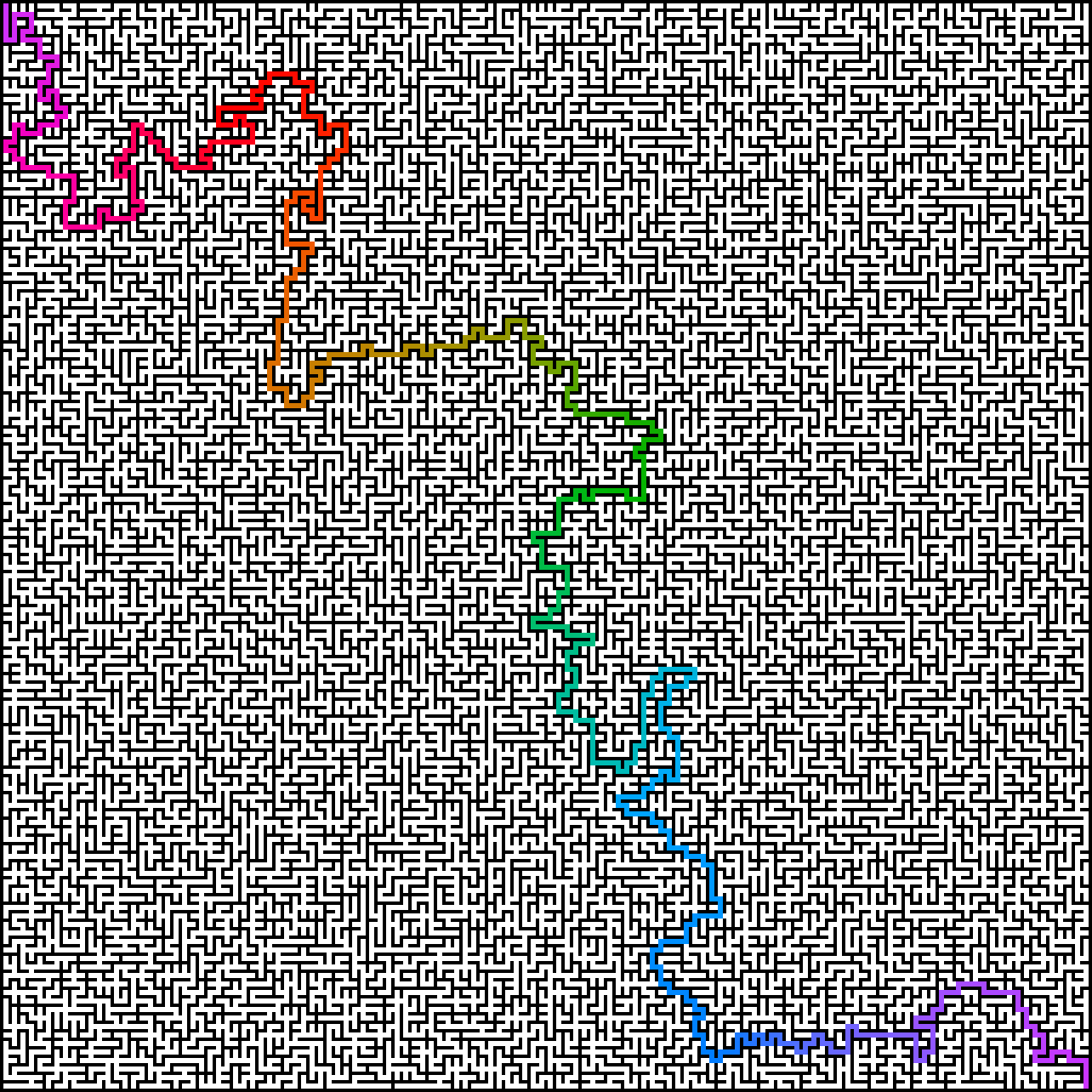
Solution of a 128×128 randomized-Kruskal maze.
'Great Wave off Kanagawa'
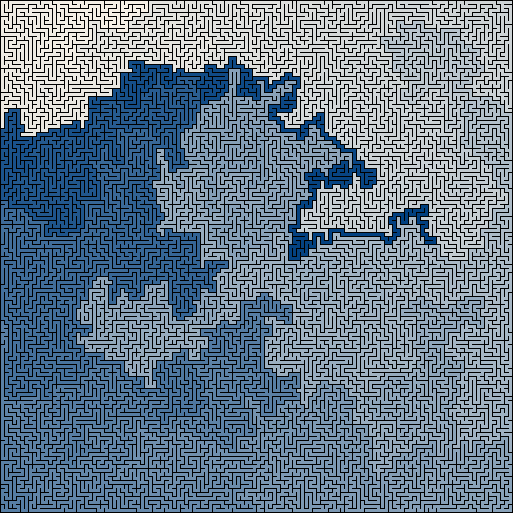
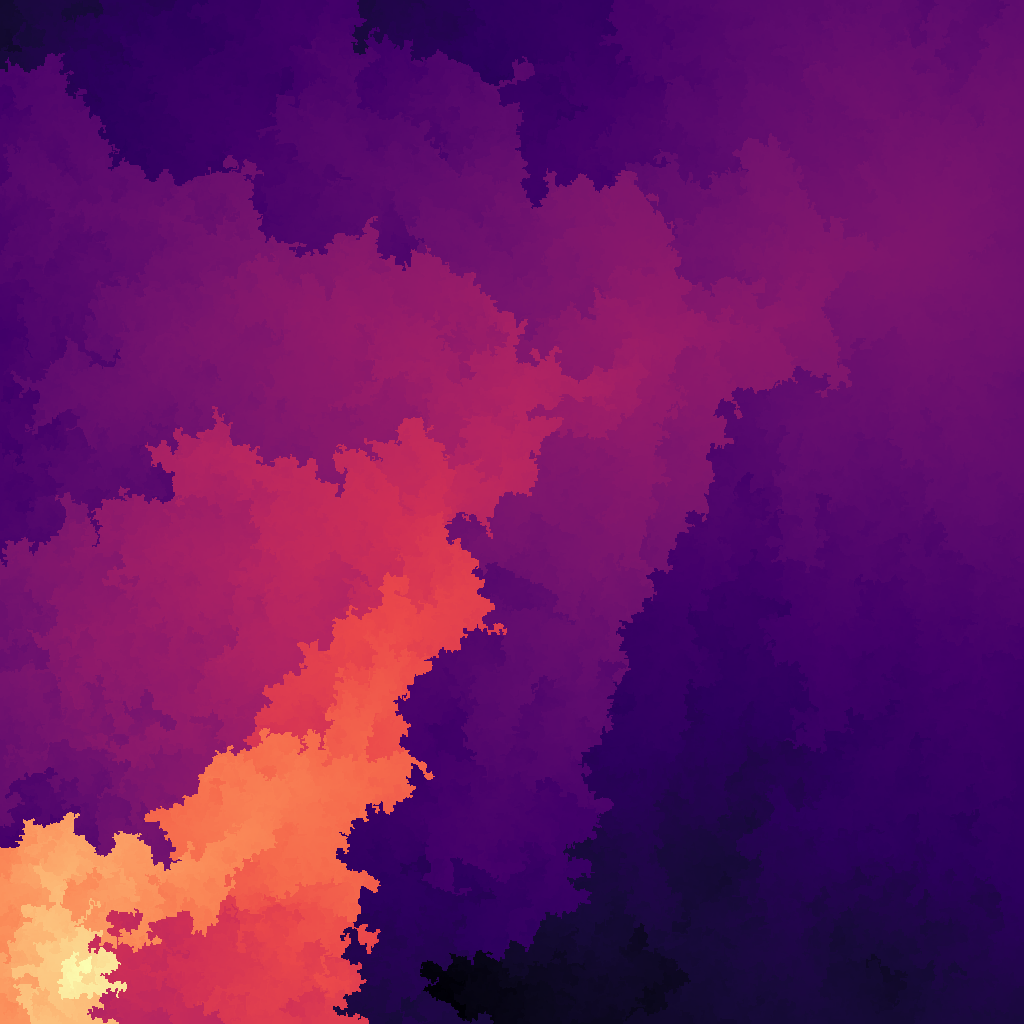
1920×1080 maze wallpaper variation (see others here)

'Magma' colormap.
Animations
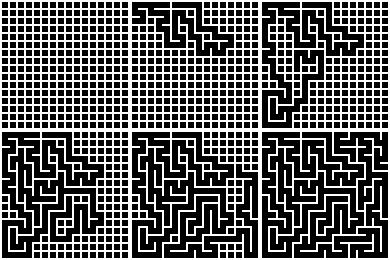
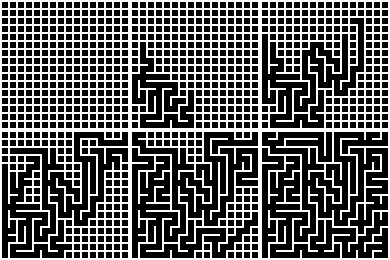
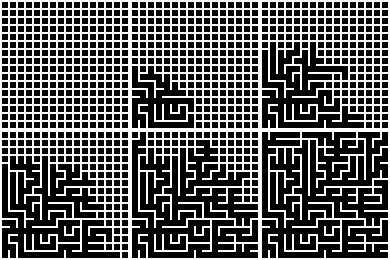
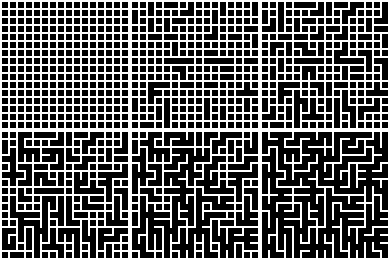
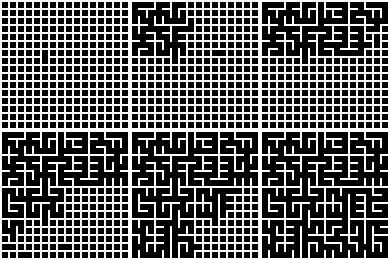
Comparing Algorithms
Backtracker
Growing-Tree
Prim
Kruskal
Divide and Conquer
Mixing Algorithms
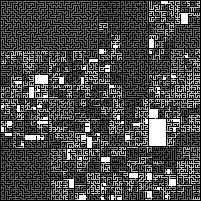
'x-divide-and-conquer' (better name pending) is a variation on normal divide-and-conquer where any recursive call may decide to let an arbitrary algorithm finish the remaining subsection. This allows mazes to be correctly and seamlessly built using independent perfect maze algorithms. (*Note that actual implementation includes a clear-area subalgorithms, because having empty rooms in the maze is fun)
Mixed Divide-and-Conquer
Code Examples
Generate a simple maze and print it to console (Unicode & ASCII).
from mazing import Maze

# Blank, new maze
my_maze = Maze(16,16)

# Randomize maze
my_maze.backtracker()

# Use a Unicode string function
print(my_maze.str_frame())

# Use an ASCII string function
print(my_maze.str_frame_ascii())
Generate a large maze and save a normal image and a solution.
from mazing import Maze

# Blank, new maze
my_maze = Maze(100,100)

# Randomize maze
my_maze.growing_tree()

# Generate normal image, then save it
img = my_maze.generate_image()
img.save(img.filename)

# Generate solution image, then save it
imgsol = my_maze.generate_solutionimage()
imgsol.save(imgsol.filename)
Generate an animation of how `backtracker` works.
from mazing import Maze

# Generate animation frames
(frames, _resulting_maze) = Maze.generate_animation(16,16, Maze.backtracker)

# Save frames as .gif animation
frames[0].save(
    frames[0].filename,
    save_all=True,
    append_images=frames[1:],
    duration=30,
)
Make a very large maze to be used as HD desktop wallpaper.
from mazing import Maze
import colortools as ct

# Blank, new maze
my_maze = Maze(1920,1080) # (<!- Python be slow)

# Randomize maze
my_maze.backtracker()

# Precomputes distances
my_maze.compute_distances()

# Generate image
imgdst = my_maze.generate_colorimage(
    gradient_colors=ct.COLORMAPS['acton'][::-1], # (Makes bright -> dark)
    raster=my_maze.generate_raster(
        wall_air_ratio=(0,1), # (No walls, Only air)
        show_distances=True # (Color in distances)
    )
)

# Save image
imgdst.save(imgdst.filename)
Generate an interesting maze, then slowly escalate customization when saving images.
from mazing import Maze
import colortools as ct

my_maze = Maze(256,256)
my_maze.xdivision()

# 1) Solution image
imgsol = my_maze.generate_solutionimage()
imgsol.save(imgsol.filename)

# 2) Normal image, altered colors
img = my_maze.generate_image(
    wall_air_colors=(ct.COLORS['sepia'],ct.COLORS['vellum']),
)
img.save(img.filename)

# 3) Algorithms map, raster adapted
imgalg = my_maze.generate_algorithmimage(
    raster=my_maze.generate_raster(
        decolumnated=True,
        wall_air_ratio=(1,2),
        show_algorithms=True,
    ),
)
imgalg.save(imgalg.filename)

# 4) Branch distances, colors and raster adapted
my_maze.compute_branchdistances()
imgdst = my_maze.generate_colorimage(
    gradient_colors=ct.COLORMAPS['redyellowblue'][::-1], # makes bright -> dark
    raster=my_maze.generate_raster(
        decolumnated=True,
        wall_air_ratio=(1,2),
        show_distances=True,
    ),
)
imgdst.save(imgdst.filename)
More About
Don't you have exams to write?
Messing with mazes is tons of fun, and their graph algorithms are interesting (lots of different 'flavors' of mazes), also ASCII art is cool, and, then I uh, kinda got lost learning about different color spaces and what makes good color gradients for scientific graphs too, and, and Python decorators kept me occupied (& did you know that yield from is a valid syntax struct in Python?), so anyway uh....
Repository File Summaries
Purposes of each file;
-
mazing.py- Main maze functionality (see above) -
playground- Sandbox functionality to trymazing. -
benchmark.py- Personal mini-benchmark script. -
colortools.py- Homebrewn color module.- Common/useful color constants
- Interpolation functions
- Color gradient presets
- Conversion between color spaces
-
benchtools.py- Minimal timing decorators.timedto time a function by its name- explicit
timed_titledfor lambdas
-
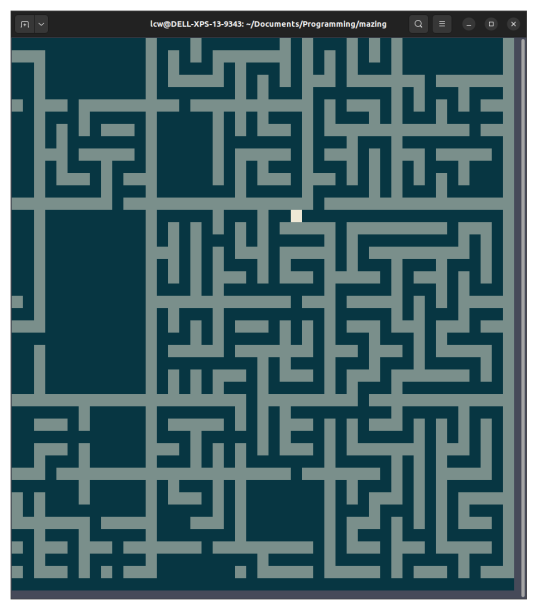
prototype_gridrunner.py- Unfinished top-down maze navigator implemented usingcurses. I don't intend on continuing work on it.- Should correctly display and appropriately scroll large mazes.
- Navigate the maze on-screen using arrow keys or w, a, s, d.
- Use shift in combination with the latter to jump to next wall.
Console Screenshot
Resources
- Jamis Buck. This was my main inspiration for many of the results in this repository; His book Mazes for Programmers might be an excellent read for the interested.
- Walter Pullen
- Javidx9
- armin-reichert
more like this
thorn
a pure lazy functional programming language to make ASCII art animations (and other things too)
emoticon_kaomoji_dataset
Dataset of 62,000 text emoticons and kaomojis with labels.