perplexity-cli
🧠 A simple command-line client for the Perplexity API. Ask questions and receive answers directly from the terminal! 🚀🚀🚀
Python★ 176
Local-first desktop activity tracker — see where your hours go, with on-device AI daily summaries and optional multi-de…
 Tomotsugu-dev
A local-first computer activity log & AI review tool
Automatically records app and window activity and shows where your time went by day, week, and month — no manual timers, no project tags to maintain.
简体中文 · 繁體中文 · English · 日本語 · Português

Download latest · Interface Preview · Key Features · Quick Start
App preview · Hindsight's core interactions in 1 minute
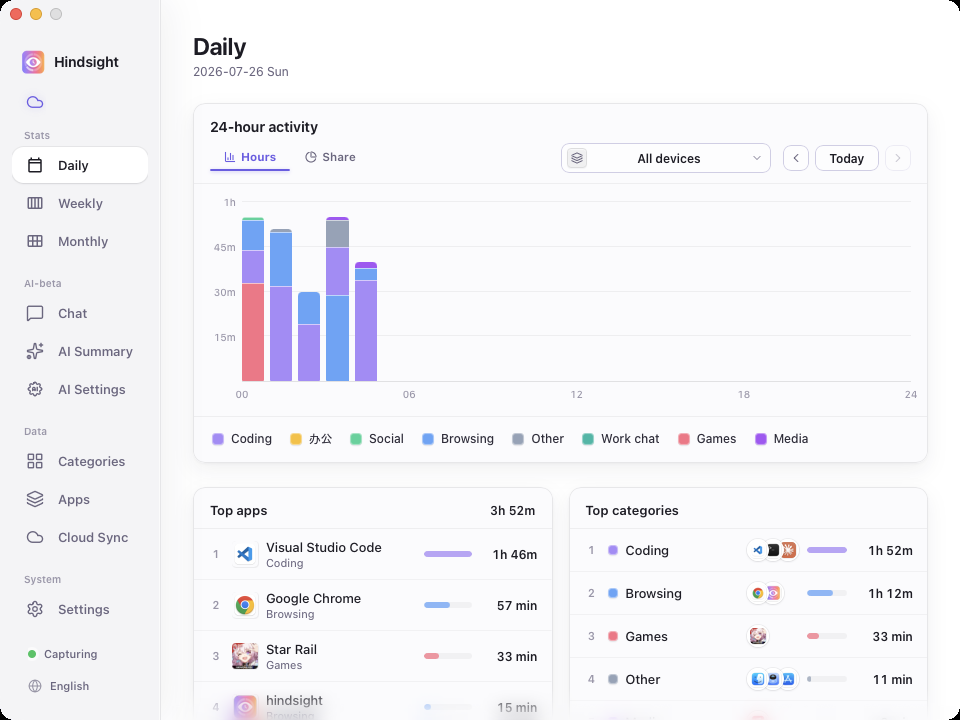
Daily stats · 24-hour stacked timeline × app / category rankings — see where today went at a glance
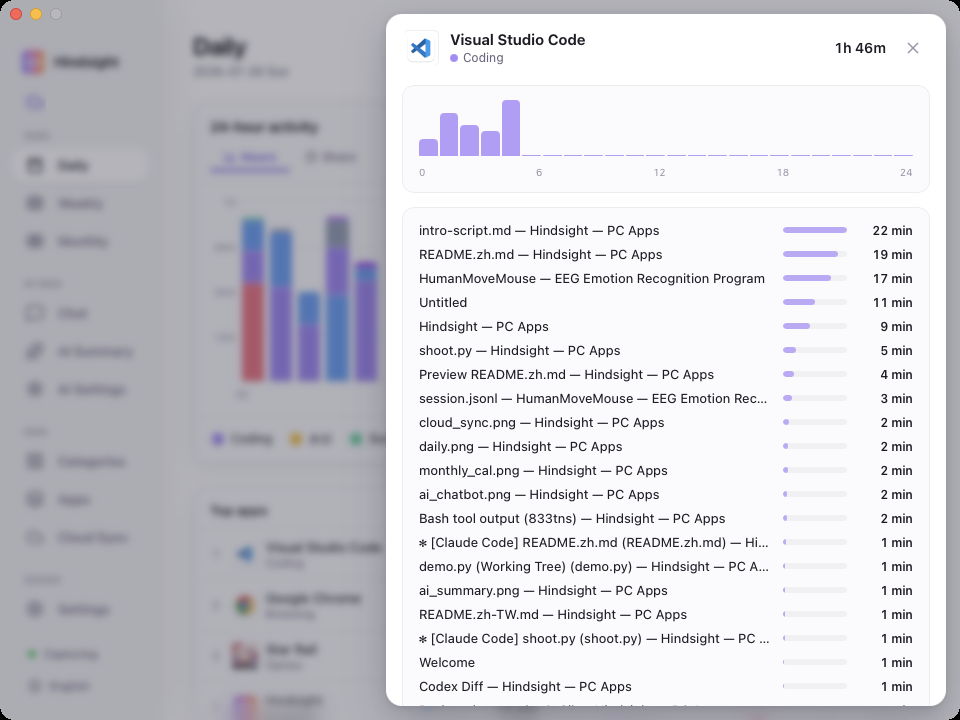
App detail · Click any app to see what you were actually doing inside it
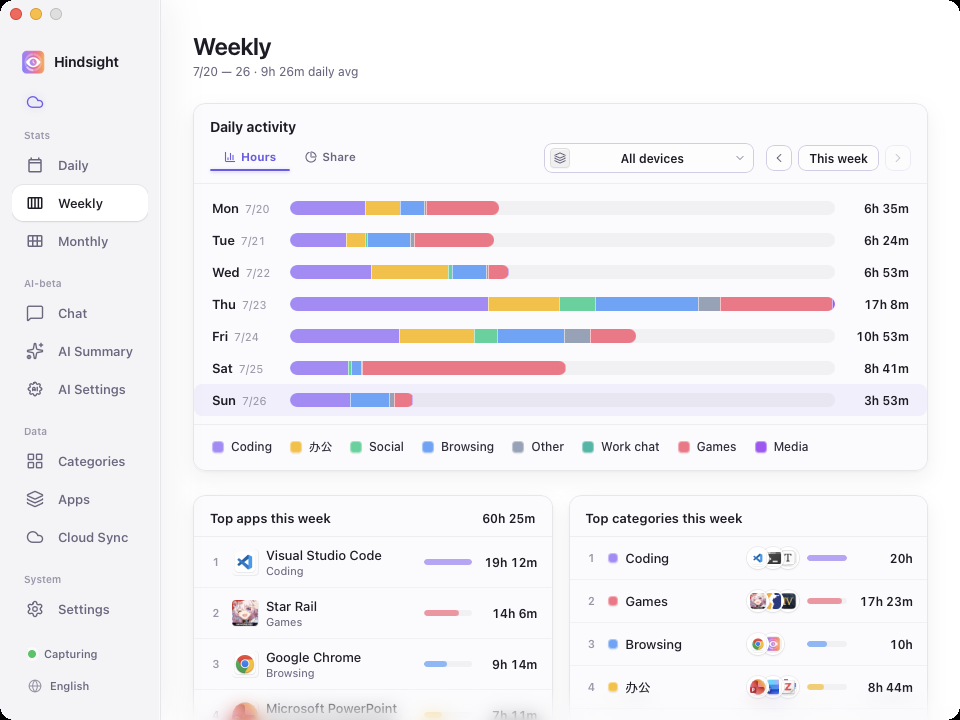
Weekly stats · Your whole week at a glance
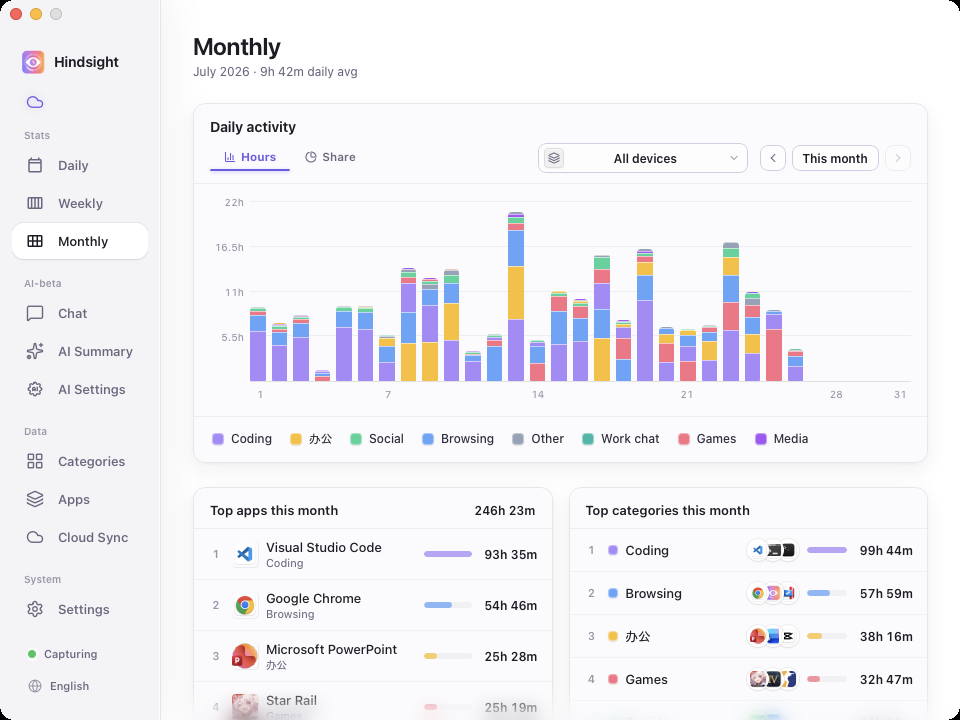
Monthly stats · Daily activity bars with app / category rankings — see where this month's time really went
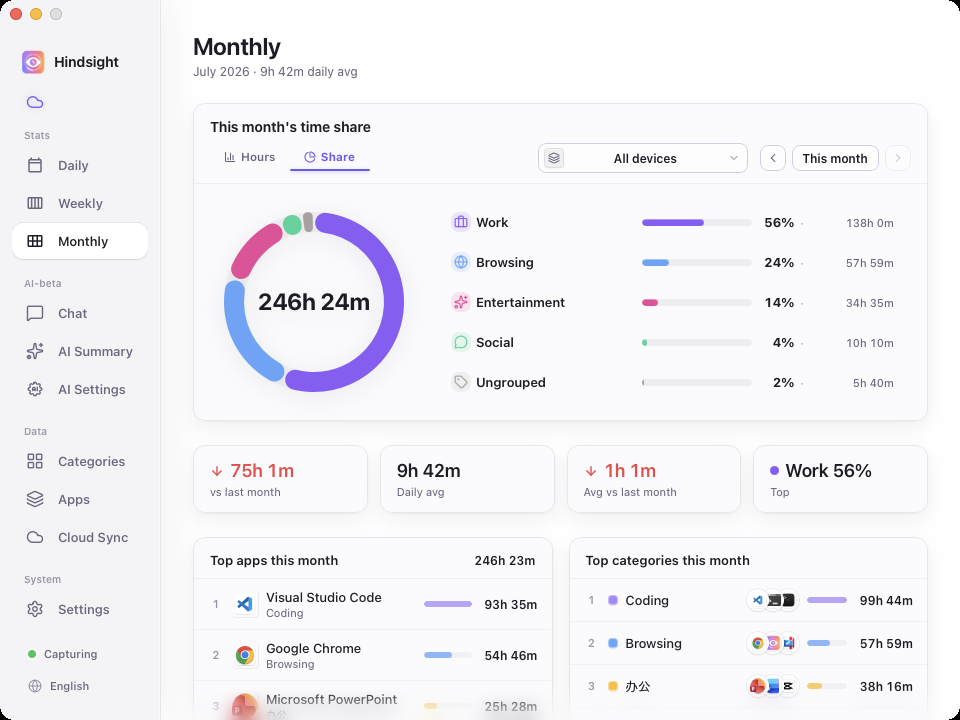
Monthly breakdown · Time share by category, with totals, daily average, and change vs. last month
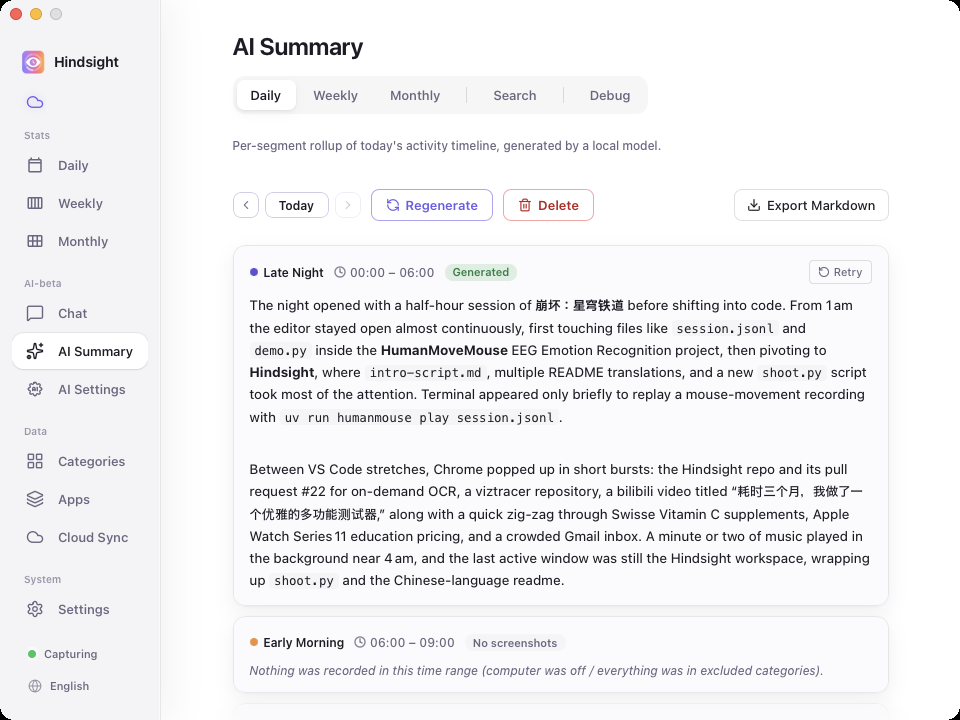
AI daily report · A local or cloud model rolls up each segment of your day into a written report
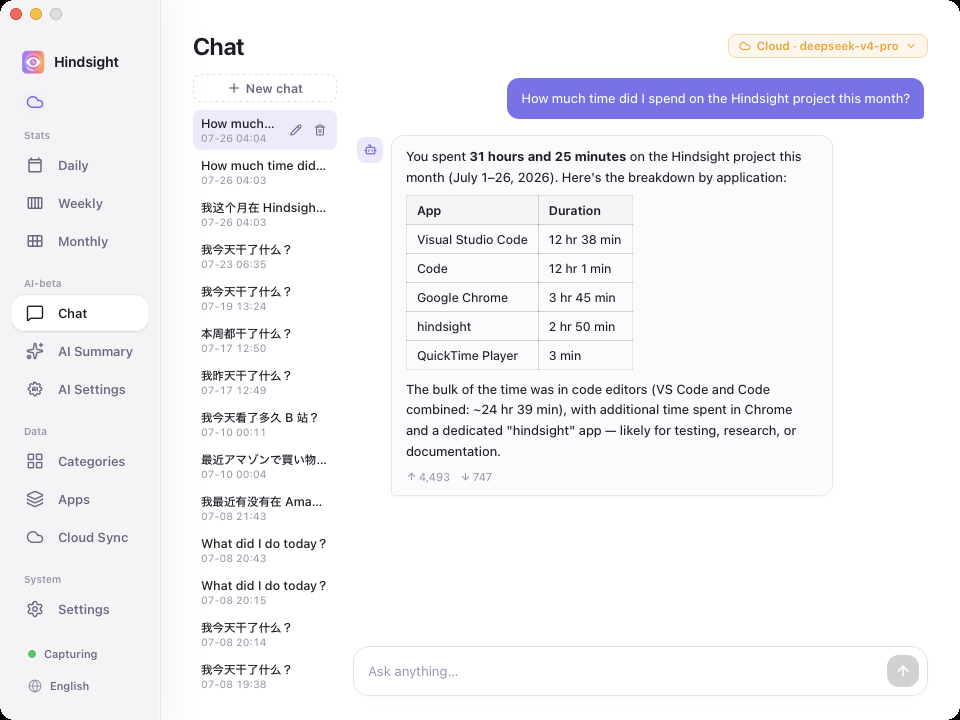
AI chat · Just ask, e.g. "How much time did I spend on X this month?"
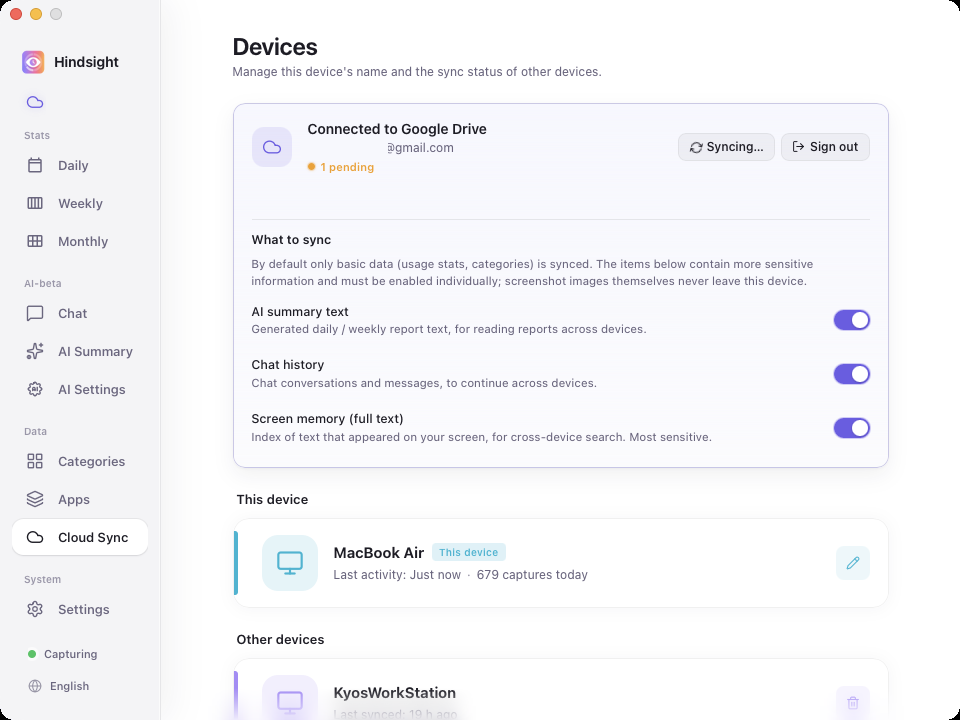
Multi-device sync · For people who use more than one computer
Have you ever closed the laptop at midnight feeling like you "worked all day" but couldn't say what you actually got done? A while back I went hunting for a tracker to fix exactly that. Tried a bunch — none of them stuck:
To fix exactly these gaps, I built Hindsight.
Download the installer for your platform from Releases and install it.
Download hindsight_x.y.z_x64-setup.exe and double-click to install.
⚠️ First launch will trigger "Windows protected your PC" — the installer is not yet signed with an EV code-signing certificate, so SmartScreen will block it. Click "More info" → "Run anyway" to continue.
Download hindsight_x.y.z_universal.dmg (Apple Silicon + Intel universal binary), double-click to mount, then drag Hindsight into the Applications folder. The app is signed with an Apple Developer certificate and notarized, so it opens normally without any Gatekeeper warning.
All activity data and screenshots are stored locally by default. If you enable Google Drive sync, only activity metadata will be uploaded, screenshots will not be uploaded.
This project is open source under the MIT License. Feel free to use, modify, and distribute.
© 2026 Hindsight contributors
more like this
🧠 A simple command-line client for the Perplexity API. Ask questions and receive answers directly from the terminal! 🚀🚀🚀
Comprehensive analytics dashboard for AI coding agents — Cursor, Windsurf, Claude Code, VS Code Copilot, Zed, Antigravi…
Firefox and Chrome extensions to prevent Google from making links ugly.
search projects, people, and tags