night-owl-sublime-scheme
A Sublime Text color scheme based on Sarah Drasner's Night Owl VSCode theme
 VonHeikemen
★ 53⑂ 5 forksMITupdated 5 years ago
git clone https://github.com/VonHeikemen/night-owl-sublime-scheme.gitVonHeikemen/night-owl-sublime-schemeREADME.mdfork it — it’s yours
A port of Sarah Drasner's Night Owl VSCode theme
A theme for the night owls out there. Works well in the daytime, too, but this theme is fine-tuned for those of us who like to code late into the night.
As of 1.0.0, there's a Light Owl Theme too! Color balanced from the Dark version for easy viewing in daylight.
Getting Started
Installation
Recommended
Install Night Owl via Package Control.
- Open the Command Palette via Ctrl/⌘+Shift+p
- Select Package Control: Install Package
- Search for
Night Owland press ↲ Enter
Manual
- Clone or download this repository, (re)name the folder to
Night Owlif necessary. - Move the folder inside your sublime
/Packages. (Preferences > Browse Packages...)
Activation
Color Scheme
Recommended
- Open the Command Palette via Ctrl/⌘+Shift+p
- Select UI: Select Color Scheme
- Search for
Night OwlorNight Owl - Lightand press ↲ Enter
Via Preferences
Set the color scheme in your user settings Preferences > Settings:
- Dark theme
"color_scheme": "Packages/Night Owl/Night Owl.sublime-color-scheme"
- Light theme
"color_scheme": "Packages/Night Owl/Night Owl - Light.sublime-color-scheme"
Color Palette
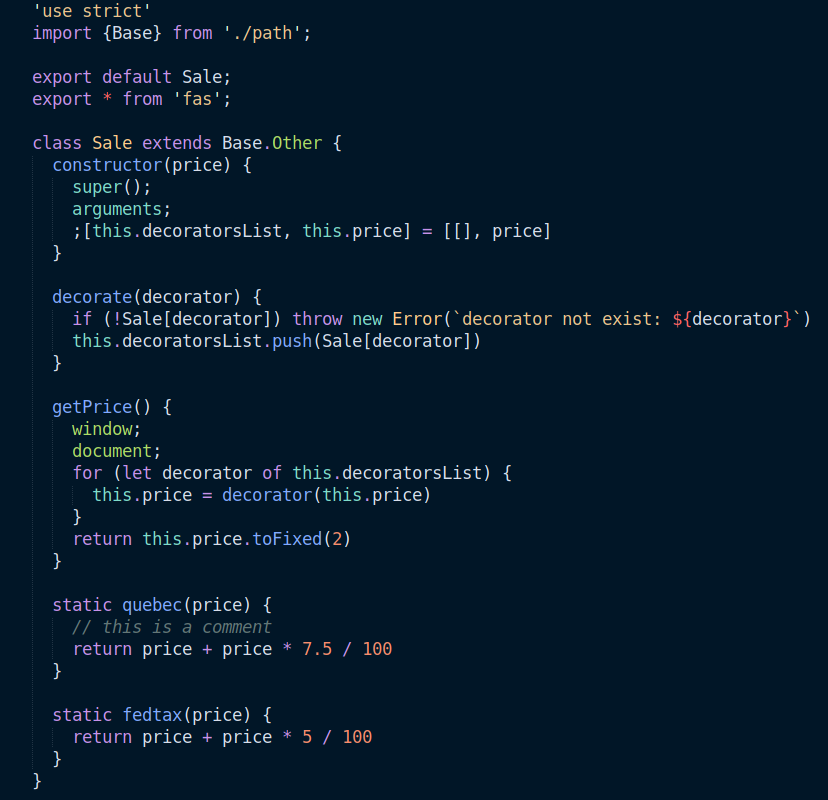
Dark theme
| Use | Color | Sample |
|---|---|---|
Background
|
#011627 |
|
Foreground
|
#D6DEEB |
|
Cursor
|
#80A4C2 |
|
Active selection
|
#1D3B53 |
|
Inactive selection
|
#7E57C25A |
|
Search highlight
|
#5F7E97 |
|
Comment
|
#637777 |
|
Constant
|
#FF6363 |
|
Numbers
|
#F78C6C |
|
Keywords
|
#C792EA |
|
Functions
|
#82AAFF |
|
Quoted strings
|
#ECC48DFF |
|
Support
|
#ADDB67 |
|
Language variables
|
#7FDBCA |
|
Invalid construct
|
#FF2C83 |
|
Preview
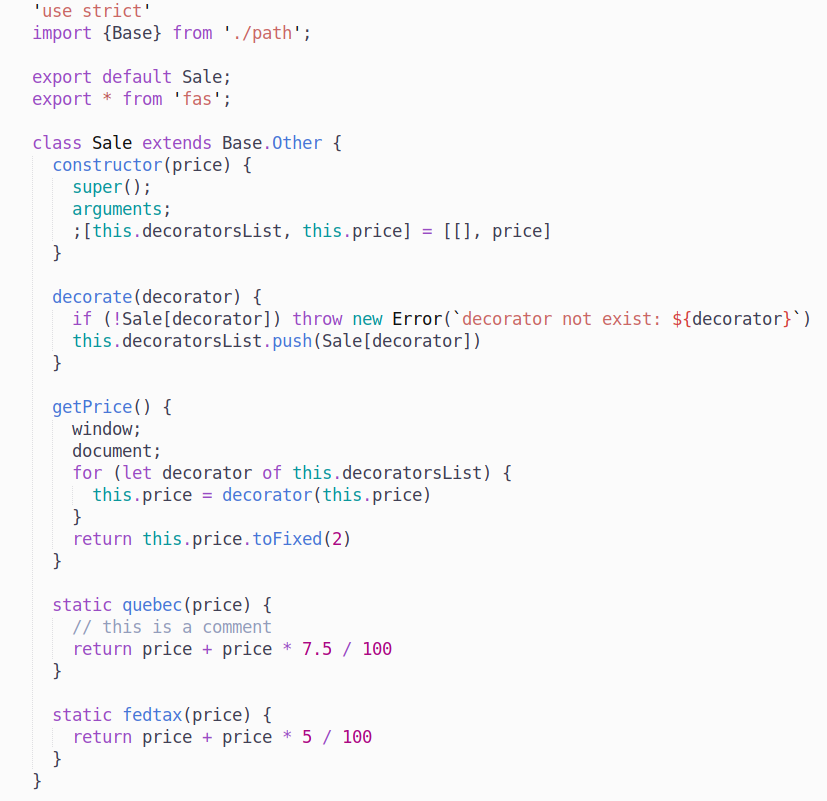
Light theme
| Use | Color | Sample |
|---|---|---|
Background
|
#FBFBFB |
|
Foreground
|
#403F53 |
|
Cursor
|
#90A7B2 |
|
Active selection
|
#E0E0E0 |
|
Inactive selection
|
#EDEDED |
|
Search highlight
|
#93A1A16C |
|
Comment
|
#989FB1 |
|
Constant
|
#BC5454 |
|
Numbers
|
#AA0982 |
|
Keywords
|
#994CC3 |
|
Functions
|
#4876D6 |
|
Quoted strings
|
#C96765 |
|
Support
|
#4876D6 |
|
Language variables
|
#0C969B |
|
Invalid construct
|
#FF2C83 |
|
Preview
more like this
gns3theme
Custom color themes for GNS3 GUI. Built-in schemes, custom JSON themes, device symbols. Supports Linux and macOS.
Python★ 50
Aritim-Light
A Light theme for both KDE and GTK based distros, pleasant to the eyes and perfect for your daily workload.
CSS★ 51