TachiSnap
TachiSnap — Pixel Snapper for animation pixel artists. Rust + WebAssembly client-side tool for cleaning up AI-generated…
HTML★ 50
Firmware for Anne Pro Keyboard written in Rust
 ah-
ah-git clone https://github.com/ah-/anne-key.gitah-/anne-key
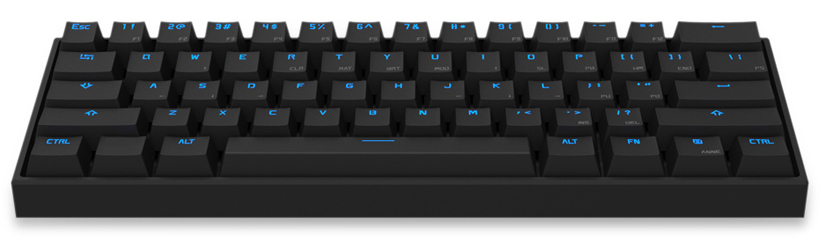
This is an alternative firmware for the Anne Pro Keyboard, with the goal of being more stable than the original firmware and adding extra features.
For the Anne Pro 2 (with USB-C connector), please follow and help with the OpenAnnePro project (including flashing, bootloader, and more in the future). The developers also hang out in the Anne Pro Dev discord.
This project is still under heavy development and probably not quite ready yet to serve as your only keyboard.
Working today:
Not yet implemented:
5 key
in BT layer)We hang out in the Anne Pro Dev discord. Please observe the Rust Code of Conduct within our community.
You can find the latest build on the Releases page. Download anne-key.dfu.
If LEDs aren't working with latest build, you can try build 209
, or the following procedure: reboot into DFU mode by holding down Fn+Space+Esc, then exit with Esc.
Then you can either follow the obins firmware update steps (click Update manual) or use dfu-util.
First you'll need to install dfu-util.
To flash your Anne Pro connect via USB, then hold down the Esc button, press the little reset switch on the back and finally release Esc.
Now your keyboard is in DfuSe mode. It should show up in dfu-util:
$ dfu-util -l
dfu-util 0.9

...

Found DFU: [0483:df11] ver=0200, devnum=23, cfg=1, intf=0, path="20-2", alt=2, name="@BluetoothFlash  /0x1c000000/14*256 a,192*256 g", serial="057C37553731"
Found DFU: [0483:df11] ver=0200, devnum=23, cfg=1, intf=0, path="20-2", alt=1, name="@Internal Flash  /0x0c000000/64*256 a,192*256 g", serial="057C37553731"
Found DFU: [0483:df11] ver=0200, devnum=23, cfg=1, intf=0, path="20-2", alt=0, name="@Internal Flash  /0x08000000/64*256 a,192*256 g", serial="057C37553731"
Then you can flash your keyboard firmware:
$ dfu-util --alt 0 --intf 0 --download anne-key.dfu

...

file contains 1 DFU images
parsing DFU image 1
image for alternate setting 0, (1 elements, total size = 5104)
parsing element 1, address = 0x08004000, size = 5096
Download        [=========================] 100%         5096 bytes
Download done.
done parsing DfuSe file
And that's it. Press the reset button again to exit the bootloader and return to normal keyboard mode and you're done!
If your keyboard is running our firmware, you can reboot to DFU mode by holding down Fn+Space+Escape.
If you want to return to the original firmware you can flash the original firmware with:
$ dfu-util --alt 0 --intf 0 --download "anne pro key 1.4.dfu"
You can find some documentation on hardware on GitBooks. Many fellow projects provide insights into the obins firmware and app protocol:
To build your own firmware, you need the following components:
rust-toolchain filecd ~ ; cargo install cargo-binutilsThen, make dfu in the top directory will build your anne-key.dfu.
To analyze the firmware's code size, you need cargo-bloat:
cargo install cargo-bloatmake bloatmake bloat BLOAT_ARGS="--crates" # passing arguments to cargo-bloatOur CI requires consistent formatting, please use our pre-commit hook to make sure:
cp scripts/pre-commit .git/hooks/pre-commitTo fix formatting:
make fmtmore like this
TachiSnap — Pixel Snapper for animation pixel artists. Rust + WebAssembly client-side tool for cleaning up AI-generated…
Pathfinding library for calculating all node pairs' shortest paths in an unweighted undirected graph.
search projects, people, and tags