handpose-facemesh-demos
🎥🤟 8 minimalistic templates for tfjs mediapipe handpose and facemesh
JavaScript★ 192
The RF and reverse engineering framework for everyone. Follow and ★ to show your support!
 ainfosec
Frequency Independent SDR-based Signal Understanding and Reverse Engineering
|
FISSURE Operational Overview |
FISSURE Overview (Slides) |
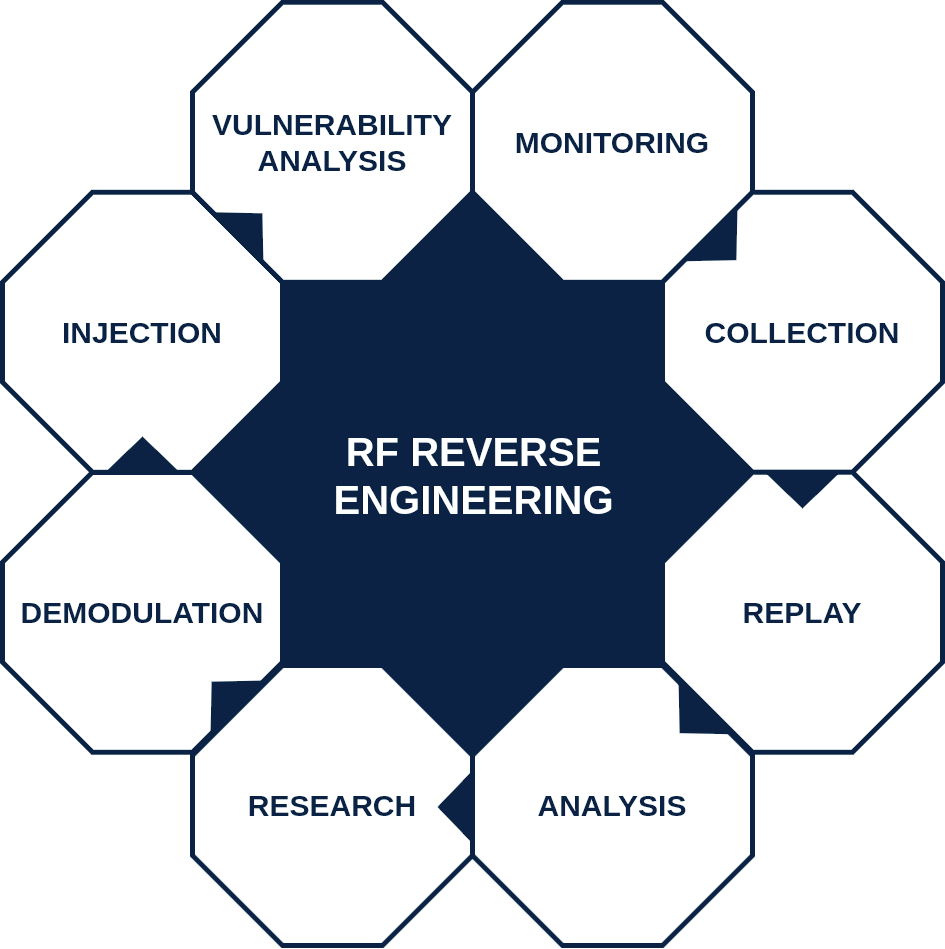
FISSURE is an open-source RF framework that supports both operational deployments and research and education.
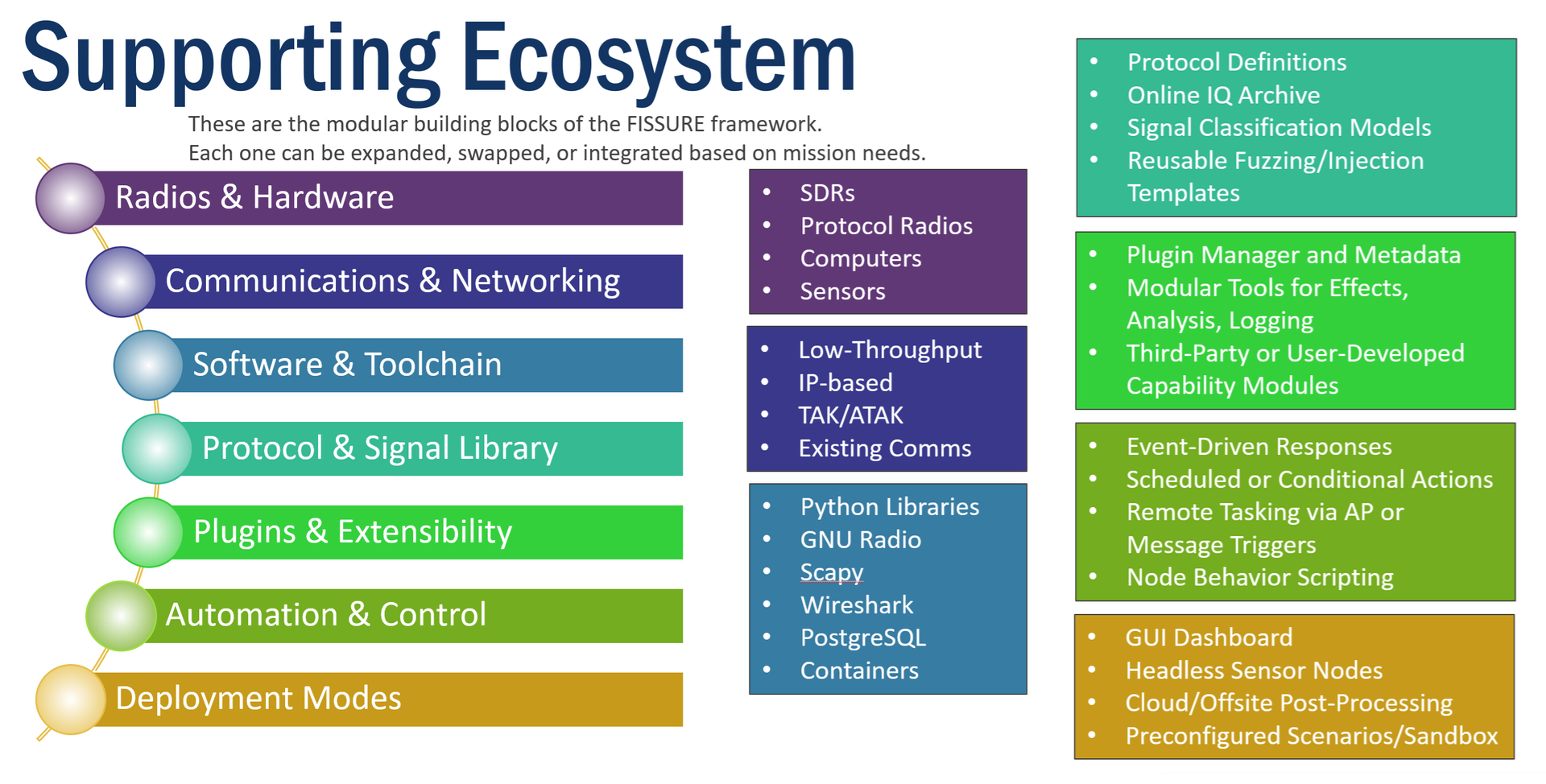
FISSURE streamlines complex SDR workflows by centralizing software, libraries, and reference material into one consistent framework that runs on desktops, laptops, single-board computers, and ruggedized systems, or scales to distributed tactical nodes networked in the field.

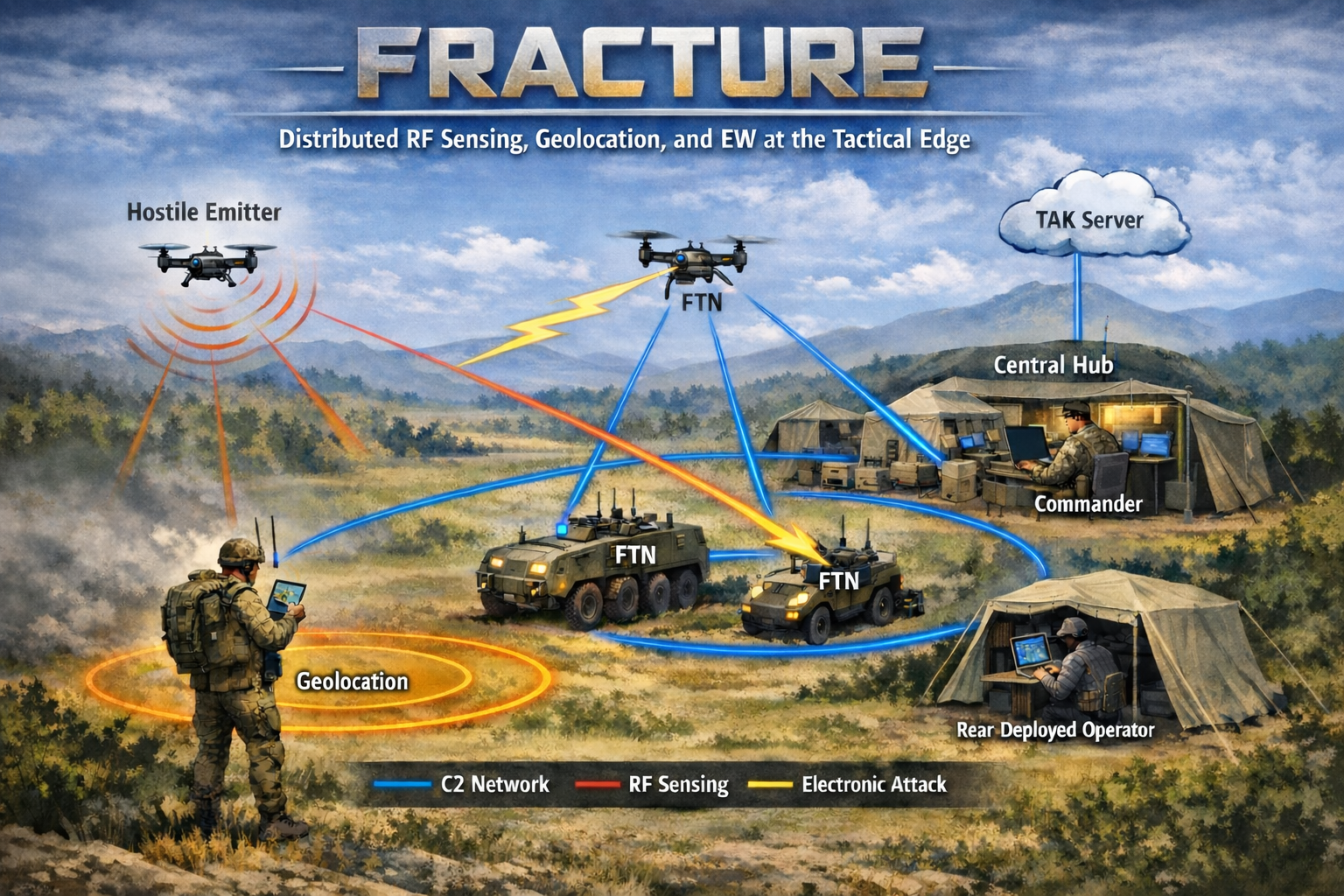
Fracture is AIS's deployable tactical RF system built on the open-source FISSURE framework.
FISSURE provides the underlying software environment for RF sensing, signal analysis, protocol experimentation, TAK integration, distributed node coordination, and plugin-based capability development. Fracture extends this foundation into deployable hardware configurations designed for operational use.
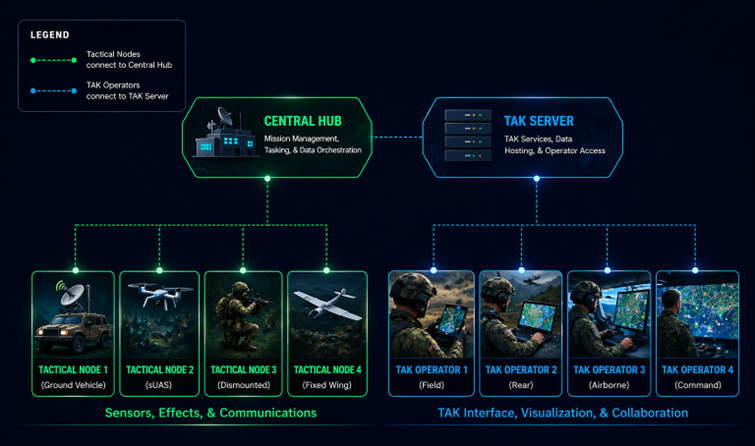
Fracture focuses on distributed RF sensing, geolocation, RF effects, electronic warfare workflows, and real-time operator control through WinTAK and ATAK. A central hub coordinates edge nodes over IP networks and long-range RF links to support sensing, targeting, and mission execution across distributed environments.
The architecture is designed to support fixed-site, vehicle, manpack, sUAS, and fixed-wing deployments while remaining extensible through FISSURE's plugin framework.
For organizations requiring a supported and integrated tactical RF capability, Fracture provides a productization path that preserves the flexibility, transparency, and extensibility of the underlying FISSURE ecosystem.
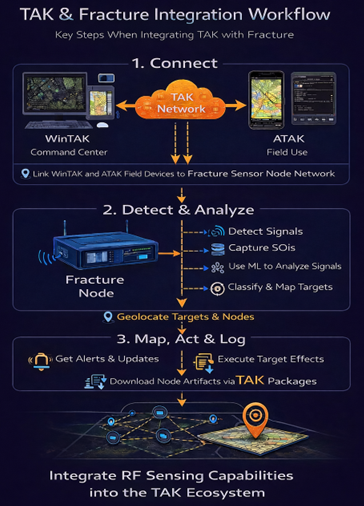
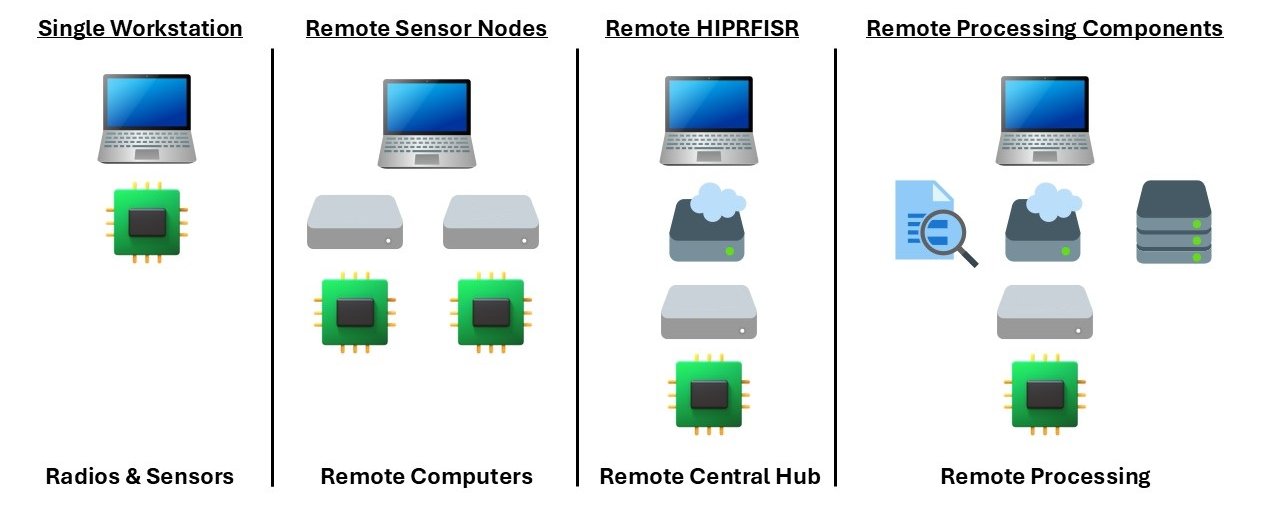
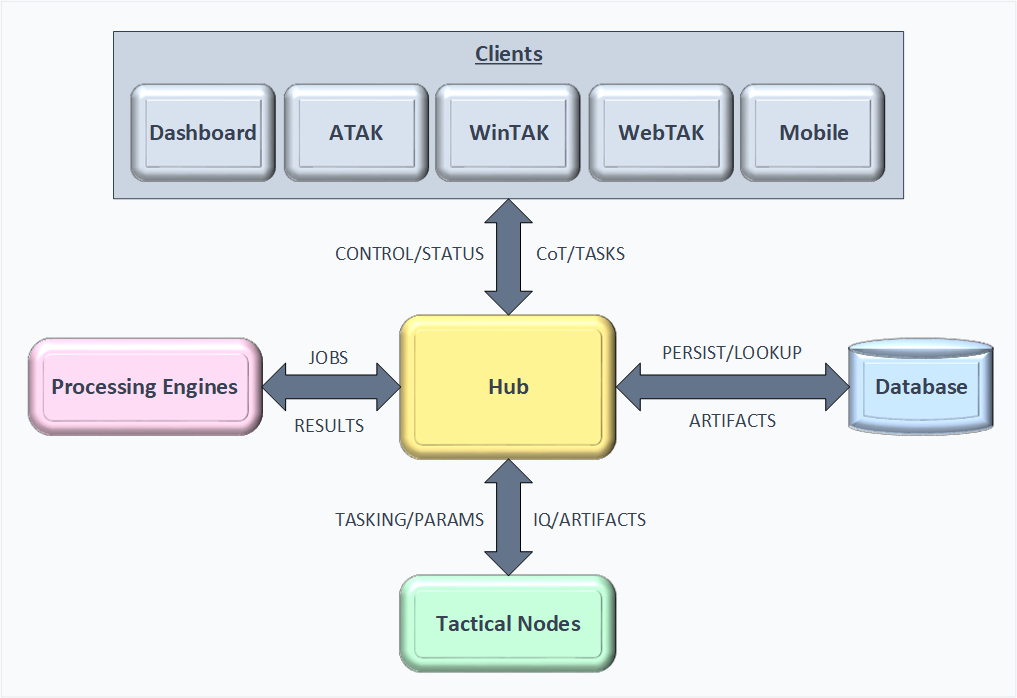
FISSURE’s roadmap evolves with customer demand and community feedback.
For the most up-to-date view, explore the interactive roadmap (updated every July):
FISSURE is supported by a series of white papers that explore both technical and operational applications across different domains.
AIS has published several articles highlighting FISSURE’s applications, updates, and use cases:
Plugin & Action Architecture: FISSURE is transitioning to a unified plugin and action framework that enables capabilities to be packaged, deployed, and executed across the Dashboard, sensor nodes, WinTAK, and ATAK.
WinTAK Integration: WinTAK now supports node management, alerts, targets, detections, artifacts, plugin selection, action execution, and distributed sensor node operations.
ATAK Integration: ATAK integration is actively under development, extending FISSURE and Fracture capabilities to mobile devices and tactical edge operators.
Distributed Tactical Nodes: Sensor nodes support remote operation, distributed sensing workflows, TAK integration, artifact collection, alerting, and plugin execution across IP-connected networks.
Geolocation & Target Management: Development efforts continue on RF geolocation, target management, multi-node coordination, and real-world operational testing.
Apptainer Containerization: FISSURE can be deployed within Apptainer containers to simplify installation, testing, portability, and deployment across supported platforms.
Fracture Architecture & TAK Workflows: New diagrams and documentation have been added to illustrate Fracture system architecture, TAK integration workflows, and distributed tactical operations.
May 5-8, 2025: SOF Week - Assured Information Security, Inc. (AIS) booth
Thu. February 6, 2025: Binghamton University Spring 2025 Job and Internship Fair - 1100-1500 EST
January 20, 2025 (Runs Indefinitely): FISSURE Challenge. Link (Now Live)
Tue. September 17, 2024: GNU Radio Conference 2024 - 1605-1635 EST Description/Slides, Live Recording
Thu. September 5, 2024: Binghamton University STEM Job and Internship Fair - 1100-1530 EST
Sat. August 10, 2024: DEF CON 32 - RF Village - 1400-1500 PST. Prerecorded Video, Live Recording
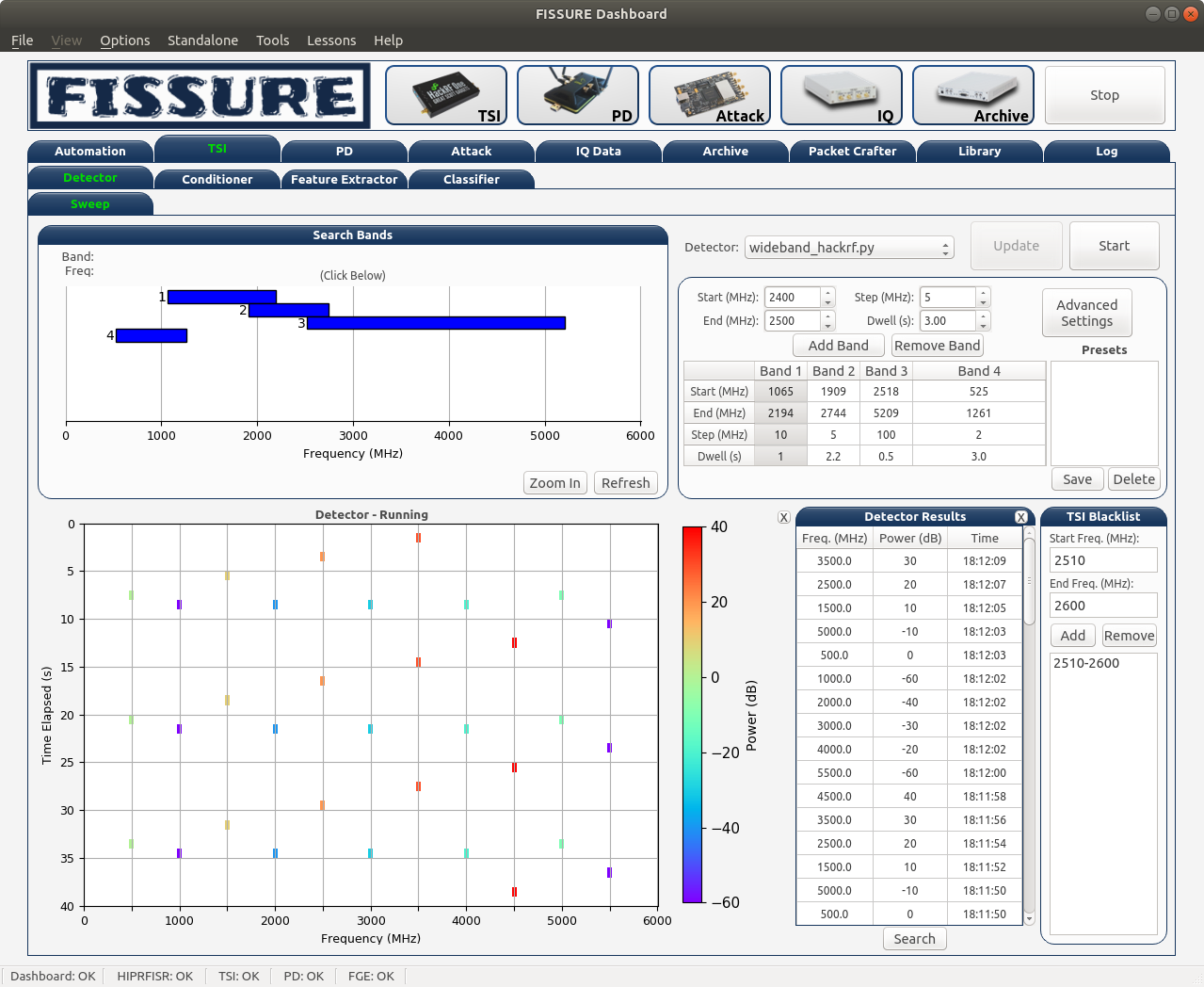 Signal Detector Signal Detector |
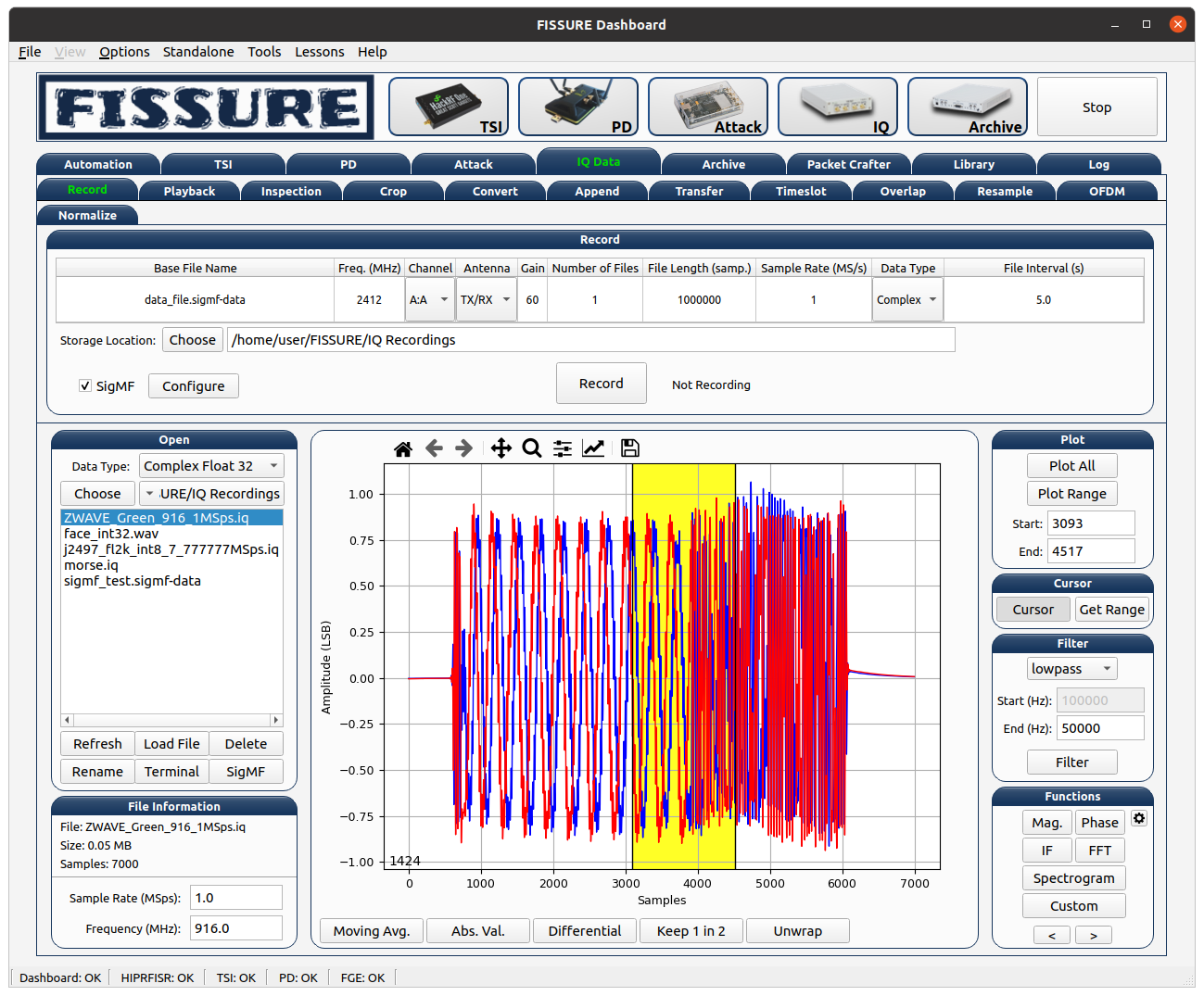 IQ Manipulation IQ Manipulation |
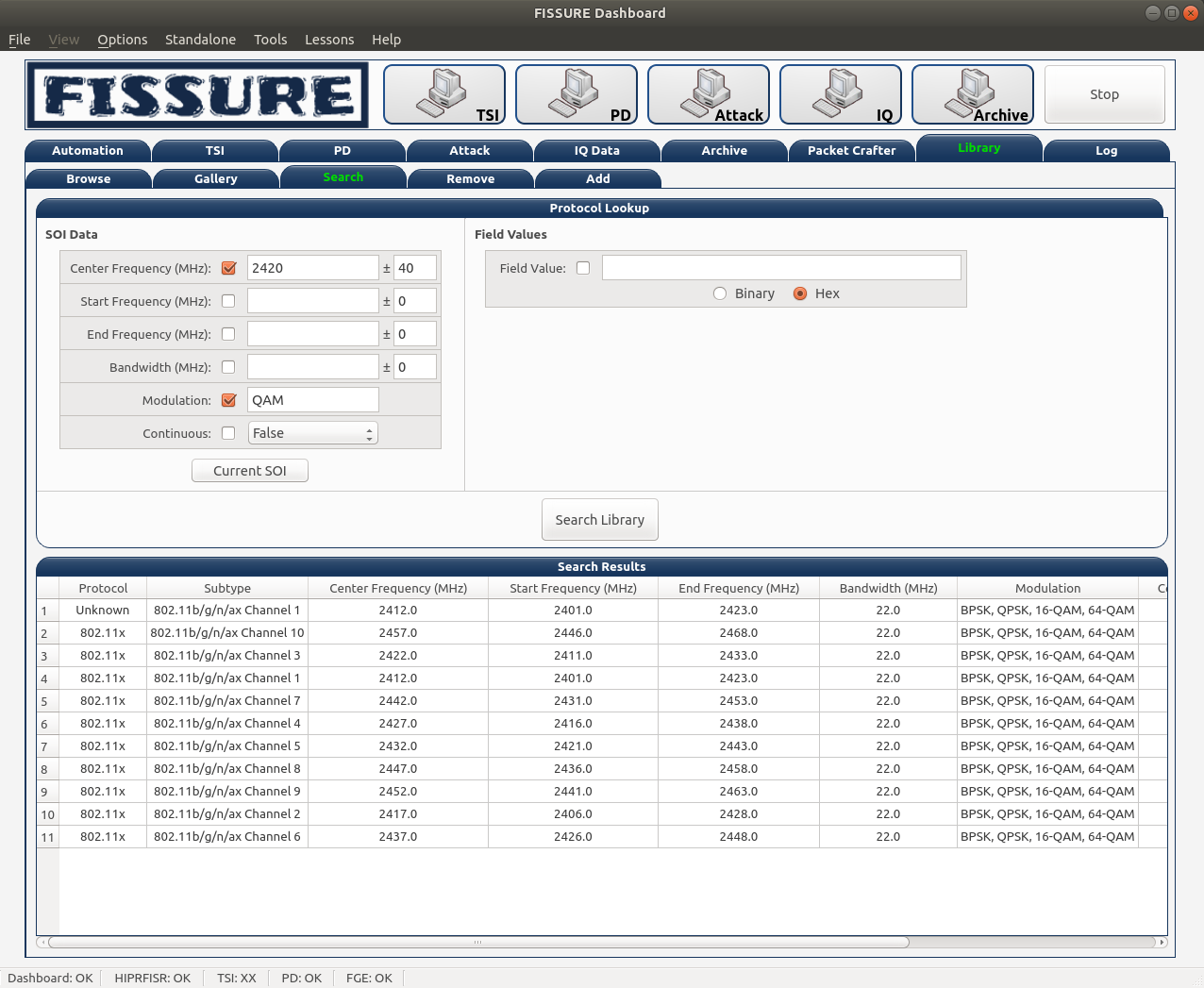 Signal Lookup Signal Lookup |
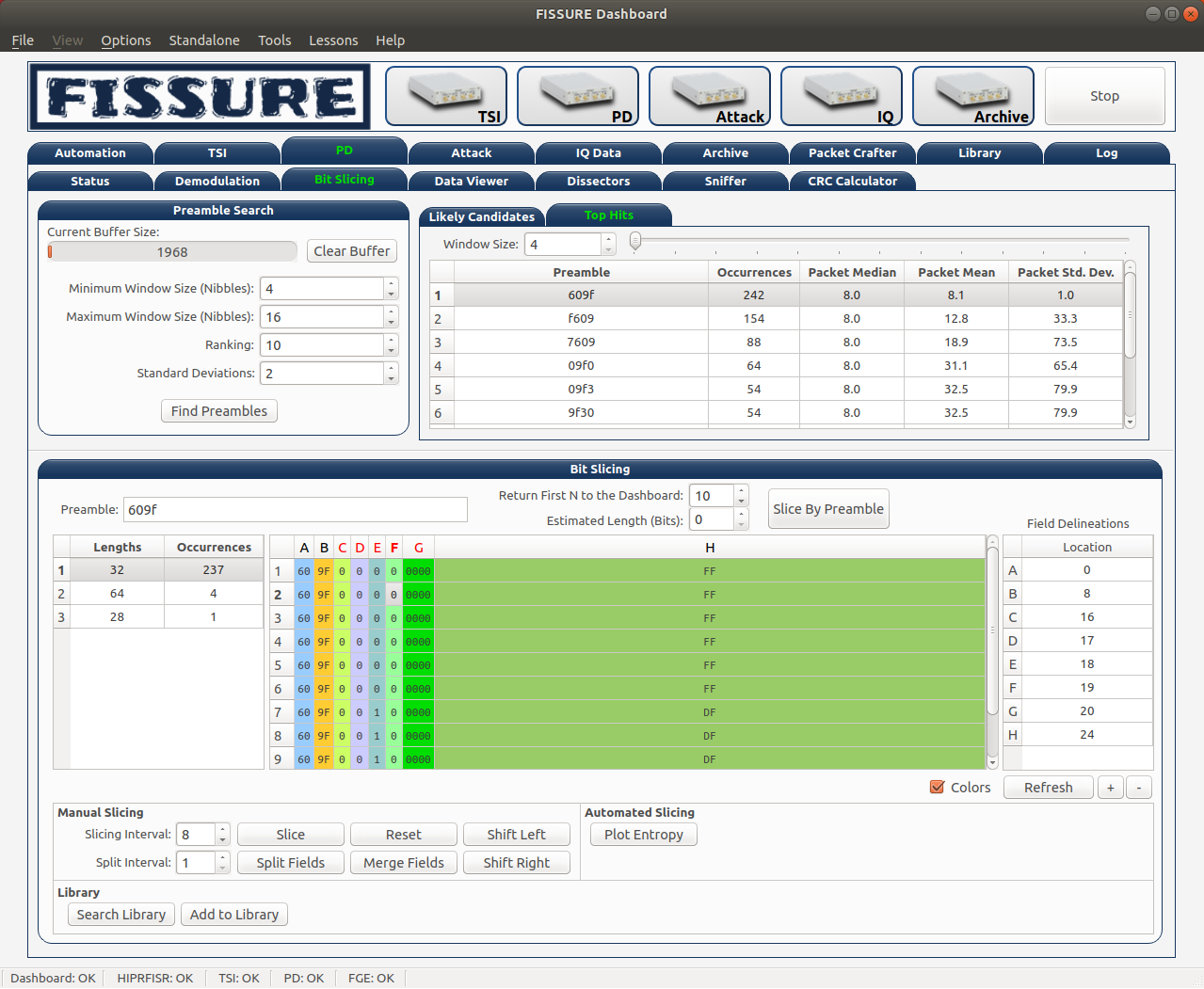 Pattern Recognition Pattern Recognition |
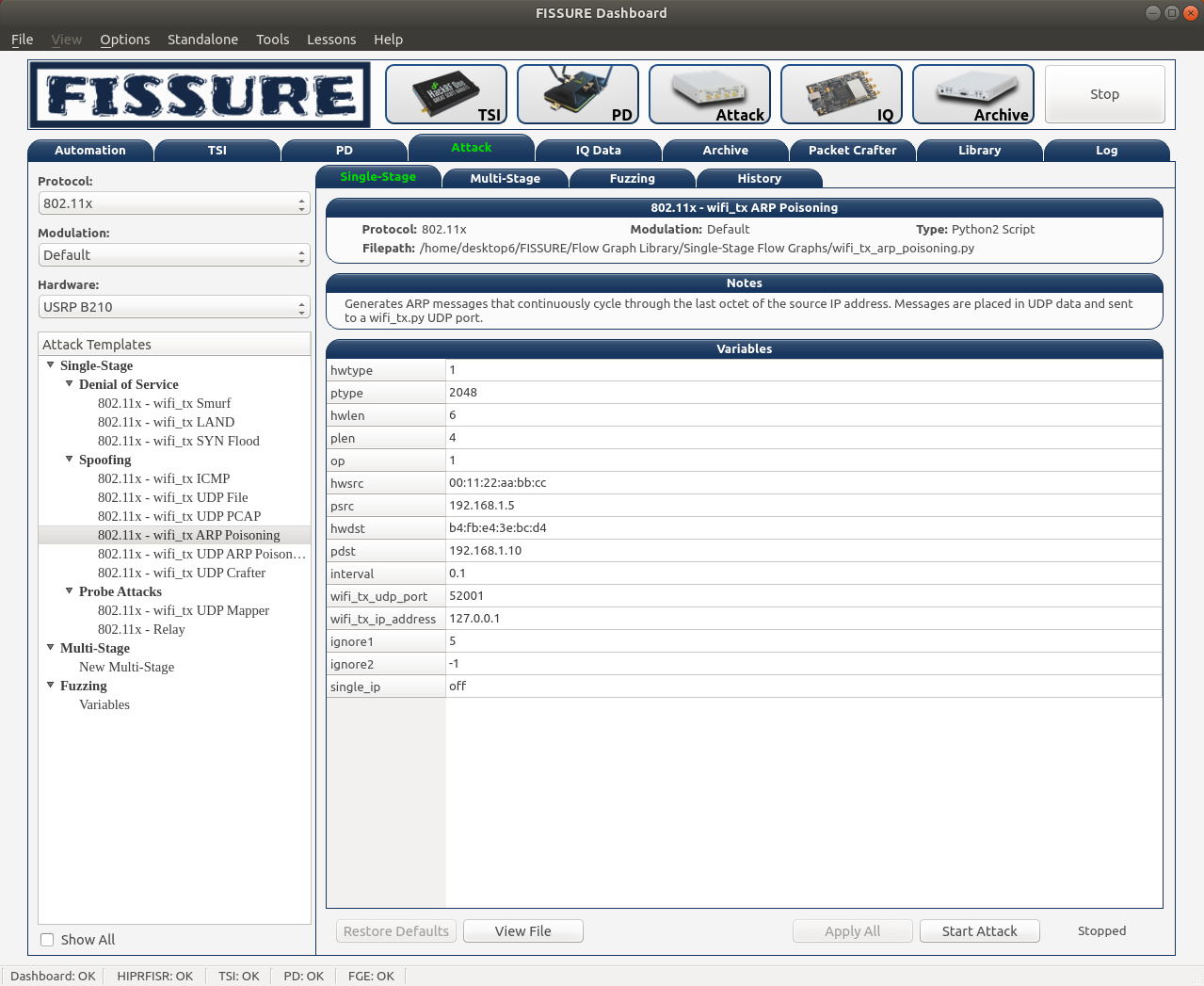 Attacks Attacks |
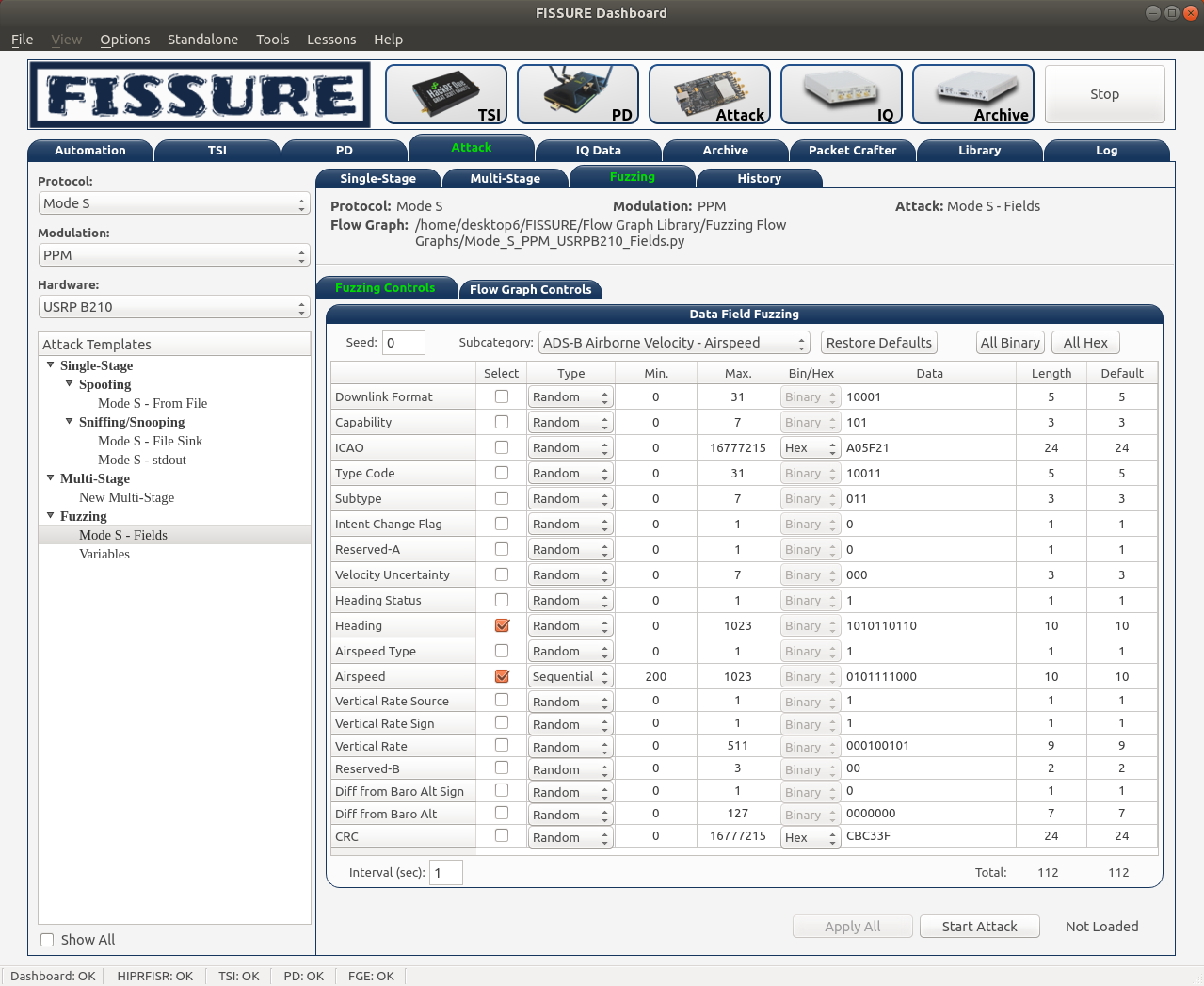 Fuzzing Fuzzing |
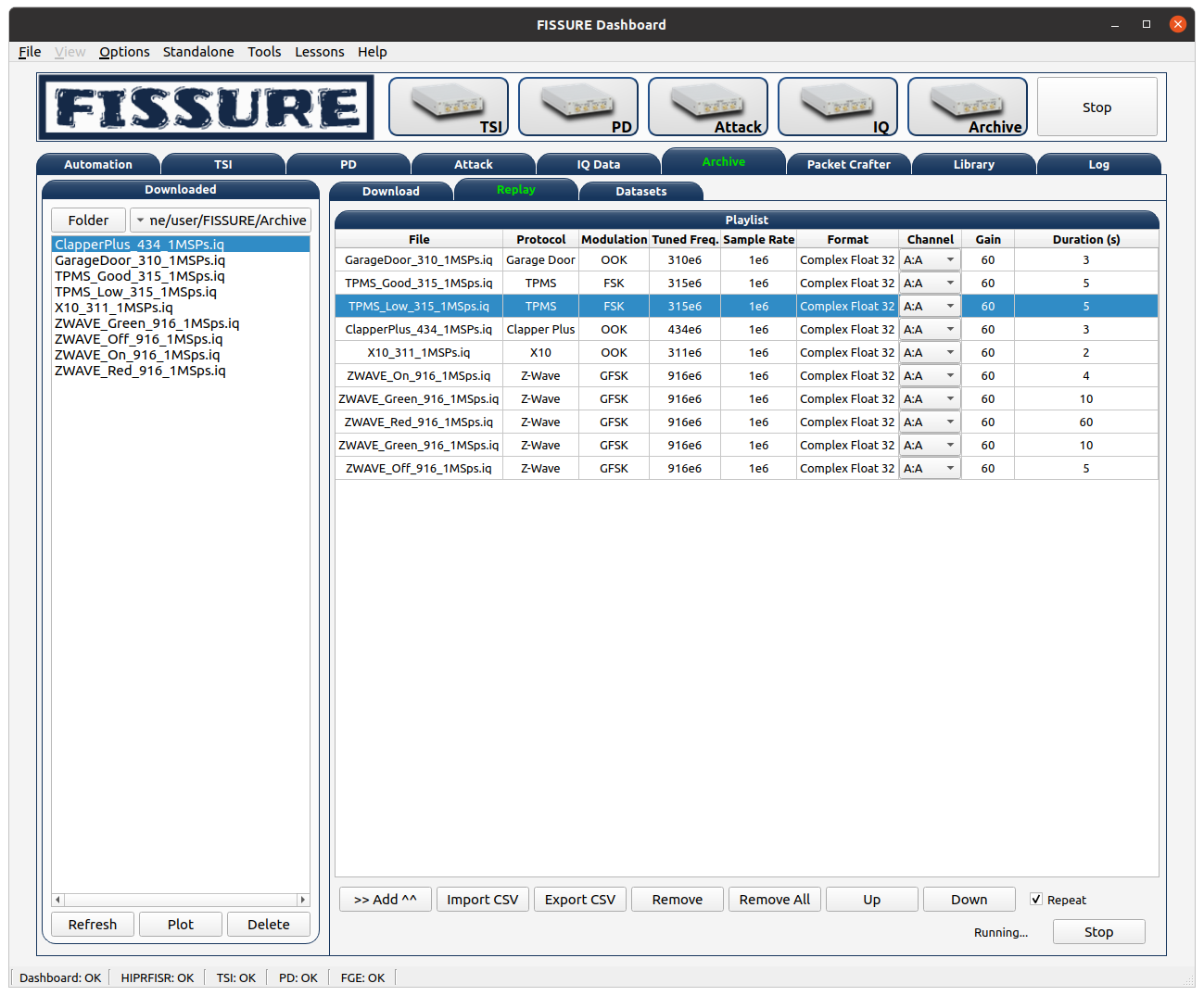 Signal Playlists Signal Playlists |
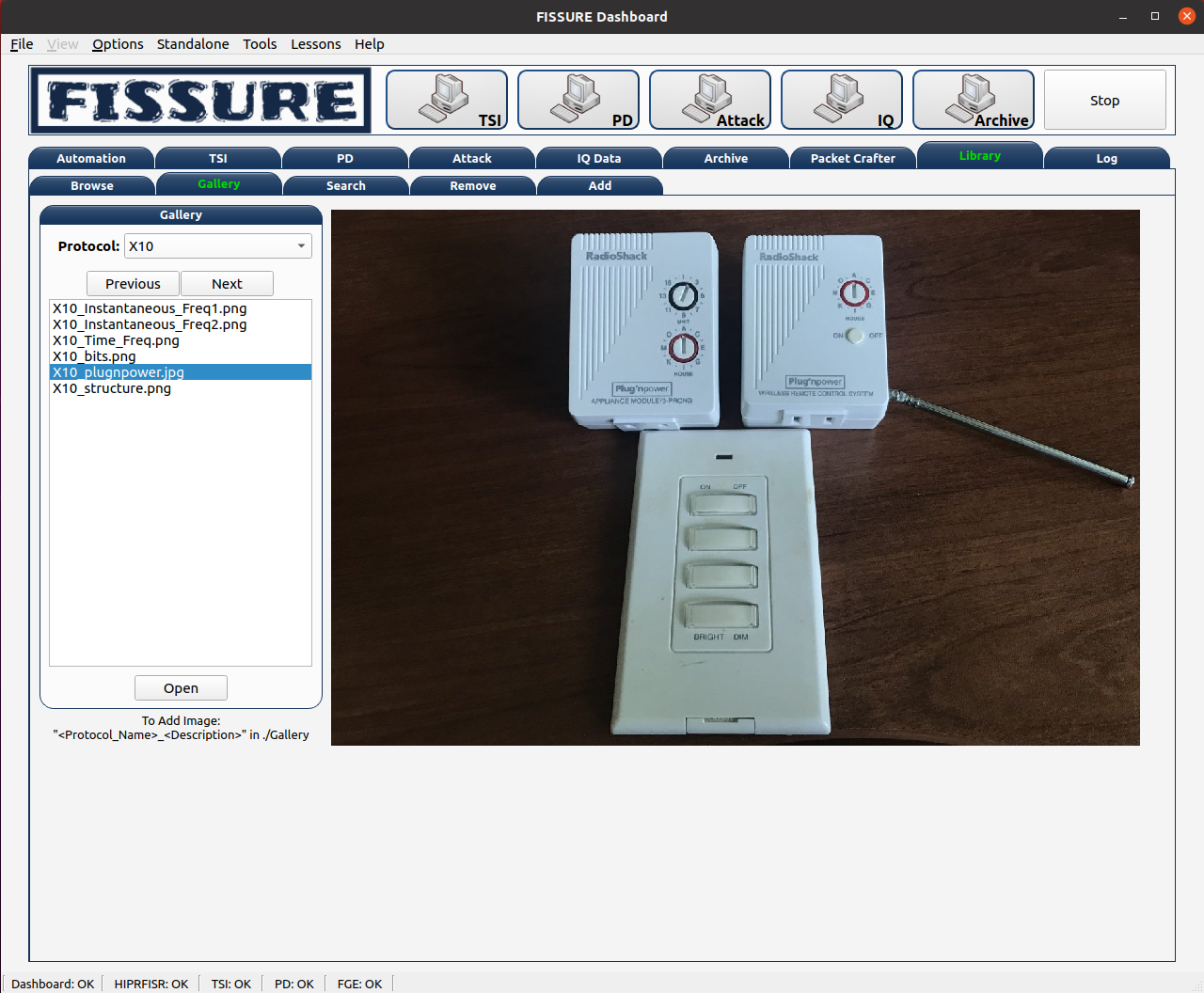 Image Gallery Image Gallery |
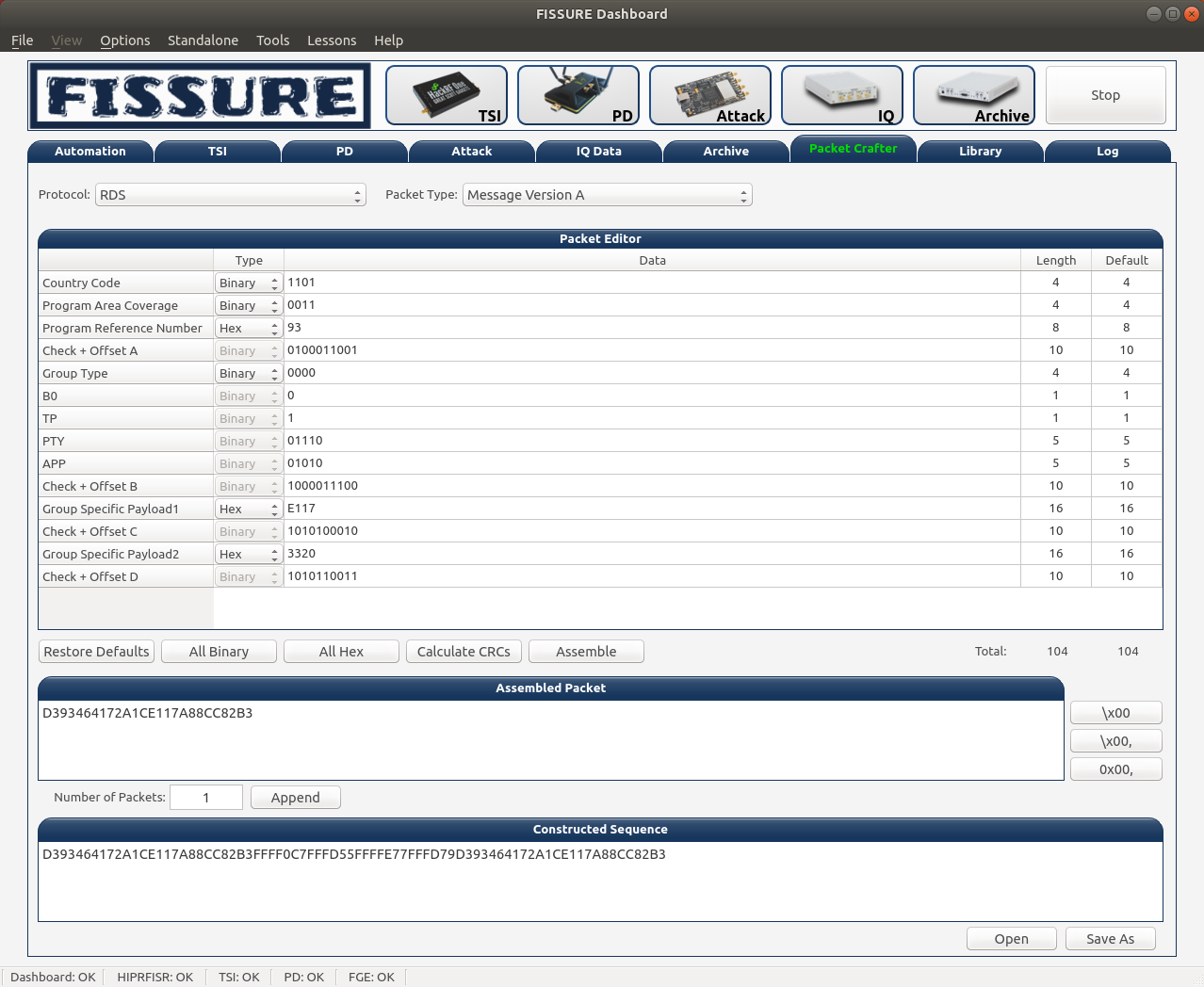 Packet Crafting Packet Crafting |
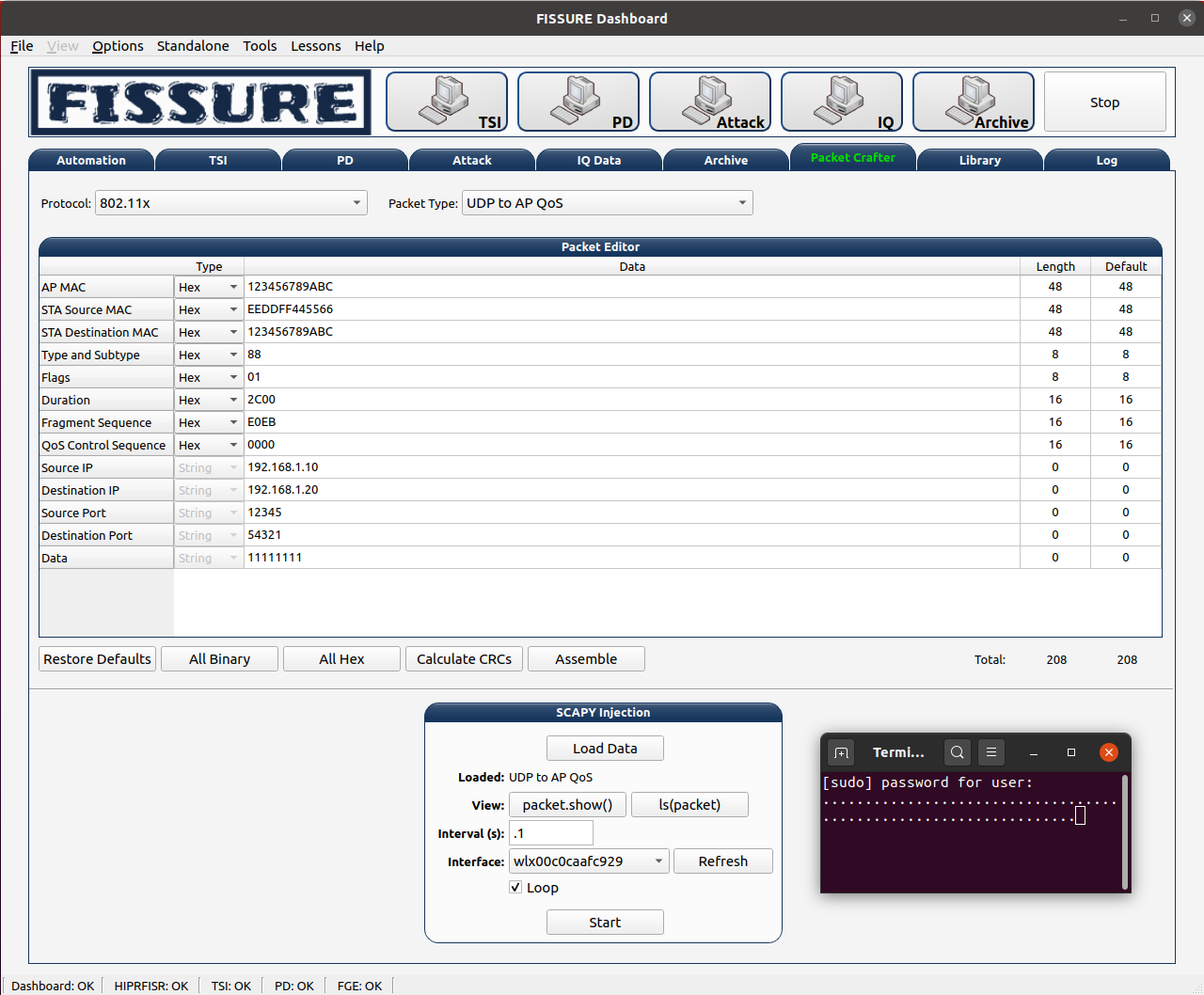 Scapy Integration Scapy Integration |
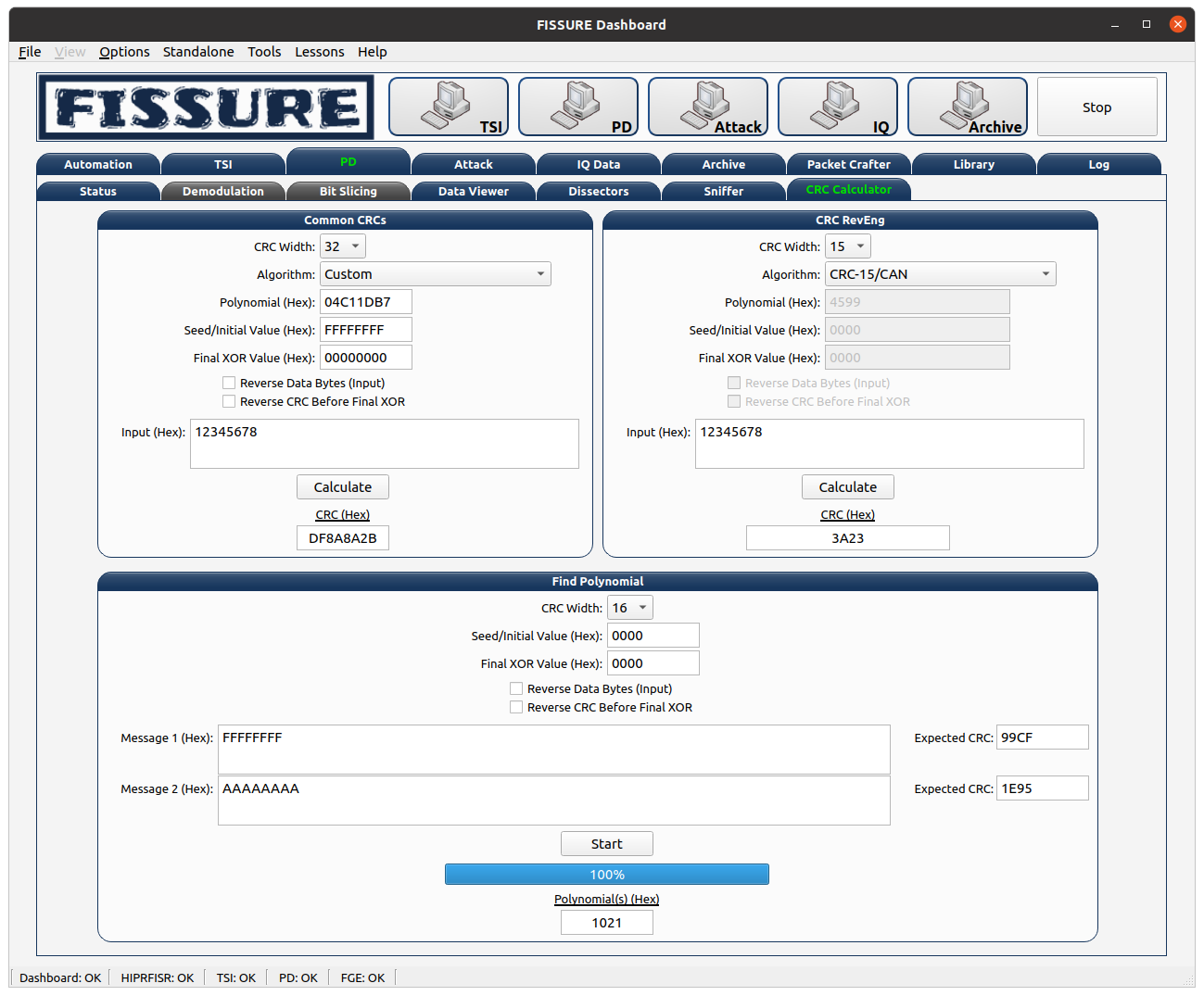 CRC Calculator CRC Calculator |
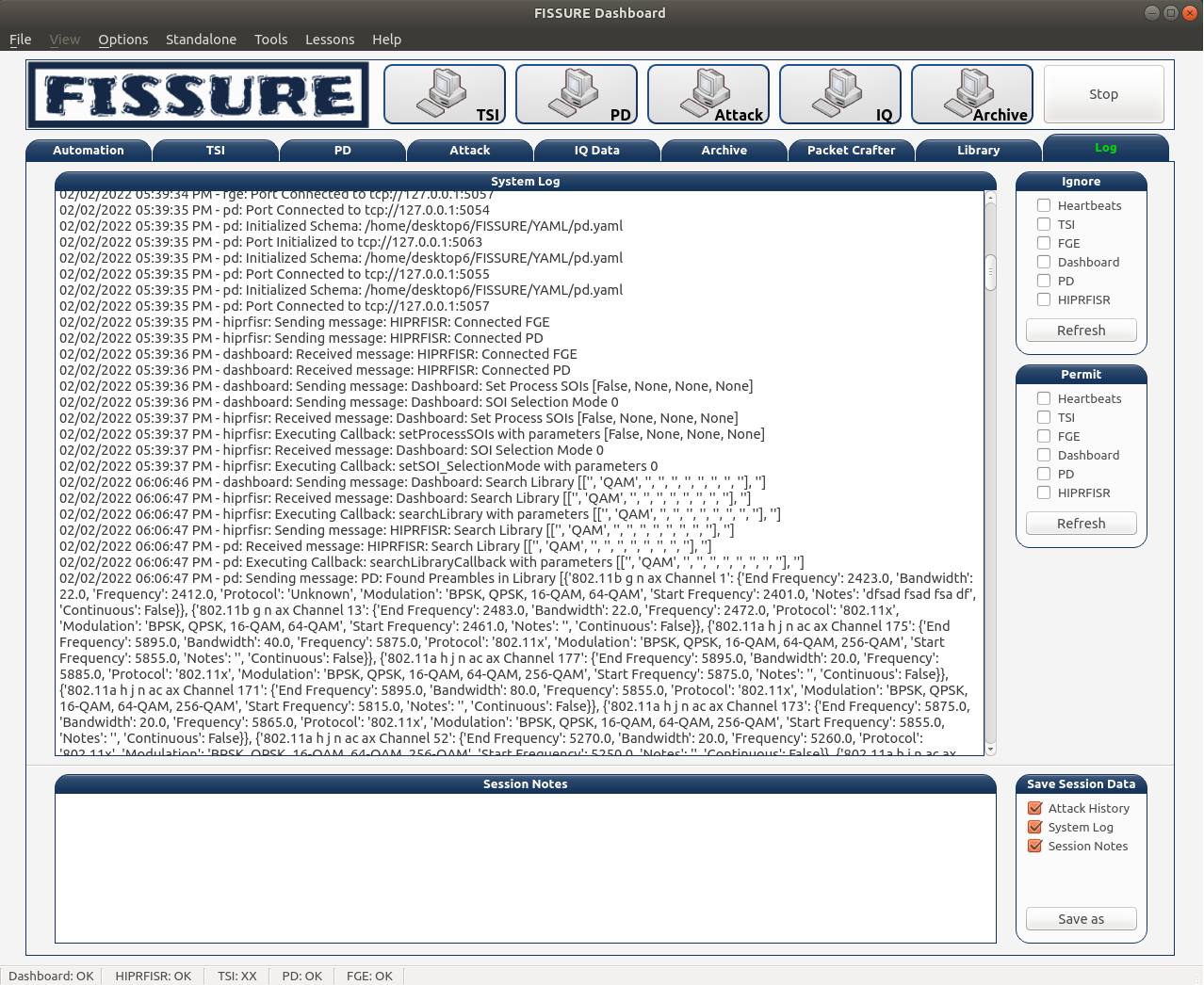 Logging Logging |
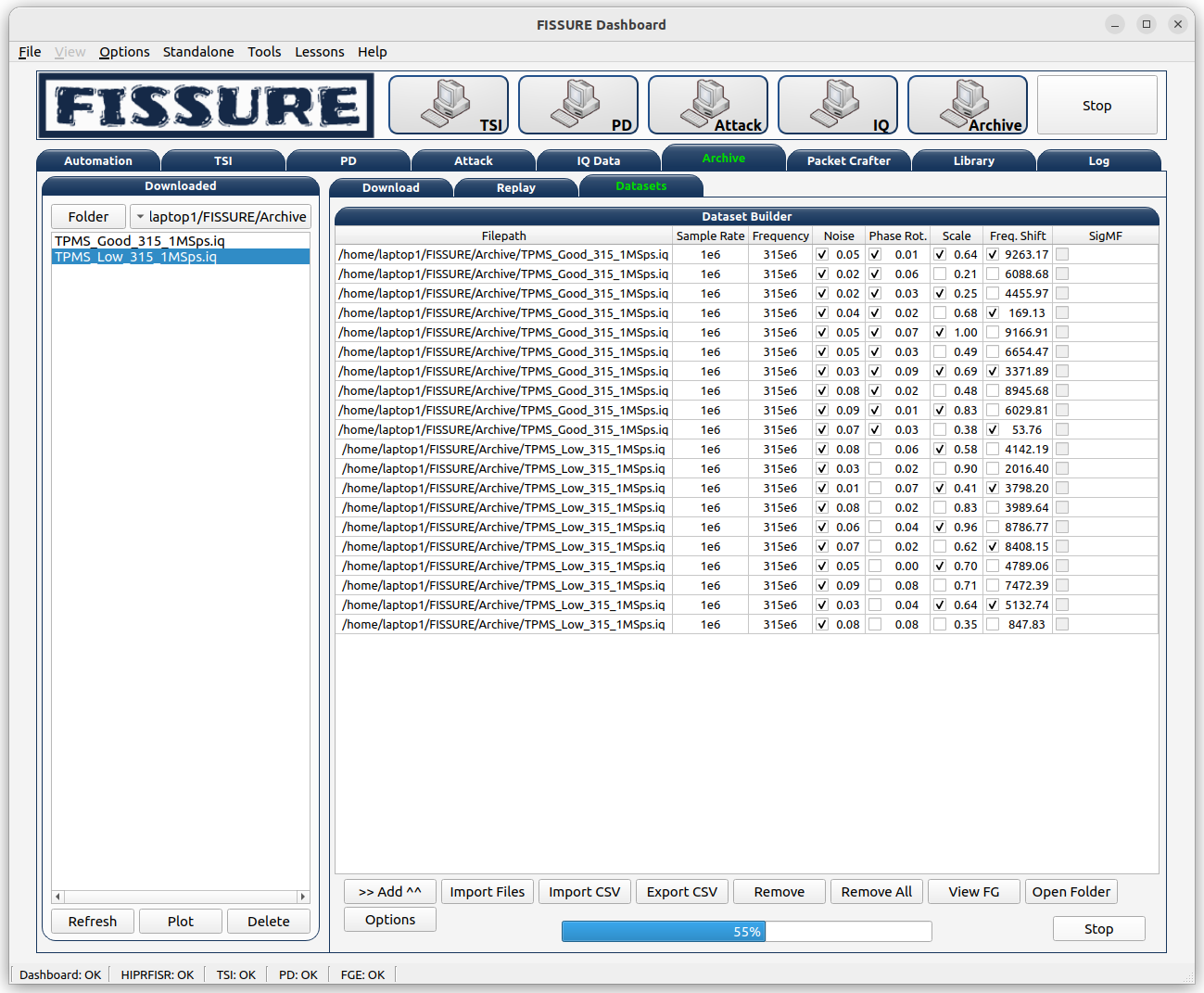 Dataset Builder Dataset Builder |
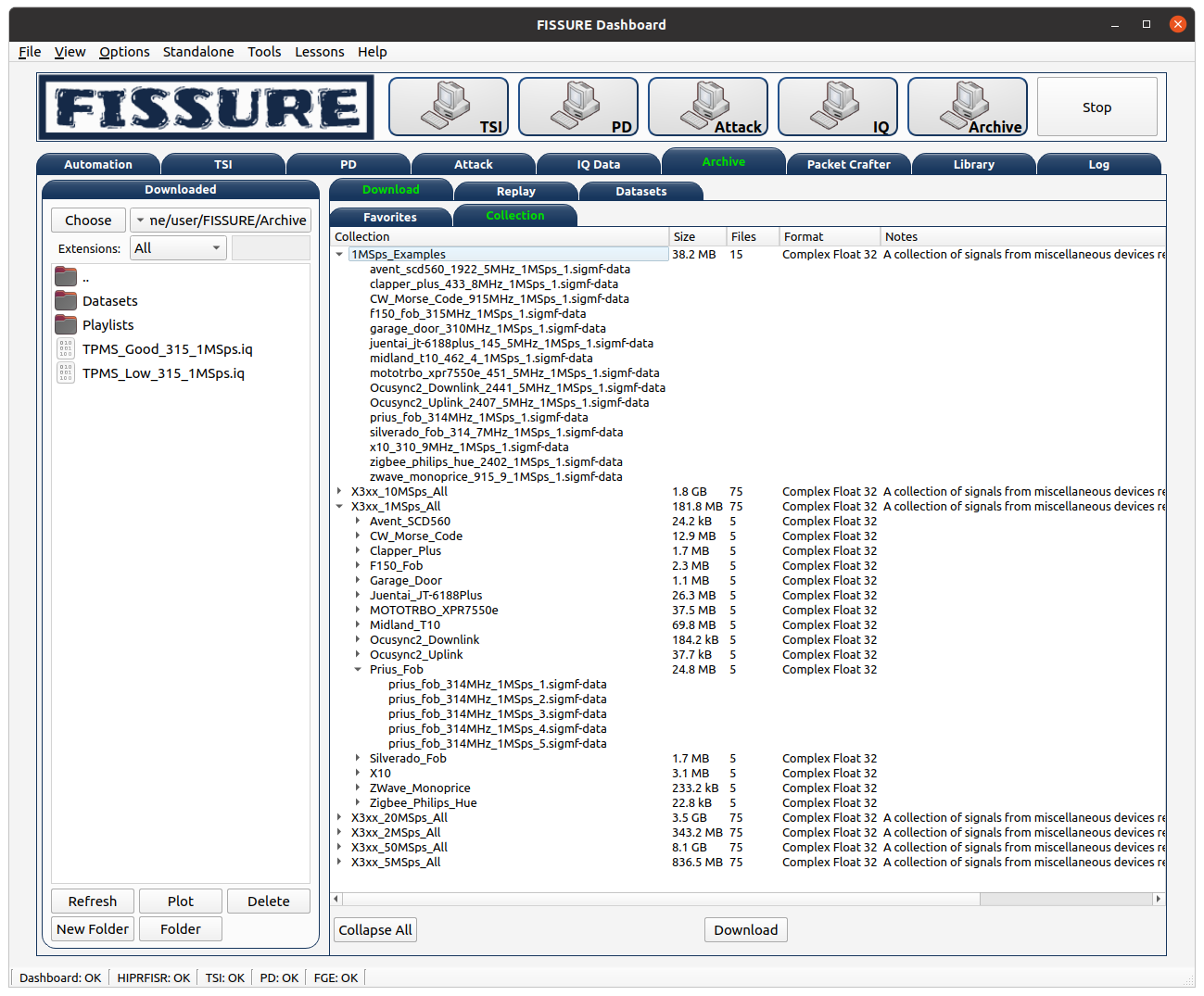 Online Archive Online Archive |
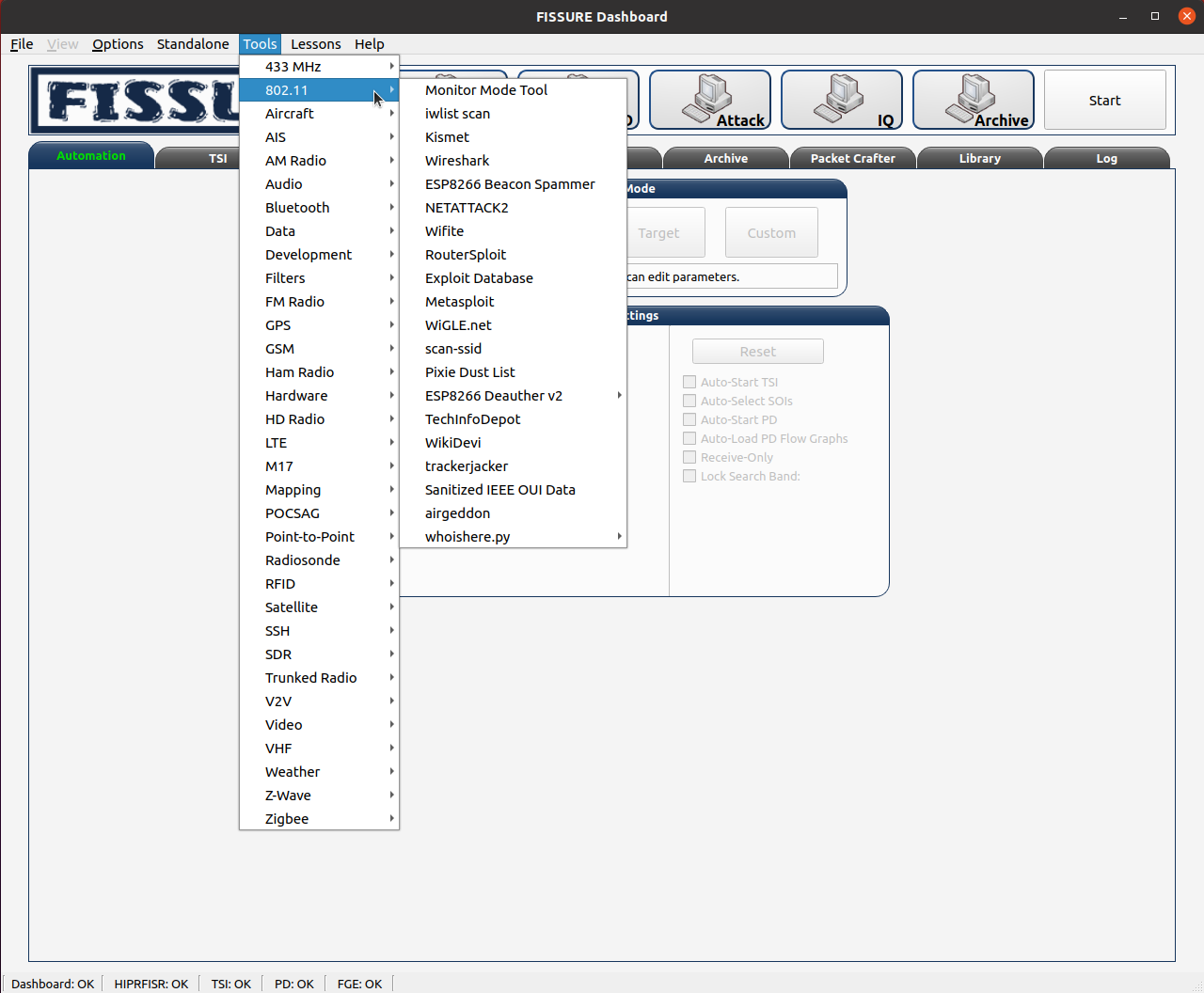 Third-Party Tools Third-Party Tools |
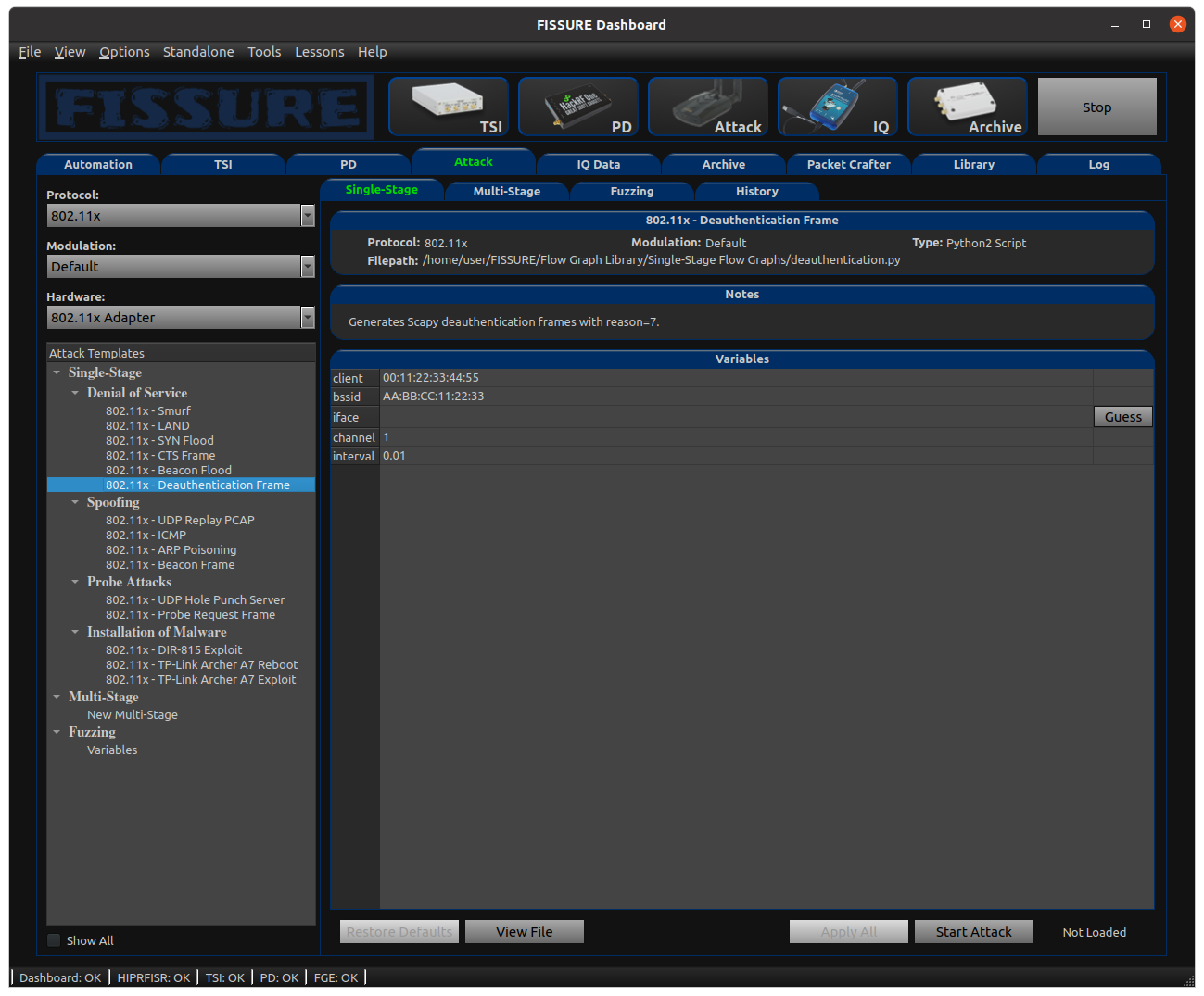 Dark and Custom Themes Dark and Custom Themes |
The following is a list of "supported" hardware with varying levels of integration:
Supported
There are now two branches within FISSURE: the Python3 branch and the Python2_maint-3.7 branch. The Python3 branch contains the latest code and has support for PyQt5 and GNU Radio versions 3.8 and 3.10. The Python2_maint-3.7 branch has been deprecated and will only be updated if specific third-party tools require GNU Radio version 3.7 or an older operating system. Only the latest minor versions of operating systems will be supported for installs and we will do our best to keep up. Operating systems that have been updated and yet to be fully tested will be listed under "In-Progress."
The GitHub releases provided in this repository are periodic snapshots of the project's state, intended primarily for archival purposes. These releases may not include the latest updates, bug fixes, or features currently under development. To access the most up-to-date version of the software, we strongly recommend using the main Python3 branch, which reflects ongoing development and the current state of the project.
FISSURE is most extensively tested on Ubuntu, making it the most validated platform.
| Operating System | FISSURE Branch | Default GNU Radio Version |
|---|---|---|
| DragonOS Noble (24.04) | Python3 | maint-3.10 |
| Kali | Python3 | maint-3.10 |
| Raspberry Pi OS | Python3 | maint-3.10 |
| Ubuntu 18.04 | Python2_maint-3.7 | maint-3.7 |
| Ubuntu 20.04 | Python3 | maint-3.8 |
| Ubuntu 22.04 | Python3 | maint-3.10 |
| Ubuntu 24.04 / Ubuntu ARM (Orange Pi) / Ubuntu for Raspberry Pi | Python3 | maint-3.10 |
| Windows 11 WSL2 | See Supported Linux Version | See Supported Linux Version |
In-Progress (beta)
These operating systems are still in beta status. They are under development and several features are known to be missing. Items in the installer might conflict with existing programs or fail to install until the status is removed.
| Operating System | FISSURE Branch | Default GNU Radio Version |
|---|---|---|
| BackBox Linux | Python3 | maint-3.10 |
| KDE neon | Python3 | maint-3.10 |
| Parrot Security 6.1 | Python3 | maint-3.10 |
Note: Certain software tools do not work for every OS. Refer to Known Conflicts and Third-Party Software
Apptainer Installs
FISSURE supports Apptainer-based deployment on Ubuntu 24.04. The installer can build role-specific environments using the following modes:
full: complete FISSURE installationbase: minimum complete local workstationDashboard: Dashboard client without a local database or Sensor NodeHIPRFISR: headless hub and database servicesSensorNode: remote radio execution environmentcustom: user-defined installer selectionUbuntu 24.04 hosts with Ubuntu 24.04 containers are the primary tested configuration. Additional host, container, and mode combinations may work but have not been fully validated.
Installation
For adding SSH keys to GitHub and cloning with SSH (needed for contributing):
ssh-keygen -t ed25519
cat ~/.ssh/id_ed25519.pub
Paste text into "Settings" > "SSH and GPG keys" > "New SSH Key"
git clone git@github.com:ainfosec/FISSURE.git
For cloning with https:
git clone https://github.com/ainfosec/FISSURE.git
Preparing the installer:
cd FISSURE
git checkout Python3  # Optional, or Python2_maint-3.7 for select legacy third-party tools
./install
Notes:
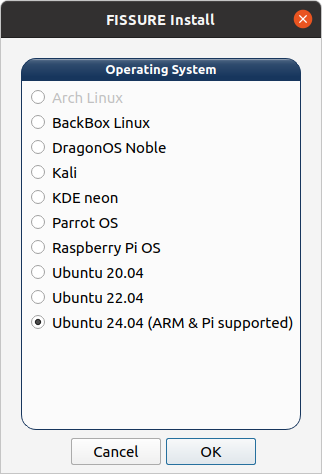
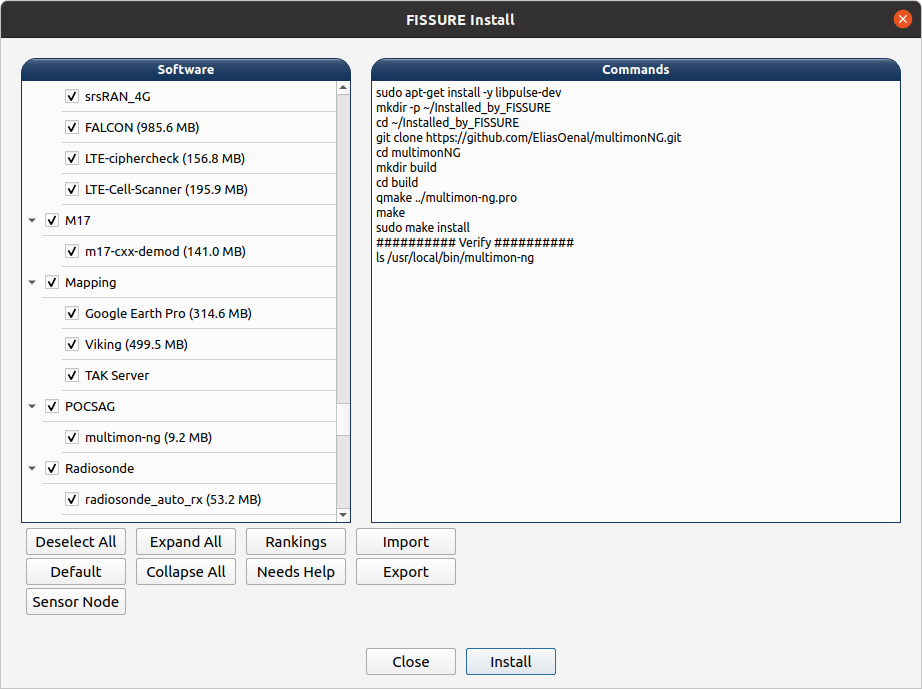
It is recommended to install FISSURE on a clean operating system to avoid conflicts with existing software. Further efforts towards virtualization and dependency management will be continued. Notes on the installer:
~/Installed_by_FISSURE directory.
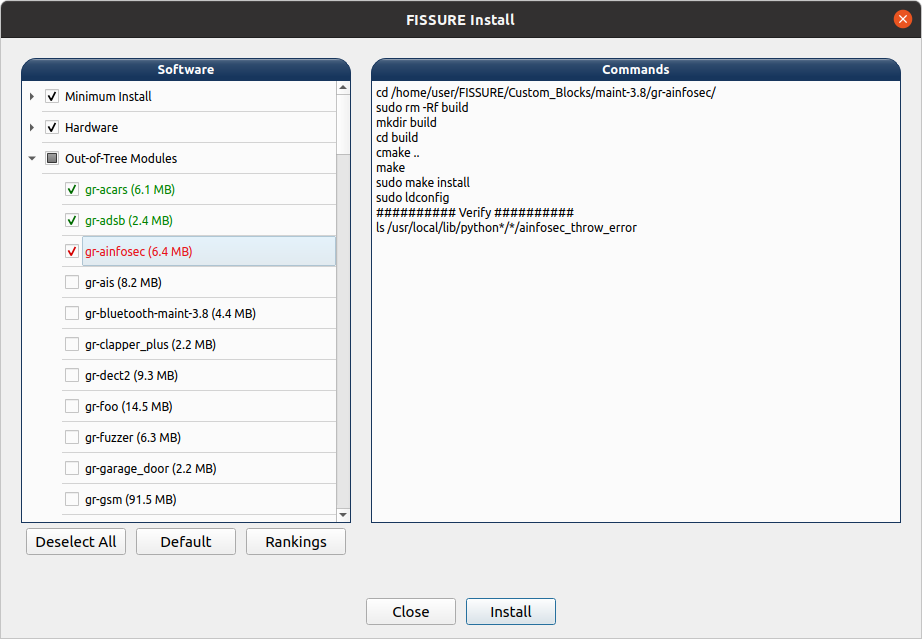
The FISSURE installer is helpful for staging computers or installing select software programs of interest. The code can be quickly modified to allow for custom software installs. The size estimates for the programs are before and after readings from a full install. The sizes for each program are not exact as some dependencies are installed in previously checked items. The sizes may also change over time as programs get updated.
Remote Sensor Node Installation
Install FISSURE per usual on a general purpose computer. Install FISSURE on the remote computer in the same directory location as the local computer (until further notice) to avoid filepath errors with certain actions. To configure the sensor node for remote operation, edit the "default.yaml" file in the ./YAML/Sensor_Node_Config/ directory and edit the following fields:
Change the "autorun" field from from false to true to run the default autorun playlist file on startup and forgo remote operations. New autorun playlists can be generated and saved from the Dashboard Autorun tab.
The remote sensor node acts as a server and must have a set of valid certificates (generated during install) that match with the client (local computer). The server needs the "server.key_secret" and "client.key" files while the client needs the "client.key_secret" and "server.key" files. If the certificates folder was generated on the server computer, the client files must be manually transferred to the other computer.
Local Dashboard Usage
Open a new terminal after installation and enter:
fissure
The intended method for launching the FISSURE Dashboard is through the terminal without sudo. The terminal provides important status and feedback for some operations. Refer to the FISSURE documentation for more details.
A local sensor node can be launched through the top buttons in the FISSURE Dashboard and helps maintain all pre-existing FISSURE functionality on a standalone workstation. Only one local and four remote sensor nodes (or five remote) are supported at this time.
If any of the programs freeze or hang on close, the following commands can be used to detect a problem or forcibly shut down:
sudo ps -aux | grep fissure
sudo pkill python3
sudo kill -9 <PID of __main__.py>
sudo pkill python3 && sudo pkill -9 -f fissure
Headless Hub
The HIPRFISR can be launched without the Dashboard GUI to make TAK testing and operational deployments more efficient. Open a new terminal after installation and enter:
fissure-hiprfisr
The hub will automatically connect up to the TAK server and remote nodes will be able to join without interaction.
Remote Sensor Node Usage
After configuring the sensor node config file (see above), the sensor node code can be run using this command in a terminal:
fissure-sensor-node
The sensor node code will stay active until ctrl+c is applied. Connecting to the remote sensor node is performed through the top buttons of the FISSURE Dashboard. Right-clicking the top buttons will select an active sensor node to perform operations. Future operations that utilize more than one node at a time will be handled on a case-by-case basis within the individual tabs.
Windows 11 WSL2 Instructions
FISSURE can run in Windows 11 using WSL2 for supported Linux operating systems. The following are instructions to help install WSL2, install a Linux operating system, set up USB passthrough, and install FISSURE in the Linux operating system.
Install WSL2:
wsl --installwsl --set-default-version 2wsl --list --onlinewsl --install -d Ubuntu-22.04wsl --unregister Ubuntu-22.04Enable USB passthrough in a PowerShell as Administrator:
winget install usbipdC:\Program Files\usbipd-winusbipd wsl listusbipd wsl attach --busid <BUS_ID> or usbipd wsl attach --busid <BUS_ID> --wsl <DistributionName> (replace <BUS_ID> with the actual BUS ID of the device)usbipd wsl detach --busid <BUS_ID>Install FISSURE in Linux Terminal:
sudo apt-get install gitTAK Setup
To install and run a local TAK server:
~/Installed_by_FISSURE directory if it does not exist~/Installed_by_FISSURE~/Installed_by_FISSURE/taskerver-docker-#.#-RELEASE-##/tak/certs/files/webadmin.p12 file into your browser (settings>certificates)/FISSURE/YAML/User Configs/default.yaml or select "Start Docker Containers" from the FISSURE Dashboard TAK menu/FISSURE/YAML/User Configs/default.yaml. Connect to TAK server in FISSURE Dashboard TAK menu if set to manual.To connect to a remote TAK server:
/FISSURE/YAML/User Configs/default.yaml/FISSURE/YAML/User Configs/default.yaml. Connect to TAK server in FISSURE Dashboard TAK menu if set to manual.Apptainer Setup
Apptainer is used to containerize most of the FISSURE installation, making deployment and testing simpler across different systems. While most of FISSURE runs inside the Apptainer environment, several components still require setup on the host:
Pre-built Apptainer containers and ISO images are planned for future releases. These instructions are for users who want to build the Apptainer container from source or customize their installation.
Clone the FISSURE Repository
Configure the Installer
FISSURE/Installer/install_apptainer.sh in a text editor.full - Complete FISSURE installation with supported SDR software, network tools, and utilitiesbase - Complete standalone workstation capable of running the Dashboard, HIPRFISR, and a local Sensor NodeDashboard - Dashboard client without a local database or Sensor NodeHIPRFISR - Headless HIPRFISR hub with database servicesSensorNode - Remote Sensor Node runtime with supported hardware, GNU Radio modules, and compiled flow graphscustom - User-defined installer selection configured in Installer/Modes/custom.pyRun the Installer
cd FISSURE/Installer
./install_apptainer.sh
This builds a writable Apptainer sandbox in your home directory and installs the selected software inside the container and on the host where required.
Launch the Container
fissure-apptainer
This opens a terminal inside the FISSURE container with graphics, audio, udev information, and hardware device access configured by the launcher.
Run FISSURE
Once inside the container, run FISSURE as you would on a normal system:
fissure
fissure-sensor-node
If you encounter an issue, include the host operating system, Apptainer version, selected install mode, affected hardware, and relevant installer output in the report.
FISSURE comes with several helpful guides to become familiar with different technologies and techniques. Many include steps for using various tools that are integrated into FISSURE. We aim to improve the quality and add new content over time.
The FISSURE Challenge is a continuous capture-the-flag contest built around the FISSURE framework. It is designed as an open learning tool where anyone can practice RF reverse engineering, explore new features, and tackle protocol-focused challenges.
Access the challenges at: FISSURE Challenge
Suggestions for improving FISSURE are strongly encouraged. Good contribution areas include new features, installation fixes, RF protocols, hardware/SDR support, third-party tools, GNU Radio flow graphs, Python analysis scripts, plugin actions, lessons, tutorials, and documentation corrections.
The best place to start is the Discussions page, the Discord Server, email, or a focused Issue.
Code contributions are greatly appreciated:
git checkout -b feature/AmazingFeature)git commit -m 'Add some AmazingFeature')git push origin feature/AmazingFeature)Need more specific ideas? Check out our roadmap and running list of potential to-do items.
FISSURE is a good fit for senior projects, undergraduate research, graduate research, RF/cybersecurity courses, and open-source software assignments. Student teams can work on SDR hardware integration, RF protocol analysis, signal detection, IQ analysis, plugins, lessons, visualization, TAK integration, or documentation.
Students, instructors, research groups, and organizations interested in using FISSURE for hands-on RF and reverse engineering projects are encouraged to reach out.
Contact Assured Information Security, Inc. (AIS) Business Development to discuss FISSURE and Fracture collaboration opportunities. AIS can assist with integrating FISSURE into existing platforms and workflows, developing custom plugins and capabilities, expanding support for new hardware and sensors, and building mission-specific RF solutions.
Organizations interested in deployable Fracture systems can engage AIS to develop and integrate tactical node configurations for fixed-site, vehicle, manpack, sUAS, and fixed-wing applications. AIS can also support TAK integration, distributed sensor architectures, RF sensing and geolocation workflows, custom electronic warfare capabilities, operator training, and long-term system sustainment.
Whether your goal is research, education, prototyping, operational deployment, or integration into a larger system-of-systems architecture, AIS can help accelerate development and deployment while preserving the flexibility of the underlying FISSURE framework.
GPL-3.0
For license details, see LICENSE file.
Join the Discord Server: https://discord.gg/JZDs5sgxcG
Follow on Twitter/X: @FissureRF, @AinfoSec
Follow on Bluesky: @fissurerf.bsky.social
Connect on LinkedIn: FISSURE - The RF Framework
Chris Poore - Assured Information Security, Inc. - poorec@ainfosec.com
Business Development - Assured Information Security, Inc. - bd@ainfosec.com
“FISSURE is a powerful and versatile RF software platform suitable for both education and practical applications. It supports a wide range of commonly used hardware and offers intuitive IQ data analysis tools. These features enable us to visualize, interpret, and directly modify RF signal messages in our project.”
– Dylan R.
“We really enjoyed using FISSURE in our engineering project. This software is an incredibly comprehensive collection of tools to manipulate radio frequencies and was an amazing aid to our studies involving wireless communications.”
– University Senior Project Team
Special thanks to Dr. Samuel Mantravadi and Joseph Reith for their contributions to this project.

View our other open source projects at: https://ainfosec.dev/
Like working with signals, reverse engineering, or other realms in cybersecurity? Browse our current openings or join our talent community for future consideration.
If you have an interest in hacking, check out our Can You Hack It?® challenge and test your skills! Submit your score to show us what you’ve got. AIS has a national footprint with offices and remote employees across the U.S. We offer competitive pay and outstanding benefits. Join a team that is not only committed to the future of cyberspace, but to our employee’s success as well.

more like this
🎥🤟 8 minimalistic templates for tfjs mediapipe handpose and facemesh
meine 🌒 - A CLI file manager and system utility built with Textual. It combines intuitive command parsing with rich t…
search projects, people, and tags