agentlytics
Comprehensive analytics dashboard for AI coding agents — Cursor, Windsurf, Claude Code, VS Code Copilot, Zed, Antigravi…
JavaScript★ 555
Generate clean 2D game sprites & animation atlases — component-row pipeline: state rows, alpha cleanup, frame extractio…
 aldegad
git clone https://github.com/aldegad/sprite-gen.gitaldegad/sprite-genOne drawing in. A game-ready sprite atlas out — breathing.
English · 한국어 · 日本語 · 简体中文 · Español · Français



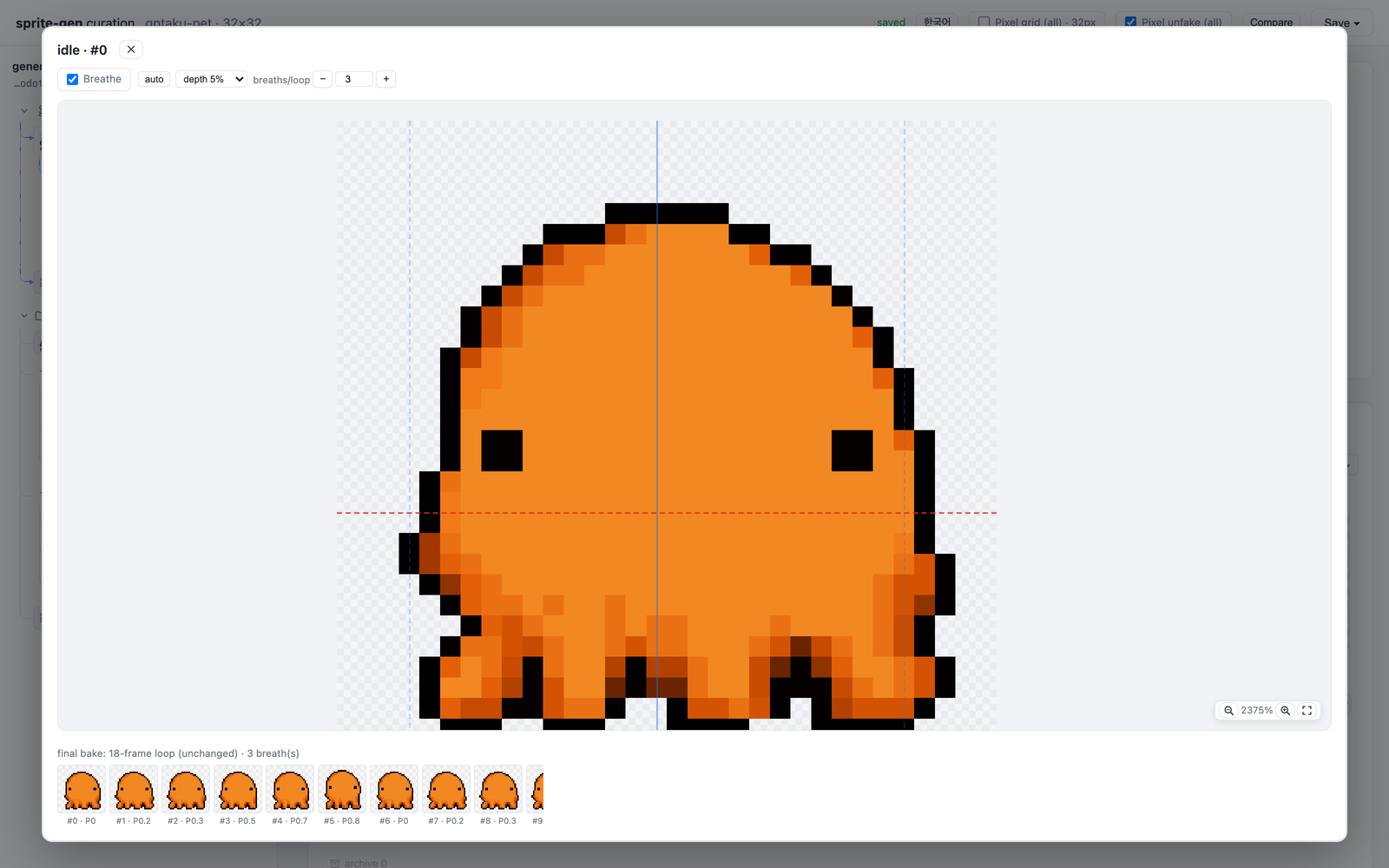
gptaku, a 32×32 pixel-perfect octopus from Cinderisle. The idle on the left is one still frame — the breathing is baked by the engine.
A still idle reads as frozen. Breathe turns a single pose into a living loop — deterministic squash & stretch baked on top of your curated frames. No regeneration, no re-extraction, no extra art. One sidecar field:
"breathe": { "depth": 0.05, "breaths": 3 }
Any silhouette works — humanoids, blobs, tentacles. Front, side, back:
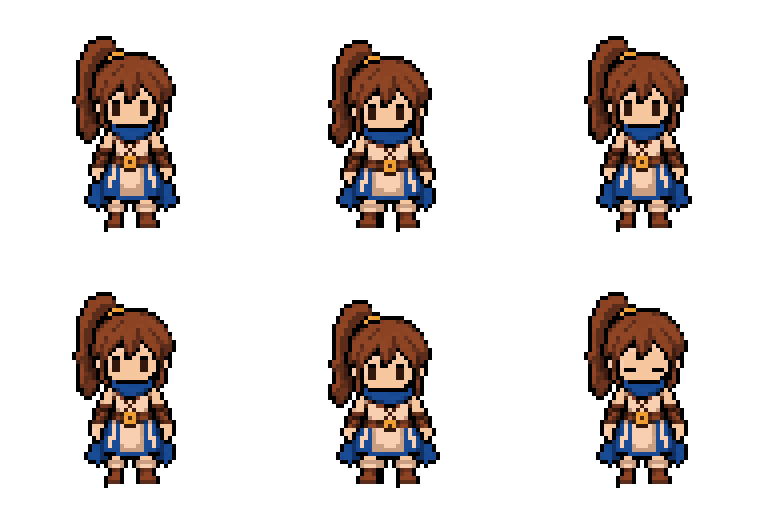
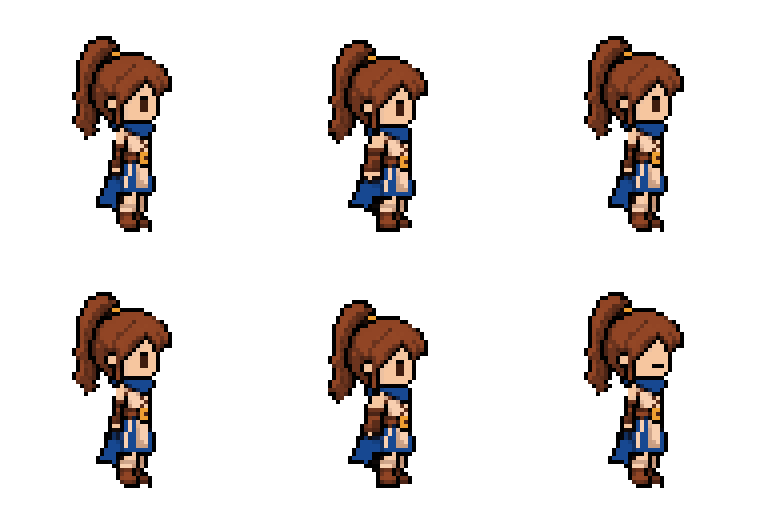
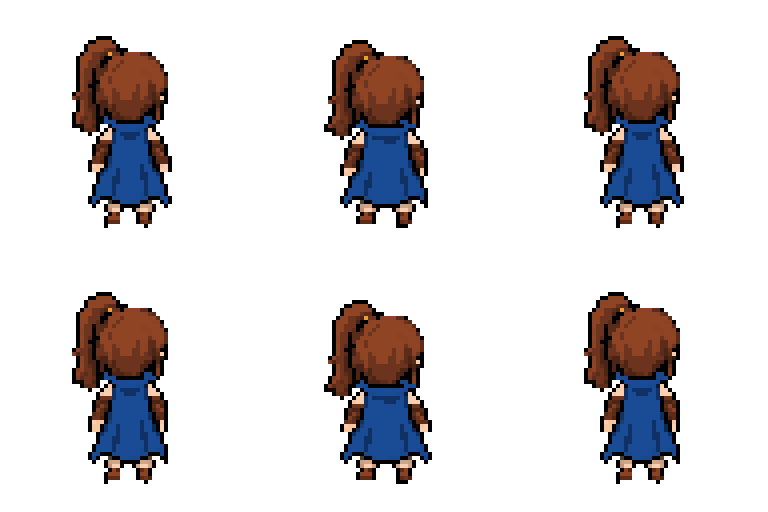
Every loop above is one still frame + breathe.
Sprites generated and curated with this skill (claudecy, howl):

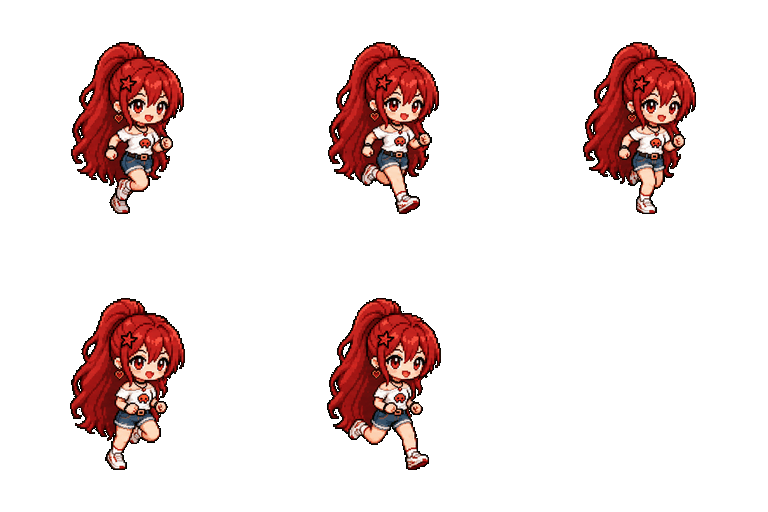


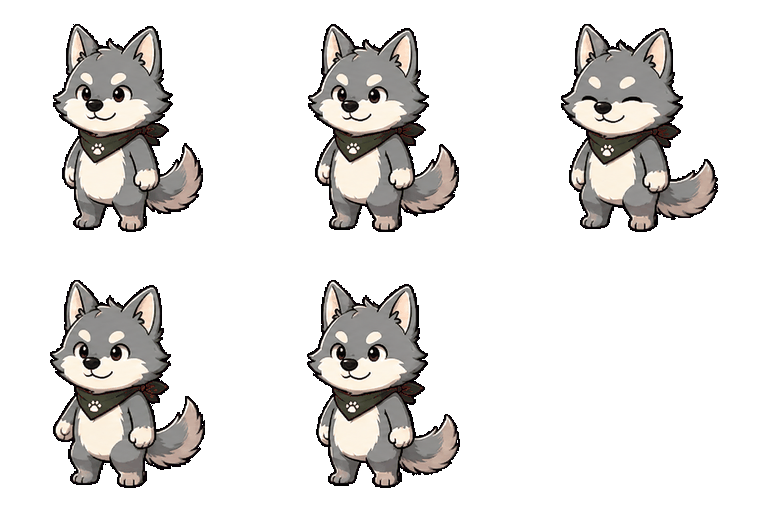

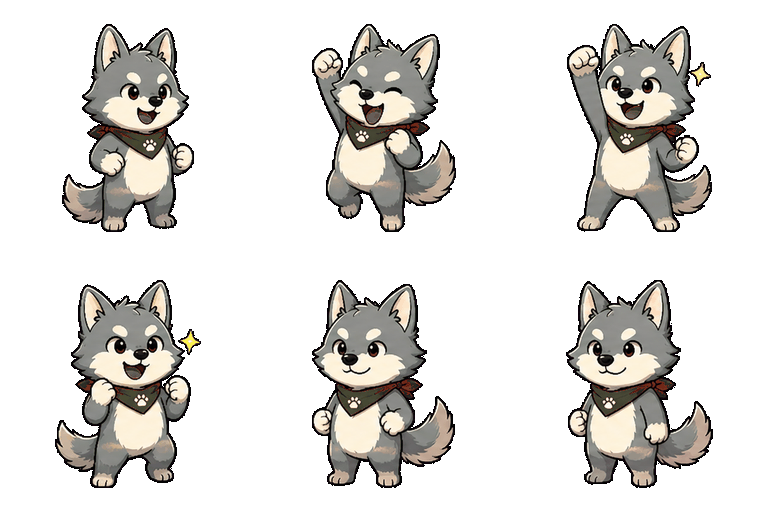
Ask an image model for a "sprite sheet" and you know what you get: a character whose face changes every frame, a background that won't key out, poses that overlap and drift off-grid, and a PNG your game engine can't actually consume. Cute demo, useless asset.
sprite-gen is a Codex/Claude skill that closes that gap. Give it one base image and a list of actions — it drives the generation row by row, locks the character's identity, strips the chroma background to real alpha, extracts each pose as a clean transparent frame, and bakes a runtime atlas with a machine-readable manifest.json.frame_layout.
And for the last 10% that generation never gets right, there's a curation webview: compare frames side by side, reject the broken ones, nudge rotation/scale/position non-destructively, watch the loop live — then bake. The pipeline does the labor; you keep the taste.
sprite-request.json → layout guides + prompts → sprite-gen gen state rows
→ chroma alpha → connected components → transparent frames
→ sprite-sheet-alpha.png + manifest.json.frame_layout
flowchart LR
    REQ["sprite-request.json<br/>(numeric SSoT)"] --> GUIDES["layout guides<br/>+ prompts"]
    GUIDES --> GEN["sprite-gen gen<br/>state row strips"]
    GEN --> EXTRACT["chroma alpha →<br/>connected components"]
    EXTRACT --> FRAMES["transparent frames"]
    FRAMES --> ATLAS["sprite-sheet-alpha.png<br/>+ manifest.json.frame_layout"]
    FRAMES -. "curation webview (optional)" .-> ATLAS
Loading
Full architecture:
docs/architecture.md
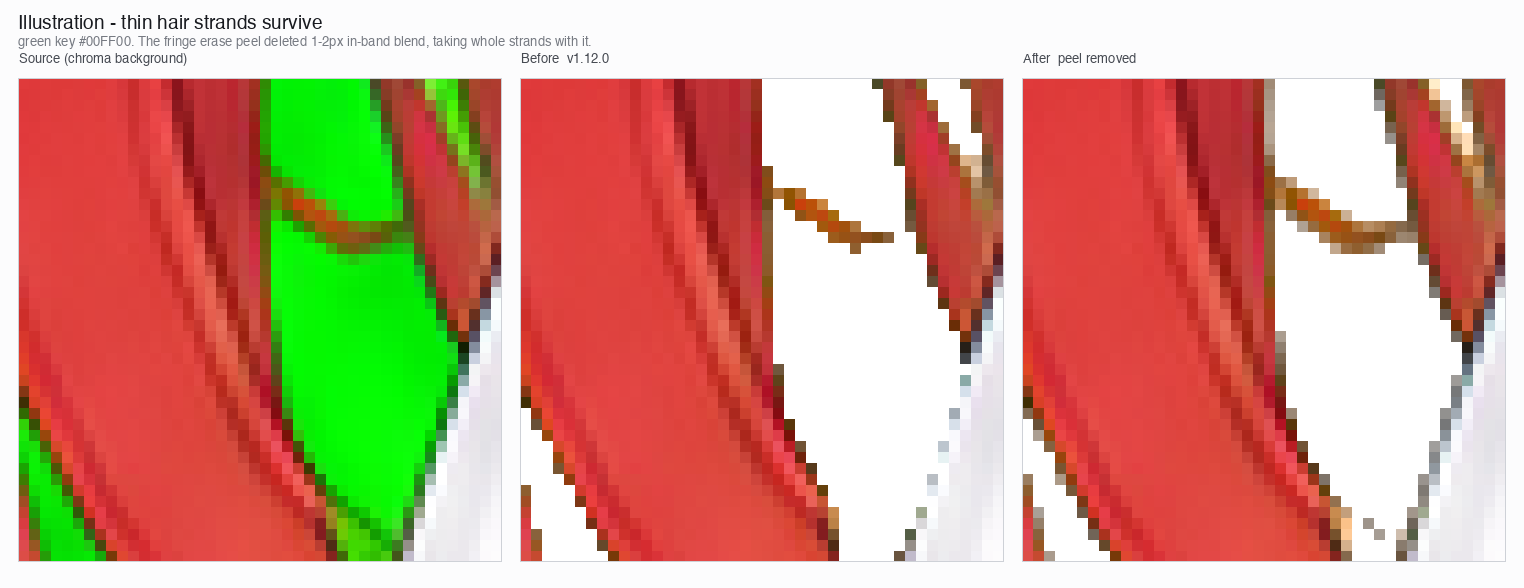
sprite-sheet-alpha.png) — real alpha, no leftover chroma fringe, verified against white backgrounds.manifest.json.frame_layout) — absolute frame rectangles, per-state fps and loop flags. Your engine samples rectangles; it never guesses a grid.sprite-gen recolor takes the base sheet plus a palette map and bakes N variant sheets in one command (exact RGB match by default; same input, same output bytes). The curation webview blink-compares them and records the adopted name. Detail: docs/recolor.md.The extractor keeps chroma cleanup deterministic: soft-alpha unmix preserves antialiased hair strands and thin outlines instead of peeling them away before coverage can be solved.
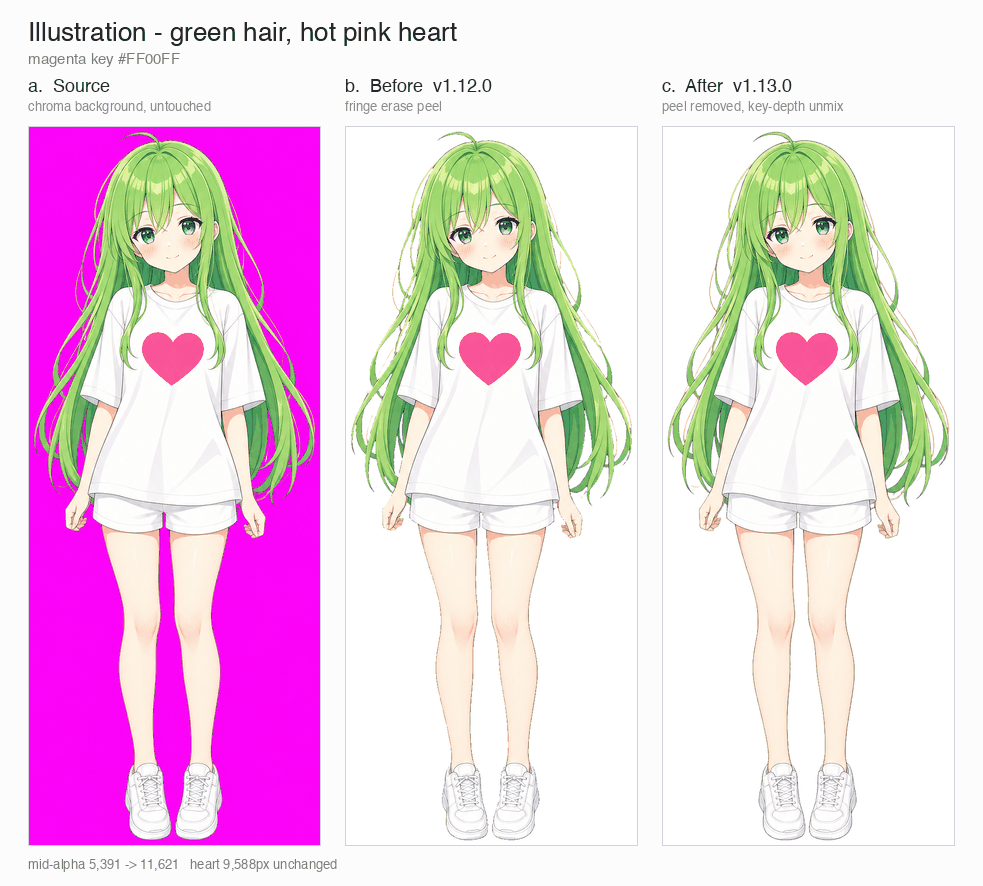
Illustration, magenta key: source, v1.12.0 peel, v1.13.0 soft-alpha unmix.
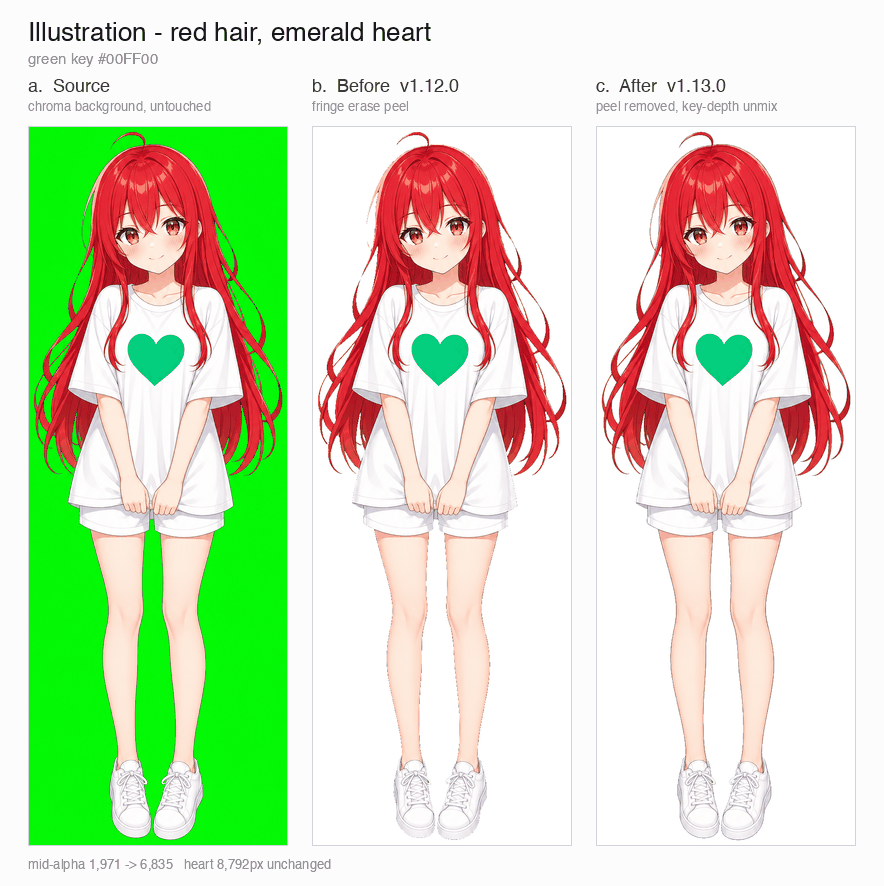
Illustration, green key: source, v1.12.0 peel, v1.13.0 soft-alpha unmix.
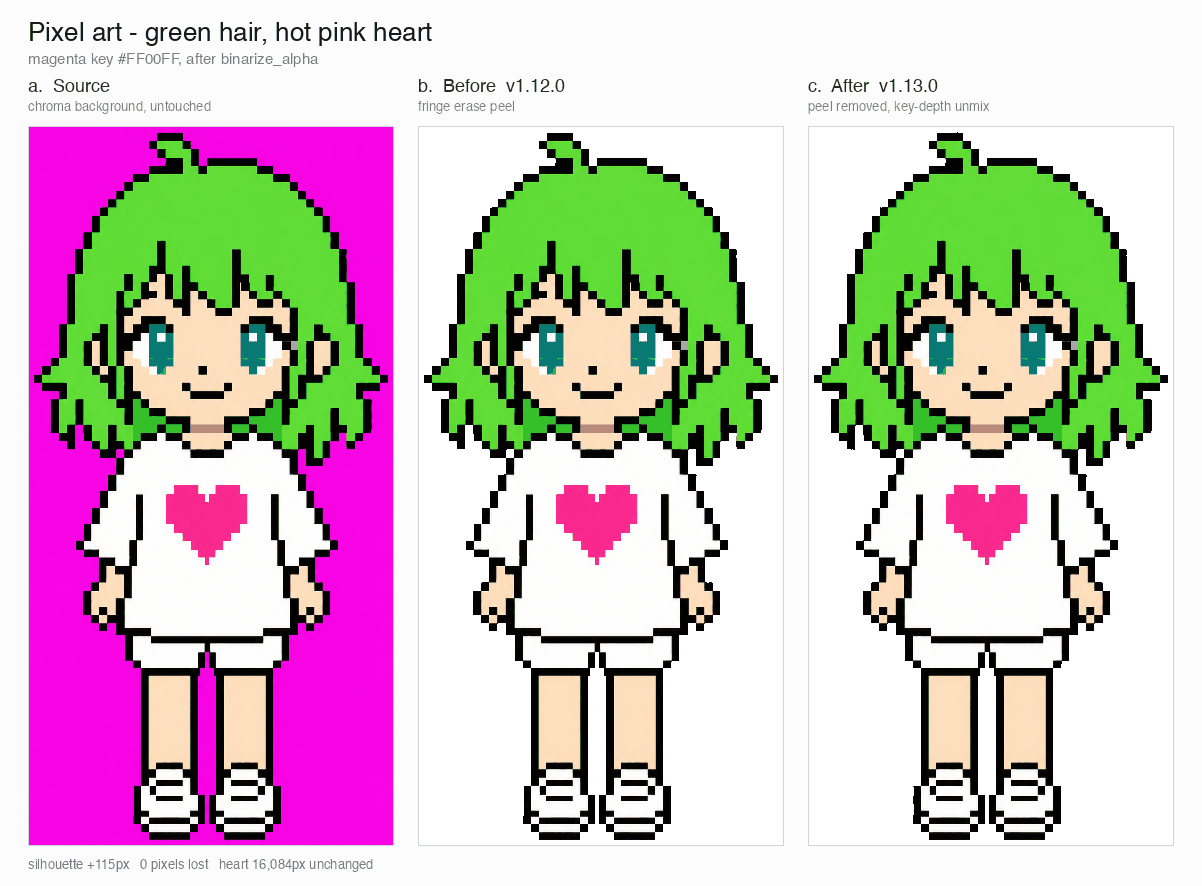
Pixel art, magenta key: source, v1.12.0 peel, v1.13.0 binarized output.
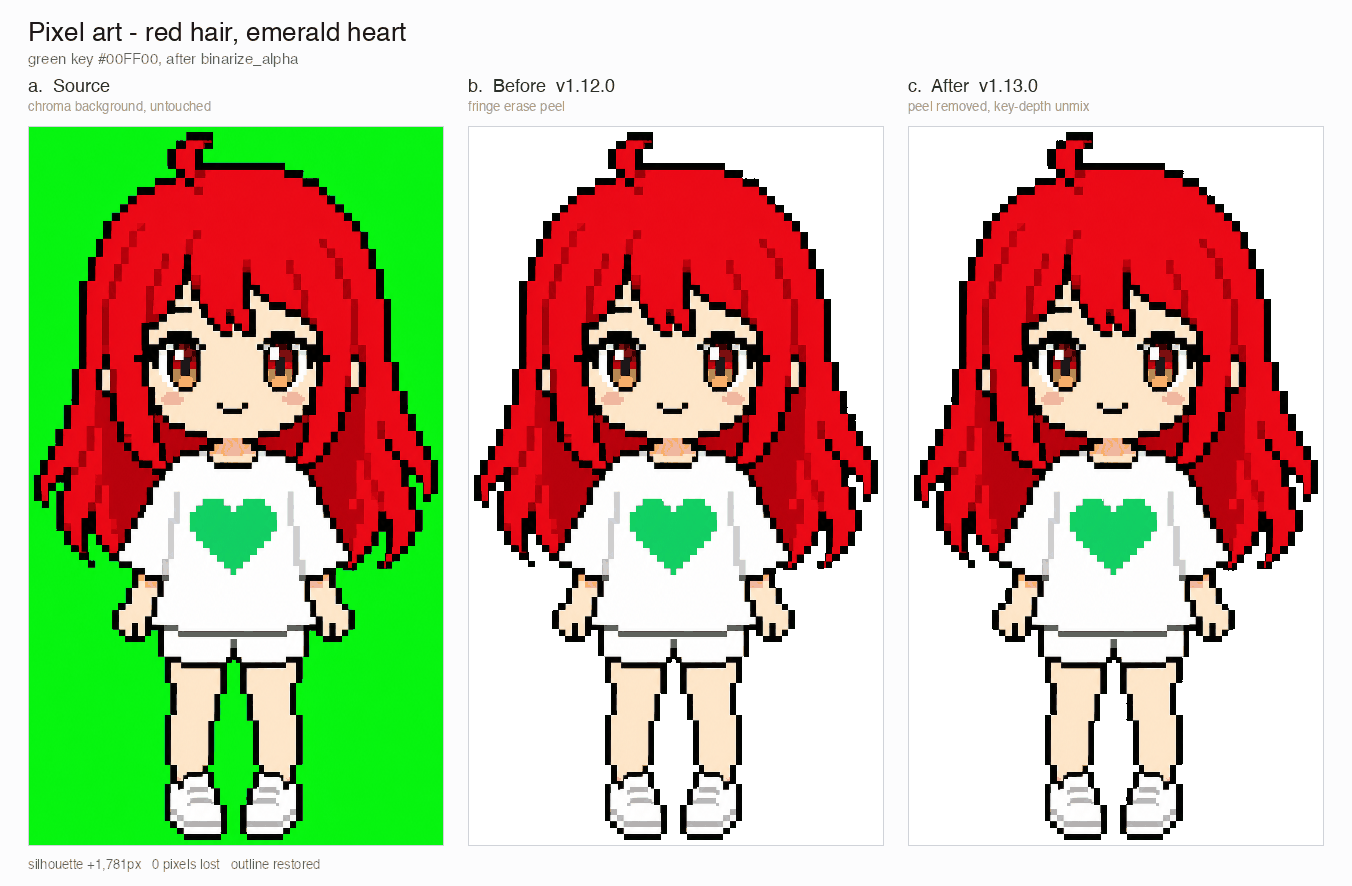
Pixel art, green key: source, v1.12.0 peel, v1.13.0 binarized output.
The close-up crops below show the edge detail behind the full-body comparisons.
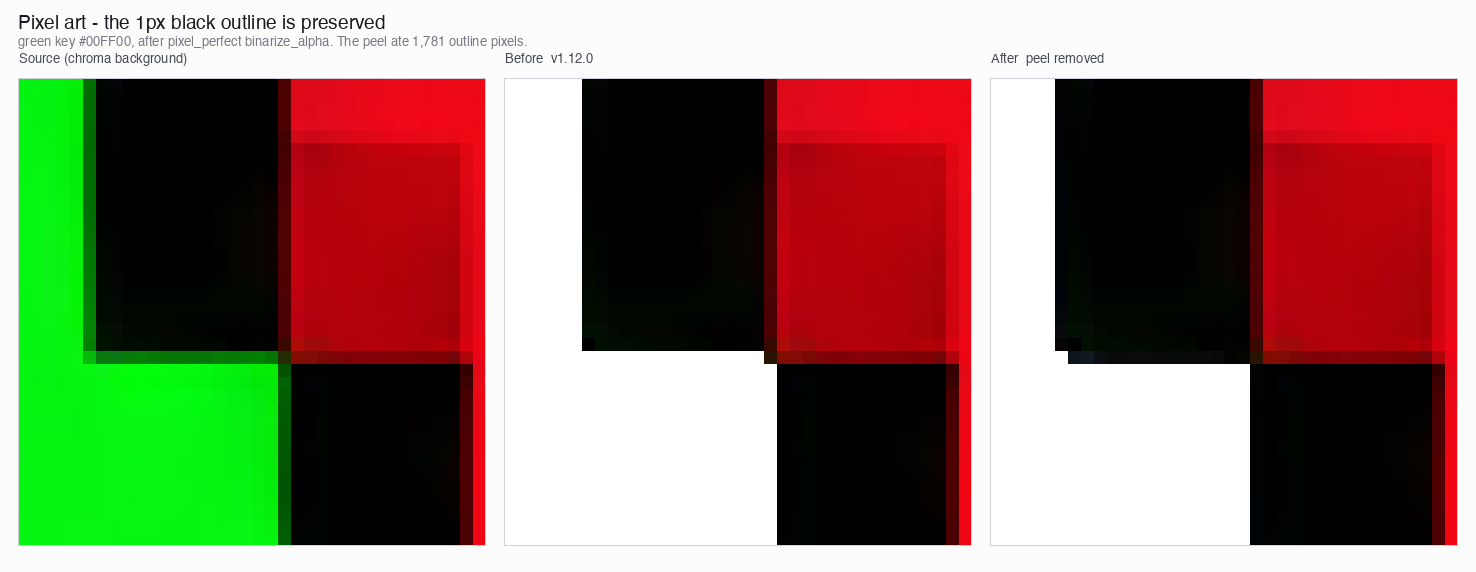
AI-generated "pixel art" is not pixel art. The blocks wobble, the edges carry antialiasing, and the lattice drifts within a single row, so cutting on an even grid smears one block into the next. The community fix is to "unfake" the image — guess the block size from run lengths and re-quantize — but that measures each frame on its own, so a walk cycle's cell size breathes frame to frame.
Backbone Lattice measures one grid for the whole subject and holds every cut to it. Per-frame pitch detection feeds a row-wide, cross-frame consensus that outvotes harmonic misdetections; that consensus grid is the backbone every cut snaps to. Cuts land on actual colour boundaries, and a minimum cell width proportional to the measured pitch keeps two neighbouring cuts from ever collapsing onto the same band. One backbone, so the same block stays the same size across a whole animation instead of jumping between frames.
The result is verified against what shipped, not eyeballed on a hand-picked frame: every pixel-unfake run is re-derived from its own source strip and compared pixel by pixel. The shape you approved stays the shape you get; what changes is only where outlines and shading land, which is exactly what the backbone decides.
Generation gets you 90%. The webview is where a human takes it to shipped — standalone, no Studio or framework dependency, runs anywhere the skill is installed (Claude Code Desktop, the Codex app, a plain terminal).
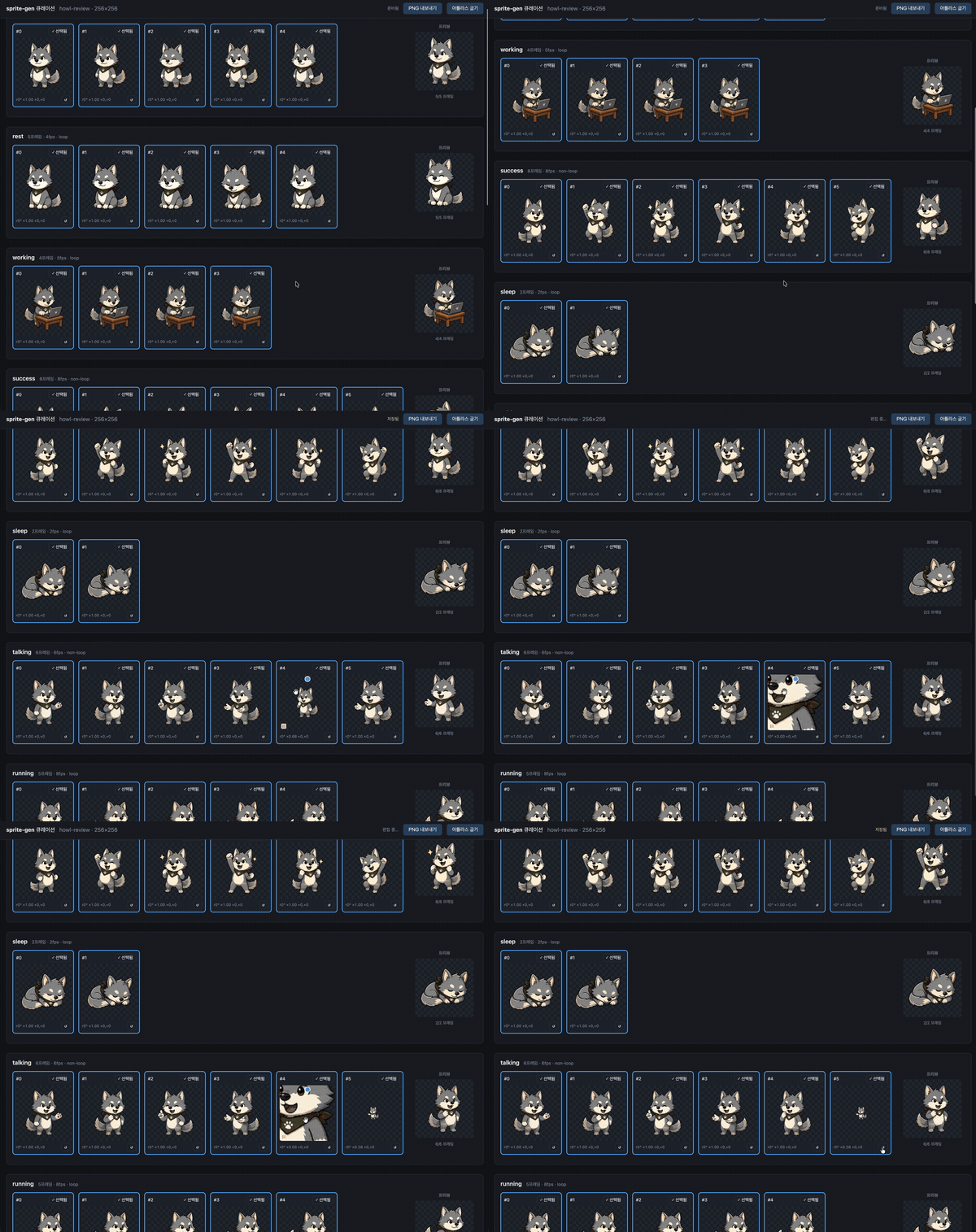
curation.json sidecar — source PNGs are never rewritten, and the compose step bakes the result deterministically. Preview and bake share one affine matrix, so what you align is what you get.unpack_atlas_run.py --pngs-dir and use it as a general pick-the-winner view.For isometric sets, the webview overlays the floor grid (from meta.json tile/anchor) so you can snap furniture to the diamond axes with the shear handle.
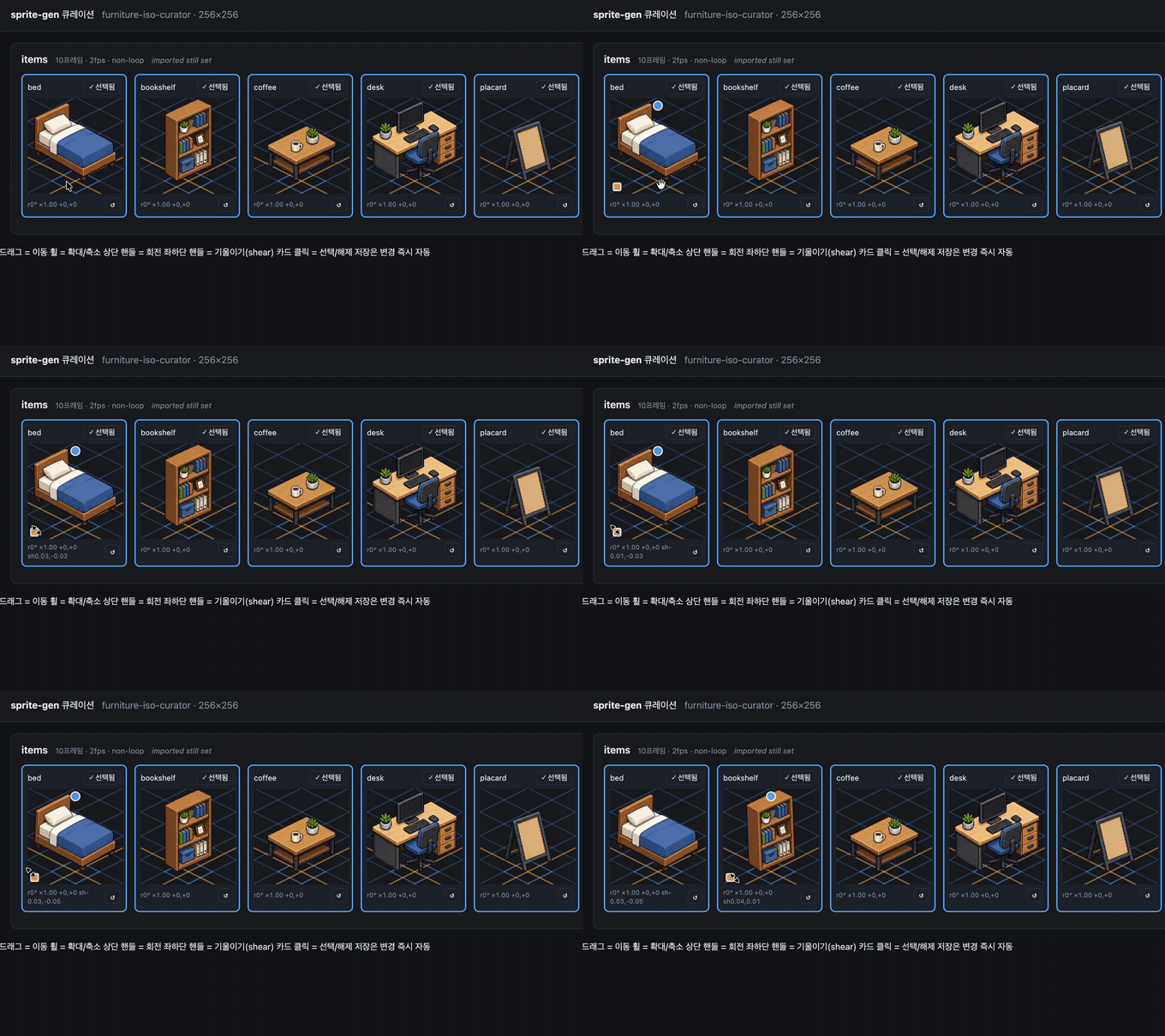
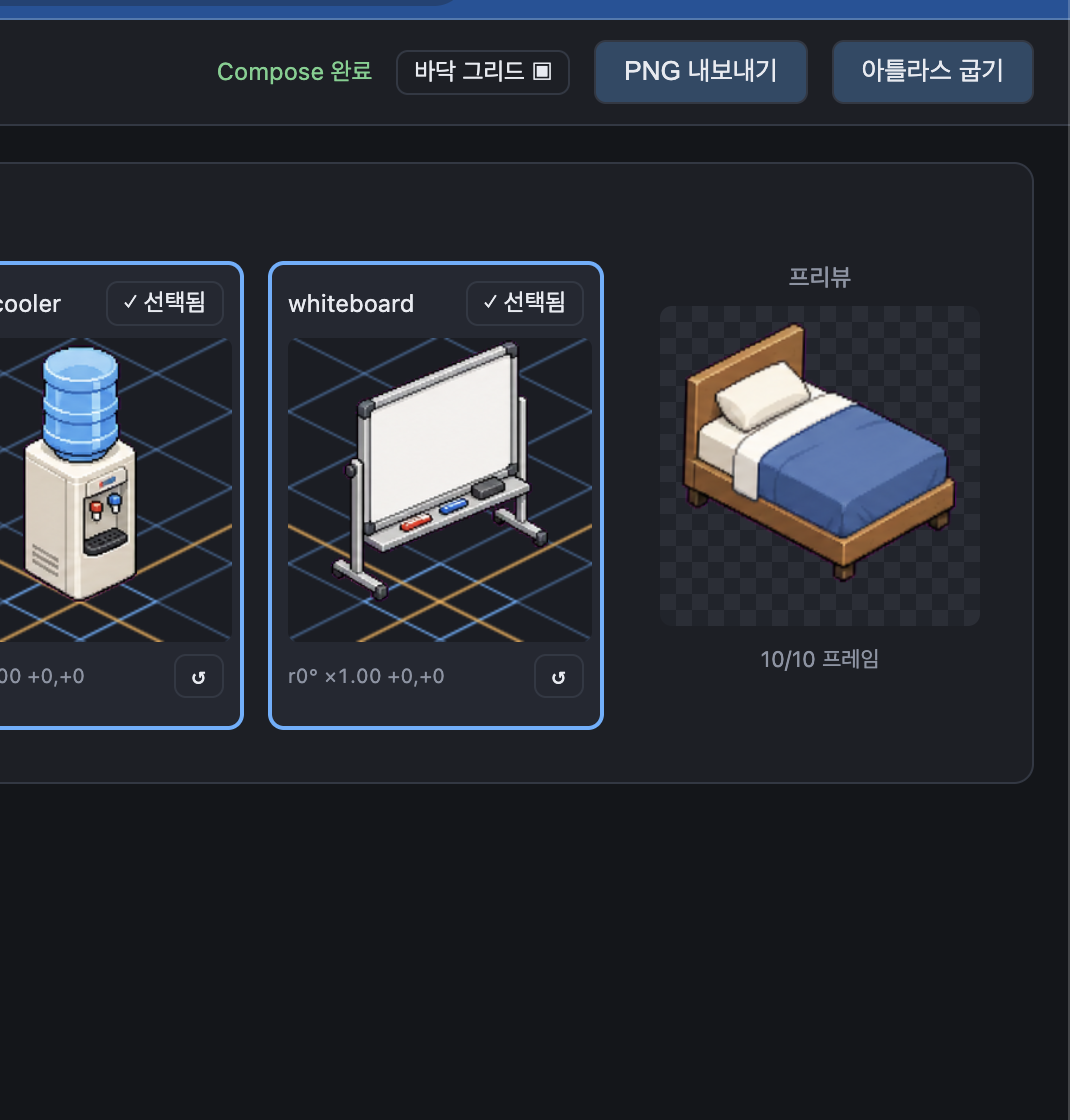
The webview ships with English and Korean. Pass --lang en|ko when launching, or use the in-app toggle:
python3 scripts/serve_curation.py --run-dir <run-dir> --lang en # or ko
sprite-gen supports CPython 3.10+. CI runs the minimum supported version (3.10) and the latest covered version (3.14) on GitHub-hosted runners.
The quickstart requires a Python install with working venv/ensurepip. If python3 -m venv fails before package installation in a local distribution, use a standard CPython build for any supported version and rerun the same commands.
# 0. install dependencies (Pillow, NumPy) into a fresh virtualenv
python3 -m venv .venv && source .venv/bin/activate
pip install -e .

# 1. prepare a run from a base image
python3 scripts/prepare_sprite_run.py --out-dir <run-dir> --character-id <id> --base-image base.png

# 2. generate one row image per state with the engine-owned provider CLI
python3 scripts/generate_sprite_image.py --provider codex \
  --prompt-file <run-dir>/prompts/<state>.txt \
  --out <run-dir>/raw/<state>.png \
  --ref <run-dir>/base-source.png \
  --ref <run-dir>/references/layout-guides/<state>.png
# 3. extract frames
python3 scripts/extract_sprite_row_frames.py --run-dir <run-dir>

# 4. (optional) curate frames in the webview
python3 scripts/serve_curation.py --run-dir <run-dir>

# 5. bake the runtime atlas
python3 scripts/compose_sprite_atlas.py --run-dir <run-dir>
When only the combined sheet survives, rebuild a curator-ready run dir, then curate and export:
# rebuild frames: explicit --grid, --manifest rectangles, or alpha auto-detect (default)
python3 scripts/unpack_atlas_run.py --atlas sheet.png            # auto-detect
python3 scripts/unpack_atlas_run.py --manifest manifest.json     # exact rectangles
python3 scripts/unpack_atlas_run.py --pngs-dir furniture/        # import a loose PNG set

# after curating, bake corrections back to named PNGs
python3 scripts/export_curated_pngs.py --run-dir <run-dir>
Output defaults to a findable <source>-curator folder next to the input.
Once the atlas is composed, swap selected colours into N finished sheets without re-running generation. Dot art is exact-match by default; soft-edged art can opt into a tolerance. Geometry and alpha never move — the base manifest describes every variant.
# draft the opaque colours (edit into a recolor spec with kind "sprite-gen-recolor")
python3 -m sprite_gen.cli recolor-palette --base <run-dir>/sprite-sheet-alpha.png --out palette.draft.json

# bake every colourway into <run-dir>/variants/
python3 -m sprite_gen.cli recolor --run-dir <run-dir> --spec recolor.spec.json

# blink-compare and adopt in the curation view
python3 -m sprite_gen.cli curation --run-dir <run-dir>
Full spec/report contract and the adopt sidecar field: docs/recolor.md.
Generated sprites are keyed off their own magenta/green background inside the
pipeline, so they never need this. cutout is the import/post-edit utility: an
image that arrived with an opaque uniform background (a hand-drawn icon, a
downloaded sprite, a screenshot) is turned into a clean transparent PNG.
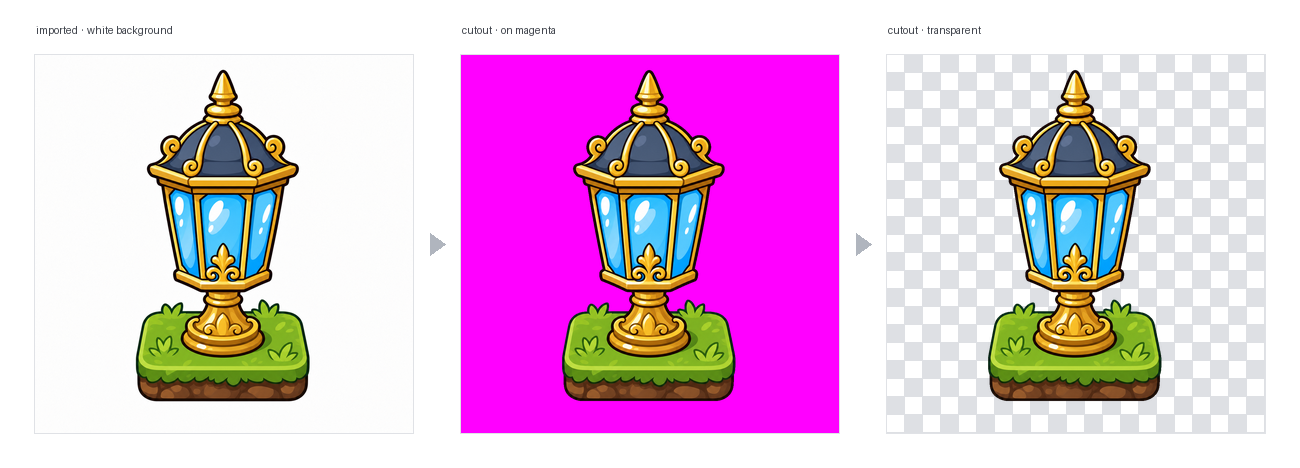
# routes on the corner colour: white/ivory -> matte, magenta/green -> extract engine
python3 -m sprite_gen.cli cutout icon.png --white-check
It reads the corner background colour and routes (--key auto|white|magenta|green):
--strength (bevel removal), --band (edge depth), --erode.extract chroma engine is
reused as-is. Key colours never appear in objects, so its colour-only cut is
safe there — exactly where a white matte's flood-fill guard is not needed.--white-check writes cyan/magenta/yellow composites so any leftover fringe
shows loudly. For uniform backgrounds; not for complex/non-uniform ones.
The full agent-facing workflow and contracts live in SKILL.md.
From Codex skill installer workflows, install this repository as a root skill:
python3 ~/.codex/skills/.system/skill-installer/scripts/install-skill-from-github.py \
  --repo aldegad/sprite-gen --path .
Provider-backed generation is part of this engine (sprite_gen.gen), with
codex and grok as the supported providers. The general image-gen skill is
only a thin shuttle to the same command, so it does not need a second provider
implementation. See docs/gen.md for the CLI and verification
contract.
The component-row workflow is inspired by the Apache-2.0 licensed hatch-pet skill, but targets generic game sprite atlases and includes no pet packages or pet visual assets.
Apache-2.0
more like this
Comprehensive analytics dashboard for AI coding agents — Cursor, Windsurf, Claude Code, VS Code Copilot, Zed, Antigravi…
TachiSnap — Pixel Snapper for animation pixel artists. Rust + WebAssembly client-side tool for cleaning up AI-generated…
A 2D implementation of the Astar Pathfinding algorithm using Tilemaps in Unity
search projects, people, and tags