meine
meine 🌒 - A CLI file manager and system utility built with Textual. It combines intuitive command parsing with rich t…
Python★ 50
A command-line tool to find and display TODO-style comments in your codebase.
 alexandretrotel
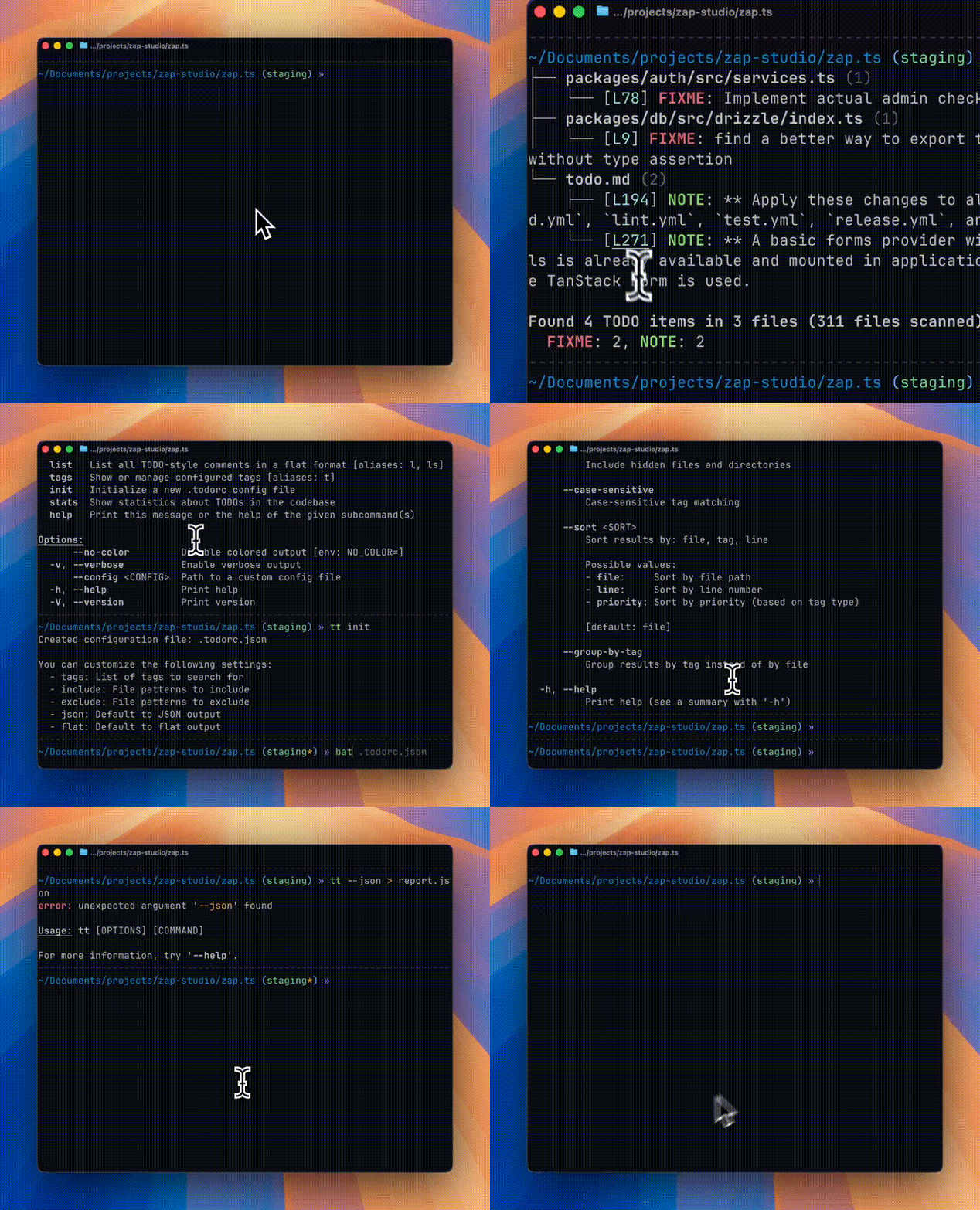
A command-line tool to find and display TODO-style comments in your codebase, similar to the VS Code "Todo Tree" extension.
.gitignore rules automatically.todorc in JSON or YAML formatcargo install todo-tree
# Clone the repository
git clone https://github.com/alexandretrotel/todo-tree.git
cd todo-tree

# Build and install
cargo install --path .
brew tap alexandretrotel/todo-tree
brew install todo-tree
# runs the default todo-tree command
nix run github:alexandretrotel/todo-tree

# create a shell with the command available (with nix-output-monitor)
nom shell github:alexandretrotel/todo-tree
tt tags

# or, just normal nix
nix shell github:alexandretrotel/todo-tree
tt scan ~/projects/todo-tree --tags FIXME
Note: If you haven't enabled the experimental Nix command and flakes features, you need to pass --extra-experimental-features "nix-command flakes" to the command. See the Nix command wiki for more details.
# flake.nix
{
  inputs = {
    nixpkgs.url = "github:nixos/nixpkgs/nixos-unstable";
    todo-tree.url = "github:alexandretrotel/todo-tree";
  };

  outputs = { self, nixpkgs, todo-tree, ... }: {
    nixosConfigurations.my-host = nixpkgs.lib.nixosSystem {
      system = "x86_64-linux";
      modules = [ ./configuration.nix ];
      specialArgs = { inherit todo-tree; };
    };
  };
}

# configuration.nix
{ pkgs, todo-tree, ... }:

{
  environment.systemPackages = [
    todo-tree.packages.${pkgs.stdenv.hostPlatform.system}.todo-tree
  ];
}
The tool provides two binary names: todo-tree and tt (alias for quick access).
# Scan current directory (default command)
tt

# Scan a specific directory
tt scan ./src

# Scan with specific tags
tt scan --tags TODO,FIXME,BUG

# List all TODOs in flat format
tt list

# Show configured tags
tt tags

# Show statistics
tt stats

# Create a GitHub Actions workflow
tt workflow init
Create a .todorc.json or .todorc.yaml file in your project root:
.todorc.json){
"tags": ["TODO", "FIXME", "BUG", "NOTE", "HACK", "XXX", "WARN", "PERF"],
"include": ["*.rs", "*.py", "*.js", "*.ts"],
"exclude": ["target/**", "node_modules/**", "dist/**"],
"json": false,
"flat": false,
"no_color": false,
"ignore_case": false,
"require_colon": true
}
.todorc.yaml)tags: - TODO - FIXME - BUG - NOTE - HACK include: - "*.rs" - "*.py" exclude: - "target/**" - "node_modules/**" json: false flat: false no_color: false
.todorc in the current directory.todorc.json in the current directory.todorc.yaml or .todorc.yml in the current directory~/.config/todo-tree/config.json (global config)By default, todo-tree requires tags to be UPPERCASE and followed by a colon:
// TODO: This will be found ✓
// FIXME: This will be found ✓
// BUG: This will be found ✓

// todo: This will NOT be found (lowercase) ✗
// TODO This will NOT be found (no colon) ✗
// Todo: This will NOT be found (mixed case) ✗
Optional author/assignee syntax (still works with colon):
// TODO(john): Assigned to john ✓
// FIXME(team): Needs team review ✓
You can customize the matching behavior with CLI flags:
# Ignore case when matching (matches TODO, todo, Todo, etc.)
tt scan --ignore-case

# Allow tags without colon (matches "TODO something")
tt scan --no-require-colon

# Use both options together (most flexible, like v0.2.x behavior)
tt scan --ignore-case --no-require-colon
Or set these options in your .todorc.json:
{
  "ignore_case": true,
  "require_colon": false
}
The strict defaults (uppercase + colon required) significantly reduce false positives.
These defaults align with most coding conventions and help you find intentional TODO comments, not accidental matches.
Generate a workflow file at .github/workflows/todo-tree.yml:
tt workflow init
This creates a pull request workflow that checks out the repository and runs alexandretrotel/todo-tree-action@v1.0.3 by default.
Use --force to overwrite an existing workflow, --path to write the template elsewhere, or --action to override the generated action ref:
tt workflow init --force
tt workflow init --path .github/workflows/custom-todo-tree.yml
tt workflow init --action alexandretrotel/todo-tree-action@main
The tool generates clickable hyperlinks (OSC 8) in supported terminals:
Colors are automatically enabled when outputting to a terminal. Use --no-color or set the NO_COLOR environment variable to disable.
A GitHub Action that automatically scans your pull requests for TODO comments and posts a summary as a PR comment. Features include:
Contributions are welcome! Please feel free to submit a Pull Request.
Inspired by the Todo Tree VS Code extension
GPL-3.0-or-later
more like this
meine 🌒 - A CLI file manager and system utility built with Textual. It combines intuitive command parsing with rich t…
Create and add progress bars, Office365 Files and Dropbox Paper papers by labels and link them to your Todoist tasks.
search projects, people, and tags