interactive_grid_gdextension
InteractiveGrid is a Godot GDExtension that allows player interaction with a 2D/3D grid, including cell selection, path…
 antoinecharruel
git clone https://github.com/antoinecharruel/interactive_grid_gdextension.gitantoinecharruel/interactive_grid_gdextension
Generated from godotengine/godot-cpp-template
Interactive Grid GDExtension
InteractiveGrid is a Godot GDExtension that allows player interaction with a 2D/3D grid, including cell selection, pathfinding, and hover highlights.
Note: To use this plugin, simply download it and add the 'addons' folder to your Godot project's root directory. You don't have to enable it in the plugins menu.
Features
-
Add a new InteractiveGrid2D Node to your Godot project.
-
Add a new InteractiveGrid3D Node to your Godot project.
-
Select individual cells.
-
Detect obstacles.
-
Align cells with the floor.
-
Calculate paths from a global position to selected cells using AStar2D.
-
Choose movement type: 4 directions, 6 directions, 8 directions.
-
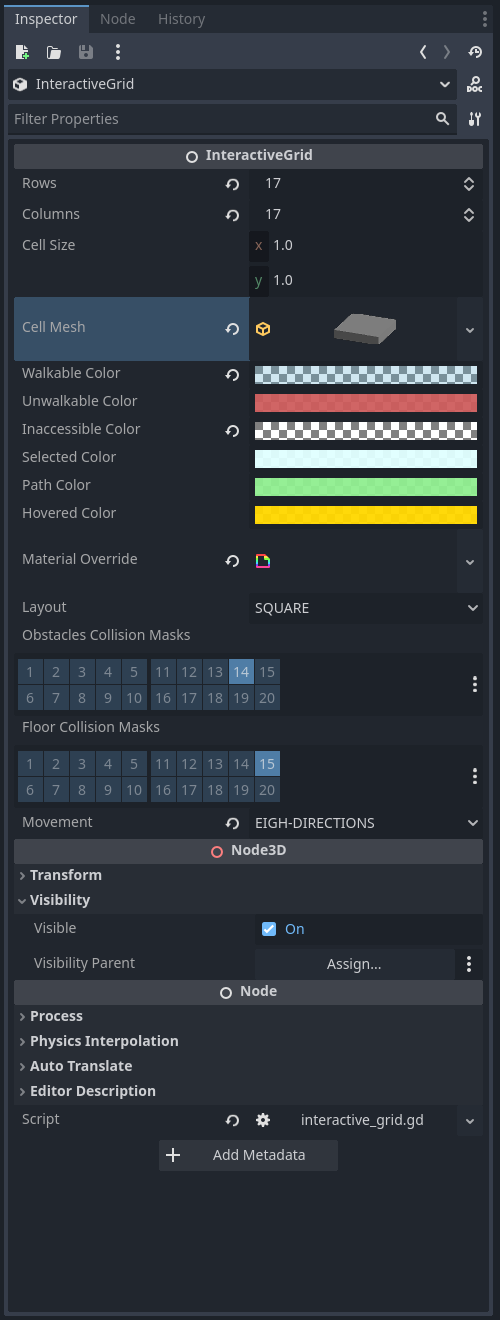
Customize the grid from the editor: grid size, cell size, mesh, colors, and shaders.
-
High performance using MultiMeshInstance3D for efficient rendering of multiple cells.
Compatibility:
- Fully compatible with Godot 4.5.
- Cross-platform support (Linux, Windows, macOS, Android, iOS, Web/HTML5).
Itch.io Page 🎮

Online Tutorial
Demo GDScript Example
# interactive_grid_3d.gd
extends InteractiveGrid3D

var _path: PackedInt64Array = []
var _pawn: CharacterBody3D = null
var _show_grid: bool = false

func _ready() -> void:
	_show_grid = false


func _process(_delta: float) -> void:
	if _show_grid == false and self.visible:
		self.set_visible(false)

	if self.get_selected_cells().is_empty():
		self.highlight_on_hover(%RayCastFromMouse.get_ray_intersection_position())
	else:
		move_along_path(_path)


func show_grid():
	#region InteractiveGrid3D Center
	## Here, the grid is centered around the player.
	## !Note: This operation repositions all cells, aligns them with the environment,
	## rescans obstacles and custom data, and refreshes A* navigation.
	##  - Manual modifications can also be applied here, such as:
	##     - Hiding cells beyond a certain distance
	##     - compute_unreachable_cells
	##     - Adding custom data
	#endregion

	if _pawn == null:
		return

	print("show_grid")
	_show_grid = true

	_path = []
	self.set_visible(true)
	self.center(_pawn.global_position)

	var pawn_current_cell_index: int = self.get_cell_index_from_global_position(_pawn.global_position)

	# To prevent the player from getting stuck.
	self.set_cell_accessible(pawn_current_cell_index, true)
	self.set_cell_reachable(pawn_current_cell_index, true)

	self.hide_distant_cells(pawn_current_cell_index, 6)
	self.compute_unreachable_cells(pawn_current_cell_index)

	var neighbors: PackedInt64Array = self.get_neighbors(pawn_current_cell_index)
	for neighbor_index in neighbors:
		self.add_custom_cell_data(neighbor_index, "CFL_NEIGHBORS")

	self.add_custom_cell_data(pawn_current_cell_index, "CFL_PLAYER")

	#region update_custom_data()
	## !Note: Don't forget to call update_custom_data().
	## It refreshes custom_cell_flags, colors, and the A* configuration
	## based on the newly updated CellCustomData.
	#endregion
	self.update_custom_data()


func _input(event):
	if event is InputEventMouseButton and event.button_index == MOUSE_BUTTON_LEFT:
		if _pawn == null:
			return

		var ray_pos: Vector3 = %RayCastFromMouse.get_ray_intersection_position()
		if ray_pos == null:
			return

		var selected_cells: Array = self.get_selected_cells()
		if selected_cells.size() < 1:
			var hit_cell_index: int = self.get_cell_index_from_global_position(ray_pos)
			self.select_cell(hit_cell_index)
			selected_cells = self.get_selected_cells()
			if selected_cells.is_empty():
				return

			var pawn_current_cell_index: int = self.get_cell_index_from_global_position(_pawn.global_position)
			self.set_cell_accessible(pawn_current_cell_index, true)
			_path = self.get_path(pawn_current_cell_index, selected_cells[0])
			print("Last selected cell:", self.get_latest_selected())
			print("Path:", _path)
			self.highlight_path(_path)


func move_along_path(path: PackedInt64Array)-> void:
	if path.is_empty():
		show_grid()
		return

	var target_cell_index: int = path[0]
	var target_global_position: Vector3 = get_cell_global_position(target_cell_index)
	if not is_on_target_cell(_pawn.global_position, target_global_position, 0.20):
		reaching_cell_target(target_cell_index)
	else:
		target_cell_reached()


func reaching_cell_target(target_cell_index: int) -> void:
	if _path.size() > 0:
		var target_cell_global_position: Vector3 = self.get_cell_global_position(target_cell_index)
		if _pawn.has_method("move_to"):
			_pawn.move_to(target_cell_global_position)
		else:
			printerr("pawn does not have the 'move_to' method.")


func target_cell_reached():
	if not _path.is_empty():
		_path.remove_at(0)


static func is_on_target_cell(current_global_position: Vector3, target_global_position: Vector3, threshold: float) -> bool:
	return current_global_position.distance_to(target_global_position) <= threshold


func set_pawn(pawn: CharacterBody3D):
	_pawn = pawn
Use Cell Flags via Alpha Channel to Modify Cell Shader at Runtime
// interractive_grid.gdshader

shader_type spatial;
render_mode unshaded, cull_disabled, depth_draw_opaque;

varying vec4 instance_c;
varying vec4 instance_c_default;
varying float alpha;

// Default cell flags:
const int CFL_ACCESSIBLE = 1 << 0;
const int CFL_REACHABLE = 1 << 1;
const int CFL_IN_VOID = 1 << 2;
const int CFL_HOVERED = 1 << 3;
const int CFL_SELECTED  = 1 << 4;
const int CFL_PATH = 1 << 5;
const int CFL_VISIBLE = 1 << 6;

// Custom cell data:
const int CFL_PLAYER = 1 << 7;
const int CFL_NEIGHBORS = 1 << 9;
const int CFL_TRAP = 1 << 10;
const int CFL_PULSE = 1 << 8;

vec3 pulse_color(vec3 base_color, float speed, float min_val, float max_val) {
   float center = (min_val + max_val) * 0.5;
   float range  = (max_val - min_val) * 0.5;
   return base_color * (sin(TIME * speed) * range + center);
}

void vertex() {
   instance_c = INSTANCE_CUSTOM;
   int cell_flag = int(instance_c.a);
   alpha = 0.5;

   if ((cell_flag & CFL_ACCESSIBLE) == 0) {
      alpha = 0.20;
   }

   if ((cell_flag & CFL_NEIGHBORS) != 0
      && (cell_flag & CFL_PATH) == 0
      && (cell_flag & CFL_TRAP) == 0)
      {
         if ((cell_flag & CFL_ACCESSIBLE) != 0) {
            alpha = 0.40;
            instance_c.r = 0.2;
            instance_c.g = 0.5;
            instance_c.b = 1.0;
         }
      }

   if ((cell_flag & CFL_PATH) != 0) {
      VERTEX.y += sin(TIME * 4.0 + VERTEX.x * 2.0) * 0.2;
   }

   if ((cell_flag & CFL_HOVERED) != 0) {
      VERTEX.y += sin(TIME * 4.0) * 0.2;
   }

   if ((cell_flag & CFL_TRAP) != 0) {
      VERTEX.y += sin(TIME * 4.0 + VERTEX.x * 2.0) * 0.2;
   }

   if ((cell_flag & CFL_PULSE) != 0) {
      instance_c.rgb = pulse_color(vec3(instance_c.rgb), 4.0, 0.3, 0.8);
   }

   if ((cell_flag & CFL_VISIBLE) == 0) {
      alpha = 0.0; // invisible
   }

   if ((cell_flag & CFL_REACHABLE) == 0) {
      alpha = 0.0; // invisible
   }

   if ((cell_flag & CFL_IN_VOID) != 0) {
      alpha = 0.0; // invisible
   }
}

void fragment() {
   if (alpha == 0.0) {
      discard;
   }
   ALBEDO = instance_c.rgb;
   EMISSION = instance_c.rgb;
   ALPHA = alpha;
}
For details on customizing shaders for the interactive 3D grid, see:
Add Custom Shader
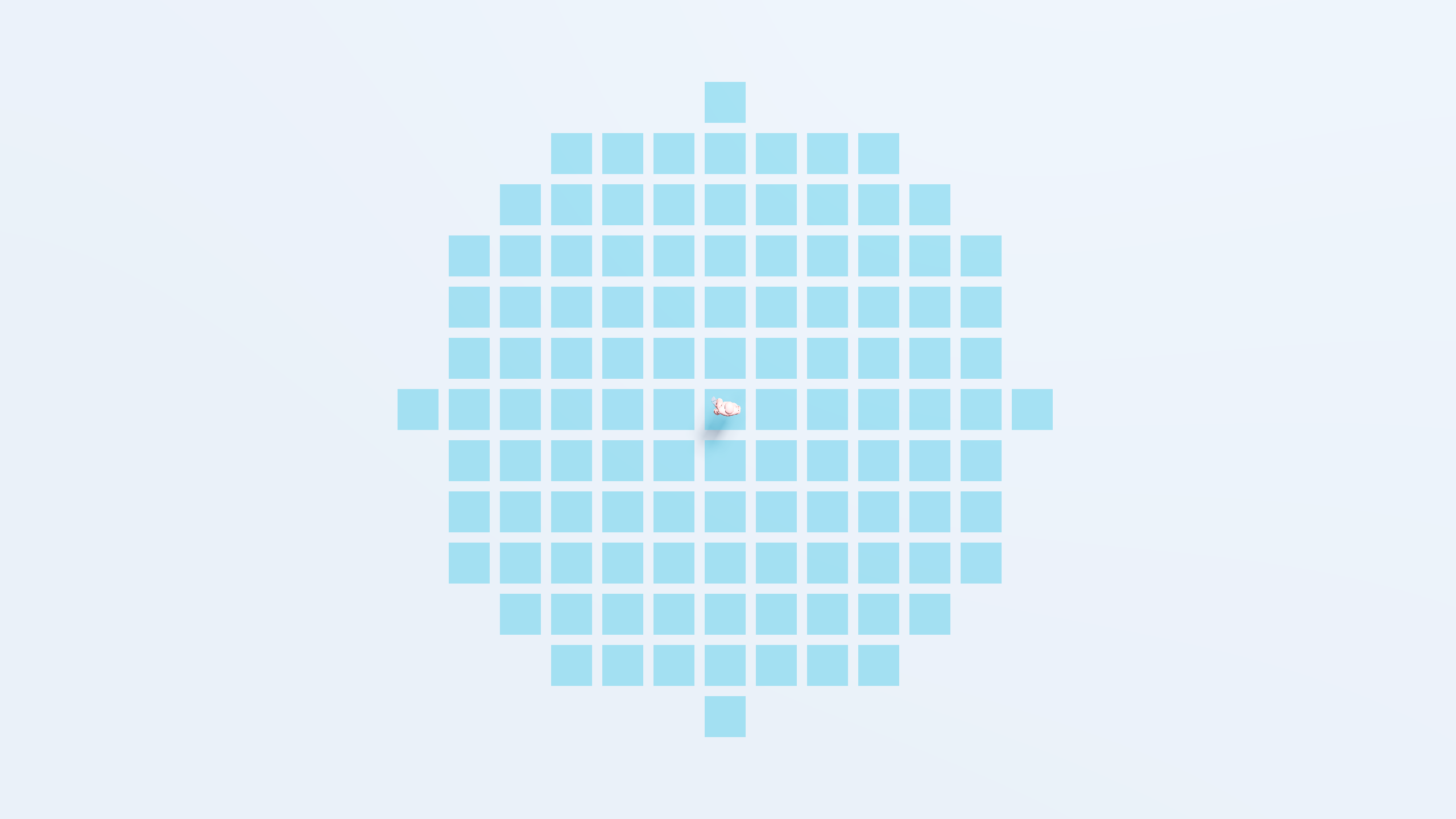
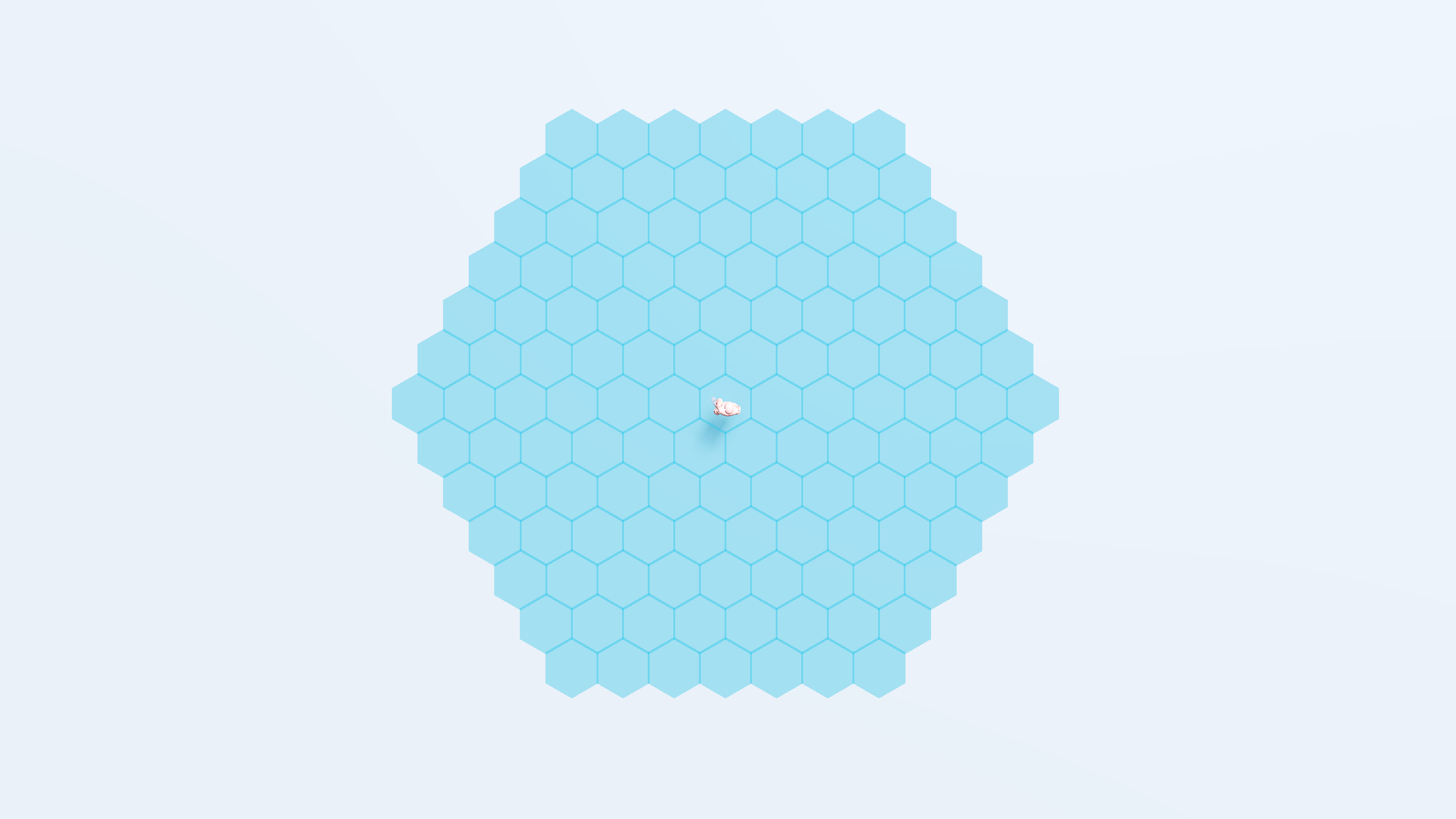
Use different layouts: square and hexagonal
Need Help, Found an Issue, or Want to Share Your Work? 🛠️🎨
If you encounter any issues, have questions, want to share your project using Interactive Grid, or give feedback, feel free to reach out on Discord:
Assets and Resources Used
- Nature Kit · Kenney. https://kenney.nl/assets/nature-kit
- Map Pack · Kenney. https://kenney.nl/assets/map-pack.
- Character movement in 3D | GDQuest Library. https://www.gdquest.com/library/character_movement_3d_platformer/#create-a-3d-character-controller-in-godot-4
- Pixel Trees by LINHZVN. https://linhzvn.itch.io/pixel-trees.
- Adventurer 2D Top-Down by Mattz Art. https://xzany.itch.io/top-down-adventurer-character
References (Videos & Websites)
- BornCG. (2024, August 4). Godot 4 3D Platformer Lesson #13: Align Player with Ground! [Video]. YouTube. https://www.youtube.com/watch?v=Y5OiChOukfg
- jitspoe. (2022, May 11). Godot 3D Spatial Shaders: Getting started [Video]. YouTube. https://www.youtube.com/watch?v=6-eIEFPcvrU
- jmbiv. (2021, October 5). How to make a 3D hexagon grid in Godot (Tutorial) [Video]. YouTube. https://www.youtube.com/watch?v=3Lt2TfP8WEw
- Patel, A. J. (2013). Hexagonal grids. https://www.redblobgames.com/grids/hexagons/#neighbors
more like this
bit_gossip
Pathfinding library for calculating all node pairs' shortest paths in an unweighted undirected graph.
MapGridInUnity
Unity-Pathfinding-Jobs-StressTest
Unity project showcasing A* pathfinding, fully jobified & burst compiled. It also contains examples of RaycastCommand a…