perplexity-cli
🧠 A simple command-line client for the Perplexity API. Ask questions and receive answers directly from the terminal! 🚀🚀🚀
Python★ 176
The local-first Agent OS — your AI partner lives on your own machine. Drive the official Claude Code, Codex & OpenCode…
 avibe-bot
Own the agent. Reach it from anywhere. Never get locked in.
Drives
Reach it from
Claude Code, Codex, OpenCode are incredible. But:
One command turns your own machine into the home your AI partner lives in. You drive the official Claude Code, Codex, and OpenCode — from a browser or any chat app — while your code and keys stay on your machine, and avibe.bot never sees your data.
curl -fsSL https://avibe.bot/install.sh | bash && vibe
The browser opens, you follow a short wizard, and your machine becomes an Agent OS you can reach from anywhere.
Open source — read the install script first if you like. The short URL is a 307 redirect to that file.
We recommend WSL on Windows for the best compatibility — see Run Avibe with WSL from scratch. It covers where to install WSL, which terminal to use, where to run the install command, and how to open the Web UI.
💚 Built with Avibe. This project was developed end-to-end using Avibe itself — steering Claude Code, Codex, and OpenCode from the browser and from my phone, picking up seamlessly whether I was at my desk or not. The deeper in I got, the faster it went. — @alex_metacraft
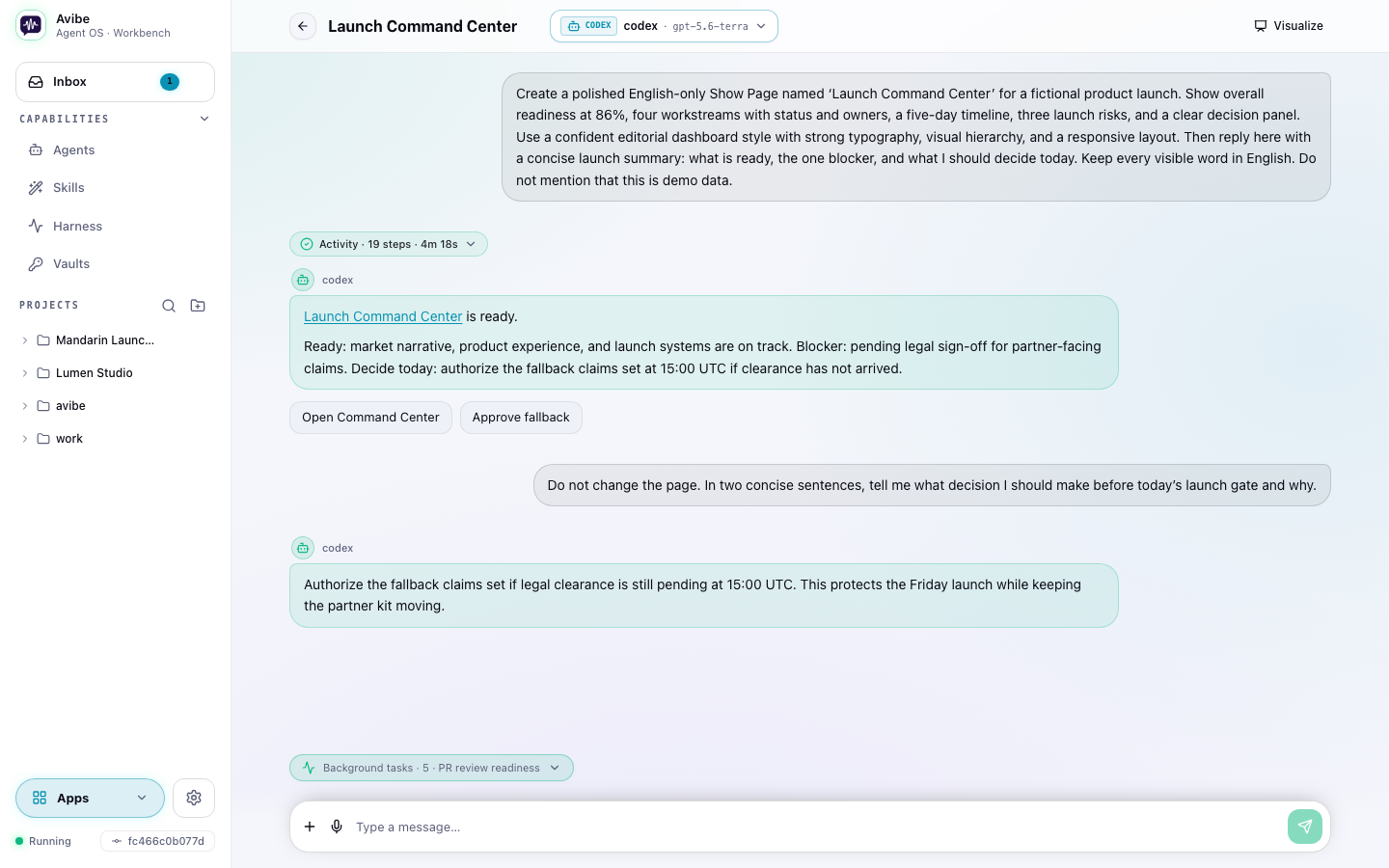
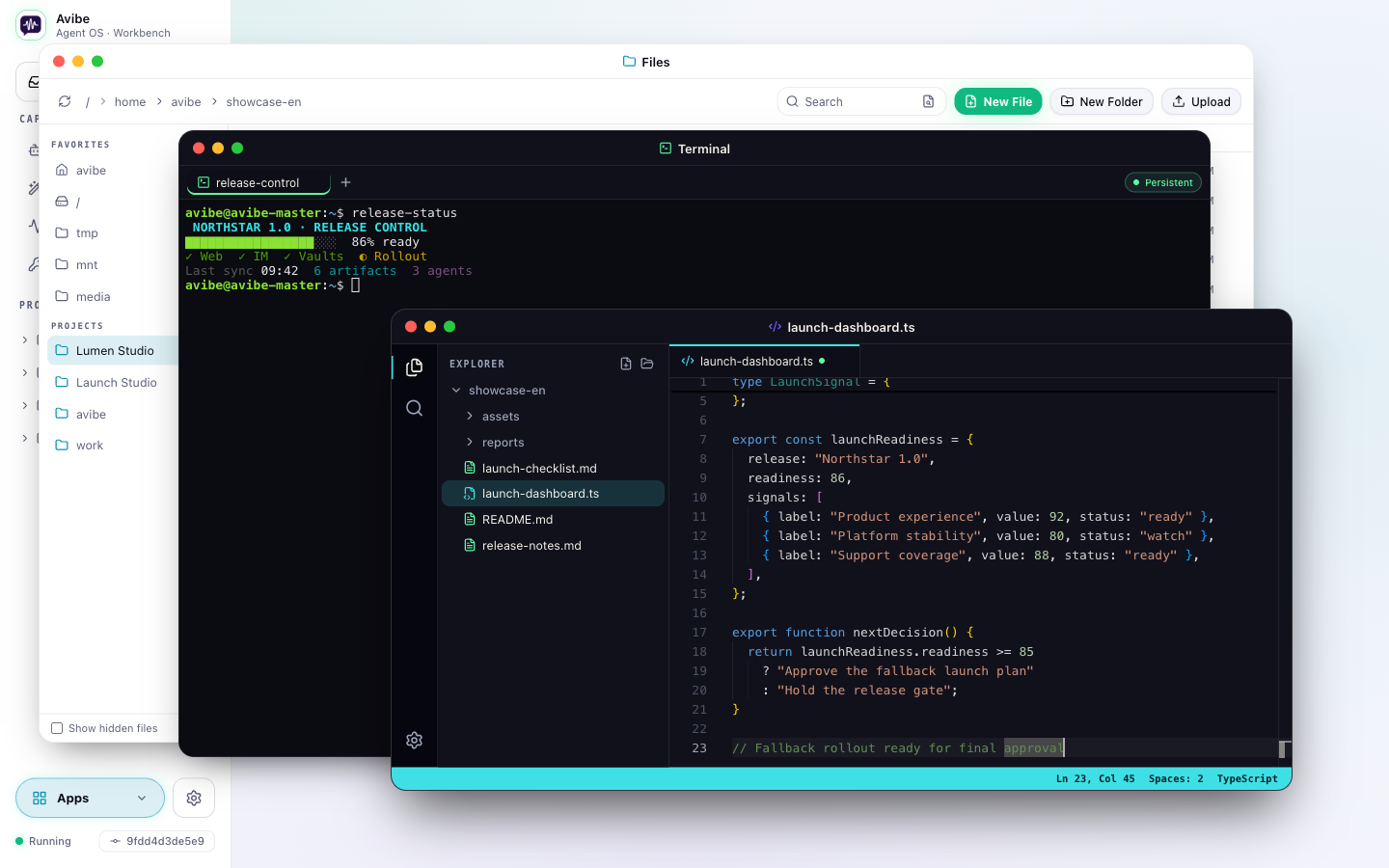
Chat, inspect files, edit code, and run terminal commands in one windowed workspace. Built-in apps and the Show Pages your agent creates open side by side, so the browser feels like an Agent OS instead of a settings dashboard.
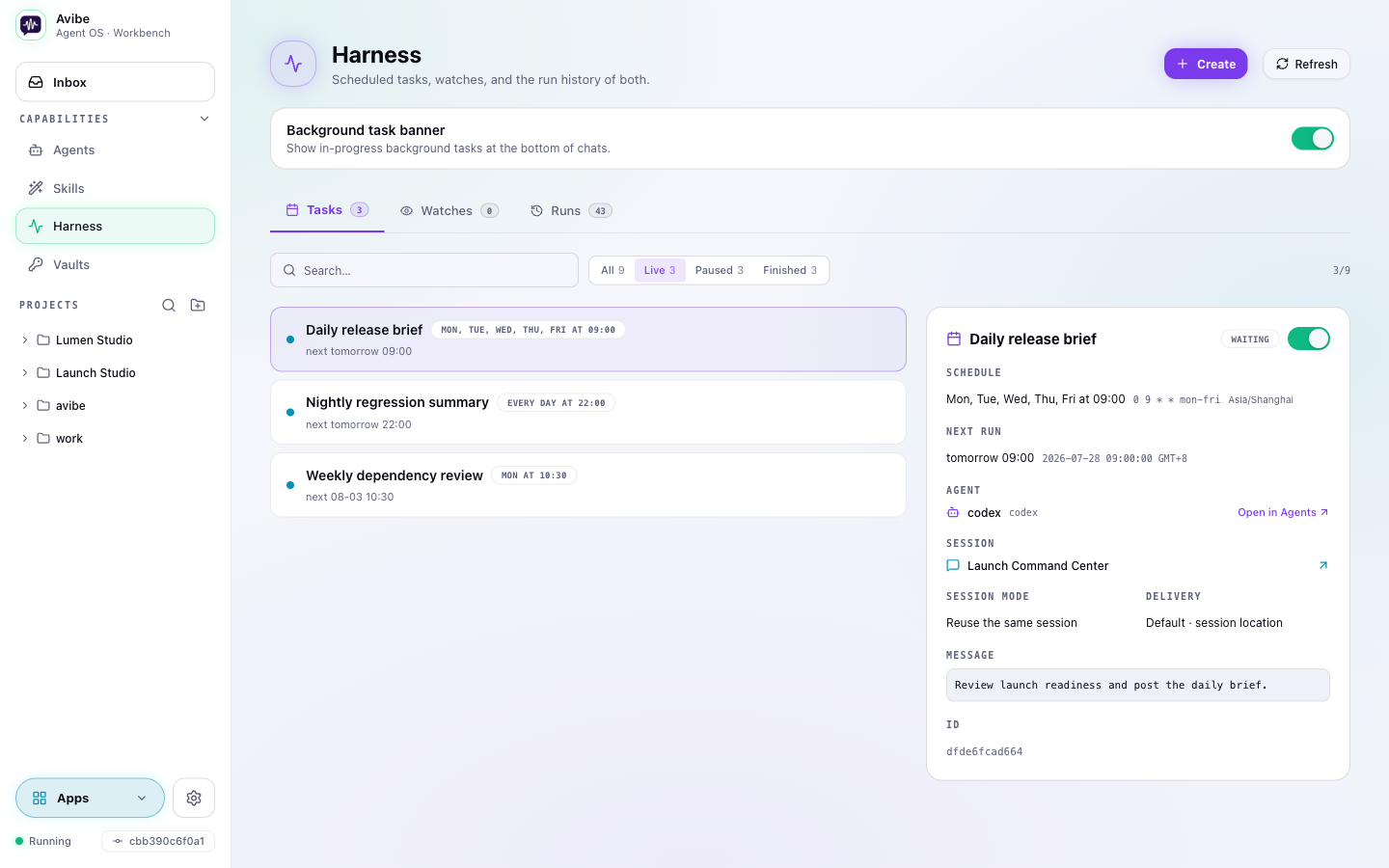
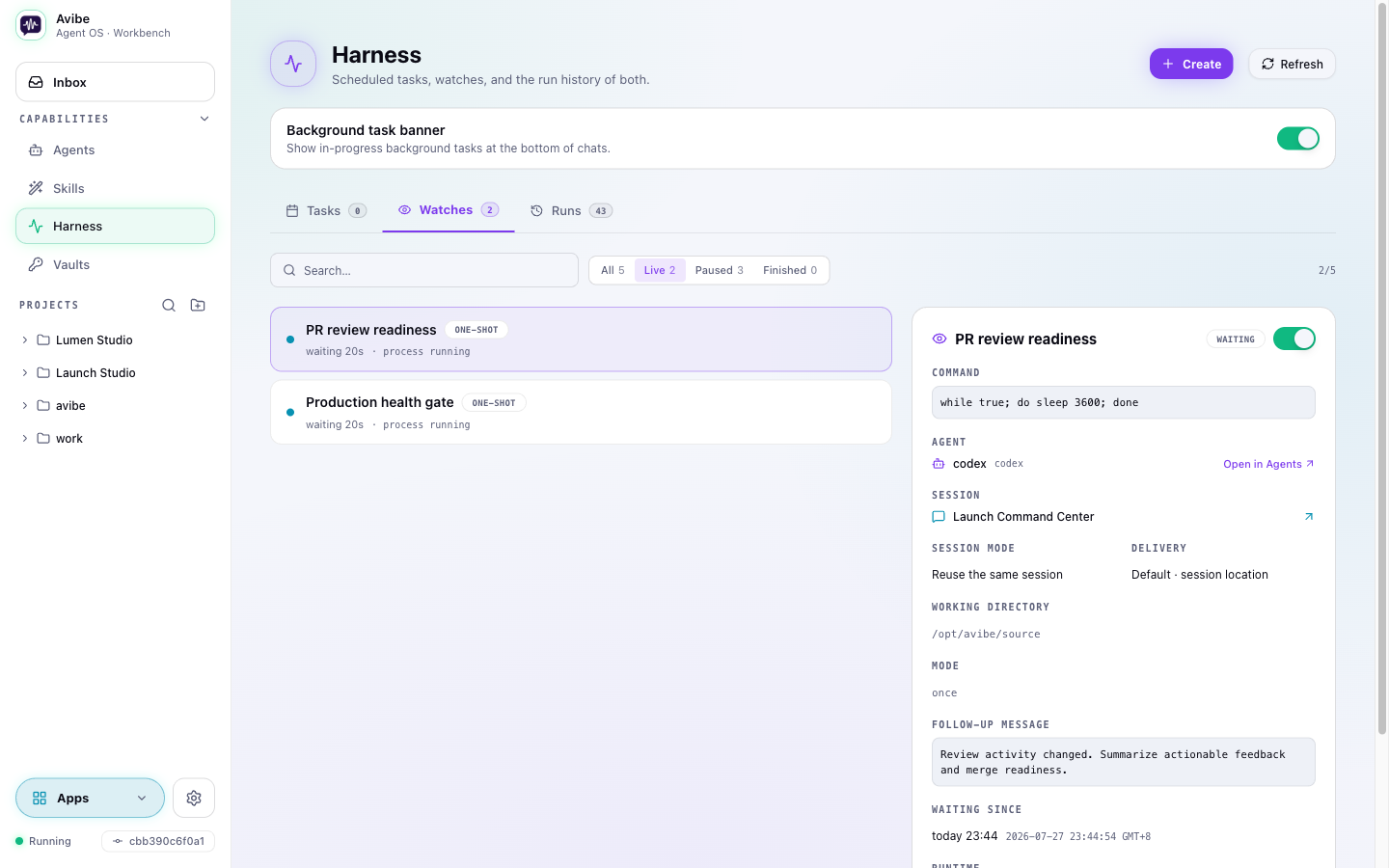
Most AI tools only act when you type. Avibe gives your agent durable primitives — run, schedule, watch, and inspect — so it can start work, wait for the right moment, run in the background, and come back with results. Task and watch details expose their trigger, Agent and session binding, delivery configuration, and run history; standalone definitions can intentionally omit a conversation delivery target.
Run the official Claude Code, Codex, and OpenCode CLIs behind one Agent registry. Choose models and reasoning per Agent, route projects to the right specialist, and keep reusable Skills shared across backends.
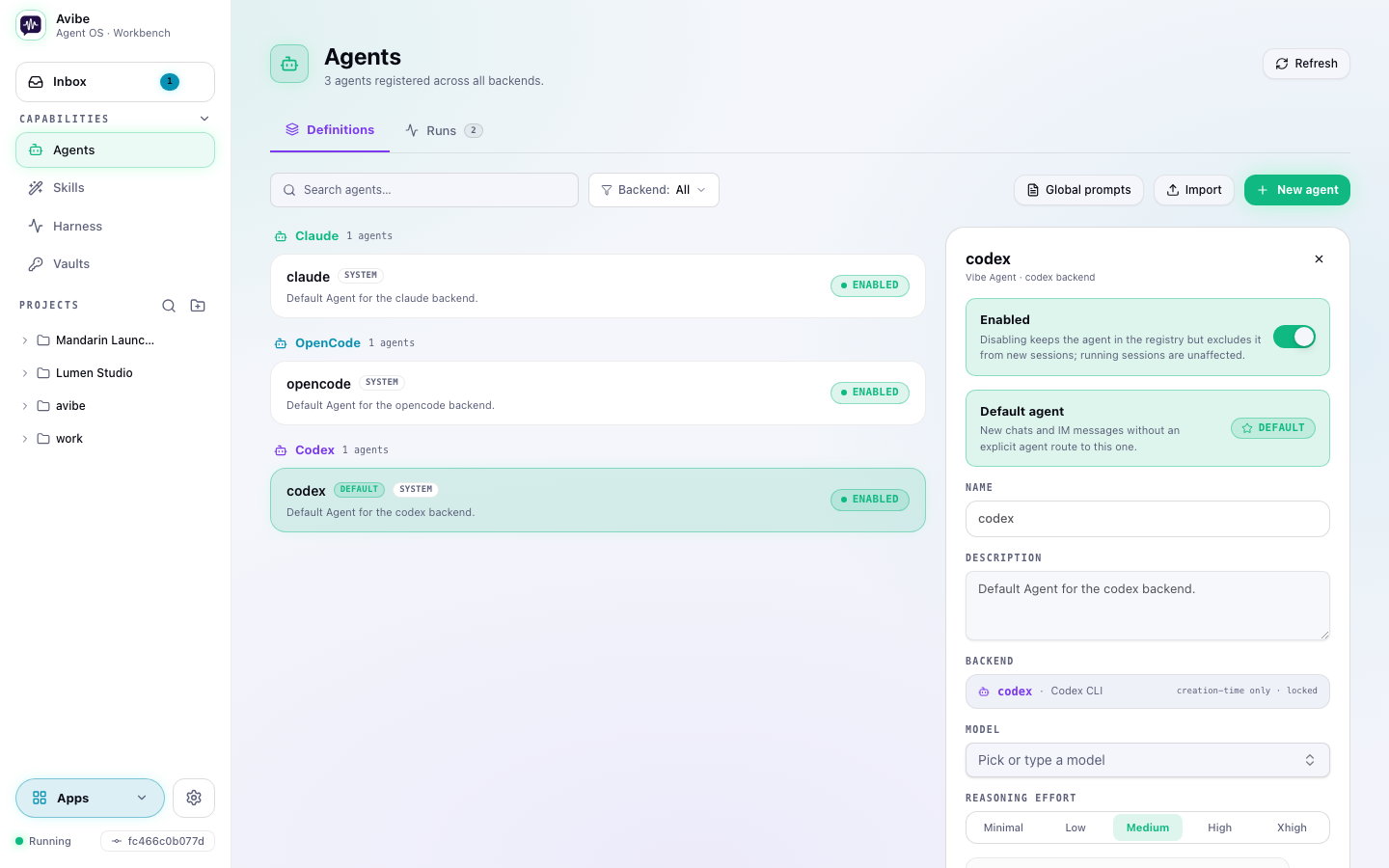
Open Runs to see that collaboration as a graph: who started each background Session, where it reports back, and the execution history behind every node.
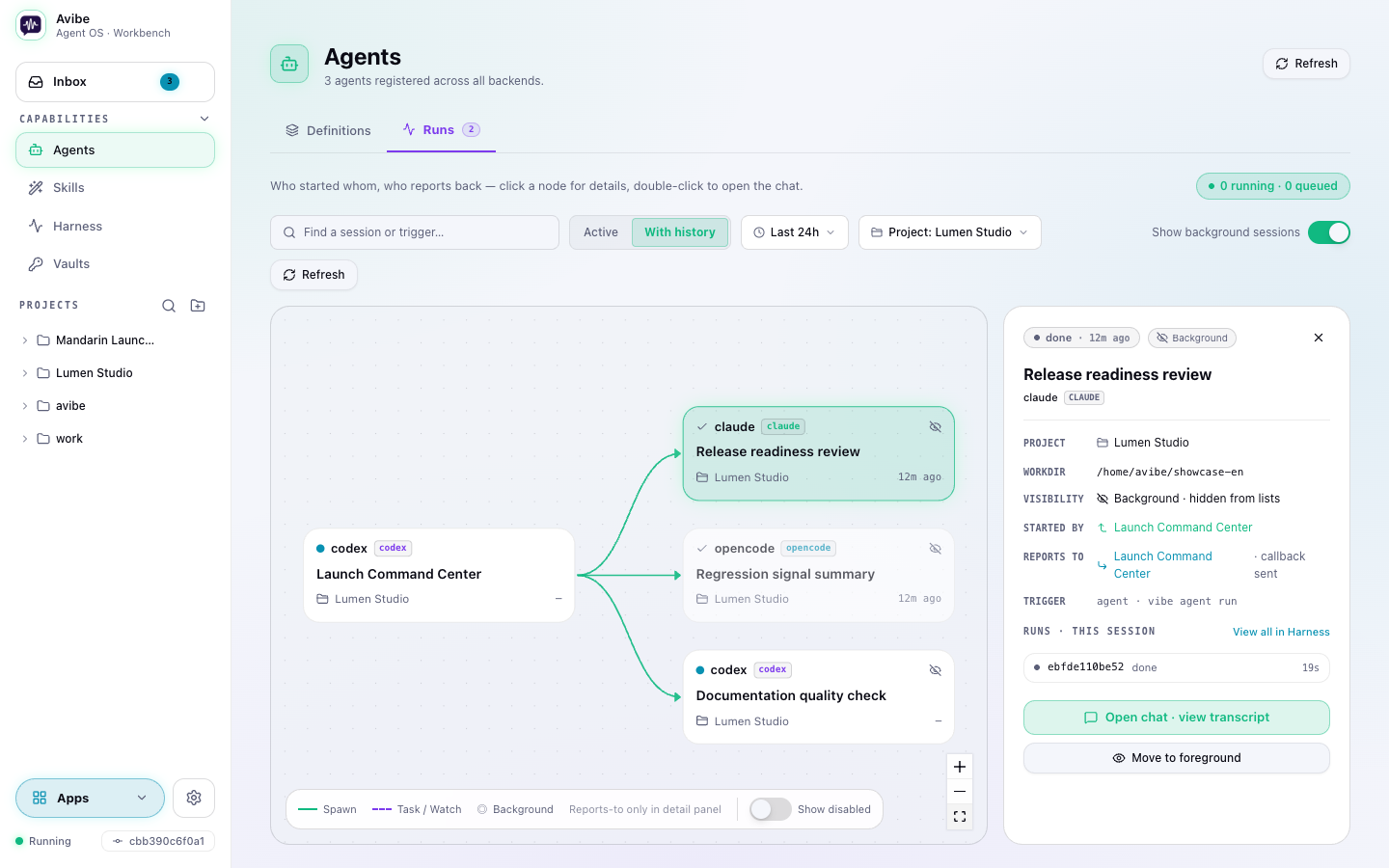
When a picture beats a paragraph, your agent hands you a live web page — a flowchart, dashboard, diff, report, or small app. Comment on an element or screenshot, and the agent can rework the page or answer exactly where you pointed.
In Chat, click Visualize to switch the current session to its Show Page. Hover the button to open the page in a new app window or browser tab. You can also drag the button downward and release to place a new app window at the pointer, or drop it on Apps to pin that Show Page to the Dock.
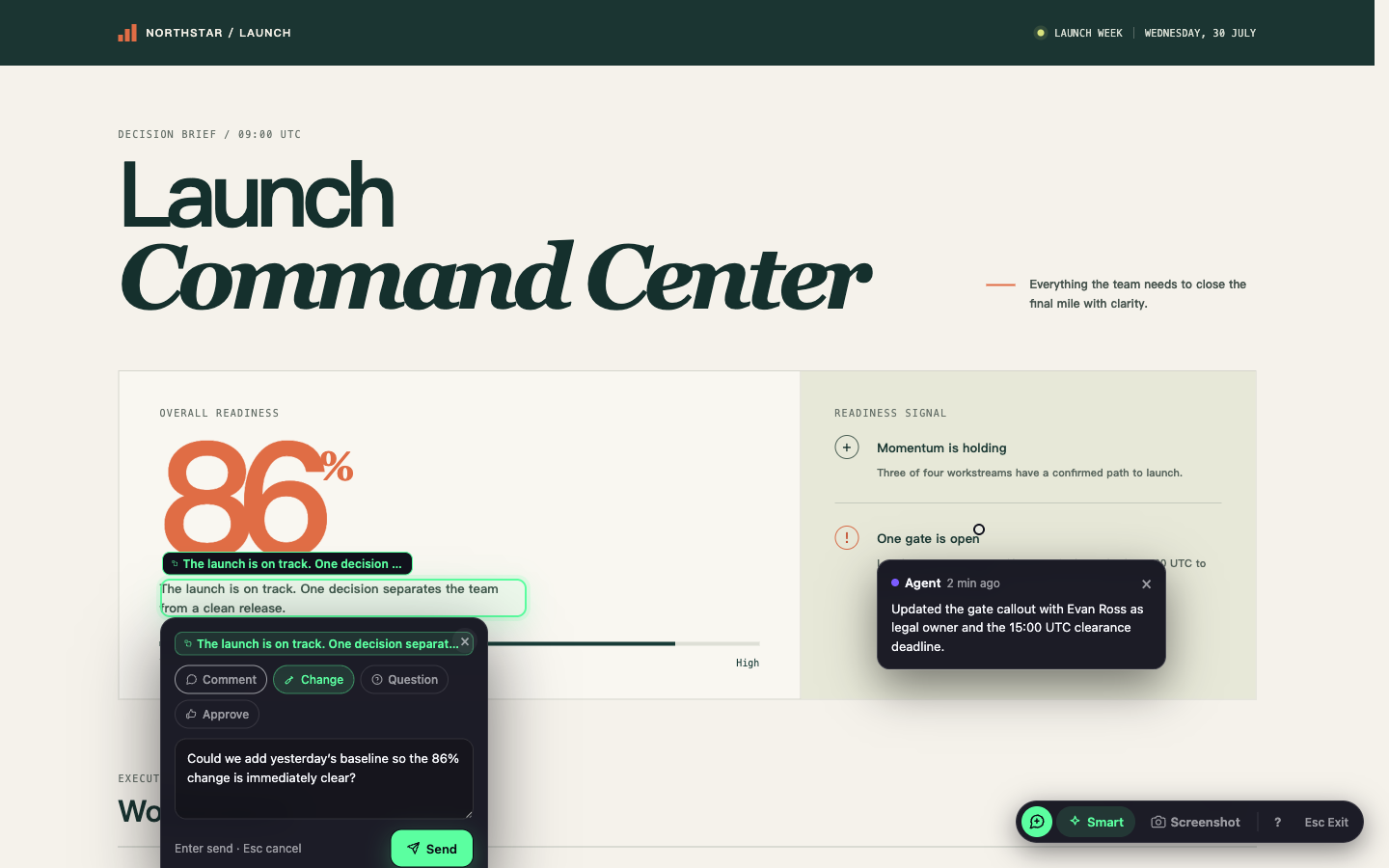
Add a Standard secret once and approve Agent requests from the browser. Avibe's Vault responses never include the secret value; commands receiving it must still avoid printing it. Protected, passkey-gated custody remains pre-launch until the sandbox integrity gate is enforced.
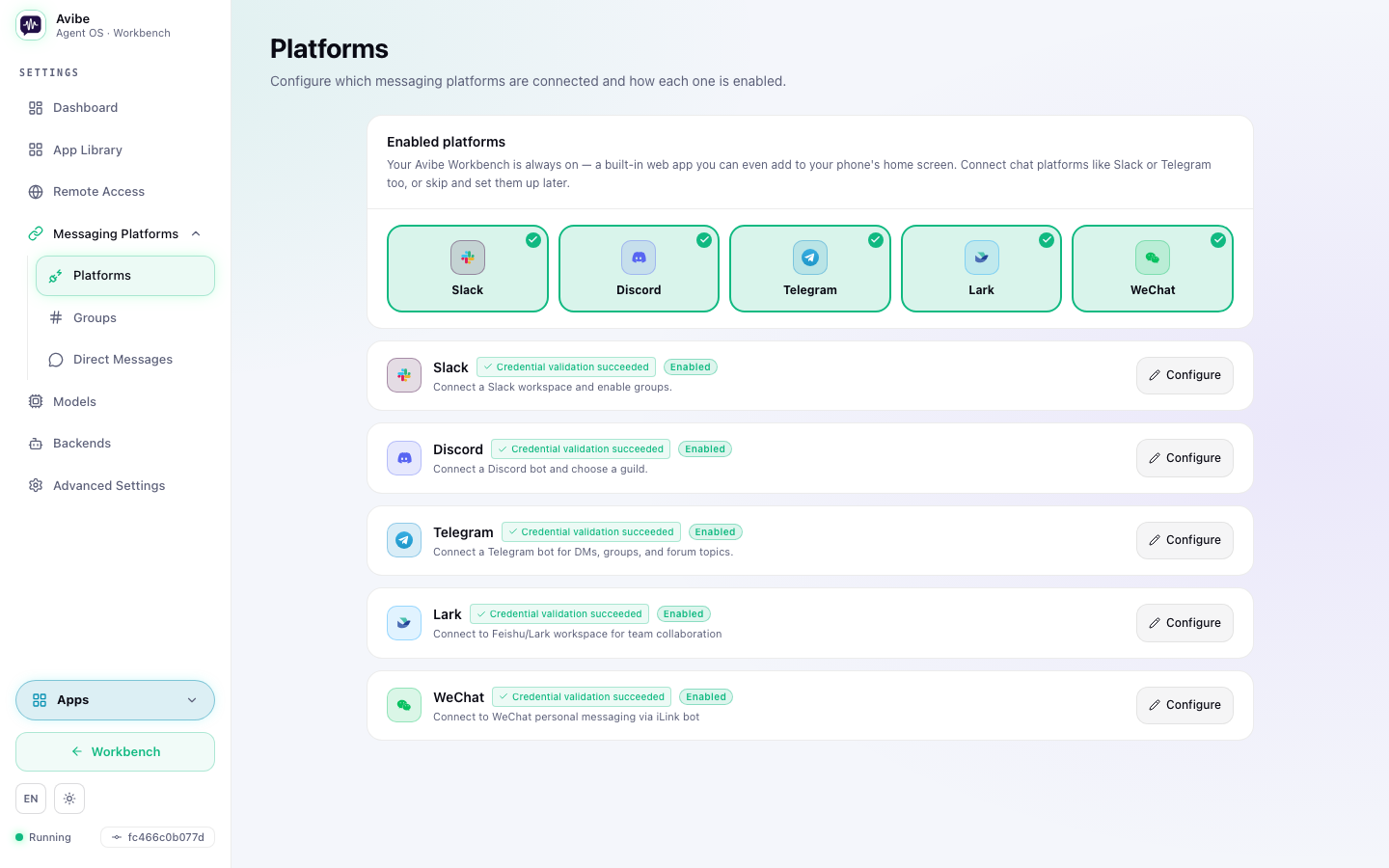
Use the Workbench when you want windows and rich interaction; use Slack, Discord, Telegram, WeChat, or Lark / Feishu when chat is the fastest route. They reach the same Agents and sessions.
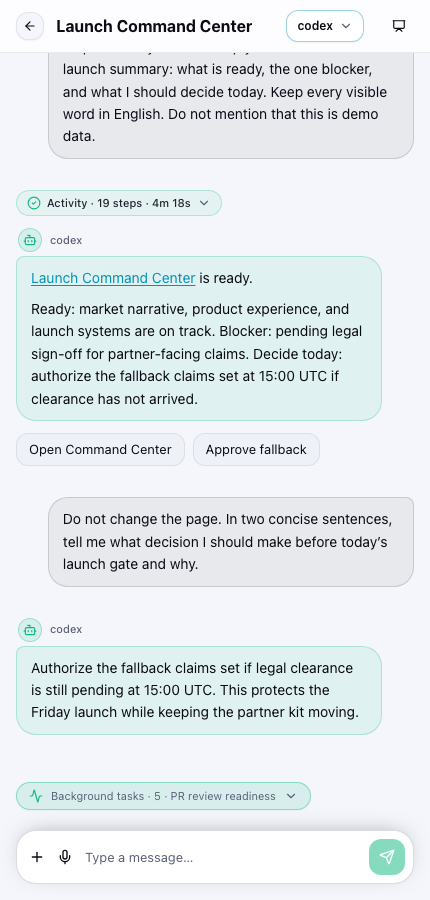
Your machine runs the work; you don't have to sit in front of it. Install the Workbench as a desktop or mobile app, use built-in voice-to-text, and get a push notification when a job needs you. Run vibe remote and the same local Workbench becomes reachable from any browser through a secure avibe.bot tunnel — no VPN or port forwarding.
You're on a plane, at a café, on a borrowed laptop. The agent pings that a job needs you. Open the link, steer it, walk away again.
you-app.avibe.bot — 30-second sign-in, your slug for lifeYour data plane stays on your machine; avibe.bot only carries the control-plane handshake.
Plus — per-channel Agent routing · resumable sessions (thread = session) · interactive prompts · voice-to-text · file attachments · push and completion notifications.
| Local-first, and yours | Your AI partner, its execution, your keys, and your data stay on your machine. avibe.bot only issues identity and a secure tunnel — it never proxies your data. |
| One substrate, every first-party agent | Drive the official Claude Code, Codex, and OpenCode. Bring your own subscription or keys, switch per task, and never get locked into one vendor's silo. |
| Browser and chat, both first-class | Operate from the browser Workbench, or from Slack, Discord, Telegram, WeChat, and Lark / Feishu. Same agent, same sessions. |
| No middleman | No extra reasoning loop sits between you and your agent. Tokens go straight to the agent you chose. |
┌──────────────┐            ┌──────────────┐            ┌──────────────┐
│     You       │  browser   │              │   stdio    │  Claude Code  │
│  (anywhere)   │   Slack    │    Avibe      │ ─────────▶ │  OpenCode     │
│               │  Discord   │ (your machine)│ ◀───────── │  Codex        │
│               │  Telegram  │              │            │               │
│               │  WeChat    │              │            │               │
│               │  Lark      │              │            │               │
└──────────────┘            └──────────────┘            └──────────────┘
Your code stays on your machine. Avibe runs locally and connects out via Slack Socket Mode, Discord Gateway, Telegram long-polling, WeChat polling, or Lark WebSocket — no public inbound ports for normal chat control. Prompts go only to the AI provider you choose.
| Avibe | OpenClaw | |
|---|---|---|
| Setup | One command + web wizard. Done in minutes. | Gateway + channels + JSON config. Expect an afternoon. |
| Security | Local-first. Socket Mode / WebSocket only. No public inbound ports, minimal attack surface. | Gateway exposes ports. More moving parts, more surface. |
| Token cost | No extra reasoning loop in between. Tokens go straight to your chosen agent. | Every message carries a long persona/orchestration context. Tokens burn on overhead before your task starts. |
| Lock-in | Drives the official agent CLIs; bring your own keys; switch per task. | Tied to its own assistant loop. |
OpenClaw is an always-on personal assistant — great for casual chat, expensive for real work. Avibe is a local-first Agent OS for the agents you already trust: the agent stays itself, your data stays local, and the colleague experience comes from putting the agent into the flow where your work already happens.
Local-first here means your code, data, and execution stay on your machine — not the model weights. Avibe drives the agent you configure (Claude Code, Codex, OpenCode); OpenCode can point at local or OpenAI-compatible endpoints if you want inference local too.
Your code, keys, and agent processes stay on your own machine. avibe.bot only issues identity and a secure tunnel — it never proxies or stores your data. Prompts go only to the AI provider you chose.
Avibe is open source (MIT) and free to run. You bring your own agent subscription or API keys and pay your provider directly — no markup, no second subscription.
Agents: the official Claude Code, Codex, and OpenCode CLIs. Surfaces: a built-in browser Workbench plus Slack, Discord, Telegram, WeChat, and Lark / Feishu.
vibe remote opens a Cloudflare tunnel; browser traffic reaches your machine only after sign-in. Auth, routing, and host checks are fail-closed, and there are no public inbound ports for normal chat control.
OpenClaw and Hermes are agents — a gateway-style assistant and a self-improving agent. Avibe is a different layer: the Agent OS. It gives any agent a unified world model — agents, sessions, Show Pages, the Harness — so it can schedule itself, build its own loops, and reach you through a real interaction layer, then runs the official Claude Code, Codex, and OpenCode you bring (an Avibe-native agent is on the roadmap). See the comparison table above for OpenClaw specifics.
Ask in plain language and the Harness composes the commands behind the scenes:
Switch agents mid-conversation — just prefix your message:
Plan: design a new caching layer for the API
Route per project — different work, different agent:
frontend   → OpenCode    (fast iteration)
backend    → Claude Code  (complex logic)
prototypes → Codex        (quick experiments)

Lives in your Workbench and your chat apps. Reads the room. Picks up where you left off. Asks the right question when it's unsure. Goes quiet when you're heads-down. Ships at 2am because that's when the vibe hits — then leaves a note about what it touched.
Avibe is the home your agent lives in. Vibey is the colleague who lives there.
Forgets nothing. Holds opinions. Says thanks when you fix its bugs.
vibe            # Start Avibe and open the Workbench
vibe status     # Check service and configuration status
vibe stop       # Stop the local service
vibe doctor     # Diagnose common setup issues; use "vibe doctor repair" for explicit safe fixes
vibe remote     # Reach your Workbench from any device via avibe.bot
vibe agent      # Run and manage Avibe agents
vibe task       # Schedule time-based work (cron / one-off)
vibe watch      # Wait on a condition, then act
vibe runs       # Inspect agent run history
vibe vault      # Manage secrets, requests, authenticated fetches, and signing
| In chat | What it does |
|---|---|
| Mention the bot | Start a task or ask a question |
| Reply in thread | Continue the same agent session |
/stop |
Stop the current session |
Full references: Commands · CLI
You need at least one agent installed:
curl -fsSL https://opencode.ai/install | bash
Add to ~/.config/opencode/opencode.json to skip permission prompts:
{ "permission": "allow" }
npm install -g @anthropic-ai/claude-code
npm install -g @openai/codex
~/.avibe/, sent only to the AI provider you chose. Existing installs keep ~/.vibe_remote/ as a compatibility path.avibe.bot only brokers identity and the tunnel, never your data.vibe stop uv tool uninstall avibe-os uv tool uninstall vibe-remote # legacy installs rm -rf ~/.avibe ~/.vibe_remote
What's coming next:
Shipped recently: multi-window Apps, Show Page annotations, the Agent Harness, Standard Vaults, voice-to-text, and the Skills manager.
Own the agent. Reach it from anywhere.
more like this
🧠 A simple command-line client for the Perplexity API. Ask questions and receive answers directly from the terminal! 🚀🚀🚀
Comprehensive analytics dashboard for AI coding agents — Cursor, Windsurf, Claude Code, VS Code Copilot, Zed, Antigravi…
Skill Claude Code de veille tech francophone. Agrège les flux RSS (Journal du Hacker, Human Coders News…) et produit un…
A to-do list that runs your Claude Code agents — capture anywhere, dispatch in parallel, review from your phone.
search projects, people, and tags