perplexity-cli
🧠 A simple command-line client for the Perplexity API. Ask questions and receive answers directly from the terminal! 🚀🚀🚀
Python★ 176
fzf-navigator is an interactive file system navigator that uses fzf.
 benward2301
git clone https://github.com/benward2301/fzf-navigator.gitbenward2301/fzf-navigatorfzf-navigator is an interactive file system navigator that uses fzf. It provides a speedy alternative to cd + ls with previews, toggles, history navigation and contextual command-line insertion.
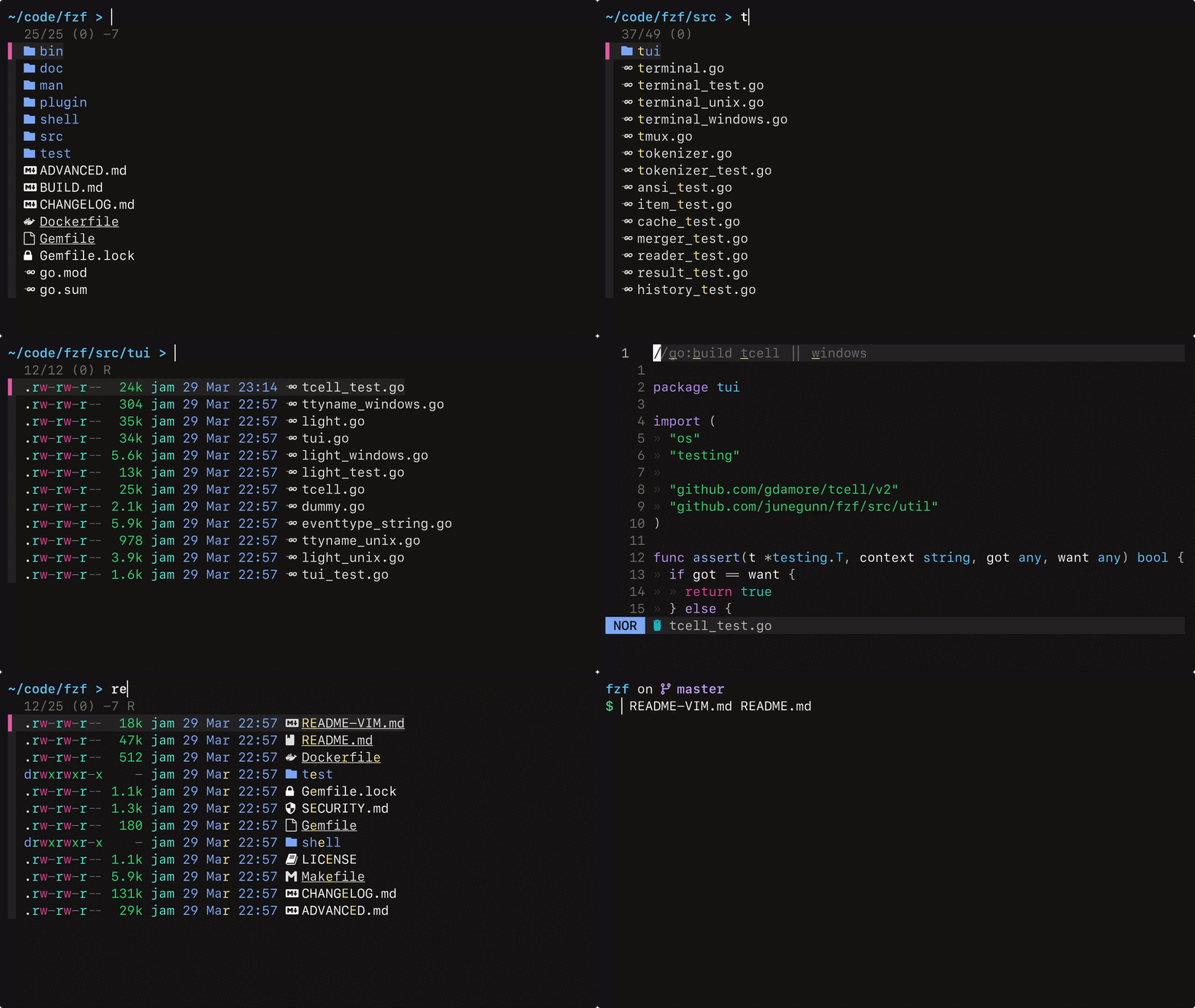
Download fzf-navigator.sh and source it in your shell rc file.
Example:
curl -o ~/.config/fzf-navigator.sh https://raw.githubusercontent.com/benward2301/fzf-navigator/main/fzf-navigator.sh
echo 'source ~/.config/fzf-navigator.sh' >> ~/.${SHELL##*/}rc
lscatPress ctrl-space to open the navigator.
| Key | Action | Description |
|---|---|---|
space |
open |
Enter directory / edit file |
ctrl-o |
open_and_exit |
Enter directory / edit file and exit navigator |
ctrl-space |
exit |
Exit navigator (and cd to current directory if locked) |
enter |
insert_selection |
Insert path(s) at cursor |
ctrl-y |
copy_selection |
Copy path(s) to clipboard |
esc |
cancel |
Exit, or reset path if locked |
ctrl-d |
go_to_parent |
Go to parent directory |
ctrl-alt-o |
go_back |
Go back in history |
ctrl-alt-i |
go_forward |
Go forward in history |
[ |
go_to_session_start |
Go to session starting directory |
\ |
go_home |
Go to home directory |
/ |
go_to_root |
Go to root directory |
ctrl-l |
toggle_locked |
Toggle locked mode (navigation doesn't change shell CWD) |
alt-h |
toggle_hidden_files |
Toggle hidden files |
alt-i |
toggle_ignored_files |
Toggle git-ignored files (eza only) |
ctrl-g |
toggle_file_details |
Toggle file details (-l) |
ctrl-r |
toggle_recent_first |
Toggle recent-first sort |
alt-r |
reload |
Reload the current directory listing |
? |
toggle_help |
Toggle help |
| Variable | Description |
|---|---|
FZF_NAVIGATOR_KEY |
Keybinding to launch navigator |
FZF_NAVIGATOR_SHOW_HIDDEN |
Show hidden files by default if set |
FZF_NAVIGATOR_SHOW_IGNORED |
Show git-ignored files by default if set (eza only) |
FZF_NAVIGATOR_LOCK_CWD |
Start in locked mode if set (navigation doesn't change shell CWD) |
FZF_NAVIGATOR_HIDE_HELP |
Hide the "? for help" hint if set |
FZF_NAVIGATOR_LS_FORMAT |
Comma-separated: icons, color, classify, or plain (default: icons,color) |
FZF_NAVIGATOR_BINDINGS |
Custom keybindings: "key:action,key:action,..." |
FZF_NAVIGATOR_OPTS |
Additional fzf options |
FZF_NAVIGATOR_FILE_PREVIEW_COMMAND |
Custom file preview command (receives path as $1) |
FZF_NAVIGATOR_DIR_PREVIEW_COMMAND |
Custom directory preview command (receives path as $1) |
When using eza, you can enable truecolor file icons (if your terminal supports it) by copying theme.yml to your eza config directory:
curl -o "${EZA_CONFIG_DIR:-$HOME/.config/eza}/theme.yml" https://raw.githubusercontent.com/benward2301/fzf-navigator/main/theme.yml
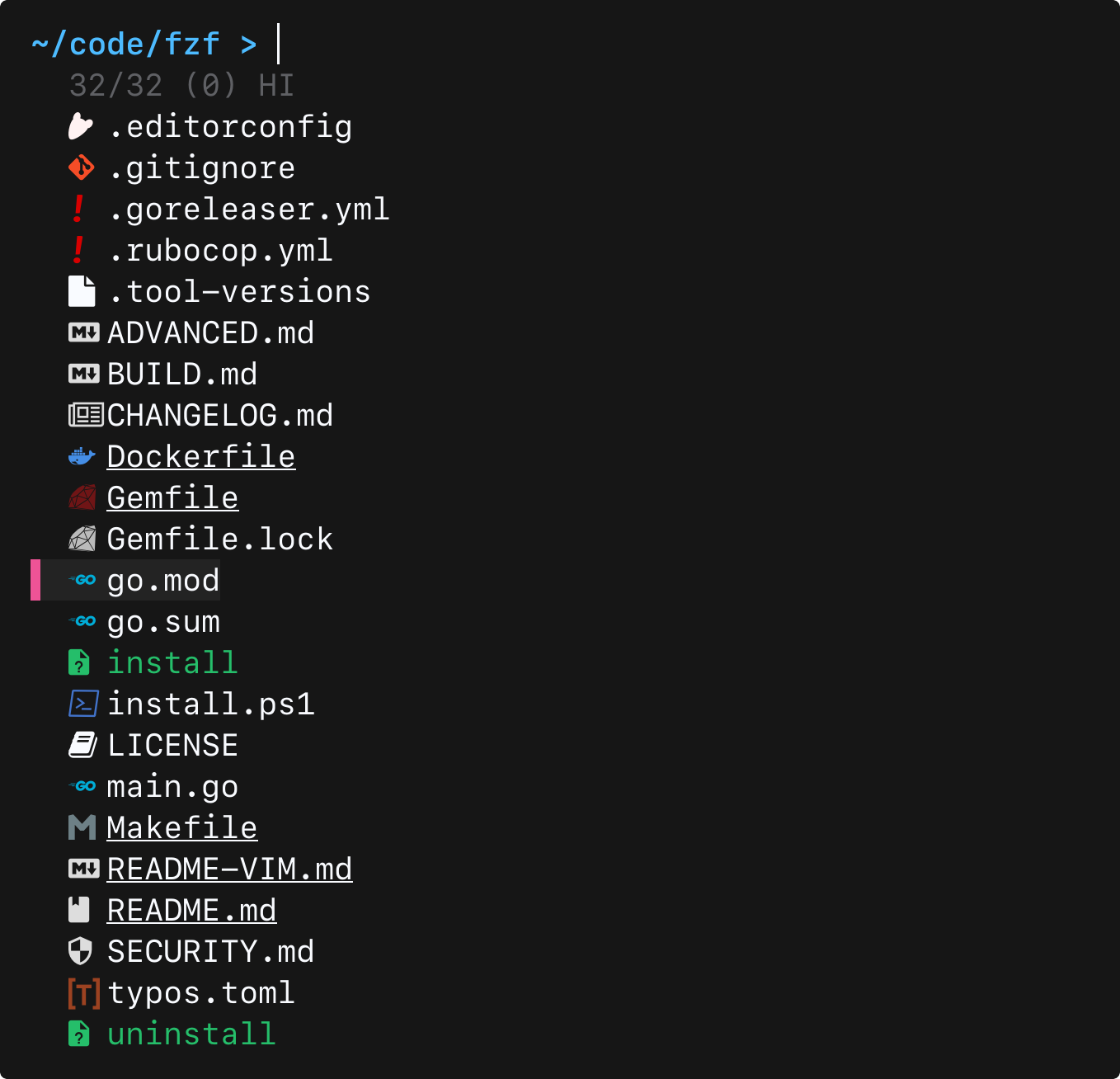
zsh, bash ≥ 5.0eza, GNU/BSD lsmore like this
🧠 A simple command-line client for the Perplexity API. Ask questions and receive answers directly from the terminal! 🚀🚀🚀
Free open-source Cloudflare R2 desktop client and S3 GUI for macOS, Windows, and Linux. Manage Cloudflare R2, AWS S3, M…
meine 🌒 - A CLI file manager and system utility built with Textual. It combines intuitive command parsing with rich t…
search projects, people, and tags