ForwardWidgets
Widgets for Douban and Trakt watchlists plus personalized recommendations, live TV streaming including PlutoTV, Yatu ra…
JavaScript★ 247
Turn any folder into a Notion-style database — 7 views, 17 column types, formulas, relations, rollups, and subtasks. Al…
 bgarciamoura
git clone https://github.com/bgarciamoura/obsidian-notion-bases-plugin.gitbgarciamoura/obsidian-notion-bases-plugin7 views. 18 column types. Charts, subtasks, formulas and relations. Zero code required.
Turn any folder into a Notion-style database with Table, Board (Kanban), Gallery, List, Calendar, Timeline (Gantt), and Chart views — powered by plain Markdown and frontmatter. Your data stays yours, always.
Now available in Obsidian's Community Plugins directory — install it directly in the app
Website · Latest Release · Report Bug · Request Feature
IF, SUM, AVG, CONCAT, LEFT, ROUND, and many more{{column}} tokens in a note body render the current cell value in reading view, updating as you edit the tablestatus=Done, priority=High → Done/High/row.md).md file, every column is a frontmatter field. No lock-in, no cloud, no telemetryObsidian's built-in Bases plugin is great for tables and has its own expression-based formula system. Notion Bases focuses on a different set of trade-offs — more views, more column types, and a spreadsheet-style formula syntax.
| View | Notion Bases | Core Bases |
|---|---|---|
| Table | Yes | Yes |
| Board / Kanban | Yes | No |
| Gallery | Yes | No |
| List | Yes | Yes |
| Calendar | Yes | No |
| Timeline / Gantt | Yes | No |
| Chart view | Yes | No |
Notion Bases offers 5 exclusive views that Core Bases doesn't have — Board, Gallery, Calendar, Timeline, and Chart — giving you the flexibility to visualize data the way that fits your workflow.
| Feature | Notion Bases | Core Bases |
|---|---|---|
| Column types | 18 | 6 |
| Formulas | Spreadsheet-style (IF, SUM, AVG, CONCAT) |
Expression-based (JS-like) |
| Relation columns | Yes | No |
| Lookup columns | Yes | No |
| Rollup columns | Yes | No |
| Image columns | Rendered in cell | Text only |
| Subtasks / Sub-rows | Yes | No |
| Number formatting (prefix, suffix, decimals, thousands) | Yes | No |
With relation and lookup columns, you can link databases together and pull values across notes — just like Notion. The spreadsheet-style formula syntax is familiar to anyone who has used Excel or Google Sheets.
| Feature | Notion Bases | Core Bases |
|---|---|---|
| Column reordering (drag) | Yes | Yes |
| Column resizing (drag) | Yes | Yes |
| Column pinning | Yes | No |
| Row height options | Yes | Yes |
| Text wrap toggle | Yes | No |
| Aggregation row | 5 functions always visible | Right-click → Summarize |
| Multi-column sort with priority | Yes | Basic sort |
| CSV import / export | Yes | No |
| Bulk actions (delete, duplicate, move) | Yes | No |
Both plugins let you resize, reorder columns and adjust row height. Notion Bases goes further with column pinning, text wrap, a persistent aggregation footer, multi-column sort with drag-to-reorder priority, CSV import/export, and bulk row actions.
| Feature | Notion Bases | Core Bases |
|---|---|---|
| Embed database in any note | Yes | Yes |
| Multiple views per database | Yes | Yes |
| AND/OR filter logic | Yes | Yes |
| 100% local Markdown | Yes | Yes |
If you ever wished Obsidian had Notion-level databases without leaving your vault, this is it.
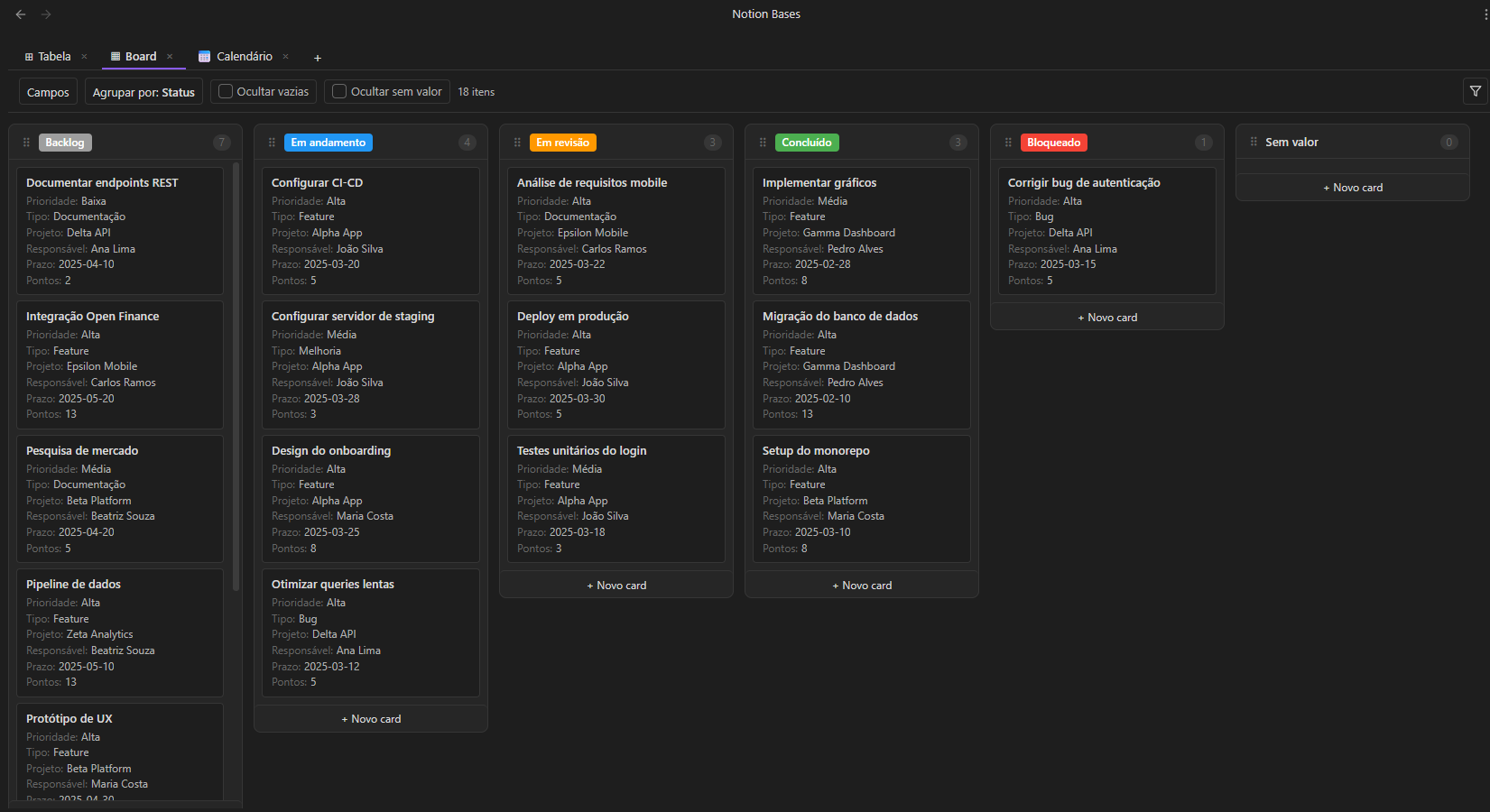
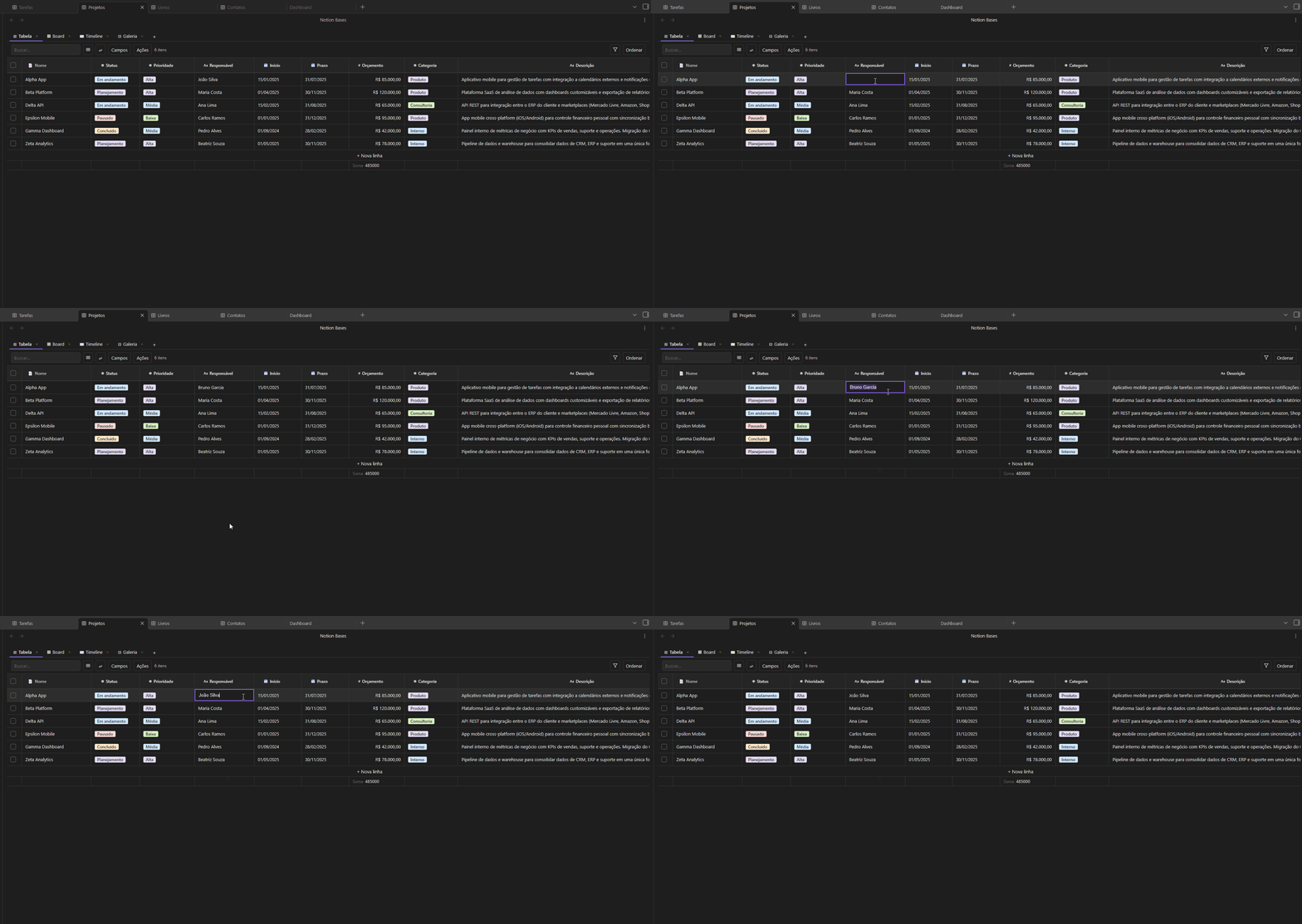
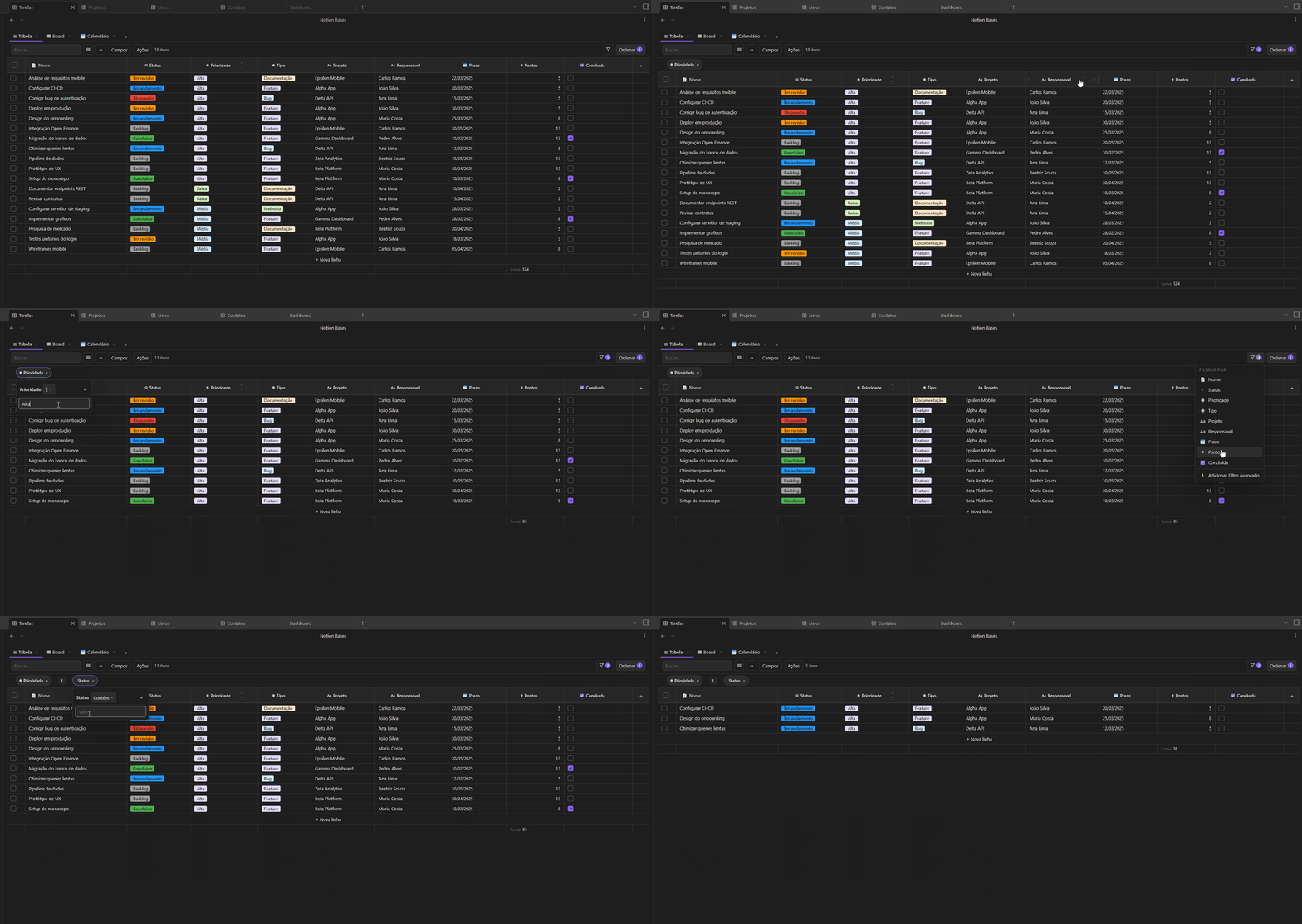
A fully interactive spreadsheet: inline editing, resizable/reorderable/pinnable columns, aggregation footer, row height options, text wrap, multi-column sort, and bulk row actions.
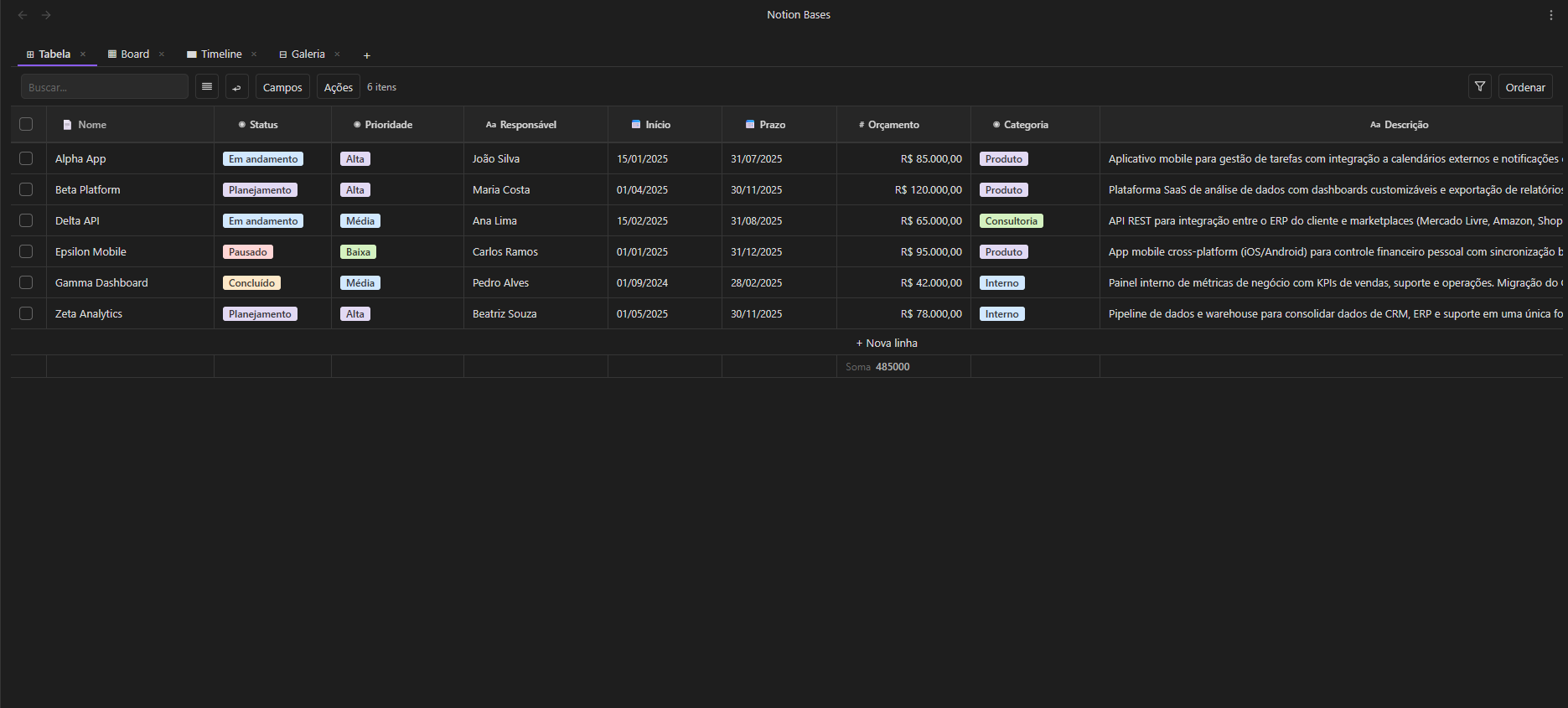
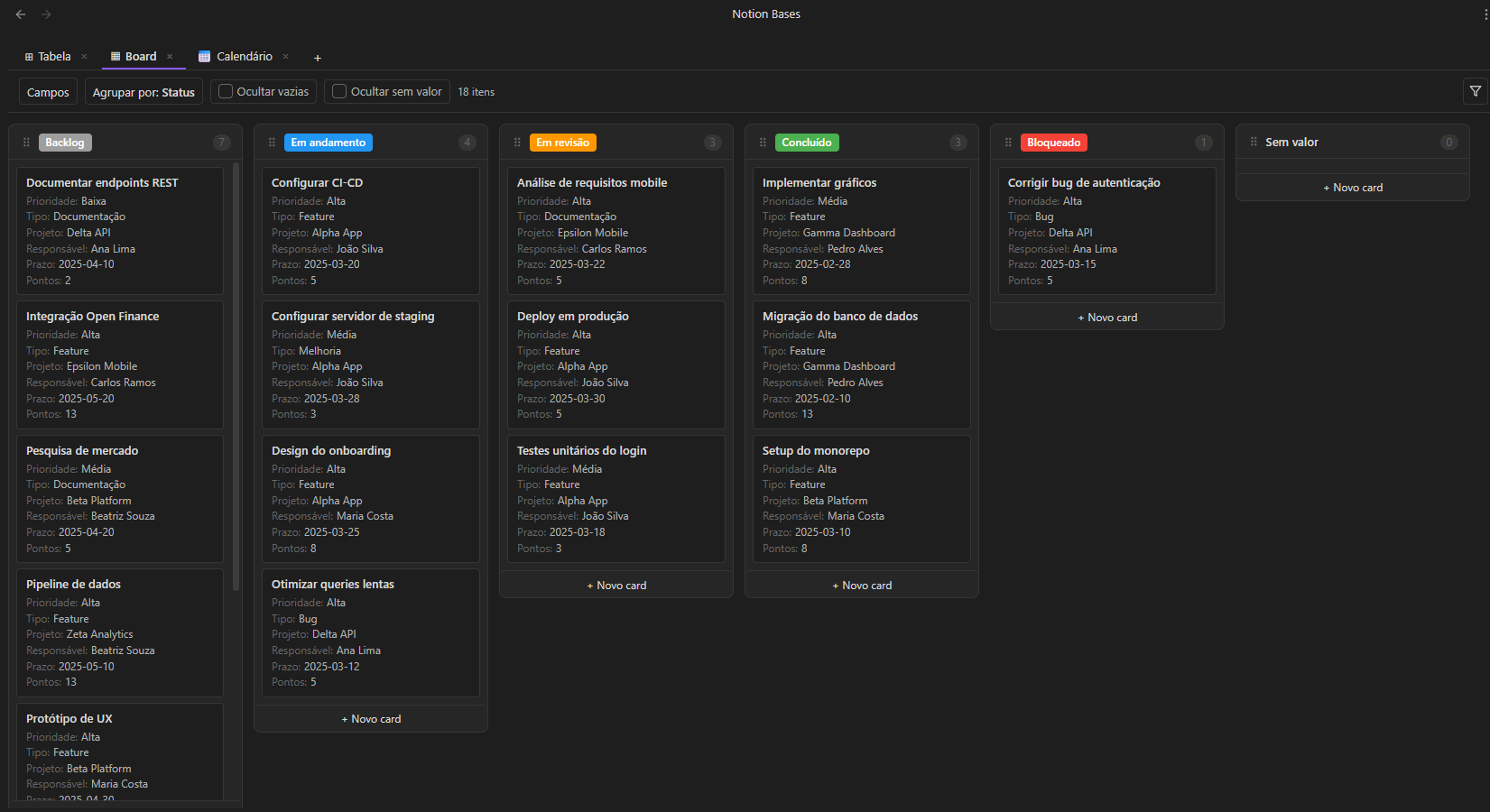
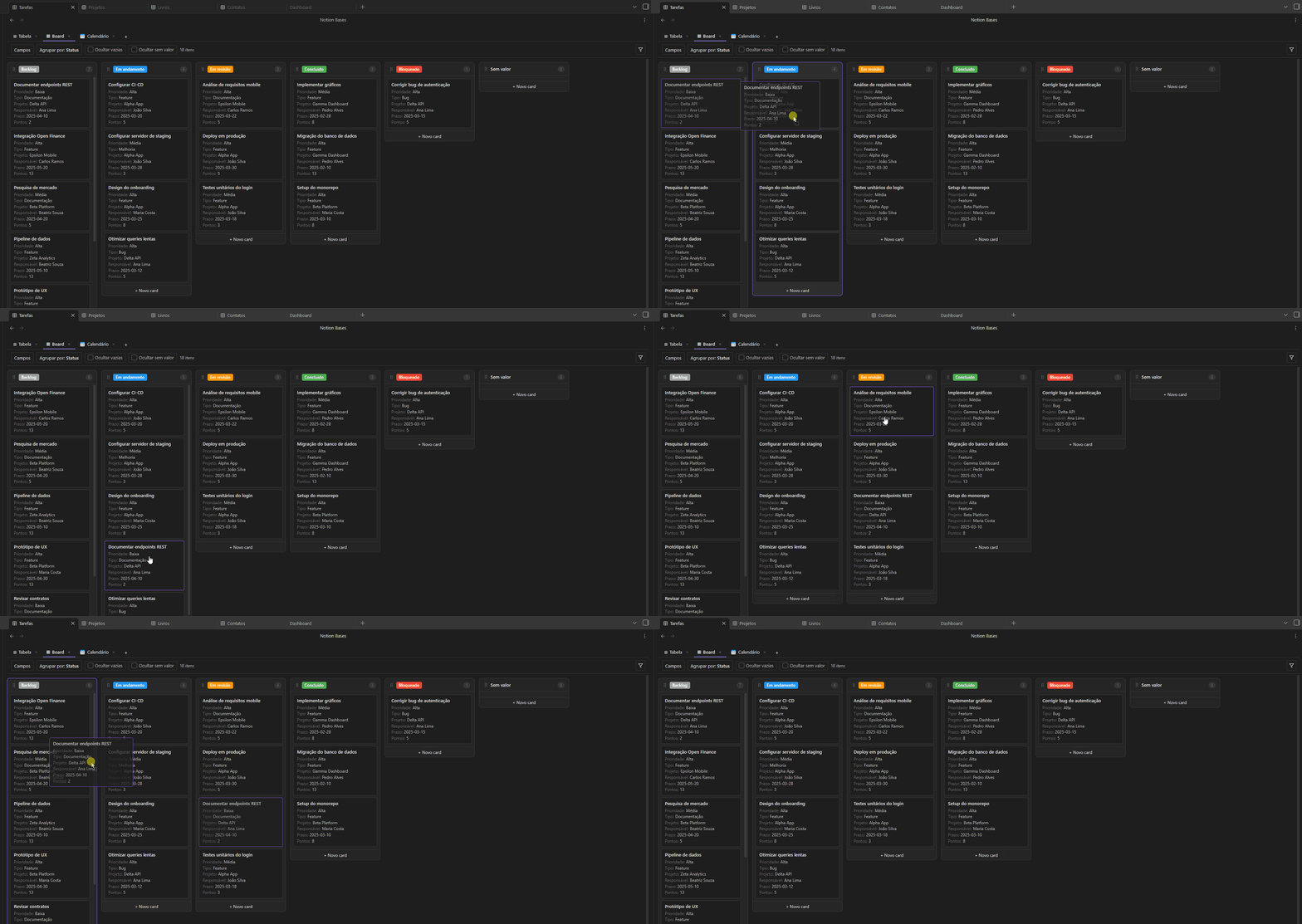
Drag cards between columns grouped by any select or status field. Add cards directly to a column. Hide empty or no-value columns. Configure which properties appear on each card.
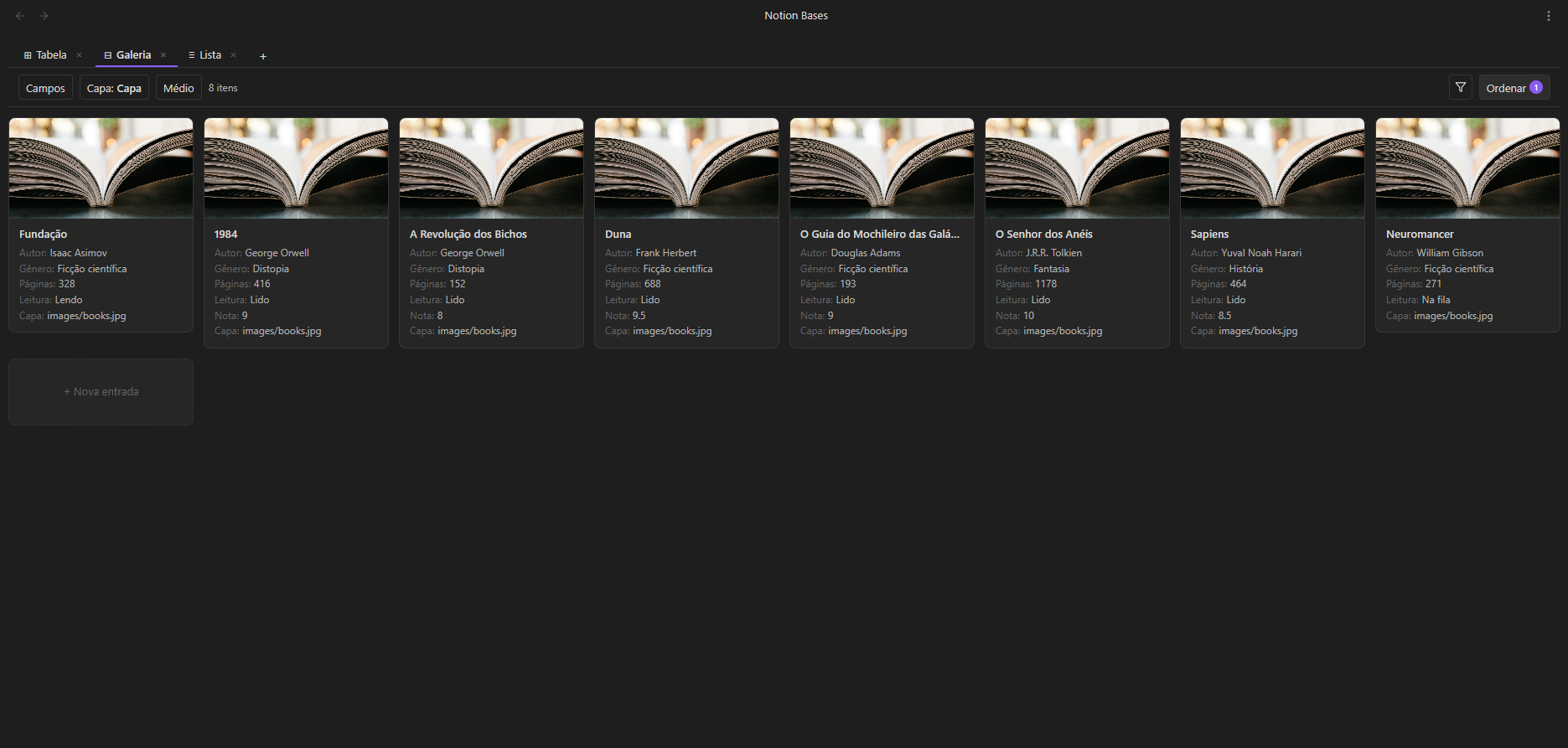
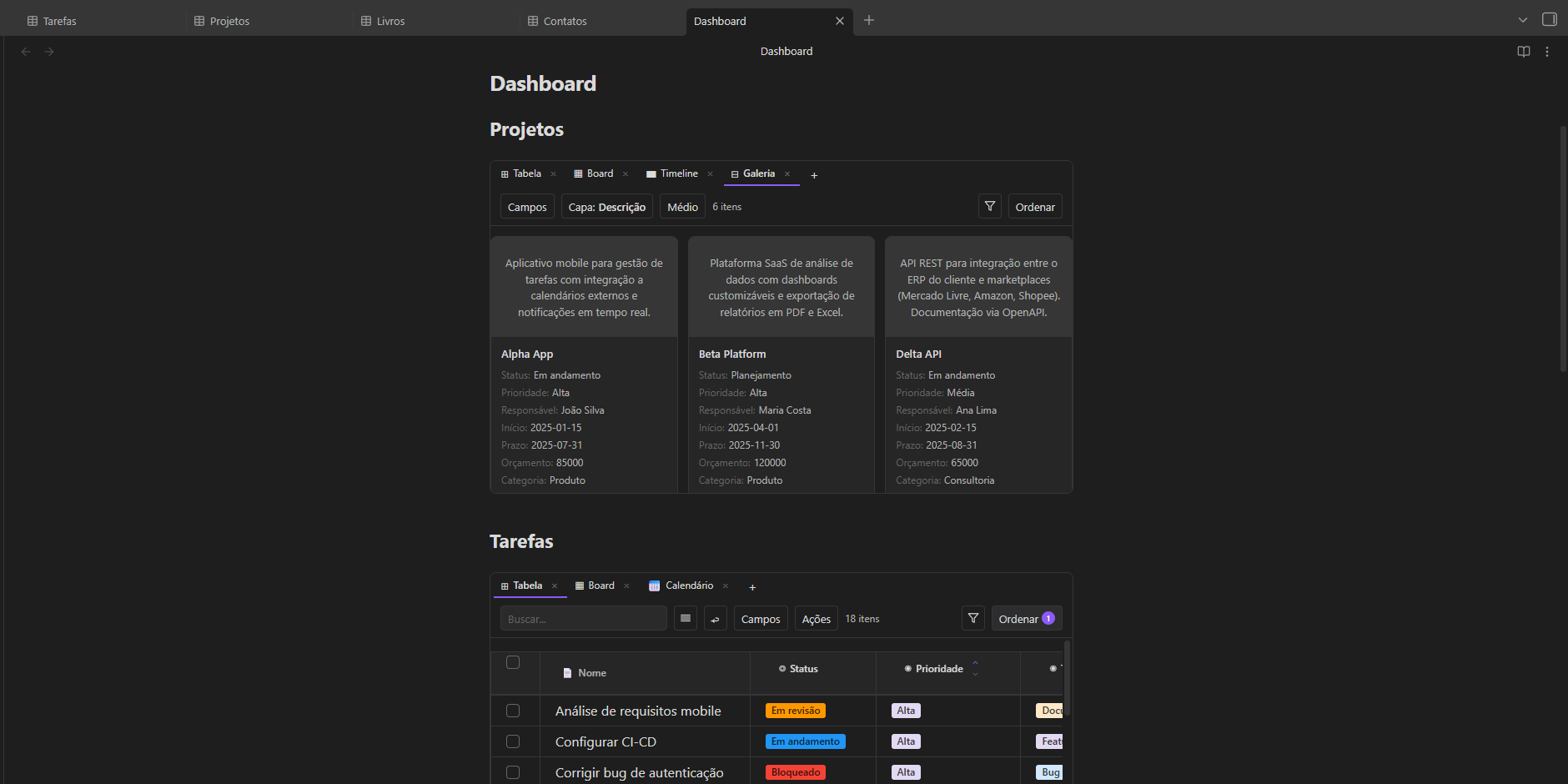
A responsive card grid. Pick a cover field, choose card size (small / medium / large), and display any properties below the title.
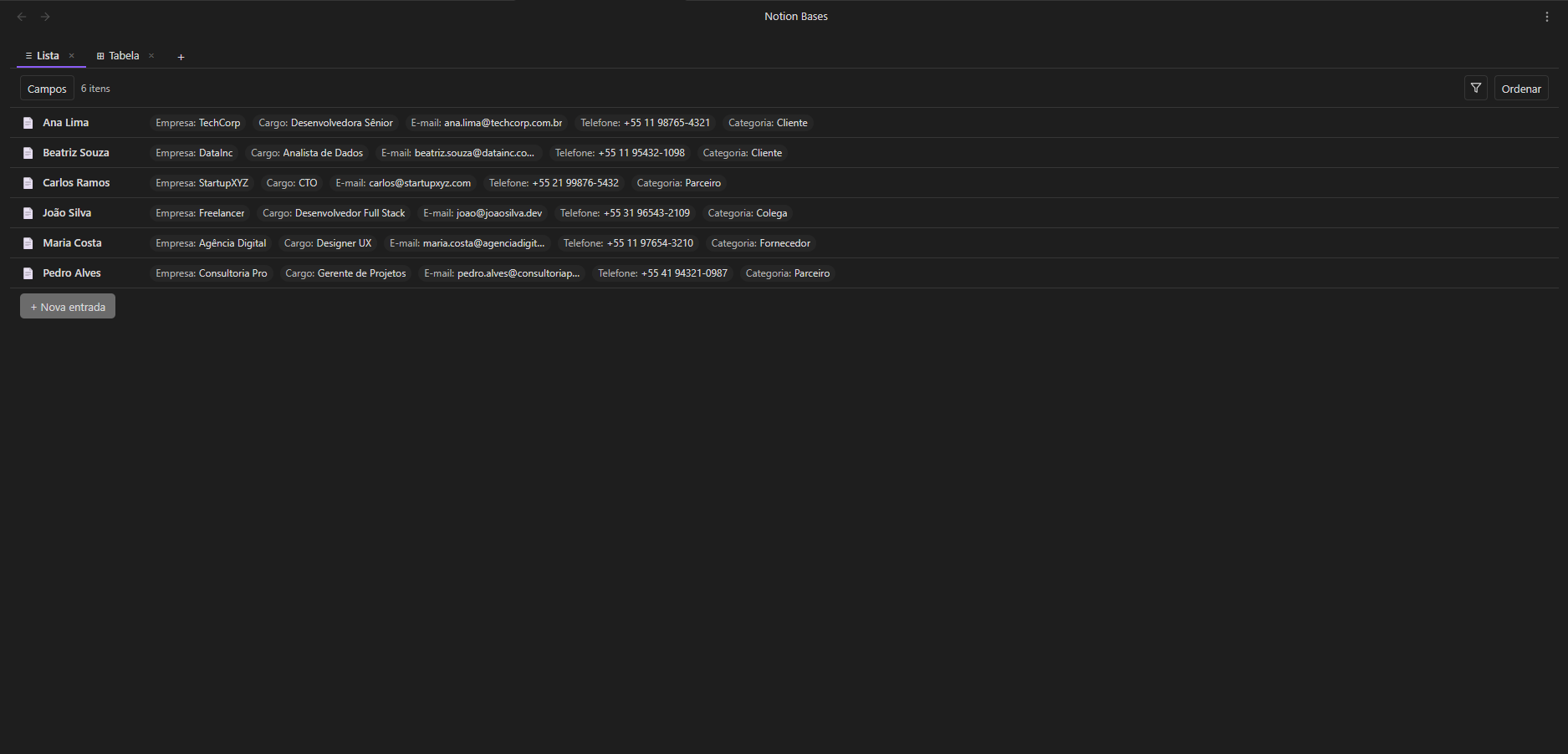
A minimal, single-line view — title plus property chips. Great for quick overviews and task-oriented databases.
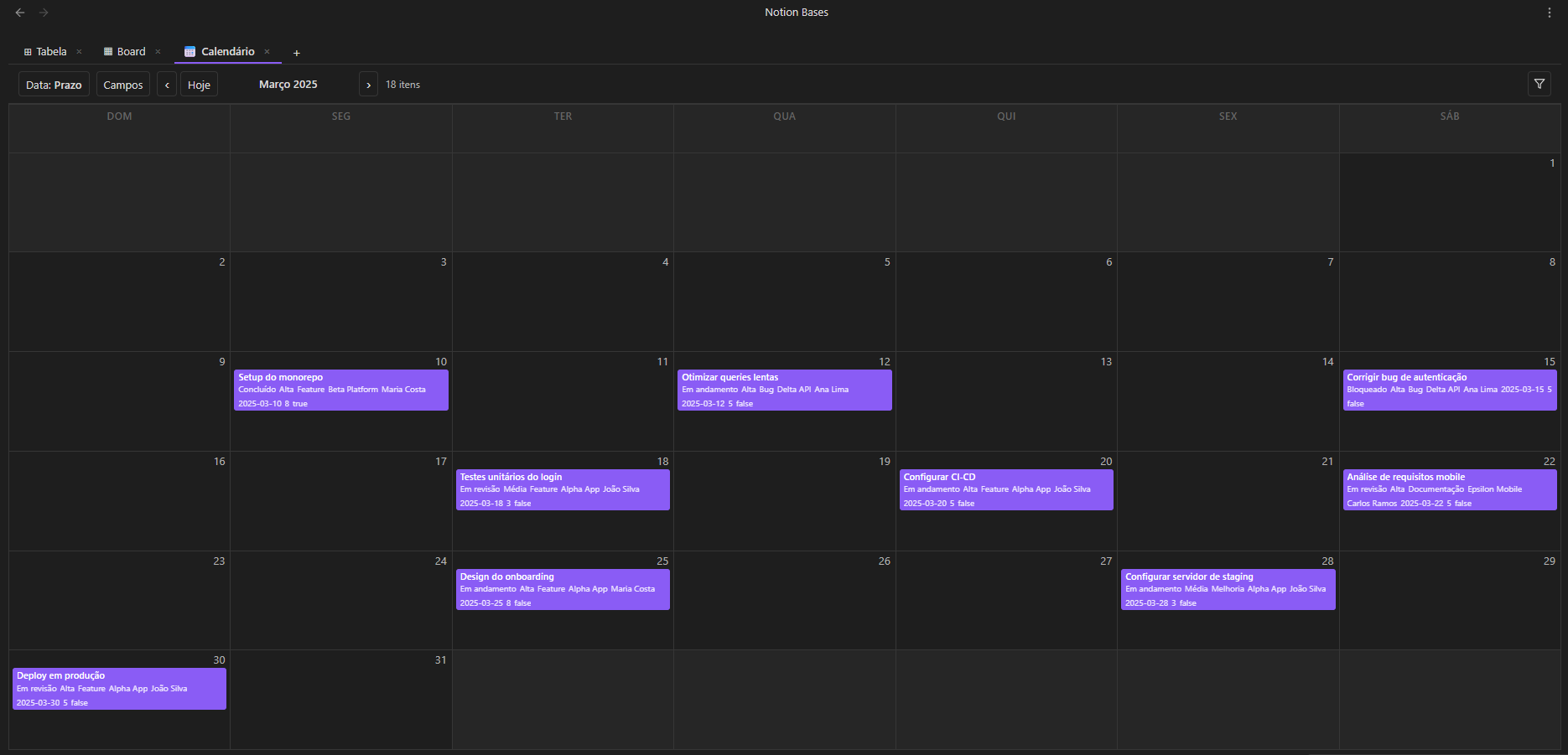
Monthly calendar. Position notes by any date field. Click a day to create a note with the date pre-filled. Notes without a date appear in a collapsible section.
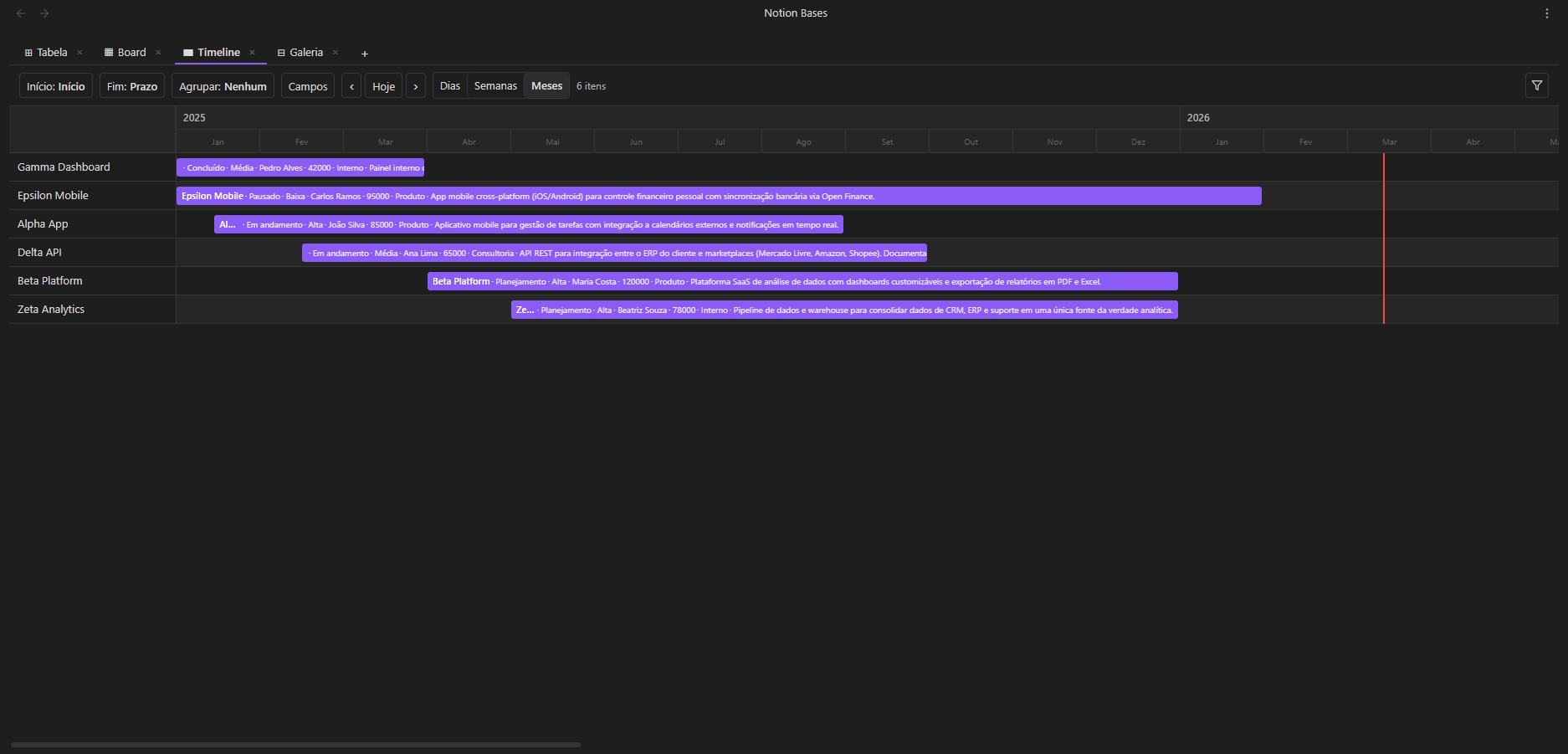
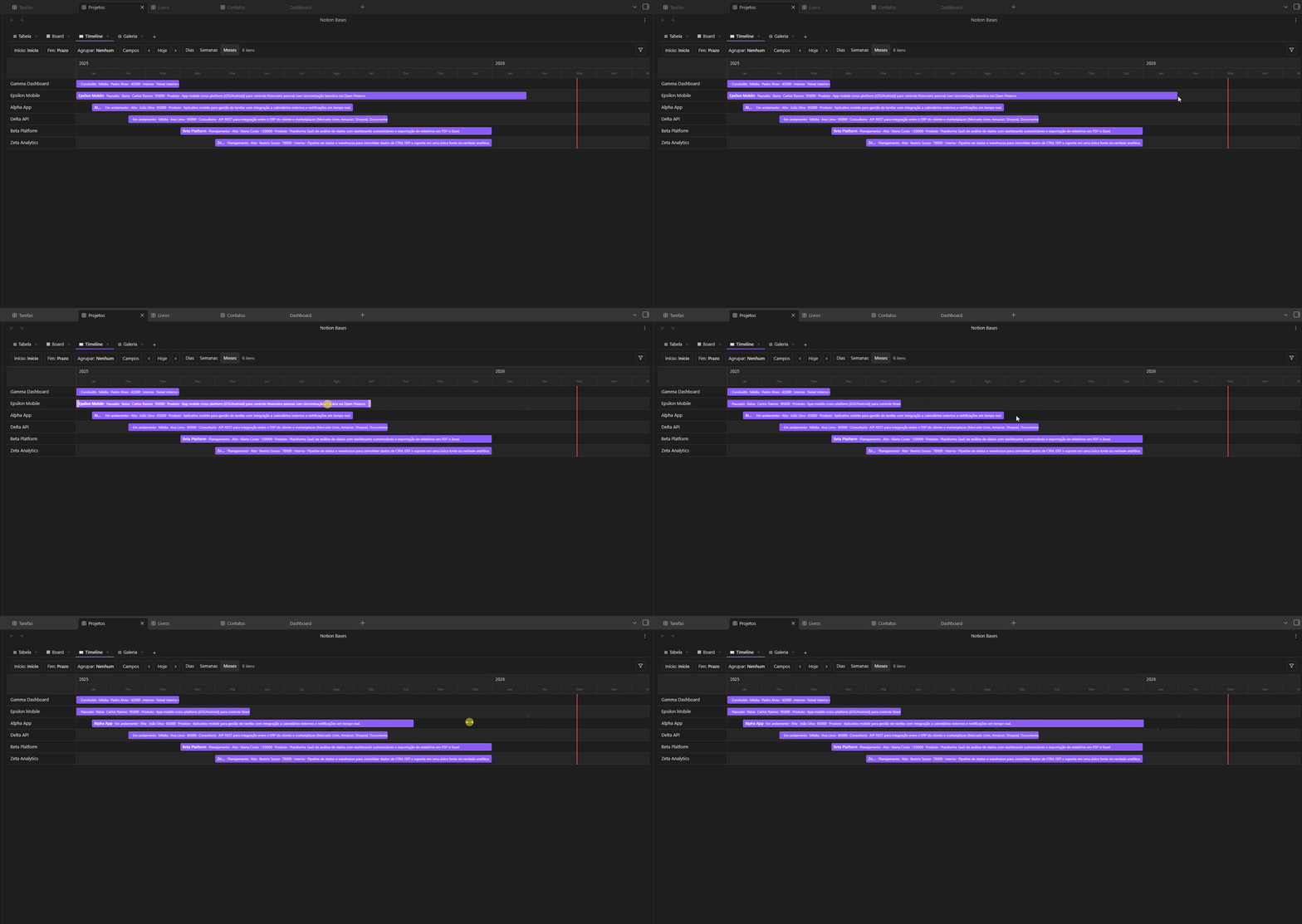
Horizontal bar chart with three zoom levels (days / weeks / months). Drag bar edges to resize start or end dates. Group rows by any field.
Bar, line, and pie charts rendered as pure SVG. Pick a category column (X axis), choose count or a number column (Y axis), and select an aggregation function. Smart axis formatting with k/M suffixes and integer ticks. Responsive sizing and full mobile support.

| Category | What you get |
|---|---|
| Column types | Title, Text, Number, Select, Multi-select, Checkbox, Date, URL, Email, Phone, Status, Formula, Relation, Lookup, Rollup, Image, Audio, Video |
| Formulas | IF, SUM, AVG, CONCAT, LEFT, ROUND and more |
| Relations & Lookups | Link rows across databases, pull values from related notes |
| Rollup | Aggregate values across related databases: sum, count, avg, min, max, count_values, list |
| Charts | Bar, line, pie — pure SVG with aggregations and smart axis formatting |
| Subtasks | Hierarchical rows with expand/collapse up to 3 levels via self-relations |
| Filters | Type-aware operators, AND/OR groups |
| Sorts | Multi-column with priority ordering |
| Aggregation | Sum, Average, Min, Max, Count — updates live |
| Number formatting | Prefix ($, R$), suffix (%, kg), decimals, thousands separator |
| Column controls | Pin, resize (drag), reorder (drag) |
| CSV | Import and export |
| Bulk actions | Select rows to delete, duplicate or move |
| Schema inference | Auto-detects column types from existing frontmatter |
| Embeds | Embed any database inside a note via code block — free multi-view or pinned to any view type |
| Multi-view | Each view has independent filters, sorts and field visibility |
| Live placeholders | {{column}} tokens in note bodies resolve to cell values in reading view |
| Folder arrangement | Auto-file rows into subfolders by property values, with batch preview |
| i18n | Full UI translation in 7 languages (en, pt-BR, es, fr, de, zh, ja) |
| 100% Markdown | Every row is a .md file. No lock-in, ever |
| Type | Description |
|---|---|
title |
Note filename — always the first column |
text |
Plain text |
number |
Numeric value with optional formatting |
select |
Single option from a defined list |
multiselect |
Multiple options |
checkbox |
Boolean true / false |
date |
Date value |
url |
Clickable link |
email |
Email address |
phone |
Phone number |
status |
Colored badge with inline management |
formula |
Computed value from other columns |
relation |
Link to a note in another database |
lookup |
Pull a field from a related database |
image |
Display an image from the vault |
rollup |
Aggregate values from related databases |
audio |
Inline audio player with folder-based file picker |
video |
Video with modal player and folder-based file picker |
Via Community Plugins (recommended)
Notion Bases is available in Obsidian's Community Plugins directory:
Or install it in one click from your browser: open in Obsidian.
Manual installation
main.js, manifest.json and styles.css from the latest release<your-vault>/.obsidian/plugins/notion-bases/Ctrl/Cmd + P) → "Create new database"_database.md file marks it as a databaseClick + in the view tab bar to add a new view. Each view has its own filters, sorts and field visibility. Drag tabs to reorder.
```nb-database
path: Projects
```
Pin a fixed view type (no tabs) — any of table, list, board, gallery, calendar, timeline or chart:
```nb-database
path: Projects
type: board
```
A pinned embed inherits its configuration (board grouping, calendar date column, …) from the matching view defined in the database, so different notes can show the same data as a board, a calendar or a chart.
Everything lives in your vault as plain Markdown:
| What | Where |
|---|---|
| Rows | .md files in the database folder |
| Column values | Frontmatter fields in each note |
| Schema & view config | Frontmatter of _database.md |
| Embed view configs | Frontmatter of the hosting note |
Open any file in any text editor and your data is right there.
1.8.7 or laterIf Notion Bases makes your vault more powerful, consider supporting development:
Contributions are welcome! Please read the Contributing Guide before submitting a pull request.
For bugs and feature requests, use the issue tracker.
GPL v3 — free to use and modify, but any distribution must remain open source under the same license.
more like this
Widgets for Douban and Trakt watchlists plus personalized recommendations, live TV streaming including PlutoTV, Yatu ra…
📱 A React app to preview and edit Markdown✍. You can also export it as HTML.
search projects, people, and tags