dont-track-me-google
Firefox and Chrome extensions to prevent Google from making links ugly.
JavaScript★ 587
🎶 Real-time audio spectrogram generator for the web
 calebj0seph
Spectro is a real-time audio spectrogram generator for the web. It can visualise sound from your microphone or audio files on your device.
Head here to start using Spectro.
To start generating a spectrogram, you can either:
Click the 🎤 Record from mic button to start generating a spectrogram from your microphone.
If you want to record audio from your device's audio output, you can enable 'Stereo Mix' on Windows or use BlackHole on macOS and then set this device as your browser's default input device.
Click the 🎵 Play audio file button to start generating a spectrogram from an audio file on your device. This will also play the selected audio file.
Any audio format supported by your browser can be played.
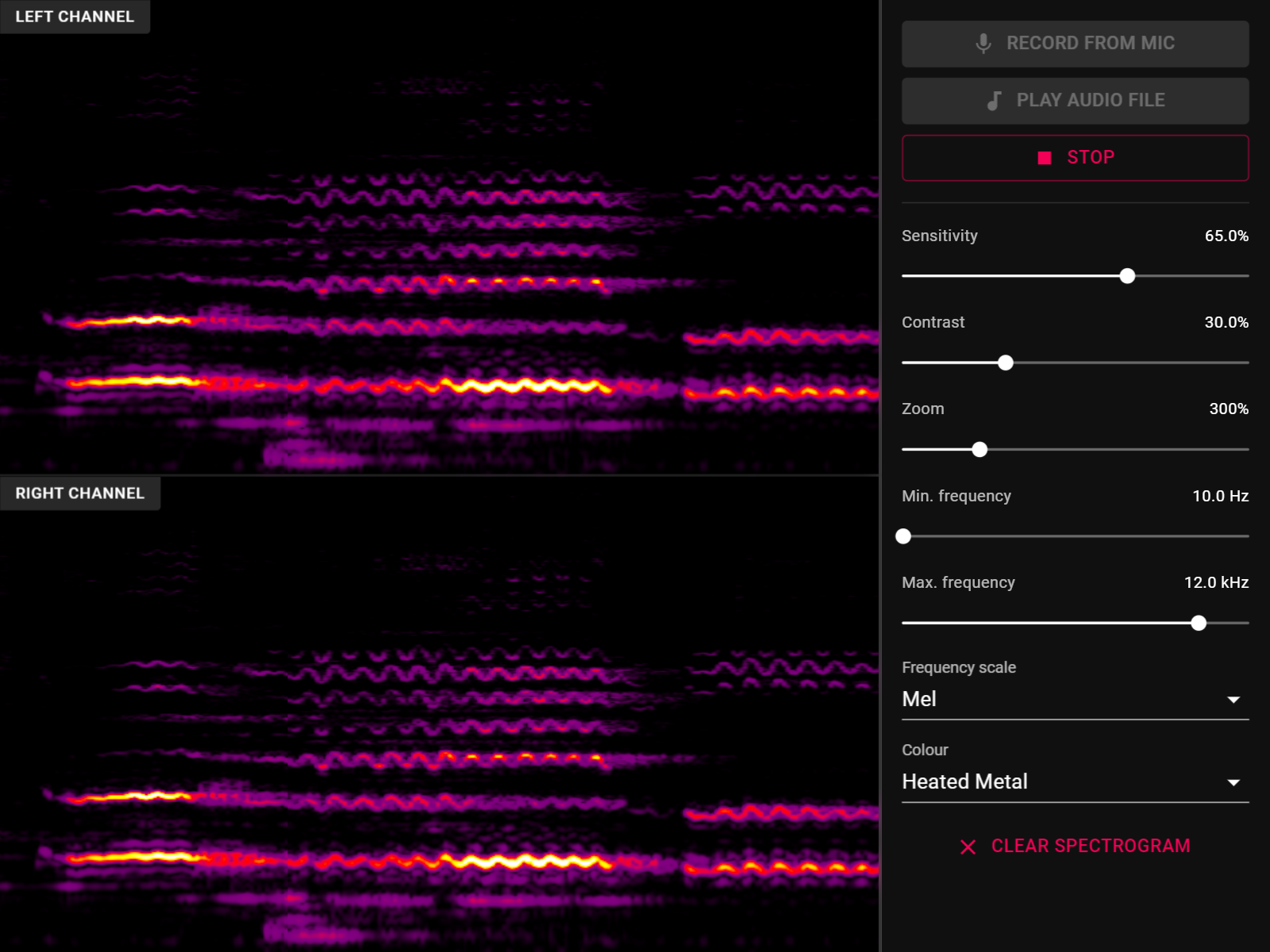
The spectrogram generates from right to left, with the most recent audio appearing on the right and oldest on the left.
There are also ⚙ Options available to control the appearance of the spectrogram:
You can click the ⏹ Stop button to stop generating the spectrogram. If playing an audio file, the spectrogram will automatically stop at the end of the track.
A spectrogram is an image produced from sound. It visualises the frequencies present in sound over time, with time represented along the horizontal axis, frequency along the vertical axis, and the loudness of the frequency by colour.
For example if you were to generate a spectrogram of yourself whistling, you would see a bright line at the pitch of the whistle.
The latest versions of Chrome, Firefox and Safari all work with Spectro. Any other Chromium based browser like the new version of Microsoft Edge should also work.
Here's a blog post describing it all! A quick overview:
Install dependencies:
npm install
Start webpack-dev-server:
npm start
Build a production bundle:
npm run build
Perform Typescript type checking:
npm run type-check
Spectro is released under the terms of the MIT Licence.
more like this
Firefox and Chrome extensions to prevent Google from making links ugly.
Generate stunning audio waveforms with Svelte 5 and Canvas. Transform an array of peak data into beautifully rendered,…
search projects, people, and tags