chiri
🍃 Cross-platform CalDAV task management app.
 chiriapp
git clone https://github.com/chiriapp/chiri.gitchiriapp/chiri
Chiri
🍃 Cross-platform CalDAV task management app.
Download · Donate · Compatibility · Code signing · License · Privacy · Security
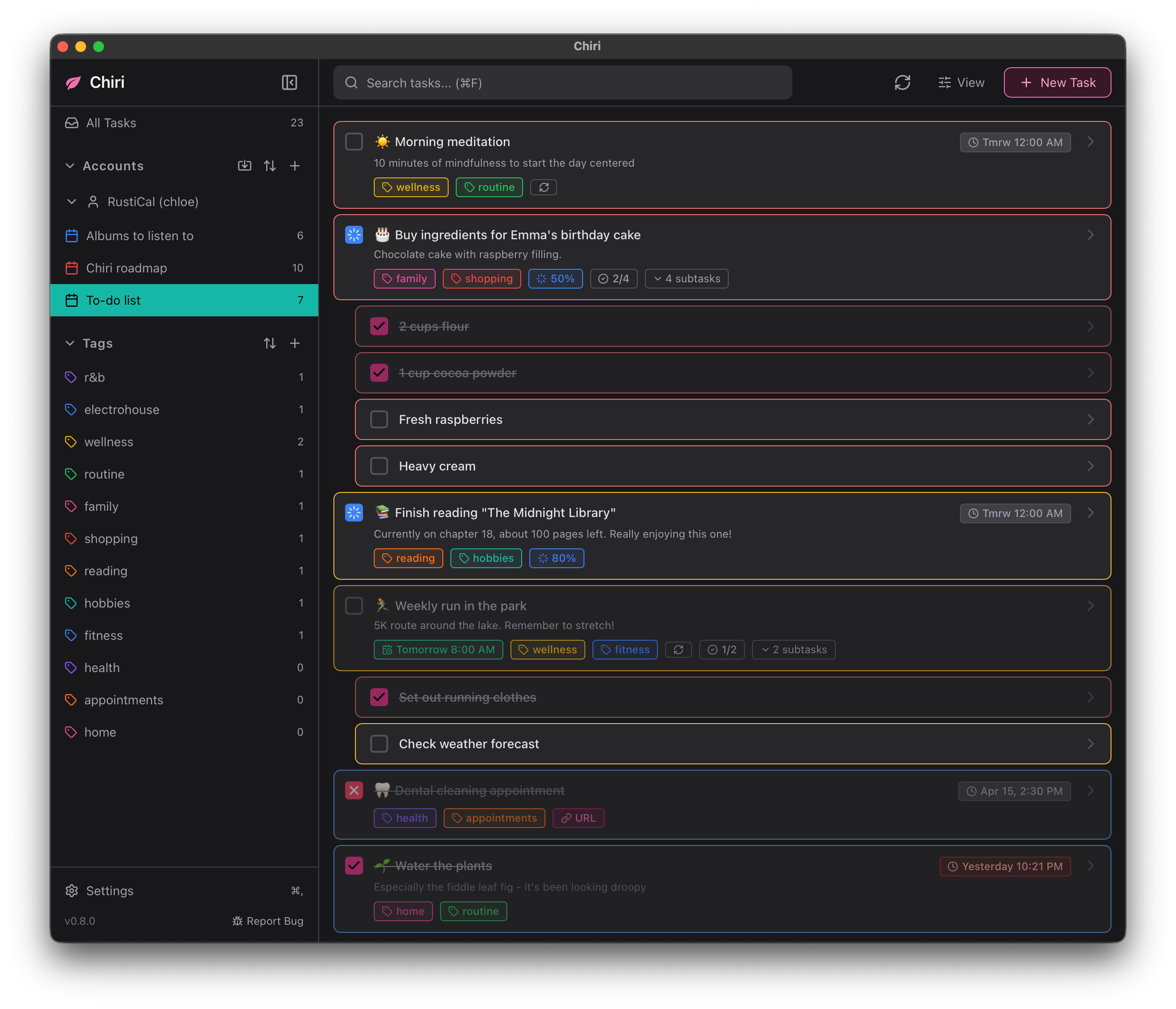
Important
Though the app is functional, it is currently still in active development so you might encounter bugs here and there.
If you do, file a bug report and let me know.
Download
You can download pre-built binaries of the application for each platform below.
Windows
Method 1: via .msi (UAC)
This method installs Chiri to the Program Files directory. Requires UAC.
Method 2: via .exe (Portable)
Pick this if you don't have UAC permissions.
Method 3: via Scoop
scoop bucket add chiri https://github.com/chiriapp/chiri-scoop

scoop install chiri/chiri
macOS
Method 1: via .dmg

Pick the button for your Mac system architecture.
Method 2: via Homebrew
brew install --cask chiri
Method 3: via nix-darwin
From nixpkgs
Use nixpkgs
# flake.nix
{
  inputs = {
    nixpkgs.url = "github:NixOS/nixpkgs/nixos-unstable";
    darwin = {
      url = "github:LnL7/nix-darwin";
      inputs.nixpkgs.follows = "nixpkgs";
    };
  };
  outputs = { darwin, ... }: {
    darwinConfigurations.your-macbook = darwin.lib.darwinSystem {
      system = "aarch64-darwin"; # Or "x86_64-darwin"
      modules = [
        ({ pkgs, ... }: {
          environment.systemPackages = [
            pkgs.chiri
          ];
        })
      ];
    };
  };
}
From this repo
On macOS, default uses the signed/notarized bin package to avoid woes with Gatekeeper. Use source to build from source.
Track this repo
# flake.nix
{
  inputs = {
    nixpkgs.url = "github:NixOS/nixpkgs/nixos-unstable";
    darwin = {
      url = "github:LnL7/nix-darwin";
      inputs.nixpkgs.follows = "nixpkgs";
    };
    chiri = {
      url = "github:chiriapp/chiri";
      inputs.nixpkgs.follows = "nixpkgs";
    };
  };
  outputs = { darwin, chiri, ... }: {
    darwinConfigurations.your-macbook = darwin.lib.darwinSystem {
      system = "aarch64-darwin"; # Or "x86_64-darwin"
      modules = [
        ({ pkgs, ... }: {
          environment.systemPackages = [
            chiri.packages.${pkgs.system}.default
            # Or: chiri.packages.${pkgs.system}.source
          ];
        })
      ];
    };
  };
}
Linux
Debian (.deb)
Fedora (.rpm)
Arch Linux
Chiri is available on the AUR (Arch User Repository) in two variants:
Building from source
yay -S chiri
Pre-built binary
yay -S chiri-bin
NixOS
Chiri is available from nixpkgs, and this repository also exposes a flake if you want to track master.
From nixpkgs
environment.systemPackages = [
  pkgs.chiri
];
From this repo
NixOS flake example
# flake.nix
{
  inputs = {
    nixpkgs.url = "github:NixOS/nixpkgs/nixos-unstable";
    chiri = {
      url = "github:chiriapp/chiri";
      inputs.nixpkgs.follows = "nixpkgs";
    };
  };
  outputs = { nixpkgs, chiri, ... }: {
    nixosConfigurations.your-hostname = nixpkgs.lib.nixosSystem {
      system = "x86_64-linux"; # Or "aarch64-linux"
      modules = [
        ({ pkgs, ... }: {
          environment.systemPackages = [
            chiri.packages.${pkgs.system}.default
            # Or: chiri.packages.${pkgs.system}.source
          ];
        })
        # ... etc
      ];
    };
  };
}
Home Manager
{ pkgs, inputs, ... }:
{
  home.packages = [
    inputs.chiri.packages.${pkgs.system}.default
    # Or: inputs.chiri.packages.${pkgs.system}.source
  ];
}
Building from source
For development instructions and source builds, see Building from source.
Support
If you found Chiri useful, please consider donating!
I work on Chiri during my free time as a student, so every amount, however small, helps with rent and food costs. Thank you :)
Compatibility
See ↗ COMPATIBILITY.md for compatibility with CalDAV servers and more.
Code signing
Free code signing on Windows is graciously provided by ↗ SignPath.io, certificate by the ↗ SignPath Foundation.
See ↗ CODE_SIGNING.md for the full code signing policy.
License
Chiri is licensed under the ↗ zlib/libpng license.
Privacy
See ↗ PRIVACY.md for details on what data Chiri processes and how.
Security
Found a security issue? Please report it privately. See ↗ SECURITY.md for details.
more like this