language-translator
An Obsidian plugin to translate selected text in the desired language
TypeScript★ 53
Flexible, context-aware toolbars for your notes in Obsidian.
 chrisgurney
git clone https://github.com/chrisgurney/obsidian-note-toolbar.gitchrisgurney/obsidian-note-toolbar
The Note Toolbar plugin for Obsidian lets you create context-aware toolbars for your notes, which can include commands, file and folder links, websites/URIs, menus, and scripts (Dataview, Templater, and JavaScript).
What's new? See the Release Notes
What's ahead? See the Roadmap
Jump to:
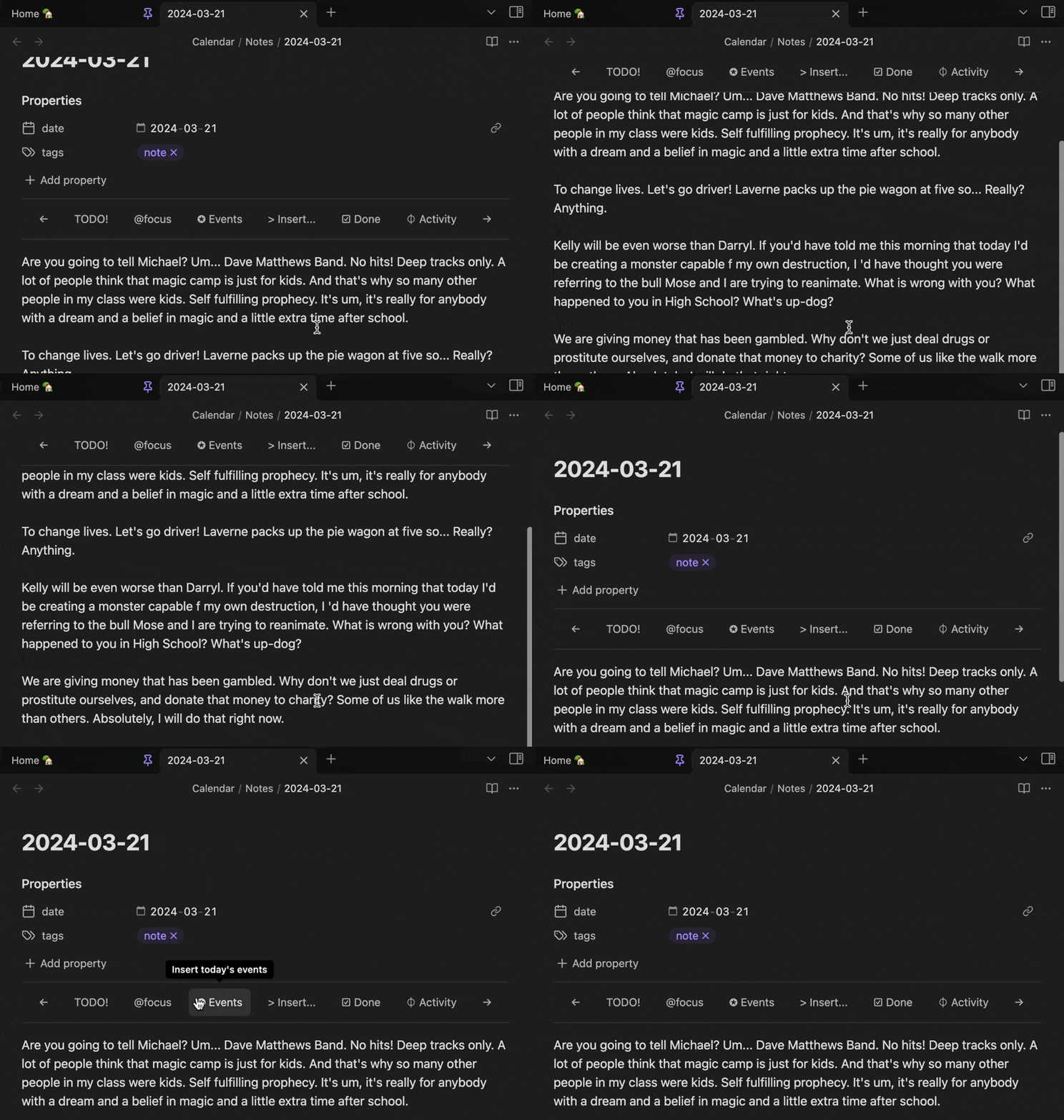
Toolbars can stick to the top on scroll:
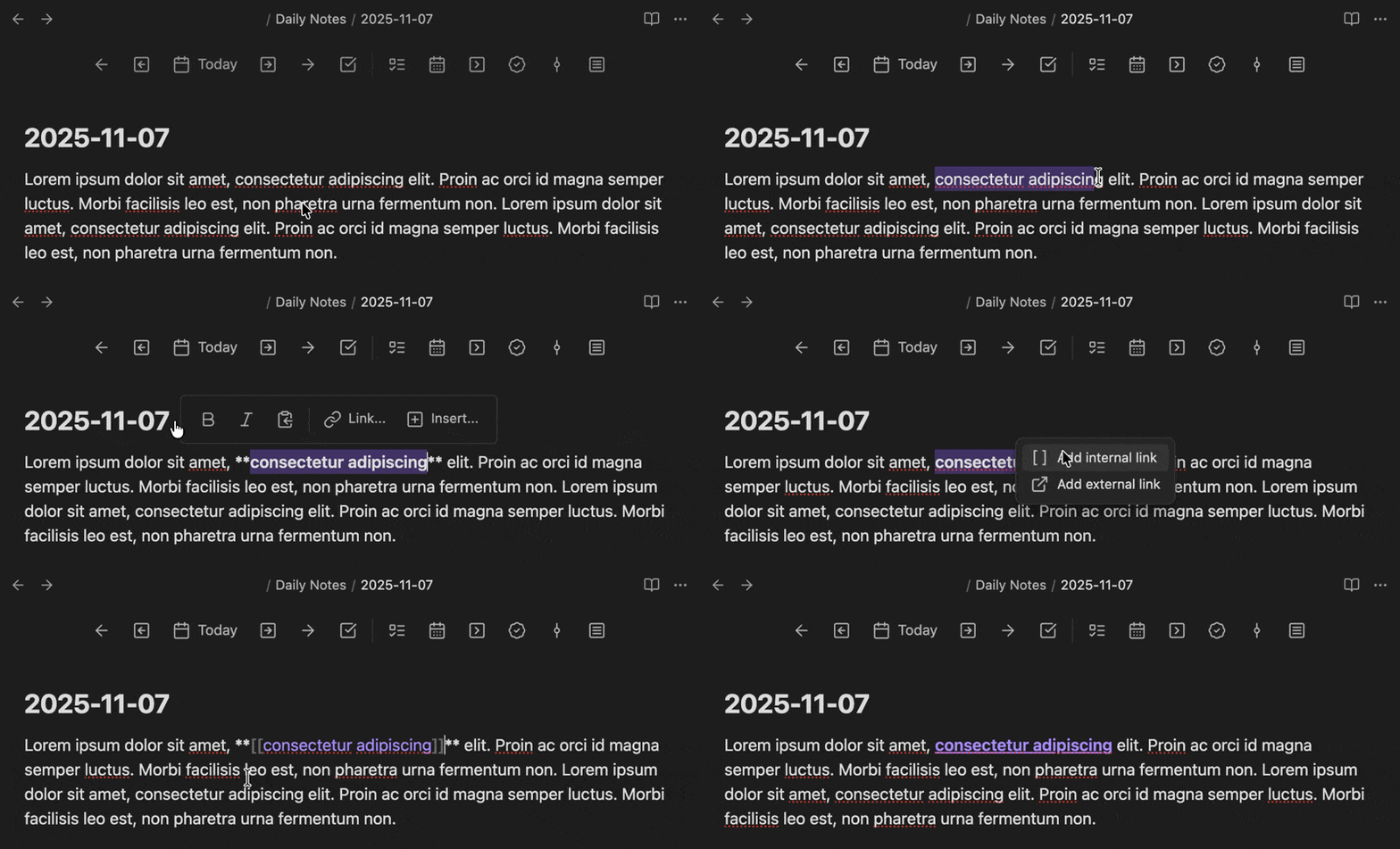
Have a toolbar appear when text is selected:
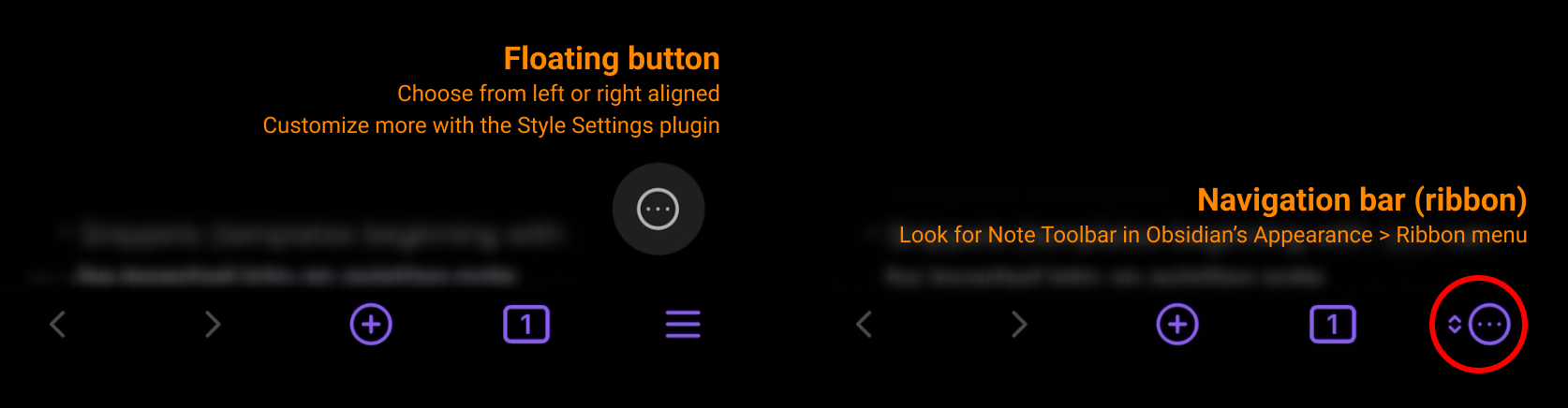
More options on mobile:
In order for Note Toolbar to provide a built-in library of helpful tools, and scripting extensibility, the plugin needs access to read, write, and list files within a vault. The majority of these features are completely optional.
Expand below to see what's accessed and why. Let me know (via GitHub ↗ or Google form ↗) if you have any questions or concerns.
modal API to display a file.src/utils/Urls.ts, which contains all external URLs referenced by the plugin.Note that all Gallery item scripts can be inspected (and modified) after adding them to any toolbar.
🏆 Runner up in the Obsidian Gems of the Year 2024: New plugins category.
Note Toolbar's UI, and Style Settings options, are also available in:
| Language name | Native name | Contributors |
|---|---|---|
| Chinese (Simplified) | 简体中文 | @Moyf |
| German | Deutsch | @hartimd |
| Japanese | 日本語 | @dai |
| Ukrainian | Український | @Laktiv |
Click here or:
data.json file before proceeding, and/or test within a separate vault (depending on the nature of the beta).
- Install the BRAT plugin:
- Open Settings > Community Plugins
- Disable safe mode, if enabled
- Browse, and search for "BRAT"
- Install the latest version of BRAT
- Open BRAT settings (Settings -> BRAT)
- Scroll to the Beta plugin list section
- Add beta plugin
- Specify this repository:
chrisgurney/obsidian-note-toolbar- Enable the Note Toolbar plugin (Settings -> Community plugins)
- In Note Toolbar's settings, confirm the version number at the top is the latest beta version. You may need to restart Obsidian, or re-open your vault.
Once enabled, open Note Toolbar's settings:
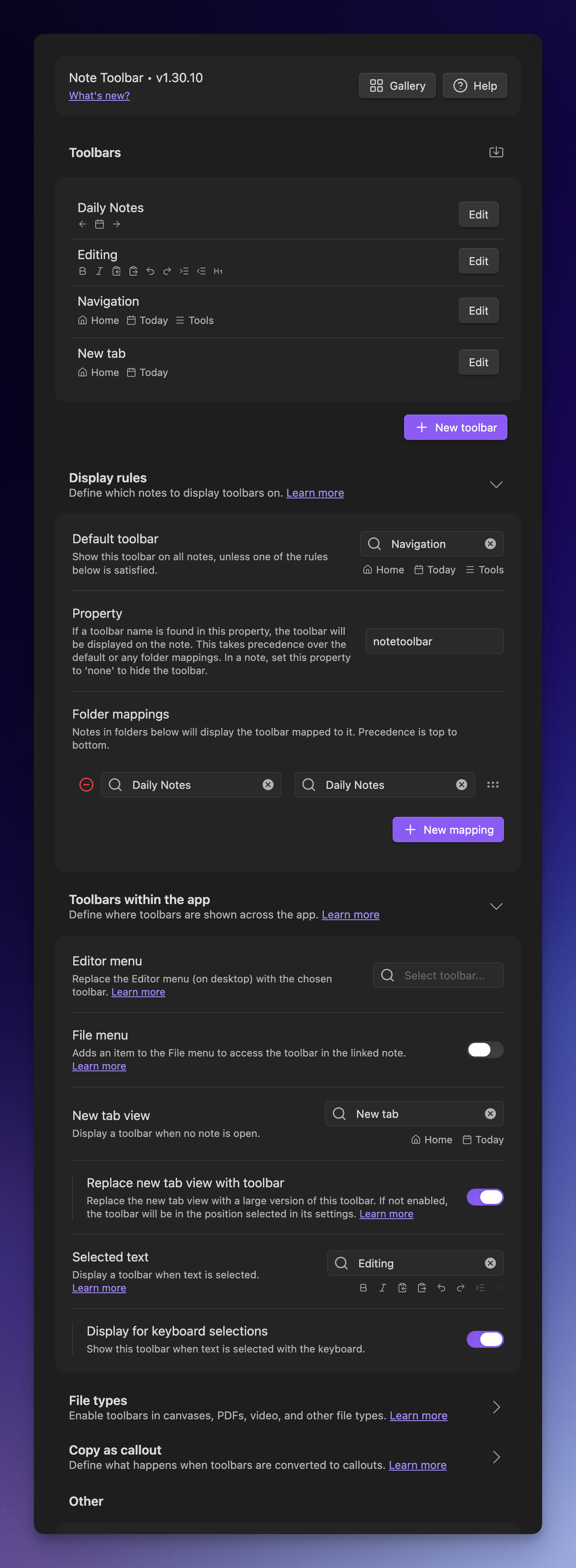
notetoolbar property. Set it to the name of your toolbar.If you want your toolbar to show without using a property, try mapping a folder (like wherever your Daily Notes are stored) to your new toolbar.

📖 See the User Guide for detailed instructions, and tips, and the discussions for examples.
In the Gallery, explore 100+ items that can be added to toolbars in just a couple clicks/taps.
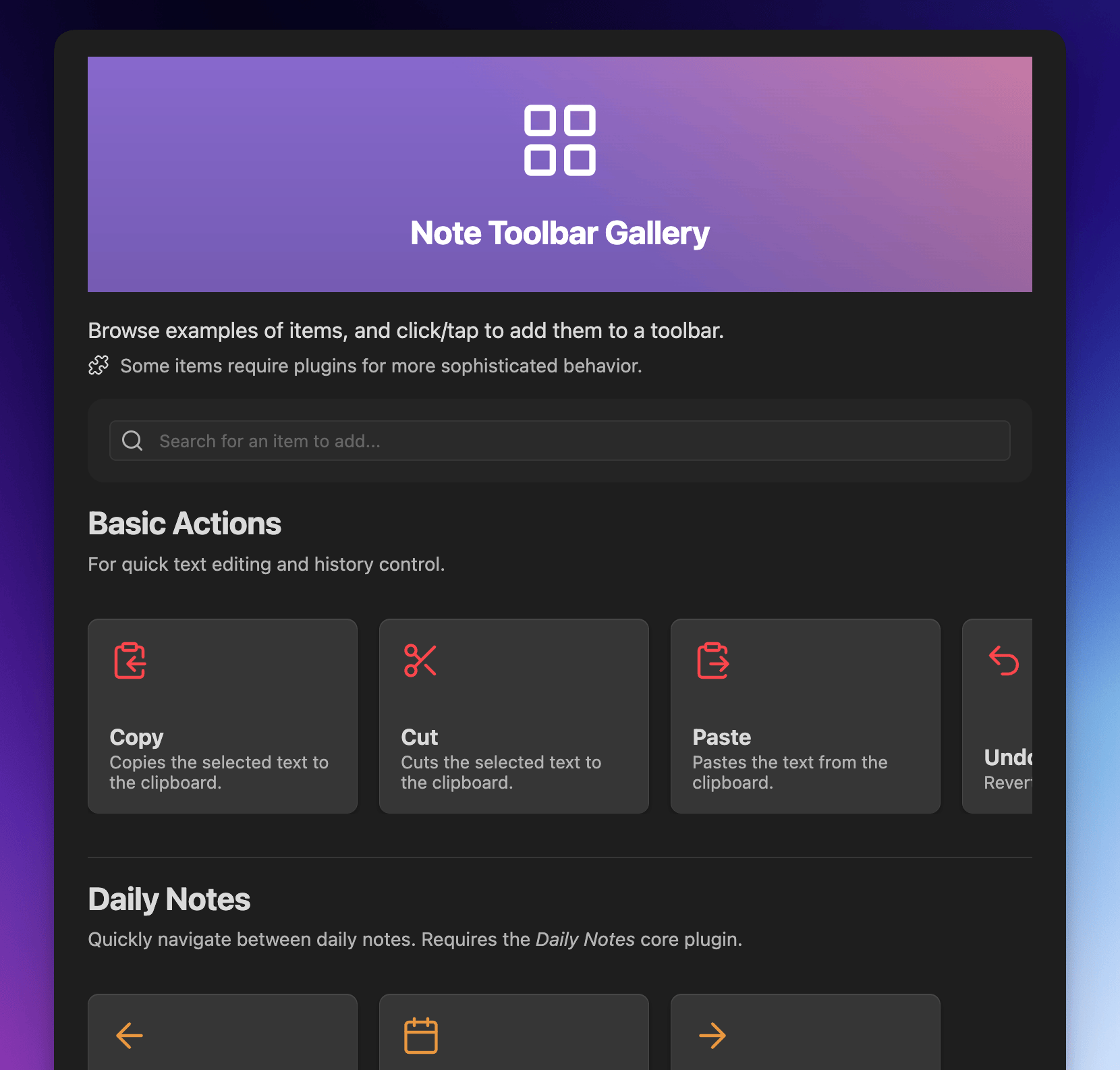
📖 See the User Guide for detailed instructions, tips, and lots more.
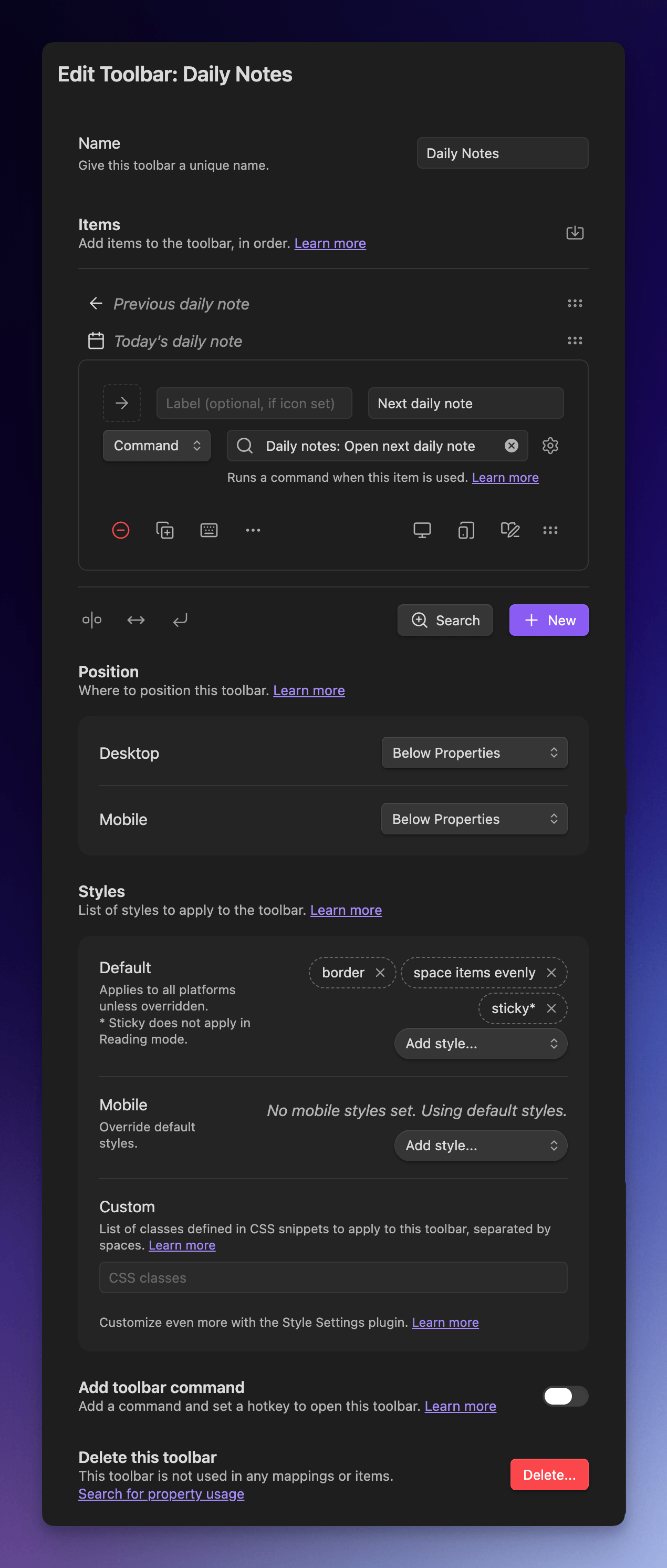
Screenshots of Note Toolbar's configuration:
Note Toolbar is licensed under GPL 3.0. See the LICENSE.
Shout out to other projects and people who helped me with questions I had while developing this plugin:
Check out the discussions to ask a question or request a feature.
Help add or review translations.
📖 See Troubleshooting in the User Guide.
Ask questions here or request a feature. If you run into something that looks like a bug, please log an issue.
If you find this plugin useful, and wish to support me financially, I accept donations. Thank you!
more like this
An Obsidian plugin to translate selected text in the desired language
Automates the creation of JSON template files for Obsidian WebClipper.
search projects, people, and tags