lottery
🎉🌟✨🎈年会抽奖程序,基于 Express + Three.js的 3D 球体抽奖程序,奖品🧧🎁,文字,图片,抽奖规则均可配置,😜抽奖人员信息Excel一键导入😍,抽奖结果Excel导出😎,给你的抽奖活动带来全新酷炫体验🚀🚀🚀
JavaScript★ 4.6k
A calm, open system for organizing life and work. Tasks, projects, notes, areas, and smart workflows - self-hosted or h…
 chrisvel

Organize your life and projects with a clear, hierarchical structure,
smart recurring tasks, and seamless Telegram integration.
Get focused, stay productive, and keep your data private.
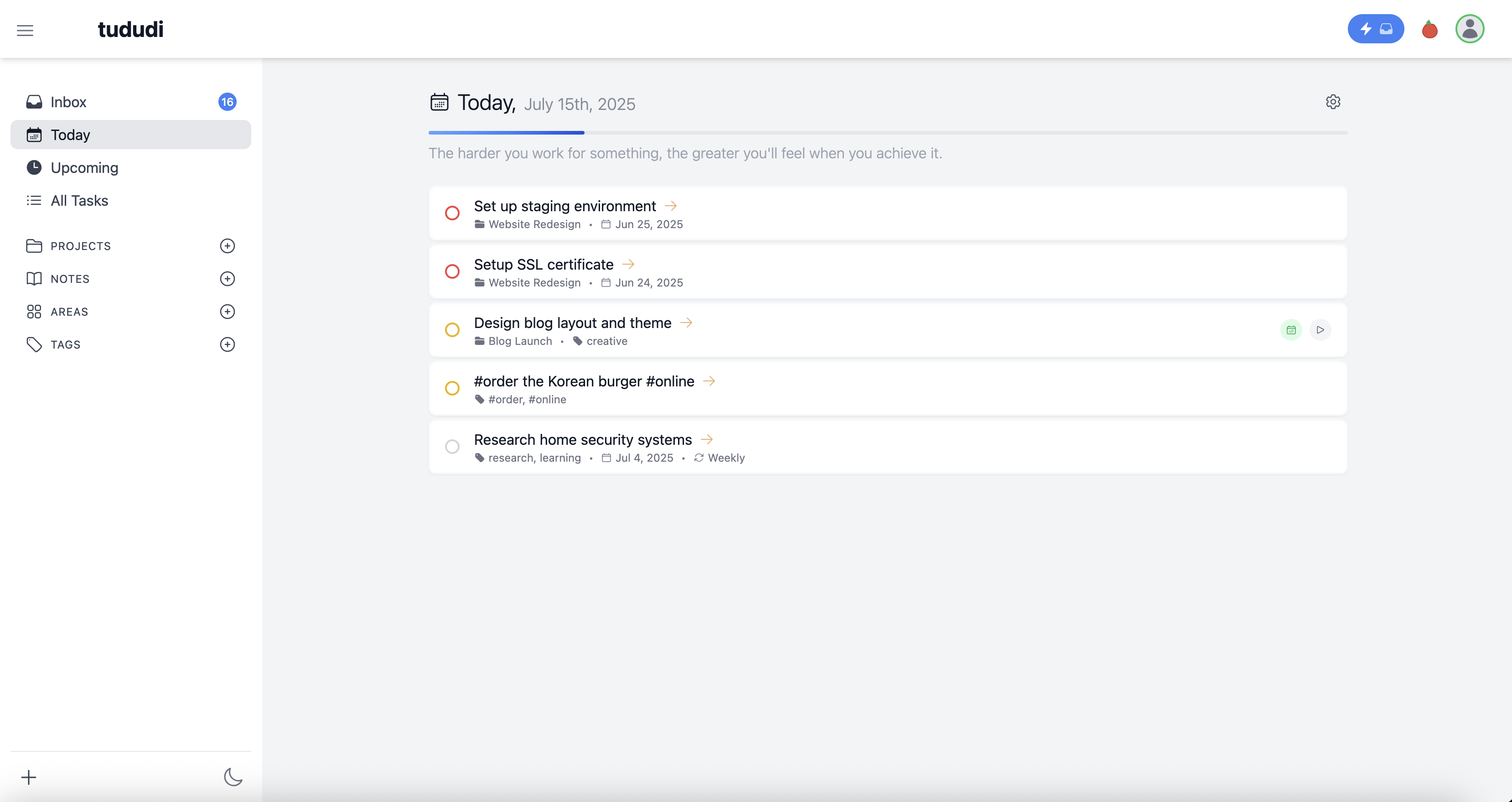
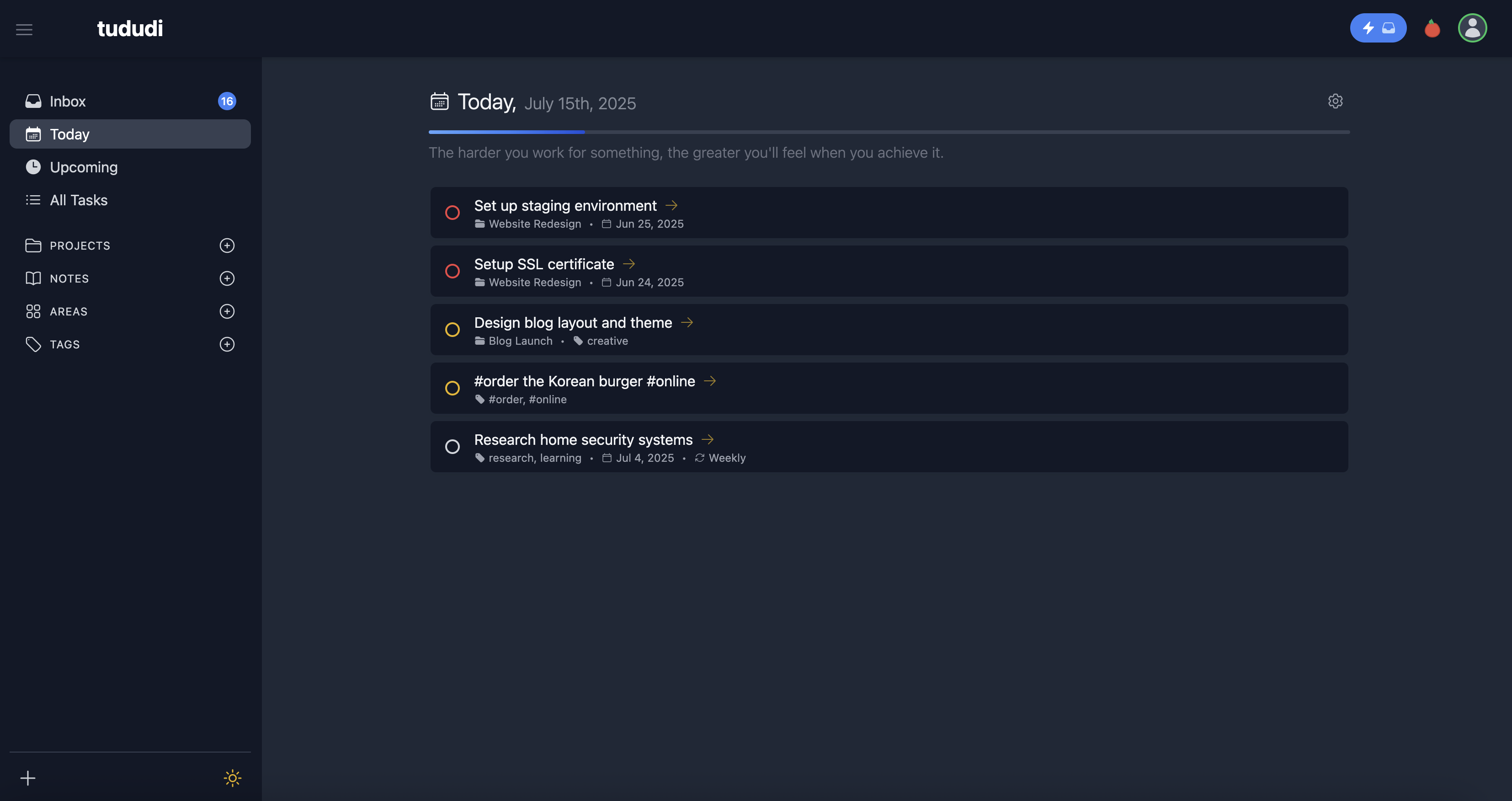
More screenshots are available here.
Help keep it free and actively developed by buying me a coffee ☕, becoming a sponsor, or supporting on Patreon. You can also support the project by purchasing a hosted subscription for a hassle-free, managed solution. Every contribution helps maintain this project and build new features!
This app allows users to manage their tasks, projects, areas, notes, and tags in an organized way. Users can create tasks, projects, areas (to group projects), notes, and tags. Each task can be associated with a project, and both tasks and notes can be tagged for better organization. Projects can belong to areas and can also have multiple notes and tags. This structure helps users categorize and track their work efficiently, whether they’re managing individual tasks, larger projects, or keeping detailed notes.
For the thinking behind tududi, read:
/api/v1 plus personal API keys for integrating tududi with your own tooling or automations.Check out our GitHub Project for planned features and progress.
Get up and running quickly with our comprehensive documentation:
docker pull chrisvel/tududi:latest

docker run \
  -e TUDUDI_USER_EMAIL=admin@example.com \
  -e TUDUDI_USER_PASSWORD=your-secure-password \
  -e TUDUDI_SESSION_SECRET=$(openssl rand -hex 64) \
  -v ~/tududi_db:/app/db \
  -v ~/tududi_uploads:/app/uploads \
  -p 3002:3002 \
  -d chrisvel/tududi:latest
Navigate to http://localhost:3002 and login with your credentials.
When running behind a reverse proxy (Caddy, Nginx, Traefik, etc.), set TUDUDI_TRUST_PROXY so that Express correctly reads client IPs from X-Forwarded-For headers. Without this, express-rate-limit will log a validation error.
docker run \
  -e TUDUDI_TRUST_PROXY=true \
  -e TUDUDI_ALLOWED_ORIGINS=https://your-domain.com \
  ...
| Value | Meaning |
|---|---|
true |
Trust all proxies (simplest option for single-proxy setups) |
1 |
Trust the first hop only |
loopback |
Trust loopback addresses (127.0.0.1/::1) |
172.16.0.0/12 |
Trust a specific subnet |
Tududi supports Single Sign-On via OpenID Connect (OIDC), allowing users to authenticate with external identity providers.
Quick Setup (Single Provider):
docker run \
  -e OIDC_ENABLED=true \
  -e OIDC_PROVIDER_NAME=Google \
  -e OIDC_PROVIDER_SLUG=google \
  -e OIDC_ISSUER_URL=https://accounts.google.com \
  -e OIDC_CLIENT_ID=your-client-id.apps.googleusercontent.com \
  -e OIDC_CLIENT_SECRET=your-client-secret \
  -e OIDC_SCOPE="openid profile email" \
  -e OIDC_AUTO_PROVISION=true \
  -e BASE_URL=https://your-domain.com \
  ...
Multiple Providers:
# Provider 1: Google
-e OIDC_PROVIDER_1_NAME=Google \
-e OIDC_PROVIDER_1_SLUG=google \
-e OIDC_PROVIDER_1_ISSUER=https://accounts.google.com \
-e OIDC_PROVIDER_1_CLIENT_ID=xxx \
-e OIDC_PROVIDER_1_CLIENT_SECRET=xxx \

# Provider 2: Company SSO
-e OIDC_PROVIDER_2_NAME="Company SSO" \
-e OIDC_PROVIDER_2_SLUG=okta \
-e OIDC_PROVIDER_2_ISSUER=https://company.okta.com \
-e OIDC_PROVIDER_2_CLIENT_ID=yyy \
-e OIDC_PROVIDER_2_CLIENT_SECRET=yyy \
-e OIDC_PROVIDER_2_ADMIN_EMAIL_DOMAINS=company.com \
Supported Providers: Google, Okta, Keycloak, Authentik, PocketID, Azure AD, and any OIDC-compliant provider
Key Features:
Documentation: See docs/10-oidc-sso.md for detailed setup guides and provider-specific configuration.
Tududi supports the industry-standard CalDAV protocol, enabling seamless task synchronization with popular CalDAV clients and servers.
Quick Setup:
docker run \
  -e CALDAV_ENABLED=true \
  -e ENCRYPTION_KEY=$(openssl rand -hex 32) \
  ...
Supported Clients:
Sync with External Servers:
Connect Tududi to external CalDAV servers like Nextcloud, Baikal, or other CalDAV-compatible services for bidirectional synchronization.
Key Features:
Documentation: See docs/11-caldav-sync.md for client setup guides, server configuration, and troubleshooting.
The Docker volume mount path changed in v1.2.0 from /app/backend/db to /app/db. If you are upgrading from v1.1.x and your docker-compose.yml still uses the old path, new data will be lost on container recreation because writes go to an anonymous Docker volume that is discarded when the container is recreated.
How to check: Look at your docker-compose.yml volumes section:
# OLD (v1.1.x) - update this
volumes:
  - ./tududi_db:/app/backend/db
  - ./uploads:/app/backend/uploads

# NEW (v1.2.x+) - use these paths
volumes:
  - ./tududi_db:/app/db
  - ./uploads:/app/uploads
Migration steps:
docker-compose downdocker-compose.yml to use the new volume paths (see above)docker-compose up -dYour existing data directory (./tududi_db) stays the same - only the mount point inside the container changes. No data copying is needed when using bind mounts.
Note: While you still use the old path, Tududi will print a warning at startup and continue using the old location to prevent data loss. Once you update the volume mount, the warning disappears and writes go to the correct persistent location.
For detailed setup instructions, configuration options, and getting started guides, visit:
Want to contribute or run Tududi from source? Check out our comprehensive development guide:
Quick overview:
# Clone and install
git clone https://github.com/chrisvel/tududi.git
cd tududi
npm install

# Start development servers
npm run backend:dev   # Terminal 1 - Backend on :3001
npm run frontend:dev  # Terminal 2 - Frontend on :8080
For database management, testing, and detailed development instructions, see docs.tududi.com
Tududi provides a comprehensive REST API for integration with external tools and automation workflows.
Base URL: http://localhost:8080/api/v1
Key Features:
/api-docs (requires authentication)Authentication: Uses session cookies or Bearer token authentication. Generate personal API keys through the web interface for programmatic access.
Quick Example:
# Get all tasks
curl -H "Authorization: Bearer YOUR_API_KEY" \
     http://localhost:3002/api/v1/tasks

# Create a new task
curl -X POST \
     -H "Authorization: Bearer YOUR_API_KEY" \
     -H "Content-Type: application/json" \
     -d '{"name":"Complete API documentation","priority":"medium"}' \
     http://localhost:3002/api/v1/task
For full API documentation, visit /api-docs after authentication or check the Swagger schema definitions in backend/config/swagger.js.
Contributions to tududi are welcome! Whether it's bug fixes, new features, documentation improvements, or translations, we appreciate your help.
Before you start:
Quick contribution workflow:
git checkout -b feature/amazing-feature)npm run pre-pushRead our Contributing Guide for:
This project is licensed under the MIT License.
For questions or comments, please open an issue or contact the developer directly.
Join the tududi community:
README created by Chris Veleris for tududi.
more like this
search projects, people, and tags