emacs-rotate
Rotate the layout of emacs.
 daichirata
git clone https://github.com/daichirata/emacs-rotate.gitdaichirata/emacs-rotateemacs-rotate.el

What's it
This package will help the operation for the multiple windows.
Behavior has been prepared with reference to tmux.
Basic Usage
rotate-window
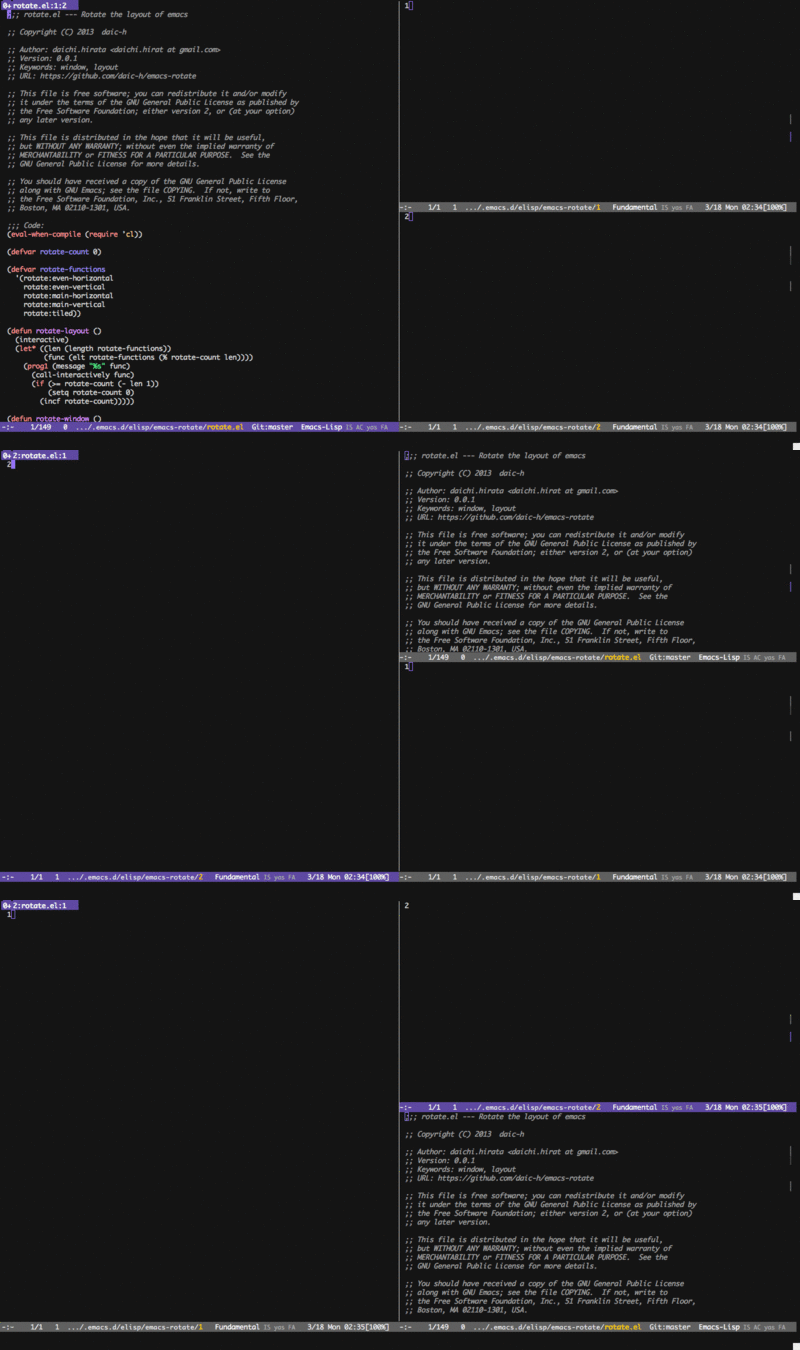
Rotate the positions of the window.
rotate-window
rotate-layout
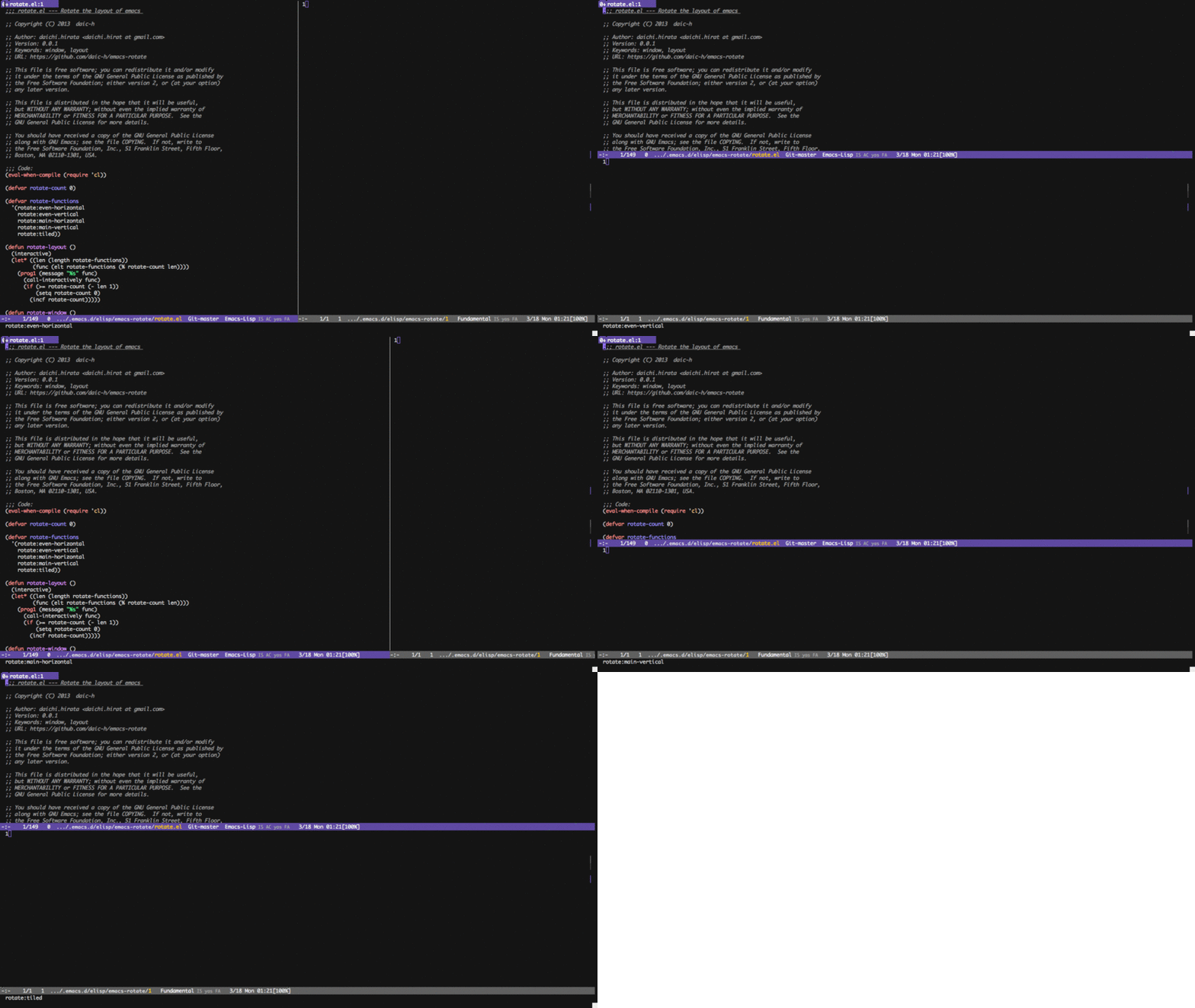
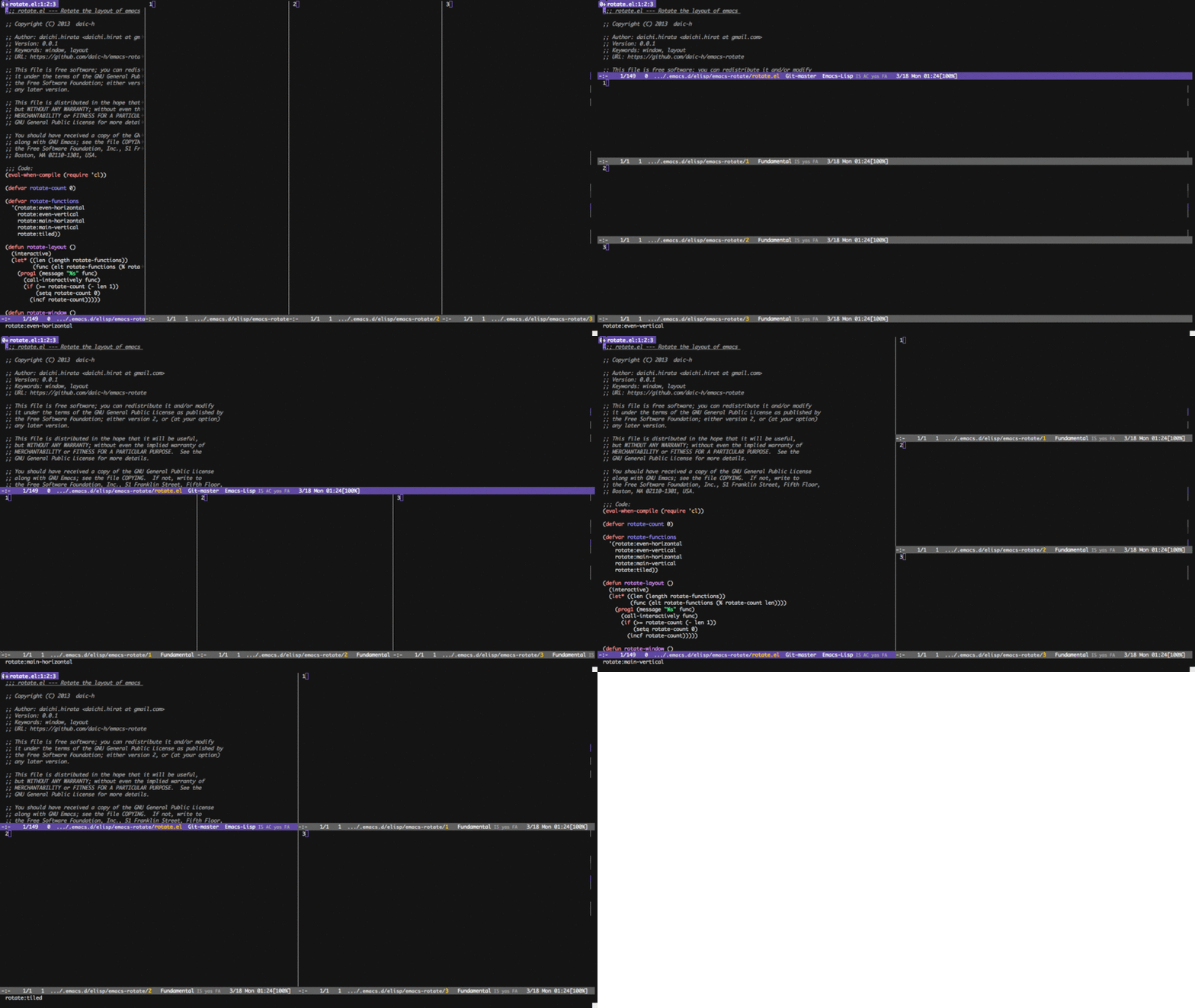
Move a window to the next layout and rearrange the window to fit. If only one window is open, it is split first.
rotate-layout 2 windows
rotate-layout 4 windows
Customize Variables
rotate-functions
Default value is
'(rotate-even-horizontal
  rotate-even-vertical
  rotate-main-horizontal
  rotate-main-vertical
  rotate-tiled)
A number of preset layouts are available. These may be selected with the rotate-layout command or cycled with next-layout; once a layout is chosen, window within it may be moved and resized as normal.
By replacing this value, you can circulate freely.
rotate-skip-dedicated-windows
Default value is t.
When non-nil, rotate commands ignore dedicated windows. This lets the package coexist cleanly with sidebar-style packages such as treemacs, neotree, or dired-sidebar, whose windows are typically dedicated.
Set to nil to include dedicated windows in the rotation:
(setq rotate-skip-dedicated-windows nil)
Preset layouts
The following layouts are supported:
rotate-even-horizontal
Spread out evenly from left to right across the window.
rotate-even-vertical
Spread evenly from top to bottom.
rotate-main-horizontal
A large (main) window is shown at the top of the window and the remaining windows are spread from left to right in the leftover space at the bottom.
rotate-main-vertical
Similar to main-horizontal but the large window is placed on the left and the others spread from top to bottom along the right.
rotate-tiled
Spread out as evenly as possible over the window in both rows and columns.
more like this