lovelace-body-miscale-card
Card for data of Xiaomi scales in the Lovelace user interface of Home Assistant The card is linked to the Bodymiscale…
 dckiller51
git clone https://github.com/dckiller51/lovelace-body-miscale-card.gitdckiller51/lovelace-body-miscale-cardbody-miscale-card
Card for data of Bodymiscale component in the Lovelace user interface of Home Assistant
The card is linked to the Bodymiscale custom components. https://github.com/dckiller51/bodymiscale
Installation
Manually add body-miscale-card.js
to your <config>/www/ folder and add the following to the configuration.yaml file:
lovelace:
  resources:
    - url: /local/body-miscale-card.js?v=1.0.0
      type: module
OR install using HACS and add this (if in YAML mode):
lovelace:
  resources:
    - url: /hacsfiles/lovelace-body-miscale-card/body-miscale-card.js
      type: module
The above configuration can be managed directly in the Configuration -> Lovelace Dashboards -> Resources panel when not using YAML mode, or added by clicking the "Add to lovelace" button on the HACS dashboard after installing the plugin.
If you want to use the scales background image, download and add
src/images/miscale2.jpg
to <config>/www/images/ or configure your own preferred path.
For body score icons, download and add
[src/images/bodyscoreIcon/*.png]https://github.com/dckiller51/lovelace-body-miscale-card/tree/main/src/images/bodyscoreIcon
to <config>/www/images/bodyscoreIcon or configure your own preferred path.
Configuration
| Name | Type | Default | Description |
|---|---|---|---|
| type | string | Required | custom:body-miscale-card |
| entity | string | Required | bodymiscale.name |
| name | string/bool | friendly_name |
Override friendly name (set to false to hide) |
| image | string/bool | false |
Set path/filename of background image (e.g., /local/img/miscale2.jpg) |
| icons_body | string | Nothing | Set the path of the icons (e.g., /local/images/bodyscoreIcon) |
| attributes | [Entity Data](#entity data) | (see below) | Set to false to hide all attributes |
| buttons | [Button Data](#button data) | (see below) | Set to false to hide button row |
Entity Data
Default Bodymiscale Attributes:
The card displays data in two main sections: "Attributes" (right list) and "Body" (below list). The availability of certain attributes depends on whether your scale supports impedance measurements (e.g., Mi Scale 181B).
-
Attributes (Right List):
- These attributes are generally user-specific and include:
weightheightagegenderimpedance(Displayed only for scales that support impedance measurements, such as the Mi Scale 181B)
- These attributes are generally user-specific and include:
-
Body (Below List):
- These attributes provide detailed body composition analysis.
- Attributes available for scales without impedance measurement:
visceral_fatbmiidealbody_type
- Attributes available for scales with impedance measurement (e.g., Mi Scale 181B):
waterbody_fatmuscle_massproteinbasal_metabolismbone_massmetabolic_age- (Includes all attributes from scales without impedance, plus these additional ones)
Note: You can customize which attributes are displayed, their labels, and units using the configuration options. Refer to the Examples section for details.
| Name | Type | Default | Description |
|---|---|---|---|
| key | string | Required | Attribute key on bodymiscale entity |
| icon | string | Optional icon | |
| label | string | Optional label text | |
| unit | string | Optional unit |
Button Data
Default buttons include user1, user2, user3, user4 and user5.
See examples on how to customize, hide or add custom buttons/actions.
| Name | Type | Default | Description |
|---|---|---|---|
| icon | string | Replace the label with an icon when the icon is shown. | |
| entity | string | Required | (bodymiscale.user1) |
| show | bool | false |
Show or hide button |
| label | string | Required | User name or label displayed on hover if the icon is shown. |
Other models
Define your model. false (without impedance) or true (with to impedance)
| Name | Type | Default | Description |
|---|---|---|---|
| model | bool | false |
Supported models: with or without impedance |
Screenshots
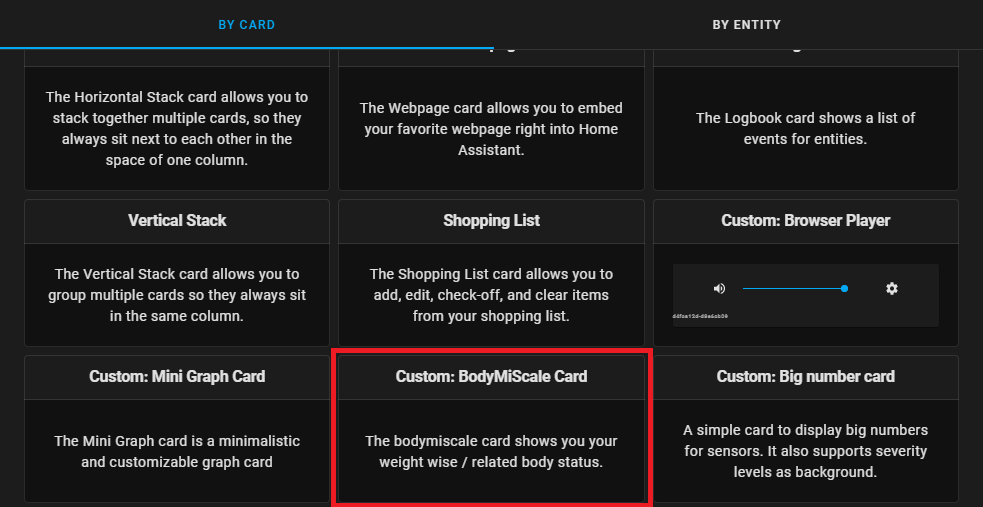
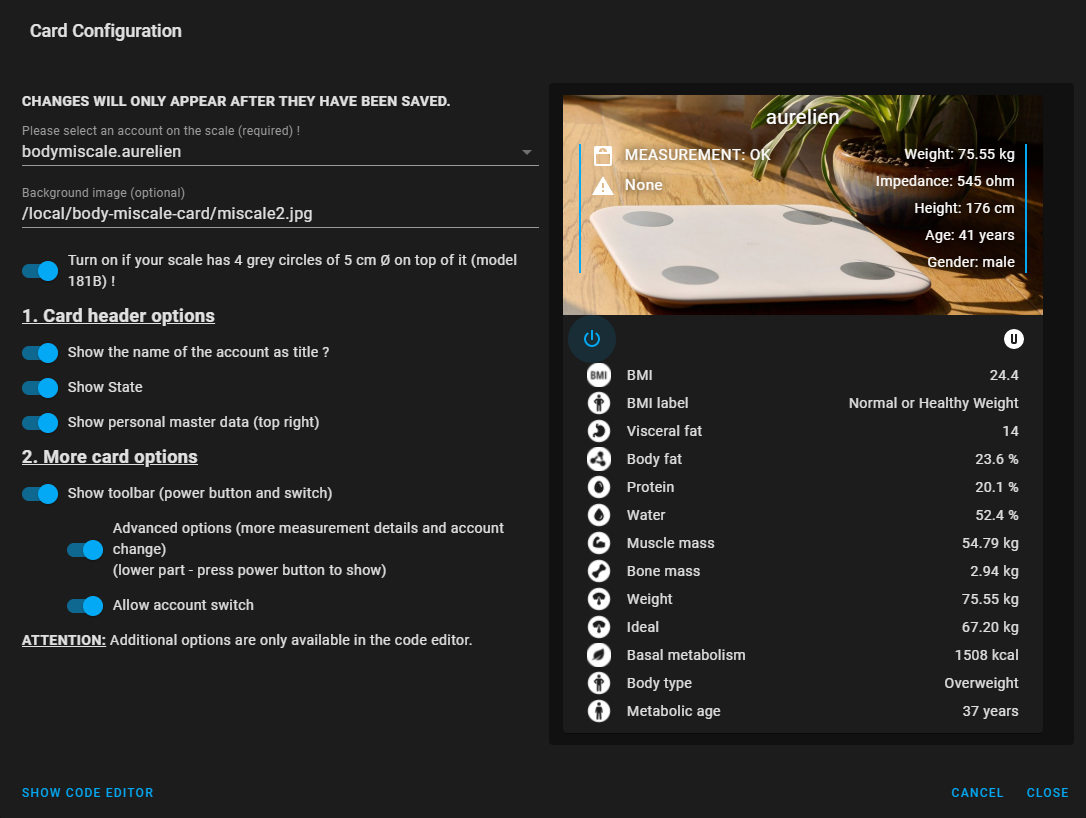
Examples
Basic configuration:
- type: custom:body-miscale-card
  entity: bodymiscale.name
- type: custom:body-miscale-card
  entity: bodymiscale.name
  image: /local/custom/folder/background.jpg
  icons_body: /local/images/bodyscoreIcon
  name: My Bodymiscale
  model: false
Hide specific attributes and/or buttons:
- type: custom:body-miscale-card
  entity: bodymiscale.name
  attributes:
    age: false
    gender: false
  buttons:
    user1: false
Customize specific buttons:
- type: custom:body-miscale-card
  entity: bodymiscale.name
  buttons:
    user1:
      show: true
      icon: 'mdi:alpha-a-circle'
      label: Aurélien
      entity: bodymiscale.aurelien
    user2:
      show: true
      icon: false
      label: Siham
      entity: bodymiscale.siham
Add custom attributes:
- type: custom:body-miscale-card
  entity: bodymiscale.name
  attributes:
    body_type:
      key: body_type
      label: 'Body type: '
    water:
      key: water
      label: 'Eau: '
      unit: '%'
Add custom bar options (To know the start, destination, color and target values, open your Mi Fit app on your smartphone.)
Options
| Name | Type | Default | Description |
|---|---|---|---|
color |
string | green |
Color of the bar. |
max |
number | 100 |
Defines maximum value of the bar. |
min |
number | 0 |
Defines minimum value of the bar. |
positions |
object | — | Defines the positions of the card elements. See Positions Options. |
showabovelabels |
boolean | true |
Show the numeric range labels above the color bar. |
showbelowlabels |
boolean | true |
Show the custom text labels below the color bar. |
severity |
object | — | A list of severity values. See Severity Options. |
Severity Options
| Name | Type | Default | Description |
|---|---|---|---|
| from | number | Required | Defines from which value the color should be displayed. |
| to | number | Required | Defines to which value the color should be displayed. |
| color | string | Required | Defines the color to be displayed. |
| label | string | Optional | Defines the label shown under the bar. |
Positions Options
| Name | Type | Default | Description |
|---|---|---|---|
| icon | string | outside | left, right, off |
| name | string | inside | left, right, off |
| minmax | string | off | left, right, off |
| value | string | inside | left, right, off |
type: custom:body-miscale-card
entity: bodymiscale.test
model: false
show_name: true
show_states: true
show_attributes: true
show_toolbar: true
show_body: true
show_buttons: true
entity_row: true
buttons:
  user1:
    show: true
body:
  bmi:
    positions:
      name: left
      minmax: right
  bmi_label:
    color: blue
  visceral_fat:
    severity:
      - from: 5
        to: 10
        color: green
        label: Normal
      - from: 10
        to: 15
        color: orange
        label: High
      - from: 15
        to: 20
        color: red
        label: Very high
    min: 5
    max: 25
    showabovelabels: "true"
    showbelowlabels: "true"
Translations: Automatic (setting of your homeassistant) or manual
Currently the languages available are CA,CS,DE,EN,ES,FR,HU,IT,JA,NL,PL,PT-BR,PT,RO,RU,VI,ZH-HANS,ZH-HANT, you can contact me to integrate your native language
- type: custom:body-miscale-card
  entity: bodymiscale.name
  body:
    water:
      label: 'Eau: '
    bmi:
      label: 'IMC: '
  attributes:
    weight:
      label: 'Poids: '
      unit: ' kg'
    height:
      label: 'Taille: '
      unit: ' cm'
    age:
      label: 'Age: '
      unit: ' ans'
    gender:
      label: 'Genre: '
  buttons:
    user1:
      label: Aurélien
    user2:
      label: Siham
      show: true
Severity Configuration Helper
🧰 Try the Severity Configuration Helper: Open Tool
Credits
The card is based on the work of Ben Tomlin https://github.com/benct/lovelace-xiaomi-vacuum-card The card is based on the work of Denys Dovhan https://github.com/denysdovhan/purifier-card
Disclaimer
This project is not affiliated, associated, authorized, endorsed by, or in any way officially connected with the Xiaomi Corporation, or any of its subsidiaries or its affiliates. The official Xiaomi website can be found at https://www.mi.com/global/.
more like this
PowerDisplayESPHome
A small display for ESPHome and Home Assistant to retrieve the current house consumption and energy price via a sensor…