mc-onedark
One Dark theme for Midnight Commander
 deadnews
★ 57⑂ 4 forksMITupdated 6 months ago
git clone https://github.com/deadnews/mc-onedark.gitdeadnews/mc-onedarkREADME.mdfork it — it’s yours
One Dark theme for Midnight Commander
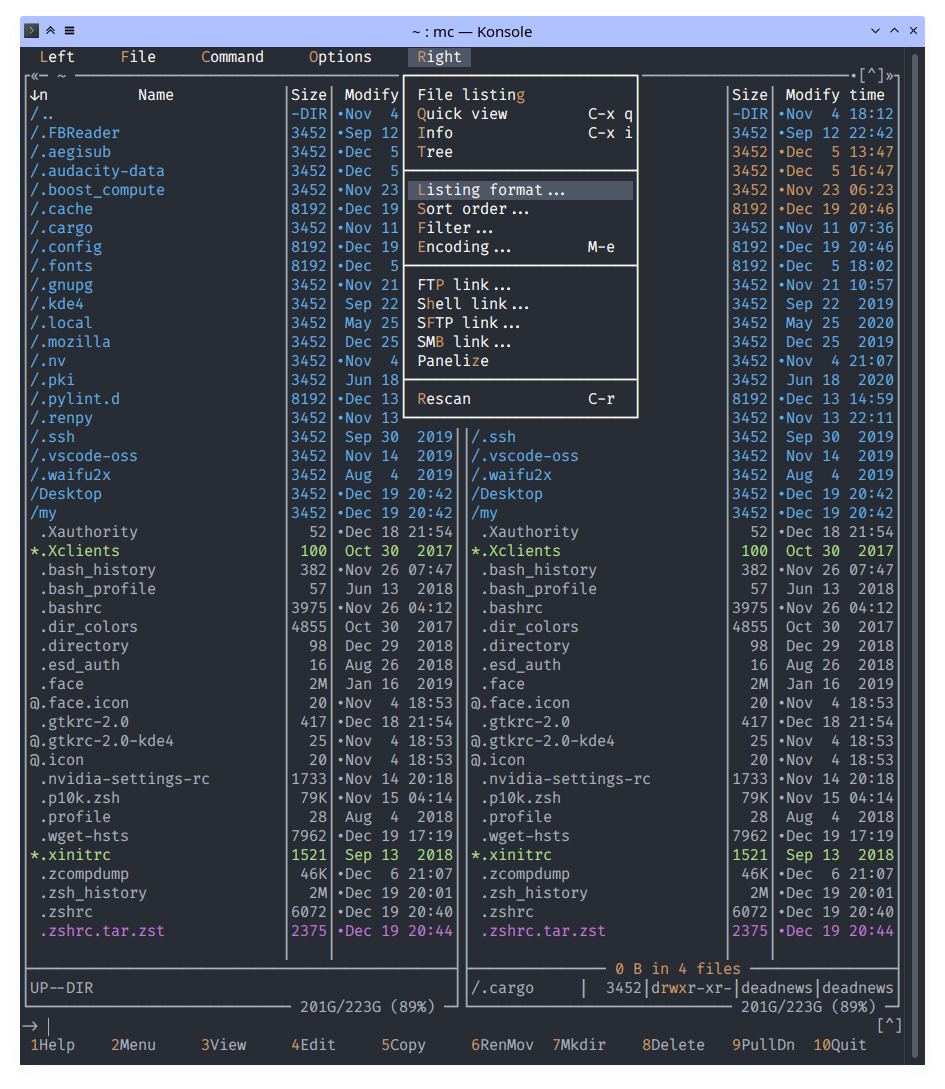
Theme variants
The mc OneDark theme comes in two flavors, an 8/16 color option (onedark.ini) and a 16M color option (onedark16M.ini). The 8/16 color version is entirely dependent on having installed the relevant OneDark theme for your terminal too as it uses the color palette fixed by your terminal.
See Konsole color scheme for example.
The 16M color version can be used independently of any terminal color scheme, but requires true color support in the terminal.
Installation
- Copy files from
./skinsto~/.local/share/mc/skins - Copy files from
./configto~/.config/mc/(optional)
or
- Link configs with dotbot:
dotbot -c install.conf.yaml
Activating ways
- Choose the skin through the mc UI with:
# F9 > Options > Appearance
- Edit
~/.config/mc/iniand addskin=onedark:
sed -i 's|\(^skin=\).*$|\1onedark|' ~/.config/mc/ini
- Run mc with specific skin:
mc -S onedark
- Add
export MC_SKIN=onedarkto the initialization file of your shell (e.g.,~/.bashrcor~/.zshrc):
echo "export MC_SKIN=onedark" >> ~/.zshrc
more like this
gns3theme
Custom color themes for GNS3 GUI. Built-in schemes, custom JSON themes, device symbols. Supports Linux and macOS.
Python★ 50
Aritim-Light
A Light theme for both KDE and GTK based distros, pleasant to the eyes and perfect for your daily workload.
CSS★ 51