agentlytics
Comprehensive analytics dashboard for AI coding agents — Cursor, Windsurf, Claude Code, VS Code Copilot, Zed, Antigravi…
JavaScript★ 555
Homelab control plane with native Android app, Wear OS, and Android Auto. SSH-based control from a dashboard. Single Py…
 deqrocks
Your homelab under control. From anywhere.
A single Python file providing SSH-based control via a web interface,
connected to a native Android app, Wear OS, and Android Auto.
Zero dependencies. Dynamic config. No YAML.
Website · Documentation · FAQ · Press Kit · Patreon
DeQ is an ultra-lightweight network control layer that exposes the raw power of SSH on mobile devices — without unnecessary abstraction.
At the core of DeQ is a single Python file: server.py.
It lives on your server and acts as the entire control layer.
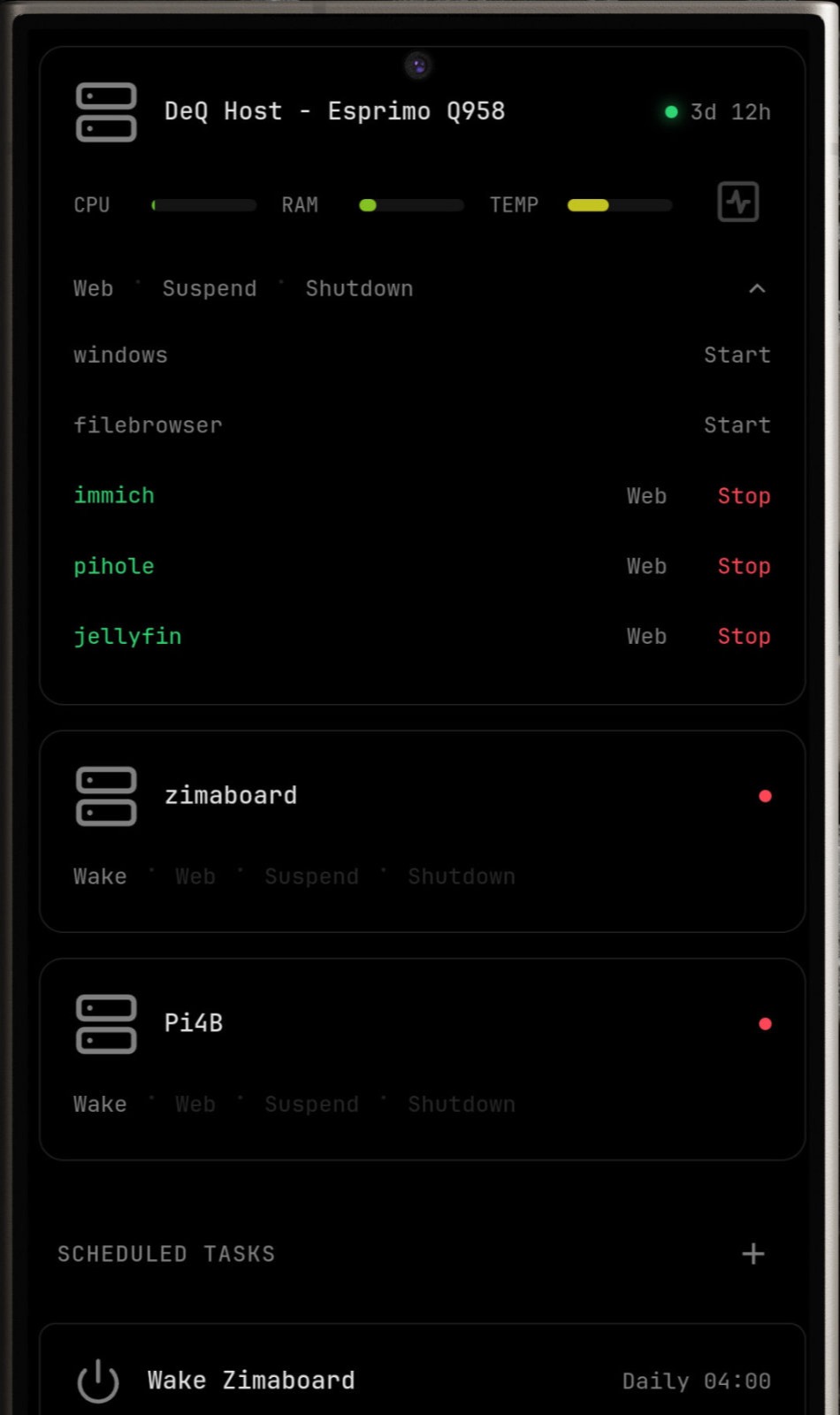
What makes it powerful — yet lightweight — is its restraint. DeQ is essentially SSH commands wrapped in a thin, vanilla Python shell. There are no dependencies beyond Linux and Python. The same file serves a dashboard-like web interface. It is mobile-first, responsive, and accessible from any browser.
We deliberately restrict server.py to a maximum size of 500 KB.
It currently sits at around 350 KB.
A typical fresh installation, managing a few devices, containers, and tasks,
uses roughly 20 MB of RAM and virtually no CPU.
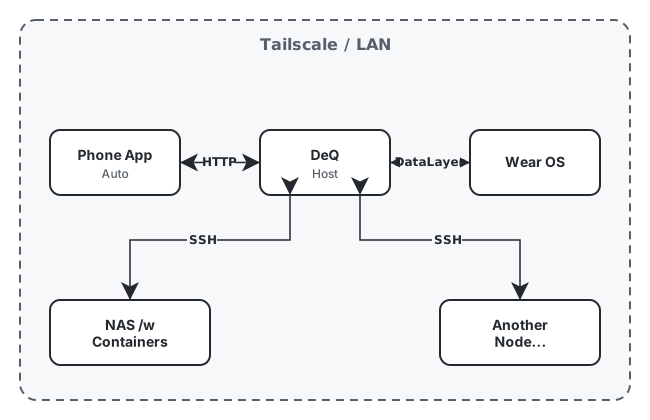
The native Android app, Android Auto, and Wear OS sync directly with server.py.
The server, in turn, connects to your host and other network devices via SSH.
DeQ is not a dashboard. DeQ is a control layer disguised as a dashboard. It is a well-connected control layer with access to core homelab functions such as Wake-on-LAN, task scheduling, and file management — as well as sensors and context from your mobile devices.
For example, the Android app can automatically put selected containers or servers to sleep when you plug in your phone at night — and wake them again when you unplug it in the morning.
The core remains lean. How you extend it is up to you.
HTTP API connects Home Assistant, Tasker, or your custom scripts.
Extension API lets you write Python that adds custom sections to the web interface.
Drop shell scripts into /opt/deq/scripts/ for quick automation.
DeQ provides the infrastructure. You build what you need.
Push notifications · Full web interface
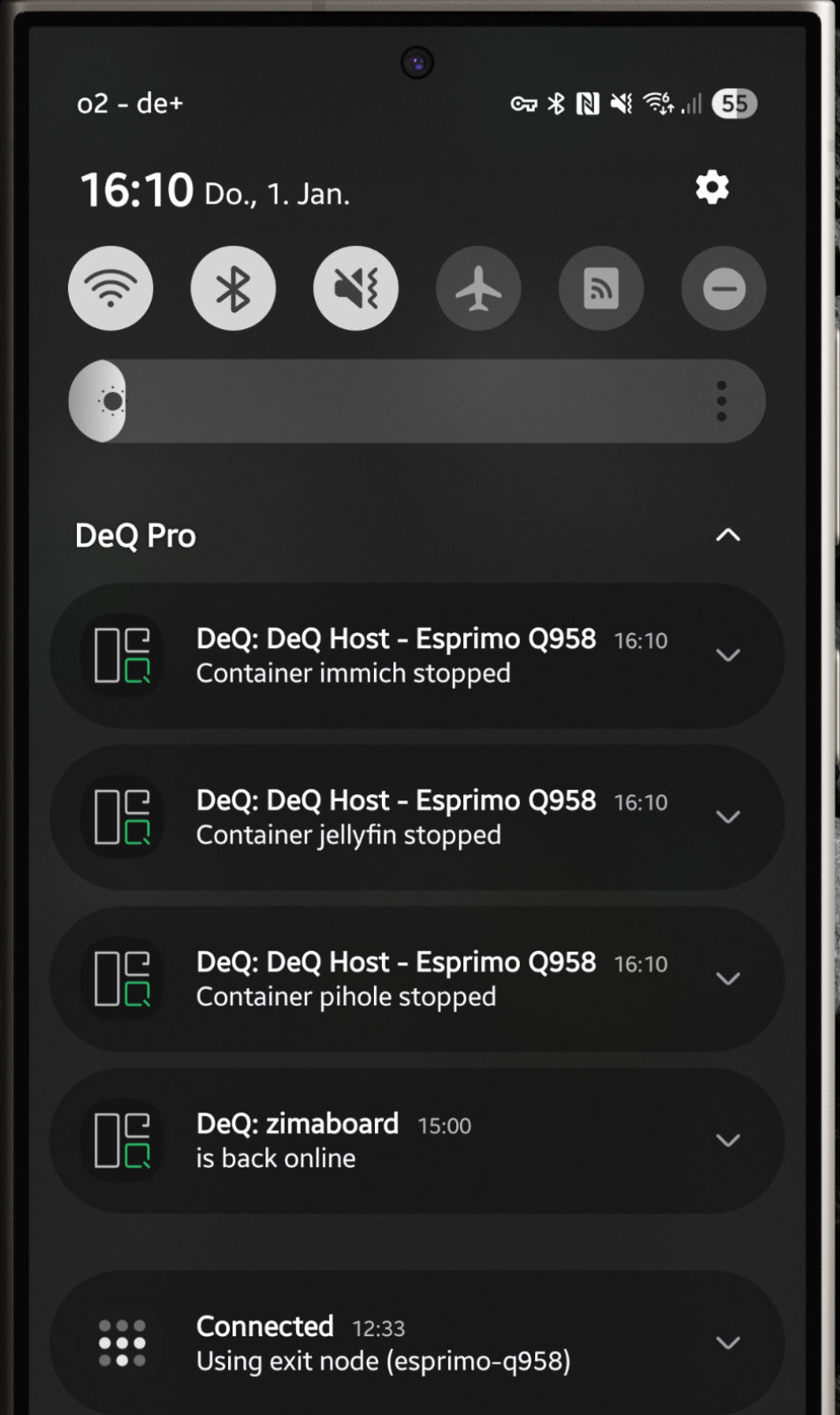
Native companion app with background monitoring and push notifications when devices go offline, containers stop, or backups fail. Ad-Free
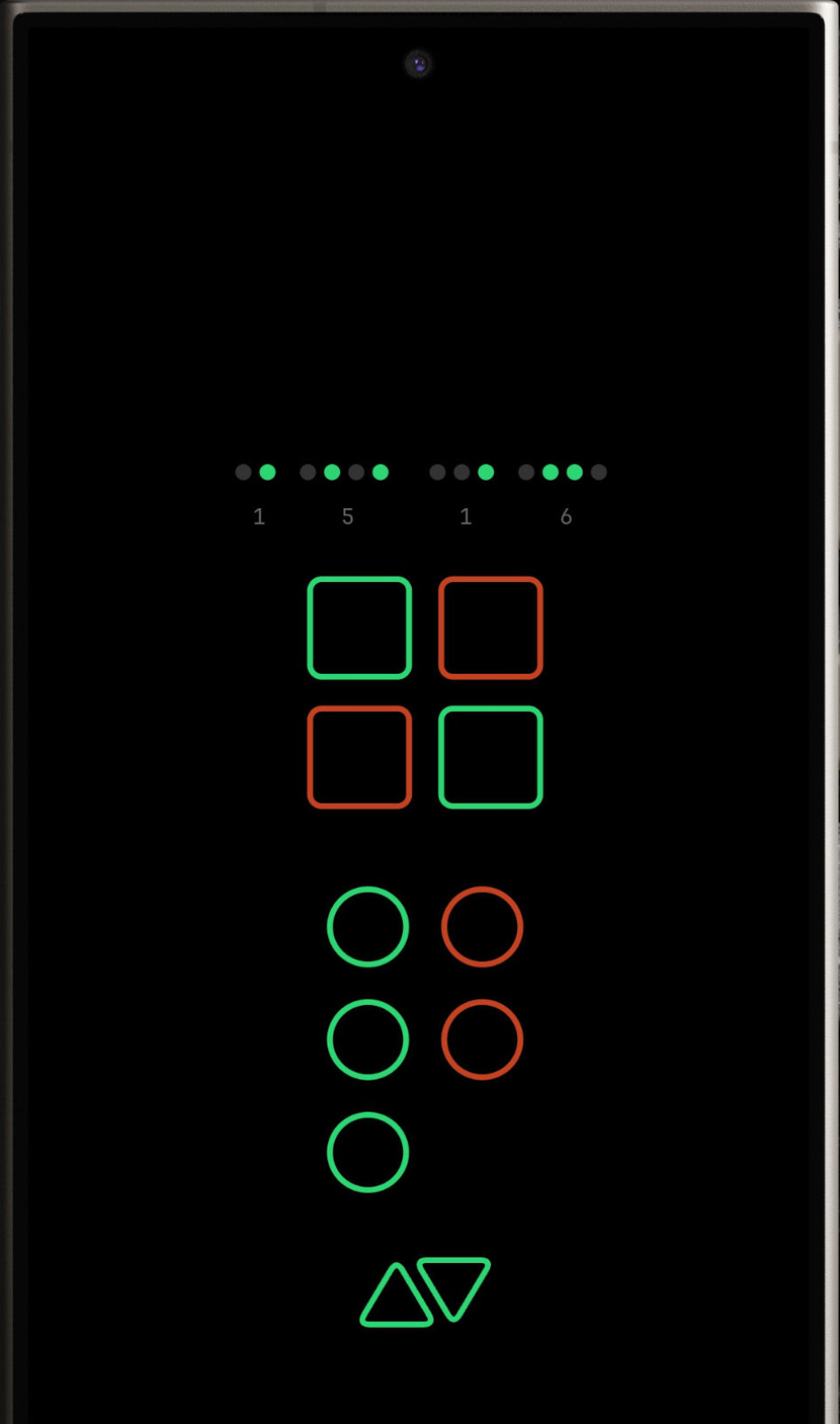
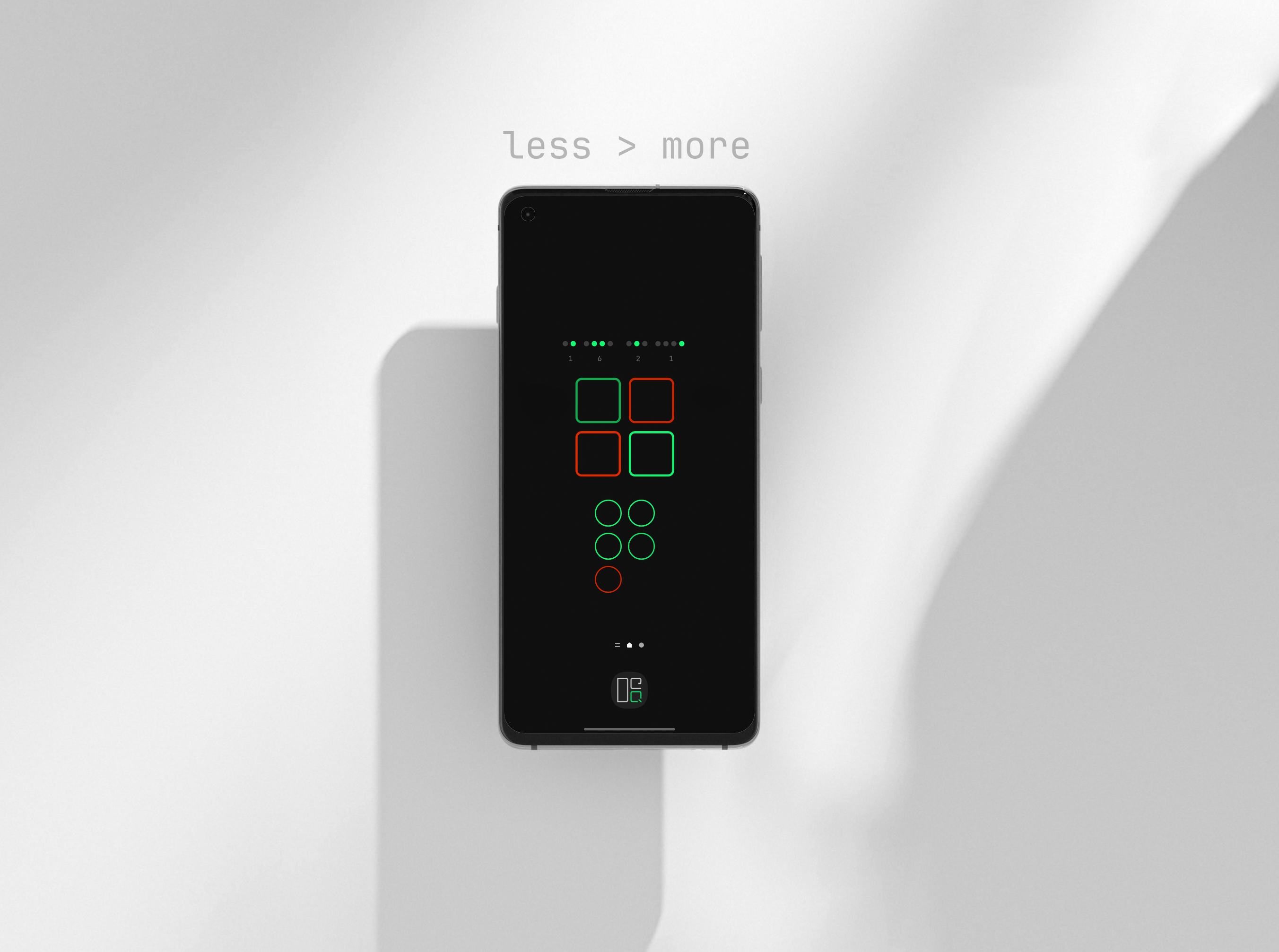
Ambient Mode with BCD clock
DeQ Pro adds powerful automation and visualization features. Your purchase keeps this project alive as a full-time effort.
| Feature | Description |
|---|---|
| Widgets | 5 widget styles for home and lock screen |
| Live Wallpaper | Animated status display as background |
| Ambient Mode | Wall-mount display with BCD clock, OLED optimized |
| Android Auto | Homelab status in your car |
| Wear OS | Watch app, tile, and complications |
| Sleep With Me | Homelab sleeps when you sleep |
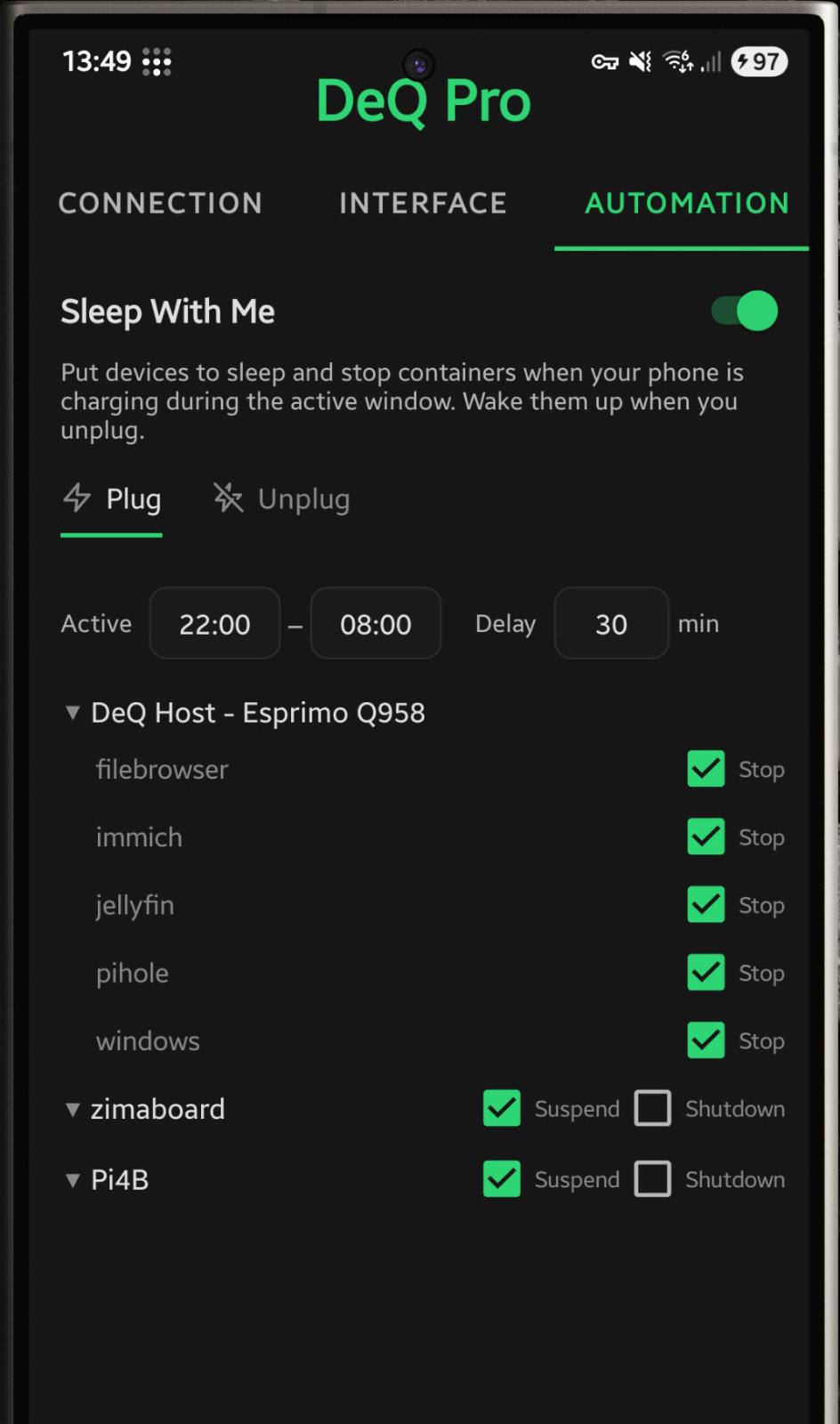
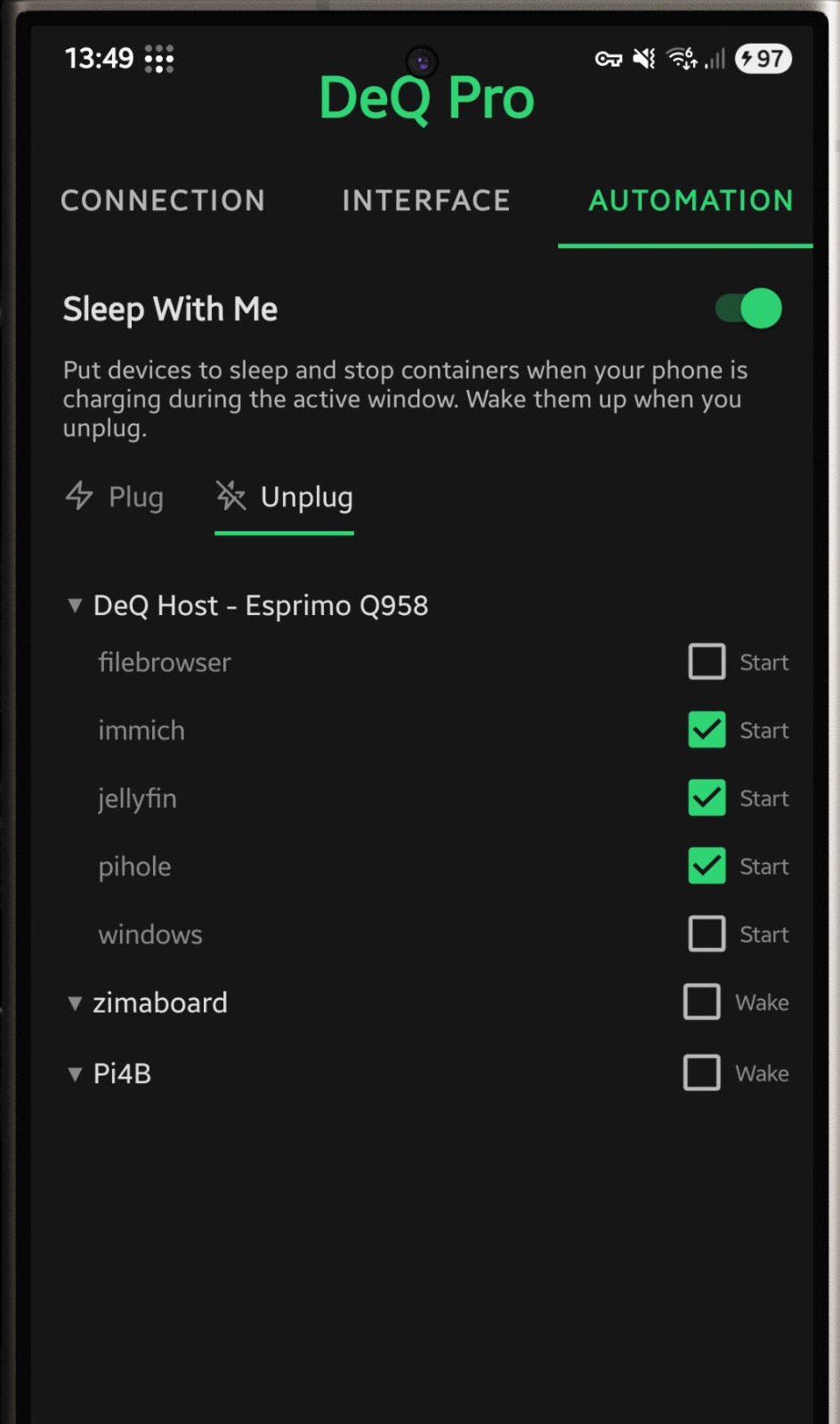
Sleep With Me: Plug in to sleep · Unplug to wake
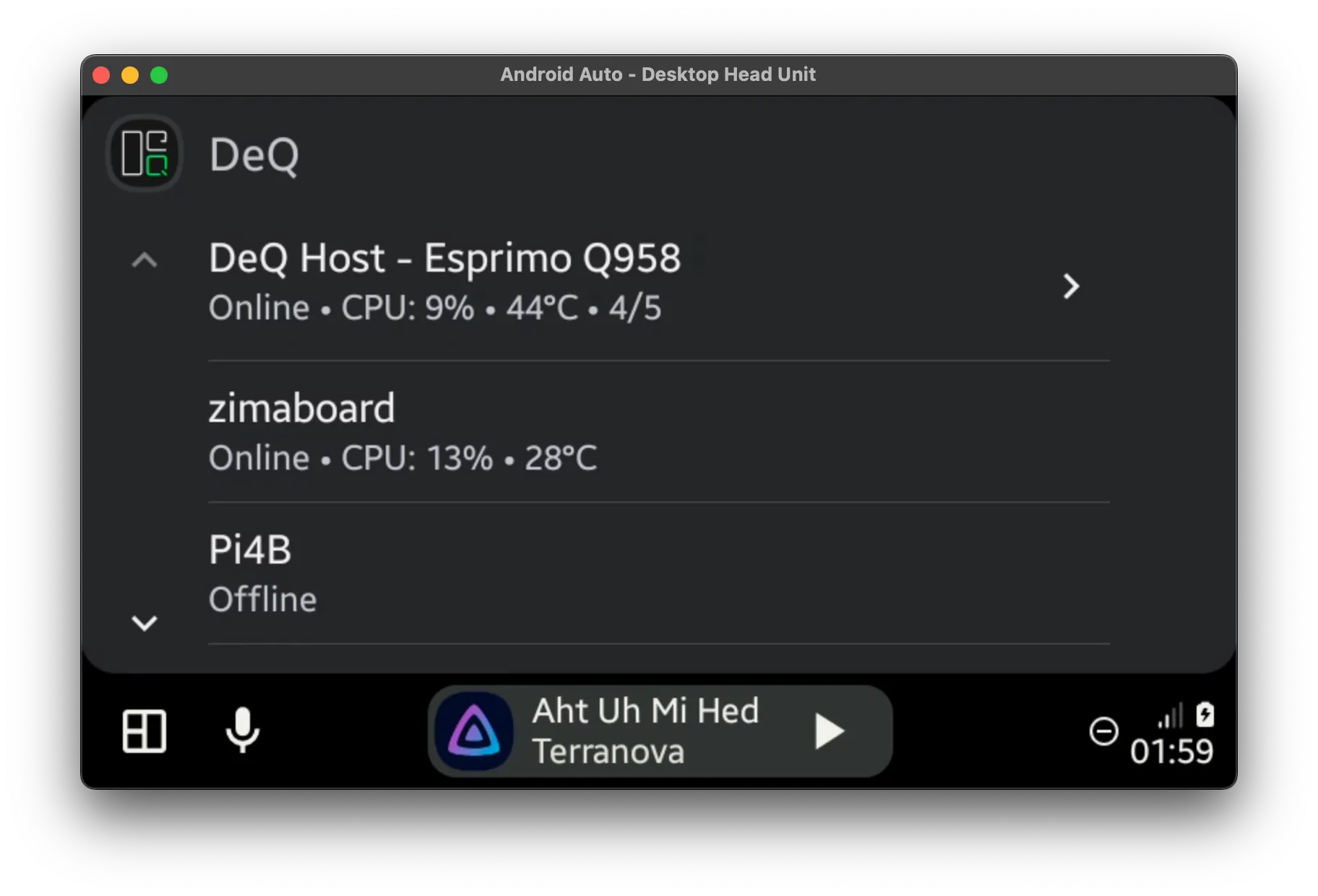
Android Auto integration
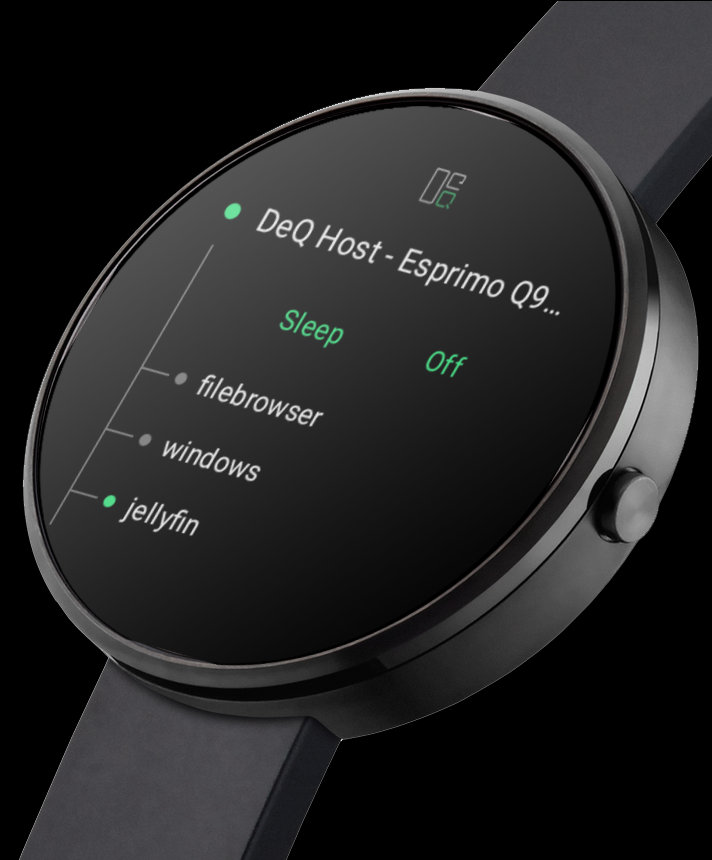
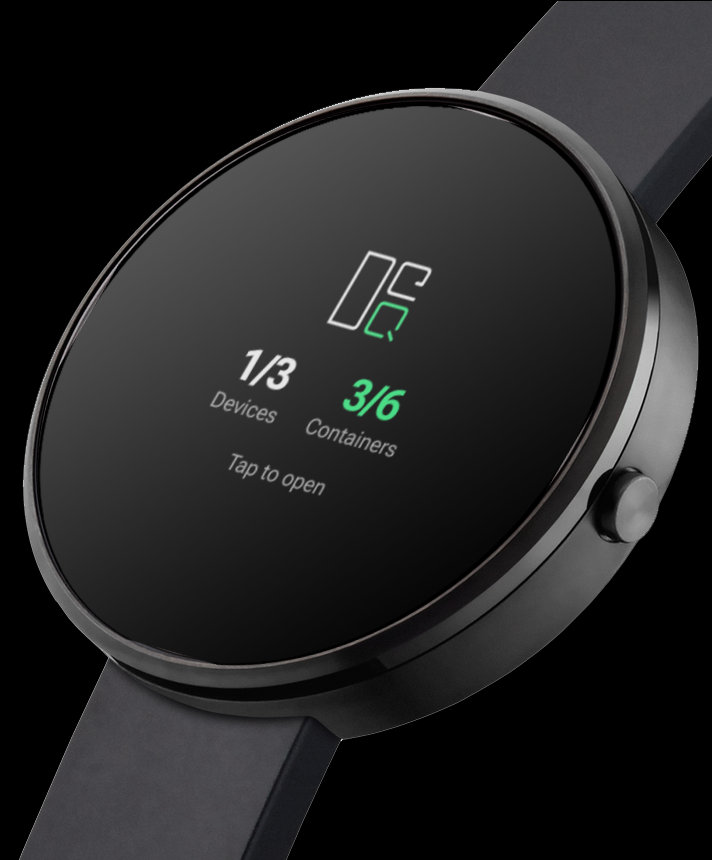
Wear OS app · Quick tile
wget https://github.com/deqrocks/deq/releases/latest/download/deq.zip
unzip deq.zip -d deq && cd deq
sudo ./install.sh
The installer asks a few questions and gives you your access URL.
Full setup guide: deq.rocks/documentation
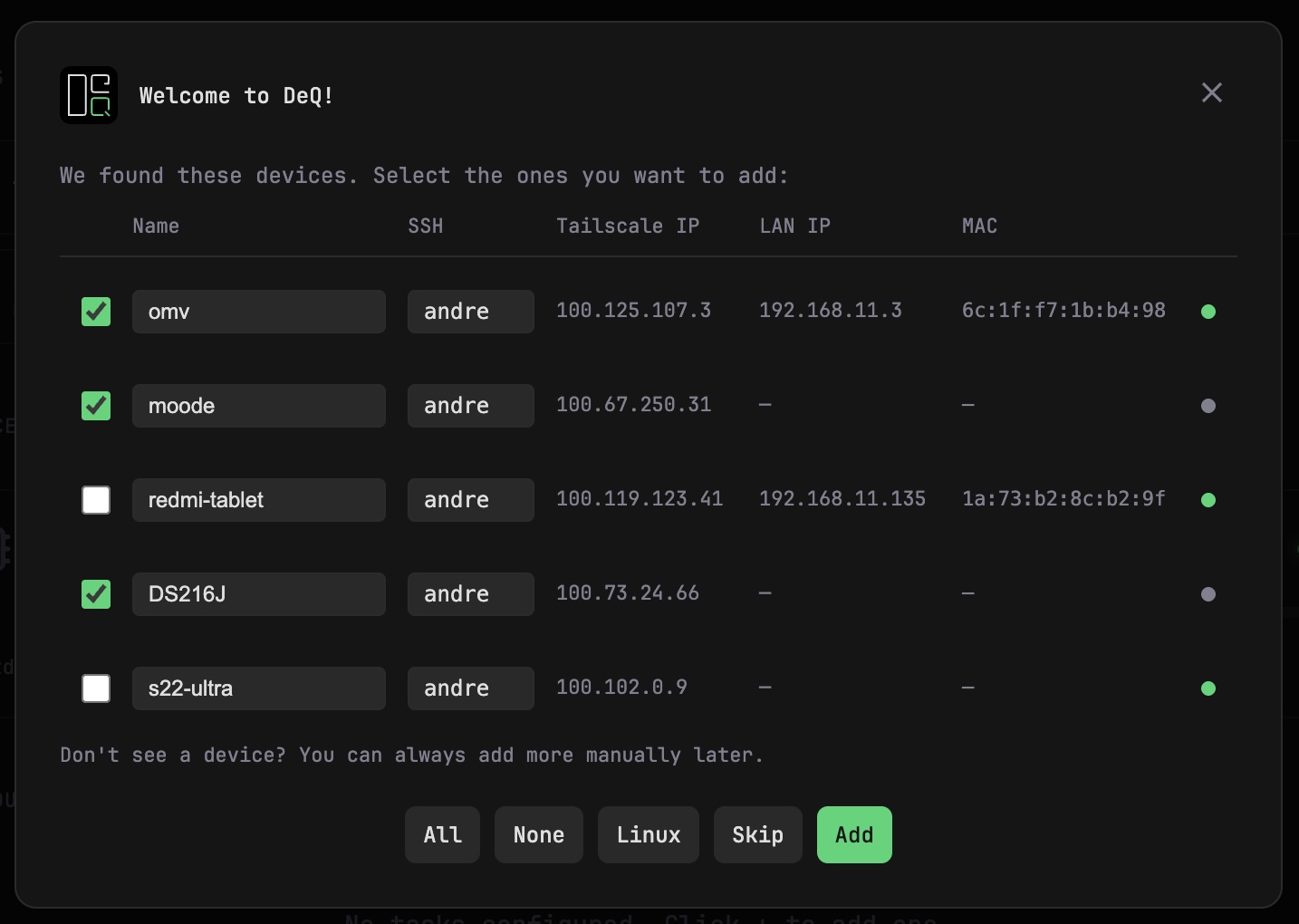
User onboarding wizard
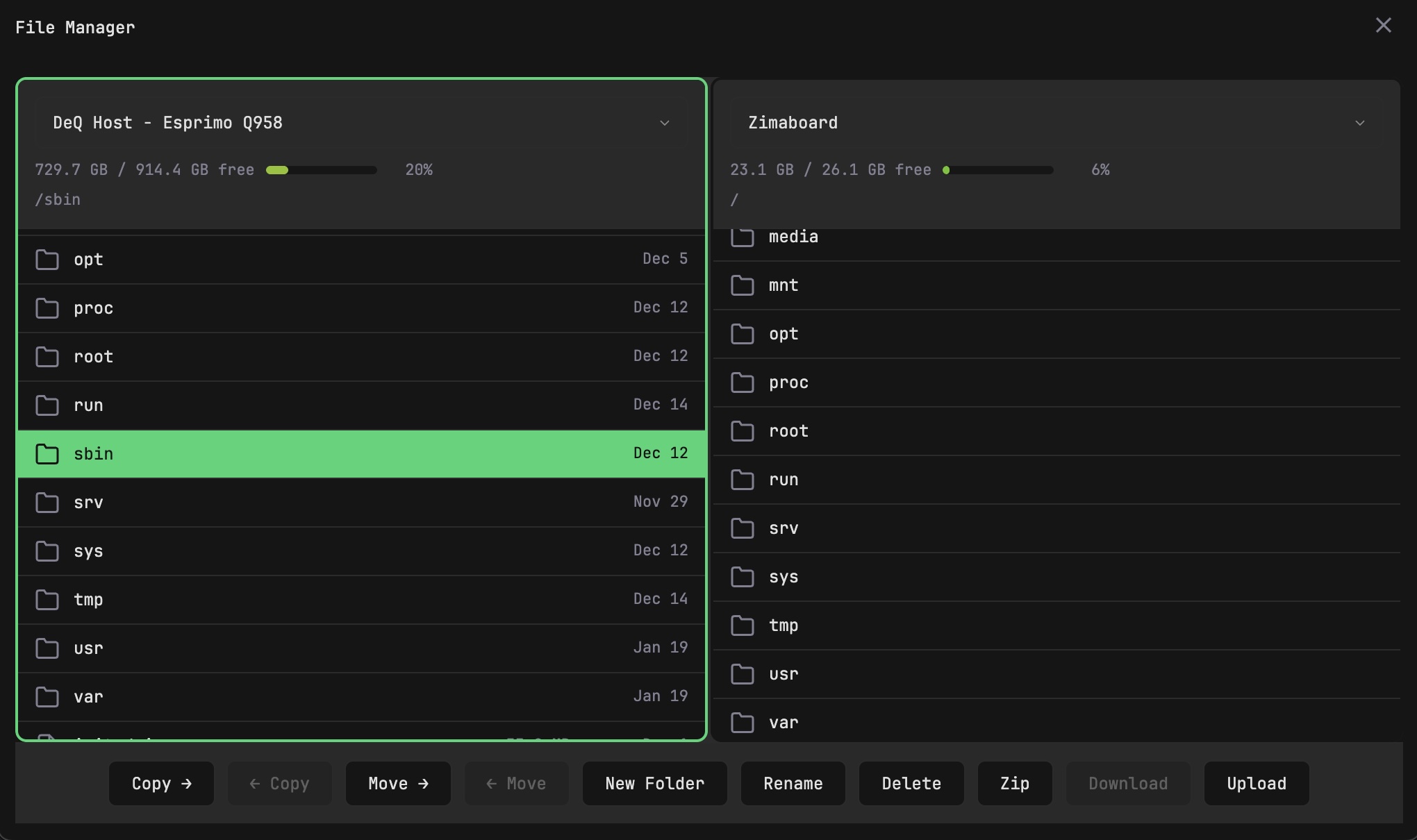
Dual-pane file manager (desktop)
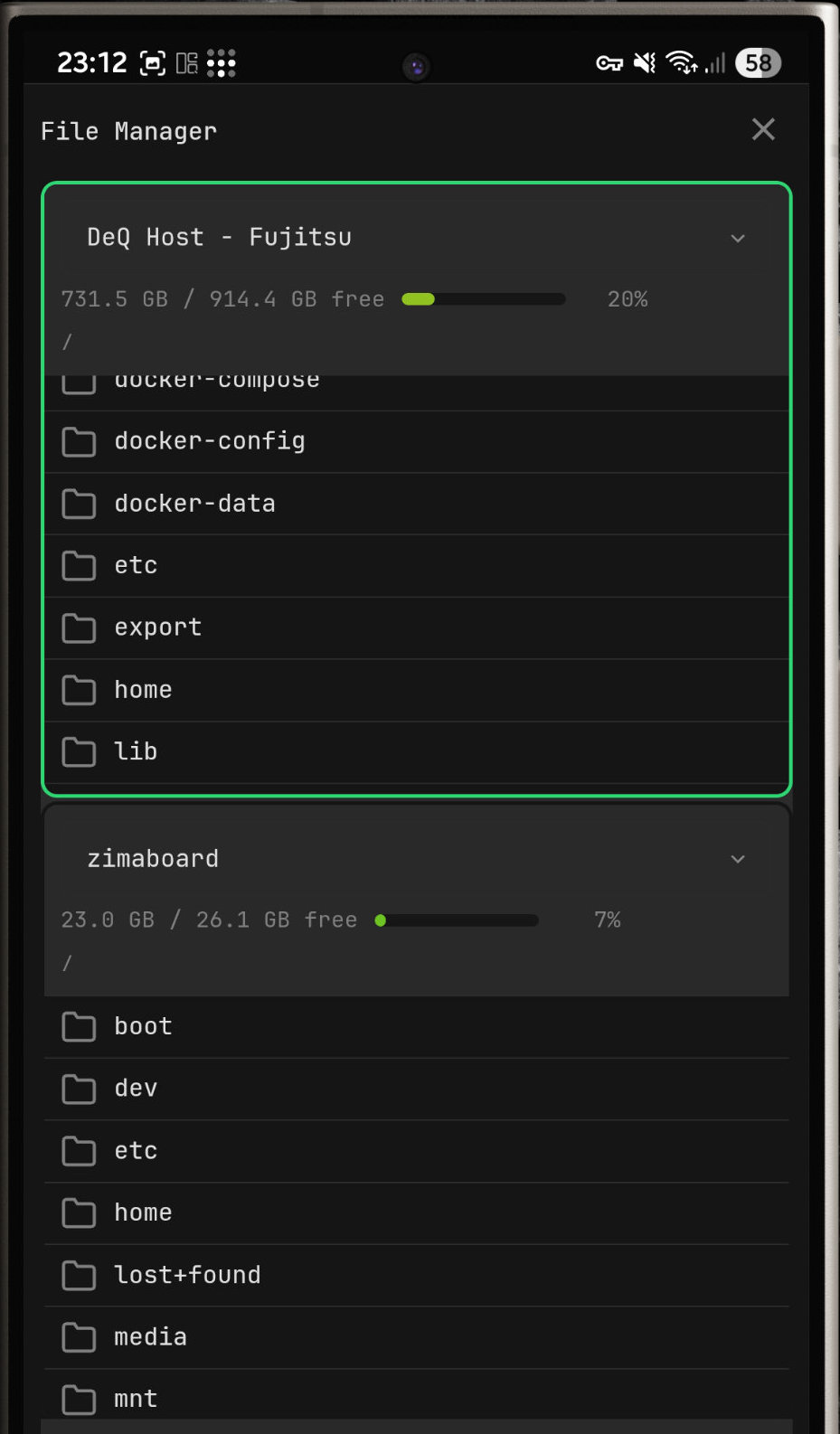
Dual-pane file manager (phone)
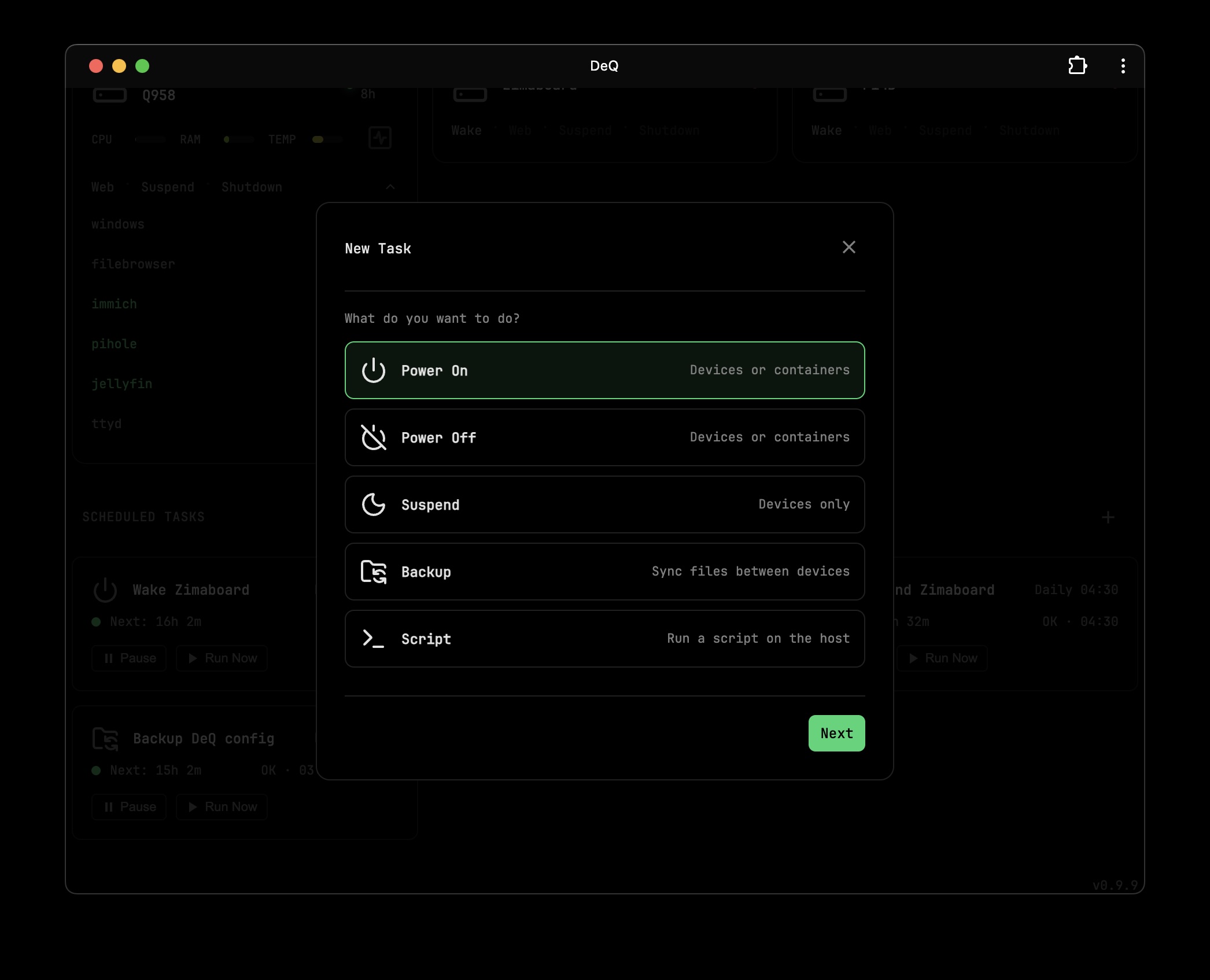
Task scheduler
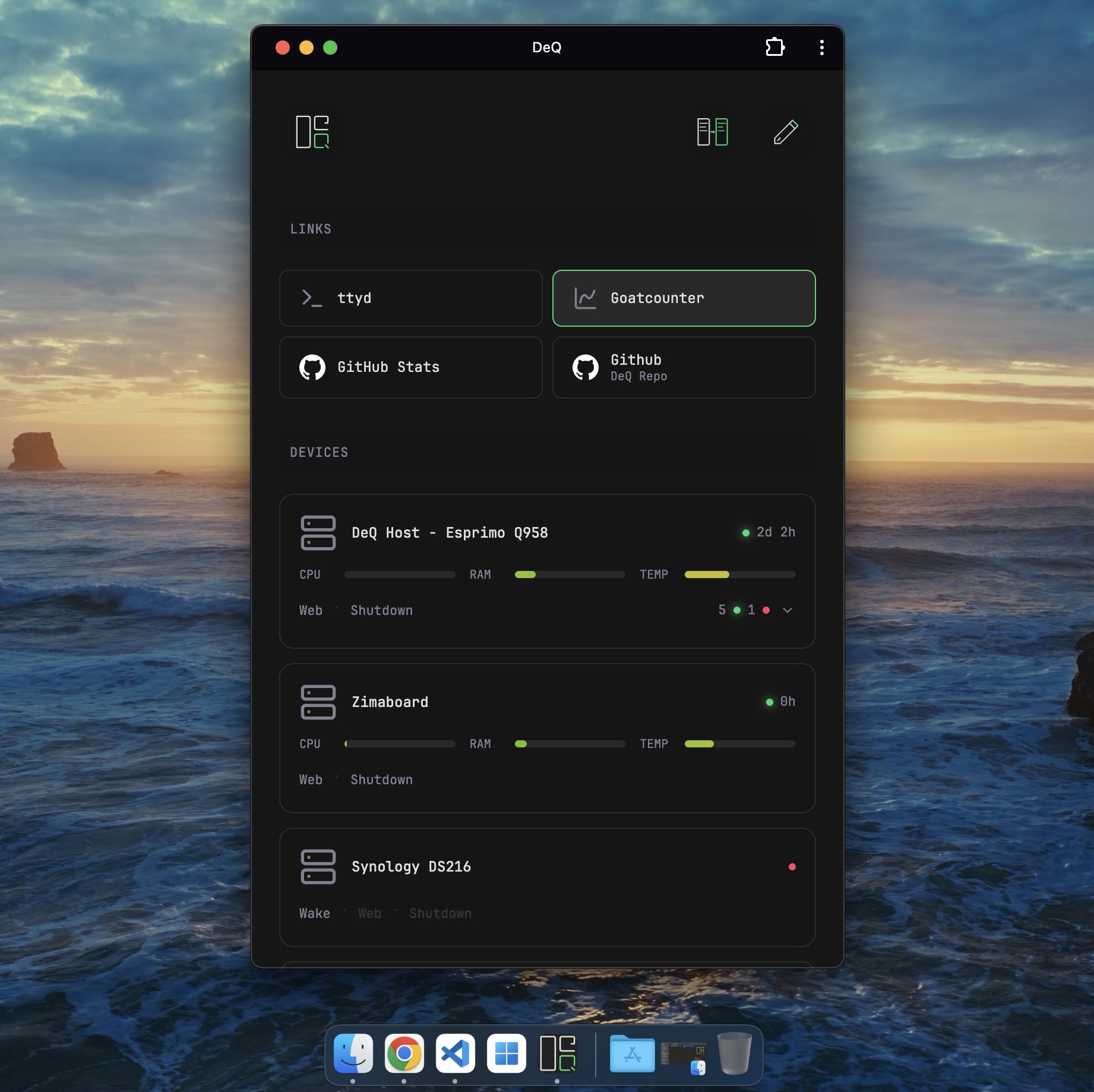
Desktop PWA
CC BY-NC 4.0 - Free for personal use, no commercial use without permission.
more like this
Comprehensive analytics dashboard for AI coding agents — Cursor, Windsurf, Claude Code, VS Code Copilot, Zed, Antigravi…
Free open-source Cloudflare R2 desktop client and S3 GUI for macOS, Windows, and Linux. Manage Cloudflare R2, AWS S3, M…
meine 🌒 - A CLI file manager and system utility built with Textual. It combines intuitive command parsing with rich t…
MTT File Manager is a Rust-based Windows file manager with tabbed navigation, rich media previews, deep system integrat…
search projects, people, and tags