xmb-bigscreen
XMB for Plasma BigScreen, console-like fullscreen launcher for living room gamepad users
QML★ 50
Desktop launcher for GenericAgent on Windows
 dhdbv-cbs
git clone https://github.com/dhdbv-cbs/genericagent-launcher.gitdhdbv-cbs/genericagent-launcher一个面向 GenericAgent 的桌面启动器。
它不重新实现 GenericAgent 内核,而是把下载、配置、启动、聊天、渠道管理、远程设备接入和常用运维入口整理成一个更适合普通用户使用的桌面界面。当前公开发布面向 Windows 和 macOS。
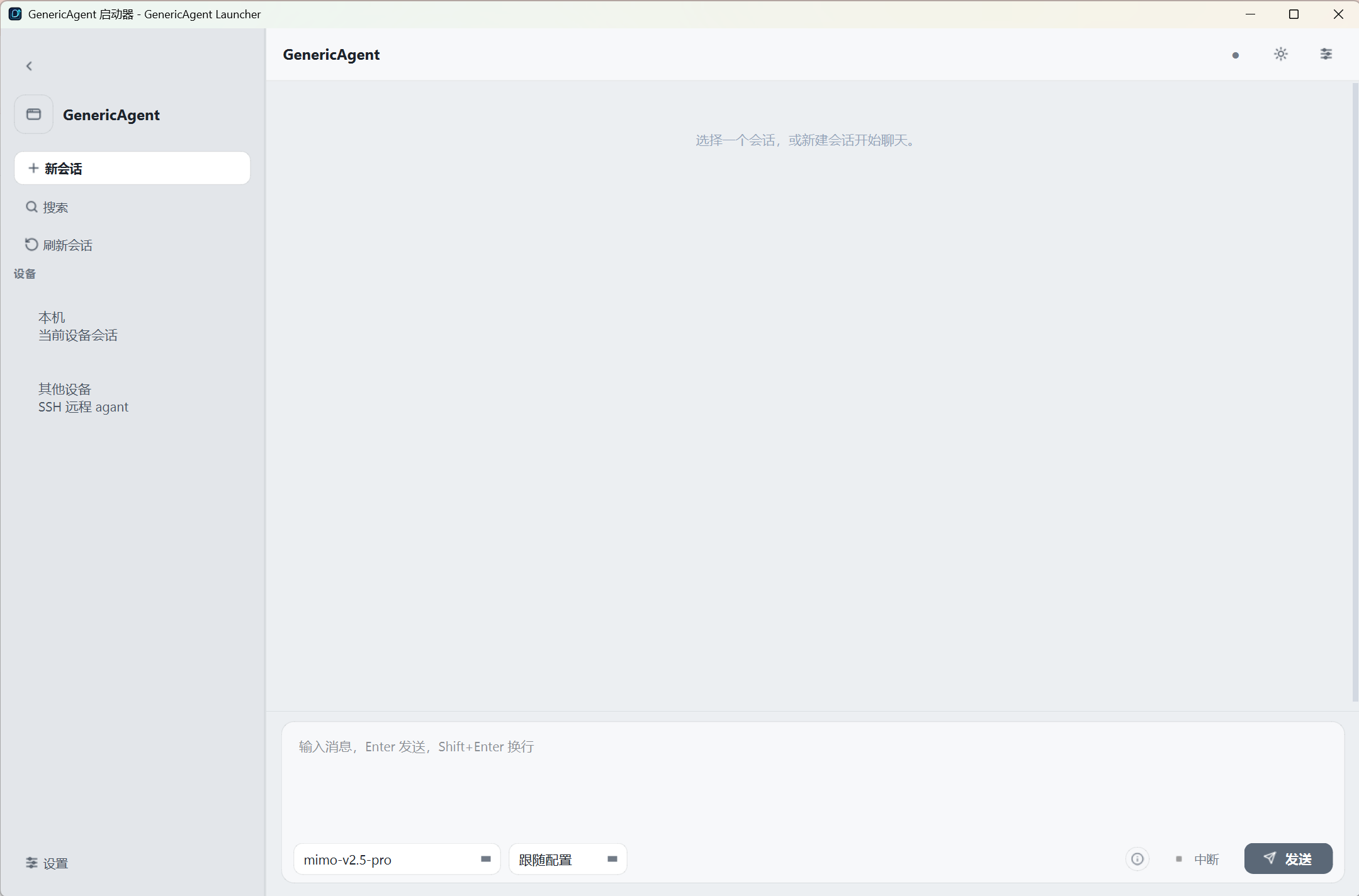
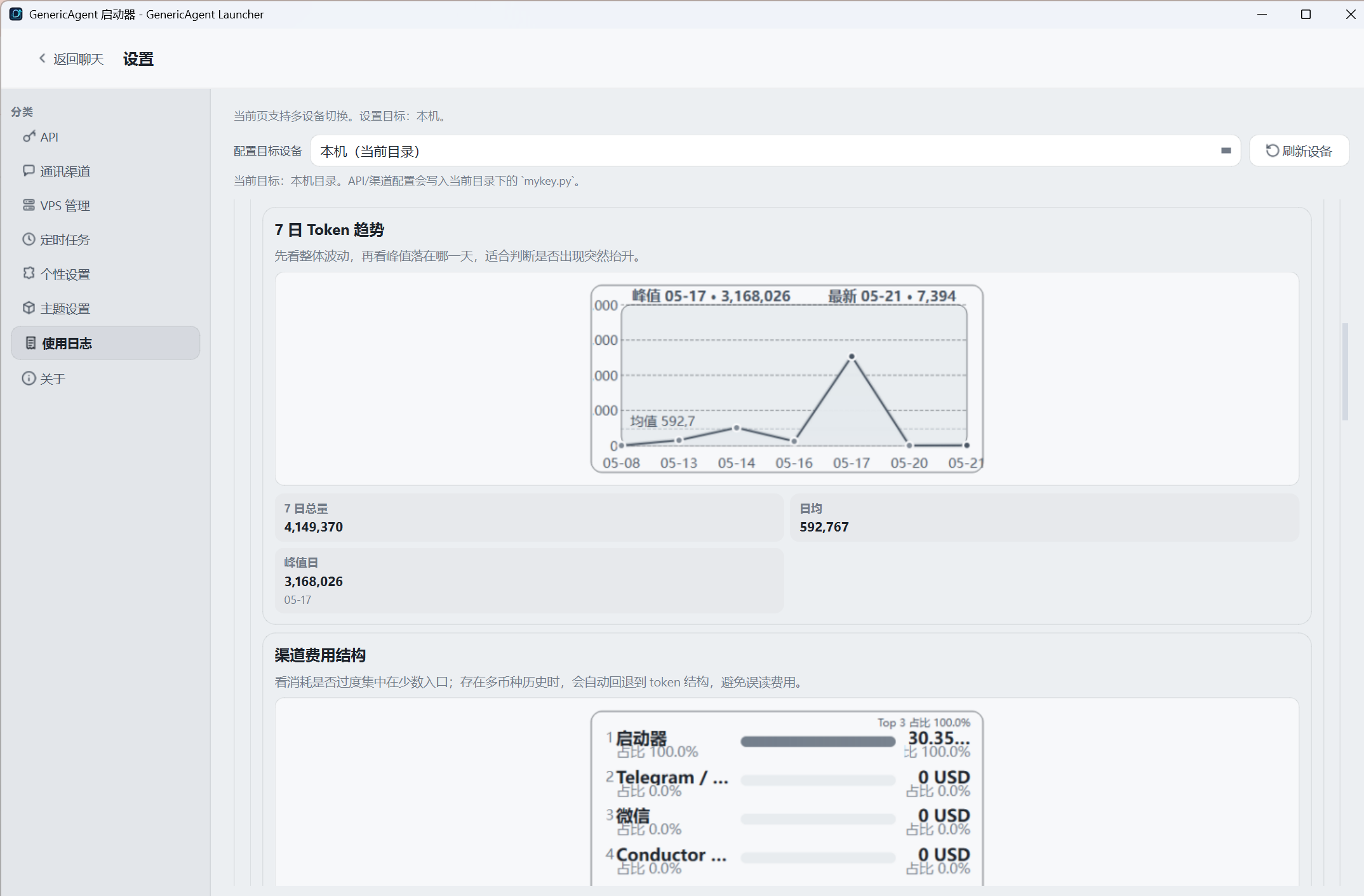
如果你直接使用上游 GenericAgent,通常还要自己处理这些事情:
mykey.py、启动参数和运行目录这个仓库主要就是把上面这些“启动器层”的工作接住。
Release 页面: Releases
普通用户手动安装或升级,下载:
GenericAgentLauncher-Setup-<version>.exe用于软件内更新识别的发布资产:
GenericAgentLauncher-app-<version>.zipmanifest.jsonmanifest.sigsha256sums.txt说明:
Setup.exeUpdater + 原子切换 + 自动回滚当前公开发布提供两个架构:
GenericAgentLauncher-macos-arm64-<version>.dmgGenericAgentLauncher-macos-x86_64-<version>.dmg配套校验和说明资产:
GenericAgentLauncher-macos-arm64-<version>.sha256GenericAgentLauncher-macos-x86_64-<version>.sha256README-macOS-arm64.txtREADME-macOS-x86_64.txtinstall-metadata-arm64.jsoninstall-metadata-x86_64.json说明:
arm64 面向 Apple Silicon Macx86_64 面向 Intel Mac.appSystem Settings -> Privacy & Security -> Open Anyway 放行mykey.pyGenericAgentLauncher-Setup-<version>.exe.dmg,把 GenericAgent Launcher.app 拖到 /Applications 或 ~/Applications进入启动器后,你可以二选一:
如果是已有目录,目标目录里通常应包含 launch.pyw 和 agentmain.py。
第一次进入如果没有可用渠道,启动器通常会引导到“设置 -> API”。
基础流程:
%LocalAppData%\\Programs\\GenericAgentLauncher%LocalAppData%\\GenericAgentLauncherEd25519 manifest 签名 + SHA256/Applications/GenericAgent Launcher.app~/Applications/GenericAgent Launcher.app~/Library/Application Support/GenericAgentLauncher.dmg 后手动替换 .app如果你使用已经打包好的程序:
.app 用户同样不需要手动配置 Qt 运行环境无论你使用 Windows 安装包、macOS .app,还是直接跑源码,GenericAgent 本体仍然依赖:
部分通讯渠道还会有各自的 Python 依赖,例如:
python-telegram-botqq-botpylark-oapiwecom_aibot_sdkdingtalk-stream>=0.20是否需要安装这些依赖,取决于你是否真的启用对应渠道。
macOS 当前固定依赖系统 Python。启动器会优先尝试 python / python3,并在 Finder 启动场景下补试常见 Homebrew 路径;如果你已有虚拟环境,也可以在启动器里手动指定 venv/bin/python。
如果你要开发、调试或自行打包:
pip install -r requirements.txt
python launcher.py
发布前先更新:
release/VERSION
Windows 和 macOS 的发包流程都应以这个文件为准;如果显式传入版本参数,传入值也必须与它一致。
build.bat
如果要在本地生成可用于内部更新的签名资产,可以先生成一套本地密钥:
python tools/generate_update_signing_keypair.py
默认会生成:
local_keys/update_signing_private_key.pemlocal_keys/update_signing_public_key.pemupdate_public_key.pem其中:
local_keys/ 已忽略,不会进 Gitbuild.bat 检测到本地 key 后会自动用于内部更新签名local_keys/update_signing_private_key.pem 只用于 manifest.json / manifest.sig 的内部更新签名,不是 Windows exe/installer 的 Authenticode 程序签名私钥signtool 或 Inno Setup 程序签名步骤;如果你看到 build.bat 成功,只能说明更新资产已签,不代表 Windows 主程序、Updater.exe 或 Setup.exe 已做程序签名Windows 打包完成后,常见产物包括:
release/<version>/installer/GenericAgentLauncher-Setup-<version>.exerelease/<version>/update/GenericAgentLauncher-app-<version>.ziprelease/<version>/update/manifest.jsonrelease/<version>/update/manifest.sigrelease/<version>/update/sha256sums.txtpython tools/build_macos_release.py --version "$(python tools/resolve_release_version.py)" --out release
说明:
常见产物包括:
release/<version>/macos/GenericAgent Launcher.apprelease/<version>/macos/GenericAgentLauncher-macos-<arch>-<version>.dmgrelease/<version>/macos/GenericAgentLauncher-macos-<arch>-<version>.sha256release/<version>/macos/README-macOS.txtrelease/<version>/macos/install-metadata.jsonlauncher.py 启动器统一入口
launcher_bootstrap.py Windows 安装版稳定入口
updater.py Windows 外部更新器入口
launcher_app/ Qt 主界面、主题、共享后端 facade
qt_chat_parts/ 聊天前端拆分模块
launcher_core_parts/ 启动器后端拆分模块
bridge.py 启动器与 GenericAgent 内核之间的桥接层
installer/ Inno Setup 安装脚本
build.bat Windows 打包脚本
GenericAgentLauncher.spec Windows 主程序打包配置
LauncherBootstrap.spec Windows 启动入口打包配置
Updater.spec Windows 外部更新器打包配置
GenericAgentLauncher.mac.spec macOS PyInstaller 打包配置
release/VERSION 当前发布版本真源
tools/resolve_release_version.py 发布版本解析与一致性校验脚本
tools/build_release_bundle.py Windows 发布包与内部更新资产生成脚本
tools/build_macos_release.py macOS release bundle 生成脚本
如果你想参与维护:
IssuesDiscussions本项目目前也在这个社区持续推广和交流:
本仓库只负责桌面启动器层,不替代上游 GenericAgent 本体。核心 Agent 能力、模型调用、工具执行和原生前端支持仍然来自上游项目。
本仓库使用 MIT License。
上游 GenericAgent 同样使用 MIT License,但两者仍然是不同仓库。分发本启动器时,建议同时保留对上游项目的致谢说明。
more like this
XMB for Plasma BigScreen, console-like fullscreen launcher for living room gamepad users
meine 🌒 - A CLI file manager and system utility built with Textual. It combines intuitive command parsing with rich t…
search projects, people, and tags