agentlytics
Comprehensive analytics dashboard for AI coding agents — Cursor, Windsurf, Claude Code, VS Code Copilot, Zed, Antigravi…
JavaScript★ 555
E-ink dashboard companion. Compose dashboards in a browser, render server-side, and push to e-ink panels over REST or M…
 dmellok
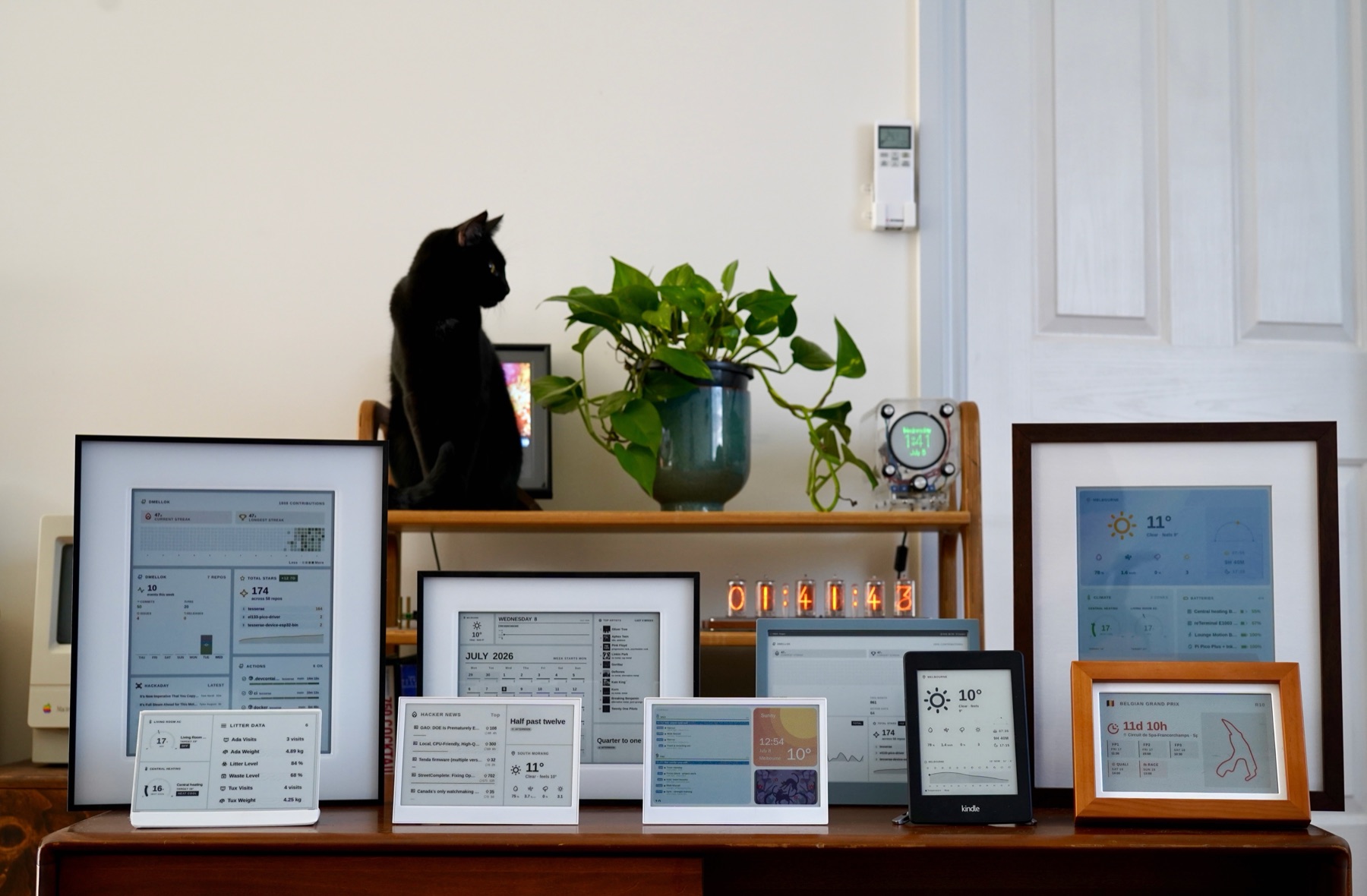
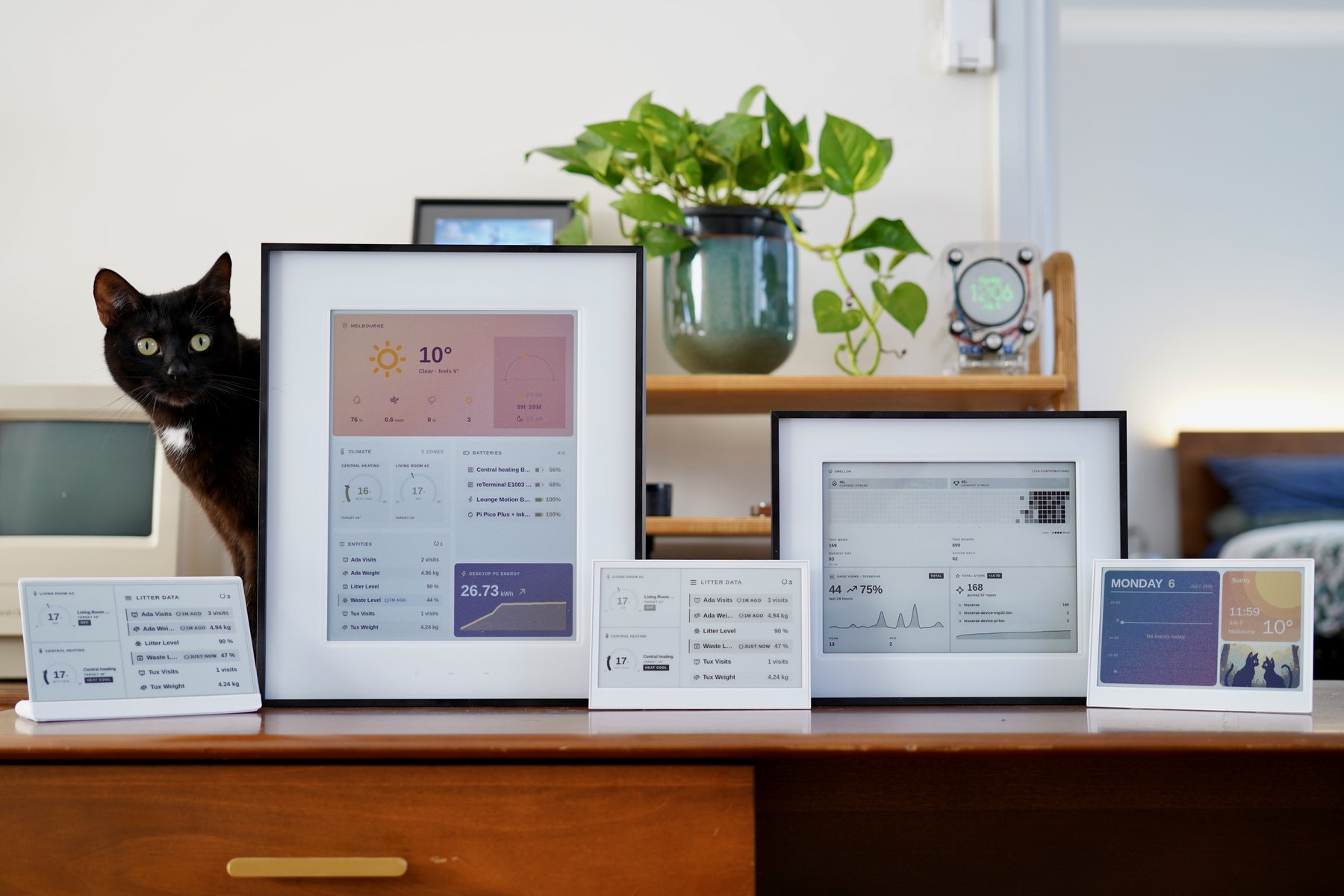
Nine panels, one Tesserae server.
Self-hosted dashboard companion for e-ink displays. Compose tile-based dashboards in a browser, render the frame headless, push it to one or more panels over MQTT or HTTP.
Open source under AGPL-3.0-or-later. No SaaS, no cloud account. The only
outbound contact is api.tesserae.ink for update checks, an anonymous
install count, and a daily aggregate heartbeat, off by default and opt-in
(you're asked once at first-run setup; toggle in Settings → System → Online
features).
📖 Full documentation: install guides, hardware quickstarts, widget gallery, community catalog, architecture deep dive, how to build a widget, how to add hardware support.
mkdir tesserae && cd tesserae
curl -fsSLO https://raw.githubusercontent.com/dmellok/tesserae/main/docker-compose.yml
docker compose up -d
Open http://localhost:8765. First request walks through password setup and the onboarding wizard.
Other install paths: Home Assistant App, LXC / Proxmox / MicroCloud, macOS / Linux / Pi shell installer, Windows PowerShell, manual venv.
Server is running? Pick a hardware quickstart to get a panel on the wall.
Dashboards are plain HTML. The editor preview and the production render load the same URL: a headless Chromium (Playwright) screenshots the composition at panel resolution, so "looked fine in the editor, broke on the panel" is impossible by construction.
The frame then goes through a per-device renderer: Floyd-Steinberg dithering against the panel's measured color palette (Spectra 6 and ACeP panels don't actually produce sRGB primaries; calibrated measurements come from epdoptimize), then packing into the exact byte format the panel wants: packed 4-bit Spectra 6, 1-bit mono, or 4-bit grayscale.
Devices are deliberately thin clients with no on-device image
decoding. Always-on clients (a Pi driving an Inky) get frames pushed
over MQTT the moment a page changes. Battery clients (ESP32) wake, GET
their frame over REST with If-None-Match (a 304 skips both the
download and the slow e-ink refresh), POST battery + RSSI telemetry,
and deep-sleep on a server-driven interval. Wall-clock time comes from
the HTTP Date header, so there's no SNTP on-device.
browser editor          Tesserae server                    panels
┌──────────┐   HTTP   ┌──────────────────────┐   MQTT   ┌─────────────┐
│ composer │─────────▶│ headless render      │─────────▶│ Pi + Inky   │
│ /compose │          │ dither (measured     │          ├─────────────┤
└──────────┘          │   palettes)          │   REST   │ ESP32,      │
                      │ pack panel-native    │◀────────▶│ Kindle,     │
                      │ schedule / rotate    │          │ TRMNL       │
                      └──────────────────────┘          └─────────────┘
Every layer is a drop-a-folder plugin: widgets, themes, renderers,
transports, and device kinds. The seams are real directories:
plugins/ · renderers/ ·
transports/ · devices/.
Build dashboards with AI (MCP). Tesserae exposes an optional
MCP API so an agent can lay out a freeform
dashboard, render a preview to check its work, and push it to a panel. Enable it
under Settings → System → MCP, then run the
tesserae-mcp bridge on your agent's
machine. See the docs.
Server-side rendering, dumb firmware. The server pre-renders each frame into the exact bytes the panel controller wants; the device firmware streams them straight to the panel. Adding a new panel is a board header plus one driver. The network, power, and provisioning stack never changes.
Widgets are sandboxed. Third-party widgets declare the network hosts
they need in a requires: block in plugin.json, and the host enforces
the allowlist at the socket layer. An undeclared connection raises
CapabilityDenied instead of phoning home. The
threat model is
documented honestly, including what it doesn't catch.
One server, a fleet of panels. Tesserae splits rendering from transport from hardware, so a single instance drives every panel in the house, each with its own dashboards, schedules, and rotations.
Community widgets install from an audited catalog. Pinned release tarballs, sha256-verified, schema-validated, PR-reviewed: tesserae-widgets.
Tesserae renders to one of several panel families through drop-a-folder device plugins. The list below is the verified set; anything marked TBD is awaiting a real-hardware confirmation.
The reTerminal E-Series and XIAO ePaper family run the Tesserae-native firmware; flash from the browser in one click at tesserae.ink/flash (Chrome / Edge, Web Serial, no toolchain). Battery-powered, no assembly required.
| Model | Panel | Client | Status |
|---|---|---|---|
| reTerminal E1001 | 7.5" mono, 800×480 | tesserae-device-firmware | ✅ |
| reTerminal E1002 | 7.3" Spectra 6, 800×480 | tesserae-device-firmware | ✅ |
| reTerminal E1003 | 10.3" mono, 16-level grey, 1872×1404 | tesserae-device-firmware | ✅ |
| reTerminal E1004 | 13.3" Spectra 6, 1200×1600 | tesserae-device-firmware | ✅ |
| XIAO ePaper EE02 | 13.3" Spectra 6, 1200×1600 | tesserae-device-firmware | ✅ |
| XIAO 7.5" ePaper Panel | 7.5" mono, 800×480 | tesserae-device-firmware | ✅ |
| TRMNL 7.5" OG DIY Kit | 7.5" mono, 800×480 | TRMNL firmware | ✅ via BYOS |
| Panel | Resolution | Client | Status |
|---|---|---|---|
| Inky Impression 4" (6-colour Spectra 6) | 640×400 | pi-png or pi-bin | TBD |
| Inky Impression 5.7" (7-colour ACeP) | 600×448 | pi-png or pi-bin | ✅ |
| Inky Impression 7.3" (6-colour Spectra 6) | 800×480 | pi-png or pi-bin | ✅ |
| Inky Impression 13.3" (6-colour Spectra 6) | 1600×1200 | pi-png or pi-bin | ✅ |
| Inky pHAT / wHAT | various | pi-png | works via pi_png |
| Panel | Resolution | Client | Status |
|---|---|---|---|
| Waveshare 13.3" Spectra 6 (ESP32-S3) | 1200×1600 | esp32-bin | ✅ |
| Waveshare 7.3" PhotoPainter (ESP32-S3) | 800×480 | photopainter-7.3-bin | ✅ |
| Waveshare 4.2" B/W (ESP32) | 400×300 | esp32-bw | TBD |
Community-authored clients, contributed and maintained by their authors (not in the Tesserae org). Thanks to everyone building these.
| Panel | Resolution | Client | Status |
|---|---|---|---|
| PicPak 4.2" BWRY | 400×300 (4-colour BWRY) | picpak-tesserae-client by @varanu5 | ✅ |
Any client implementing the TRMNL BYOS spec
works against the trmnl_png renderer.
| Panel | Resolution | Client | Status |
|---|---|---|---|
| TRMNL OG | 800×480 | TRMNL firmware | ✅ via BYOS |
| TRMNL X | 1872×1404 (10.3") | TRMNL firmware | TBD |
| Amazon Kindle Paperwhite 2 (jailbroken) | 758×1024 | KOReader trmnl-display plugin | ✅ |
Anything else: pick custom in Settings → Panel and set the
dimensions. If a client drives your panel, Tesserae can push frames
to it. A generic CircuitPython client (400+ boards) is in development;
follow discussion #24.
Per-client setup walkthroughs (the firmware repos in the Client column): Install a client. Full renderer / device-kind compatibility matrix: Screens & compatibility.
Pre-1.0 and moving fast. Every release is documented in the CHANGELOG. CI runs pytest (1,200+ tests), ruff, and mypy --strict on every push.
Built with AI assistance (Claude Code). Architecture decisions, code review, hardware testing, and what ships vs. what doesn't are mine. The changelogs document the debugging in the open.
Tesserae contacts one first-party endpoint, api.tesserae.ink, for
update checks, an anonymous marketplace install count, and a daily
aggregate heartbeat (version, platform, deployment kind, device kinds; no
exact counts). No accounts, no personal data, no IP addresses stored, no
third-party analytics. It is off by default and opt-in: a fresh install asks once
at first-run setup, and it's a single switch at Settings → System →
Online features. Per-device diagnostics (battery, RSSI, sleep cadence)
stay on the box. Privacy.
The server stays free even when someone runs it as a service: improvements have to stay public. And a dashboard for your home shouldn't report home. No analytics, no accounts, nothing phones out. Don't take the README's word for it; read the source.
Tesserae stands on generously-licensed open source: Phosphor Icons, Chart.js, 20 typefaces under SIL OFL / Apache 2.0, the TRMNL BYOS protocol, the KOReader trmnl-display plugin, and paperlesspaper/epdoptimize's Spectra 6 + ACeP calibrated palette measurements (also shipped as selectable presets in the Calibration tab under Apache 2.0). Full attribution: Credits, NOTICES.md.
AGPL-3.0-or-later, see LICENSE.
more like this
Comprehensive analytics dashboard for AI coding agents — Cursor, Windsurf, Claude Code, VS Code Copilot, Zed, Antigravi…
search projects, people, and tags