dont-track-me-google
Firefox and Chrome extensions to prevent Google from making links ugly.
JavaScript★ 587
Build production-ready documentation from Markdown in seconds. No React, no bloat, just content.
 docmd-io
Production-ready documentation from Markdown, in seconds.
Zero config. AI-native. Built for developers.
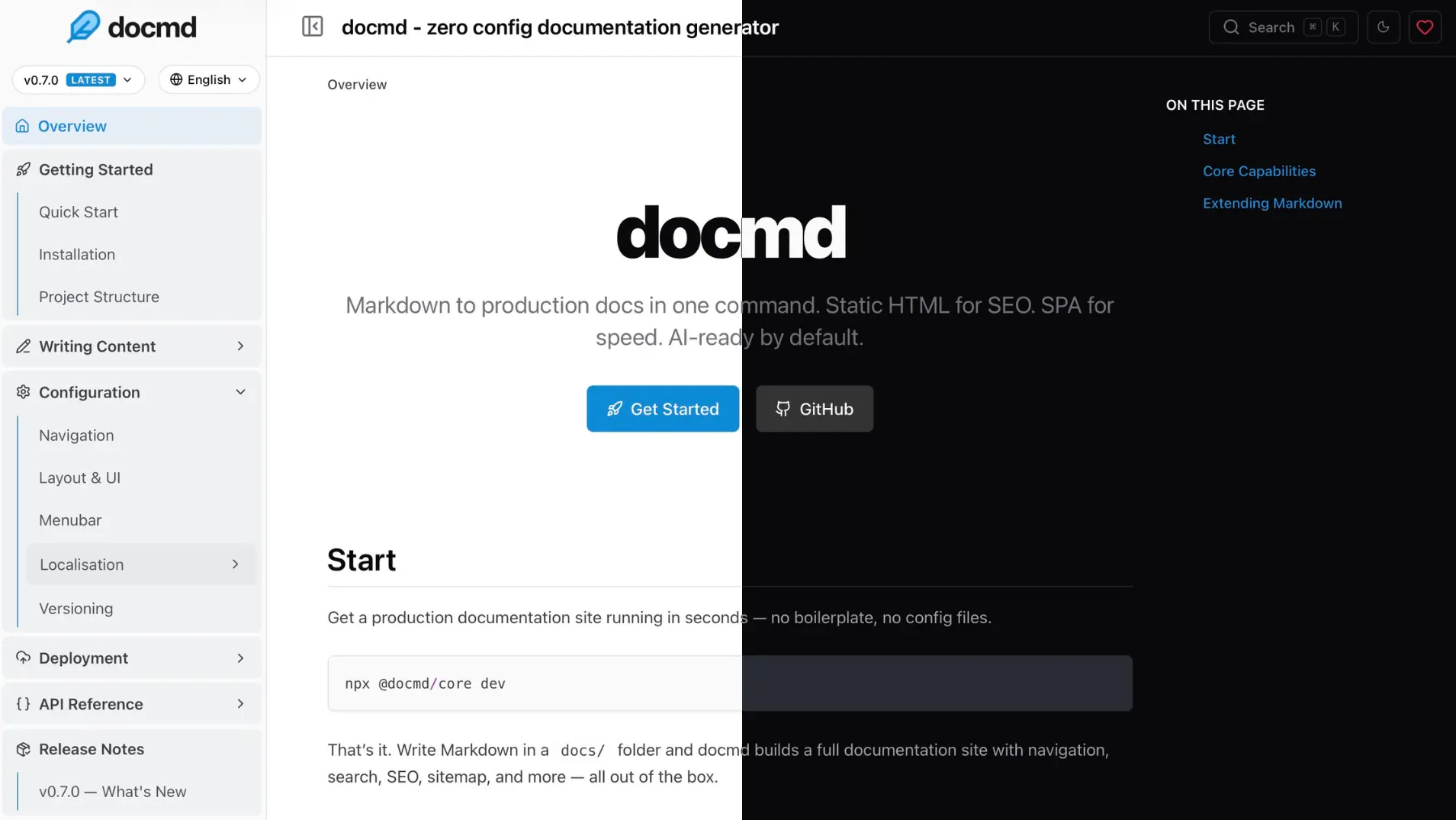
Run docmd in any folder with Markdown files — no install needed:
npx @docmd/core dev
http://localhost:3000_ _ _| |___ ___ _____ _| | | . | . | _| | . | |___|___|___|_|_|_|___| v1.x.x ┌─ Build │ Engine JS │ Source docs/ │ Output site/ │ Versions 2 (06, 05) │ Locales 7 (en, hi, zh, es, de, ja, fr) └────────────────────────────────────────────────────────── ┌─ Data Indexing │ [ DONE ] Syncing git metadata │ [ DONE ] Building semantic search index (multi-version) └────────────────────────────────────────────────────────── ┌─ Publishing │ [ DONE ] Generated robots.txt │ [ DONE ] Generated .nojekyll (disables Jekyll on GitHub Pages) │ [ DONE ] Generated sitemap │ [ DONE ] Generating LLMs context files └────────────────────────────────────────────────────────── ⬢ Initial build completed in 1.2s. ┌─ Watching │ Source ./docs │ Config ./docmd.config.json │ Assets ./assets └────────────────────────────────────────────────────────── ┌─ Development Server Running │ Local Access http://127.0.0.1:3000 │ Network Access http://192.168.1.6:3000 │ Serving from ./site └──────────────────────────────────────────────────────────
Navigation is generated from your file structure. No config file, no frontmatter required, no framework to learn.
When you're ready to ship:
npx @docmd/core build
This outputs a highly optimized static site (SPA) ready for deployment to Vercel, Cloudflare Pages, Netlify, GitHub Pages, or any static host.
Requirements: Node.js 18+
# Install globally via npm
npm install -g @docmd/core

# Or via pnpm
pnpm add -g @docmd/core

# Run it
docmd dev    # start dev server
docmd build  # build for deployment
Or run via Docker:
docker run -p 3000:3000 ghcr.io/docmd-io/docmd:0.8.7
Pin a version for reproducible builds.
| Feature | docmd | Docusaurus | MkDocs | VitePress | Mintlify |
|---|---|---|---|---|---|
| Config required | None | docusaurus.config.js |
mkdocs.yml |
config.mts |
docs.json |
| JS payload | ~18 kb | ~250 kb | ~40 kb | ~50 kb | ~120 kb |
| Navigation | Instant SPA | React SPA | Full reload | Vue SPA | Hosted SPA |
| Versioning | Native | Native (complex) | mike plugin | Manual | Native |
| i18n | Native | Native (complex) | Plugin-based | Native | Native |
| Multi-project | Native | Plugin | Plugin | - | - |
| Search | Built-in | Algolia (cloud) | Built-in | MiniSearch | Cloud |
AI context (llms.txt) |
Built-in | - | - | - | Built-in |
| MCP server | Built-in | - | - | - | Built-in |
| Agent skills | Built-in | - | - | - | - |
| Docker image | Official | - | Official | - | - |
| Self-hosted | Yes | Yes | Yes | Yes | - |
| Cost | Free (OSS) | Free (OSS) | Free (OSS) | Free (OSS) | Freemium |
Point docmd at any Markdown folder and it runs. Navigation is built automatically from your file structure. You can write your first doc and have it live in under a minute — no boilerplate, no build pipeline to configure, no decisions to make upfront.
The default JavaScript payload is ~18 kb. Pages navigate as an instant SPA. The output is static HTML — SEO-optimised, with sitemap, canonical URLs, and Open Graph metadata included. Offline full-text search is built in, no cloud service required.
docmd is built for the way documentation is read and used today:
docmd mcp exposes your docs to AI agents over stdio, letting them search, read, and validate content directly.llms.txt / llms-full.txt) — complete documentation context generated at build time, ready for any LLM.docmd dev # local development server docmd build # build for deployment docmd live # browser-based Live Editor docmd init # scaffold a new docmd.config.json in the current folder docmd stop # stop any running `docmd dev` / `docmd live` servers docmd doctor # pre-flight check: config + plugin install status docmd migrate # migrate to docmd from Docusaurus, VitePress, MkDocs, or Starlight docmd deploy # generate config for Docker, NGINX, Caddy, Vercel, Netlify docmd validate # check all internal links docmd mcp # run as an MCP server over stdio docmd add <name> # install a plugin or template
Core functionality is powered by a robust plugin system. The essentials are included by default, while optional plugins can be added for specific needs.
| Plugin | Status | Description |
|---|---|---|
search |
Core | Offline full-text search (keyword + optional semantic via docmd-search) |
seo |
Core | SEO tags and Open Graph metadata |
sitemap |
Core | Generates sitemap.xml |
git |
Core | Git commit history and last-updated dates |
analytics |
Core | Lightweight analytics integration |
llms |
Core | AI context generation (llms.txt / llms-full.txt) |
okf |
Core | Open Knowledge Format bundles for AI agents (per-locale) |
mermaid |
Core | Mermaid diagram support |
openapi |
Core | Build-time OpenAPI 3.x spec renderer |
pwa |
Optional | Progressive Web App — offline navigation |
threads |
Optional | Inline discussion threads (by @svallory) |
math |
Optional | KaTeX / LaTeX math rendering |
Install optional plugins:
docmd add <plugin-name>
Build your own: Plugin Development Guide
No configuration is required to get started. Add a docmd.config.json (or .ts / .js) in your project root only when you need more control:
{
  "title": "My Project",
  "url": "https://docs.myproject.com",
  "src": "./docs",
  "out": "./dist"
}
TypeScript and JavaScript config files are supported for dynamic values.
Full reference: Configuration Overview
my-docs/
├── docs/                ← Your markdown files
├── assets/              ← Images and static files
├── docmd.config.json    ← Optional configuration
└── package.json
A browser-based editor for writing and previewing docs — no local setup required.
Try it at live.docmd.io
Use docmd in Node.js scripts, CI pipelines, or custom build steps. (Supports both CommonJS and ESM).
import { build } from '@docmd/core';

await build('./docmd.config.json', { isDev: false });
Full reference: Node API
MIT License. See LICENSE for details.
more like this
Firefox and Chrome extensions to prevent Google from making links ugly.
search projects, people, and tags