agentlytics
Comprehensive analytics dashboard for AI coding agents — Cursor, Windsurf, Claude Code, VS Code Copilot, Zed, Antigravi…
JavaScript★ 555
Per-process network monitoring for your terminal with deep packet inspection. Cross-platform, sandboxed.
 domcyrus
Per-process network monitoring for your terminal: live TCP, UDP, and QUIC connections with deep packet inspection, sandboxed by default.

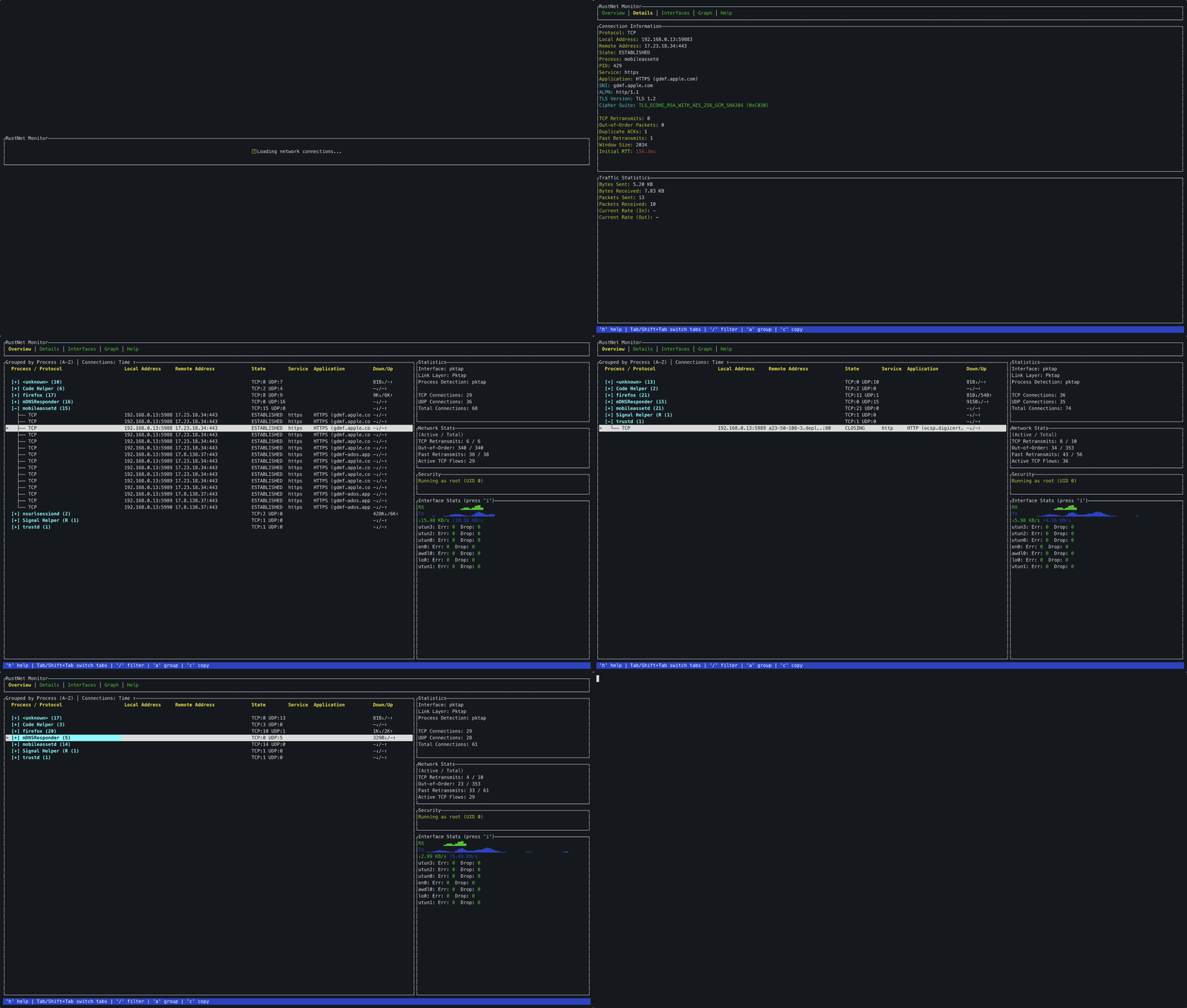
Real-time visibility into every connection your machine makes, who owns it, and what protocol it's speaking. No tcpdump, X11 forwarding, or root piping.
netstat / ss can't show live state.--pcapng-export writes a Wireshark-ready capture with process, PID, direction, DPI/SNI, and GeoIP embedded as per-packet comments. Open it in Wireshark and every packet already names its owning process, with no post-processing. Classic --pcap-export with a JSONL sidecar for offline correlation is also available.t to keep historic (closed) connections visible for forensics.port:, src:, dst:, sni:, process:, state:, proto:, plus regex via /(?i)pattern/.kubernetes feature): connections mapped to their pod, namespace, and container, shown in the details pane, JSON/PCAPNG exports, and the pod:, ns:, container: filters. Enabled in the official Docker image; on a cluster, use the kubectl-rustnet plugin to run it as an ephemeral debug pod. See USAGE.md.RustNet fills the gap between simple connection tools (netstat, ss) and packet analyzers (Wireshark, tcpdump):
RustNet complements packet capture tools. Use RustNet to see what's making connections. For direct Wireshark inspection, --pcapng-export writes live best-effort packet comments with PID/process context. For cleanup-time correlation, use --pcap-export plus the JSONL sidecar and optional scripts/pcap_enrich.py. See PCAP Export and Comparison with Similar Tools for details.
Built on ratatui, libpcap, eBPF (libbpf-rs), DashMap, crossbeam, ring, MaxMind GeoLite2, and Landlock. See ARCHITECTURE.md for the full dependency breakdown.
RustNet uses kernel eBPF programs by default on Linux for enhanced performance and lower overhead process identification. However, this comes with important limitations:
Process Name Limitations:
comm field, which is limited to 16 charactersReal-world Examples:
Fallback Behavior:
To disable eBPF and use procfs-only mode, build with:
cargo build --release --no-default-features
See ARCHITECTURE.md for technical information.
RustNet combines process-level traffic accounting with real-time network interface statistics:
3): Ranks processes by Egress (TX) or Ingress (RX), including retained and rolling traffic, rates, shares, connections, and destinationsi on Activity): Shows the original comprehensive metrics for every interfaceSee USAGE.md for detailed documentation on interpreting interface statistics and platform-specific behavior.
Metrics Available:
Stats are collected every 2 seconds in a background thread with minimal performance impact.
| Overview Connections table with live stats and sparklines 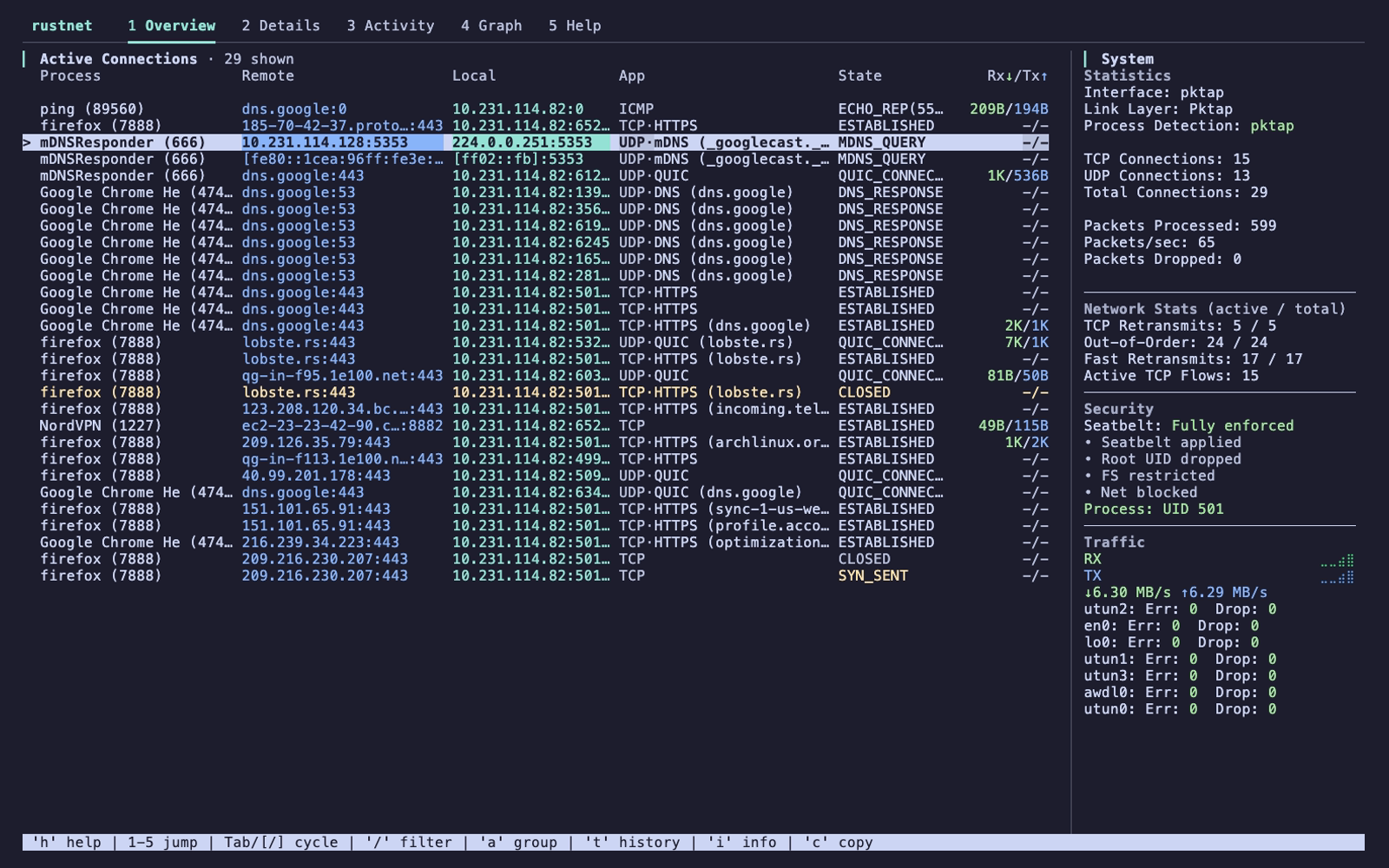 |
Details Per-connection SNI, cipher, GeoIP, DPI 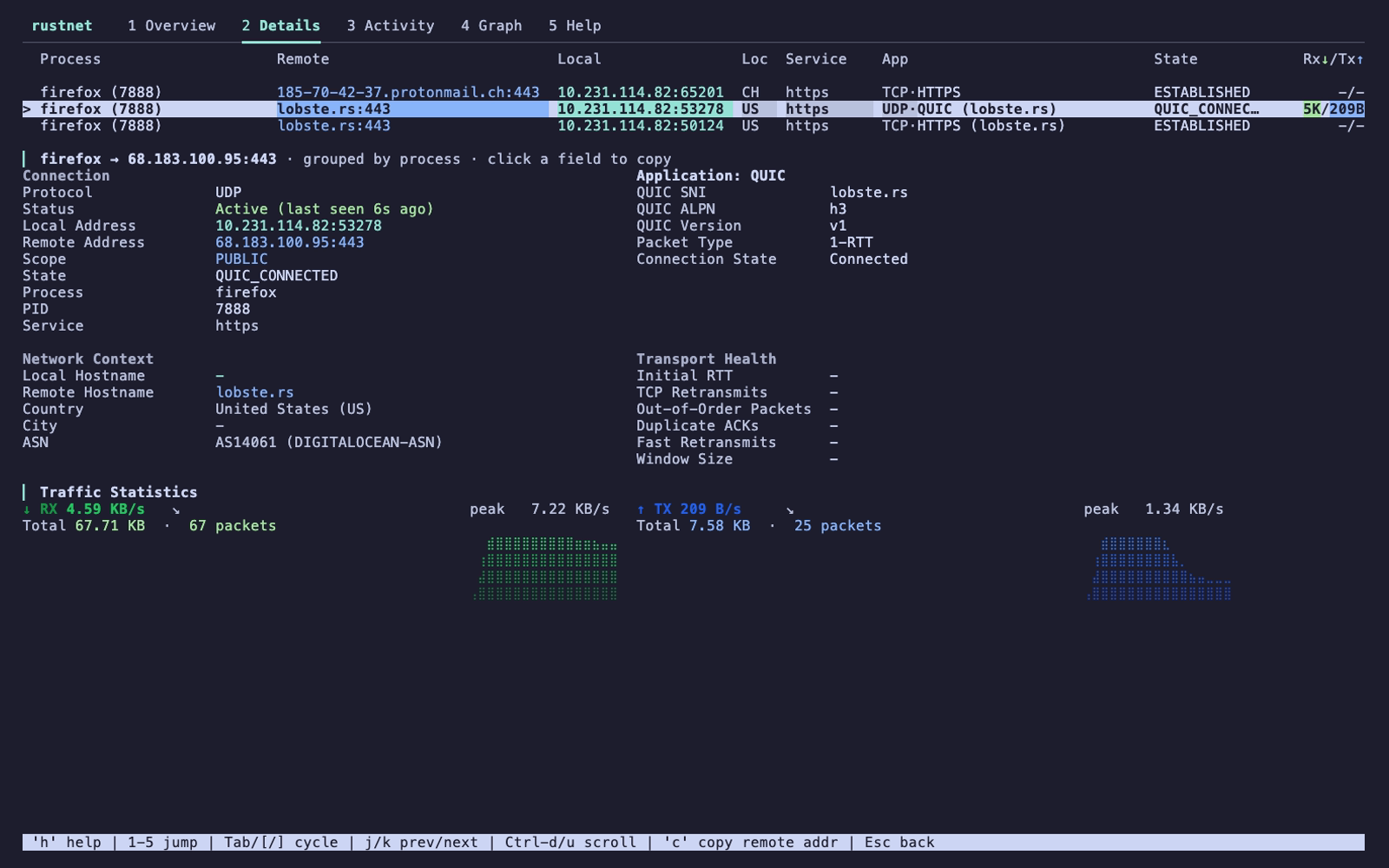 |
| Graph Traffic chart, app distribution, top processes 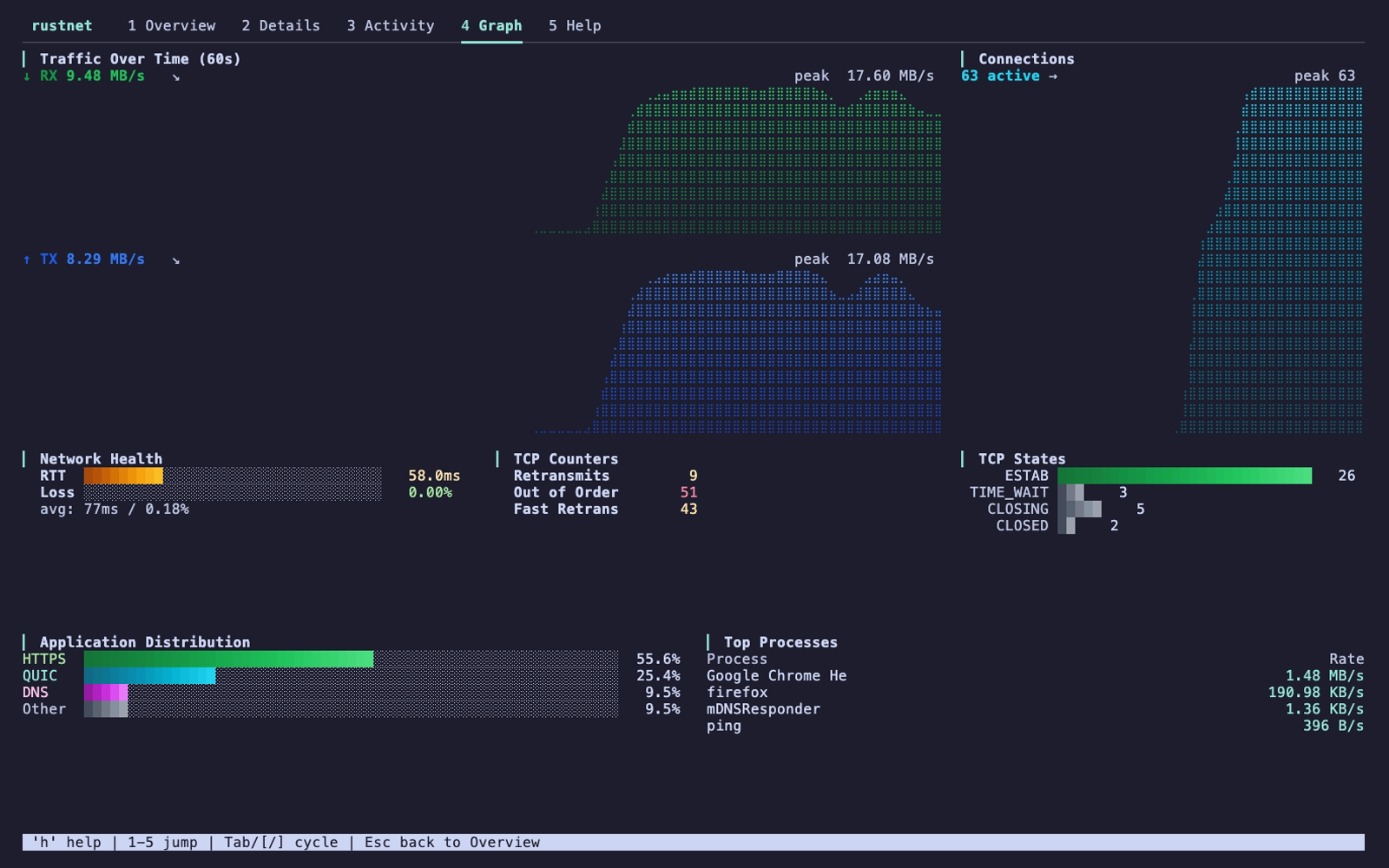 |
Activity Process egress/ingress, 60-second coverage, attribution, and remote peers 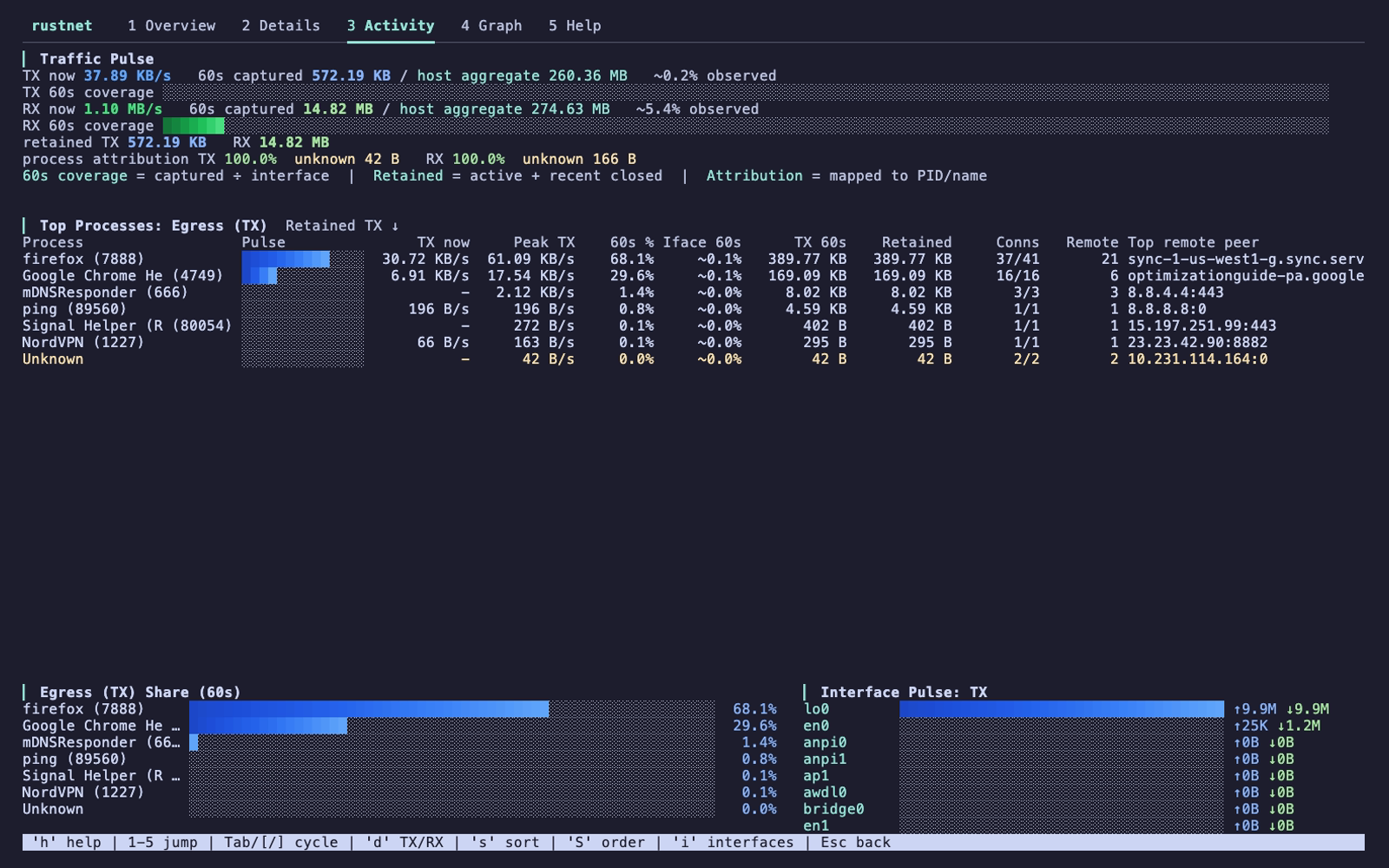 |
Homebrew (macOS / Linux):
brew install rustnet
Ubuntu (25.10+):
sudo add-apt-repository ppa:domcyrus/rustnet
sudo apt update && sudo apt install rustnet
Fedora (42+):
sudo dnf copr enable domcyrus/rustnet
sudo dnf install rustnet
openSUSE Tumbleweed:
sudo zypper addrepo https://download.opensuse.org/repositories/home:/domcyrus:/rustnet/openSUSE_Tumbleweed/home:domcyrus:rustnet.repo
sudo zypper refresh
sudo zypper install rustnet
Arch Linux:
sudo pacman -S rustnet
Nix / NixOS:
nix-shell -p rustnet
# Then inside the shell: sudo rustnet
From crates.io:
cargo install rustnet-monitor
Windows (Chocolatey):
# Run in Administrator PowerShell
# Requires Npcap (https://npcap.com) installed with "WinPcap API-compatible Mode" enabled
choco install rustnet
Other platforms:
Packet capture requires elevated privileges:
# Quick start (all platforms)
sudo rustnet

# Linux: Grant capabilities to run without sudo (recommended)
sudo setcap 'cap_net_raw,cap_bpf,cap_perfmon+eip' $(which rustnet)
rustnet
Common options:
rustnet -i eth0              # Specify network interface
rustnet --show-localhost     # Show localhost connections
rustnet --no-resolve-dns     # Disable reverse DNS lookups (enabled by default)
rustnet -r 500               # Set refresh interval (ms)
rustnet --theme classic      # Original full-color palette (default: muted)
rustnet --pcapng-export capture.pcapng  # Annotated PCAPNG for Wireshark
See INSTALL.md for detailed permission setup and USAGE.md for complete options.
If you set capabilities but the TUI still shows
eBPF unavailable, see eBPF Unavailable Despite Capabilities Being Set in the troubleshooting section.
| Key | Action |
|---|---|
q |
Quit (press twice to confirm) |
Ctrl+C |
Quit immediately |
x |
Clear all connections (press twice to confirm) |
Tab or ] |
Next tab |
Shift+Tab or [ |
Previous tab |
1–5 |
Jump to Overview / Details / Activity / Graph / Help |
↑/k ↓/j |
Navigate up/down |
g G |
Jump to first/last connection |
Enter |
View connection details |
Esc |
Go back or clear filter |
c |
Copy remote address |
p |
Toggle service names/ports |
d |
Toggle hostnames/IPs on Overview or Egress/Ingress on Activity |
s S |
Cycle sort columns / toggle direction |
a |
Toggle process grouping |
Space |
Expand/collapse process group |
←/→ or h/l |
Collapse/expand group |
PageUp/PageDown or Ctrl+B/F |
Page navigation |
t |
Toggle historic (closed) connections |
i |
Toggle System info on Overview or interface details on Activity |
r |
Reset view (grouping, sort, filter) |
/ |
Enter filter mode |
h |
Toggle help |
See USAGE.md for detailed keyboard controls and navigation tips.
Quick filtering examples:
/google                        # Search for "google" anywhere
/port:443                      # Filter by port
/process:firefox               # Filter by process
/state:established             # Filter by connection state
/dport:443 sni:github.com      # Combine filters
Sorting:
s to cycle through sortable columns (Process, Addresses, Service, Application, State, Bandwidth)S (Shift+s) to toggle sort directions until "Bandwidth Total ↓" appears (sorts by combined up+down speed)See USAGE.md for complete filtering syntax and sorting guide.
Keyword filters:
port:44 - Ports containing "44" (443, 8080, 4433)sport:80 - Source ports containing "80"dport:443 - Destination ports containing "443"src:192.168 - Source IPs containing "192.168"dst:github.com - Destinations containing "github.com"process:ssh - Process names containing "ssh"sni:api - SNI hostnames containing "api"app:openssh - SSH connections using OpenSSHstate:established - Filter by protocol stateproto:tcp - Filter by protocol typeState filtering:
state:syn_recv - Half-open connections (SYN flood detection)state:established - Established connections onlystate:quic_connected - Active QUIC connectionsstate:dns_query - DNS query connectionsCombined examples:
sport:80 process:nginx - Nginx connections from port 80dport:443 sni:google.com - HTTPS to Googleprocess:firefox state:quic_connected - Firefox QUIC connectionsdport:22 app:openssh state:established - Established OpenSSH connectionsRustNet uses smart timeouts and visual warnings before removing connections:
Visual staleness indicators:
Protocol-aware timeouts:
Initial/Handshaking: 60 secondsExample: An HTTP connection turns yellow at 7.5 min, red at 9 min, and is removed at 10 min.
See USAGE.md for complete timeout details.
Contributions are welcome! Please see CONTRIBUTING.md for guidelines on how to contribute.
See CONTRIBUTORS.md for a list of people who have contributed to this project.
This project is licensed under the Apache License, Version 2.0 - see the LICENSE file for details.
tshark/wireshark/tcpdump, sniffnet, netstat, ss, iftop, and bandwhichSome sections have been moved to dedicated files for better organization:
more like this
Comprehensive analytics dashboard for AI coding agents — Cursor, Windsurf, Claude Code, VS Code Copilot, Zed, Antigravi…
Free open-source Cloudflare R2 desktop client and S3 GUI for macOS, Windows, and Linux. Manage Cloudflare R2, AWS S3, M…
meine 🌒 - A CLI file manager and system utility built with Textual. It combines intuitive command parsing with rich t…
search projects, people, and tags