react-native-redux-firebase-todo
React Native Redux Firebase Todo
 dwicao
git clone https://github.com/dwicao/react-native-redux-firebase-todo.gitdwicao/react-native-redux-firebase-todoReact Native Redux Firebase Todo
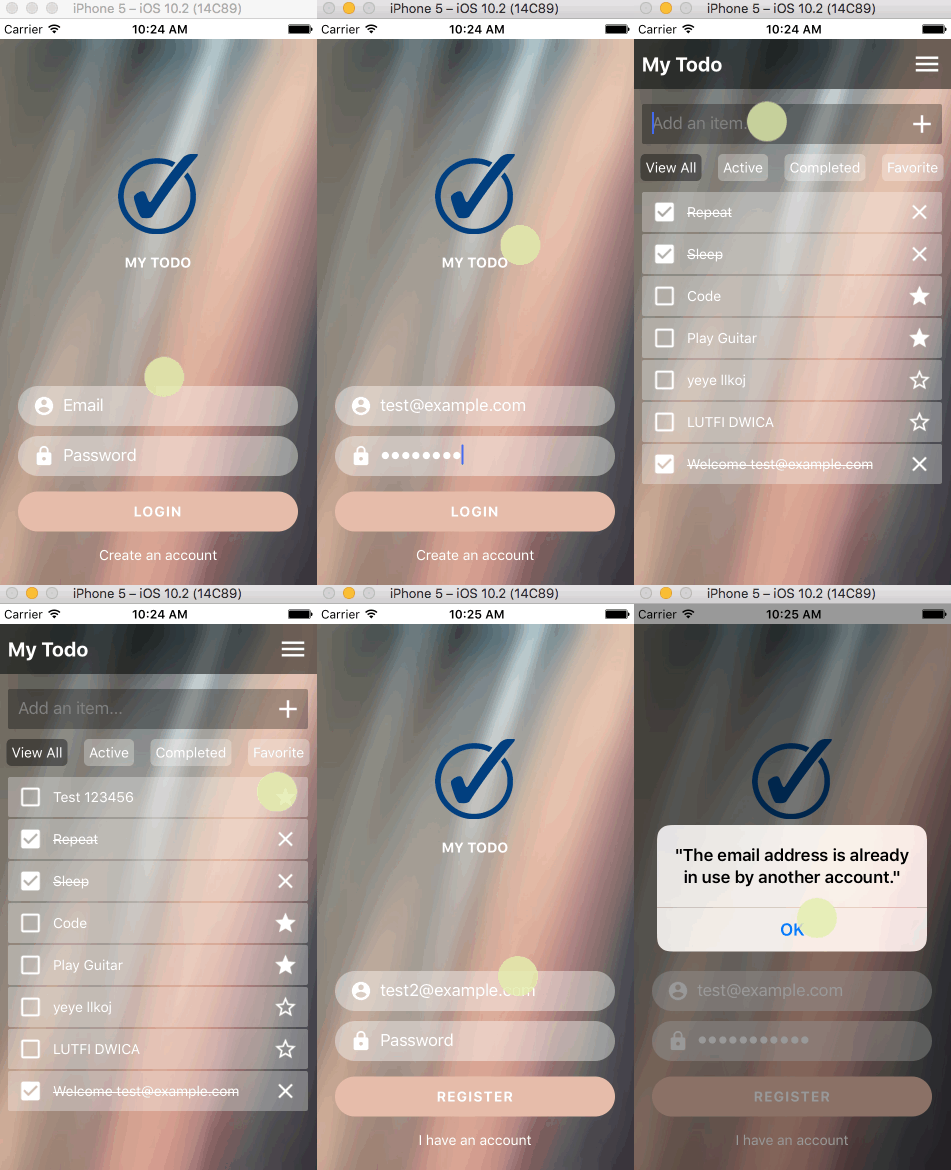
Download
Technology Stack
- React Native
- Redux
- CodePush
- Firebase
- redux-thunk
- redux-persist
- react-native-drawer
- react-native-router-flux
Install at local
Open Terminal, then type command:
git clone https://github.com/dwicao/react-native-redux-firebase-todo.git
Go to project folder :
cd react-native-redux-firebase-todo
Type following command :
npm install
You must have ANDROID_HOME environtment variable, to check if you already have, type in your terminal :
echo $ANDROID_HOME
If blank, you can read at HERE
Make sure you have already installed React Native globally by running this command :
sudo npm install -g react-native-cli
In your terminal type this to make sure react-native know each addons modules in this app :
react-native link
To get CODEPUSH_KEY you must create a CodePush account, read instruction HERE
Create new file at react-native-redux-firebase-todo/android/gradle.properties and fill with this lines of code :
android.useDeprecatedNdk = true
CODEPUSH_DEBUG_KEY = "INSERT_YOUR_KEY_HERE"
CODEPUSH_RELEASE_KEY = "INSERT_YOUR_KEY_HERE"
Create a firebase account at HERE
Create a new Project at Firebase and go to Overview tab, and click Firebase for Web, copy that key at react-native-redux-firebase-todo/src/firebase/index.js and fill with this line of codes:
import * as firebase from 'firebase';

firebase.initializeApp({
  apiKey: "FILL_THIS_WITH_YOURS",
  authDomain: "FILL_THIS_WITH_YOURS",
  databaseURL: "FILL_THIS_WITH_YOURS",
  storageBucket: "FILL_THIS_WITH_YOURS",
  messagingSenderId: "FILL_THIS_WITH_YOURS"
});

export const firebaseRef = firebase.database().ref();
export default firebase;
At this point, you should be able to run the project. To run your project on your device/emulator at Debug configuration, type :
npm run android-dev
Or if you want to run at iOS simulator, run:
react-native run-ios
If you have error message like Execution failed for task ':app:dexDebug'. run this on your terminal :
npm run android-clean
To build .apk file just type :
npm run android-release
You must sign .apk with keystore, to do this just type in your terminal :
npm run android-signer
The .apk file is located at react-native-redux-firebase-todo/android/app/build/outputs/apk/app-release-unsigned.apk
Available Command
| npm run ... | Description |
|---|---|
| adb-reverse | Reset port ADB to tcp:8081 |
| ios-bundle | Bundle with entry file index.ios.js |
| ios-build | Run ios project with “Release” configuration |
| ios-codepush-staging | Push changes your bundle to CodePush Staging environtment |
| ios-codepush-production | Push changes your bundle to CodePush Production environtment |
| android-clean | Fix building android if preDexDebug error |
| android-build-debug | Build android .apk with “Debug” configuration |
| android-release | Build android .apk with “Release” configuration |
| android-signkey | Generate keystore android |
| android-signer | To sign app-release-unsigned.apk with random keystore |
| android-dev | Run android development-mode on simulator |
| android-bundle | Bundle with entry file index.android.js |
| codepush-key | View your staging and development key at CodePush |
| android-codepush-staging | Push changes your bundle to CodePush Staging environtment |
| android-codepush-production | Push changes your bundle to CodePush Production environtment |
License
MIT
more like this
taskbutler
Create and add progress bars, Office365 Files and Dropbox Paper papers by labels and link them to your Todoist tasks.