fk-desktop
Flowkeeper desktop application
 flowkeeper-org
Flowkeeper

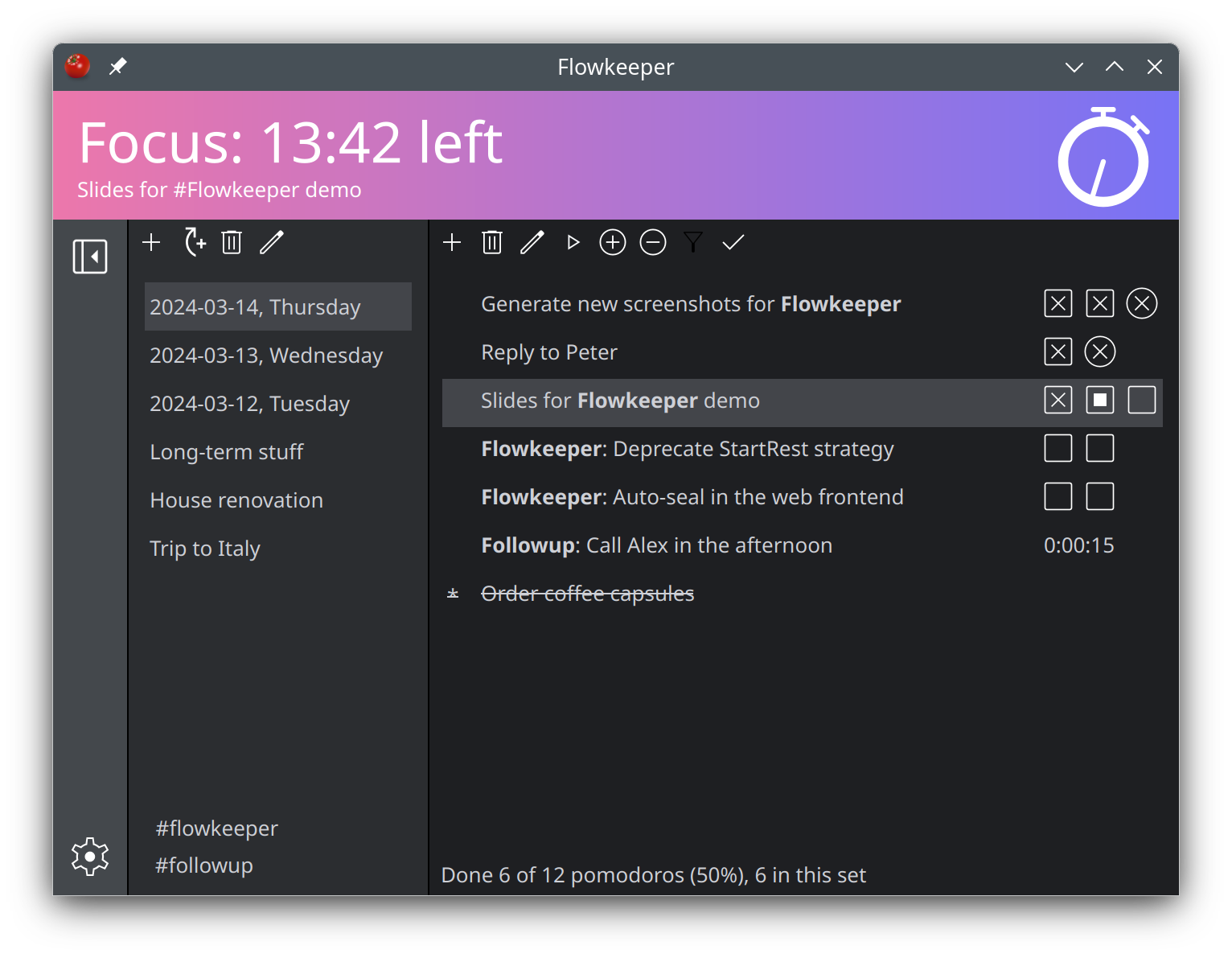
Flowkeeper is an independent Pomodoro Technique desktop timer for power users. It is a simple tool, which focuses on doing one thing well. It is Free Software with open source.
Visit flowkeeper.org for screenshots, downloads and FAQ.
If you used it, I will appreciate it if you take a minute to provide some feedback. Your constructive criticism is welcome!
Building
Flowkeeper has a single major dependency -- Qt 6.7.0, which in turn requires Python 3.9 or later. To create installers and binary packages we build Flowkeeper on Ubuntu 22.04 using Python 3.11 and 6.7.0. We also test Flowkeeper with the latest Qt 6.8.x on OpenSUSE Tumbleweed.
Building for Linux and macOS
On some lean distributions like a minimal installation of Debian 12, you
might need to install libxcb-cursor0 first, e.g.
sudo apt install libxcb-cursor0
Create a virtual environment and install dependencies:
python3 -m venv venv
source venv/bin/activate
pip install -r requirements.txt
Note that requirements.txt contains ALL libraries and tools needed to run, test and
create installers. You can use requirements-run.txt if you only want to debug
Flowkeeper locally, or requirements-build.txt if you also want to create distributable /
portable bundles.
Then you need to "generate resources", which means converting data files in /res directory into
the corresponding Python classes. Whenever you make changes to files in /res directory, you need
to rerun this command, too:
build/common/generate-resources.sh
From here you can start coding. If you want to build an installer, refer to the CI/CD pipeline in
.github/workflows/build.yml. For example, if you want to build a DEB file, you'd need to execute
pyinstaller installer/normal-build.spec and then ./package-deb.sh.
If you see this error on openSUSE with Qt 6.7.x:
No QtMultimedia backends found. Only QMediaDevices, QAudioDevice, QSoundEffect, QAudioSink, and QAudioSource are available.
then install libatomic1:
sudo zypper install libatomic1
Building for Windows
Consult the above section for details. In short, install Python 3.11. Then:
python3 -m venv venv
source venv/bin/activate
pip install -r requirements.txt
Generate resources:
cd res
pyside6-rcc --project -o resources.qrc
pyside6-rcc -g python resources.qrc -o "../src/fk/desktop/resources.py"
Package as a distributable / portable bundle (OPTIONAL):
pyinstaller installer\portable-build.spec
pyinstaller installer\normal-build.spec
Testing Flowkeeper
To execute Flowkeeper:
PYTHONPATH=src python -m fk.desktop.desktop
To run unit tests w/test coverage (install requirements from
requirements.txt or requirements-test.txt first):
PYTHONPATH=src python -m coverage run -m unittest discover -v fk.tests
python -m coverage html
To execute end-to-end tests:
PYTHONPATH=src python -m fk.desktop.desktop --e2e
Technical details
- Design considerations
- Data model
- Strategies
- Events
- UI actions
- CI/CD pipeline
- Building for Alpine Linux
- Building for FreeBSD
Copyright
Copyright (c) 2023 - 2024 Constantine Kulak.
This program is free software: you can redistribute it and/or modify it under the terms of the GNU General Public License as published by the Free Software Foundation; either version 3 of the License, or (at your option) any later version.
This program is distributed in the hope that it will be useful, but WITHOUT ANY WARRANTY; without even the implied warranty of MERCHANTABILITY or FITNESS FOR A PARTICULAR PURPOSE. See the GNU General Public License for more details.
You should have received a copy of the GNU General Public License along with this program. If not, see https://www.gnu.org/licenses/.
more like this
video-to-pixel-art
Turn videos into pixel art in real-time using javascript, webgl, and html canvas