 freekmurze
perplexity-cli
🧠 A simple command-line client for the Perplexity API. Ask questions and receive answers directly from the terminal! 🚀🚀🚀
Python★ 176
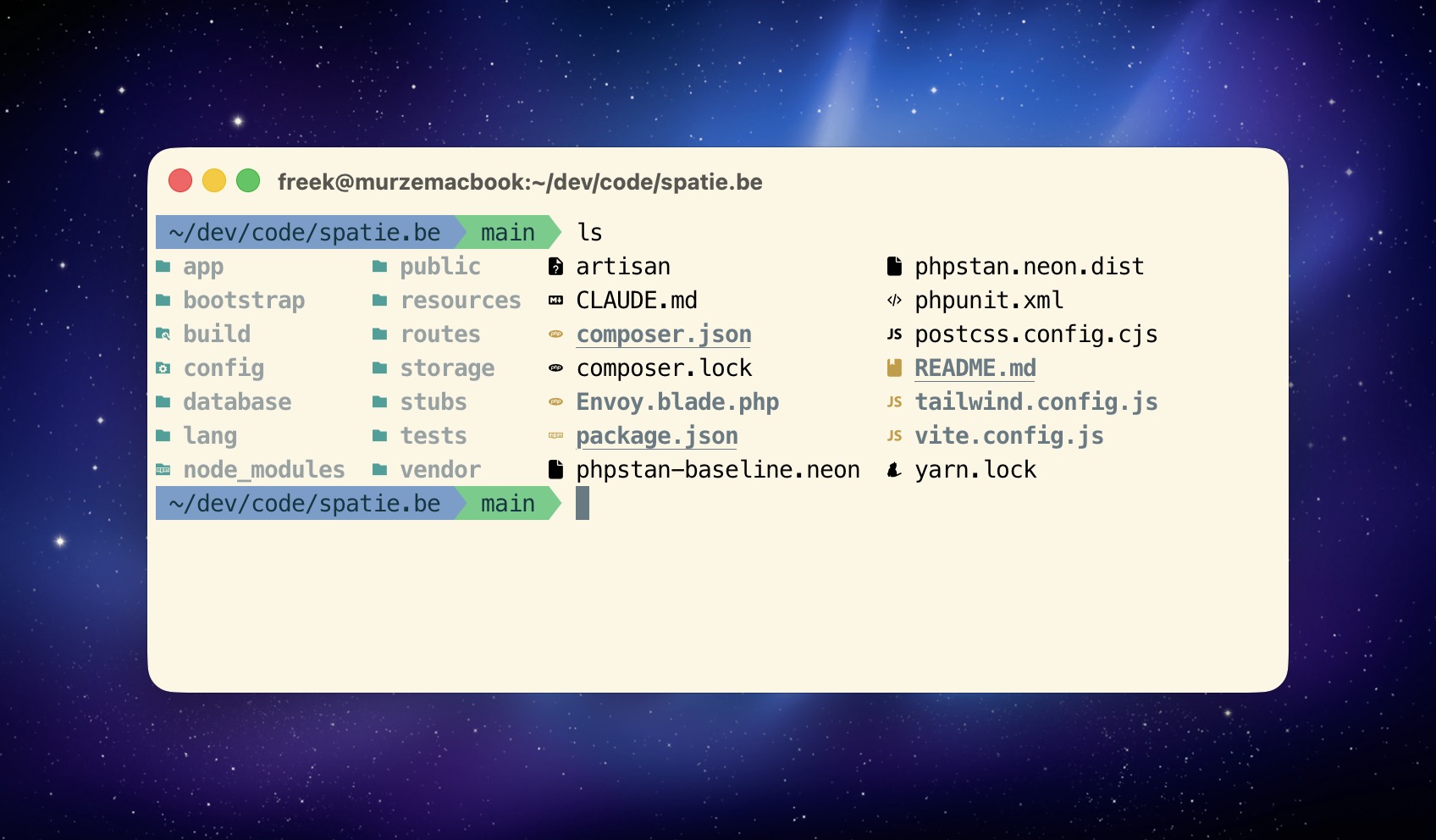
Personal dotfiles with modern shell tooling, optimized for Laravel/PHP development. Features fast startup times, smart directory navigation, and modern CLI tools.
• for changesbin/install sets up everything including Claude Codegit clone git@github.com:freekmurze/dotfiles.git ~/.dotfiles cd ~/.dotfiles bin/install
Instant file previews in Finder: code files, markdown, JSON, CSV, patches, and archives.
The installation creates symlinks from your home directory to the dotfiles repository. This allows you to version control your configuration while keeping files in their expected locations.
| Symlink Location | Points To | Purpose |
|---|---|---|
~/.zshrc |
~/.dotfiles/home/.zshrc |
Main Zsh configuration (Oh My Zsh with custom agnoster theme) |
~/.gitconfig |
~/.dotfiles/home/.gitconfig |
Git configuration with delta diff viewer |
~/.global-gitignore |
~/.dotfiles/home/.global-gitignore |
Global Git ignore patterns |
~/.vimrc |
~/.dotfiles/home/.vimrc |
Vim configuration |
~/.vim/ |
~/.dotfiles/home/.vim/ |
Vim runtime files |
~/.mackup.cfg |
~/.dotfiles/macos/.mackup.cfg |
Mackup backup configuration |
~/.claude/skills |
~/.dotfiles/config/claude/skills/ |
All Claude Code skills (version-controlled) |
~/.claude/agents |
~/.dotfiles/config/claude/agents/ |
All Claude Code agents (version-controlled) |
~/.claude/CLAUDE.md |
~/.dotfiles/config/claude/CLAUDE.md |
Claude Code configuration |
~/.claude/laravel-php-guidelines.md |
~/.dotfiles/config/claude/laravel-php-guidelines.md |
Laravel coding standards |
~/.claude/settings.json |
~/.dotfiles/config/claude/settings.json |
Claude Code settings |
~/.config/zed/settings.json |
~/.dotfiles/config/zed/settings.json |
Zed editor settings |
~/.config/zed/keymap.json |
~/.dotfiles/config/zed/keymap.json |
Zed custom keybindings |
~/.config/ghostty/config |
~/.dotfiles/config/ghostty/config |
Ghostty terminal settings |
To manually symlink the Zed configuration (if not using bin/install):
mkdir -p ~/.config/zed
ln -sf ~/.dotfiles/config/zed/settings.json ~/.config/zed/settings.json
ln -sf ~/.dotfiles/config/zed/keymap.json ~/.config/zed/keymap.json
These files are loaded by .zshrc but remain in the dotfiles directory:
home/.aliases - Shell command aliaseshome/.functions - Custom shell functionshome/.exports - Environment variablesThe default configuration uses a customized agnoster theme stored in oh-my-zsh-custom/themes/agnoster.zsh-theme:
Customizations:
• for unstaged changes instead of ±Git Status Symbols:
✚ - Staged changes (files added with git add)• - Unstaged changes (modified files not yet staged)z dotfiles # Jump to frequently used directories zi # Interactive directory picker Ctrl+R # Fuzzy search command history Ctrl+T # Fuzzy find files Alt+C # Fuzzy change directory
a                   # php artisan
p                   # Run Pest/PHPUnit tests
c                   # composer
mfs                 # php artisan migrate:fresh --seed
nah                 # git reset --hard; git clean -df
# JSON processing with jq
curl api.github.com/users/freekmurze | jq
cat composer.json | jq '.require'
php artisan tinker --execute="echo json_encode(User::first());" | jq

# YAML processing with yq
yq '.jobs' .github/workflows/ci.yml
yq -o json docker-compose.yml

# System monitoring
btm                 # Modern system monitor (aliased from top/htop)
bin/update # Update all packages and tools
fnm install --lts     # Install latest LTS
fnm use lts-latest    # Use latest LTS
fnm install 20        # Install specific version
fnm use 20            # Switch to specific version
fnm list              # Show installed versions
brew upgrade php      # Update PHP to latest
brew upgrade composer # Update Composer
All Homebrew packages are declared in config/Brewfile. To add a new tool:
echo 'brew "neovim"' >> ~/.dotfiles/config/Brewfile
brew bundle --file=~/.dotfiles/config/Brewfile
Complete package list:
Install just Claude Code without the full dotfiles:
curl -fsSL https://raw.githubusercontent.com/freekmurze/dotfiles/main/bin/install-claude-code | bash
~/.claude/skills directory symlinked to dotfiles~/.claude/agents directory symlinked to dotfilesAll skills are stored in config/claude/skills/ and version-controlled with your dotfiles. When you run the installer on a new Mac, all skills are immediately available.
Custom Skills:
ray-skill - Ray debugging integrationfix-github-issue - GitHub issue automationconvert-issue-to-discussion - GitHub workflow helpersCommunity Skills:
vercel-labs/agent-skills - Web design guidelines and React best practicesanthropics/skills - Frontend design and skill creation toolsvercel-labs/agent-browser - Browser automationexpo/skills - React Native with Expocallstackincubator/agent-skills - React Native performancecoreyhaines31/marketingskills - Copywriting and programmatic SEOcopy-editing - Marketing copy editingcopywriting - Marketing copywritingfrontend-design - Frontend design patternspdf - PDF manipulationseo-audit - SEO auditingweb-design-guidelines - Web design best practices# Install a new skill (adds directly to your dotfiles) npx skills add <owner/repo> # Commit to version control cd ~/.dotfiles git add config/claude/skills/ git commit -m "Add new skill" git push
Browse more skills at skills.sh
All custom agents are stored in config/claude/agents/ and version-controlled with your dotfiles. When you run the installer on a new Mac, all agents are immediately available.
Custom Agents:
laravel-simplifier - Simplifies and refines PHP/Laravel code for clarity and maintainabilitylaravel-debugger - Diagnoses and fixes issues in Laravel applicationslaravel-feature-builder - Implements new features in Laravel applicationstask-planner - Breaks down complex tasks into actionable stepsCreate custom configurations that won't be committed:
mkdir -p ~/.dotfiles-custom/shell
vim ~/.dotfiles-custom/shell/.aliases
These files are automatically loaded by .zshrc if they exist.
Use direnv for automatic environment loading:
cd my-project
echo 'export DEBUG=true' > .envrc
direnv allow
Variables load when you enter the directory and unload when you leave.
Restore settings (optional): Run mackup restore if you have backups
Migrate history (upgrading only): Run migration/migrate-z-to-zoxide.sh if you have ~/.z
| Old Tool | New Tool | Why Better |
|---|---|---|
| z.sh / autojump | zoxide | Smarter frecency algorithm, Rust speed |
| nvm | fnm | 40x faster, simpler, Rust-based |
| cat | bat | Syntax highlighting, git integration |
| ls | eza | Icons, tree view, git status |
| grep | ripgrep | 5-10x faster, respects .gitignore |
| find | fd | Simpler syntax, 10x faster |
| diff | delta | Side-by-side diffs, syntax highlighting |
| htop | bottom | Better UI, graphs, Rust-based |
The bin/ directory contains helper scripts:
main (which lives in another git worktree). Use --push to also push main to origin, which clears Conductor's "Changes" view (it diffs against origin/main).If upgrading from an older setup:
migration/migrate-z-to-zoxide.sh to import your ~/.z dataconfig/claude/skills/ and symlinked to ~/.claude/skillsconfig/claude/agents/ and symlinked to ~/.claude/agentsoh-my-zsh-custom/themes/Created by Freek Van der Herten. Used by many at Spatie.
See config/Brewfile for complete package list.
more like this
🧠 A simple command-line client for the Perplexity API. Ask questions and receive answers directly from the terminal! 🚀🚀🚀
search projects, people, and tags