perplexity-cli
🧠 A simple command-line client for the Perplexity API. Ask questions and receive answers directly from the terminal! 🚀🚀🚀
Python★ 176
mommy's here to support you, in any shell, on any system~ ❤️
 fwdekker
git clone https://github.com/fwdekker/mommy.gitfwdekker/mommy
🚚 installation | 📖 usage | 🙋 configuration | 🐚 shell integration | ⚗️ development | 💖 acknowledgements
mommy's here to support you! mommy will compliment you if things go well, and will encourage you if things are not going so well~
mommy is fully customizable, integrates with any shell, works on any system, and most importantly, loves you very much~ ❤️
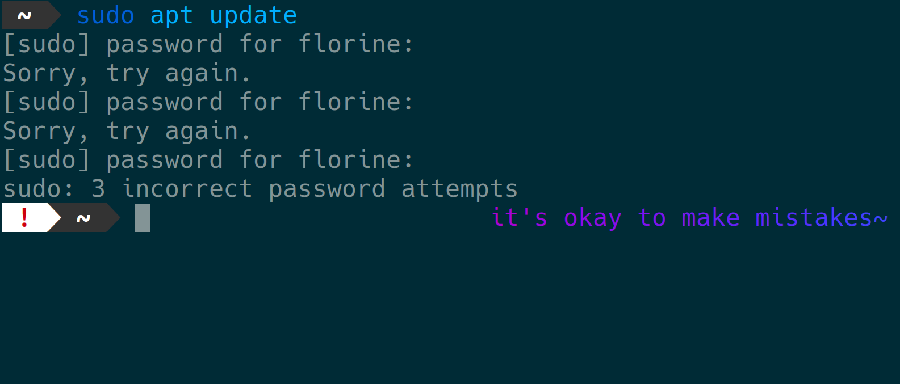
mommy works on any system. mommy is tested on ubuntu, debian, archlinux, fedora, nixpkgs, macos, freebsd, netbsd, openbsd, and windows~
don't see your favourite distro or package manager listed? need help? otherwise not satisfied? please open an issue~
find your operating system and package manager for the right instructions~
brew tap fwdekker/mommy
brew install mommy
after installing, check the brew documentation on how to enable shell completions~
# download latest package from github release
curl -s https://api.github.com/repos/fwdekker/mommy/releases/latest | grep "browser_download_url.*\.apk" | cut -d : -f 2,3 | tr -d \" | xargs curl -sLOJ
# install package
sudo apk add --allow-untrusted ./mommy-*.apk
# if you use yay
yay -S mommy
# if you use paru
paru -S mommy
# if you use aura
aura -A mommy
# and so on
# if you use yay
yay -S mommy-git
# if you use paru
paru -S mommy-git
# if you use aura
aura -A mommy-git
# and so on
brew tap fwdekker/mommy
brew install mommy
after installing, check the brew documentation on how to enable shell completions~
# download latest package from github release
curl -s https://api.github.com/repos/fwdekker/mommy/releases/latest | grep "browser_download_url.*\.pacman" | cut -d : -f 2,3 | tr -d \" | xargs curl -sLOJ
# install package
sudo pacman -U ./mommy-*.pacman
apt ≥2.2.4 (automatic updates)
this method requires apt v2.2.4 or newer.
check your version of apt with apt -v~
installs from the mommy apt repository. the repository supports all architectures and suites~
sudo curl -fsSo /etc/apt/sources.list.d/mommy.sources \
  https://raw.githubusercontent.com/fwdekker/apt-mommy/main/deb/mommy.sources

sudo apt update
sudo apt install mommy
apt <2.2.4 (automatic updates)
this method works on all versions of apt~
installs from the mommy apt repository. the repository supports all architectures and suites~
check this page for details on what this code does~
sudo mkdir -m 0755 -p /etc/apt/keyrings/

curl -fsSL https://raw.githubusercontent.com/fwdekker/apt-mommy/main/deb/Release.key |
  sudo gpg --dearmor -o /etc/apt/keyrings/mommy.gpg

echo "deb [signed-by=/etc/apt/keyrings/mommy.gpg] https://raw.githubusercontent.com/fwdekker/apt-mommy/main/deb/ ./" |
  sudo tee /etc/apt/sources.list.d/mommy.list > /dev/null

sudo apt update
sudo apt install mommy
homebrew (automatic updates)
installs from the mommy tap.
(requires brew.)
brew tap fwdekker/mommy
brew install mommy
after installing, check the brew documentation on how to enable shell completions~
apt (github release) (manual updates)
# download latest package from github release
curl -s https://api.github.com/repos/fwdekker/mommy/releases/latest | grep "browser_download_url.*\.deb" | cut -d : -f 2,3 | tr -d \" | xargs curl -sLOJ
# install package
sudo apt install ./mommy*.deb
# download latest package from github release
curl -s https://api.github.com/repos/fwdekker/mommy/releases/latest | grep "browser_download_url.*\.freebsd" | cut -d : -f 2,3 | tr -d \" | xargs curl -sLOJ
# install package
sudo pkg add ./mommy-*.freebsd
# download latest package from github release
curl -s https://api.github.com/repos/fwdekker/mommy/releases/latest | grep "browser_download_url.*\.hpkg" | cut -d : -f 2,3 | tr -d \" | xargs curl -sLOJ
# install package
pkgman install ./mommy-*.hpkg
homebrew (automatic updates)
installs from the mommy tap.
(requires brew.)
brew tap fwdekker/mommy
brew install mommy
after installing, check the brew documentation on how to enable shell completions~
if you installed the fish shell from outside brew, you must add the following to your ~/.config/fish/config.fish to enable shell completions for mommy:
if test -d (brew --prefix)"/share/fish/completions"
    set -p fish_complete_path (brew --prefix)"/share/fish/completions"
end
pkg (github release) (manual updates)
# download latest package from github release
curl -s https://api.github.com/repos/fwdekker/mommy/releases/latest | grep "browser_download_url.*osx\.pkg" | cut -d : -f 2,3 | tr -d \" | xargs curl -sLOJ
# install package
sudo installer -pkg ./mommy*+osx.pkg -target /
if you installed the fish shell using brew, you must add the following to your ~/.config/fish/config.fish to enable shell completions for mommy:
if test -d /usr/local/share/fish/vendor_completions.d/
    set -p fish_complete_path /usr/local/share/fish/vendor_completions.d/
end
# download latest package from github release
curl -s https://api.github.com/repos/fwdekker/mommy/releases/latest | grep "browser_download_url.*netbsd\.tgz" | cut -d : -f 2,3 | tr -d \" | xargs curl -sLOJ
# install package
sudo pkg_add ./mommy-*+netbsd.tgz
nix-shell (temporary)
if you're curious but not ready for commitments, use nix-shell to temporarily install mommy:
nix-shell -p mommy
home-manager (persistent)
if you use home manager, install mommy by adding the following to your home manager configuration:
home.packages = with pkgs; [
  mommy
];
you can configure mommy as follows:
home.packages = with pkgs; [
  (mommy.override {
    mommySettings = {
      sweetie = "catgirl";
    }
  })
];
check the full list of configuration options. note that your nix configuration should use lowercase variable names~
nixos (persistent)
install mommy by adding the following to your nixos configuration (usually in /etc/nixos/configuration.nix):
environment.systemPackages = with pkgs; [
  mommy
];
you can configure mommy as follows:
environment.systemPackages = with pkgs; [
  (mommy.override {
    mommySettings = {
      sweetie = "catgirl";
    }
  })
];
check the full list of configuration options. note that your nix configuration should use lowercase variable names~
# download latest package from github release
curl -s https://api.github.com/repos/fwdekker/mommy/releases/latest | grep "browser_download_url.*openbsd\.tgz" | cut -d : -f 2,3 | tr -d \" | xargs curl -sLOJ
# install package
sudo pkg_add -D unsigned ./mommy-*+openbsd.tgz
dnf-plugins-core package.)
sudo dnf copr enable fwdekker/mommy
sudo dnf install mommy
packages are signed by
fwdekker#mommy@copr.fedorahosted.org, check for fingerprint E332 C8E6 ADAA 58E4 1974 7CE2 CE16 3CFF 9F79 DD8A~brew tap fwdekker/mommy brew install mommyafter installing, check the brew documentation on how to enable shell completions~
# download latest package from github release
curl -s https://api.github.com/repos/fwdekker/mommy/releases/latest | grep "browser_download_url.*\.rpm" | cut -d : -f 2,3 | tr -d \" | xargs curl -sLOJ
# install package
sudo dnf install ./mommy-*.rpm
# download latest package from github release
curl -s https://api.github.com/repos/fwdekker/mommy/releases/latest | grep "browser_download_url.*\.p5p" | cut -d : -f 2,3 | tr -d \" | xargs curl -sLOJ
# install package
sudo pkg install -g ./mommy-*.p5p mommy
for git bash or cygwin, see the instructions for using mommy without a package manager~
if you want to customise where and how mommy installs, you can just compile her code yourself~
prerequisites
clone repository
git clone https://github.com/fwdekker/mommy.git
cd mommy
install
this step builds mommy's files and copies them into your system.
the exact paths differ per system, so find the instructions that are right for your system.
ℹ️ note
if you want to install mommy only for the current user, addprefix='~/.local/'beforeinstall~
💡 tip
check the makefile for a list of all prefix variables you can override~
sudo make install/deb
sudo gmake install/freebsd
sudo gmake install/osxpkg
sudo gmake install/netbsd
sudo gmake install/openbsd
sudo make install
sudo make install
test (optional)
if you want to make sure installation was successful, you can run tests using shellspec.
run the following from inside the cloned mommy repository
git clone https://github.com/shellspec/shellspec.git
PATH="$(pwd)/shellspec/:$PATH" make system=1 test
some tests will be skipped, depending on which other programs you have installed~
uninstall (optional)
if you want to uninstall after running make install, just run the same command as in step 3, except you replace install with uninstall.
uninstall might not work completely if you installed a different version than the one you're uninstalling.
for the best results, run mommy -v, check the version number, run git checkout <the version>, and then perform the uninstallation~
if you don't want to use a package manager but also don't want to bother with makeing mommy, you can download a universal build of mommy, and play around with that.
this will not install any files onto your system.
if you're here because you want to install mommy only for a specific user, the "build from source and install" option is probably a better approach, though~
the script below downloads the latest stable release and extracts it for you.
if you don't want to use curl, just check the latest release in your browser and download the file ending in +generic.tar.gz manually~
# download latest archive from github release
curl -s https://api.github.com/repos/fwdekker/mommy/releases/latest | grep "browser_download_url.*generic\.tar\.gz" | cut -d : -f 2,3 | tr -d \" | xargs curl -sLOJ
# extract archive to `mommy`
tar -C ./ -xzf mommy-*.tar.gz
# invoke mommy
./mommy/usr/bin/mommy
check out how to use mommy, read all about ways you can configure mommy, and integrate mommy with your shell~
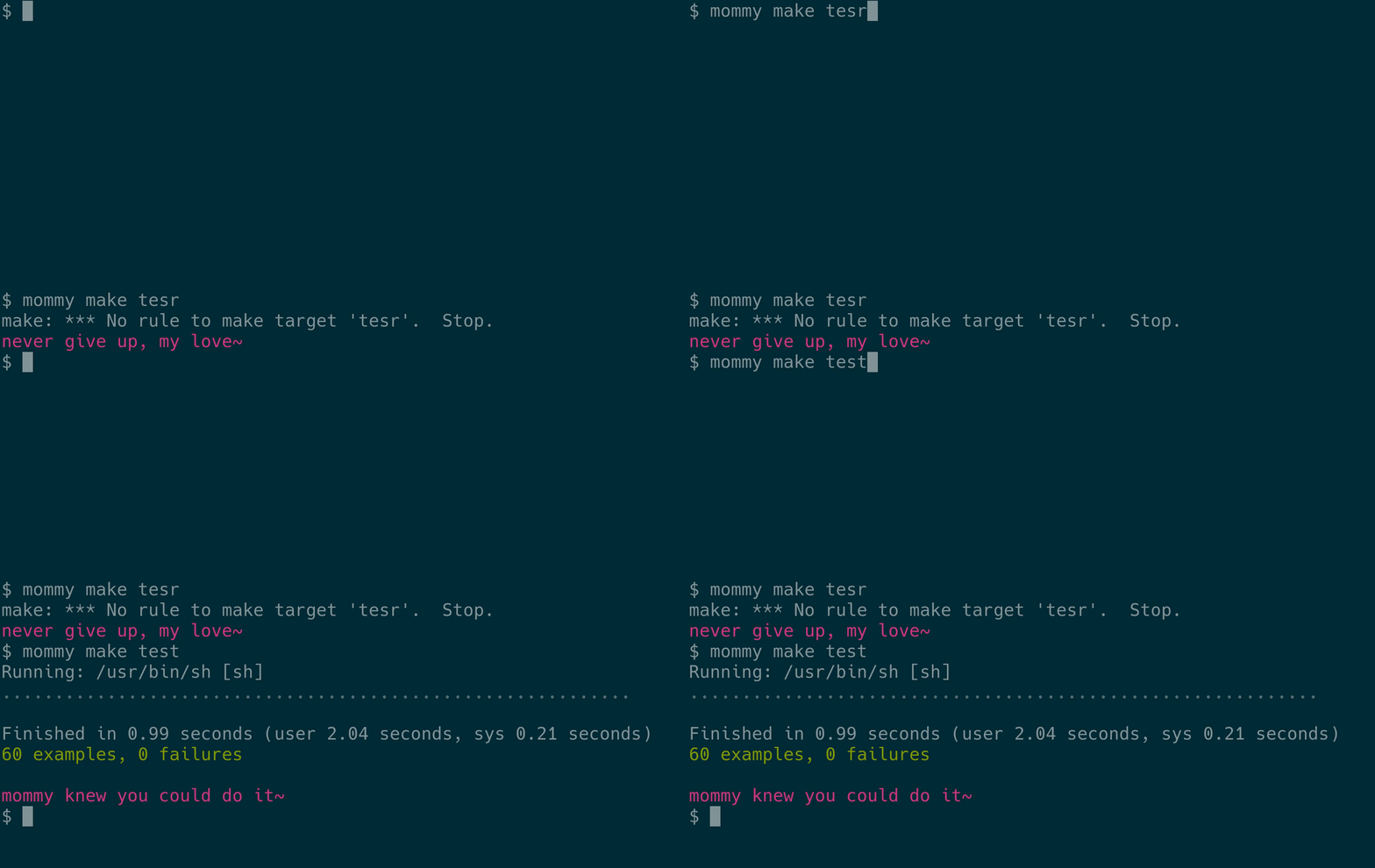
mommy processes (the output status of) a command and compliments you if the command succeeds and encourages you if it fails~
Tip
the recommended way of long-term mommy usage is to integrate mommy into your shell, so mommy will run after every command you run~
for reference, here's the three main ways to invoke mommy~
| format | example | when to use |
|---|---|---|
mommy [command] ... |
mommy npm test |
if you want mommy to respond to a single command~ |
mommy -e [command] |
mommy -e "ls -l | wc -l" |
if you want mommy when using | or >, or need mommy in a script. tip: use -pe if you need pipefail~ |
mommy -s [status] |
mommy -s $? |
if you already ran a command and want mommy's help afterwards~ |
additionally, mommy knows a few extra options, which you can use to discover who mommy is and to tell mommy which configuration files she should use~
| short option | long option | description |
|---|---|---|
-h |
--help |
opens mommy's manual page~ |
-v |
--version |
displays mommy's version information~ |
-p |
--pipefail |
when using -e or --eval, this option enables pipefail in the evaluated command. works only if /bin/sh on your system supports pipefail~ |
-1 |
writes output to stdout instead of stderr~ | |
-t |
--toggle |
toggles whether mommy should display output at all. applies to all sessions of all shells of the current user, until this option is toggled again. useful if you want to temporarily silence mommy without editing your shell config files~ |
-c <file> |
--config=<file> |
tells mommy that she should read your config from <file>~ |
-d <dirs> |
--global-config-dirs=<dirs> |
sets global configuration dirs to the colon-separated list in <dirs>~ |
mommy's behavior can be modified using config files.
the easiest way to do so is to add your config to the file ~/.config/mommy/config.sh.
you can also set up a global config file that is applied to all users, by default in /etc/mommy/config.sh.
read more about the way config files are loaded~
mommy supports a lot of different settings.
if you want to configure the value of MOMMY_SWEETIE, add the following line to your config file:
MOMMY_SWEETIE="catgirl"
make sure you do not put spaces around the =, and you do put quotes (") around the value~
when mommy runs, she will first load the system-wide global config file. after that, she will read the user-specific local config file, overriding the values from the global file~
$XDG_CONFIG_DIRS, plus /etc/mommy, plus /usr/local/etc/mommy/.config.sh.
this file will be the global config file~$XDG_CONFIG_HOME is defined, the file $XDG_CONFIG_HOME/mommy/config.sh is used.$HOME/.config/mommy/config.sh is used~| variable | description | list? | default |
|---|---|---|---|
MOMMY_CAREGIVER |
what mommy calls herself | yes | mommy |
MOMMY_PRONOUNS |
mommy's pronouns for herself. should be five words separated by spaces, as in they them their theirs themself (subject, object, dependent possessive, independent possessive, reflexive). to use a literal whitespace inside a single pronoun, write %%_%%, as in ye you%%_%%all y'all's yeers yeerselves. in general, since the last two of the five words (theirs and themself) are relatively rare, you can also just give the first three words, and then the fourth and fifth words are auto-completed. so they them their is the same as they them their theirs themself. however, this will also result in he him his becoming he him his hiss himself, so be careful |
yes | she her her hers herself |
MOMMY_SWEETIE |
what mommy calls you | yes | <username> |
MOMMY_PREFIX |
what mommy puts at the start of each sentence | yes | <empty> |
MOMMY_SUFFIX |
what mommy puts at the end of each sentence | yes | ~ |
MOMMY_CAPITALIZE |
0 to start sentences in lowercase, 1 for uppercase, anything else to change nothing |
no | 0 |
MOMMY_COLOR |
color of mommy's text. you can use any xterm color code, or write lolcat to use lolcat (install separately). specify multiple colors separated by / to randomly select one. set to empty string for your terminal's default color |
yes | 005 |
MOMMY_COMPLIMENTS |
default compliment templates | yes | <various> |
MOMMY_COMPLIMENTS_EXTRA |
additional compliment templates you can specify | yes | <empty> |
MOMMY_COMPLIMENTS_ENABLED |
1 to enable compliments, anything else to disable |
no | 1 |
MOMMY_ENCOURAGEMENTS |
default encouragement templates | yes | <various> |
MOMMY_ENCOURAGEMENTS_EXTRA |
additional encouragement templates you can specify | yes | <empty> |
MOMMY_ENCOURAGEMENTS_ENABLED |
1 to enable encouragements, anything else to disable |
no | 1 |
MOMMY_FORBIDDEN_WORDS |
mommy will never give outputs that match forbidden strings. each entry is expressed as an extended regex (see also man grep). to enforce this, mommy will filter out all templates that match at least one regex. as a failsafe, mommy will also check her final output after choosing and filling in the template, and will output nothing if she finds a forbidden string. also, if you want, you can replace literal characters with their octal (not hex!) escape sequences; for example, you can write \0155\0157\0155 instead of mom |
yes | <empty> |
MOMMY_IGNORED_STATUSES |
exit codes that mommy should never reply to. set to empty string to ignore nothing | yes | 130 |
some of these settings support lists.
mommy chooses a random element from each list each time she is called by you.
(except for MOMMY_FORBIDDEN_WORDS and MOMMY_IGNORED_STATUSES, where mommy always considers all elements of the list.)
in a list, elements are separated by a newline or by a /.
elements starting with a #, or containing whitespace only, are ignored.
to use a literal newline, slash, or hash, write %%N%%, %%S%%, or %%#%%, respectively~
MOMMY_SWEETIE="girl/kitten"then mommy will sometimes call you
girl, and sometimes kitten~MOMMY_CAREGIVER="mommy mummy/#daddy/care%%S%%giver"then mommy will call herself
mommy, mummy, or care/giver, but not daddy~MOMMY_PRONOUNS="she her her hers herself/they them their theirs themself"then mommy may choose between
mommy knows she loves her girl and mommy knows they love their girl (but not mommy knows they love her girl)~MOMMY_FORBIDDEN_WORDS="cat/dog"then mommy will never use templates that contain
cat, and will never use templates that contain dog~you can add a list of your own compliments to either MOMMY_COMPLIMENTS or MOMMY_COMPLIMENTS_EXTRA.
there is a slight difference between the two lists:
MOMMY_COMPLIMENTS_EXTRA~MOMMY_COMPLIMENTS~and similarly so for encouragements~
inside compliments and encouragements, you can put placeholders that contain the random values that mommy chose.
for example, if you add the compliment %%CAREGIVER%% loves you, and have MOMMY_CAREGIVER=your mommy, then mommy outputs your mommy loves you~
| variable | description | note |
|---|---|---|
%%CAREGIVER%% |
what mommy calls herself | |
%%THEY%% |
mommy's subject pronoun (e.g. they, she, he) | |
%%THEM%% |
mommy's object pronoun (e.g. them, her, he) | |
%%THEIR%% |
mommy's possessive pronoun (e.g. their, her, he) | |
%%SWEETIE%% |
what mommy calls you | |
%%N%% |
a newline | can be used inside other variables |
%%S%% |
a forward slash (/) |
can be used inside other variables |
%%_%% |
a whitespace | can be used inside other variables |
%%#%% |
a hash (#) |
can be used inside other variables |
instead of calling mommy for each command, you can fully integrate mommy with your shell to get mommy's output each time you run any command.
here are some examples on how you can do that in various shells.
recall that you can add MOMMY_COMPLIMENTS_ENABLED=0 to your mommy config file to disable compliments while keeping encouragements~
this is just a small list of possibilities. if you know of another way to integrate mommy, feel free to contribute them by opening a pull request!
in bash you can set PROMPT_COMMAND to run mommy after each command.
just add the following line to ~/.bashrc:
# ~/.bashrc
PROMPT_COMMAND="mommy -1 -s \$?; $PROMPT_COMMAND"
in fish you can have mommy output a message on the right side of your prompt by creating ~/.config/fish/functions/fish_right_prompt.fish with the following contents:
# ~/.config/fish/functions/fish_right_prompt.fish
function fish_right_prompt
    mommy -1 -s $status
end
if you have an oh my fish theme installed, check the docs of your theme to see if there's an easy way to extend the theme's right prompt. if not, you can either overwrite it with the above code, or copy-paste the theme's code into your own config file and then add mommy yourself~
in nushell you can have mommy output a message on the right side of your prompt by adding the following line to your ~/.config/nushell/config.nu file:
# ~/.config/nushell/config.nu
$env.PROMPT_COMMAND_RIGHT = {|| mommy -1 -s $env.LAST_EXIT_CODE }
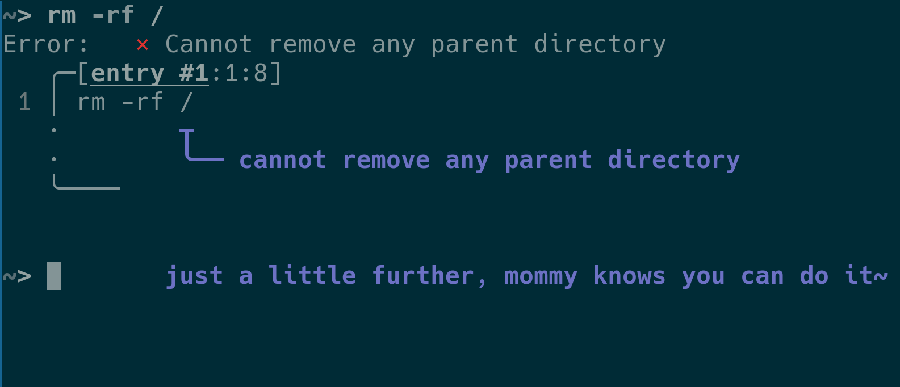
complete each of the following steps to get mommy working in powershell. some steps vary depending on how and where you installed mommy~
disable mommy's color output
mommy's colors don't really work well in powershell, so you'll have to disable them~
wsl and run
# run this in wsl
mkdir -p ~/.config/mommy
echo "MOMMY_COLOR=" >> ~/.config/mommy/config.sh
# run this in powershell
[IO.Directory]::CreateDirectory("$HOME/.config/mommy")
[IO.File]::WriteAllLines("$HOME/.config/mommy/config.sh", "MOMMY_COLOR=''")
test prompt
change powershell's prompt to include mommy's message~
# run this in powershell
function prompt { "$(wsl -e mommy -1 -s $([int][bool]::Parse(!$?)))> " }
C:\Users\username\mommy, run
# run this in powershell
function prompt { "$(& "C:\Program Files\Git\bin\sh.exe" "C:/Users/username/mommy" -1 -s $([int][bool]::Parse(!$?)))> " }
save prompt
now let's make this prompt persistent.
in powershell, run notepad $profile to open your powershell settings, and add the function prompt [...] line from above~
ℹ️ note
if you get an error that this file does not exist, runnew-item -itemtype file -path $profile -forceto create it~
ℹ️ note
if you get an error that you cannot run local scripts, runSet-ExecutionPolicy -ExecutionPolicy RemoteSigned -Scope LocalMachineas admin, or sign the script~
improve prompt
the instructions above show the basics of using mommy in powershell.
you can make it way cooler using a theme engine like oh-my-posh.
for example, you can use background colors or display mommy in the right prompt instead of the left~
starship is a cross-shell prompt. unfortunately, starship doesn't support mommy. starship doesn't have any way of passing the previous command's exit code to another program. if that feature is ever added, then you can integrate starship with mommy~
instructions for the z shell ("zsh") depend on where you want mommy's output. you can either get the output above your prompt, or aligned to the right~
show mommy above the prompt
to get mommy's output on a separate line above your prompt, add the following line to ~/.zshrc:
# ~/.zshrc
precmd() { mommy -1 -s $? }
show mommy to the right of each command
to get mommy's output on the same line as your prompt, aligned to the right, add the following to ~/.zshrc:
# ~/.zshrc
set -o PROMPT_SUBST
RPS1='$(mommy -1 -s $?)'  # using single quotes here is required!
and add the following to your mommy config:
# ~/.config/mommy/config.sh
MOMMY_COLOR=""
MOMMY_PREFIX="%F{005}/%F{006}"
MOMMY_SUFFIX="~%f"
the reason you have to change mommy's config is that normally, mommy sets colors using standard ansi color codes, but zsh's support is a bit special, resulting in zsh miscalculating the prompt width, which looks like your prompt is misaligned or shifted.
to fix this, you should disable mommy's color feature and manually set colors in the prefix option.
to specify colors, use zsh's special syntax, where the numbers correspond to the xterm color codes.
finally, the %f in the suffix resets the colors~
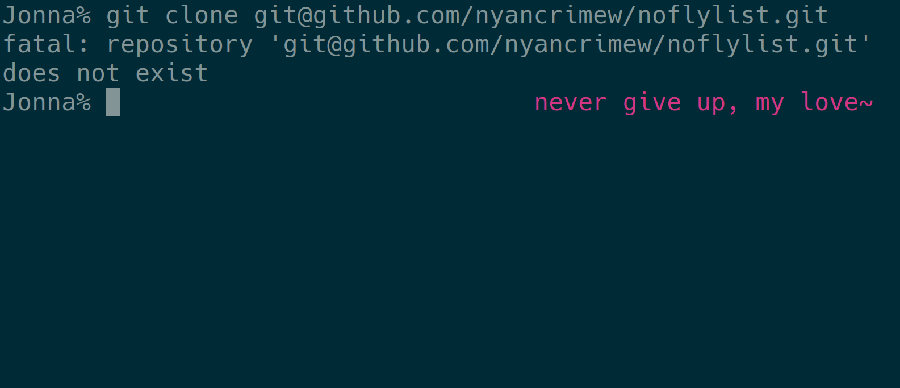
as a generic method, in any posix shell (including sh, ash, dash, bash) you can change the prompt itself to contain a message from mommy by setting the $PS1 variable:
PS1="\$(mommy -1 -s \$?)$PS1"
to improve the spacing, set MOMMY_SUFFIX="~ " in mommy's config file.
add the above line to the config file for your shell (e.g. .bashrc for bash) to apply it each time you open the shell.
some shells (dash, pdksh) do not have a config file like .bashrc, but you can enable one by adding the following line to ~/.profile:
# ~/.profile
export ENV="$HOME/.shrc"
note that this will apply to all (non-login) posix shells that you open.
after that, add the above-mentioned line that defines PS1 to ~/.shrc.
log out and back in, and mommy will appear in your shell~
if you use any of the above integrations, you don't have to call mommy directly.
if you don't want that, but also don't want to write mommy, this section explains how you can instead write, say, daddy, marija, or sinterklaas~
mommy is installed in slightly different locations on different systems, but you can easily find where mommy is installed with whereis mommy:
$ whereis mommy
mommy: /usr/bin/mommy /usr/share/man/man1/mommy.1.gz
the exact output of whereis differs depending on your system, but in this case you can see that the program is installed in /usr/bin/mommy (and the manual page in /usr/share/man/man1/mommy.1.gz).
if whereis mommy doesn't work, mommy is not on your path, but you can still find her with find / -name mommy~
anyway, after finding mommy, you can just symlink using the following commands:
(if whereis gave different paths than the ones above, then change these commands accordingly)
sudo ln -fs /usr/bin/mommy /usr/bin/daddy
sudo ln -fs /usr/share/man/man1/mommy.1.gz /usr/share/man/man1/daddy.1.gz
[!IMPORTANT] uninstalling mommy will not remove the manually created symlinks~
this section explains some development details of the project, like its file structure and how to build mommy from source, in case you want to help with development, for example~
| path | contains |
|---|---|
| project root | various configuration files and repository documentation |
.github/ |
supplemental files for the repository on github |
.github/img/ |
images used in the readme |
.github/workflows/ |
github actions definitions |
pkg/ |
files used by programs that package mommy into distributable files |
pkg/fpm/ |
changelogs for packages created by fpm. more about these changelogs in the development section in the readme |
pkg/rpkg/ |
files used by rpkg, which packages for rpm, known from red hat linux |
src/ |
the source code. this is where the features live |
src/main/ |
the source code files that should be distributed to users (after some pre-processing) |
src/main/completions/ |
files that specify for various shells how auto-completion works for mommy |
src/main/man/ |
the documentation files that are distributed to users |
src/main/sh/ |
the actual shell code that implements the mommy command |
src/test/ |
the code that tests the code in src/main/ to see if everything works as desired |
src/test/helper/ |
files containing additional functions and variables, reusable across different test suites |
src/test/resources/ |
files that can be placed inside the test environment while executing tests |
src/sh/ |
the test code that runs mommy and checks that the outputs are as desired |
src/sh/integration_spec.sh |
tests for integration with an external environment or program |
src/sh/unit_spec.sh |
tests for mommy's core features, irrespective of the outside environment |
you can actually just directly run the script in src/main/sh/mommy.
the only difference will be that the -h and -v options may not work correctly.
if that annoys you, run make build after each change, and use build/bin/mommy instead~
make test
make test/unit
make test/integration
make system=1 test
system=1, test behaviour is configured with environment variables.
check the various files in src/test/ to find 'em all~mommy is distributed in three ways:
let's go into them in more detail~
📦 binary packages
the binary packages attached to the github release are built with the makefile.
run make list to see a list of build targets; you're looking for the ones starting with dist/~
to build the packages, you need at least gnu make, ruby, and fpm. (actually, you don't need fpm for netbsd and openbsd.) on debian-based systems, you already have gnu make, so you only need
sudo apt install ruby
sudo gem install fpm
after that, just run make dist/deb (or better: mommy make dist/deb), and a .deb package will be built in dist/.
run make or make list for a list of valid build targets.
a special target is install, which directly copies the files into the specified directories on your system.
these directories can be changed by setting prefix variables, as in make prefix=/usr/ install.
i recommend running make --dry-run prefix=/usr/ install first so you can verify that all directories are calculated correctly.
check the makefile for more details~
all systems can build packages for themselves without additional dependencies beyond those noted above. if you want to compile for a different system than the one you're using, you may need additional dependencies. for example, if you want to build packages for alpine linux, archlinux, and rpm from a debian-like system, you will respectively need
sudo apt install libarchive-tools rpm zstd
and then you can run
make dist/apk dist/pacman dist/rpm
unfortunately, packages for macos, netbsd, and openbsd cannot be built on systems other than themselves~
🏗️ build servers
build servers build mommy distributions on-demand for each release, and make the created packages available for all users.
how sweet~
.deb packages after they have been built in mommy's cd pipeline~🌱 source builds
some servers host instructions on how to build mommy, but don't do any work beyond that.
users connect to the server, get the latest instructions, and their system builds mommy for them locally~
mommy package (pointing to the latest release) (maintained by fwdekker) and the unstable mommy-git package (pointing directly to main) (maintained by ninetailedtori).
a development mirror of the former is hosted on github in aur-mommy~main contains the latest in-development version.
when the version in main is ready to be released, just use the deploy action, which can be activated using a workflow_dispatch event~
latest contains the most recently released version.
this version can be considered stable.
when a new version is deployed as described above, the latest branch is fast-forwarded automatically.
you should not update the latest branch manually!
release checklists
before triggering deployment
version~CHANGELOG.md~
[unreleased], because it will end up like that in the .deb's
changelog.gz~pkg/rpkg/mommy.spec.rpkg if changes were made to copr's rpkg packaging process~pkg/fpm/deb.changelog if changes were made to fpm's debian packaging process~pkg/fpm/rpm.changelog if changes were made to fpm's rpm packaging process~README.md~.github/img/~after triggering deployment
latest branch is pointed to the new release~mommy updatesmommy updatespkg/rpkg/README.md for troubleshooting tipsmommy updatesmommy updatesmommy recognises all contributors, no matter the size of the contribution. if mommy should add, remove, or change anything here, open an issue or contact the author~
more like this
🧠 A simple command-line client for the Perplexity API. Ask questions and receive answers directly from the terminal! 🚀🚀🚀
Comprehensive analytics dashboard for AI coding agents — Cursor, Windsurf, Claude Code, VS Code Copilot, Zed, Antigravi…
Free open-source Cloudflare R2 desktop client and S3 GUI for macOS, Windows, and Linux. Manage Cloudflare R2, AWS S3, M…
search projects, people, and tags