dont-track-me-google
Firefox and Chrome extensions to prevent Google from making links ugly.
JavaScript★ 587
✎ Simple, personal journaling progressive web app
 gillkyle

Sol Journal is a simple, minimal, journaling platform that works offline and across all devices. It can be hosted yourself on Firebase and then installed as a PWA, on mobile devices for easy access on a phone, or on Desktops.
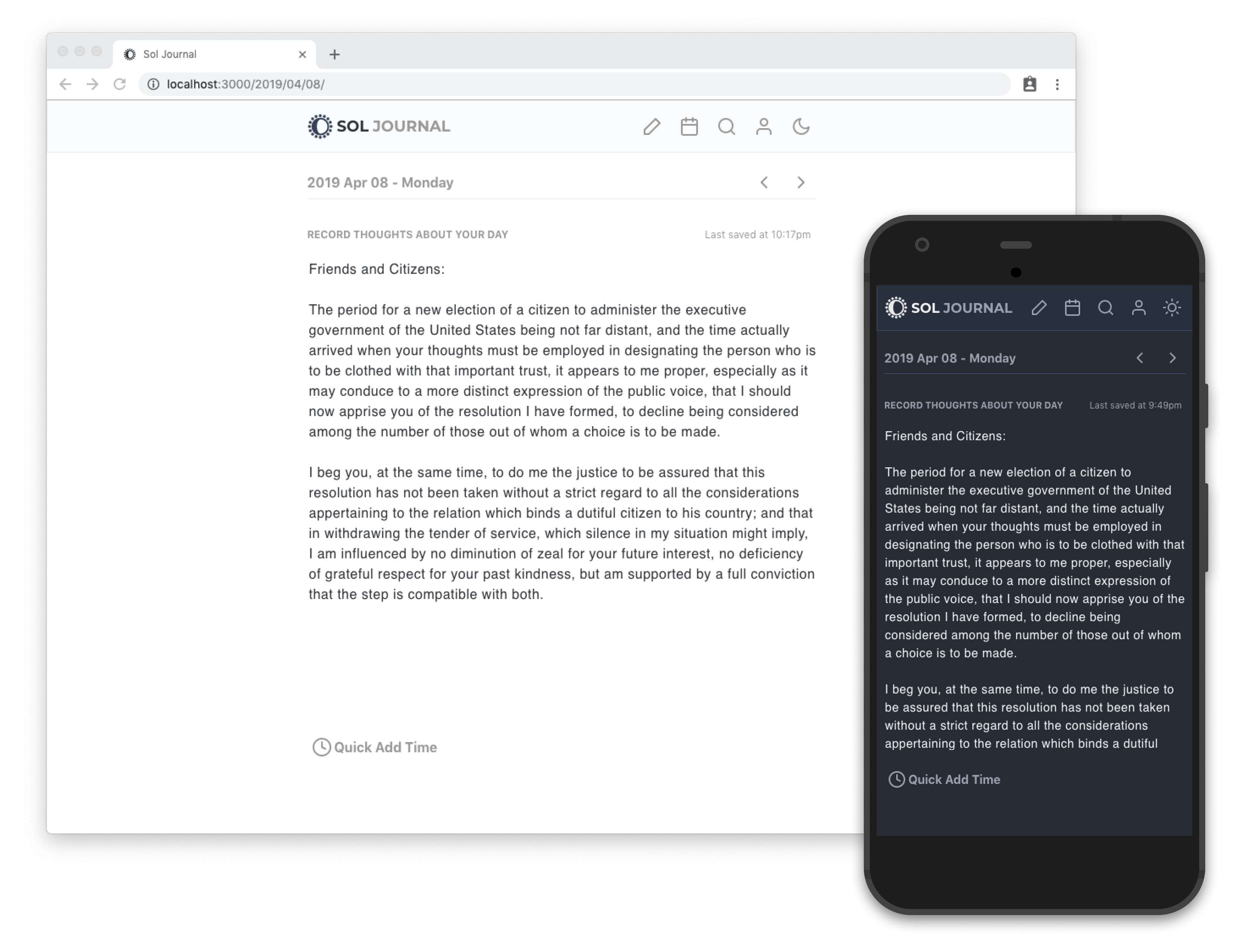
Journaling is a keystone habit that can improve your happiness and overall health. Writing in a journal with pen and paper is effective, but not as easily accessible, maintained, or preserved as taking advantage of digital platforms.
Having a journal that is available on any device makes journaling easier. Being tailored specifically to journaling makes it less cumbersome than trying to utilize a note taking app or document for recording thoughts and impressions.
There are 2 ways to get started using Sol Journal:
Sol Journal uses firebase to support offline functionality and authentication, meaning a new Firebase app will need to be setup with Firestore as a database if you wish to host it yourself. Be sure to add documents for users and entries, as well as enabling email for user authentication.
In the spirit of minimalism, a few key features are in place for a quick, lightweight journaling experience that can work across devices, including:
src/styles/theme.js file contains a set of colors and default styles that are applied to components with Emotion. A default light and dark theme are already in the file (adding theme-ui support would be a great future addition)Files are organized into these folders:
/components: user interface pieces to construct the design and layout of the site
/data: local data transformed by Gatsby to become queryable by Gatsby's GraphQL data layer
/img: images used by places like landing pages that are optimized by gatsby-image and then queryable in the GraphQL layer
/pages: public pages that can be seen by unauthenticated users and are completely server side rendered by Gatsby during gatsby build
/routes: private, client only routes only visible to authenticated users that are used by the app section of the journal
/styles: role based design tokens and theme definitions
/util: simple utility functions, for things like formatting dates
Clone the project:
git clone https://github.com/gillkyle/sol-journal
Install dependencies:
npm install
or
yarn
Then configure a file in a new .env file (using the .env.sample file as a reference) with the following keys from the firebase console:
GATSBY_FIREBASE_API_KEY=<BUNCHofRandomNumbersAndChars>
GATSBY_DEV_AUTH_DOMAIN=<name>.firebaseapp.com
GATSBY_DEV_DATABASE_URL=https://<name>.firebaseio.com
GATSBY_DEV_PROJECT_ID=<name>
GATSBY_DEV_STORAGE_BUCKET=<name>.appspot.com
GATSBY_DEV_MESSAGING_SENDER_ID=############

GATSBY_CONFIRMATION_EMAIL_REDIRECT=https://<name>.firebaseapp.com
Again, be sure to add documents for users and entries, as well as enabling email for user authentication.
Navigate into the project directory, and then launch the site with this command:
gatsby develop
The site will be opened up in your default browser on http://localhost:8000
Edit code in the /src, save your changes, and they'll reload instantly in the browser.
To create an optimized build of the site run this command:
gatsby build
A /public folder will be assembled that can be deployed to any static file hosting service like Netlify or surge.
It can be deployed to firebase with this command:
firebase deploy -p public
Sol Journal is inspired by JournalBook and borrows much of its design and navigation.
If you're interested in a comparable version of the project, you can check out this fork that adds rich text support to the journaling block.
more like this
Firefox and Chrome extensions to prevent Google from making links ugly.
search projects, people, and tags