chinese-hershey-font
Convert Chinese Characters to Single-Line Fonts using Computer Vision
Python★ 161
AI agent for Home Assistant — talk to your home, create automations in plain English, analyze cameras with face recogni…
 goruck
git clone https://github.com/goruck/home-generative-agent.gitgoruck/home-generative-agentTalk to your home.
A Home Assistant integration that brings a generative AI agent into your smart home. Talk to your home, create automations in plain English, analyze camera footage, and get proactive alerts — all powered by your choice of cloud or local LLMs. HGA is a single integration that gives you conversational control over every HA entity, camera understanding with face recognition, long-term semantic memory, and the Sentinel anomaly engine.
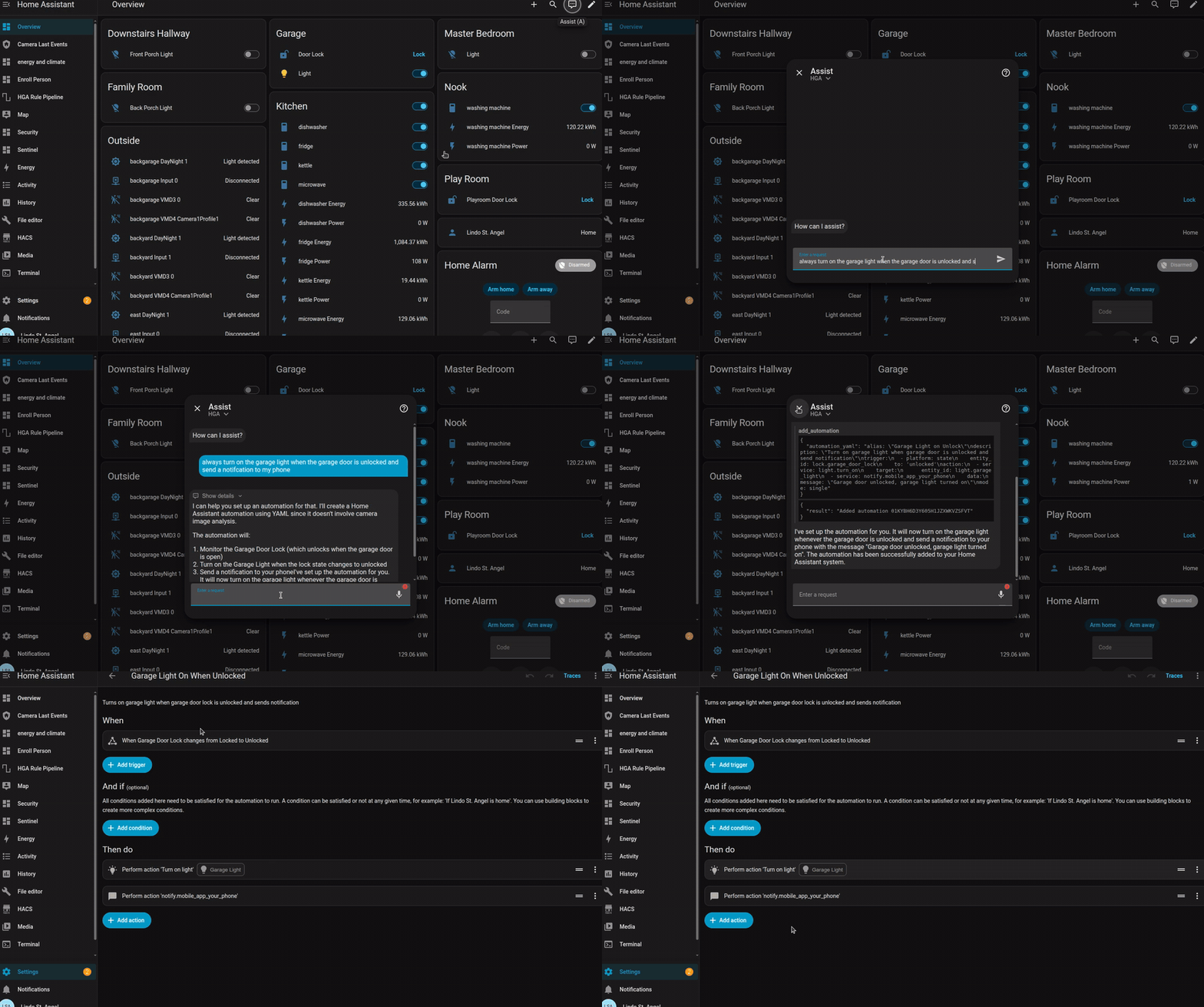
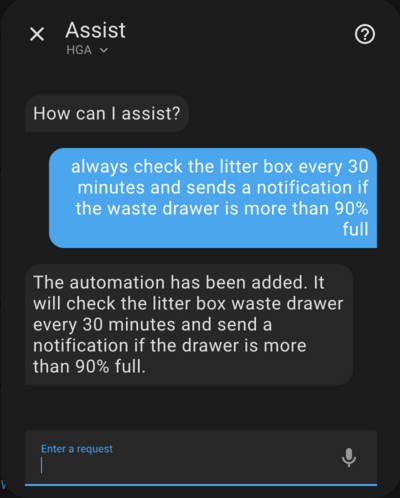
Creating an automation in plain English — the agent writes the YAML, registers it, and it shows up in the HA automation editor.
Most AI conversation integrations are prompt passthroughs: they forward your words to an LLM and read back the answer. HGA is a full agent built on LangGraph — it uses tools to control entities, query history, watch cameras, and write real HA automations; it keeps long-term semantic memory in pgvector so it remembers your preferences across conversations; and its Sentinel anomaly engine keeps safety decisions deterministic, with the LLM advising but never actuating. Everything runs against the model provider you choose — including fully local, so no data has to leave your home.
| Feature | What it does |
|---|---|
| Conversational control | Talk to your home in natural language. Turn things on, check status, ask questions. |
| Automation creation | Describe what you want in chat and the agent writes and registers the HA automation. |
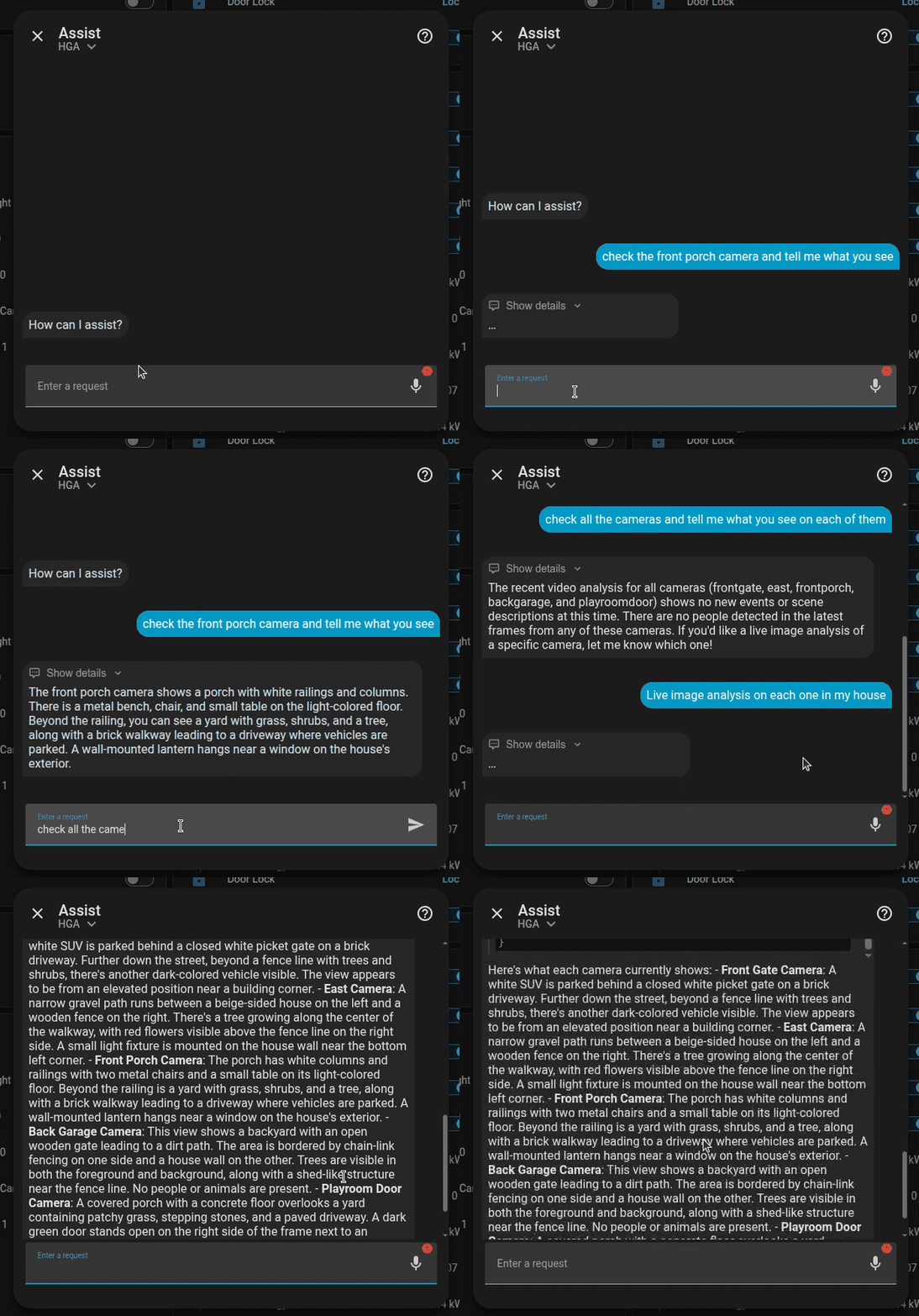
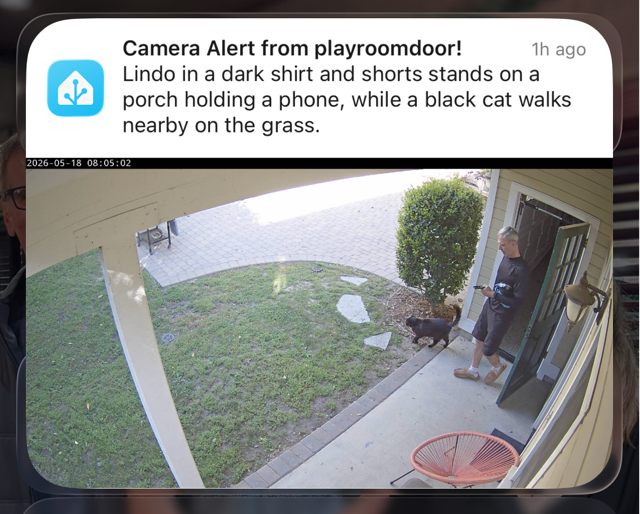
| Camera & image analysis | Ask the agent what it sees in any camera. Proactive motion-triggered analysis with anomaly detection. Works with Axis, Ring via ring-mqtt, Reolink, UniFi Protect, and any camera that exposes a motion entity or recording state in HA — see Camera Entities for setup notes (battery Ring cameras need a snapshot-mode tweak). |
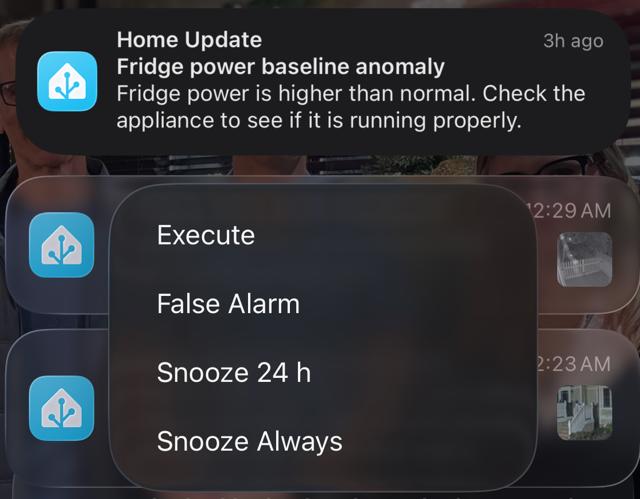
| Sentinel anomaly detection | Deterministic rules watch for security and safety issues (unlocked locks, open entries, unknown people) and alert your phone. Optional LLM-powered triage and rule discovery. Approved discovery rules can be inspected, deactivated, reactivated, and surgically repaired via HA services. |
| Face recognition | Identify people in camera frames and personalize alerts. |
| Long-term memory | Semantic search over past conversations. The agent remembers your preferences and context. |
| Streaming responses | First tokens appear word-by-word in the HA conversation UI — no waiting for the full response. |
| Cloud and edge models | Use OpenAI, Gemini, Anthropic, or run everything locally with Ollama or any OpenAI-compatible server. |
| Requirement | Notes |
|---|---|
| Home Assistant | 2025.5.0 minimum; 2026.4.0+ for streaming responses |
| HACS | Required for the recommended install path; manual install is also supported |
| PostgreSQL with pgvector | Provided as a bundled HA app (step 1 below) |
| Model provider | At least one of: OpenAI, Gemini, Anthropic, Ollama, or any OpenAI-compatible server |
| Edge GPU server (optional) | Ollama, vLLM, llama.cpp, or LiteLLM for local model serving |
| face-service (optional) | An external service required only for face recognition in camera analysis |
Get the basic conversational agent running in seven steps. See the full installation guide for optional apps (edge models, face recognition).
1. Install the PostgreSQL with pgvector app.
Requires Home Assistant OS or Supervised (apps are not available on HA Container or Core).
Click the button below to add the repository, then install and configure the app per its documentation.
If the button doesn't work, add the repository manually: Settings → Apps → App Store → ⋮ → Repositories, enter
https://github.com/goruck/addon-postgres-pgvector, then search for and installpostgres_pgvector.
2. Install Home Generative Agent from HACS.
3. Restart Home Assistant.
4. Add the integration: Settings → Devices & Services → Add Integration → search Home Generative Agent → complete the initial instruction screen.
5. Add a Model Provider: on the integration page click + Model Provider and configure OpenAI, Ollama, Gemini, Anthropic, or any OpenAI-compatible endpoint. A provider must exist before you can run Setup.
6. Open the integration page and click + Setup. Choose a setup mode:
7. Set as your voice assistant: Settings → Voice Assistants → select Home Generative Agent as the conversation agent.
You can now open the HA Assist panel and start talking to your home.
| Guide | Contents |
|---|---|
| Installation | HACS install, manual install, optional apps (Ollama, face recognition) |
| Configuration | Model providers, features, Tool Retrieval (RAG), LLM API, STT, YAML mode, Critical Action PIN, camera description language & extra VLM instructions, UI languages (en/cs/ru/tr) |
| Sentinel | Anomaly detection pipeline, built-in rules, triage, baseline, blueprints, notification quiet hours, services API, health sensor |
| Camera Entities | Image and sensor entities, dashboards, automations, proactive video analysis, face recognition |
| Architecture | LangGraph agent, model tiers, context management, streaming, latency, tools |
| Contributing | Dev setup, Makefile reference, dependency workflow, translations |
User asked: "Remind me every 30 minutes if the litter box waste drawer is over 90% full." Agent wrote and registered the automation.
alias: Check Litter Box Waste Drawer
triggers:
  - minutes: /30
    trigger: time_pattern
conditions:
  - condition: numeric_state
    entity_id: sensor.litter_robot_4_waste_drawer
    above: 90
actions:
  - data:
      message: The Litter Box waste drawer is more than 90% full!
    action: notify.notify
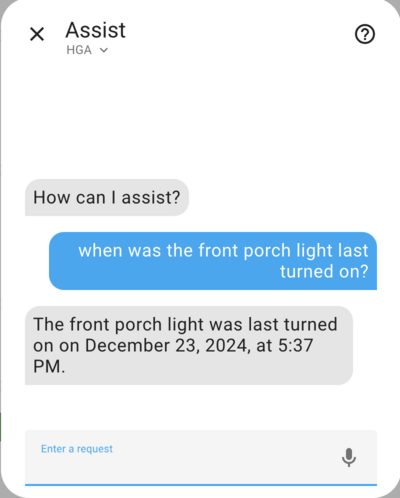
User asked: "When did the front porch light turn on today?" Agent queried the HA history database and summarized the results.
User asked: "How much energy did the fridge use today?" Agent pulled sensor history and gave a plain-English summary.
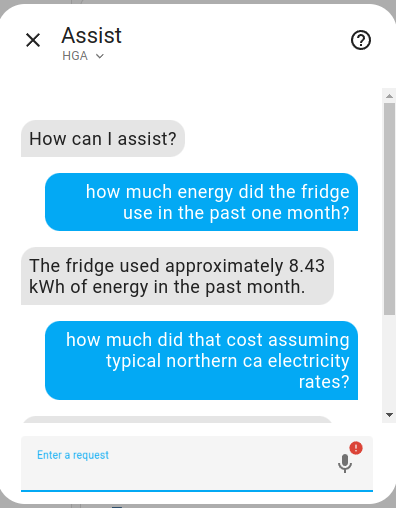
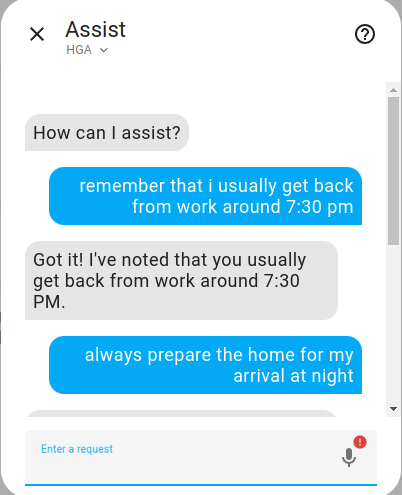
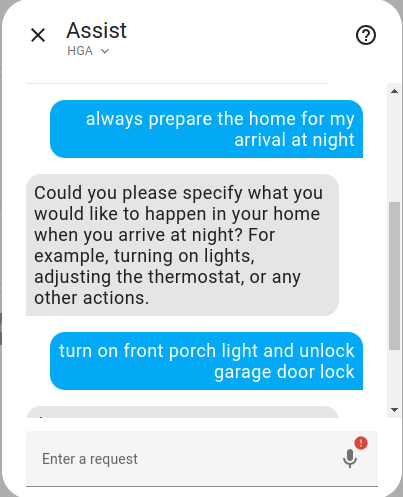
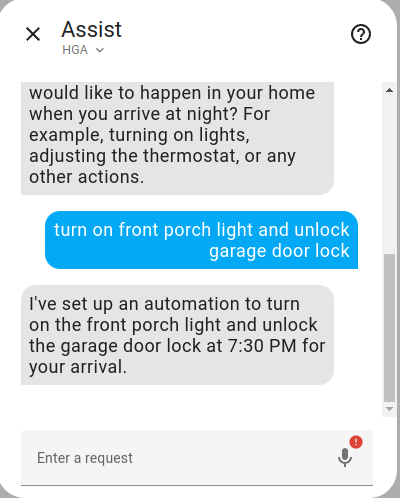
User asked in a later conversation: "always prepare the home for my arrival at night" Agent retrieved the relevant context from long-term memory and then built the automation, remembering that the user arrives home around 7:30 PM.
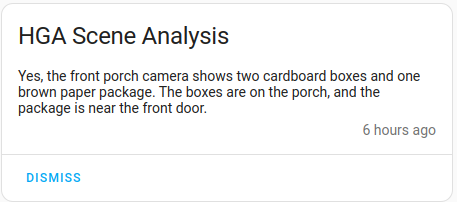
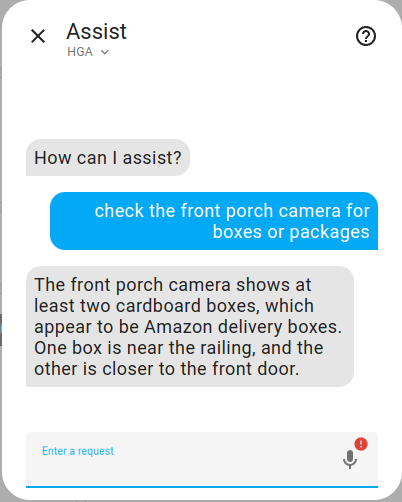
User asked: "Are there any packages at the front gate?" Agent analyzed the live camera and confirmed two boxes visible.
Dashboard recipes shared by users. Have one of your own? Post it in Discussions and it may get featured here.
The recipes below were shared by @hruba202 in discussion #513 and use the excellent flex-table-card (installable from HACS). Replace the example entity IDs with your own; the column names are in Czech from the original install — rename them to taste. The grid_options sizing assumes the newer sections dashboard layout with wide sections — trim the columns: values to fit your grid (standard sections are 12 columns wide; the older masonry layout ignores grid_options entirely).
One row per camera, pulling the recognized_people sensor attributes into columns.
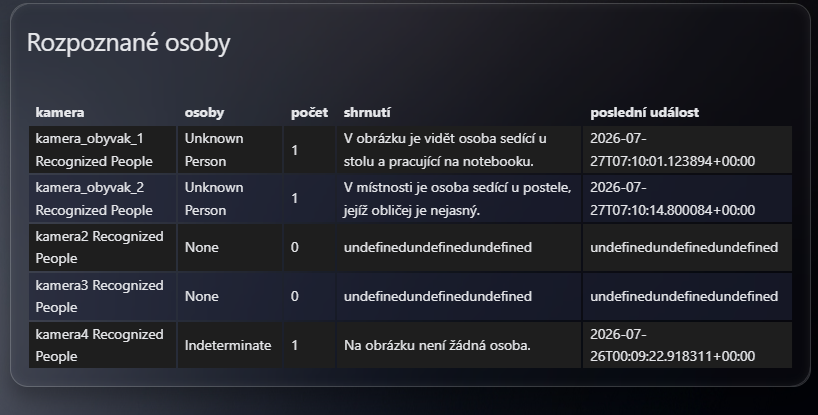
type: custom:flex-table-card
title: Rozpoznané osoby
entities:
  include:
    - sensor.kamera_obyvak_1_recognized_people
    - sensor.kamera_obyvak_2_recognized_people
    - sensor.kamera2_recognized_people
    - sensor.kamera3_recognized_people
    - sensor.kamera4_recognized_people
columns:
  - data: name
    name: kamera
  - data: state
    name: osoby
  - data: count
    name: počet
  - data: summary
    name: shrnutí
  - data: last_event
    name: poslední událost
grid_options:
  columns: 30
Tip: cameras with no events yet report
nullforsummaryandlast_event— older flex-table-card releases render that as theundefinedtext visible in the screenshot above; current releases shown/a. To substitute your own placeholder, use the column'smodifyoption. Two gotchas: quote the expression (its colon otherwise breaks YAML parsing), and current card versions handmodifyan empty array for missing values, so a plainx == nullcheck isn't enough:- data: summary name: shrnutí modify: "Array.isArray(x) || x == null ? '—' : x"
A two-row grid over the Sentinel health sensor, spreading its KPI attributes across columns.

square: false
type: grid
cards:
  - type: custom:flex-table-card
    entities:
      include:
        - sensor.sentinel_health
    columns:
      - data: state
        name: zdraví
      - data: baseline_rules_waiting
        name: bsl_rules_waiting
      - data: last_run_start
        name: l_r_s
      - data: run_duration_ms
        name: doba
      - data: active_rule_count
        name: pravidla aktiv
      - data: triggers_dropped_incoming
        name: t_dropped_incoming
      - data: triggers_ttl_expired
        name: t_ttl_expired
      - data: triggers_dropped_queued
        name: t_d_queued
    grid_options:
      columns: 5
      rows: 1
  - type: custom:flex-table-card
    entities:
      include:
        - sensor.sentinel_health
    columns:
      - data: false_positive_rate_14d
        name: f_p_rate_14d
      - data: baseline_fresh_count
        name: bsl_fresh_count
      - data: baseline_stale_count
        name: bsl_stale_count
      - data: baseline_entity_count
        name: bsl_entity_count
      - data: baseline_rules_waiting
        name: bsl_rules_waiting
      - data: baseline_last_update
        name: bsl_last_update
      - data: findings_count_by_severity
        name: f_c_by_severity
      - data: action_success_rate
        name: a_s_rate
    grid_options:
      columns: 5
      rows: 1
grid_options:
  columns: full
  rows: 3
title: SENTINEL HEALTH
columns: 1
Tip:
findings_count_by_severityis a dictionary attribute (keyslow/medium/high), so it renders as[object Object]by default. Use the column'smodifyoption (same two gotchas as above) to pull out one severity per column,modify: "Array.isArray(x) || x == null ? '—' : (x.high ?? 0)", or render the whole dictionary compactly withmodify: "Array.isArray(x) || x == null ? '—' : JSON.stringify(x)".
If you want to contribute to this, please read the Contribution guidelines.
more like this
Convert Chinese Characters to Single-Line Fonts using Computer Vision
🎥🤟 8 minimalistic templates for tfjs mediapipe handpose and facemesh
Open-source, offline-first face recognition attendance platform that runs on any webcam.
search projects, people, and tags