root-loops
A color scheme generator for cereal lovers
 hamvocke
Root Loops 🔴🔵
Spiffy terminal color schemes, as simple as pouring a bowl of cereal
Create your own terminal color scheme
Beautiful terminal color schemes are a proven way to increase your productivity by a huge margin 1. Fact. In the past, developers often had to rely on ordinary, off-the-shelf color schemes to spice up their terminal experience. Root Loops allows you to generate your very own beautiful color schemes that match your mood and personality. Bland or vibrant, dark or light, you decide!
1: Any actual productivity gains from using Root Loops are purely coincidental. You get to flex with your own color scheme in front of your nerd friends, though.
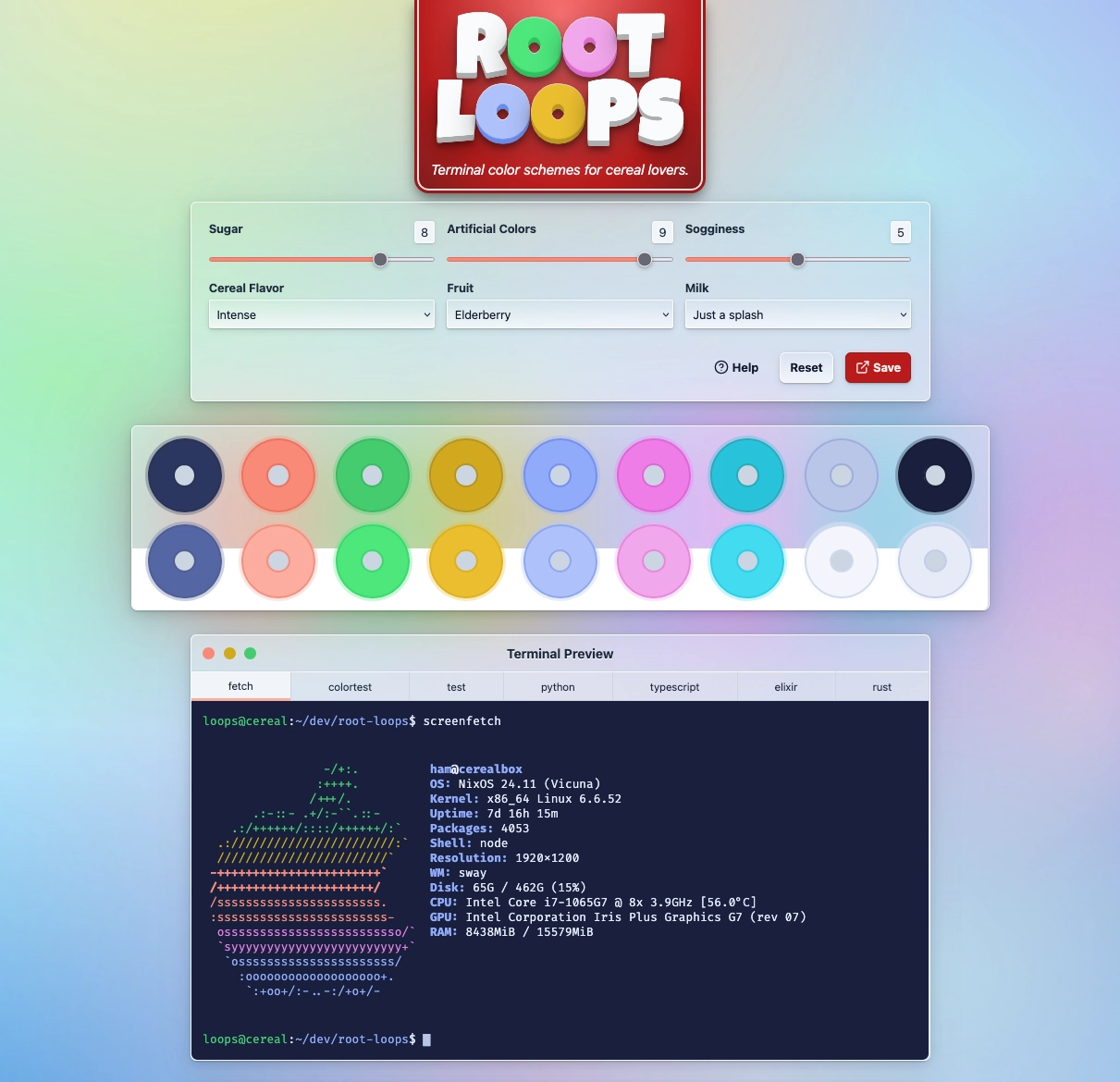
👉 Give it a try!
Development
You'll need node >= v21.0.0.
Install dependencies via npm install.
Start a development server:
npm run dev

# or start the server and open the app in a new browser tab
npm run dev -- --open
Building
To create a production version of your app:
npm run build
You can preview the production build with npm run preview.
Testing
Unit tests run locally using vitest:
npm run test:unit
E2E tests run via Playwright. You can try to install it locally and run the tests natively:
npx playwright install --with-deps # only need to run this once
npm run test:e2e
If that doesn't work (it doesn't work on non-LTS Ubuntu systems, for example) try running stuff in a container:
npm run test:e2e-docker
Playwright tests will start your application automatically.
(Re-)Generating Terminal Snippets
To demonstrate what the root loops color scheme looks like in action we provide a couple of sample terminal outputs in the snippets/ directory. The generate-ansi-snippets.js script in the snippets/ directory generates a bunch of ANSI-colored terminal output:
- by runnig
batagainst the provided sample code files (e.g.python.py,elixir.exortypescript.ts) - by running
screenfetchon the host OS - by running a dummy test suite via
vitest
In order to run this script, make sure you've got screenfetch and bat installed on your host OS, and then run:
cd snippets/
node generate-ansi-snippets.js
This will update the src/lib/snippets.ts file in place, which is the file we use to render terminal output samples in the root loops app.
more like this
gns3theme
Custom color themes for GNS3 GUI. Built-in schemes, custom JSON themes, device symbols. Supports Linux and macOS.
Aritim-Light
A Light theme for both KDE and GTK based distros, pleasant to the eyes and perfect for your daily workload.