fzf-lua
Improved fzf.vim written in lua
 ibhagwan
git clone https://github.com/ibhagwan/fzf-lua.gitibhagwan/fzf-luafzf ❤️ lua
Quickstart • Installation • Usage • Commands • Customization • Wiki
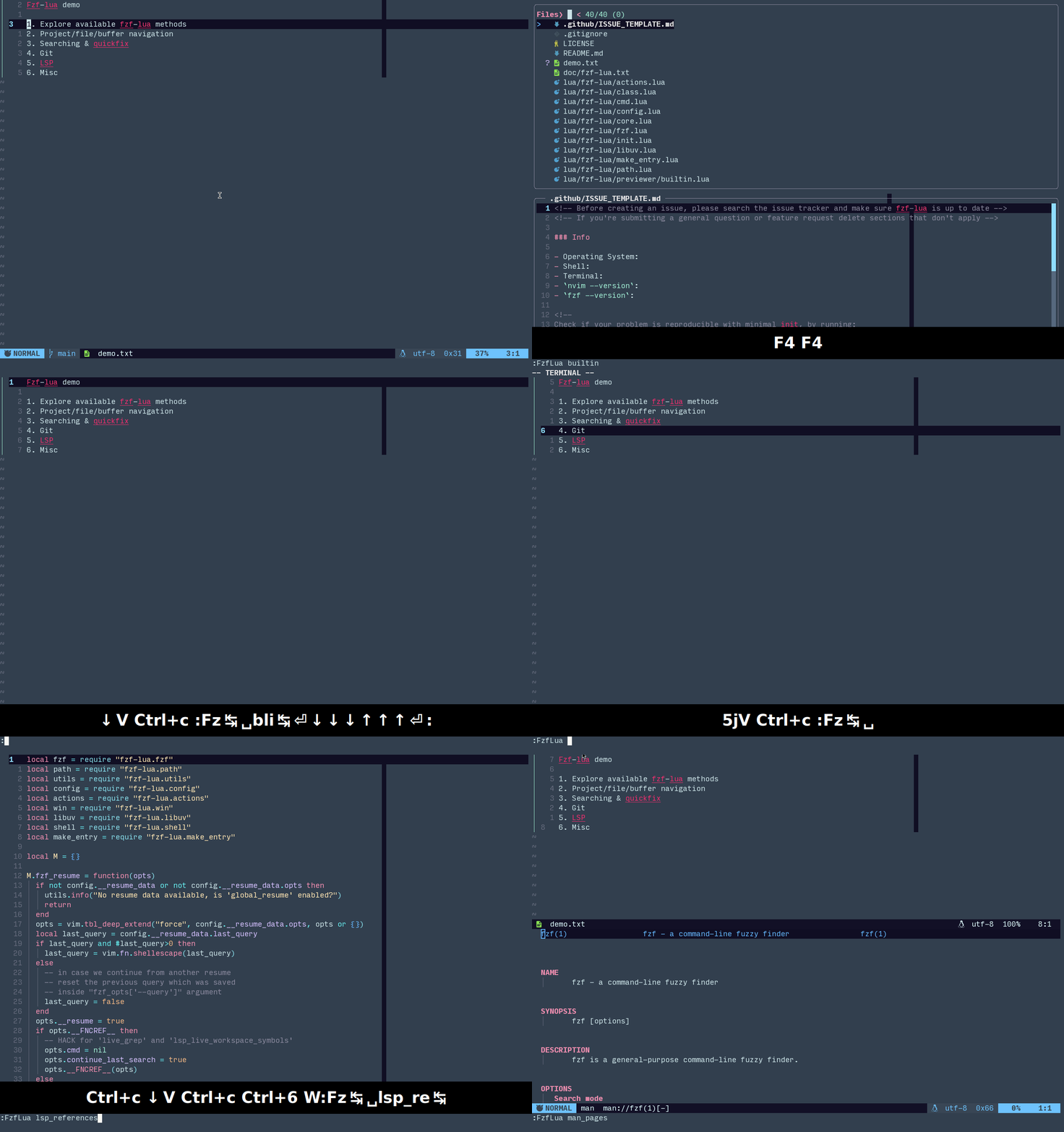
“because you can and you love fzf” - @junegunn
"fzf changed my command life, it can change yours too, if you allow it" - @ibhagwan
Quickstart
To quickly test this plugin without changing your configuration run (will run in its own sandbox with the default keybinds below):
Note
it's good practice to first
read the script
before running sh -c directly from the web
sh -c "$(curl -s https://raw.githubusercontent.com/ibhagwan/fzf-lua/main/scripts/mini.sh)"
| Key | Command | Key | Command |
|---|---|---|---|
<C-\> |
buffers | <C-p> |
files |
<C-g> |
grep | <C-l> |
live_grep |
<C-k> |
builtin commands | <F1> |
neovim help |
Installation
Using lazy.nvim
{
  "ibhagwan/fzf-lua",
  -- optional for icon support
  dependencies = { "nvim-tree/nvim-web-devicons" },
  -- or if using mini.icons/mini.nvim
  -- dependencies = { "nvim-mini/mini.icons" },
  ---@module "fzf-lua"
  ---@type fzf-lua.Config|{}
  ---@diagnostic disable: missing-fields
  opts = {}
  ---@diagnostic enable: missing-fields
}
Show dependencies
Dependencies
neovimversion >=0.9fzfversion >0.36orskimbinary installed- nvim-web-devicons or mini.icons (optional)
Optional dependencies
- fd - better
findutility - rg - better
greputility - bat - syntax highlighted previews when using fzf's native previewer
- delta - syntax highlighted git pager for git status previews
- jj - for Jujutsu commands (
jj_files,vcs_files) - nvim-dap - for Debug Adapter Protocol (DAP) support
- nvim-treesitter-context - for viewing treesitter context within the previewer
- render-markdown.nvim or markview.nvim - for rendering markdown files in the previewer
Below are a few optional dependencies for viewing media files (which you need
to configure in previewer.builtin.extensions):
- chafa - terminal image previewer (recommended, supports most file formats)
- viu - terminal image previewer
- ueberzugpp - terminal image previewer using X11/Wayland child windows, sixels, kitty and iterm2
[!TIP] If your terminal supports the kitty graphics protocol (e.g. kitty, ghostty, etc) install @folke's snacks.nvim to render images using the
snacks.imagemodule, it will be auto-detected by fzf-lua and requires no configuration.
Windows Notes
-
rg is required for
grepandtags -
git for Windows is required for
git(though installinggit-bash|shis not required). -
Installation of dependencies (fzf, rg, fd, etc) is possible via scoop, chocolatey or winget-cli
-
Although almost everything works on Windows exactly as the *NIX/OSX check out the Windows README for known issues and limitations.
Usage
Fzf-lua aims to be as plug and play as possible with sane defaults, you can run any fzf-lua command like this:
:lua require("fzf-lua").files()
-- once loaded we can use the global object
:lua FzfLua.files()
-- or the vim command:
:FzfLua files
or with arguments:
:lua FzfLua.files({ cwd = '~/.config' })
-- or using the `FzfLua` vim command:
:FzfLua files cwd=~/.config
Resume
Resuming work from where you left off is as easy as:
:lua FzfLua.resume()
-- or
:FzfLua resume
Alternatively, resuming work on a specific picker:
:lua FzfLua.files({ resume = true })
-- or
:FzfLua files resume=true
Combining Pickers
Fzf-Lua can combine any of the available pickers into a single display
using the combine method, for example file history (oldfiles) and
git-files:
:lua FzfLua.combine({ pickers = "oldfiles;git_files" })
-- or using the `FzfLua` vim command:
:FzfLua combine pickers=oldfiles;git_files
Note
The first picker options determine the options used by the combined picker, that includes formatters, previewer, path_shorten, etc. To avoid errors combine only pickers of the same entry types (i.e files)
Global Picker
Fzf-Lua conveniently comes with a VS-Code like picker by default (customizable) combining files, buffers and LSP symbols:
| Prefix | Behavior |
|---|---|
no prefix |
Files |
$ |
Buffers |
@ |
LSP Symbols (current buffer) |
# |
LSP Symbols (workspace/project) |
:lua FzfLua.global()
-- or using the `FzfLua` vim command:
:FzfLua global
LIST OF AVAILABLE COMMANDS BELOW 👇
Commands
Buffers and Files
Buffers and Files
| Command | List |
|---|---|
buffers |
open buffers |
files |
find or fd on a path |
oldfiles |
opened files history |
history |
opened buffers/files history |
quickfix |
quickfix list |
quickfix_stack |
quickfix stack |
loclist |
location list |
loclist_stack |
location stack |
lines |
open buffers lines |
blines |
current buffer lines |
treesitter |
current buffer treesitter symbols |
tabs |
open tabs |
args |
argument list |
vcs_files |
jj/git files or find/fd |
Search
Search
| Command | List |
|---|---|
grep |
search for a pattern with grep or rg |
grep_last |
run search again with the last pattern |
grep_cword |
search word under cursor |
grep_cWORD |
search WORD under cursor |
grep_visual |
search visual selection |
grep_project |
search all project lines (fzf.vim's :Rg) |
grep_curbuf |
search current buffer lines |
grep_quickfix |
search the quickfix list |
grep_loclist |
search the location list |
lgrep_curbuf |
live grep current buffer |
lgrep_quickfix |
live grep the quickfix list |
lgrep_loclist |
live grep the location list |
live_grep |
live grep current project |
live_grep_resume |
live grep continue last search |
live_grep_glob |
live_grep with rg --glob support |
live_grep_native |
performant version of live_grep |
Tags
Tags
| Command | List |
|---|---|
tags |
search project tags |
btags |
search buffer tags |
tags_grep |
grep project tags |
tags_grep_cword |
tags_grep word under cursor |
tags_grep_cWORD |
tags_grep WORD under cursor |
tags_grep_visual |
tags_grep visual selection |
tags_live_grep |
live grep project tags |
Git
Git
| Command | List |
|---|---|
git_files |
git ls-files |
git_status |
git status |
git_diff |
git diff {ref} |
git_hunks |
git hunks {ref} |
git_reflog |
git reflog |
git_commits |
git commit log (project) |
git_bcommits |
git commit log (buffer) |
git_blame |
git blame (buffer) |
git_branches |
git branches |
git_worktrees |
git worktrees |
git_tags |
git tags |
git_stash |
git stash |
LSP / Diagnostics
LSP/Diagnostics
| Command | List |
|---|---|
lsp_references |
References |
lsp_definitions |
Definitions |
lsp_declarations |
Declarations |
lsp_typedefs |
Type Definitions |
lsp_implementations |
Implementations |
lsp_document_symbols |
Document Symbols |
lsp_workspace_symbols |
Workspace Symbols |
lsp_live_workspace_symbols |
Workspace Symbols (live query) |
lsp_incoming_calls |
Incoming Calls |
lsp_outgoing_calls |
Outgoing Calls |
lsp_type_sub |
Sub Types |
lsp_type_super |
Super Types |
lsp_code_actions |
Code Actions |
lsp_finder |
All LSP locations, combined view |
diagnostics_document |
Document Diagnostics |
diagnostics_workspace |
Workspace Diagnostics |
lsp_document_diagnostics |
alias to diagnostics_document |
lsp_workspace_diagnostics |
alias to diagnostics_workspace |
Misc
Misc
| Command | List |
|---|---|
resume |
resume last command/query |
builtin |
fzf-lua builtin commands |
combine |
combine different fzf-lua pickers |
global |
global picker for files,buffers and symbols |
profiles |
fzf-lua configuration profiles |
helptags |
help tags |
manpages |
man pages |
colorschemes |
color schemes |
awesome_colorschemes |
Awesome Neovim color schemes |
highlights |
highlight groups |
commands |
neovim commands |
command_history |
command history |
search_history |
search history |
marks |
:marks |
jumps |
:jumps |
changes |
:changes |
registers |
:registers |
tagstack |
:tags |
autocmds |
:autocmd |
nvim_options |
neovim options |
keymaps |
key mappings |
filetypes |
filetypes |
menus |
menus |
spellcheck |
misspelled words in buffer |
spell_suggest |
spelling suggestions |
packadd |
:packadd |
undotree |
history undo tree |
Neovim API
Neovim API
:help vim.ui.selectfor more info
| Command | List |
|---|---|
register_ui_select |
register fzf-lua as the UI interface for vim.ui.select |
deregister_ui_select |
de-register fzf-lua with vim.ui.select |
nvim-dap
nvim-dap
Requires
nvim-dap
| Command | List |
|---|---|
dap_commands |
list,run nvim-dap builtin commands |
dap_configurations |
list,run debug configurations |
dap_breakpoints |
list,delete breakpoints |
dap_variables |
active session variables |
dap_frames |
active session jump to frame |
Completion Functions
Completion Functions
| Command | List |
|---|---|
complete_path |
complete path under cursor (incl dirs) |
complete_file |
complete file under cursor (excl dirs) |
complete_line |
complete line (all open buffers) |
complete_bline |
complete line (current buffer only) |
Customization
Note
Refer to OPTIONS to see detailed usage notes and a comprehensive list of yet more(!) available options.
require("fzf-lua").setup {
  -- MISC GLOBAL SETUP OPTIONS, SEE BELOW
  -- fzf_bin = ...,
  -- each of these options can also be passed as function that return options table
  -- e.g. winopts = function() return { ... } end
  winopts = { ...  },     -- UI Options
  keymap = { ...  },      -- Neovim keymaps / fzf binds
  actions = { ...  },     -- Fzf "accept" binds
  fzf_opts = { ...  },    -- Fzf CLI flags
  fzf_colors = { ...  },  -- Fzf `--color` specification
  hls = { ...  },         -- Highlights
  previewers = { ...  },  -- Previewers options
  -- SPECIFIC COMMAND/PICKER OPTIONS, SEE BELOW
  -- files = { ... },
}
DEFAULT OPTIONS OF THE DIFFERENT CONFIG SECTIONS BELOW 👇
globals
  -- Use skim (or a speccific fzf binary/version) instead of fzf?
  -- fzf_bin = 'sk',
  -- Padding can help kitty term users with double-width icon rendering
  file_icon_padding = '',
  -- Uncomment if your terminal/font does not support unicode character
  -- 'EN SPACE' (U+2002), the below sets it to 'NBSP' (U+00A0) instead
  -- nbsp = '\xc2\xa0',
  -- Function override for opening the help window (default bound to `<F1>`)
  -- Override this function if you want to customize window config of the
  -- help window (location, width, border, etc.)
  help_open_win = vim.api.nvim_open_win,
winopts
winopts = {
    -- split = "belowright new",-- open in a split instead?
            -- "belowright new"  : split below
            -- "aboveleft new"   : split above
            -- "belowright vnew" : split right
            -- "aboveleft vnew   : split left
    -- Only valid when using a float window
    -- (i.e. when 'split' is not defined, default)
    height           = 0.85,            -- window height
    width            = 0.80,            -- window width
    row              = 0.35,            -- window row position (0=top, 1=bottom)
    col              = 0.50,            -- window col position (0=left, 1=right)
    -- border argument passthrough to nvim_open_win()
    border           = "rounded",
    -- Backdrop opacity, 0 is fully opaque, 100 is fully transparent (i.e. disabled)
    backdrop         = 60,
    -- title         = "Title",
    -- title_pos     = "center",        -- 'left', 'center' or 'right'
    -- title_flags   = false,           -- uncomment to disable title flags
    fullscreen       = false,           -- start fullscreen?
    -- enable treesitter highlighting for the main fzf window will only have
    -- effect where grep like results are present, i.e. "file:line:col:text"
    -- due to highlight color collisions will also override `fzf_colors`
    -- set `fzf_colors=false` or `fzf_colors.hl=...` to override
    treesitter       = {
      enabled    = true,
      fzf_colors = { ["hl"] = "-1:reverse", ["hl+"] = "-1:reverse" }
    },
    preview = {
      -- default     = 'bat',           -- override the default previewer?
                                        -- default uses the 'builtin' previewer
      border         = "rounded",       -- preview border: accepts both `nvim_open_win`
                                        -- and fzf values (e.g. "border-top", "none")
                                        -- native fzf previewers (bat/cat/git/etc)
                                        -- can also be set to `fun(winopts, metadata)`
      wrap           = false,           -- preview line wrap (fzf's 'wrap|nowrap')
      hidden         = false,           -- start preview hidden
      vertical       = "down:45%",      -- up|down:size
      horizontal     = "right:60%",     -- right|left:size
      layout         = "flex",          -- horizontal|vertical|flex
      flip_columns   = 100,             -- #cols to switch to horizontal on flex
      -- Only used with the builtin previewer:
      title          = true,            -- preview border title (file/buf)?
      title_pos      = "center",        -- left|center|right, title alignment
      scrollbar      = "float",         -- `false` or string:'float|border'
                                        -- float:  in-window floating border
                                        -- border: in-border "block" marker
      scrolloff      = -1,              -- float scrollbar offset from right
                                        -- applies only when scrollbar = 'float'
      delay          = 20,              -- delay(ms) displaying the preview
                                        -- prevents lag on fast scrolling
      winopts = {                       -- builtin previewer window options
        number            = true,
        relativenumber    = false,
        cursorline        = true,
        cursorlineopt     = "both",
        cursorcolumn      = false,
        signcolumn        = "no",
        list              = false,
        foldenable        = false,
        foldmethod        = "manual",
      },
    },
    on_create = function()
      -- called once upon creation of the fzf main window
      -- can be used to add custom fzf-lua mappings, e.g:
      --   vim.keymap.set("t", "<C-j>", "<Down>", { silent = true, buffer = true })
    end,
    -- called once _after_ the fzf interface is closed
    -- on_close = function() ... end
}
keymap
keymap = {
    -- Below are the default binds, setting any value in these tables will override
    -- the defaults, to inherit from the defaults change [1] from `false` to `true`
    builtin = {
      -- neovim `:tmap` mappings for the fzf win
      -- true,        -- uncomment to inherit all the below in your custom config
      ["<M-Esc>"]     = "hide",     -- hide fzf-lua, `:FzfLua resume` to continue
      ["<F1>"]        = "toggle-help",
      ["<F2>"]        = "toggle-fullscreen",
      -- Only valid with the 'builtin' previewer
      ["<F3>"]        = "toggle-preview-wrap",
      ["<F4>"]        = "toggle-preview",
      -- Rotate preview clockwise/counter-clockwise
      ["<F5>"]        = "toggle-preview-cw",
      -- Preview toggle behavior default/extend
      ["<F6>"]        = "toggle-preview-behavior",
      -- `ts-ctx` binds require `nvim-treesitter-context`
      ["<F7>"]        = "toggle-preview-ts-ctx",
      ["<F8>"]        = "preview-ts-ctx-dec",
      ["<F9>"]        = "preview-ts-ctx-inc",
      ["<S-Left>"]    = "preview-reset",
      ["<S-down>"]    = "preview-page-down",
      ["<S-up>"]      = "preview-page-up",
      ["<M-S-down>"]  = "preview-down",
      ["<M-S-up>"]    = "preview-up",
    },
    fzf = {
      -- fzf '--bind=' options
      -- true,        -- uncomment to inherit all the below in your custom config
      ["ctrl-z"]      = "abort",
      ["ctrl-u"]      = "unix-line-discard",
      ["ctrl-f"]      = "half-page-down",
      ["ctrl-b"]      = "half-page-up",
      ["ctrl-a"]      = "beginning-of-line",
      ["ctrl-e"]      = "end-of-line",
      ["alt-a"]       = "toggle-all",
      ["alt-g"]       = "first",
      ["alt-G"]       = "last",
      -- Only valid with fzf previewers (bat/cat/git/etc)
      ["f3"]          = "toggle-preview-wrap",
      ["f4"]          = "toggle-preview",
      ["shift-down"]  = "preview-page-down",
      ["shift-up"]    = "preview-page-up",
    },
},
actions
actions = {
    -- Below are the default actions, setting any value in these tables will override
    -- the defaults, to inherit from the defaults change [1] from `false` to `true`
    files = {
      -- true,        -- uncomment to inherit all the below in your custom config
      -- Pickers inheriting these actions:
      --   files, git_files, git_status, grep, lsp, oldfiles, quickfix, loclist,
      --   tags, btags, args, buffers, tabs, lines, blines
      -- `file_edit_or_qf` opens a single selection or sends multiple selection to quickfix
      -- replace `enter` with `file_edit` to open all files/bufs whether single or multiple
      -- replace `enter` with `file_switch_or_edit` to attempt a switch in current tab first
      ["enter"]       = FzfLua.actions.file_edit_or_qf,
      ["ctrl-s"]      = FzfLua.actions.file_split,
      ["ctrl-v"]      = FzfLua.actions.file_vsplit,
      ["ctrl-t"]      = FzfLua.actions.file_tabedit,
      ["alt-q"]       = FzfLua.actions.file_sel_to_qf,
      ["alt-Q"]       = FzfLua.actions.file_sel_to_ll,
      ["alt-i"]       = FzfLua.actions.toggle_ignore,
      ["alt-h"]       = FzfLua.actions.toggle_hidden,
      ["alt-f"]       = FzfLua.actions.toggle_follow,
    },
  }
fzf_opts
fzf_opts = {
    -- options are sent as `<left>=<right>`
    -- set to `false` to remove a flag
    -- set to `true` for a no-value flag
    -- for raw args use `fzf_args` instead
    ["--ansi"]           = true,
    ["--info"]           = "inline-right", -- fzf < v0.42 = "inline"
    ["--height"]         = "100%",
    ["--layout"]         = "reverse",
    ["--border"]         = "none",
    ["--highlight-line"] = true,           -- fzf >= v0.53
  }

-- Only used when fzf_bin = "fzf-tmux", by default opens as a
-- popup 80% width, 80% height (note `-p` requires tmux > 3.2)
-- and removes the sides margin added by `fzf-tmux` (fzf#3162)
-- for more options run `fzf-tmux --help`
-- NOTE: since fzf v0.53 / sk v0.15 it is recommended to use
-- native tmux integration by adding the below to `fzf_opts`
-- fzf_opts = { ["--tmux"] = "center,80%,60%" }
fzf_tmux_opts = { ["-p"] = "80%,80%", ["--margin"] = "0,0" },
fzf_colors
[!NOTE] See the Fzf Colors section for more info.
  --
  -- Set fzf's terminal colorscheme (optional)
  --
  -- Set to `true` to automatically generate an fzf's colorscheme from
  -- Neovim's current colorscheme:
  -- fzf_colors       = true,
  --
  -- Building a custom colorscheme, has the below specifications:
  -- If rhs is of type "string" rhs will be passed raw, e.g.:
  --   `["fg"] = "underline"` will be translated to `--color fg:underline`
  -- If rhs is of type "table", the following convention is used:
  --   [1] "what" field to extract from the hlgroup, i.e "fg", "bg", etc.
  --   [2] Neovim highlight group(s), can be either "string" or "table"
  --       when type is "table" the first existing highlight group is used
  --   [3+] any additional fields are passed raw to fzf's command line args
  -- Example of a "fully loaded" color option:
  --   `["fg"] = { "fg", { "NonExistentHl", "Comment" }, "underline", "bold" }`
  -- Assuming `Comment.fg=#010101` the resulting fzf command line will be:
  --   `--color fg:#010101:underline:bold`
  -- NOTE: to pass raw arguments `fzf_opts["--color"]` or `fzf_args`
  -- NOTE: below is an example, not the defaults:
  fzf_colors = {
      true,   -- inherit fzf colors that aren't specified below from
              -- the auto-generated theme similar to `fzf_colors=true`
      ["fg"]          = { "fg", "CursorLine" },
      ["bg"]          = { "bg", "Normal" },
      ["hl"]          = { "fg", "Comment" },
      ["fg+"]         = { "fg", "Normal", "underline" },
      ["bg+"]         = { "bg", { "CursorLine", "Normal" } },
      ["hl+"]         = { "fg", "Statement" },
      ["info"]        = { "fg", "PreProc" },
      ["prompt"]      = { "fg", "Conditional" },
      ["pointer"]     = { "fg", "Exception" },
      ["marker"]      = { "fg", "Keyword" },
      ["spinner"]     = { "fg", "Label" },
      ["header"]      = { "fg", "Comment" },
      ["gutter"]      = "-1",
  },
hls
[!NOTE] See the highlights section below for all available highlight groups.
hls = {
    normal = "Normal"          -- highlight group for normal fg/bg
    preview_normal = "Normal"  -- highlight group for preview fg/bg
    ...
}
previewers
previewers = {
    cat = {
      cmd             = "cat",
      args            = "-n",
    },
    bat = {
      cmd             = "bat",
      args            = "--color=always --style=numbers,changes",
    },
    head = {
      cmd             = "head",
      args            = nil,
    },
    git_diff = {
      -- if required, use `{file}` for argument positioning
      -- e.g. `cmd_modified = "git diff --color HEAD {file} | cut -c -30"`
      cmd_deleted     = "git diff --color HEAD --",
      cmd_modified    = "git diff --color HEAD",
      cmd_untracked   = "git diff --color --no-index /dev/null",
      -- git-delta is automatically detected as pager, set `pager=false`
      -- to disable, can also be set under 'git.status.preview_pager'
    },
    man = {
      -- NOTE: remove the `-c` flag when using man-db
      -- replace with `man -P cat %s | col -bx` on OSX
      cmd             = "man -c %s | col -bx",
    },
    builtin = {
      syntax          = true,         -- preview syntax highlight?
      syntax_limit_l  = 0,            -- syntax limit (lines), 0=nolimit
      syntax_limit_b  = 1024*1024,    -- syntax limit (bytes), 0=nolimit
      limit_b         = 1024*1024*10, -- preview limit (bytes), 0=nolimit
      -- previewer treesitter options:
      -- enable specific filetypes with: `{ enabled = { "lua" } }
      -- exclude specific filetypes with: `{ disabled = { "lua" } }
      -- disable `nvim-treesitter-context` with `context = false`
      -- disable fully with: `treesitter = false` or `{ enabled = false }`
      treesitter      = {
        enabled = true,
        disabled = {},
        -- nvim-treesitter-context config options
        context = { max_lines = 1, trim_scope = "inner" }
      },
      -- By default, the main window dimensions are calculated as if the
      -- preview is visible, when hidden the main window will extend to
      -- full size. Set the below to "extend" to prevent the main window
      -- from being modified when toggling the preview.
      toggle_behavior = "default",
      -- Title transform function, by default only displays the tail
      -- title_fnamemodify = function(s) return vim.fn.fnamemodify(s, ":t") end,
      -- preview extensions using a custom shell command:
      -- for example, use `viu` for image previews
      -- will do nothing if `viu` isn't executable
      extensions      = {
        -- neovim terminal only supports `viu` block output
        ["png"]       = { "viu", "-b" },
        -- by default the filename is added as last argument
        -- if required, use `{file}` for argument positioning
        ["svg"]       = { "chafa", "{file}" },
        ["jpg"]       = { "ueberzug" },
      },
      -- if using `ueberzug` in the above extensions map
      -- set the default image scaler, possible scalers:
      --   false (none), "crop", "distort", "fit_contain",
      --   "contain", "forced_cover", "cover"
      -- https://github.com/seebye/ueberzug
      ueberzug_scaler = "cover",
      -- render_markdown.nvim integration, enabled by default for markdown
      render_markdown = { enabled = true, filetypes = { ["markdown"] = true } },
      -- snacks.images integration, enabled by default
      snacks_image = { enabled = true, render_inline = true },
    },
    -- Code Action previewers, default is "codeaction" (set via `lsp.code_actions.previewer`)
    -- "codeaction_native" uses fzf's native previewer, recommended when combined with git-delta
    codeaction = {
      -- options for vim.diff(): https://neovim.io/doc/user/lua.html#vim.diff()
      diff_opts = { ctxlen = 3 },
    },
    codeaction_native = {
      diff_opts = { ctxlen = 3 },
      -- git-delta is automatically detected as pager, set `pager=false`
      -- to disable, can also be set under 'lsp.code_actions.preview_pager'
      -- recommended styling for delta
      --pager = [[delta --width=$COLUMNS --hunk-header-style="omit" --file-style="omit"]],
    },
}
picker options
  -- use `defaults` (table or function) if you wish to set "global-picker" defaults
  -- for example, using "mini.icons" globally and open the quickfix list at the top
  --   defaults = {
  --     file_icons   = "mini",
  --     copen        = "topleft copen",
  --   },
  files = {
    -- previewer      = "bat",          -- uncomment to override previewer
                                        -- (name from 'previewers' table)
                                        -- set to 'false' to disable
    prompt            = 'Files❯ ',
    multiprocess      = true,           -- run command in a separate process
    git_icons         = false,          -- show git icons?
    file_icons        = true,           -- show file icons (true|"devicons"|"mini")?
    color_icons       = true,           -- colorize file|git icons
    -- path_shorten   = 1,              -- 'true' or number, shorten path?
    -- Uncomment for custom vscode-like formatter where the filename is first:
    -- e.g. "fzf-lua/previewer/fzf.lua" => "fzf.lua previewer/fzf-lua"
    -- formatter      = "path.filename_first",
    -- executed command priority is 'cmd' (if exists)
    -- otherwise auto-detect prioritizes `fd`:`rg`:`find`
    -- default options are controlled by 'fd|rg|find|_opts'
    -- cmd            = "rg --files",
    find_opts         = [[-type f \! -path '*/.git/*' \! -path '*/.jj/*']],
    rg_opts           = [[--color=never --files -g "!.git" -g "!.jj"]],
    fd_opts           = [[--color=never --type f --type l --exclude .git --exclude .jj]],
    dir_opts          = [[/s/b/a:-d]],
    -- by default, cwd appears in the header only if {opts} contain a cwd
    -- parameter to a different folder than the current working directory
    -- uncomment if you wish to force display of the cwd as part of the
    -- query prompt string (fzf.vim style), header line or both
    -- cwd_header = true,
    cwd_prompt             = true,
    cwd_prompt_shorten_len = 32,        -- shorten prompt beyond this length
    cwd_prompt_shorten_val = 1,         -- shortened path parts length
    toggle_ignore_flag = "--no-ignore", -- flag toggled in `actions.toggle_ignore`
    toggle_hidden_flag = "--hidden",    -- flag toggled in `actions.toggle_hidden`
    toggle_follow_flag = "-L",          -- flag toggled in `actions.toggle_follow`
    hidden             = true,          -- enable hidden files by default
    follow             = false,         -- do not follow symlinks by default
    no_ignore          = false,         -- respect ".gitignore"  by default
    absolute_path      = false,         -- display absolute paths
    actions = {
      -- inherits from 'actions.files', here we can override
      -- or set bind to 'false' to disable a default action
      -- uncomment to override `actions.file_edit_or_qf`
      --   ["enter"]     = actions.file_edit,
      -- custom actions are available too
      --   ["ctrl-y"]    = function(selected) print(selected[1]) end,
    }
  },
  git = {
    files = {
      prompt        = 'GitFiles❯ ',
      cmd           = 'git ls-files --exclude-standard',
      multiprocess  = true,           -- run command in a separate process
      git_icons     = true,           -- show git icons?
      file_icons    = true,           -- show file icons (true|"devicons"|"mini")?
      color_icons   = true,           -- colorize file|git icons
      -- force display the cwd header line regardless of your current working
      -- directory can also be used to hide the header when not wanted
      -- cwd_header = true
    },
    status = {
      prompt        = 'GitStatus❯ ',
      cmd           = "git -c color.status=false --no-optional-locks status --porcelain=v1 -u",
      multiprocess  = true,           -- run command in a separate process
      file_icons    = true,
      color_icons   = true,
      previewer     = "git_diff",
      -- git-delta is automatically detected as pager, uncomment to disable
      -- preview_pager = false,
      actions = {
        -- actions inherit from 'actions.files' and merge
        ["right"]  = { fn = actions.git_unstage, reload = true },
        ["left"]   = { fn = actions.git_stage, reload = true },
        ["ctrl-x"] = { fn = actions.git_reset, reload = true },
      },
      -- If you wish to use a single stage|unstage toggle instead
      -- using 'ctrl-s' modify the 'actions' table as shown below
      -- actions = {
      --   ["right"]   = false,
      --   ["left"]    = false,
      --   ["ctrl-x"]  = { fn = actions.git_reset, reload = true },
      --   ["ctrl-s"]  = { fn = actions.git_stage_unstage, reload = true },
      -- },
    },
    diff = {
      cmd               = "git --no-pager diff --name-only {ref}",
      ref               = "HEAD",
      preview           = "git diff {ref} {file}",
      -- git-delta is automatically detected as pager, uncomment to disable
      -- preview_pager = false,
      file_icons        = true,
      color_icons       = true,
      fzf_opts          = { ["--multi"] = true },
    },
    hunks = {
      cmd               = "git --no-pager diff --color=always {ref}",
      ref               = "HEAD",
      file_icons        = true,
      color_icons       = true,
      fzf_opts          = {
      ["--multi"] = true,
      ["--delimiter"] = ":",
      ["--nth"] = "3..",
      },
    },
    commits = {
      prompt        = 'Commits❯ ',
      cmd           = [[git log --color --pretty=format:"%C(yellow)%h%Creset ]]
          .. [[%Cgreen(%><(12)%cr%><|(12))%Creset %s %C(blue)<%an>%Creset"]],
      preview       = "git show --color {1}",
      -- git-delta is automatically detected as pager, uncomment to disable
      -- preview_pager = false,
      actions = {
        ["enter"]   = actions.git_checkout,
        -- remove `exec_silent` or set to `false` to exit after yank
        ["ctrl-y"]  = { fn = actions.git_yank_commit, exec_silent = true },
      },
    },
    bcommits = {
      prompt        = 'BCommits❯ ',
      -- follow the buffer's history across renames
      follow        = false,
      -- default preview shows a git diff vs the previous commit
      -- if you prefer to see the entire commit you can use:
      --   git show --color {1} --rotate-to={file}
      --   {1}    : commit SHA (fzf field index expression)
      --   {file} : filepath placement within the commands
      cmd           = [[git log --color --pretty=format:"%C(yellow)%h%Creset ]]
          .. [[%Cgreen(%><(12)%cr%><|(12))%Creset %s %C(blue)<%an>%Creset" {file}]],
      preview       = "git show --color {1} -- {file}",
      -- git-delta is automatically detected as pager, uncomment to disable
      -- preview_pager = false,
      actions = {
        ["enter"]   = actions.git_buf_edit,
        ["ctrl-s"]  = actions.git_buf_split,
        ["ctrl-v"]  = actions.git_buf_vsplit,
        ["ctrl-t"]  = actions.git_buf_tabedit,
        ["ctrl-y"]  = { fn = actions.git_yank_commit, exec_silent = true },
      },
    },
    blame = {
      prompt        = "Blame> ",
      cmd           = [[git blame --color-lines {file}]],
      preview       = "git show --color {1} -- {file}",
      -- git-delta is automatically detected as pager, uncomment to disable
      -- preview_pager = false,
      actions = {
        ["enter"]  = actions.git_goto_line,
        ["ctrl-s"] = actions.git_buf_split,
        ["ctrl-v"] = actions.git_buf_vsplit,
        ["ctrl-t"] = actions.git_buf_tabedit,
        ["ctrl-y"] = { fn = actions.git_yank_commit, exec_silent = true },
      },
    },
    branches = {
      prompt   = 'Branches❯ ',
      cmd      = "git branch --all --color",
      preview  = "git log --graph --pretty=oneline --abbrev-commit --color {1}",
      remotes  = "local", -- "detach|local", switch behavior for remotes
      actions  = {
        ["enter"]   = actions.git_switch,
        ["ctrl-x"]  = { fn = actions.git_branch_del, reload = true },
        ["ctrl-a"]  = { fn = actions.git_branch_add, field_index = "{q}", reload = true },
      },
      -- If you wish to add branch and switch immediately
      -- cmd_add  = { "git", "checkout", "-b" },
      cmd_add  = { "git", "branch" },
      -- If you wish to delete unmerged branches add "--force"
      -- cmd_del  = { "git", "branch", "--delete", "--force" },
      cmd_del  = { "git", "branch", "--delete" },
    },
    tags = {
      prompt   = "Tags> ",
      cmd      = [[git for-each-ref --color --sort="-taggerdate" --format ]]
          .. [["%(color:yellow)%(refname:short)%(color:reset) ]]
          .. [[%(color:green)(%(taggerdate:relative))%(color:reset)]]
          .. [[ %(subject) %(color:blue)%(taggername)%(color:reset)" refs/tags]],
      preview  = [[git log --graph --color --pretty=format:"%C(yellow)%h%Creset ]]
          .. [[%Cgreen(%><(12)%cr%><|(12))%Creset %s %C(blue)<%an>%Creset" {1}]],
      actions  = { ["enter"] = actions.git_checkout },
    },
    stash = {
      prompt          = 'Stash> ',
      cmd             = "git --no-pager stash list",
      preview         = "git --no-pager stash show --patch --color {1}",
      actions = {
        ["enter"]     = actions.git_stash_apply,
        ["ctrl-x"]    = { fn = actions.git_stash_drop, reload = true },
      },
    },
    icons = {
      ["M"]           = { icon = "M", color = "yellow" },
      ["D"]           = { icon = "D", color = "red" },
      ["A"]           = { icon = "A", color = "green" },
      ["R"]           = { icon = "R", color = "yellow" },
      ["C"]           = { icon = "C", color = "yellow" },
      ["T"]           = { icon = "T", color = "magenta" },
      ["?"]           = { icon = "?", color = "magenta" },
      -- override git icons?
      -- ["M"]        = { icon = "★", color = "red" },
      -- ["D"]        = { icon = "✗", color = "red" },
      -- ["A"]        = { icon = "+", color = "green" },
    },
  },
  grep = {
    prompt            = 'Rg❯ ',
    input_prompt      = 'Grep For❯ ',
    multiprocess      = true,           -- run command in a separate process
    git_icons         = false,          -- show git icons?
    file_icons        = true,           -- show file icons (true|"devicons"|"mini")?
    color_icons       = true,           -- colorize file|git icons
    -- executed command priority is 'cmd' (if exists)
    -- otherwise auto-detect prioritizes `rg` over `grep`
    -- default options are controlled by 'rg|grep_opts'
    -- cmd            = "rg --vimgrep",
    grep_opts         = "--binary-files=without-match --line-number --recursive --color=auto --perl-regexp -e",
    rg_opts           = "--column --line-number --no-heading --color=always --smart-case --max-columns=4096 -e",
    hidden             = false,       -- disable hidden files by default
    follow             = false,       -- do not follow symlinks by default
    no_ignore          = false,       -- respect ".gitignore"  by default
    -- Uncomment to use the rg config file `$RIPGREP_CONFIG_PATH`
    -- RIPGREP_CONFIG_PATH = vim.env.RIPGREP_CONFIG_PATH
    --
    -- Set to 'true' to always parse globs in both 'grep' and 'live_grep'
    -- search strings will be split using the 'glob_separator' and translated
    -- to '--iglob=' arguments, requires 'rg'
    -- can still be used when 'false' by calling 'live_grep_glob' directly
    rg_glob           = true,         -- default to glob parsing with `rg`
    glob_flag         = "--iglob",    -- for case sensitive globs use '--glob'
    glob_separator    = "%s%-%-",     -- query separator pattern (lua): ' --'
    -- advanced usage: for custom argument parsing define
    -- 'rg_glob_fn' to return a pair:
    --   first returned argument is the new search query
    --   second returned argument are additional rg flags
    -- rg_glob_fn = function(query, opts)
    --   ...
    --   return new_query, flags
    -- end,
    --
    -- Enable with narrow term width, split results to multiple lines
    -- NOTE: multiline requires fzf >= v0.53 and is ignored otherwise
    -- multiline      = 1,      -- Display as: PATH:LINE:COL\nTEXT
    -- multiline      = 2,      -- Display as: PATH:LINE:COL\nTEXT\n
    actions = {
      -- actions inherit from 'actions.files' and merge
      -- this action toggles between 'grep' and 'live_grep'
      ["ctrl-g"]      = { actions.grep_lgrep }
      -- uncomment to enable '.gitignore' toggle for grep
      -- ["ctrl-r"]   = { actions.toggle_ignore }
    },
  },
  args = {
    prompt            = 'Args❯ ',
    files_only        = true,
    -- actions inherit from 'actions.files' and merge
    actions           = { ["ctrl-x"] = { fn = actions.arg_del, reload = true } },
  },
  oldfiles = {
    prompt            = 'History❯ ',
    cwd_only          = false,
    stat_file         = true,         -- verify files exist on disk
    -- can also be a lua function, for example:
    -- stat_file = FzfLua.utils.file_is_readable,
    -- stat_file = function() return true end,
    include_current_session = false,  -- include bufs from current session
    ignore_current_buffer   = true,   -- exclude current buf from session
  },
  buffers = {
    prompt            = 'Buffers❯ ',
    file_icons        = true,         -- show file icons (true|"devicons"|"mini")?
    color_icons       = true,         -- colorize file|git icons
    sort_lastused     = true,         -- sort buffers() by last used
    show_unloaded     = true,         -- show unloaded buffers
    cwd_only          = false,        -- buffers for the cwd only
    cwd               = nil,          -- buffers list for a given dir
    actions = {
      -- actions inherit from 'actions.files' and merge
      -- by supplying a table of functions we're telling
      -- fzf-lua to not close the fzf window, this way we
      -- can resume the buffers picker on the same window
      -- eliminating an otherwise unaesthetic win "flash"
      ["ctrl-x"]      = { fn = actions.buf_del, reload = true },
    }
  },
  tabs = {
    prompt            = 'Tabs❯ ',
    tab_title         = "Tab",
    tab_marker        = "<<",
    locate            = true,         -- position cursor at current window
    file_icons        = true,         -- show file icons (true|"devicons"|"mini")?
    color_icons       = true,         -- colorize file|git icons
    actions = {
      -- actions inherit from 'actions.files' and merge
      ["enter"]       = actions.buf_switch,
      ["ctrl-x"]      = { fn = actions.buf_del, reload = true },
    },
    fzf_opts = {
      -- hide tabnr
      ["--delimiter"] = "[\\):]",
      ["--with-nth"]  = '2..',
    },
  },
  -- `blines` has the same defaults as `lines` aside from prompt and `show_bufname`
  lines = {
    prompt            = 'Lines❯ ',
    file_icons        = true,
    show_bufname      = true,         -- display buffer name
    show_unloaded     = true,         -- show unloaded buffers
    show_unlisted     = false,        -- exclude 'help' buffers
    no_term_buffers   = true,         -- exclude 'term' buffers
    sort_lastused     = true,         -- sort by most recent
    winopts  = { treesitter = true }, -- enable TS highlights
    fzf_opts = {
      -- do not include bufnr in fuzzy matching
      -- tiebreak by line no.
      ["--multi"]     = true,
      ["--delimiter"] = "[\t]",
      ["--tabstop"]   = "1",
      ["--tiebreak"]  = "index",
      ["--with-nth"]  = "2..",
      ["--nth"]       = "4..",
    },
  },
  tags = {
    prompt                = 'Tags❯ ',
    ctags_file            = nil,      -- auto-detect from tags-option
    multiprocess          = true,
    file_icons            = true,
    color_icons           = true,
    -- 'tags_live_grep' options, `rg` prioritizes over `grep`
    rg_opts               = "--no-heading --color=always --smart-case",
    grep_opts             = "--color=auto --perl-regexp",
    fzf_opts              = { ["--tiebreak"] = "begin" },
    actions = {
      -- actions inherit from 'actions.files' and merge
      -- this action toggles between 'grep' and 'live_grep'
      ["ctrl-g"]          = { actions.grep_lgrep }
    },
  },
  btags = {
    prompt                = 'BTags❯ ',
    ctags_file            = nil,      -- auto-detect from tags-option
    ctags_autogen         = true,     -- dynamically generate ctags each call
    multiprocess          = true,
    file_icons            = false,
    rg_opts               = "--color=never --no-heading",
    grep_opts             = "--color=never --perl-regexp",
    fzf_opts              = { ["--tiebreak"] = "begin" },
    -- actions inherit from 'actions.files'
  },
  colorschemes = {
    prompt            = 'Colorschemes❯ ',
    live_preview      = true,       -- apply the colorscheme on preview?
    actions           = { ["enter"] = actions.colorscheme },
    winopts           = { height = 0.55, width = 0.30, },
    -- uncomment to ignore colorschemes names (lua patterns)
    -- ignore_patterns   = { "^delek$", "^blue$" },
  },
  awesome_colorschemes = {
    prompt            = 'Colorschemes❯ ',
    live_preview      = true,       -- apply the colorscheme on preview?
    max_threads       = 5,          -- max download/update threads
    winopts           = { row = 0, col = 0.99, width = 0.50 },
    fzf_opts          = {
      ["--multi"]     = true,
      ["--delimiter"] = "[:]",
      ["--with-nth"]  = "3..",
      ["--tiebreak"]  = "index",
    },
    actions           = {
      ["enter"]   = actions.colorscheme,
      ["ctrl-g"]  = { fn = actions.toggle_bg, exec_silent = true },
["ctrl-r"] <more like this