meine
meine 🌒 - A CLI file manager and system utility built with Textual. It combines intuitive command parsing with rich t…
Python★ 50
Translation Gummy is a magical gadget which enables user to be able to speak and understand other languages.
 iwasakishuto
git clone https://github.com/iwasakishuto/Translation-Gummy.gitiwasakishuto/Translation-Gummy


Translation Gummy is a magical gadget which enables user to be able to speak and understand other languages. ※ Supported journals are listed here.
Translation-Gummy (There are two ways to install):
$ sudo pip install Translation-Gummy
Translation-Gummy from the GitHub source:
$ git clone https://github.com/iwasakishuto/Translation-Gummy.git
# If you want to use the latest version (under development)
$ git clone -b develop https://github.com/iwasakishuto/Translation-Gummy.git
$ cd Translation-Gummy
$ sudo python setup.py install
wkhtmltopdf
$ sudo apt-get install wkhtmltopdf
$ brew install homebrew/cask/wkhtmltopdf
selenium:
Selenium requires a driver to interface with the chosen browser, so please visit the documentation to install it.
# Example: Chrome
# visit "chrome://settings/help" to check your chrome version.
# visit "https://chromedriver.chromium.org/downloads" to check <Suitable.Driver.Version> for your chrome.
$ wget https://chromedriver.storage.googleapis.com/<Suitable.Driver.Version>/chromedriver_mac64.zip
$ unzip chromedriver_mac64.zip
$ mv chromedriver /usr/local/bin/chromedriver
$ chmod +x /usr/local/bin/chromedriver
※ See or
for more specific example.
I recommend you to use these tools to avoid the chaos of the python environment. See other sites for how to install these tools.
$ pyenv install 3.8.9
$ pyenv local 3.8.9
$ python -V
Python 3.8.9
# For Windows
$ poetry install -E windows
# For the other platform
$ poetry install
$ poetry run gummy-translate "This is a pen." --from-lang en --to-lang ja
$ poetry run gummy-journal "https://www.nature.com/articles/ncb0800_500"
>>> from gummy import TranslationGummy
>>> model = TranslationGummy(translator="deepl", from_lang="en", to_lang="ja")
[success] local driver can be built.
[failure] remote driver can't be built.
DRIVER_TYPE: local
>>> model.en2ja("This is a pen.")
DeepLTranslator (query1) 02/30[#-------------------]  6.67% - 2.144[s]   translated: これはペン
'これはペンです。'
$ gummy-translate "This is a pen." --from-lang en --to-lang ja
[success] local driver can be built.
[failure] remote driver can't be built.
DRIVER_TYPE: local
DeepLTranslator (query1) 02/30[#-------------------]  6.67% - 2.185[s]   translated: これはペン
これはペンです。

>>> from gummy import TranslationGummy
>>> model = TranslationGummy(gateway="utokyo", translator="deepl")
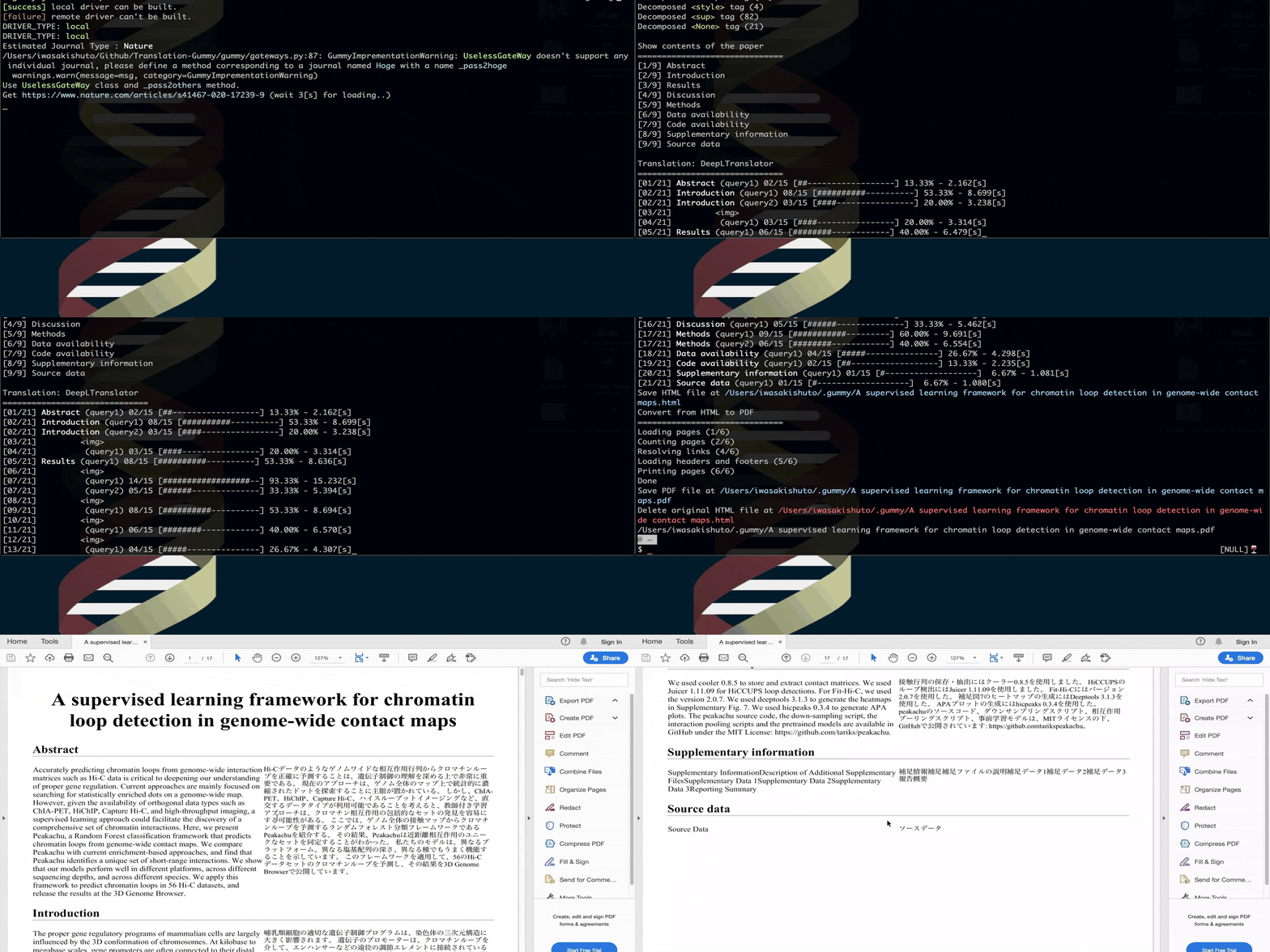
>>> pdfpath = model.toPDF(url="https://www.nature.com/articles/ncb0800_500", delete_html=True)
$ gummy-journal "https://www.nature.com/articles/ncb0800_500"
more like this
meine 🌒 - A CLI file manager and system utility built with Textual. It combines intuitive command parsing with rich t…
Create and add progress bars, Office365 Files and Dropbox Paper papers by labels and link them to your Todoist tasks.
search projects, people, and tags