agentlytics
Comprehensive analytics dashboard for AI coding agents — Cursor, Windsurf, Claude Code, VS Code Copilot, Zed, Antigravi…
JavaScript★ 555
Self-hosted home display — part photo frame, part family board, part Home Assistant dashboard. Drag-&-drop, live sync,…
 jeremiaa
English · Deutsch · 🌐 magicframe.dev
Runs entirely on your home network — no cloud account, no domain needed.
Drag & drop editor · Real live updates · Smart-home · Calendar · Weather · Picture-frame mode
Magic Frame turns any browser-capable screen — tablets, kitchen monitors, old TVs, picture frames — into a self-hosted display for your home:
One view per display, each with its own URL, layout and wallpaper. Everything syncs live over WebSocket — change a widget on your laptop and every display updates in under 100 ms, no refresh.
Install it once on any box in your home network — that machine becomes "the server", your displays just open its IP in a browser. No cloud account, no domain, no DDNS required. Postgres ships inside the Docker stack.
| Hardware | |
|---|---|
| Raspberry Pi 4 / 5, Mini-PC (NUC, Beelink, …) | ✅ |
| Synology / QNAP NAS | ✅ Docker package in the NAS OS |
| Old laptop / desktop / Mac mini | ✅ |
| VPS / cloud server | ✅ optional — only if you want outside access |
Rule of thumb: as long as you don't actively set up a domain, everything stays local on your LAN.
Two commands on a fresh Linux box. Skip step 1 if you already have Docker:
# 1. Install Docker (with Compose plugin) — official one-liner
curl -fsSL https://get.docker.com | sh

# 2. Install Magic Frame
curl -fsSL https://raw.githubusercontent.com/jeremiaa/magic-frame/main/deploy/install.sh | bash
macOS / Windows? Install Docker Desktop instead of step 1, then run step 2 in a terminal.
No
curl? Install it (sudo apt install curl/sudo dnf install curl) — or use git instead:git clone https://github.com/jeremiaa/magic-frame.git && cd magic-frame && ./deploy/install.sh
The installer clones the repo, generates secrets, pulls the pre-built multi-arch images (ghcr.io, amd64 + arm64 — no 20-minute compile on a Pi) and starts the stack: app + Postgres + Caddy. Then open http://<your-ip> → setup flow → create the first admin → done. Integrations (Google/Microsoft Calendar, OpenWeatherMap, Todoist, Home Assistant, Immich) are all added later through the UI.
The same command updates you — run it from the magic-frame folder any time a new version is out. It pulls the latest code, grabs the new images, and restarts. Your data, login, secrets and uploaded modules are never touched (none of that lives in git):
cd magic-frame && ./deploy/install.sh
No separate git pull needed — the installer does it for you. To build from source instead (forks, local changes): ./deploy/install.sh --build
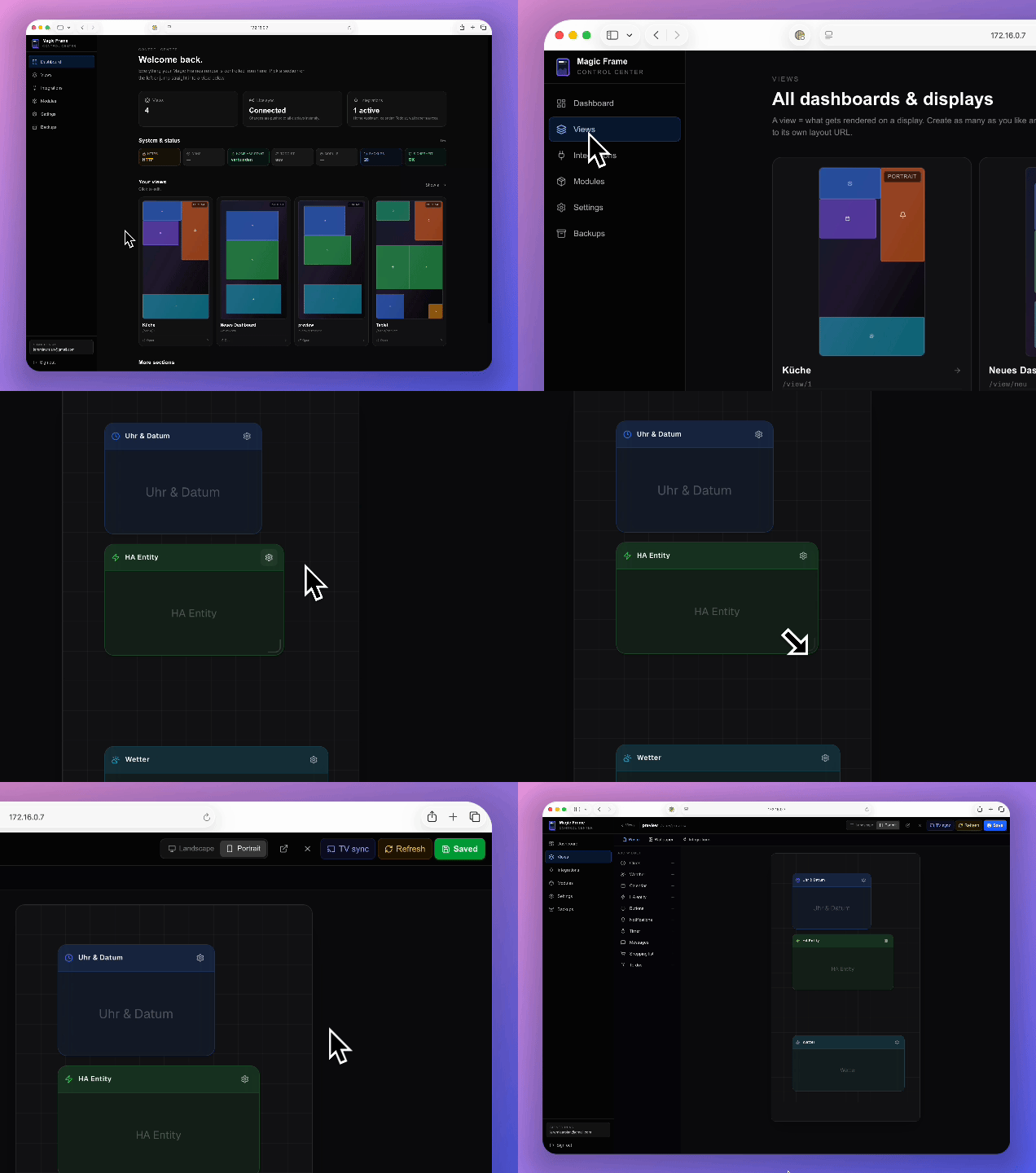
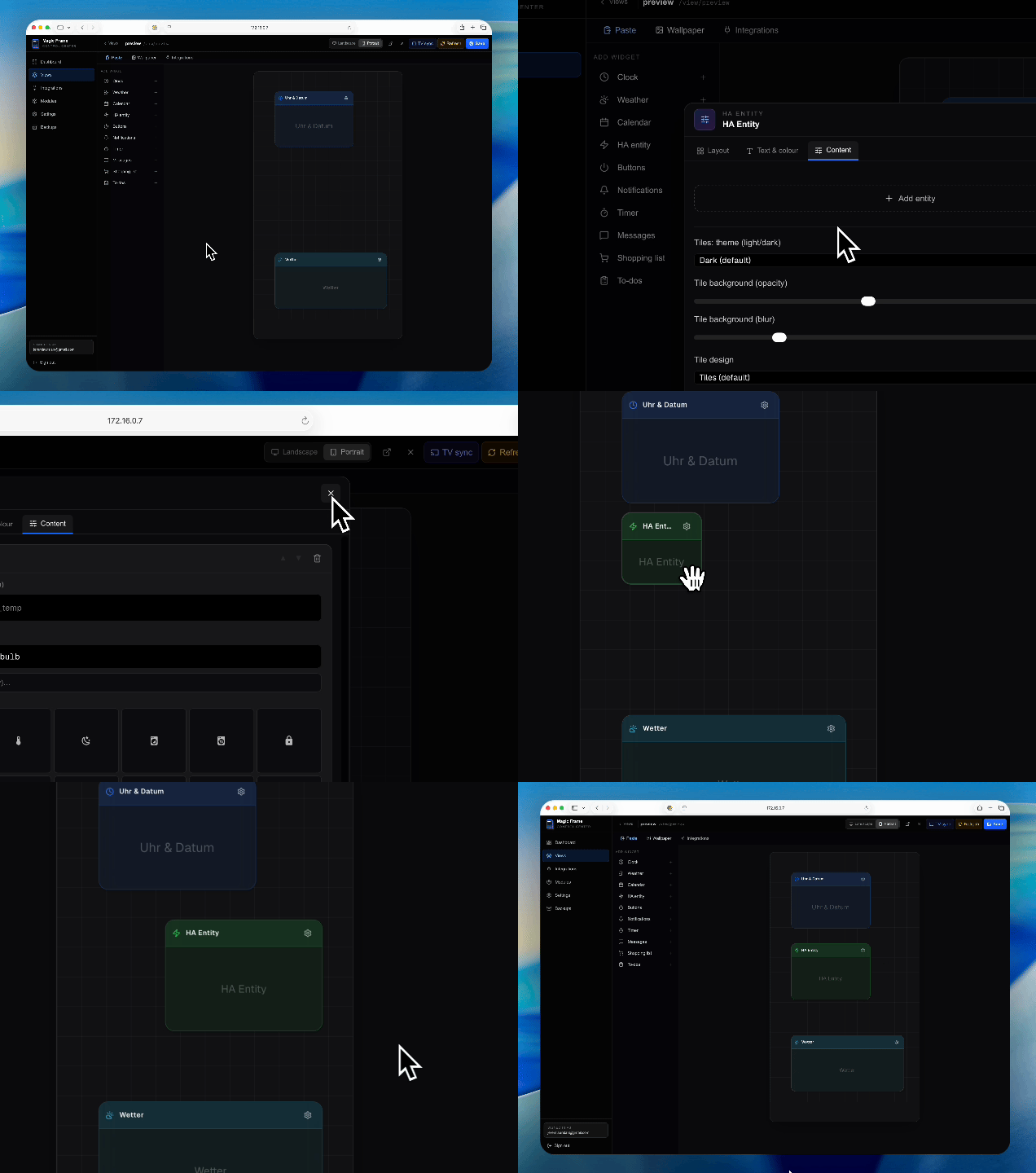
Watch the full ~1 min walkthrough (create view → drag widgets → configure inspector → save → live-sync to displays).
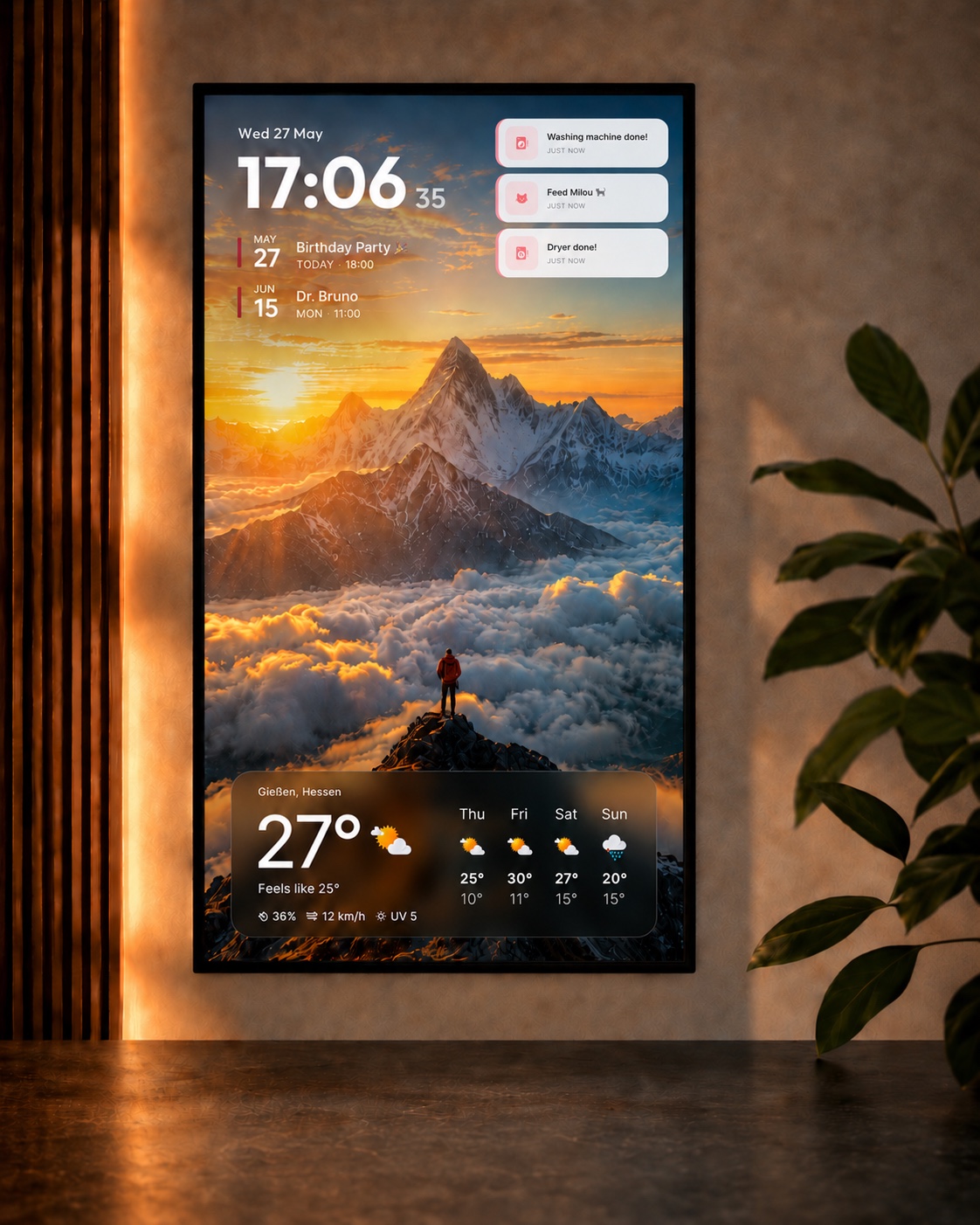
Real-world setups across different hardware. Same project, different layouts, different rooms.
 |
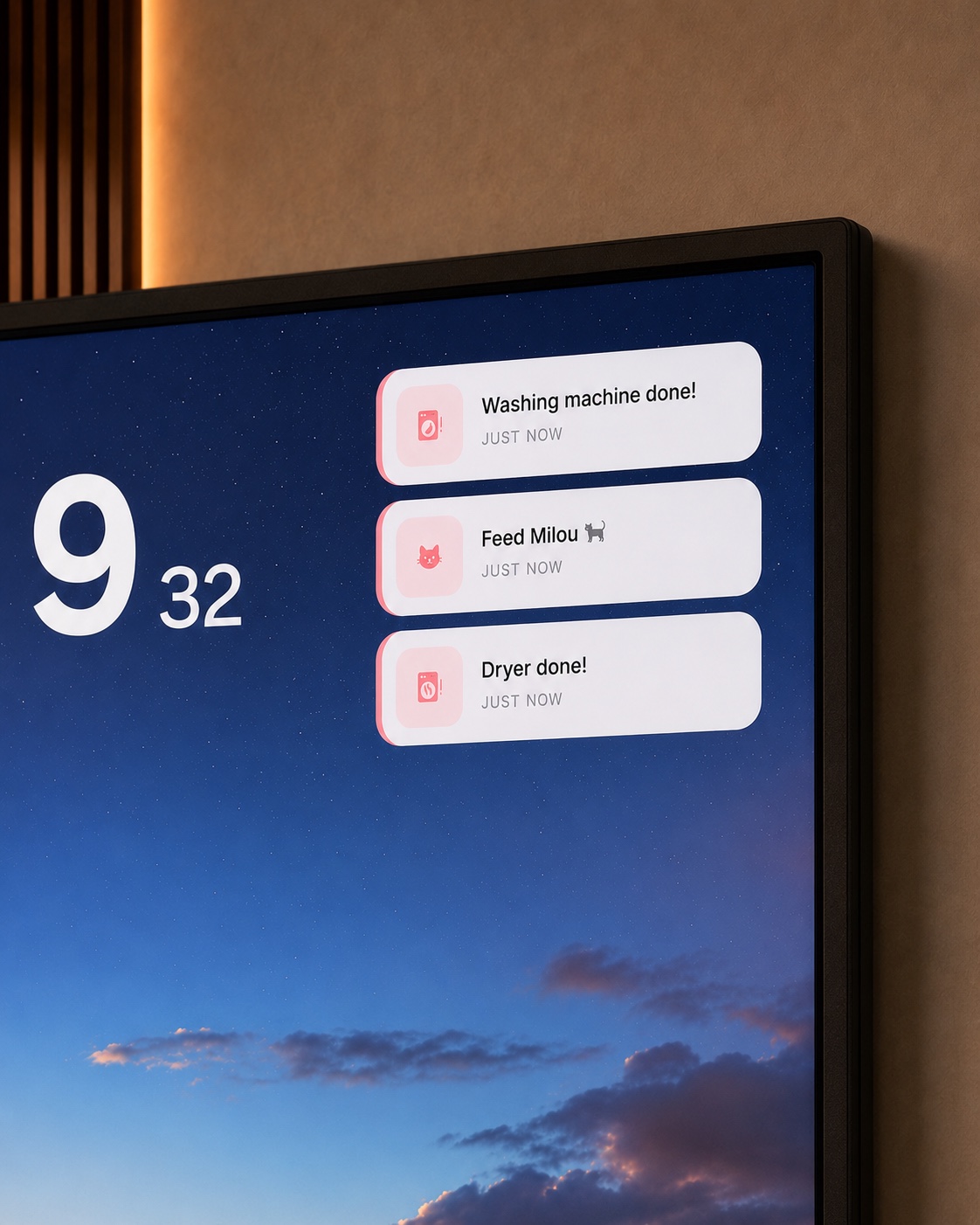 |
| Info layout: clock, two upcoming calendar events, three live HA notifications, current temperature and 4-day weather forecast over a rotating Immich wallpaper. Quiet and glanceable for a hallway, office or bedroom wall. | Notifications close-up: rule-based tiles that auto-show when something happens (washing machine done, "feed Milou", dryer done) and auto-hide once acknowledged. Wallpaper keeps running underneath. |
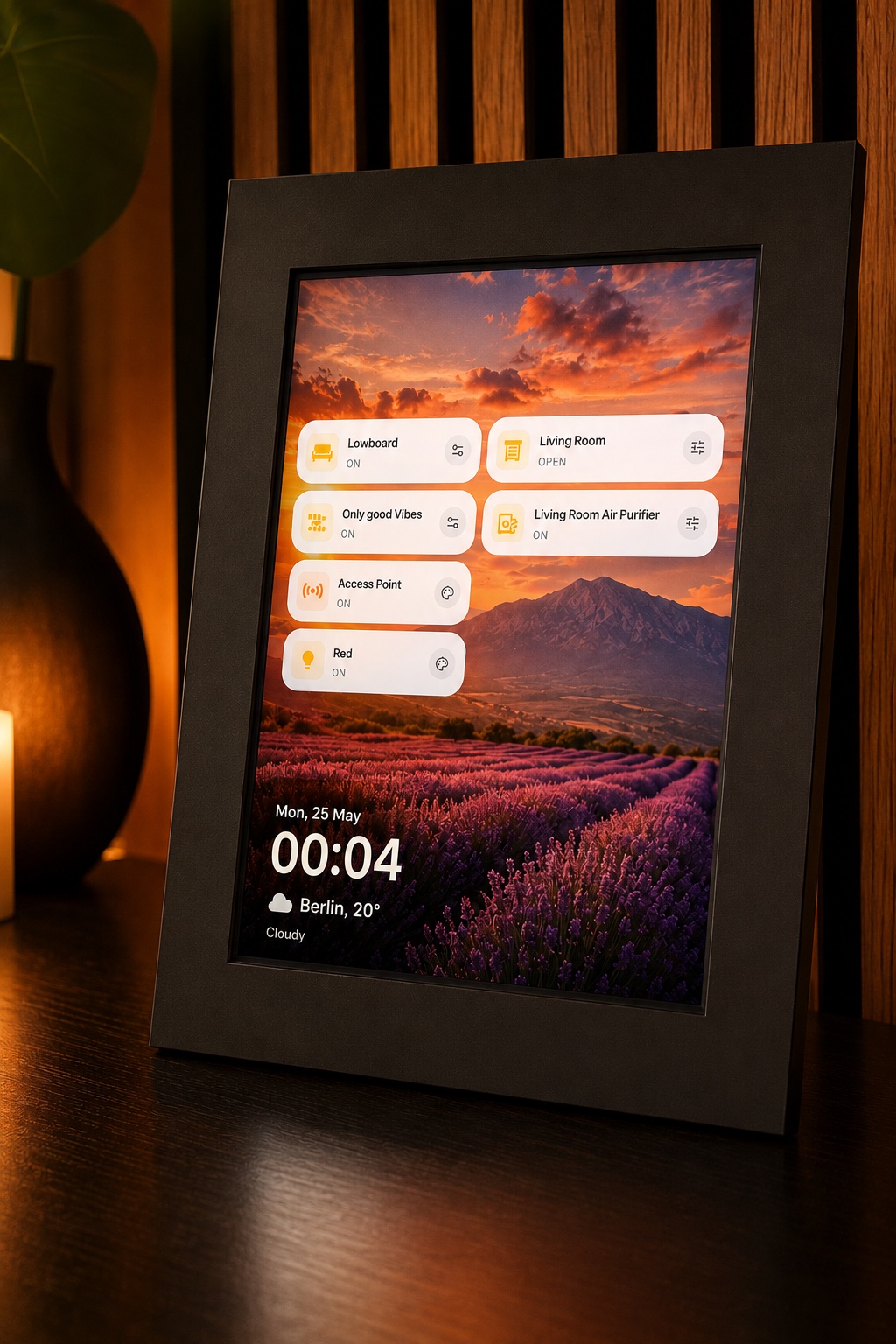
Scene-button layout: a small tablet in a real photo-frame mount. Quick-access HA buttons, small clock, current temperature, rotating wallpaper underneath.
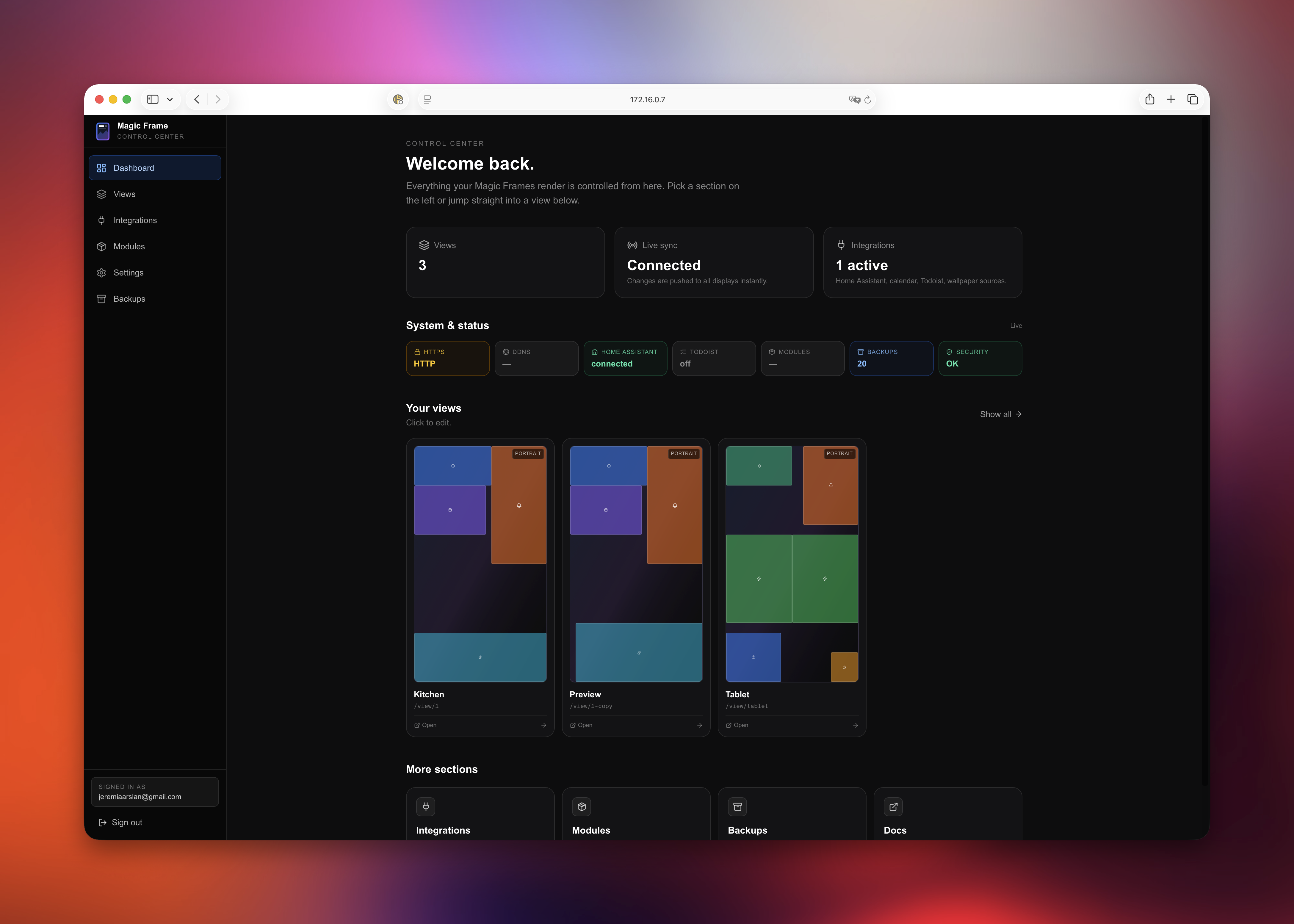 3 stat cards (views · live-sync · integrations) + system-status strip (HTTPS, DDNS, HA, Todoist, modules, backups, security) + mini-previews of all views at a glance.
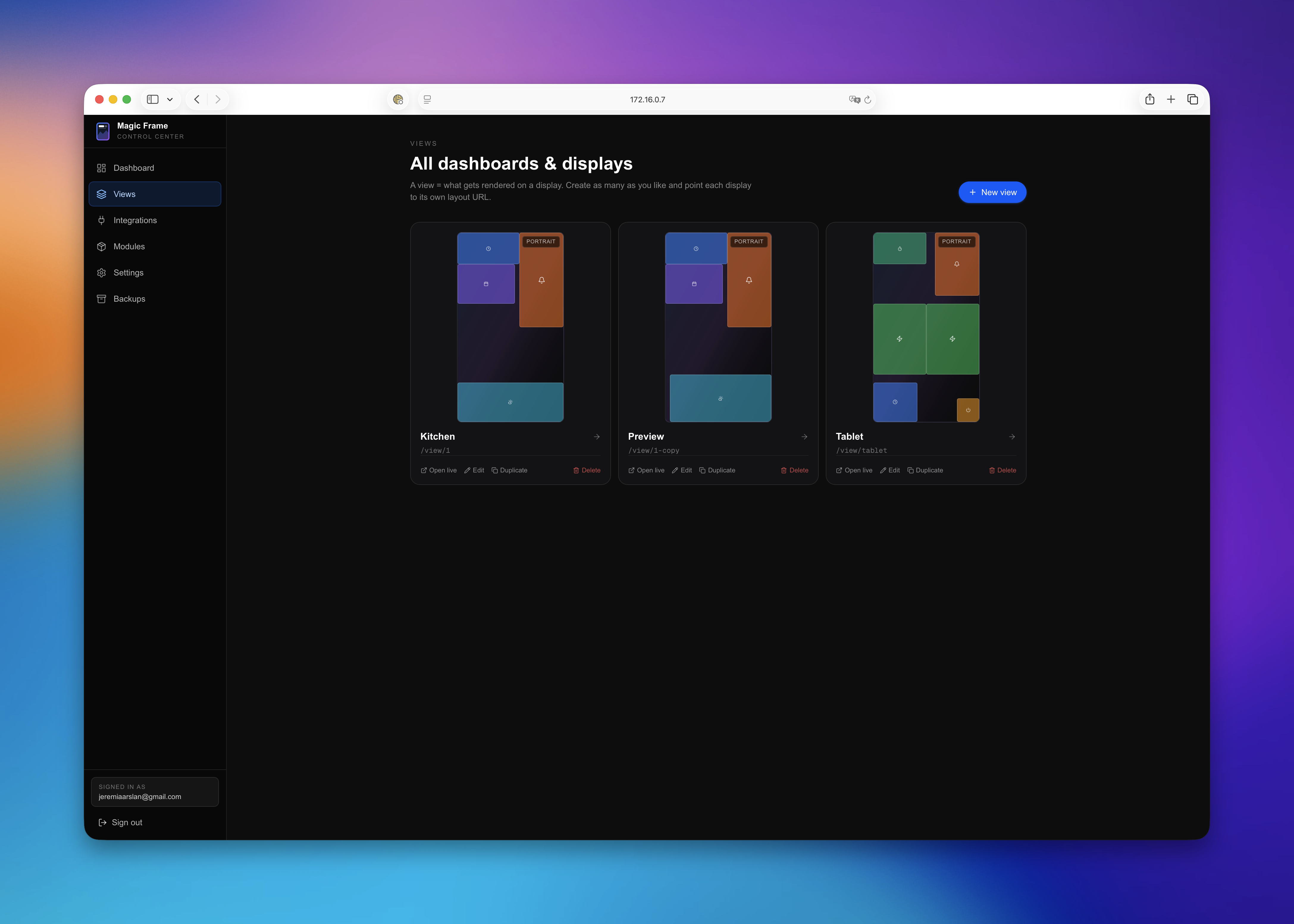 Each view is its own URL for one display — portrait for the tablet, landscape for the TV. Live previews show the real widget arrangement per view.
 |
 |
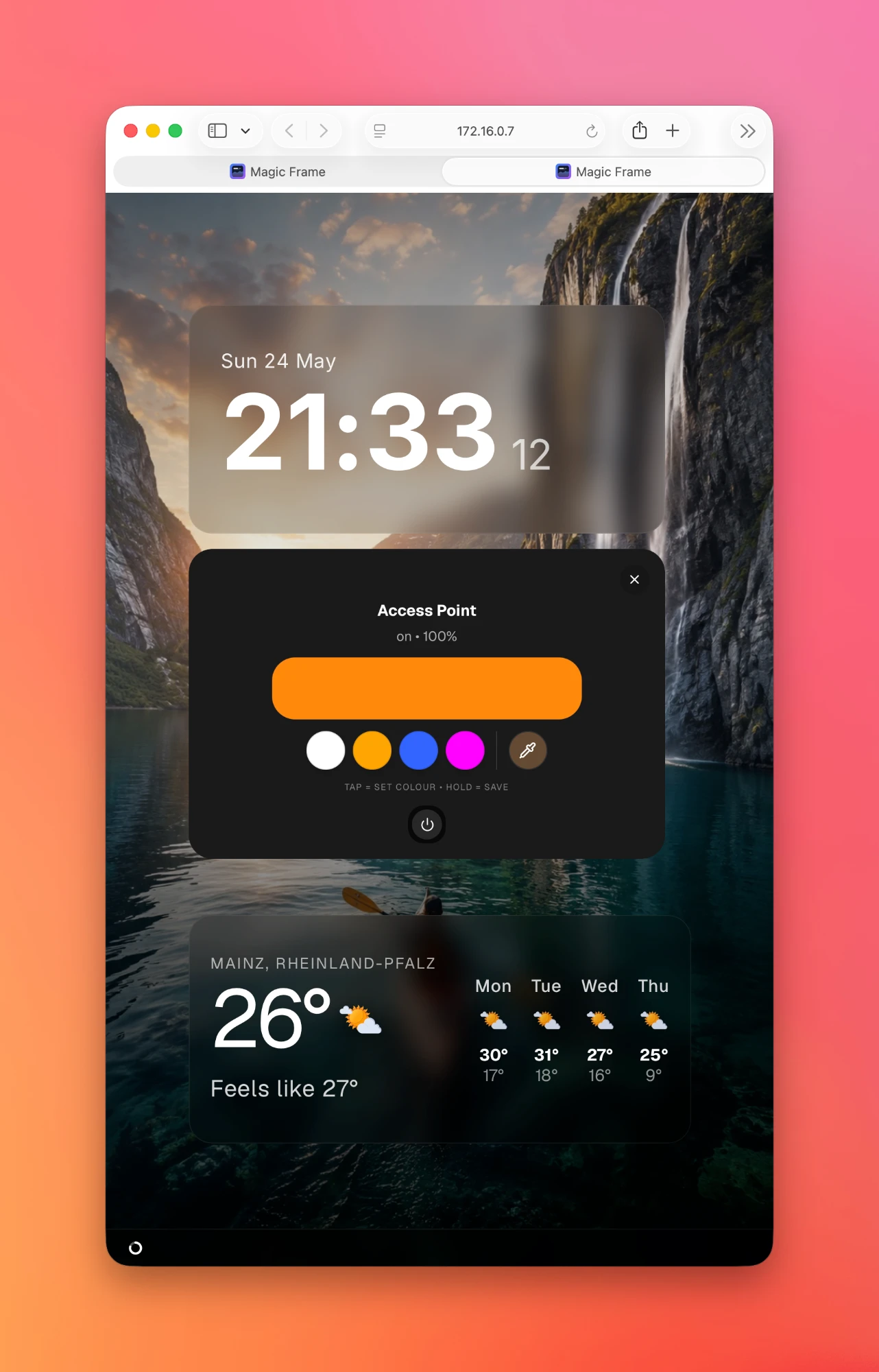 |
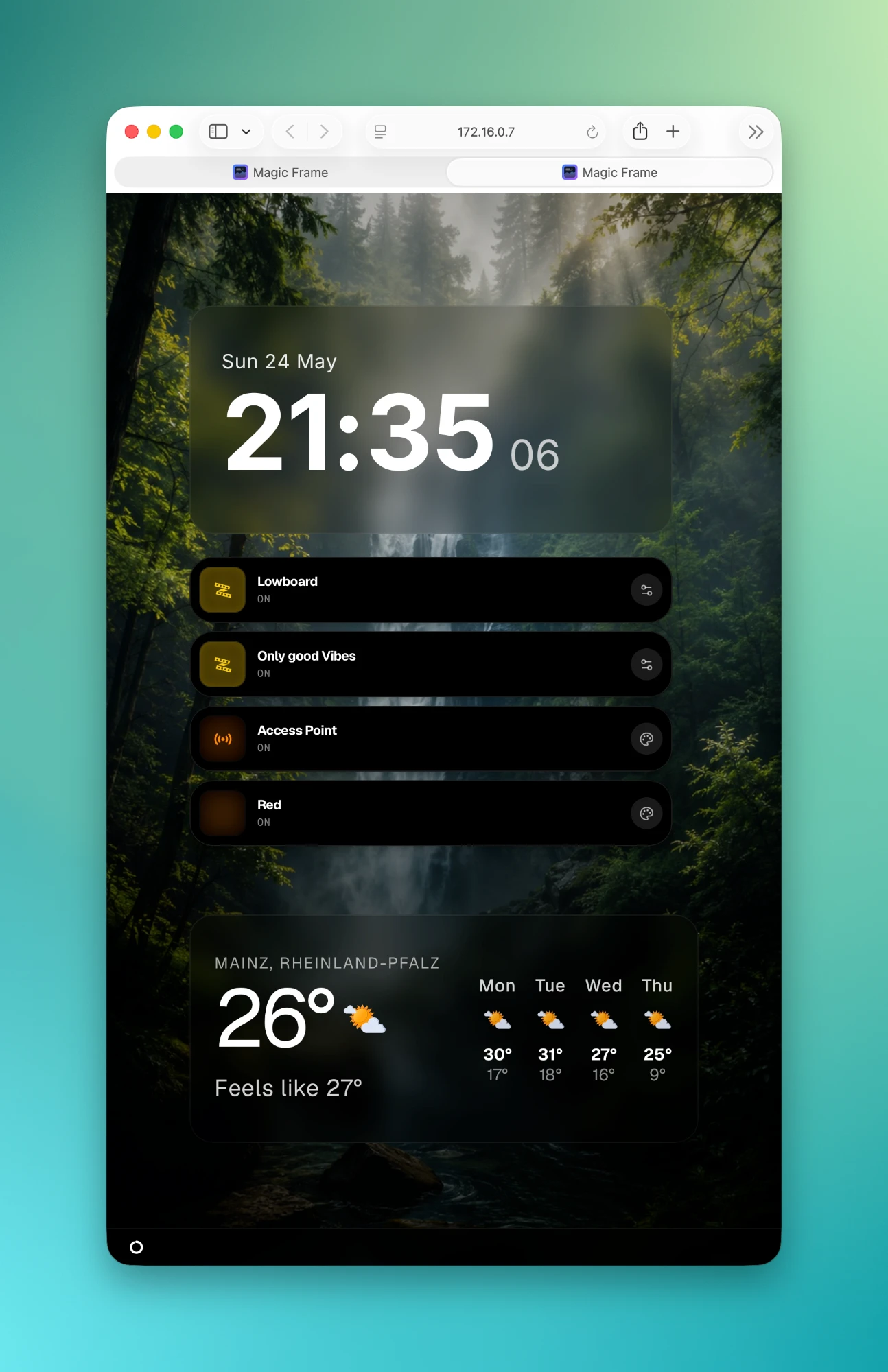
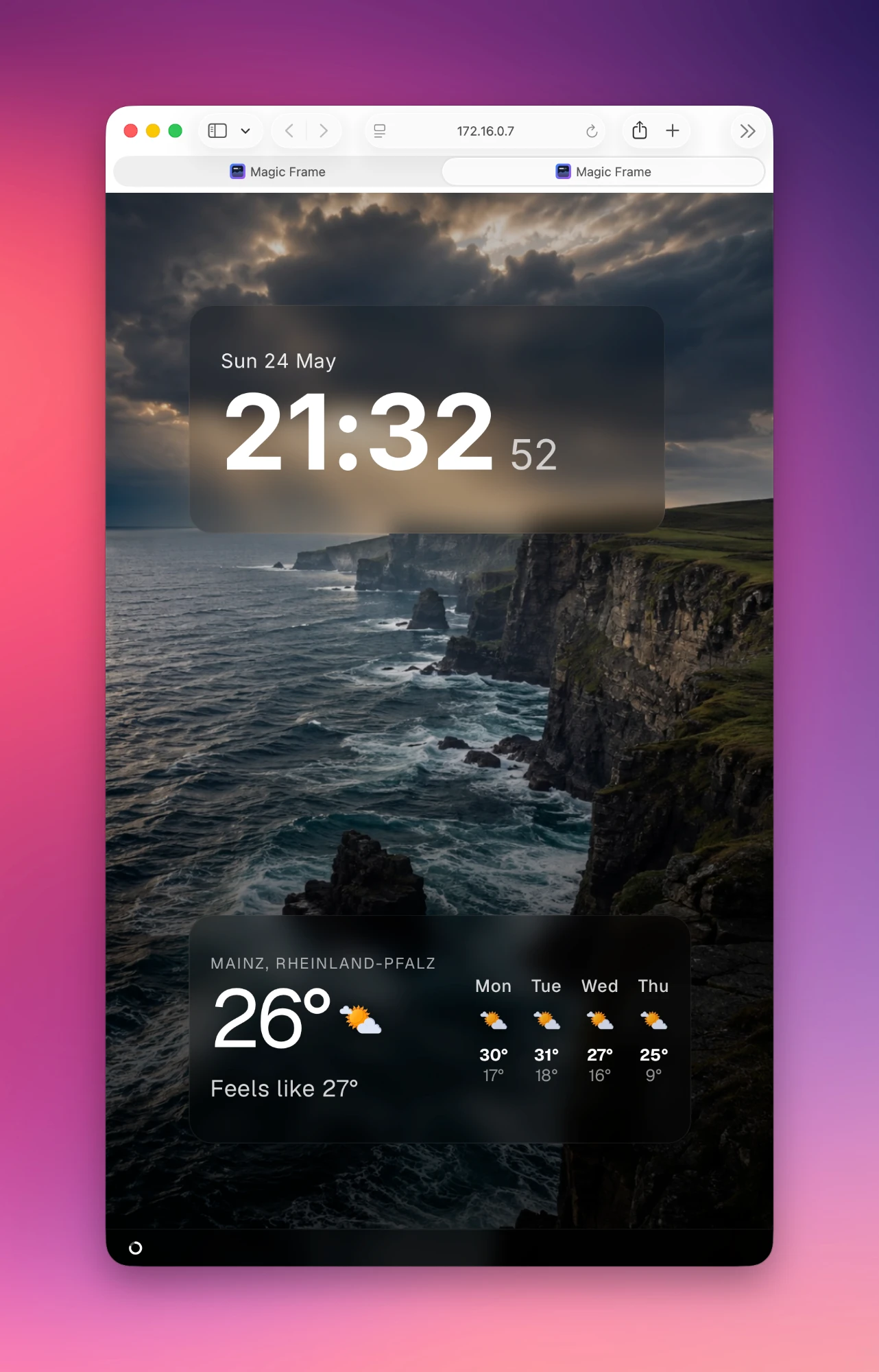
| Smart-home display: clock, 4 scene/device buttons (HA services), weather with 4-day forecast. | Minimal / picture frame: just clock + weather, the wallpaper rotation is the main element. | In action: tap on a button opens the matching pop-up — here a colour picker for a lamp incl. power toggle. |
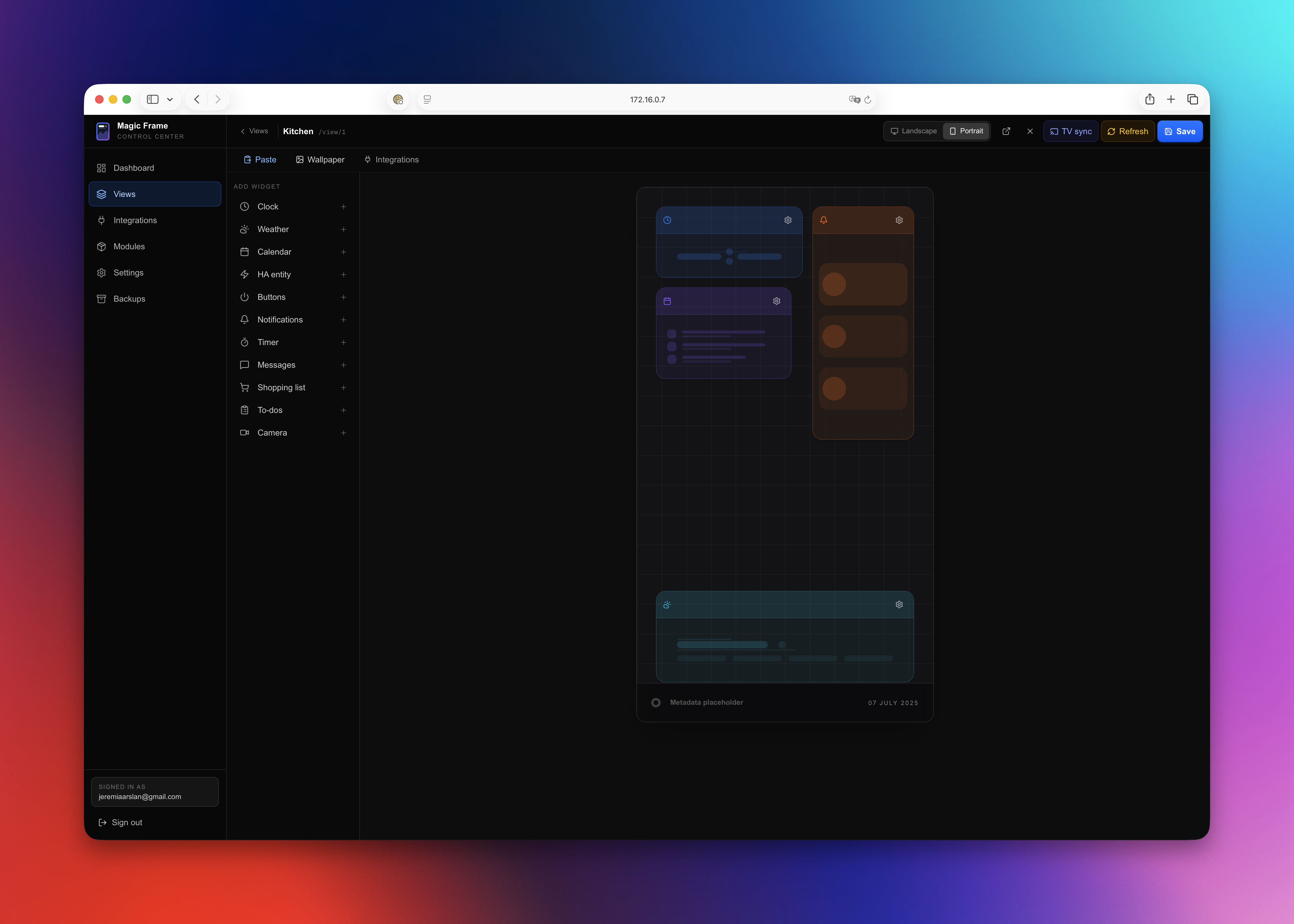 24-column grid, widget catalog on the left, inspector on the right. Auto-snapshot before every save, TV-sync to all connected displays.
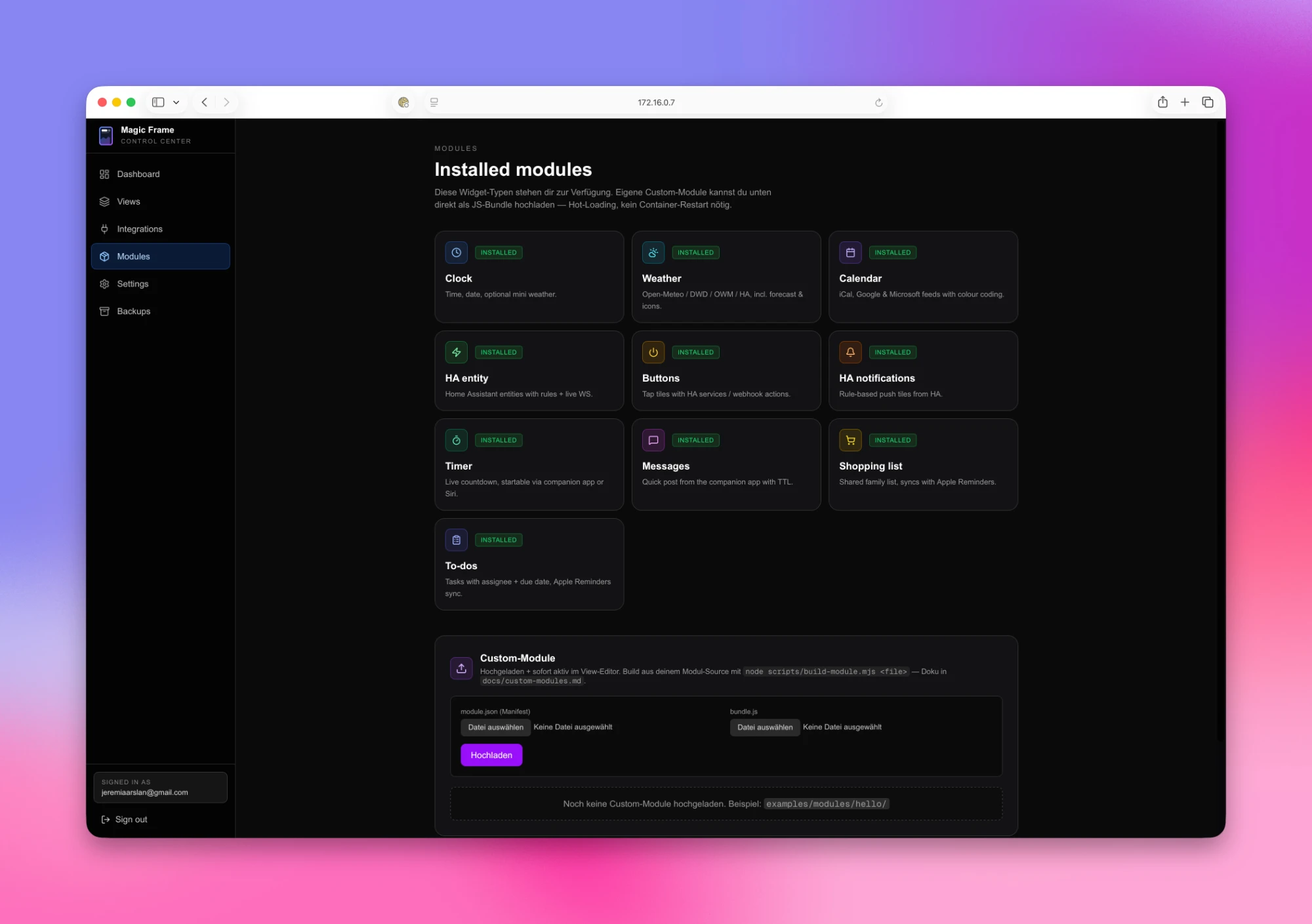 The core widgets ship with every install. Custom modules via JS-bundle upload — hot-loading, no container restart needed.
| Widget | Description |
|---|---|
| Clock | Time + date, optional mini weather, 12/24h |
| Weather | Open-Meteo, DWD, OpenWeatherMap, or HA weather entity · Meteocons + 3D icon sets |
| Environment | Air quality, pollen, PM and UV — Open-Meteo or your own HA sensors |
| Calendar | iCal + Google + Microsoft 365 + HA calendars · list, agenda and month views · 12/24h toggle |
| Home Assistant | Any HA entity + rule engine (colour/icon per state) |
| HA Notifications | Rule-based push tiles, tap-to-toggle, auto-hide when quiet |
| Camera | HA camera entities — snapshot refresh, fullscreen view |
| Sensor | Multi-sensor value tiles — per-sensor icon/colour, history sparkline |
| Image | Photo tile — Immich album or WebDAV slideshow |
| Buttons | Tap tiles with HA service calls (incl. service data) / webhooks |
| Timer | Live countdown, startable via REST API / iOS Shortcut |
| Messages | Quick post (text + image) via REST API with TTL |
| Shopping | 3 sources: local, HA (todo.*) or Todoist |
| Todos | 3 sources: local, HA (todo.*) or Todoist |
| Media Player | Now-playing card — artwork, progress, controls, several players stack |
| RSS Feed | Headlines with thumbnail and teaser, QR code to carry on reading |
| QR Code | Wi-Fi, links and text — rounded dots, gradients, icon in the middle |
| Status | Device card with picture and live details — car charging, printer printing, toniebox playing |
For purely local LAN use you need none of these. Toggle-able in the UI:
Upload a JS bundle through the UI — hot-loaded on every display, no container restart. Build helper (node scripts/build-module.mjs), manifest with field schema, example module in examples/modules/hello/. See docs/custom-modules.md — community modules & PRs welcome.
Native Swift app being built alongside the web editor. Not yet available — TestFlight beta coming soon. Planned: lock-screen timer (App Intent), quick posts with TTL, shopping/todos sync with iOS Reminders, push notifications per frame, view switch/refresh from anywhere.
Until then (and afterwards too): all of this already works via the REST API with a shortcut token — perfect for iOS Shortcuts, Tasker, or curl. See docs/companion-api.md.
One Docker stack with three services, all on the same host:
| Layer | What |
|---|---|
| Caddy | Reverse proxy + automatic HTTPS (Let's Encrypt). Custom build with 10 DNS plugins for ACME DNS-01. For purely local use it runs as a plain HTTP proxy without TLS. |
| Next.js app | /editor is the admin UI. /view/<id> is what displays render. /api/... is the REST surface for the companion app, shortcuts, and external tools. Socket.IO pushes live updates to every display. |
| Postgres 16 | Dashboards, layouts, snapshots, users, OAuth tokens, custom modules, app settings. |
Data flow on save: browser edits a widget → Next.js API → snapshot to Postgres → Socket.IO event → every display re-renders in under 100 ms. Persistent volumes (Postgres data, settings, wallpaper cache, Caddyfile, certs) survive every update.
cd magic-frame && ./deploy/install.sh                # update — data, login and modules survive
docker compose logs -f app                           # logs (app / caddy)
docker compose exec db pg_dump -U postgres magicdashboard | gzip > backup-$(date +%F).sql.gz   # DB backup
If you cloned during launch week (before v1.0.2), upstream history was rewritten a few times. One-time recovery — your .env, database and modules are untouched (none of that lives in git):
cd magic-frame
git fetch --force --tags origin
git reset --hard origin/main
./deploy/install.sh
http://<server-ip> / says HTTPS failedBrave, Chrome and Edge auto-upgrade http:// to https://. On a fresh local install there's no cert yet, so the upgrade fails before the request reaches Magic Frame.
http://<server-ip>/login (the auto-upgrade often only fires on bare host URLs)brave://settings/security → "Always use secure connections" → off (or per-site exception) · Chrome/Edge: same setting under chrome://settings/securityBind for 0.0.0.0:80 failed: port is already allocated during installSomething else on the host is on port 80. Check ss -tlnp | grep :80 and docker ps --filter "publish=80" — common culprits are distro nginx/apache2 (systemctl stop nginx && systemctl disable nginx) or another container. After fixing: docker compose down && docker compose up -d.
Split-horizon or self-hosted DNS (Technitium, Pi-hole, Unbound, …) can produce a confusing failure: dig and curl resolve the name inside the container just fine, but Magic Frame still reports ENOTFOUND.
The cause is usually the AAAA answer. If your resolver replies NXDOMAIN for the IPv6 query instead of NOERROR with an empty answer, musl libc — which the Alpine-based image uses for getaddrinfo(), and therefore for fetch/WebSockets — treats the whole dual-stack lookup as failed, even though the A record resolved. dig and curl don't go through that code path, which is why they keep working.
Check it with:
dig @<your-dns> ha.example.lan AAAA   # NXDOMAIN here is the problem — NOERROR is correct
dig @<your-dns> ha.example.lan A      # this one resolves fine
NOERROR (NODATA) for names that only have an A recordThanks to @proffalken for tracking this down in #64.
Next.js and your browser both cache aggressively. Hard-refresh (Cmd+Shift+R / Ctrl+Shift+R) or use an incognito window after docker compose up -d --build.
ROADMAP.md |
What's coming next + how releases work |
LICENSE.md |
Polyform Noncommercial 1.0.0 |
.env.example |
All environment variables documented |
docs/custom-modules.md |
Build + upload your own widget modules |
docs/module-development.md |
Core-widget development (source-tree patch) |
docs/companion-api.md |
REST API endpoints (companion app / your own scripts) |
kubernetes/ |
Community Kubernetes manifests (thanks @RudiKlein) |
Next.js 16 · React 19 · Postgres 16 + Prisma 7 · Caddy 2 (xcaddy custom build) · Tailwind CSS 4 · Socket.IO · react-grid-layout · iron-session · otplib · esbuild
Issues with a clear reproduction are especially welcome — they directly drive releases (most of v1.1 came straight from community requests). PRs are happily reviewed; for larger changes please open an issue first so we can sort out what fits.
Magic Frame is free for home use and built in my spare time. If it hangs on your wall and you want to say thanks:
Polyform Noncommercial 1.0.0 — open-source-style, allows free use, modification, distribution, and contribution. Commercial use (selling, SaaS offering, embedding in your own products) is not permitted without a separate license.
For commercial inquiries: magicframeapp@gmail.com
Vibe-coded with Claude.
more like this
Comprehensive analytics dashboard for AI coding agents — Cursor, Windsurf, Claude Code, VS Code Copilot, Zed, Antigravi…
search projects, people, and tags